Krishcalin/Windows-Red-Teaming
GitHub: Krishcalin/Windows-Red-Teaming
一款基于 Python 的 Windows 红队评估工具,通过双模式架构(被动审计与主动模拟)覆盖 13 项 MITRE ATT&CK 战术,帮助安全团队验证防御能力。
Stars: 1 | Forks: 0
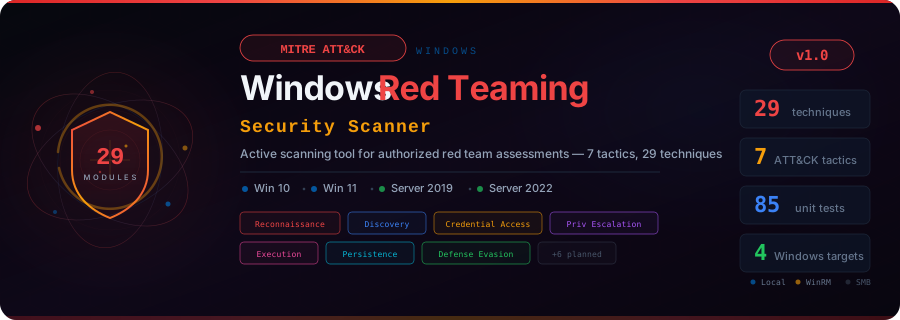
基于 Python 的 Windows 红队扫描器,采用双模式架构:
包含 33 个 Python 审计模块和 221 个 Atomic Red Team 风格的 YAML 测试,覆盖 13 项 MITRE ATT&CK 战术






## 概述
**Windows Red Teaming** 是一款开源、授权的红队安全评估工具,适用于 Windows 10、11、Server 2019 和 Server 2022。它将每一项检查映射到 [MITRE ATT&CK](https://attack.mitre.org/) 技术,并结合了两种互补的扫描方法:
| 层级 | 来源 | 数量 | 用途 |
|-------|--------|-------|---------|
| **Python 模块** | `modules/` | 覆盖 7 项战术的 33 个模块 | 被动安全态势审计(`check`)+ 带清理的主动模拟(`simulate`) |
| **YAML 原子测试** | `atomics/` | 覆盖 65 项技术的 221 个测试 | Atomic Red Team 风格的技术执行,支持输入参数、依赖项和清理操作 |
该工具在以下模式下运行:
| 模式 | 命令 | 行为 |
|------|---------|----------|
| **空运行(Dry-run)** | `scan --target
--dry-run` | 预览将要运行的确切模块/原子测试。无连接、无执行、无更改。 |
| **检查** *(默认)* | `scan --target ` | 被动的、只读安全审计。对生产环境安全。 |
| **模拟** | `scan --target --simulate` | Python 模块模拟 + YAML 原子测试执行,并带有自动清理功能。 |
| **运行 Atomic** | `run-atomic --target --technique ` | 直接为单个技术执行 YAML 原子测试。 |
## 核心功能
- **双模式架构** —— 33 个 Python 模块(被动检查 + 主动模拟)+ 覆盖 65 项技术的 221 个 YAML 原子测试
- **Atomic Red Team 风格 YAML 测试** —— 数据驱动的测试定义,支持 `#{arg}` 模板、依赖项(`prereq_command` / `get_prereq_command`)、清理命令以及执行器类型(`powershell`、`command_prompt`、`manual`)
- **模块自动发现** —— 只需将 Python 模块放入 `modules//` 或将 YAML 文件放入 `atomics//`,即可被自动识别加载
- **会话抽象** —— 通过 subprocess 进行本地执行,通过 WinRM(pypsrp)进行远程执行,计划支持 SMB/WMI
- **ATT&CK Navigator 导出** —— 生成 JSON layer 文件以用于 [ATT&CK Navigator](https://mitre-attack.github.io/attack-navigator/) 可视化
- **多格式报告** —— HTML(暗色主题)、JSON、CSV
- **完整的证据链** —— 每一项操作都会记录时间戳、目标、技术 ID 和结果
- **扫描配置** —— quick(8 项技术)、full(全部)、stealth(4 项最小足迹)或自定义 YAML
- **感知操作系统的执行** —— 模块声明 `SUPPORTED_OS`,并自动跳过不兼容的目标
- **13 项 MITRE ATT&CK 战术** —— 从 Reconnaissance 到 Impact 的完整覆盖
## MITRE ATT&CK 覆盖范围
| 战术 | ID | Python 模块 | Atomic YAML 测试 | 关键技术 |
|--------|----|:-:|:-:|----------------|
| **Reconnaissance** | TA0043 | 1 | -- | T1595 Active Scanning |
| **Discovery** | TA0007 | 8 | 19 项技术,73 个测试 | T1082, T1087, T1069, T1046, T1057, T1016, T1049, T1083, T1033, T1018, T1135, T1482, T1201, T1518.001, T1012, T1007, T1124, T1615, T1614.001 |
| **Execution** | TA0002 | 3 | 6 项技术,24 个测试 | T1059.001 PowerShell (7), T1059.003 Command Shell (4), T1047 WMI (4), T1053.005 Scheduled Task (4), T1569.002 Service Execution (3), T1106 Native API (2) |
| **Persistence** | TA0003 | 3 | 7 项技术,20 个测试 | T1547.001 Run Keys (4), T1546.003 WMI Event Sub (2), T1546.008 Accessibility Features (3), T1543.003 Windows Service (3), T1136.001 Local Account (3), T1547.004 Winlogon (2) |
| **Privilege Escalation** | TA0004 | 6 | 3 项技术,13 个测试 | T1548.002 UAC Bypass (4), T1134, T1574.001, T1574.002, **T1210 RDP EoP CVE-2026-21533** (5), **T1068 DWM Privesc CVE-2026-21519** (4) |
| **Defense Evasion** | TA0005 | 6 | 6 项技术,27 个测试 | T1562.001 Disable Tools (6), T1562.002 Disable Logging (4), T1112 Modify Registry (4), T1070.001 Clear Logs (3), **T1218 MSHTML Bypass CVE-2026-21513** (5), **T1553.005 SmartScreen Bypass CVE-2026-21510** (5) |
| **Credential Access** | TA0006 | 6 | 6 项技术,20 个测试 | T1003.001 LSASS (4), T1003.002 SAM (3), T1003.003 NTDS (3), T1558.003 Kerberoasting (3), T1552.001 Creds in Files (4), T1110.003 Password Spray (3) |
| **Lateral Movement** | TA0008 | -- | 4 项技术,12 个测试 | T1021.001 RDP (4), T1021.002 SMB Shares (3), T1021.006 WinRM (3), T1550.002 Pass the Hash (2) |
| **Collection** | TA0009 | -- | 5 项技术,8 个测试 | T1113 Screen Capture (2), T1560.001 Archive (2), T1074.001 Staging (1), T1115 Clipboard (1), T1219 RAT Detection (2) |
| **Command & Control** | TA0011 | -- | 3 项技术,9 个测试 | T1105 Ingress Transfer (5 种方法:WebClient, IWR, certutil, bitsadmin, curl), T1071.001 Web Protocols (2), T1219 Remote Access (2) |
| **Exfiltration** | TA0010 | -- | 1 项技术,3 个测试 | T1048.003 DNS, ICMP, SMB exfil 模拟 |
| **Impact** | TA0040 | -- | 5 项技术,12 个测试 | T1490 Inhibit Recovery (4), T1489 Service Stop (2), T1529 Shutdown (2), T1485 Data Destruction (2), T1531 Account Access Removal (2) |
| **总计** | | **33 个模块** | **65 项技术,221 个测试** | **约 94 项独立技术** |
## 快速入门
### 前置条件
- Python 3.10+
- Windows 目标(本地或通过 WinRM 远程访问)
### 安装
```
git clone https://github.com/Krishcalin/Windows-Red-Teaming.git
cd Windows-Red-Teaming
pip install -r requirements.txt
```
### 用法
查看完整的 **[用户指南](docs/USAGE.md)** 以了解安装、配置、所有命令以及推荐的执行工作流。
```
# ── Dry-run(预览计划;不连接,不执行)────
python main.py scan --target 192.168.1.10 --profile full --simulate --dry-run
# ── Passive scanning(检查模式,对生产环境安全)──────────
python main.py scan --target localhost --profile quick
python main.py scan --target 192.168.1.10 --profile full
python main.py scan --target localhost --tactic discovery
python main.py scan --target localhost --technique T1082
# ── Active simulation(Python modules + YAML atomic tests)────
python main.py scan --target 192.168.1.10 --profile full --simulate
# ── 直接运行特定 technique 的 atomic tests──────────
python main.py run-atomic --target localhost --technique T1082
python main.py run-atomic --target localhost --technique T1059.001 --format json
# ── Module discovery───────────────────────────────────
python main.py list-modules # All (Python + atomic)
python main.py list-modules --source python # Python modules only
python main.py list-modules --source atomic # YAML atomic tests only
# ── Reporting──────────────────────────────────────────
python main.py scan --target localhost --format json --output report
python main.py scan --target localhost --format html --output report
python main.py report --input reports/scan_20260326.json --format html
```
## 架构
```
Windows-Red-Teaming/
|
|-- main.py # CLI entry point (Click)
|
|-- core/ # Core engine components
| |-- engine.py # ScanEngine — orchestrates Python modules + YAML atomics
| |-- session.py # BaseSession, LocalSession, WinRMSession
| |-- models.py # Target, Finding, ModuleResult, ScanResult, Severity, OSType
| |-- atomic_models.py # AtomicTechnique, AtomicTest, InputArgument, Dependency, Executor
| |-- atomic_runner.py # YAML atomic test loader, dependency checker, executor, cleanup
| |-- config.py # YAML config loader + profile merging + technique filters
| |-- logger.py # structlog logging + EvidenceLogger audit chain
| |-- reporter.py # HTML (Jinja2) / JSON / CSV report generation
| +-- mitre_mapper.py # ATT&CK Navigator v4.5 JSON layer export
|
|-- modules/ # Python technique modules (check + simulate + cleanup)
| |-- base.py # BaseModule ABC — all modules inherit this
| |-- reconnaissance/ # TA0043 — 1 module (T1595)
| |-- discovery/ # TA0007 — 8 modules (T1082, T1087, T1069, T1046, T1083, T1057, T1049, T1016)
| |-- execution/ # TA0002 — 3 modules (T1059.001, T1059.003, T1047)
| |-- persistence/ # TA0003 — 3 modules (T1053.005, T1547.001, T1546.001)
| |-- privilege_escalation/ # TA0004 — 6 modules (T1548.002, T1134, T1574.001, T1574.002, T1210, T1068)
| |-- credential_access/ # TA0006 — 6 modules (T1003.001/.002/.003, T1558.003, T1552.001, T1110)
| |-- defense_evasion/ # TA0005 — 6 modules (T1562.001/.002, T1036, T1070.001, T1218, T1553.005)
| |-- lateral_movement/ # TA0008 — empty (covered by YAML atomics)
| |-- collection/ # TA0009 — empty (covered by YAML atomics)
| |-- command_and_control/ # TA0011 — empty (covered by YAML atomics)
| |-- exfiltration/ # TA0010 — empty (covered by YAML atomics)
| +-- impact/ # TA0040 — empty (covered by YAML atomics)
|
|-- atomics/ # YAML atomic tests (Atomic Red Team-style)
| |-- T1082/T1082.yaml # 10 tests — System Info Discovery
| |-- T1087.001/T1087.001.yaml # 4 tests — Local Account Discovery
| |-- T1087.002/T1087.002.yaml # 5 tests — Domain Account Discovery
| |-- T1059.001/T1059.001.yaml # 7 tests — PowerShell
| |-- T1562.001/T1562.001.yaml # 6 tests — Disable Security Tools
| |-- T1105/T1105.yaml # 5 tests — Ingress Tool Transfer
| +-- ... (65 technique directories, 221 atomic tests total)
|
|-- config/
| |-- settings.example.yaml # Template for targets, credentials, output settings
| |-- techniques.yaml # Enable/disable individual techniques (103 entries)
| +-- profiles/
| |-- quick.yaml # 8 high-value techniques
| |-- full.yaml # All discovered modules
| +-- stealth.yaml # 4 minimal-footprint checks
|
|-- templates/
| +-- report.html # Jinja2 dark-themed HTML report template
|
|-- tests/ # 194 pytest tests
| |-- conftest.py # Shared fixtures (mock_session, sample_target, etc.)
| |-- test_engine.py # ScanEngine discovery + authorization tests
| |-- test_models.py # Finding, ModuleResult, ScanResult tests
| |-- test_session.py # Session abstraction tests
| |-- test_atomic_models.py # AtomicTest, InputArgument, Executor, AtomicTechnique tests
| |-- test_atomic_runner.py # AtomicRunner discovery, filtering, execution, cleanup tests
| +-- test_modules/ # Per-module tests (discovery, credential, priv_esc, phase4)
|
|-- evidence/ # Audit trail storage (gitignored)
|-- reports/ # Generated reports (gitignored)
+-- docs/ # Banner SVG
```
### 工作原理
```
┌──────────────────────────────────────────────┐
| ScanEngine |
| |
scan --target x | 1. Discover Python modules (modules/) |
--simulate | 2. Discover YAML atomics (atomics/) |
| | 3. Create session (Local or WinRM) |
v | 4. Detect target OS |
┌────────┐ | 5. Run Python check() on each module |
| CLI |----->| 6. If --simulate: run simulate() + cleanup |
| main.py| | 7. If --simulate: run YAML atomic tests |
└────────┘ | for techniques NOT covered by Python |
| 8. Generate reports + ATT&CK layer |
└──────────────────────────────────────────────┘
```
### Python 模块契约 (BaseModule)
每个 Python 技术模块都继承自 `BaseModule` 并实现以下四个方法:
```
class SystemInfoDiscovery(BaseModule):
TECHNIQUE_ID = "T1082"
TECHNIQUE_NAME = "System Information Discovery"
TACTIC = "Discovery"
SEVERITY = Severity.MEDIUM
SUPPORTED_OS = [OSType.WIN10, OSType.WIN11, OSType.SERVER_2019, OSType.SERVER_2022]
REQUIRES_ADMIN = False
SAFE_MODE = True
def check(self, session) -> ModuleResult: # Passive read-only audit
...
def simulate(self, session) -> ModuleResult: # Active technique demo (--simulate)
...
def cleanup(self, session) -> None: # Revert simulate changes
...
def get_mitigations(self) -> list[str]: # Remediation advice
...
```
### YAML 原子测试格式
Atomic 测试位于 `atomics//.yaml`。每个文件可以为同一 ATT&CK 技术定义多个测试,灵感来源于 [Red Canary 的 Atomic Red Team](https://github.com/redcanaryco/atomic-red-team):
```
attack_technique: T1082
display_name: "System Information Discovery"
tactic: Discovery
atomic_tests:
- name: "System Information via systeminfo"
auto_generated_guid: a0f7e4b1c2d3e4f5a6b7c8d9e0f1a2b3
description: |
Executes systeminfo to gather OS version and hardware details.
supported_platforms:
- windows
input_arguments: # #{arg} templating in commands
output_file:
description: "Output file path"
type: path
default: "%TEMP%\\sysinfo.txt"
dependencies: # Pre-flight checks
- description: "Tool must exist"
prereq_command: "where systeminfo"
get_prereq_command: null # null = manual resolution
executor:
name: command_prompt # powershell | command_prompt | manual
command: |
systeminfo > #{output_file}
cleanup_command: |
del /f #{output_file} >nul 2>&1
elevation_required: false
```
**主要特性:**
- 支持 `#{arg_name}` 替换,并带有默认值和 CLI 覆盖
- 依赖系统:`prereq_command`(如果满足条件则退出代码为 0)+ 可选的 `get_prereq_command`(自动安装)
- 三种执行器类型:`powershell`、`command_prompt`、`manual`(人工步骤)
- 清理命令会在每次测试后自动运行
- 针对需要管理员权限的测试提供 `elevation_required` 标志
## 扫描配置
| 配置 | 战术 | 技术 | 用例 |
|---------|---------|------------|----------|
| `quick` | Discovery, Credential Access, Defense Evasion | 8 个高价值项 | 快速安全态势检查 |
| `full` | 所有启用项 | 所有已发现项 | 全面的被动审计 |
| `stealth` | Discovery, Defense Evasion | 4 个最简项 | 低足迹侦察 |
## 目标操作系统支持
| 功能 | Win 10 | Win 11 | Server 2019 | Server 2022 |
|---------|:------:|:------:|:-----------:|:-----------:|
| 本地扫描 | 是 | 是 | 是 | 是 |
| WinRM 远程 | 是 | 是 | 是 | 是 |
| AMSI 检查 | 是 | 增强 | 是 | 增强 |
| Credential Guard | 可选 | 默认 | 可选 | 可选 |
| NTDS.dit 检查 | -- | -- | 是 | 是 |
| AD/Domain 检查 | -- | -- | 是 | 是 |
## 安全与授权
- 目标必须明确配置在 `config/settings.yaml` 中
- 默认模式为**仅检查**(被动、只读)
- 主动模拟需要显式使用 `--simulate` CLI 标志
- 每次扫描前都会显示授权横幅并需要确认
- 每项操作都会在 `evidence/` 中生成带有时间戳的审计日志条目
- 每次模拟后会自动运行 `cleanup()` / `cleanup_command`
- 如果目标操作系统不在 `SUPPORTED_OS` 中,Python 模块会自动跳过
- 在输出中会标记带有 `elevation_required: true` 的 YAML 原子测试
## 开发
### 运行测试
```
pip install pytest pytest-mock pytest-cov
python -m pytest tests/ -v # All 194 tests
python -m pytest tests/test_atomic_runner.py # Atomic framework only
python -m pytest tests/test_modules/ -v # Module tests only
```
### 添加新的 Python 模块
1. 创建 `modules//T{ID}_{name}.py`
2. 继承 `BaseModule`,设置所有必需的类属性
3. 实现 `check()`、`simulate()`、`cleanup()`、`get_mitigations()`
4. 在 `tests/test_modules/` 中添加测试
5. 引擎在下一次运行时会自动发现它
### 添加新的 YAML 原子测试
1. 创建 `atomics/T{ID}/T{ID}.yaml`
2. 定义 `attack_technique`、`display_name`、`tactic` 和 `atomic_tests` 列表
3. 每个测试需要:`name`、`description`、`supported_platforms: [windows]`、`executor`
4. 为任何修改系统状态的测试添加 `cleanup_command`
5. 为参数化测试添加具有合理默认值的 `input_arguments`
6. 原子测试运行器在下一次运行时会自动发现它
### 路线图
- [x] **阶段 1** —— 基础架构(引擎、会话、CLI、配置、日志记录、报告)
- [x] **阶段 2** —— Discovery 与 Reconnaissance(9 个 Python 模块)
- [x] **阶段 3** —— Credential Access 与 Privilege Escalation(10 个 Python 模块)
- [x] **阶段 4** —— Execution、Persistence 与 Defense Evasion(10 个 Python 模块)
- [x] **阶段 5** —— 原子测试库(65 项技术,221 个 YAML 测试,涵盖全部 13 项战术)
- [x] **阶段 6** —— CIS Benchmark / NIST 800-53 合规性映射,2026 年 2 月 Patch Tuesday CVE 模块
- [ ] **阶段 7** —— 集成测试、CI/CD 流水线、用户文档
## 许证
[MIT 许可证](LICENSE) -- 版权所有 (c) 2026 KRISH
仅为授权的安全测试和红队评估而构建。
标签:Atomic Red Team, Cloudflare, MITRE ATT&CK, Python, 反取证, 后渗透, 安全规则引擎, 安全评估, 数据泄露检测, 无后门, 无线安全, 逆向工具