BryanOrt-infosec/Windows-event-log-threat-hunting
GitHub: BryanOrt-infosec/Windows-event-log-threat-hunting
这是一个 Windows 安全事件日志分析实验项目,演示如何通过事件查看器识别登录失败和成功事件以进行基础威胁狩猎。
Stars: 0 | Forks: 0
# Windows 事件日志威胁狩猎实验
## 概述
本项目演示了安全分析师如何使用 **Windows Security Event Logs** 调查身份验证活动。
Windows 日志包含宝贵的取证信息,可帮助分析师检测可疑行为,例如登录尝试失败、暴力破解活动以及未经授权的访问尝试。
在此实验环境中,特意生成了多次登录失败尝试,以模拟可疑的身份验证活动。使用 **Event Viewer** 分析了这些事件,以识别失败和成功的登录事件。
## 实验环境
* **操作系统:** Windows 11 (虚拟机)
* **Hypervisor:** VirtualBox
* **使用工具:** Event Viewer
* **日志来源:** Windows Security Logs
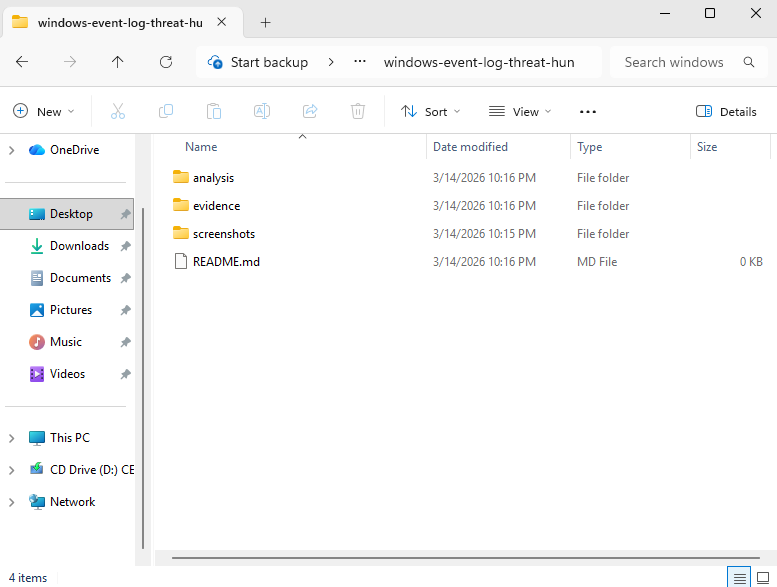
## 项目文件夹结构
项目已组织好用于存储截图、调查证据和分析文档。
## 步骤 1 – 访问 Windows Security Logs
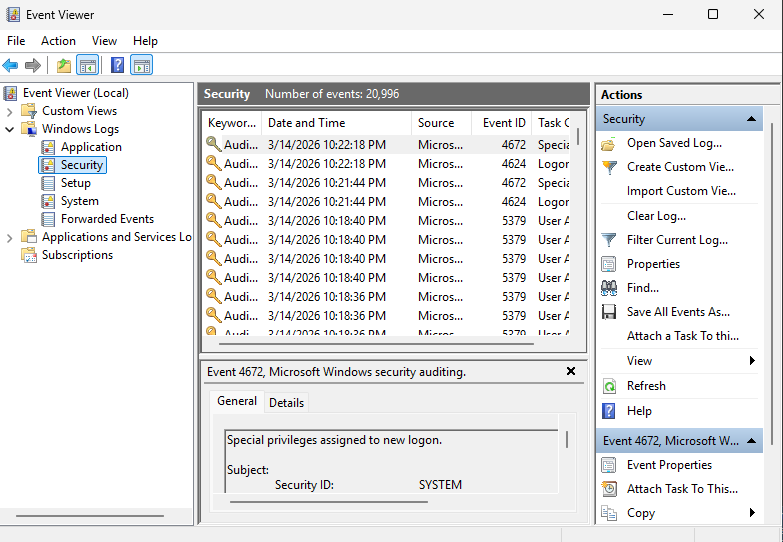
使用 Event Viewer 查看记录在 Windows Security logs 中的身份验证活动。
使用的导航路径:
Event Viewer → Windows Logs → Security
## 步骤 2 – 识别登录失败尝试
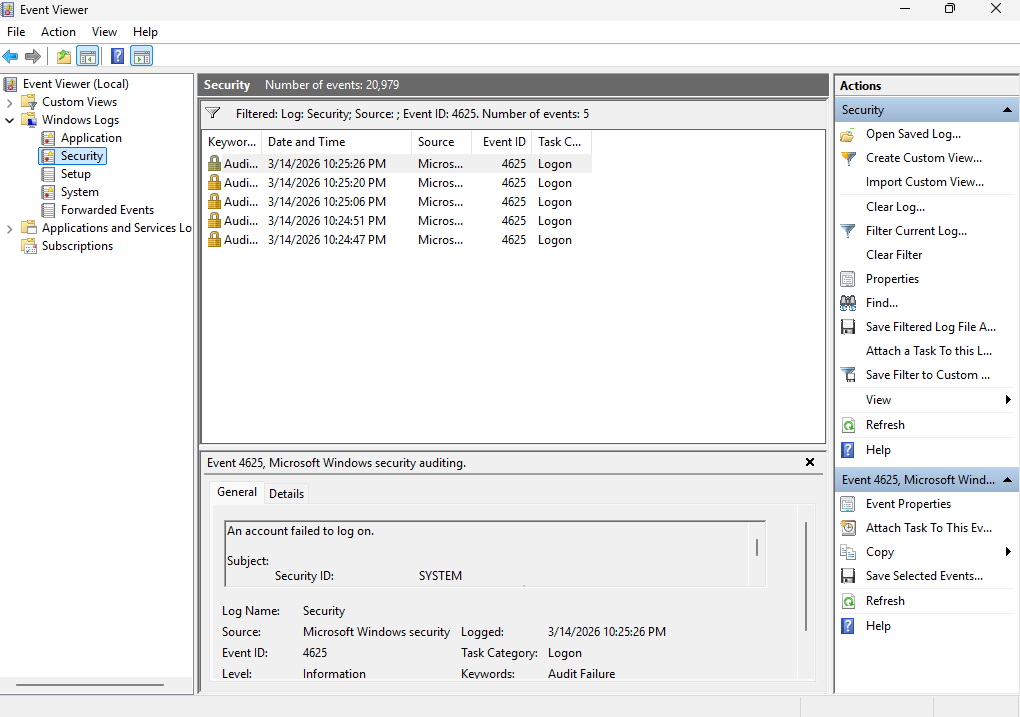
在 Event Viewer 中筛选 **Event ID 4625**,该 ID 代表失败的身份验证尝试。
为了模拟可疑的登录活动,生成了多次登录失败尝试。
## 步骤 3 – 调查事件详情
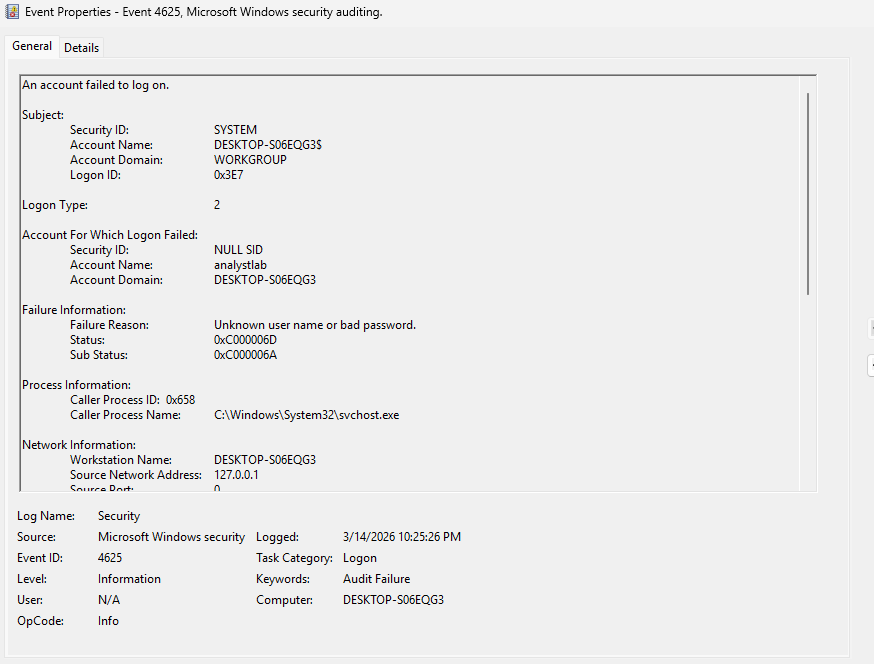
打开其中一个登录失败事件,以查看事件日志中可用的详细信息。
分析的重要字段包括:
* Account Name
* Logon Type
* Event ID
* Timestamp
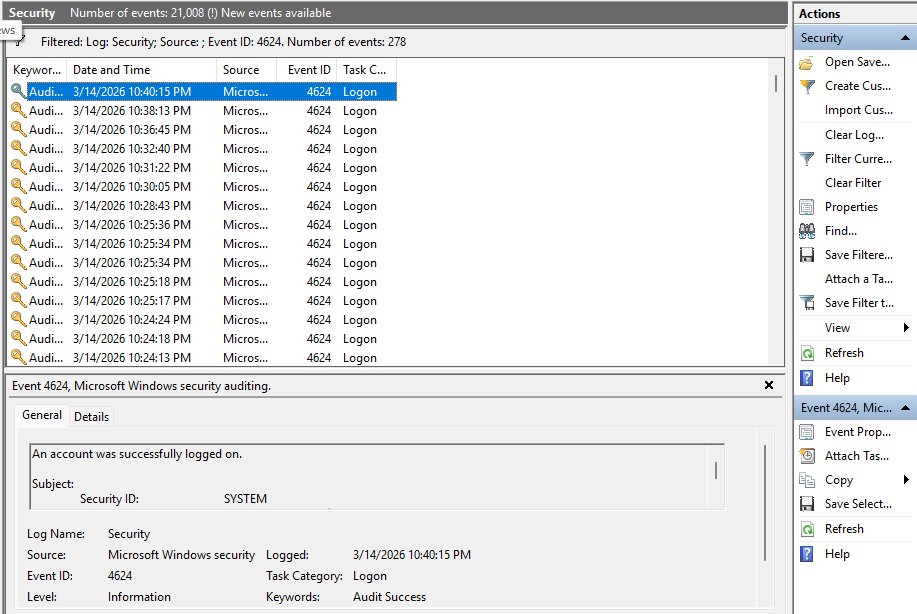
## 步骤 4 – 查看成功登录
随后在 Event Viewer 中筛选 **Event ID 4624**,该 ID 代表成功的身份验证事件。
这有助于分析师确定在多次登录失败尝试后是否发生了成功访问。
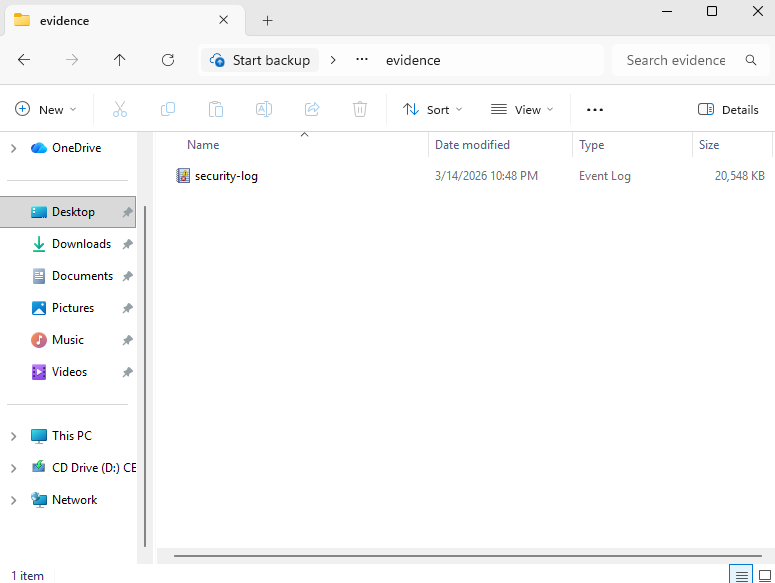
## 步骤 5 – 导出 Security Logs 作为证据
Windows Security log 被导出为 **EVTX 文件**,以保留取证证据供进一步分析。
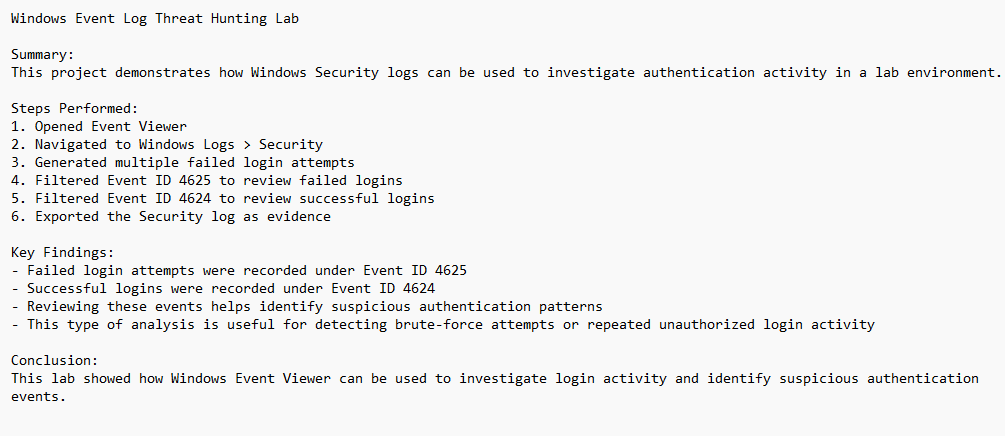
## 步骤 6 – 记录调查结果
编写了调查笔记,总结系统中观察到的身份验证活动。
## 主要发现
* 检测到多次登录失败尝试
* 失败的身份验证事件记录在 **Event ID 4625** 下
* 成功的身份验证事件记录在 **Event ID 4624** 下
* Windows Security logs 提供了对身份验证活动的宝贵洞察
## 展示的技能
* Security log 分析
* Threat hunting 技术
* 身份验证事件调查
* 证据收集
* 安全文档编写
## 结论
Windows Security Event Logs 提供了对跨系统身份验证活动的关键可见性。
## 通过监控失败和成功的登录事件,安全分析师可以快速识别可疑的登录行为,并对潜在的安全事件做出响应。
## 作者
Bryan Ortega
Cybersecurity Student | Aspiring Security Analyst
GitHub: https://github.com/BryanOrt-infosec
标签:CIDR输入, PoC, SOC分析, VirtualBox, Windows 11, Windows安全日志, 事件ID 4624, 事件ID 4625, 事件日志分析, 安全实验室, 安全运营, 扫描框架, 数字取证, 日志审查, 暴力破解, 登录失败, 红队行动, 网络安全, 自动化脚本, 隐私保护