0xmrma/mrma
GitHub: 0xmrma/mrma
一款 HTTP 信任边界分析器,通过安全变更头部并量化响应差异,帮助发现目标是否信任代理/主机头部或因请求元数据产生不同行为。
Stars: 3 | Forks: 1
# mrma
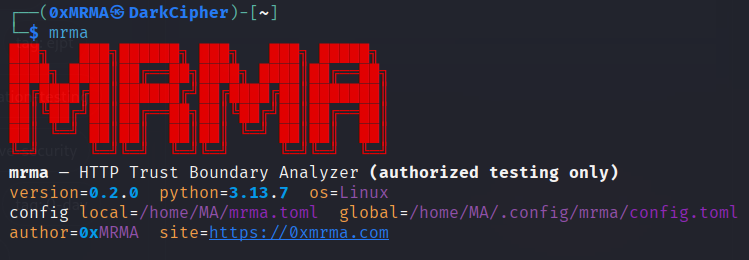 **HTTP 信任边界分析器** — 重放请求,安全地变更头部,并量化响应影响(**仅限授权测试**)。
mrma 帮助回答:*“此目标是否信任代理/主机头部,或根据请求元数据表现出不同的行为?”*
它专注于**有意义的差异**(不仅仅是状态/长度),以及模拟常见信任边界行为的**配置文件**。
## 安装
### pipx(推荐)
```
pipx install .
mrma --version
```
### 开发 / 可编辑模式
```
python3 -m venv .venv
source .venv/bin/activate
pip install -e .
mrma --version
```
**注意**:如果您的系统 CA 存储损坏,或者您正在测试实验室/自签名证书,请使用 --insecure。
## 快速开始
### 1) 基线指纹
```
mrma run --url https://example.com --follow-redirects
```
### 2) 查找最大的响应差异(安全变更)
```
mrma impact --url https://example.com --follow-redirects --top-deltas 10
```
### 3) 比较基线与单个变更
```
mrma diff --url https://example.com --follow-redirects --set-header "X-Test: 1"
```
### 4) 最小必需头部集(Delta 调试)
```
mrma discover --url https://example.com --follow-redirects --print-minimal-request
```
### 5) 导致变更的最小头部移除
```
mrma isolate-remove --url https://example.com --follow-redirects \
--pack-file remove_headers.txt --preset dynamic --delay 0.2
```
## 为什么与众不同
大多数工具仅限于:状态码、长度或手动对比。
mrma 增加了:
- **预设感知归一化**(`default`、`dynamic`、`nextjs`、`api-json`)
- **噪声控制**:`--ignore-header`、`--ignore-body-regex`
- **稳定性测量**:`run --repeat`(非常适合动态目标)
- **信任边界配置文件**:
- `profile proxy-trust`(转发/代理头部)
- `profile host-routing`(主机相关路由头部)
- **一键报告**:
- `mrma report` → `mrma_report.json` + `mrma_report.md`
**操作优化**:
- 速率限制 + 重试(`--rps`、`--retries`)
## 精选包
列出包:
```
mrma pack list
```
代理信任包(扩展):
```
mrma impact --url https://example.com --follow-redirects \
--pack proxy --depth extended --ip-set extended --top-deltas 15 --delay 0.2
```
## 原始请求模式(精确重现)
重放原始 HTTP 请求文件:
```
mrma run -r req.txt -u https://example.com --follow-redirects
```
从原始请求中发现最小请求:
```
mrma discover -r req.txt -u https://example.com --follow-redirects --print-minimal-request
```
## 忽略规则(减少噪声)
忽略易变头部:
```
mrma diff --url https://example.com --follow-redirects --set-header "X-Test: 1" \
--ignore-header set-cookie --ignore-header date --ignore-header etag
```
使用正则表达式忽略嘈杂的动态内容:
```
mrma diff --url https://example.com --follow-redirects --set-header "X-Test: 1" \
--ignore-body-regex '"nonce"\s*:\s*"[A-Za-z0-9\-_]+"' \
--ignore-body-regex '"requestId"\s*:\s*"[A-Za-z0-9\-_]+"'
```
## 报告
生成紧凑报告:
```
mrma report --url https://example.com --follow-redirects --top-deltas 10
ls -la mrma_report.*
```
终端友好的 Markdown 查看(可选):
```
sudo apt update && sudo apt install -y glow
glow -p mrma_report.md
```
## JSON 输出
大多数命令支持 `--json`:
```
mrma impact --url https://example.com --pack proxy --top-deltas 5 --json
```
## 配置
全局配置:
- `~/.config/mrma/config.toml`
本地(按项目):
- `./mrma.toml`
显示合并后的配置:
```
mrma config --json
```
示例:
```
[defaults]
preset = "dynamic"
timeout = 15.0
min_similarity = 0.97
max_len_delta_ratio = 0.05
[impact]
delay = 0.2
ip_set = "basic"
ignore_headers = ["set-cookie", "date", "etag"]
```
**提示**:在单次运行中禁用配置:
```
mrma impact --url https://example.com --no-config
```
## 安全 / 法律
- 仅在您被授权测试的目标上使用。
- 这些变更设计为默认低风险,但责任在于您。
## 作者
- 作者:**0xMRMA**
- 网站:https://0xmrma.com
**HTTP 信任边界分析器** — 重放请求,安全地变更头部,并量化响应影响(**仅限授权测试**)。
mrma 帮助回答:*“此目标是否信任代理/主机头部,或根据请求元数据表现出不同的行为?”*
它专注于**有意义的差异**(不仅仅是状态/长度),以及模拟常见信任边界行为的**配置文件**。
## 安装
### pipx(推荐)
```
pipx install .
mrma --version
```
### 开发 / 可编辑模式
```
python3 -m venv .venv
source .venv/bin/activate
pip install -e .
mrma --version
```
**注意**:如果您的系统 CA 存储损坏,或者您正在测试实验室/自签名证书,请使用 --insecure。
## 快速开始
### 1) 基线指纹
```
mrma run --url https://example.com --follow-redirects
```
### 2) 查找最大的响应差异(安全变更)
```
mrma impact --url https://example.com --follow-redirects --top-deltas 10
```
### 3) 比较基线与单个变更
```
mrma diff --url https://example.com --follow-redirects --set-header "X-Test: 1"
```
### 4) 最小必需头部集(Delta 调试)
```
mrma discover --url https://example.com --follow-redirects --print-minimal-request
```
### 5) 导致变更的最小头部移除
```
mrma isolate-remove --url https://example.com --follow-redirects \
--pack-file remove_headers.txt --preset dynamic --delay 0.2
```
## 为什么与众不同
大多数工具仅限于:状态码、长度或手动对比。
mrma 增加了:
- **预设感知归一化**(`default`、`dynamic`、`nextjs`、`api-json`)
- **噪声控制**:`--ignore-header`、`--ignore-body-regex`
- **稳定性测量**:`run --repeat`(非常适合动态目标)
- **信任边界配置文件**:
- `profile proxy-trust`(转发/代理头部)
- `profile host-routing`(主机相关路由头部)
- **一键报告**:
- `mrma report` → `mrma_report.json` + `mrma_report.md`
**操作优化**:
- 速率限制 + 重试(`--rps`、`--retries`)
## 精选包
列出包:
```
mrma pack list
```
代理信任包(扩展):
```
mrma impact --url https://example.com --follow-redirects \
--pack proxy --depth extended --ip-set extended --top-deltas 15 --delay 0.2
```
## 原始请求模式(精确重现)
重放原始 HTTP 请求文件:
```
mrma run -r req.txt -u https://example.com --follow-redirects
```
从原始请求中发现最小请求:
```
mrma discover -r req.txt -u https://example.com --follow-redirects --print-minimal-request
```
## 忽略规则(减少噪声)
忽略易变头部:
```
mrma diff --url https://example.com --follow-redirects --set-header "X-Test: 1" \
--ignore-header set-cookie --ignore-header date --ignore-header etag
```
使用正则表达式忽略嘈杂的动态内容:
```
mrma diff --url https://example.com --follow-redirects --set-header "X-Test: 1" \
--ignore-body-regex '"nonce"\s*:\s*"[A-Za-z0-9\-_]+"' \
--ignore-body-regex '"requestId"\s*:\s*"[A-Za-z0-9\-_]+"'
```
## 报告
生成紧凑报告:
```
mrma report --url https://example.com --follow-redirects --top-deltas 10
ls -la mrma_report.*
```
终端友好的 Markdown 查看(可选):
```
sudo apt update && sudo apt install -y glow
glow -p mrma_report.md
```
## JSON 输出
大多数命令支持 `--json`:
```
mrma impact --url https://example.com --pack proxy --top-deltas 5 --json
```
## 配置
全局配置:
- `~/.config/mrma/config.toml`
本地(按项目):
- `./mrma.toml`
显示合并后的配置:
```
mrma config --json
```
示例:
```
[defaults]
preset = "dynamic"
timeout = 15.0
min_similarity = 0.97
max_len_delta_ratio = 0.05
[impact]
delay = 0.2
ip_set = "basic"
ignore_headers = ["set-cookie", "date", "etag"]
```
**提示**:在单次运行中禁用配置:
```
mrma impact --url https://example.com --no-config
```
## 安全 / 法律
- 仅在您被授权测试的目标上使用。
- 这些变更设计为默认低风险,但责任在于您。
## 作者
- 作者:**0xMRMA**
- 网站:https://0xmrma.com
**HTTP 信任边界分析器** — 重放请求,安全地变更头部,并量化响应影响(**仅限授权测试**)。
mrma 帮助回答:*“此目标是否信任代理/主机头部,或根据请求元数据表现出不同的行为?”*
它专注于**有意义的差异**(不仅仅是状态/长度),以及模拟常见信任边界行为的**配置文件**。
## 安装
### pipx(推荐)
```
pipx install .
mrma --version
```
### 开发 / 可编辑模式
```
python3 -m venv .venv
source .venv/bin/activate
pip install -e .
mrma --version
```
**注意**:如果您的系统 CA 存储损坏,或者您正在测试实验室/自签名证书,请使用 --insecure。
## 快速开始
### 1) 基线指纹
```
mrma run --url https://example.com --follow-redirects
```
### 2) 查找最大的响应差异(安全变更)
```
mrma impact --url https://example.com --follow-redirects --top-deltas 10
```
### 3) 比较基线与单个变更
```
mrma diff --url https://example.com --follow-redirects --set-header "X-Test: 1"
```
### 4) 最小必需头部集(Delta 调试)
```
mrma discover --url https://example.com --follow-redirects --print-minimal-request
```
### 5) 导致变更的最小头部移除
```
mrma isolate-remove --url https://example.com --follow-redirects \
--pack-file remove_headers.txt --preset dynamic --delay 0.2
```
## 为什么与众不同
大多数工具仅限于:状态码、长度或手动对比。
mrma 增加了:
- **预设感知归一化**(`default`、`dynamic`、`nextjs`、`api-json`)
- **噪声控制**:`--ignore-header`、`--ignore-body-regex`
- **稳定性测量**:`run --repeat`(非常适合动态目标)
- **信任边界配置文件**:
- `profile proxy-trust`(转发/代理头部)
- `profile host-routing`(主机相关路由头部)
- **一键报告**:
- `mrma report` → `mrma_report.json` + `mrma_report.md`
**操作优化**:
- 速率限制 + 重试(`--rps`、`--retries`)
## 精选包
列出包:
```
mrma pack list
```
代理信任包(扩展):
```
mrma impact --url https://example.com --follow-redirects \
--pack proxy --depth extended --ip-set extended --top-deltas 15 --delay 0.2
```
## 原始请求模式(精确重现)
重放原始 HTTP 请求文件:
```
mrma run -r req.txt -u https://example.com --follow-redirects
```
从原始请求中发现最小请求:
```
mrma discover -r req.txt -u https://example.com --follow-redirects --print-minimal-request
```
## 忽略规则(减少噪声)
忽略易变头部:
```
mrma diff --url https://example.com --follow-redirects --set-header "X-Test: 1" \
--ignore-header set-cookie --ignore-header date --ignore-header etag
```
使用正则表达式忽略嘈杂的动态内容:
```
mrma diff --url https://example.com --follow-redirects --set-header "X-Test: 1" \
--ignore-body-regex '"nonce"\s*:\s*"[A-Za-z0-9\-_]+"' \
--ignore-body-regex '"requestId"\s*:\s*"[A-Za-z0-9\-_]+"'
```
## 报告
生成紧凑报告:
```
mrma report --url https://example.com --follow-redirects --top-deltas 10
ls -la mrma_report.*
```
终端友好的 Markdown 查看(可选):
```
sudo apt update && sudo apt install -y glow
glow -p mrma_report.md
```
## JSON 输出
大多数命令支持 `--json`:
```
mrma impact --url https://example.com --pack proxy --top-deltas 5 --json
```
## 配置
全局配置:
- `~/.config/mrma/config.toml`
本地(按项目):
- `./mrma.toml`
显示合并后的配置:
```
mrma config --json
```
示例:
```
[defaults]
preset = "dynamic"
timeout = 15.0
min_similarity = 0.97
max_len_delta_ratio = 0.05
[impact]
delay = 0.2
ip_set = "basic"
ignore_headers = ["set-cookie", "date", "etag"]
```
**提示**:在单次运行中禁用配置:
```
mrma impact --url https://example.com --no-config
```
## 安全 / 法律
- 仅在您被授权测试的目标上使用。
- 这些变更设计为默认低风险,但责任在于您。
## 作者
- 作者:**0xMRMA**
- 网站:https://0xmrma.com标签:AES-256, Blue Team, CISA项目, CL_Tools, DevSecOps, Host 头攻击, HTTP 安全, Python安全, Python 安全工具, Web 安全扫描, 上游代理, 中间人测试, 代理安全, 代码生成, 信任边界分析, 头部注入, 差异分析, 渗透测试工具, 漏洞评估, 网络安全, 请求伪造, 请求重放, 逆向工具, 隐私保护