mangodxd/web-design-tokens
GitHub: mangodxd/web-design-tokens
一款命令行工具,利用真实浏览器渲染在数秒内提取任意网站的完整设计系统并导出为可用 CSS 或 W3C 设计令牌格式。
Stars: 0 | Forks: 0
```
# 安装
pip install web-design-tokens
playwright install chromium
# 运行 — 几秒钟内提取颜色、字体、间距、logos、components
iris stripe.com --save-output
# 导出为 W3C Design Tokens
iris stripe.com --dtcg
```
## 你将获得
| 类别 | 提取内容 |
|----------|-----------|
| **Logo** | URL、尺寸、favicons |
| **Colors** | 语义化颜色、CSS 变量、调色板 — 包含 LCH/OKLCH 转换 |
| **Typography** | 字体族、字号、字重、行高、Google Fonts 检测 |
| **Spacing** | 常见的 gap、margin、padding 数值 |
| **Border radius** | 各个元素的圆角设置 |
| **Borders** | 宽度与颜色的组合 |
| **Shadows** | 带有置信度评分的 box-shadow 值 |
| **Components** | 按钮、输入框、链接、徽章样式(包含 default、hover、focus 状态) |
| **Breakpoints** | 响应式 media query 数值 |
| **Frameworks** | 检测到的 UI 库和图标系统 |
## 用法
| 参数 | 效果 |
|------|--------|
| `--save-output` | 将 JSON 保存到 `output/{domain}/` 目录 |
| `--dtcg` | 以 [W3C DTCG](https://www.designtokens.org/) 格式导出(自动保存为 `.tokens.json`) |
| `--dark-mode` | 强制提取 dark mode 样式 |
| `--mobile` | 移动端 viewport (390×844) |
| `--browser=firefox` | 使用 Firefox(能更好地绕过 Cloudflare) |
| `--json-only` | 将原始 JSON 输出到 stdout |
| `--slow` | 针对重型 SPA 提供 3 倍超时时间 |
```
# 针对 Cloudflare-heavy 网站的 Firefox
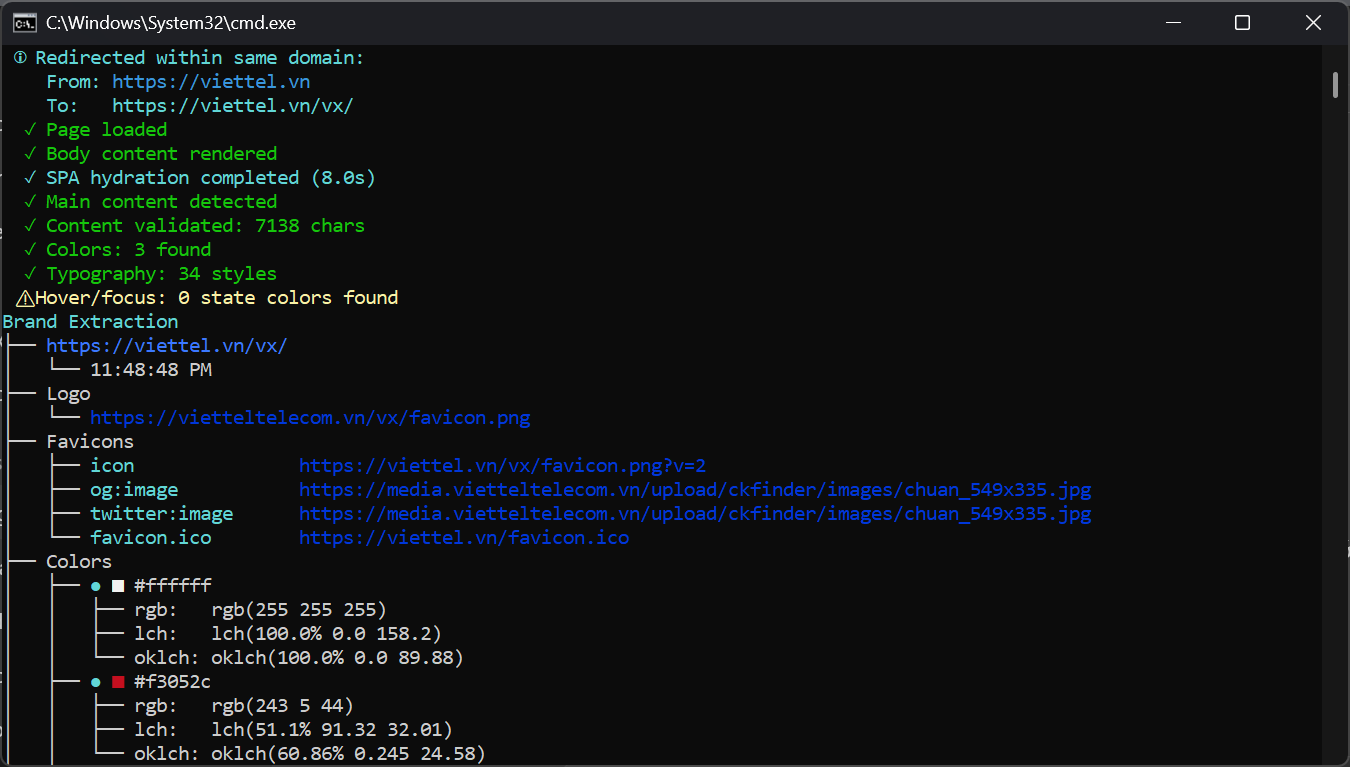
iris viettel.vn --browser=firefox --save-output
# 移动端上的 Dark mode
iris airbnb.com --dark-mode --mobile --dtcg
```
## 输出示例
```
Brand Extraction
└── stripe.com
├── Logo
│ ├── https://stripe.com/img/logo.svg
│ └── 200×60px
├── Colors
│ ├── ● ■ #635bff (primary)
│ │ ├── rgb: rgb(99 91 255)
│ │ └── oklch: oklch(58.3% 0.178 261.25)
│ ├── ● ■ #32325d (text-primary)
│ │ ├── rgb: rgb(50 50 93)
│ │ └── oklch: oklch(32.5% 0.032 271.63)
│ └── ...
├── Typography
│ ├── Inter
│ │ ├── Body → 16px, line-height: 1.5
│ │ └── Heading → 32px, weight: 700
│ └── ...
├── Spacing → 16px (1rem) 24px (1.5rem) 32px (2rem)
├── Border Radius → 4px 8px 12px
├── Shadows → 8 values
├── Buttons → 3 variants (primary, secondary, outline)
├── Breakpoints → 768px → 1024px → 1280px
└── Frameworks → React, Tailwind CSS
```
## 工作原理
IRIS 使用 **Playwright** 在真实浏览器中渲染页面,然后针对计算后的 DOM 运行 14 个并行提取器:
1. **隐身导航** — 反检测脚本、重试逻辑、SPA hydration 等待
2. **并行提取** — 所有 14 个提取器通过 `asyncio.gather` 并发运行
3. **状态模拟** — 悬停元素以捕获 hover/focus 颜色
4. **色彩科学** — 将每种颜色转换为 sRGB、LCH 和 OKLCH
5. **置信度评分** — 高(品牌元素)/ 中(交互元素)/ 低(通用元素)
提取器涵盖:logo、colors、typography、spacing、border-radius、borders、shadows、buttons、inputs、links、badges、breakpoints、icon systems 和 frameworks。
## Dark mode 与移动端
```
# 提取 light 和 Dark mode 颜色
iris stripe.com --dark-mode
# Mobile-first 响应式提取
iris stripe.com --mobile --save-output
```
dark mode 颜色会与 light mode 进行去重。移动端 viewport(390×844 iPhone)可捕获响应式 breakpoints 和移动端特定的样式。
## W3C DTCG 导出
`--dtcg` 参数会生成符合 [W3C Design Tokens Community Group](https://www.designtokens.org/) 格式的 tokens — 兼容 [Style Dictionary](https://styledictionary.com) 和设计工具插件。
```
iris stripe.com --dtcg
# → output/stripe.com/2026-07-17T05-00-00.tokens.json
```
## 局限性
- 基于 Canvas / WebGL 渲染的网站(如 Tesla、Apple Vision Pro)无法分析
- Dark mode 必须使用 `--dark-mode` 强制开启(不会自动检测)
- 重型 SPA 可能需要使用 `--slow` 以实现完全的 hydration
- hover/focus 状态是模拟生成的,并非直接从 CSS 读取(部分状态可能会遗漏)
## 伦理规范
根据美国 DMCA 第 1201 条和欧盟软件指令,分析公开的 CSS 是合法的。请将其用于代码审查和获取灵感,不要直接克隆竞争对手的产品。请尊重 `robots.txt`。
标签:BeEF, CSS, 爬虫, 特征检测, 网页解析, 自定义脚本, 计算机取证, 设计系统, 设计规范提取, 逆向工具