0xNyk/lacp
GitHub: 0xNyk/lacp
LACP 是一个为 Claude、Codex 和 Hermes 等 AI agent 提供策略门控、可审计执行和多层记忆治理的本地优先控制平面框架。
Stars: 290 | Forks: 0
# LACP
**专为 Claude、Codex 和 Hermes 打造的控制平面级 agent 框架。**
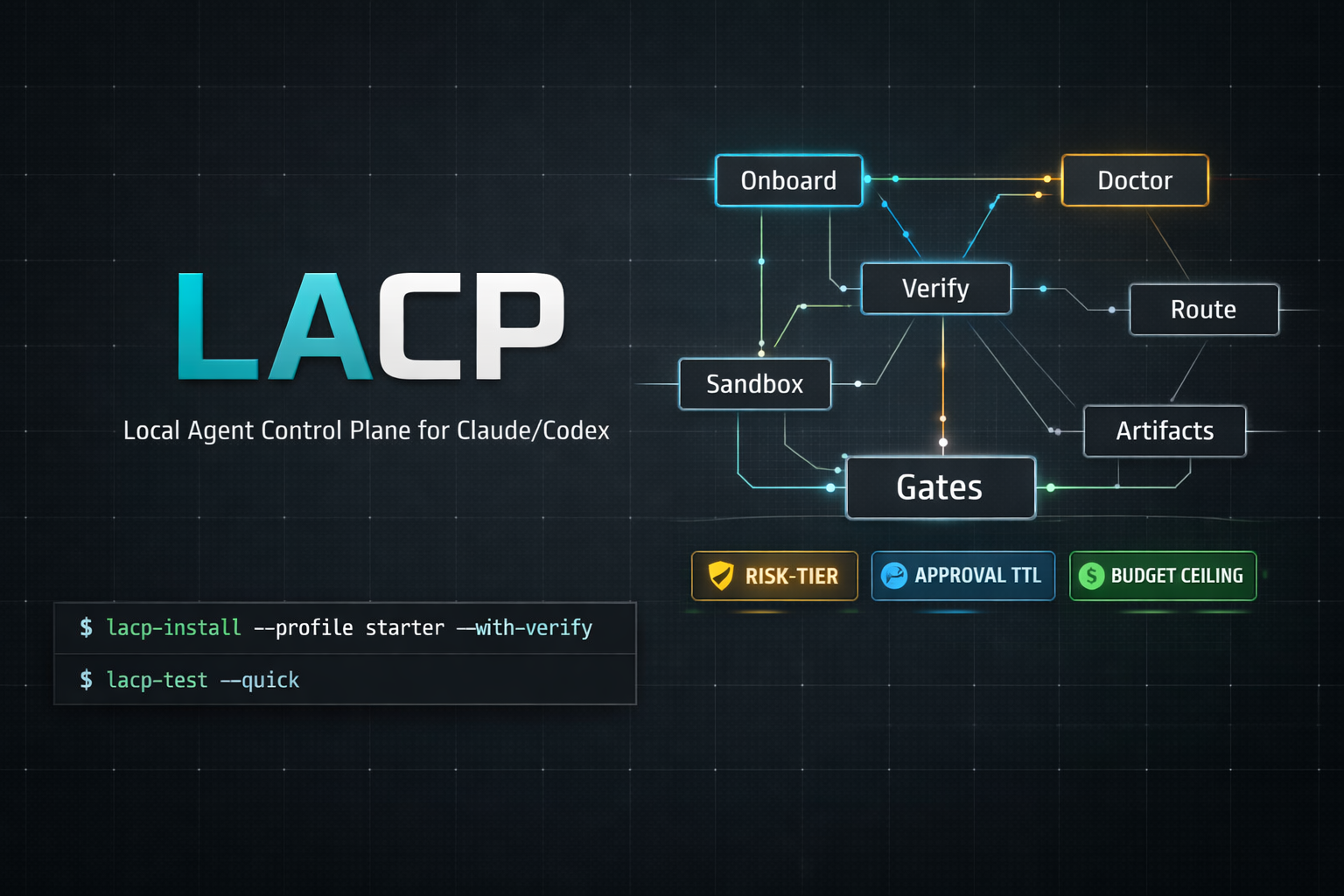
LACP 是一个框架优先的执行框架,具备策略门控操作、验证/证据循环、5层记忆系统以及可审计的 agent 工作流——一切均为本地优先,且零外部依赖。
[](https://github.com/0xNyk/lacp/stargazers)
[](https://github.com/0xNyk/lacp/network/members)
[](LICENSE)
[](https://github.com/0xNyk/lacp/releases)
[](https://github.com/0xNyk/lacp/commits/main)
[](https://github.com/0xNyk/lacp/issues)
[](https://github.com/0xNyk/lacp)
## 目录
- [快速开始](#quick-start)
- [为什么团队选择 LACP](#why-teams-adopt-lacp)
- [用例指南](#use-case-recipes)
- [文档](#documentation)
- [架构](#architecture)
- [功能特性](#features)
- [前置条件](#prerequisites)
- [安装选项](#install-options)
- [适用人群](#who-its-for)
- [测试](#testing)
- [安全性](#security)
- [贡献](#contributing)
### 什么是 LACP(基于框架定义)
LACP 是一个具有**控制平面治理**能力的 **agent 框架**:
- **框架层:** 任务、验证契约、证据清单、可重放的运行循环
- **控制平面层:** 风险等级、预算门控、上下文/会话契约、审批机制、溯源记录
这保持了核心价值的清晰:不仅仅是生成输出,而是产生**可审计、符合策略的结果**。
| 策略门控 | 风险等级 (safe/review/critical)、预算上限、上下文契约以及会话指纹——每一次 agent 调用都经过门控并且可审计。 |
| 5层记忆系统 | 会话记忆、Obsidian 知识图谱、数据摄取 pipeline、代码智能 (GitNexus),以及带有哈希链溯源的 agent 身份。 |
| Hook pipeline | 用于 Claude Code 的模块化 Python 钩子——会话上下文注入、工具预检守卫、写入验证,以及带有本地 LLM 评估的停止质量门控。 |
| Obsidian 大脑 | 一流的库管理、受菌丝体启发的记忆整合、QMD 索引,以及带有自动优化的配置即代码。 |
| 多 agent 编排 | dmux/tmux 会话管理、git worktree 隔离、swarm 工作流,以及 Claude 原生 worktree 后端。 |
| 本地优先安全 | 默认零外部 CI,配置中无密钥,环境变量驱动的凭证,用于远程执行的 TTL 审批令牌。 |
| 执行层级 | trusted_local、local_sandbox 和 remote_sandbox (Daytona/E2B),具备策略驱动的路由和提供商覆盖。 |
| 证据 pipeline | 浏览器 e2e、API e2e、智能合约 e2e 框架,具备清单证据、身份验证检查和 PR 预检门控。 |
## 快速开始
### 安装
```
# Homebrew (推荐)
brew tap 0xNyk/lacp && brew install lacp
# 或 cURL bootstrap
curl -fsSL https://raw.githubusercontent.com/0xNyk/lacp/main/install.sh | bash
```
### 引导与验证
```
lacp bootstrap-system --profile starter --with-verify
lacp doctor --json | jq '.ok,.summary'
```
引导完成后:会创建 `.env` 文件,安装依赖项,生成目录结构,接入 Obsidian 库,并生成验证产物。
要获取完整的设置和日常操作流程,请从 [操作手册](docs/runbook.md) 和 [本地开发循环](docs/local-dev-loop.md) 开始。
### 首次门控命令
```
# 通过 LACP policy gates 路由任务
lacp run --task "hello world" --repo-trust trusted -- echo "LACP is working"
# 使 claude/codex/hermes 默认通过 LACP routing 进行路由 (可撤销)
lacp adopt-local --json | jq
```
## 为什么团队选择 LACP
- 可预测的执行:每次运行都经过确定性的策略和预算门控。
- 默认可审计:产物、溯源记录和验证日志是一流的输出。
- 本地优先的安全态势:远程执行为选择性加入,密钥仅限环境范围内。
- 多 agent 且不混乱:worktree/会话隔离保持并行运行的可重复性。
## 用例指南
### 1) 在 5 分钟内强化本地 agent 的使用
```
lacp bootstrap-system --profile starter --with-verify
lacp adopt-local --json | jq
lacp posture --strict
```
### 2) 在显式策略控制下运行高风险命令
```
lacp run \
--task "dependency update with tests" \
--repo-trust trusted \
--context-profile default \
-- pnpm up && pnpm test
```
### 3) 在开启 PR 前生成就绪的证据
```
lacp e2e smoke --workdir . --init-template --command "npx playwright test --grep @smoke"
lacp api-e2e smoke --workdir . --init-template --command "npx schemathesis run --checks all"
lacp pr-preflight --changed-files ./changed-files.txt --checks-json ./checks.json
```
### 4) 在隔离的 worktree 上安全地运行并行 agent
```
lacp worktree create --repo-root . --name feature-a --base HEAD
lacp up --session feature-a --instances 3 --command "claude"
lacp swarm launch --manifest ./swarm.json
```
## 文档
| 指南 | 您将了解的内容 |
|-------|-------------------|
| [操作手册](docs/runbook.md) | 日常操作流程、命令映射、故障排除切入点 |
| [本地开发循环](docs/local-dev-loop.md) | 面向贡献者的快速构建/测试/验证循环 |
| [框架范围](docs/framework-scope.md) | LACP 是什么、不是什么,以及设计边界 |
| [实施路径](docs/implementation-path-2026.md) | 全面采用框架的分步推广计划 |
| [记忆质量工作流](docs/memory-quality-workflow.md) | 如何安全地运行记忆摄取、扩展和验证 |
| [事件响应](docs/incident-response.md) | 策略门控失败时的排查和恢复流程 |
| [发布清单](docs/release-checklist.md) | 预发布、发布和发布后的控制 |
| [故障排除](docs/troubleshooting.md) | 常见错误、诊断程序、修复提示 |
### 项目健康文件
- [CONTRIBUTING.md](CONTRIBUTING.md) — 贡献与 PR 期望
- [SECURITY.md](SECURITY.md) — 漏洞披露流程
- [CHANGELOG.md](CHANGELOG.md) — 版本发布历史
- [LICENSE](LICENSE) — MIT
## 架构
```
lacp/
├── bin/ # CLI commands (lacp
)
│ ├── lacp # Top-level dispatcher
│ ├── lacp-bootstrap-system
│ ├── lacp-doctor # Diagnostics (--json, --fix-hints)
│ ├── lacp-route # Policy-driven tier/provider routing
│ ├── lacp-sandbox-run # Gated execution with artifact logging
│ ├── lacp-brain-* # Memory stack (ingest, expand, doctor, stack)
│ ├── lacp-obsidian # Vault config management
│ ├── lacp-up # Multi-instance agent sessions
│ ├── lacp-swarm # Batch orchestration
│ └── lacp-claude-hooks # Hook profile management
├── config/
│ ├── sandbox-policy.json # Routing + cost ceilings
│ ├── risk-policy-contract.json
│ ├── obsidian/ # Vault manifest + optimization profiles
│ └── harness/ # Task schemas, sandbox profiles, verification policies
├── hooks/ # Python hook pipeline for Claude Code
├── scripts/
│ ├── ci/ # Test suites
│ └── runners/ # Daytona/E2B execution adapters
└── docs/ # Guides and reference docs
```
### 控制流
```
Agent invocation
→ lacp route (risk tier + provider selection)
→ context contract validation
→ budget gate check
→ session fingerprint verification
→ sandbox-run (dispatch + artifact logging)
```
## 功能特性
### 策略门控执行
每个命令都会经过风险等级 (`safe` → `review` → `critical`)、各等级的预算上限以及上下文契约进行路由,上下文契约会在执行前验证主机、工作目录、git 分支和远程目标。
### 5层记忆栈
| 层级 | 目的 |
|-------|---------|
| **会话记忆** | 位于 `~/.claude/projects/` 下的按项目脚手架 |
| **知识图谱** | 带有 MCP 接入的 Obsidian 库 (smart-connections, QMD, ori-mnemos) |
| **摄取 pipeline** | `brain-ingest` 将 text/audio/video/URLs 转换为结构化笔记 |
| **代码智能** | 通过 MCP 提供的 GitNexus AST 级别知识图谱 (可选) |
| **Agent 身份** | 按 (hostname, project) 划分的持久 ID + SHA-256 哈希链溯源 |
```
lacp brain-stack init --json | jq # Bootstrap all layers
lacp brain-ingest --url "https://..." --apply --json | jq
lacp brain-expand --apply --json | jq # Full expansion loop
```
### 用于 Claude Code 的 Hook Pipeline
在每个会话阶段强制执行质量的模块化 Python 钩子:
| 钩子 | 事件 | 目的 |
|------|-------|---------|
| `session_start.py` | SessionStart | Git 上下文注入,测试命令缓存 |
| `pretool_guard.py` | PreToolUse | 阻止危险操作 (publish, `chmod 777`, fork bombs, secrets) |
| `write_validate.py` | PostToolUse | YAML frontmatter 模式验证 |
| `stop_quality_gate.py` | Stop | 3 级评估:启发式、测试验证、本地 LLM 合理性检测 |
配置文件:`minimal-stop`、`balanced`、`hardened-exec`、`quality-gate-v2`。使用 `lacp claude-hooks apply-profile ` 进行应用。
### 菌丝网络记忆
受真菌网络启发的生物学记忆整合:
| 机制 | 描述 |
|-----------|-------------|
| 自适应路径强化 | 频繁遍历的边缘会得到加强 (如同菌丝体) |
| 自我修复 | 被修剪的节点会触发孤立邻居的重连 |
| 探索卷须 | 活跃类别中的前沿节点受保护免于修剪 |
| 流量评分 | 介数中心性识别关键知识枢纽 |
| 时间衰减 | FSRS 双重强度模型及遗忘曲线 |
### 多 Agent 编排
```
# dmux 风格多实例启动
lacp up --session dev --instances 3 --command "claude"
# Git worktree 隔离
lacp worktree create --repo-root . --name "feature-a" --base HEAD
# Batch swarm 执行
lacp swarm launch --manifest ./swarm.json
```
### 证据 Pipeline
为 PR 门控生成机器可验证的证据:
```
lacp e2e smoke --workdir . --init-template --command "npx playwright test --grep @smoke"
lacp api-e2e smoke --workdir . --init-template --command "npx schemathesis run --checks all"
lacp contract-e2e smoke --workdir . --init-template --command "forge test -vv"
lacp pr-preflight --changed-files ./changed-files.txt --checks-json ./checks.json
```
## 前置条件
| 必需 | 推荐 |
|----------|-------------|
| `bash`, `python3`, `jq`, `rg` (ripgrep) | `shellcheck`, `tmux`, `gh` |
安装程序会通过 Homebrew 在 macOS 上自动检测并安装缺失的依赖项。
## 安装选项
所有安装方法
### Homebrew
```
brew tap 0xNyk/lacp
brew install lacp # stable v0.3.0
brew install --HEAD lacp # track main branch
```
### cURL 引导
```
curl -fsSL https://raw.githubusercontent.com/0xNyk/lacp/main/install.sh | bash
```
### 已验证发布 (推荐用于生产环境)
```
VERSION="0.3.0"
curl -fsSLO "https://github.com/0xNyk/lacp/releases/download/v${VERSION}/lacp-${VERSION}.tar.gz"
curl -fsSLO "https://github.com/0xNyk/lacp/releases/download/v${VERSION}/SHA256SUMS"
grep "lacp-${VERSION}.tar.gz" SHA256SUMS | shasum -a 256 -c -
tar -xzf "lacp-${VERSION}.tar.gz" && cd "lacp-${VERSION}"
bin/lacp-install --profile starter --with-verify
```
## 适用人群
LACP 适用于希望获得**可衡量、策略门控、可重复的**本地 agent 操作,并具备明确通过/失败门控和基于产物记录的开发人员。
LACP **不适用于**寻找聊天 UI、托管云编排,或不愿维护本地脚本/配置的用户。
## 测试
```
lacp test --quick # Fast smoke tests
lacp test --isolated # Full isolated suite
lacp doctor --json # Structured diagnostics
lacp posture --strict # Policy compliance check
```
独立测试套件
```
scripts/ci/test-route-policy.sh
scripts/ci/test-mode-and-gates.sh
scripts/ci/test-knowledge-doctor.sh
scripts/ci/test-ops-commands.sh
scripts/ci/test-install.sh
scripts/ci/test-system-health.sh
scripts/ci/test-obsidian-cli.sh
scripts/ci/test-brain-memory.sh
scripts/ci/smoke.sh
```
命令参考
### 核心
| 命令 | 目的 |
|---------|---------|
| `lacp bootstrap-system` | 一键安装 + 引导 + 验证 |
| `lacp doctor` | 结构化诊断 (`--json`, `--fix-hints`, `--check-limits`) |
| `lacp status` | 当前操作状态快照 |
| `lacp mode` | 切换仅本地 / 启用远程 |
| `lacp run` | 单个门控命令执行 |
| `lacp loop` | 意图 → 执行 → 观察 → 适应控制循环 |
| `lacp test` | 本地测试套件 (`--quick`, `--isolated`) |
### 记忆与知识
| 命令 | 目的 |
|---------|---------|
| `lacp brain-stack` | 初始化/审计 5 层记忆栈 |
| `lacp brain-ingest` | 将 text/audio/video/URLs 摄取到 Obsidian 中 |
| `lacp brain-expand` | 完整的大脑扩展循环 |
| `lacp brain-doctor` | 大脑生态系统健康检查 |
| `lacp obsidian` | 库配置管理 (audit/apply/optimize) |
| `lacp repo-research-sync` | 将代码库研究镜像到知识图谱 |
### 编排
| 命令 | 目的 |
|---------|---------|
| `lacp up` | dmux 风格的多实例启动 |
| `lacp orchestrate` | dmux/tmux/worktree 编排适配器 |
| `lacp worktree` | Git worktree 生命周期管理 |
| `lacp swarm` | 批量 swarm 工作流 (plan/launch/status) |
| `lacp adopt-local` | 为 claude/codex 安装 LACP 路由包装器 |
### 安全与策略
| 命令 | 目的 |
|---------|---------|
| `lacp route` | 确定性的层级/提供商路由 |
| `lacp sandbox-run` | 带有产物日志的门控执行 |
| `lacp policy-pack` | 应用策略基线 (starter/strict/enterprise) |
| `lacp claude-hooks` | 审计/修复/优化 hook 配置 |
| `lacp security-hygiene` | Secret/路径/工作流/.env 扫描 |
| `lacp pr-preflight` | PR 策略门控评估 |
### 发布与证据
| 命令 | 目的 |
|---------|---------|
| `lacp release-prepare` | 预发布纪律 (gate + canary + status) |
| `lacp release-verify` | 发布验证 (checksum + archive + brew) |
| `lacp e2e` | 浏览器 e2e 证据 pipeline |
| `lacp api-e2e` | API/后端 e2e 证据 pipeline |
| `lacp contract-e2e` | 智能合约 e2e 证据 pipeline |
| `lacp canary` | 针检索基准的 7 天推广门控 |
### 实用工具
| 命令 | 目的 |
|---------|---------|
| `lacp console` | 交互式斜杠命令 shell |
| `lacp time` | 项目/客户会话时间跟踪 |
| `lacp agent-id` | 持久化 agent 身份注册表 |
| `lacp provenance` | 加密会话溯源链 |
| `lacp context-profile` | 可重用的上下文契约模板 |
| `lacp vendor-watch` | 监控 Claude/Codex 版本漂移 |
| `lacp system-health` | macOS/Apple Silicon 工作站就绪状态 |
| `lacp mcp-health` | 探测所有已配置的 MCP 服务器 |
## 安全性
- 代码库配置中无密钥——通过 `.env` 由环境驱动
- 默认零外部 CI (`LACP_NO_EXTERNAL_CI=true`)
- 默认禁用远程执行 (`LACP_ALLOW_EXTERNAL_REMOTE=false`)
- 具有 TTL 审批令牌的风险等级门控
- 针对高风险运行的结构化输入契约
- 用于可审计执行历史的产物日志
- 有关漏洞报告,请参见 [SECURITY.md](SECURITY.md)
## 贡献
欢迎贡献。请参阅 [CONTRIBUTING.md](CONTRIBUTING.md) 获取指南。
## 支持
如果您觉得这个项目有用,请考虑支持这项开源工作:
[](https://buymeacoffee.com/nyk_builderz)
**Solana:** `BYLu8XD8hGDUtdRBWpGWu5HKoiPrWqCxYFSh4oxXuvPg`
**需要为您的团队构建 agent 基础设施、交易系统或 Solana 应用程序吗?**
[Builderz](https://builderz.dev) 交付生产级 AI 系统——覆盖 15 个国家的 32 多款产品。
[联系我们](https://builderz.dev) | [@nyk_builderz](https://x.com/nyk_builderz)
## 许可证
[MIT](LICENSE) © 2026 [0xNyk](https://github.com/0xNyk)标签:AI安全, AI工作流编排, AI智能体, Chat Copilot, Claude, Codex, CVE检测, DLL 劫持, Hermes, LLM应用开发, 人工智能, 代理框架, 可审计执行, 多层级记忆, 大语言模型, 应用安全, 控制平面, 本地部署, 治理与合规, 用户模式Hook绕过, 策略网关, 网络安全研究, 证据清单, 零外部依赖, 验证循环