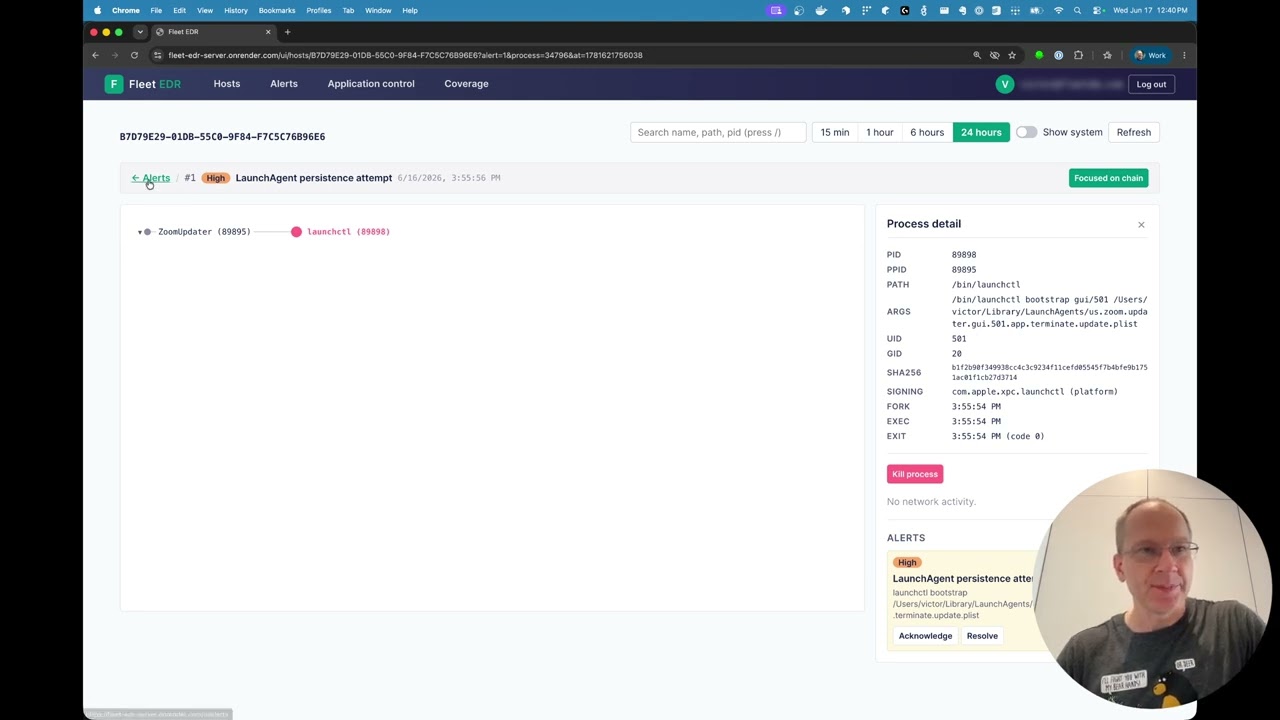
getvictor/fleet-edr

GitHub: getvictor/fleet-edr

Stars: 5 | Forks: 0

# Fleet EDR [![License: MIT](https://img.shields.io/github/license/getvictor/fleet-edr?style=flat-square)](LICENSE) [![Release](https://img.shields.io/github/v/release/getvictor/fleet-edr?include_prereleases&style=flat-square)](https://github.com/getvictor/fleet-edr/releases) ![Go version](https://img.shields.io/github/go-mod/go-version/getvictor/fleet-edr?filename=go.mod&style=flat-square) [![Tests](https://img.shields.io/github/actions/workflow/status/getvictor/fleet-edr/test.yml?branch=main&label=tests&style=flat-square)](https://github.com/getvictor/fleet-edr/actions/workflows/test.yml) [![Quality Gate](https://sonarcloud.io/api/project_badges/measure?project=getvictor_fleet-edr&metric=alert_status)](https://sonarcloud.io/summary/new_code?id=getvictor_fleet-edr) [![Coverage](https://img.shields.io/codecov/c/github/getvictor/fleet-edr?style=flat-square&logo=codecov)](https://codecov.io/gh/getvictor/fleet-edr) [![CodeQL](https://img.shields.io/github/actions/workflow/status/getvictor/fleet-edr/codeql.yml?branch=main&label=CodeQL&style=flat-square)](https://github.com/getvictor/fleet-edr/actions/workflows/codeql.yml) [![govulncheck](https://img.shields.io/github/actions/workflow/status/getvictor/fleet-edr/go-vulncheck.yml?branch=main&label=govulncheck&style=flat-square)](https://github.com/getvictor/fleet-edr/actions/workflows/go-vulncheck.yml) [![OSV-Scanner](https://img.shields.io/github/actions/workflow/status/getvictor/fleet-edr/osv-scanner.yml?branch=main&label=OSV-Scanner&style=flat-square)](https://github.com/getvictor/fleet-edr/actions/workflows/osv-scanner.yml) [![OpenSSF Best Practices](https://www.bestpractices.dev/projects/12994/badge)](https://www.bestpractices.dev/projects/12994) [![OpenSSF Scorecard](https://api.scorecard.dev/projects/github.com/getvictor/fleet-edr/badge)](https://scorecard.dev/viewer/?uri=github.com/getvictor/fleet-edr) [![SLSA 2](https://slsa.dev/images/gh-badge-level2.svg)](https://slsa.dev/spec/v1.0/levels#build-l2) [![cosign keyless](https://img.shields.io/badge/cosign-keyless-9cf?style=flat-square&logo=sigstore)](docs/best-practices.md#4-supply-chain-security) Fleet EDR is an open-source endpoint detection and response system for macOS fleets. It gives security teams real-time visibility into process and network activity on Apple Silicon Macs, runs behavioral detection rules against a materialized process graph, and ships response actions (kill, token rotation, app-control block) without a SaaS dependency. ## Operator docs Running Fleet EDR (not developing it)? Start with [`docs/`](docs/): - [`docs/install-server.md`](docs/install-server.md) -- stand up the Docker Compose stack. - [`docs/install-agent-manual.md`](docs/install-agent-manual.md) -- evaluate on 1-5 Macs without an MDM. - [`docs/mdm-deployment.md`](docs/mdm-deployment.md) -- deploy via any MDM (Jamf, Kandji, Intune, mosyle, Fleet). - [`docs/fleet-deployment.md`](docs/fleet-deployment.md) -- Fleet MDM-specific recipe. - [`docs/operations.md`](docs/operations.md) -- day-2 ops runbook (upgrades, rotations, backups, troubleshooting). - [`docs/detection-rules.md`](docs/detection-rules.md) -- per-rule behaviour, ATT&CK mapping, severity, and configuration env vars. Generated from the rule source via `go run ./tools/gen-rule-docs`. - [`docs/api.md`](docs/api.md) + [`docs/api/openapi.yaml`](docs/api/openapi.yaml) -- HTTP API reference. ## Architecture ### On-device ### Server - **Ingestion API** -- accepts event batches from agents over HTTP - **Processor** -- materializes a per-host process graph from raw events and runs detection rules - **Detection engine** -- evaluates behavioral rules against materialized process trees - **MySQL storage** -- events, processes, alerts, and commands - **Web UI** (React/TypeScript) -- process tree visualization, alert management, and response actions ## Components extension/edr/ Swift system extension + network extension (Xcode project) agent/ Go agent daemon (XPC receiver, SQLite queue, uploader) server/ Go server (ingestion, processor, detection, REST API) internal/ Shared packages (envparse, etc.) ui/ React/TypeScript frontend (Vite, D3.js process tree) docs/adr/ Architecture Decision Records -- the "why" behind non-obvious choices ## First-time setup ### 0a. Install mise (pick one) curl https://mise.run | sh # any Unix; installs to ~/.local/bin/mise # --- OR --- brew install mise # macOS with Homebrew Only run **one** of those two lines. Running both will put two copies of `mise` on disk and leave an extra entry on PATH. If mise is already installed, skip to 0b. See for other installers. ### 0b. Activate mise in your shell (one-time, per shell) echo 'eval "$(mise activate zsh)"' >> ~/.zshrc # zsh # --- OR --- echo 'eval "$(mise activate bash)"' >> ~/.bashrc # bash Then open a new terminal (or `exec $SHELL`) so the activation takes effect. Without this step `mise install` downloads tools but they don't appear on PATH -- `which task` / `which lefthook` come up empty. ### 1. Install every pinned tool Fetches Go, Node, golangci-lint, lefthook, and task at the versions pinned in `.tool-versions`. CI installs the same pins for Go + Node + golangci-lint (`go-version-file: go.mod`, explicit `node-version`, pinned `golangci-lint`); the Task and Lefthook installers in CI track the same minor series but aren't byte-for-byte locked to the patch version. ### 2. Install git hooks lefthook install # format + lint on commit, build + tsc on push ### 3. Discover available commands task --list ## Quick start # Start MySQL (local dev + test on ports 3316/3317) task db:up # Build the UI (embedded in the server binary via server/ui/dist/) task build:ui # Run the server (HTTPS-only since #140; serves tmp/dev.crt: mkcert-trusted if mkcert is installed, else a self-signed cert) task dev:server # Then open https://localhost:8088/ui/ `task dev:server` boots break-glass-only (no SSO). To exercise the SSO sign-in flow locally against the bundled dex IdP, run `task qa:up` then `task dev:server:qa-oidc`; see [`docs/okta-setup.md`](docs/okta-setup.md) for configuring a real OIDC tenant. ## Production deployment For pilot deployments, pull a signed `.pkg` and both `.mobileconfig` profiles from the [Releases page](https://github.com/getvictor/fleet-edr/releases) and hand them to any MDM. The server runs as a container stack: # Pick a pinned release; `latest` is fine for dev but not safe for prod. echo 'EDR_VERSION=v0.1.0' > .env # See docker-compose.prod.README.md for the full secret + TLS setup. mkdir -p secrets tls MYSQL_PASS=$(openssl rand -hex 24) printf '%s' "$MYSQL_PASS" > secrets/mysql_root printf 'root:%s@tcp(mysql:3306)/edr?parseTime=true&tls=false' "$MYSQL_PASS" > secrets/edr_dsn ENROLL_SECRET=$(openssl rand -hex 32) printf '%s' "$ENROLL_SECRET" > secrets/enroll_secret chmod 0600 secrets/* docker compose -f docker-compose.prod.yml --env-file .env up -d On each agent host the MDM pushes: - `edr-system-extension.mobileconfig` (pre-approves the ES sysext) - `edr-tcc-fda.mobileconfig` (grants Full Disk Access) - `fleet-edr-.pkg` (the agent + host app + sysext) - Optionally: `/etc/fleet-edr.conf` with `EDR_SERVER_URL` and `EDR_ENROLL_SECRET` written by the install script before `installer -pkg` runs. Fleet's install-script contract is the shape the MDM writes the conf file in; any other MDM can replicate it with a one-liner preinstall. ## Running tests task test # everything (Go + UI) -- requires MySQL task test:go # Go with race detector task test:ui # Vitest task lint # golangci-lint, eslint, swiftlint, actionlint Prefer `task --list` over memorising commands; the Taskfile is the source of truth for reproducible invocations.






标签:EVTX分析