cumakurt/forticheck
GitHub: cumakurt/forticheck
FortiCheck 是一款离线静态分析工具,通过图模型分析 FortiGate 防火墙配置,以发现安全风险、配置错误和攻击路径。
Stars: 15 | Forks: 3
# FortiCheck
[](LICENSE)
[](https://www.python.org/downloads/)
**针对 FortiGate 防火墙的安全分析**
FortiCheck 是一款强大的离线静态分析工具,旨在发现 FortiGate 防火墙配置中的安全风险、配置错误和攻击路径。与简单的合规性检查工具不同,FortiCheck 会构建一个基于图的网络模型,以理解策略的*意图*和*影响*。
## 主要功能
* **深度策略分析:** 检测影子规则、冗余和排序异常。
* **攻击路径模拟:** 使用图论模拟多跳攻击向量(例如,Internet → DMZ → 内部)。
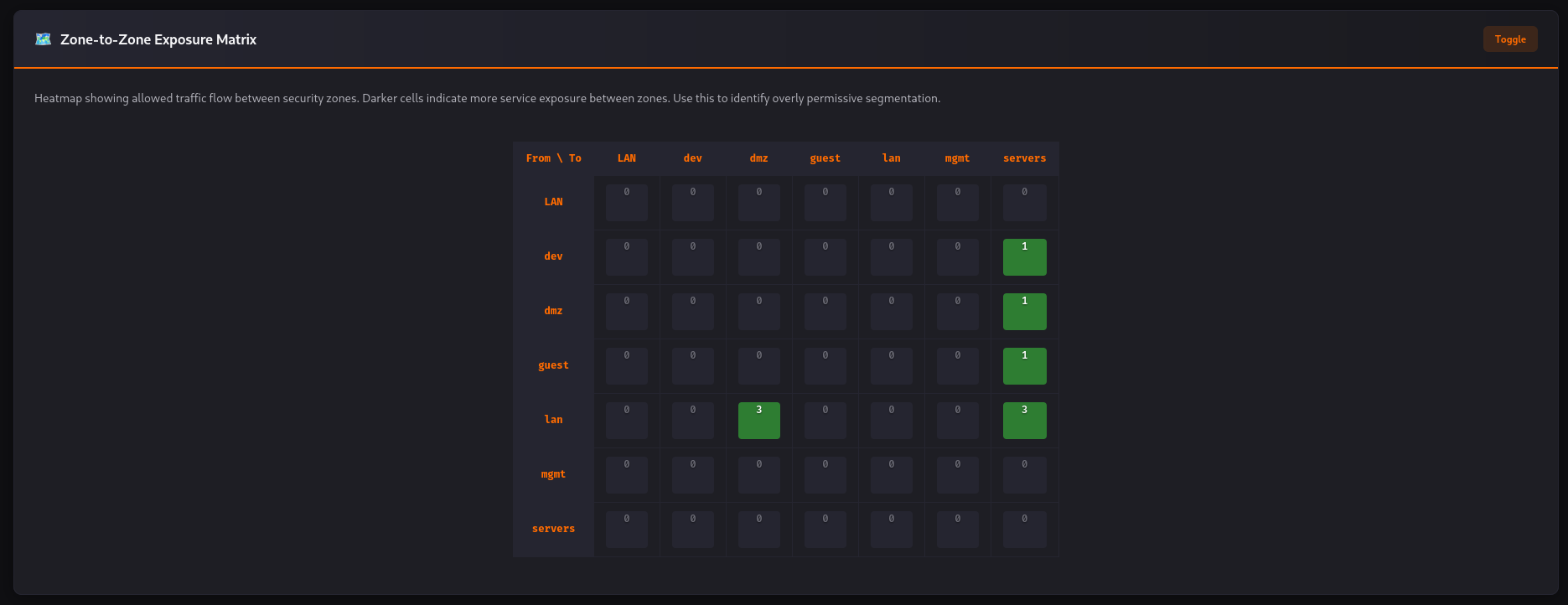
* **暴露面分析:** 识别暴露给 Internet 或其他不可信区域的内部资产。
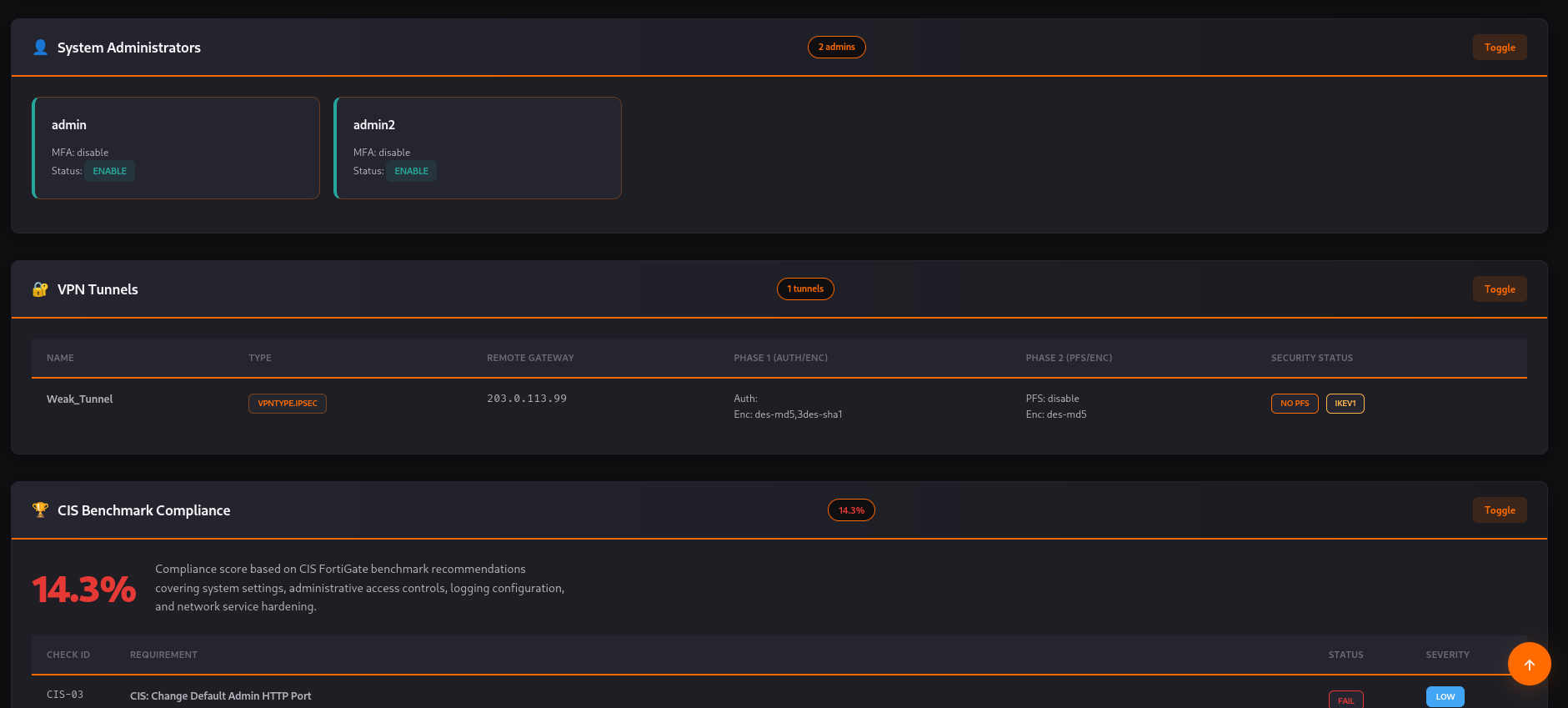
* **用户与 VPN 审计:** 精确检查 MFA 违规、弱 VPN 加密(DES/3DES/MD5)和过时的 IKEv1 使用。
* **安全配置文件缺失:** 发现缺少关键安全配置文件(IPS、AV、Web Filter)的策略。
* **上下文感知的风险评分:** 根据暴露程度、资产敏感性和信任级别,为每个发现分配风险评分(0-100)。
* **专业报告生成:** 生成一个独立的交互式 HTML 仪表板,适用于高管和技术团队。
## 安装说明
前置条件:Python 3.11+
**使用 requirements.txt**
```
git clone https://github.com/cumakurt/forticheck.git
cd forticheck
pip install -r requirements.txt
pip install -e .
```
- `pip install -r requirements.txt` 安装运行时依赖项(click, pydantic, netaddr, networkx, jinja2, rich, pyyaml)。
- `pip install -e .` 以可编辑模式安装 FortiCheck 并注册 `forticheck` 命令。使用 `pip install .` 进行常规(不可编辑)安装。
**使用 Poetry**
```
git clone https://github.com/cumakurt/forticheck.git
cd forticheck
poetry install
```
**从 GitHub 安装**
```
pip install git+https://github.com/cumakurt/forticheck.git
```
用于开发(测试、代码检查),请使用 Poetry 或使用开发扩展安装:`pip install -e ".[dev]"`。
## Docker
FortiCheck 可以在容器中运行,无需在主机上安装 Python 或依赖项。您只需安装 Docker。
### 构建镜像
在项目根目录下:
```
git clone https://github.com/cumakurt/forticheck.git
cd forticheck
make docker-build
# 或: docker build -t forticheck:latest .
```
### 快速入门
将您的 FortiGate 配置文件放在当前目录,将其挂载为 `/workspace`,然后运行:
```
# 配置和报告位于当前目录(推荐)
docker run --rm -v "$(pwd):/workspace" forticheck:latest analyze -c sample_fortigate.conf -o /workspace/report.html
# 报告: ./report.html
```
### 报告写入位置
容器使用 `/workspace` 作为工作目录。**您必须挂载当前目录**,以便配置文件可见,并且报告写入到您的主机:
| 目标 | 挂载 | 配置 | 输出 |
|------|--------|--------|--------|
| 当前目录 | `-v $(pwd):/workspace` | `-c sample.conf` 或 `-c /workspace/sample.conf` | `-o /workspace/report.html` |
| 主机上的 `/tmp` | `-v /tmp:/tmp` | 配置文件必须位于 `/tmp` | `-o /tmp/report.html` |
### 示例:使用 Make
```
make docker-build
make docker-run CONFIG=sample_fortigate.conf
# 报告: ./forticheck_report.html(默认)
make docker-run CONFIG=sample_fortigate.conf OUTPUT=audit.html
# 报告: ./audit.html
```
### 示例:报告在当前目录
```
docker run --rm -v "$(pwd):/workspace" forticheck:latest analyze -c /workspace/fortigate.conf -o /workspace/audit_report.html
# 报告: ./audit_report.html
```
### 示例:报告在 /tmp
```
cp /path/to/fortigate.conf /tmp/
docker run --rm -v /tmp:/tmp forticheck:latest analyze -c /tmp/fortigate.conf -o /tmp/forticheck_report.html
# 主机上的报告: /tmp/forticheck_report.html
```
### 示例:HTML 和 JSON 格式,自定义信任级别,自定义规则
挂载一个包含您的配置文件、可选的 `trust_levels.yaml` 和可选的 `custom_rules.yaml` 的目录。输出将写入同一目录。
```
docker run --rm -v "$(pwd):/workspace" forticheck:latest analyze \
-c /workspace/fortigate.conf \
-o /workspace/audit \
-f both \
--zones-trust /workspace/trust_levels.yaml \
--rules /workspace/custom_rules.yaml
# 生成: ./audit.html 和 ./audit.json
```
### 示例:使用 Docker 进行配置差异比较
挂载一个包含两个配置文件的目录;将差异比较 JSON 输出到同一目录。
```
docker run --rm -v "$(pwd):/workspace" forticheck:latest diff \
--before /workspace/old.conf \
--after /workspace/new.conf \
-o /workspace/diff_result.json
```
### Docker 运行选项摘要
| 选项 | 描述 |
|--------|-------------|
| `--rm` | 运行后移除容器(推荐)。 |
| `-v $(pwd):/workspace` | 挂载当前目录;配置文件和报告路径使用您的本地文件。 |
| `-v /tmp:/tmp` | 挂载 `/tmp`(可选),用于输出到主机的 `/tmp`。 |
| `-c file.conf` | 配置文件路径(挂载时相对于 `/workspace`)。 |
| `-o /workspace/report.html` | 输出路径;使用 `/workspace/` 写入当前目录。 |
## 使用方法
FortiCheck 完全离线运行。您只需要来自 FortiGate 设备的配置备份文件(`.conf`)。
### 命令
| 命令 | 描述 |
|---------|-------------|
| `forticheck analyze -c CONFIG [选项]` | 分析 FortiGate 配置并生成 HTML 和/或 JSON 报告。 |
| `forticheck diff --before OLD --after NEW [-o OUTPUT]` | 比较两个配置文件并输出策略的 JSON 差异。 |
| `forticheck --help` | 显示主帮助信息。 |
| `forticheck analyze --help` | 显示所有分析选项。 |
### 基本分析
```
forticheck analyze -c /path/to/fortigate.conf
```
默认情况下,报告以 `{config_filename}_{date}_{time}.html` 的形式保存在当前目录(例如 `fortigate_2025-02-13_143022.html`)。
### 分析选项(摘要)
| 选项 | 缩写 | 描述 |
|--------|-------|-------------|
| `--config` | `-c` | FortiGate 配置文件路径(必需)。 |
| `--output` | `-o` | 报告文件路径。默认值:`{config_stem}_{YYYY-MM-DD_HHMMSS}.html`。 |
| `--format` | `-f` | `html`、`json` 或 `both`。默认值:`html`。 |
| `--zones-trust` | `-z` | 包含区域信任级别(0–100)的 YAML 文件。 |
| `--rules` | `-r` | 包含自定义规则(forbid_service, require_security_profile)的 YAML 文件。 |
| `--min-severity` | | 仅包含此严重性或更高严重性的发现:`info`、`low`、`medium`、`high`、`critical`。 |
| `--verbose` | `-v` | 启用详细日志记录。 |
### 高级用法示例
```
# HTML + JSON 保存至指定路径
forticheck analyze -c fw.conf -o ./reports/audit_results.html -f both
# 用于调试的详细日志记录
forticheck analyze -c fw.conf -v
# 自定义区域信任级别(改进风险评分)
forticheck analyze -c fw.conf --zones-trust trust_levels.yaml
# 自定义安全规则
forticheck analyze -c fw.conf --rules custom_rules.yaml
# 报告中仅包含中等及以上严重性发现
forticheck analyze -c fw.conf --min-severity medium
```
### 配置差异比较
比较两个配置文件(策略的增加/删除/更改):
```
forticheck diff --before old.conf --after new.conf -o forticheck_diff.json
```
### 自定义区域信任级别 (`trust_levels.yaml`)
为您的区域定义信任级别(0-100)以提高分析准确性。您可以使用简单的 `zone_name: value` 格式,或包含 `trust_level` 的对象:
```
zones:
internet: 0
dmz: 30
guest: 10
lan: 90
servers: 100
# Alternative format: zone_name: { trust_level: 50 }
```
如果文件缺失或无效,FortiCheck 将使用内置的默认信任级别并继续分析。
### 自定义规则 (`custom_rules.yaml`)
可选。定义您自己的检查(例如,禁止区域间使用 RDP,要求安全配置文件):
```
rules:
- id: R1
type: forbid_service
zones: [dmz, lan]
service: RDP
severity: high
- id: R2
type: require_security_profile
zones: [wan, lan]
severity: medium
```
## 报告示例
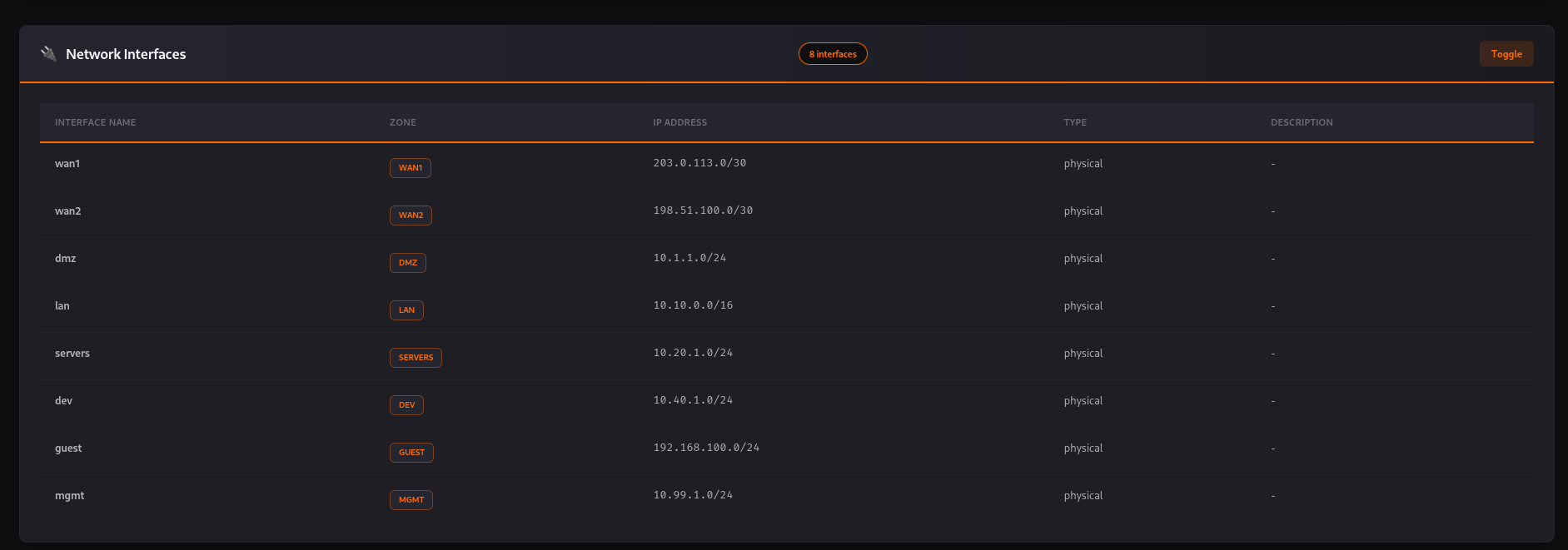
HTML 报告提供:
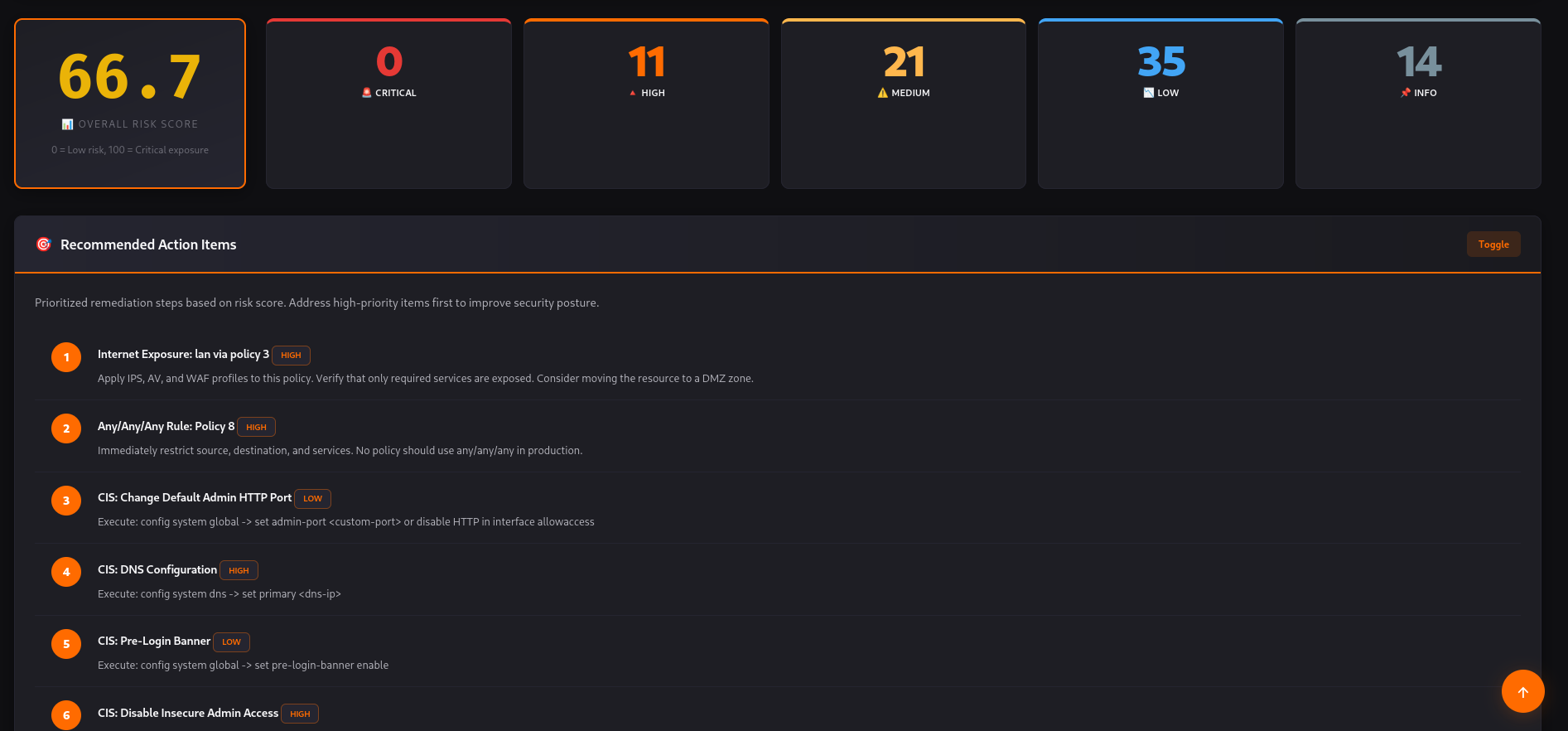
- **高管仪表板:** 风险评分、关键发现数量和合规性摘要。
- **攻击路径可视化:** 攻击者如何横向移动的视觉化表示。
- **详细发现:** 每个问题的可操作修复步骤。
- **VPN 与用户审计:** 专门针对远程访问安全的部分。
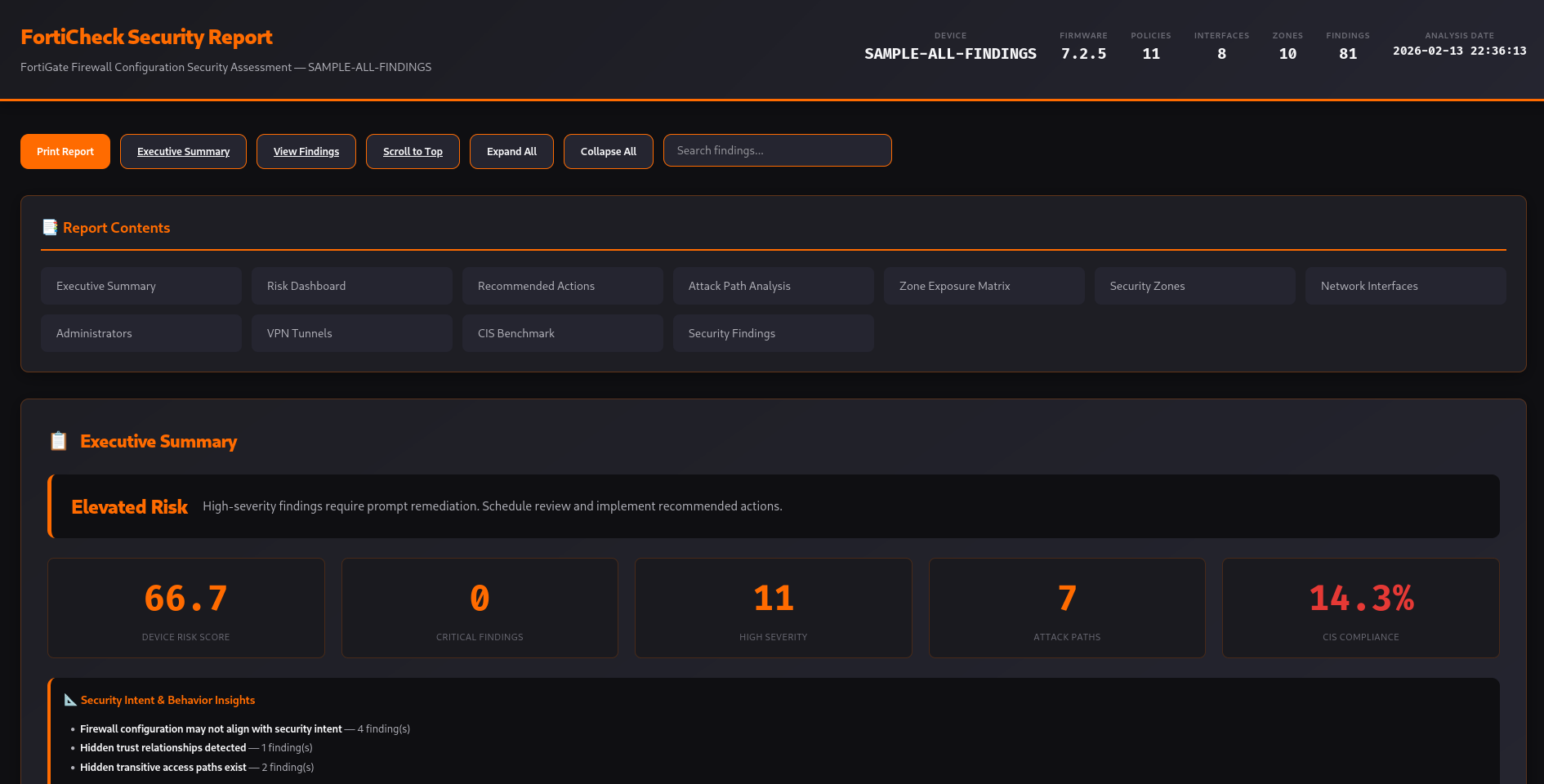
| 高管摘要与风险仪表板 | 区域暴露矩阵 | CIS 基准 |
|-----------------------------------|----------------------|---------------|
|  |  |  |
## 架构
FortiCheck 在 8 个层中处理配置:
1. **解析:** 将原始配置转换为 AST。
2. **规范化:** 构建与供应商无关的规范模型。
3. **拓扑:** 将接口、路由和区域映射到网络图中。
4. **逻辑:** 策略集的数学分析(交集/子集)。
5. **暴露面:** 区域间的可达性分析。
6. **模拟:** 基于 BFS/DFS 的攻击路径发现。
7. **评分:** 多因素风险计算。
8. **报告:** 基于 Jinja2 的 HTML 生成。
## 开发
```
make install-dev # Install with dev dependencies
make test # Run tests
make lint # Run ruff
make typecheck # Run mypy
make clean # Remove build artifacts, caches (.pytest_cache, .ruff_cache, etc.)
```
## 开发者
- **姓名:** Cuma KURT
- **邮箱:** [cumakurt@gmail.com](mailto:cumakurt@gmail.com)
- **LinkedIn:** [linkedin.com/in/cuma-kurt-34414917](https://www.linkedin.com/in/cuma-kurt-34414917/)
## 许可证
本项目根据 GNU 通用公共许可证 v3.0 (GPL-3.0-or-later) 获得许可。详情请参阅 [LICENSE](LICENSE)。
标签:FortiGate, MFA检查, Python, VPN审计, 云安全监控, 交互式仪表板, 图论, 安全扫描, 安全配置文件, 攻击路径模拟, 无后门, 时序注入, 暴露分析, 系统分析, 网络分析, 网络安全, 请求拦截, 逆向工具, 配置检查, 防火墙配置, 隐私保护, 静态分析, 风险分析, 风险评分