Debasish-87/aegis-v
GitHub: Debasish-87/aegis-v
基于 eBPF 的容器运行时安全系统,提供威胁检测、主动防御和自愈编排能力。
Stars: 0 | Forks: 0
# 🛡️ AEGIS-V
## 基于 eBPF 的容器运行时安全系统,具备主动防御和轻量级编排能力。
### AEGIS-V 在内核层面监控进程执行,使用基于规则的分类检测可疑活动,并能在维持系统安全的同时终止恶意进程。
AEGIS-V 是一个安全优先的容器控制平面,融合了:
**内核级运行时监控 (eBPF)**
**基于规则的威胁分类(使用 syscall 模式和启发式算法)**
**主动防御(自动 kill 可疑进程)**
**自愈编排(自动重启 / 隔离)**
**供应链策略执行 (Gatekeeper)**
**CLI + Web Dashboard 可视化**
## 为什么选择 AEGIS-V?
现代容器环境面临:
- 反向 shell (Reverse shells)
- 加密挖矿程序
- 容器内未授权执行
- 供应链投毒(恶意镜像)
- 崩溃循环和基础设施漂移
- 运行时行为盲点
AEGIS-V 解决了这些问题,它的作用类似于 **mini Kubernetes + Falco + AI SOC** —— 但更轻量级且原生支持 Go。
# 核心组件
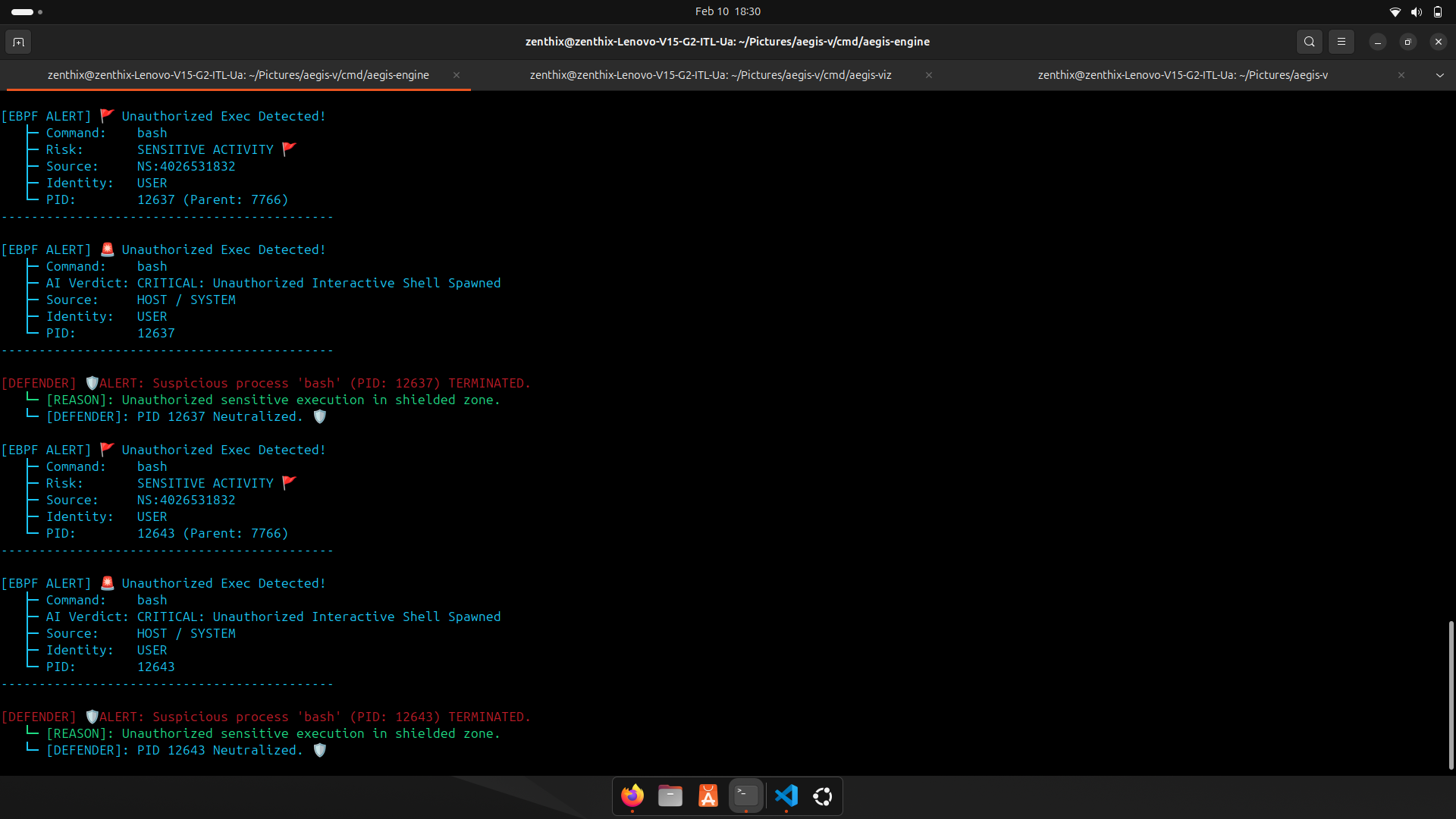
## 1) AEGIS-ENGINE (控制平面)
运行于:`http://localhost:8080`
职责:
- 安全部署 (`/deploy`)
- 实时状态 (`/status`)
- 告警 (`/alerts`)
- 运行时监控 (eBPF)
- 自愈调和循环
- SQLite 持久化 (`aegis.db`)
## 2) AEGIS-CTL (CLI)
一个终端工具,用于:
- 通过 YAML 部署服务
- 检查状态 + 事件
- 查看告警
- 删除服务
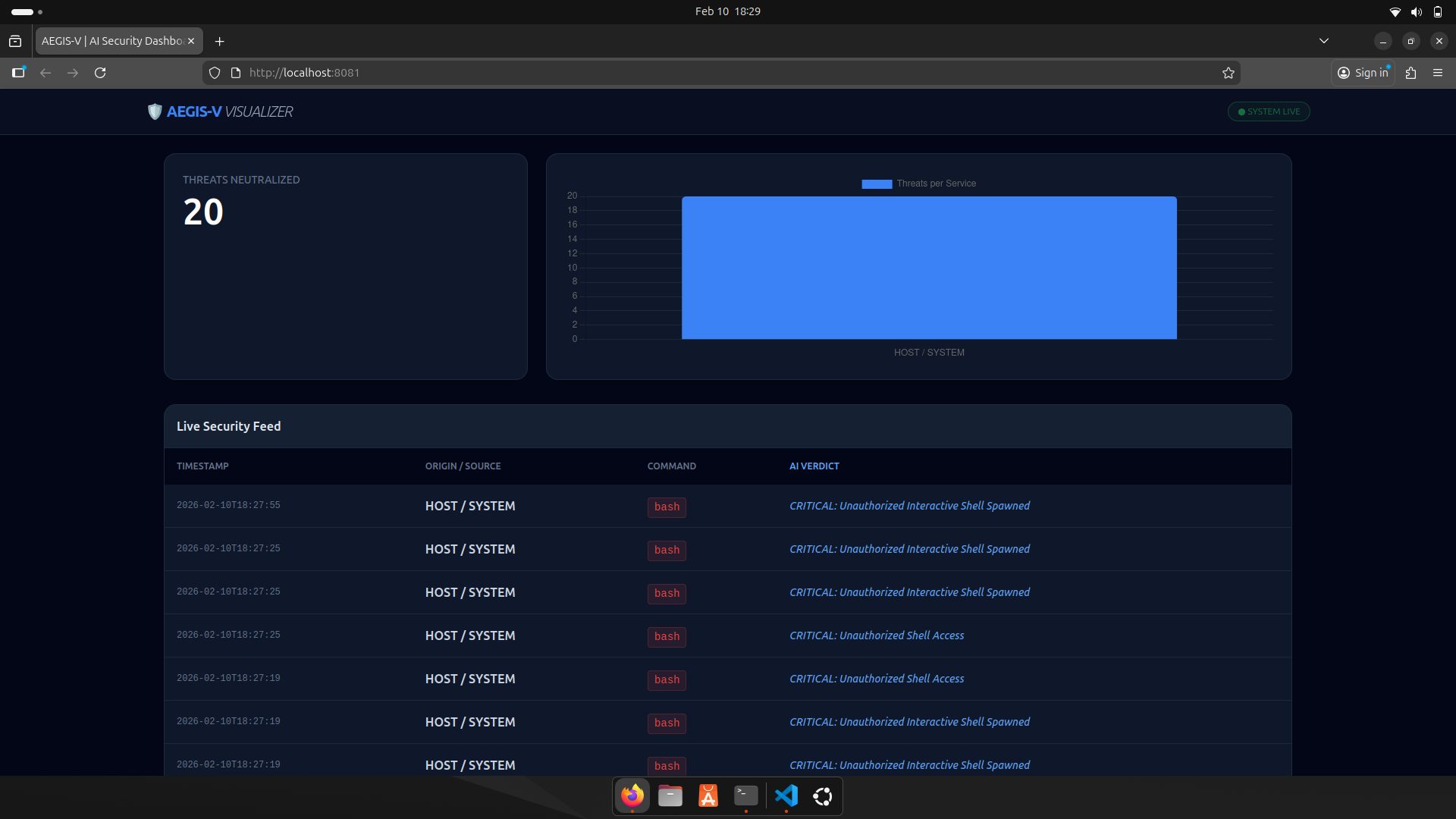
## 3) AEGIS-VIZ (Dashboard)
运行于:`http://localhost:8081`
提供:
- 实时安全信息流
- 威胁计数
- 每个服务的威胁图表
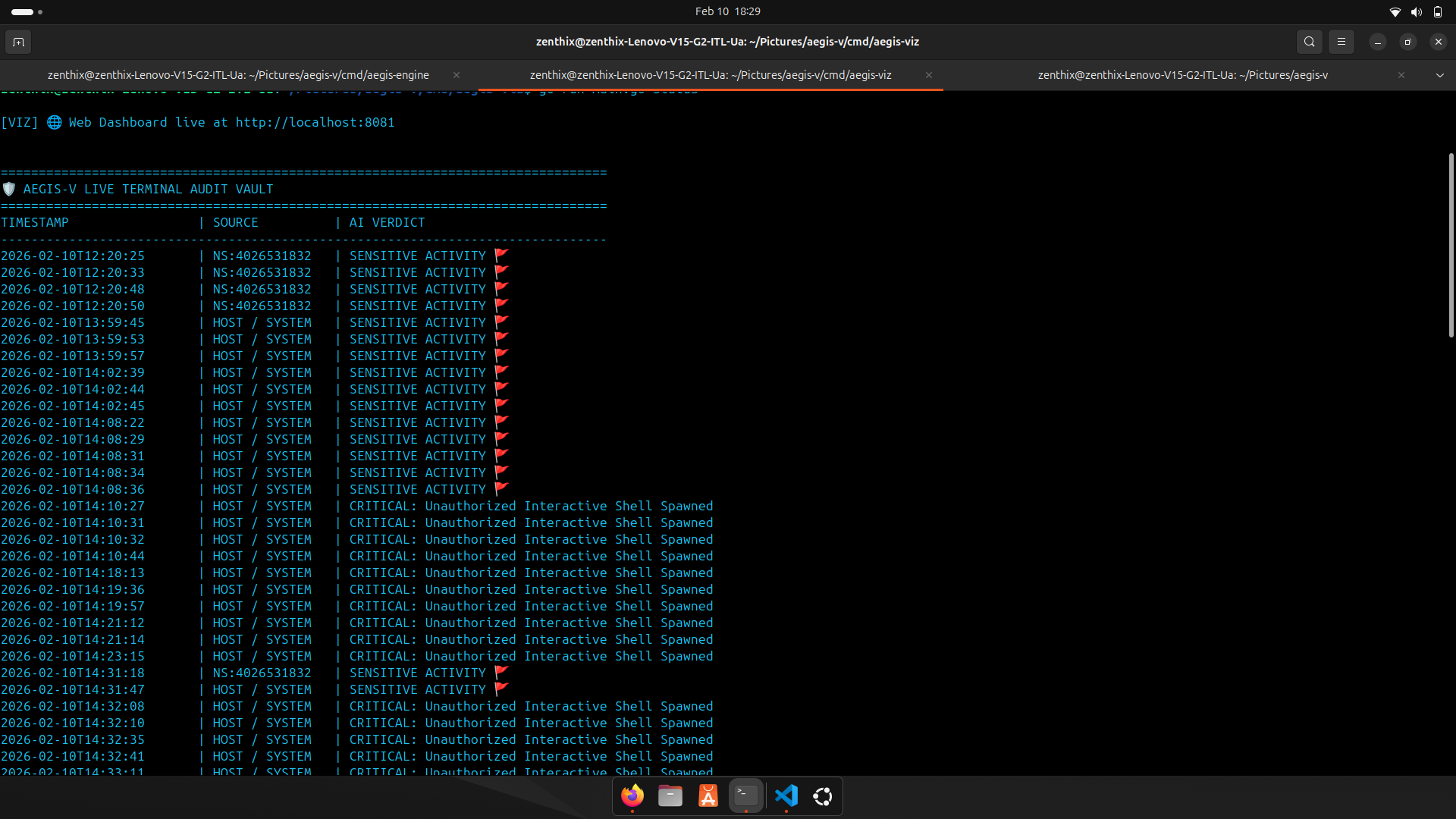
- 终端审计库
# AEGIS-V 架构
## 高层架构图
```
┌──────────────────────────────────────┐
│ AEGIS-CTL (CLI) │
│--------------------------------------│
│ • Deploy YAML workloads │
│ • Status (containers + incidents) │
│ • Alerts (detections from DB) │
│ • Delete services │
└───────────────────┬──────────────────┘
│ HTTP API Calls
▼
┌───────────────────────────────────────────────────────────────────────────────┐
│ AEGIS-ENGINE (API :8080) │
│-------------------------------------------------------------------------------│
│ │
│ ┌──────────────────────┐ ┌──────────────────────┐ ┌────────────────┐ │
│ │ Gatekeeper │ │ Orchestrator │ │ AI Advisor │ │
│ │ (Supply Chain) │ │ (Docker Runtime) │ │ (Verdict/AIOps)│ │
│ │----------------------│ │----------------------│ │----------------│ │
│ │ • blocks latest tag │ │ • pull image │ │ • threat detect│ │
│ │ • registry whitelist │ │ • create container │ │ • crashloop │ │
│ │ • keyword scan │ │ • set CPU/MEM limits │ │ • quarantine │ │
│ └───────────┬──────────┘ └───────────┬──────────┘ └───────┬────────┘ │
│ │ │ │ │
│ ▼ ▼ ▼ │
│ Deployment Allowed Container Running AI Insight Stored │
│ │
│-------------------------------------------------------------------------------│
│ Runtime Security (Kernel Layer) │
│ │
│ ┌─────────────────────────────────────────────────────────────────────────┐ │
│ │ Guardian + eBPF Monitor │ │
│ │-------------------------------------------------------------------------│ │
│ │ • tracepoint: sys_enter_execve │ │
│ │ • captures: pid, ppid, uid, mount namespace, comm │ │
│ │ • resolves namespace → docker container name │ │
│ │ • noise filtering (system + AEGIS safe processes) │ │
│ │ • AI verdict tagging │ │
│ │ • optional defense: kill suspicious process safely │ │
│ └─────────────────────────────────────────────────────────────────────────┘ │
│ │
│ │ │
│ ▼ │
│ SQLite Database (aegis.db) │
│-------------------------------------------------------------------------------│
│ • deployments table → service state + resources + AI insight │
│ • detections table → runtime security incidents │
│ • security_alerts → policy violations │
└───────────────────────────────────────────────────────────────────────────────┘
│
│ DB Read (Incidents)
▼
┌──────────────────────────────────────┐
│ AEGIS-VIZ (:8081) │
│--------------------------------------│
│ • Live Security Feed │
│ • Threat count + charts │
│ • Source-wise attack visualization │
└──────────────────────────────────────┘
```
## 系统流程 (分步说明)
### 部署流程
1. 用户运行:`aegis-ctl `
2. CLI 发送 JSON 到:`POST /deploy`
3. Engine 运行 **Gatekeeper 检查**
4. 如果安全 → Orchestrator 配置 Docker 容器
5. Engine 将部署信息存入 DB
### 运行时攻击流程
1. 任何进程在主机/容器内执行
2. eBPF 检测到 `execve`
3. Guardian 过滤噪音 + 解析容器
4. AI Advisor 生成裁决 (HIGH/CRITICAL/etc.)
5. 事件保存到 SQLite 检测记录中
6. Dashboard 自动更新
7. (可选) Defender 终止可疑 PID
### 自愈流程
1. 调和循环检查 DB 部署
2. 与实时 docker 状态交叉核对
3. 如果服务宕机:
* AI Advisor 关联近期告警
* 要么重启服务,要么将其隔离
# 📂 项目文件结构
```
aegis-v/
│
├── api/
│ └── handlers.go
│ └── HTTP API handlers:
│ - cluster status response
│ - incidents aggregation
│ - endpoints for aegis-ctl integration
│
├── cmd/ # Entry-points (3 executables)
│ │
│ ├── aegis-engine/ # Main Control Plane
│ │ └── main.go
│ │ └── Engine responsibilities:
│ │ - API Gateway (:8080)
│ │ - /deploy, /status, /alerts, /delete
│ │ - Self-healing reconciliation loop
│ │ - Gatekeeper validation before deploy
│ │ - Starts runtime eBPF monitor
│ │ - DB init + persistence bootstrap
│ │
│ ├── aegis-ctl/ # CLI Tool
│ │ └── main.go
│ │ └── CLI capabilities:
│ │ - Deploy YAML → JSON → POST /deploy
│ │ - Cluster status → GET /status
│ │ - Alerts → GET /alerts
│ │ - Delete → DELETE /delete?name=
│ │ - Pretty output (ANSI color UI)
│ │
│ └── aegis-viz/ # Dashboard (Visualizer)
│ ├── main.go
│ │ └── Dashboard server (:8081):
│ │ - Reads detections from SQLite
│ │ - Provides /api/incidents for frontend
│ │ - Runs live terminal audit vault
│ │
│ └── static/
│ └── index.html
│ └── Web UI:
│ - TailwindCSS styling
│ - Chart.js bar graph
│ - Live threat feed table
│ - Auto refresh polling
│
├── internal/ # Core logic (not importable externally)
│ │
│ ├── ai/
│ │ └── advisor.go
│ │ └── AI-style intelligence layer:
│ │ - Threat pattern classification
│ │ - CrashLoopBackOff detection
│ │ - Severity mapping (LOW → CRITICAL)
│ │ - Remediation + response decision
│ │
│ ├── guardian/
│ │ ├── api.go
│ │ │ └── Alerts API handler:
│ │ │ - Fetch detections from DB
│ │ │ - JSON response for CLI / Engine
│ │ │
│ │ ├── ebpf.go
│ │ │ └── Runtime incident pipeline:
│ │ │ - Receives exec alerts from monitor
│ │ │ - Resolves NS → container name
│ │ │ - Noise filtering + enrichment
│ │ │ - AI verdict tagging
│ │ │ - Saves detections into SQLite
│ │ │
│ │ └── defender.go
│ │ └── Active defense layer:
│ │ - Safe SIGKILL logic
│ │ - Protected process whitelist
│ │ - Prevent engine self-kill
│ │ - Prevent killing engine child lineage
│ │
│ ├── orchestrator/
│ │ └── docker.go
│ │ └── Container orchestration engine:
│ │ - Pull images
│ │ - Create containers
│ │ - Apply CPU/MEM limits
│ │ - List containers (running + stopped)
│ │ - Stop/remove containers
│ │ - Namespace → Docker container mapping
│ │
│ ├── platform/
│ │ └── db.go
│ │ └── SQLite persistence layer:
│ │ - schema creation (deployments/detections/security_alerts)
│ │ - WAL mode for stability
│ │ - migration support (columns)
│ │ - helper DB write functions
│ │
│ └── security/
│ ├── gatekeeper.go
│ │ └── Supply-chain policy enforcement:
│ │ - blocks :latest or untagged images
│ │ - registry allowlist
│ │ - blacklisted keyword scan
│ │ - regex validation (anti-injection)
│ │
│ ├── guardian.c
│ │ └── eBPF C program:
│ │ - tracepoint: sys_enter_execve
│ │ - captures pid/ppid/uid/mnt_ns/comm
│ │ - ring buffer output to userspace
│ │ - aggressive kernel-side noise filtering
│ │
│ ├── monitor.go
│ │ └── eBPF loader + event processor:
│ │ - attaches kernel tracepoint
│ │ - reads ringbuf events
│ │ - deep whitelist + noise suppression
│ │ - detects interactive shell attempts
│ │ - sends final alert → guardian pipeline
│ │
│ ├── bpf_bpfel.go
│ │ └── Generated Go bindings (via bpf2go)
│ │
│ └── bpf_bpfel.o
│ └── Generated eBPF object
│ (optional to commit; can be regenerated)
│
├── scripts/
│ └── db_check.go
│ └── Developer helper:
│ - validate DB schema
│ - check stored incidents
│
├── deployments/
│ └── (optional)
│ └── Folder reserved for workload YAML storage
│
├── app.yaml
├── cluster.yaml
├── test-nginx.yaml
├── test-app.yaml
│
├── go.mod
├── go.sum
│
├── .gitignore
└── README.md
```
# 截图
## AEGIS-VIZ Dashboard
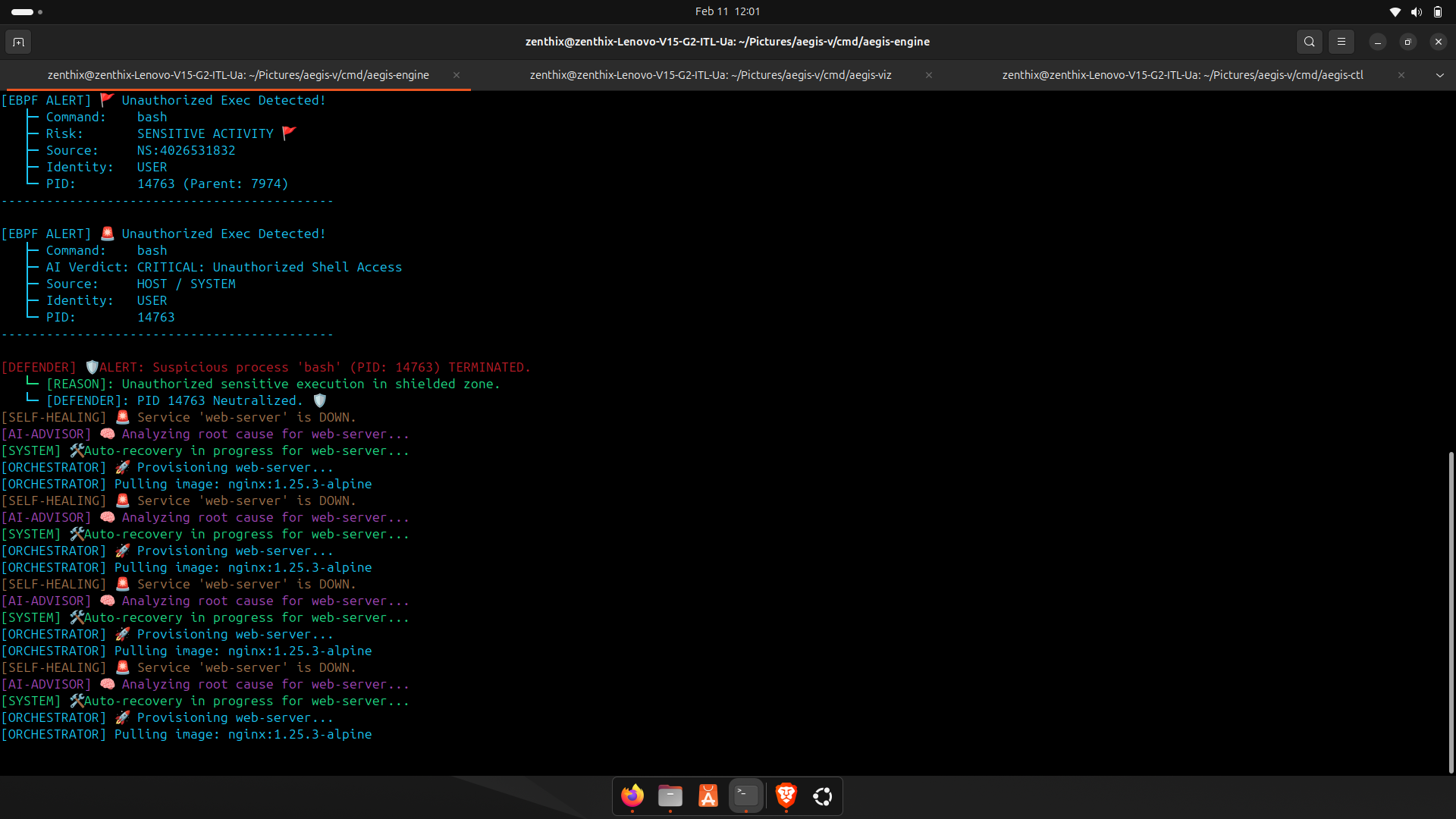
## Engine 运行中
## 敏感数据日志检测
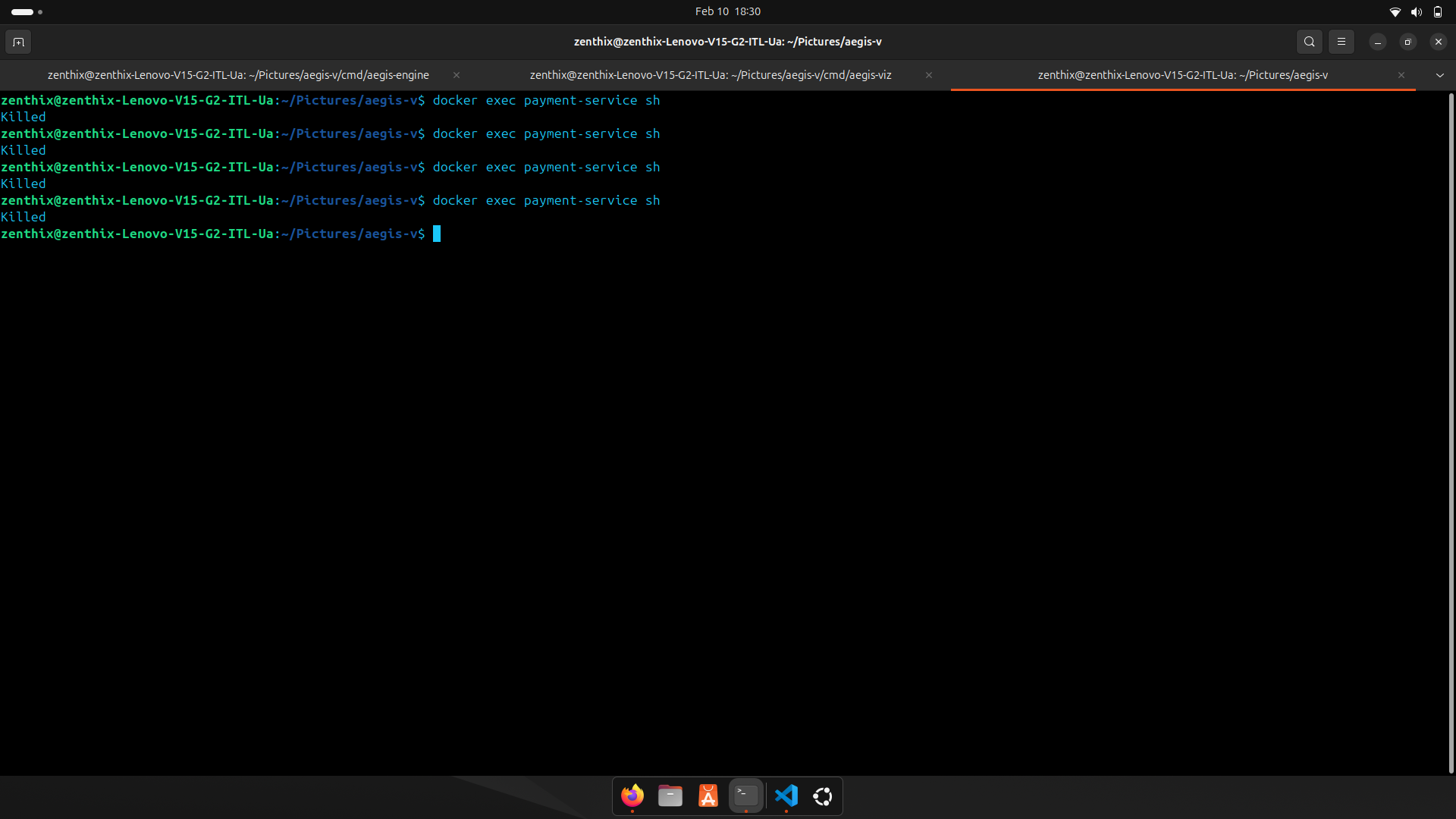
## 隔离攻击者 / 隔离区
## 自愈恢复
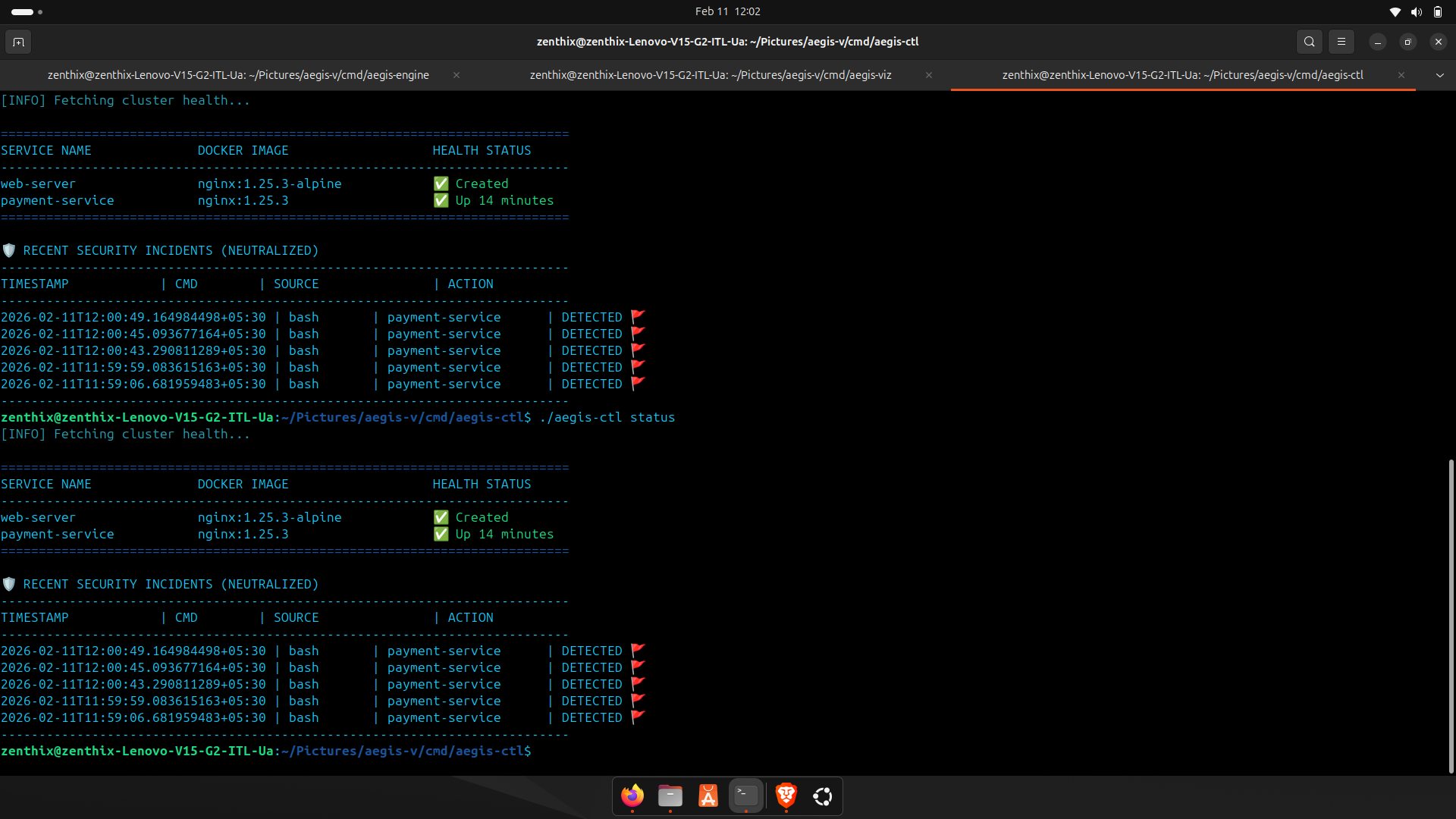
## 整体系统状态
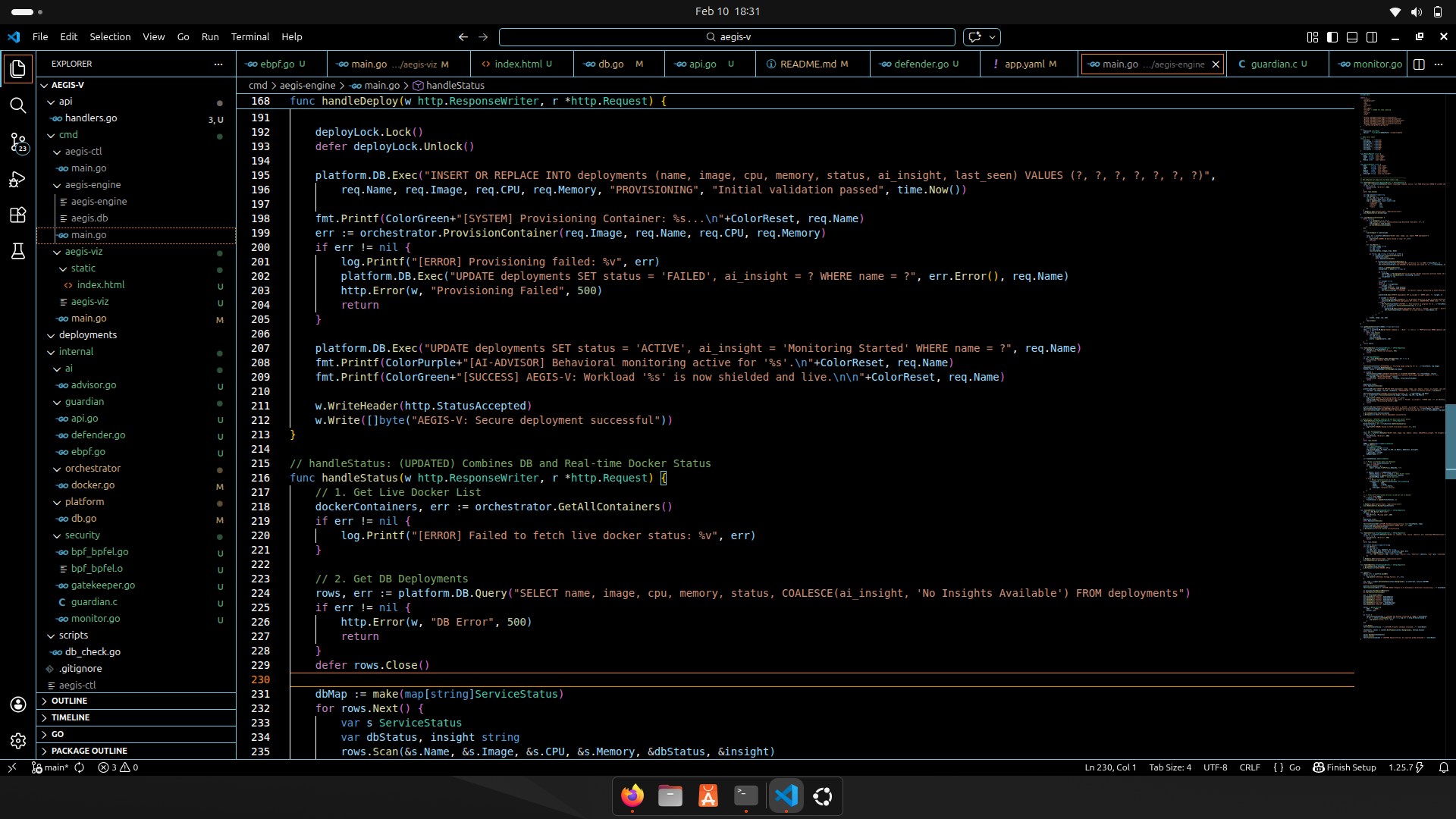
## CLI / 代码视图
# 环境要求
### OS
Linux (eBPF 必需)
### 工具
* Go 1.20+
* Docker 已安装 + 正在运行
* Root 权限 (用于 eBPF 监控)
# Docker API 修复 (如果 Docker 报错)
```
export DOCKER_API_VERSION=1.44
```
# 完整运行序列 (推荐)
因为 AEGIS 使用 **内核级监控**,Engine 必须以 `sudo` 运行。
## 步骤 1:洁净启动 (安全)
```
sudo pkill -9 aegis-engine || true
sudo pkill -9 aegis-viz || true
sudo fuser -k 8080/tcp || true
sudo fuser -k 8081/tcp || true
```
## 步骤 2:启动 AEGIS-ENGINE (终端 1)
```
cd ~/Pictures/aegis-v/cmd/aegis-engine
go build -o aegis-engine .
sudo ./aegis-engine
```
Engine 端点:
* `http://localhost:8080/health`
* `http://localhost:8080/status`
* `http://localhost:8080/alerts`
* `http://localhost:8080/api/logs`
## 步骤 3:启动 AEGIS-VIZ (终端 2)
```
cd ~/Pictures/aegis-v/cmd/aegis-viz
go build -o aegis-viz .
./aegis-viz
```
打开 dashboard:
`http://localhost:8081`
## 步骤 4:构建 AEGIS-CTL (终端 3)
```
cd ~/Pictures/aegis-v/cmd/aegis-ctl
go build -o aegis-ctl .
```
# AEGIS-CTL 命令 (全部)
### 帮助
```
./aegis-ctl help
```
### 状态 (服务 + 事件)
```
./aegis-ctl status
```
### 告警
```
./aegis-ctl alerts
```
### 删除服务
```
./aegis-ctl delete
```
示例:
```
./aegis-ctl delete nginx-service
```
# 部署工作负载 (YAML)
### 部署 Nginx
```
cd ~/Pictures/aegis-v
./cmd/aegis-ctl/aegis-ctl test-nginx.yaml
```
### 部署 App
```
./cmd/aegis-ctl/aegis-ctl test-app.yaml
```
# 攻击模拟 / 测试
## 正常命令 (安全)
```
ls
pwd
echo "AEGIS-V running"
```
## 可疑的主机命令 (应触发告警)
```
sudo cat /etc/shadow
```
## 容器 exec 尝试
```
docker ps
docker exec -it bash
```
# 安全特性
## 1) eBPF 运行时执行监控
* Hook 点:`tracepoint/syscalls/sys_enter_execve`
* 捕获:
* PID, PPID, UID
* Mount namespace (容器身份)
* 命令名
## 2) 智能噪音过滤
AEGIS 避免记录:
* systemd / dockerd / containerd
* VS Code / gopls / apt
* AEGIS 内部进程
## 3) AI Advisor 裁决
威胁分类检测如下模式:
* 访问 `/etc/shadow`
* netcat 反向 shell
* wget/curl 恶意软件入口
* 加密挖矿程序
* 侦察工具 (nmap, tcpdump)
## 4) 主动防御 (Guardian Defender)
* 可疑进程可以被终止
* 内置安全机制:
* 不 kill 系统 PID 范围
* 不 kill AEGIS 组件
* 防止 engine 自杀
* 防止 kill engine 子进程
## 5) 供应链 Gatekeeper
在以下情况阻止部署:
* 镜像使用 `latest`
* 无版本标签
* registry 未在白名单中
* 关键词包含可疑术语
* 镜像名称格式错误
## 6) 自愈调和循环
每约 15 秒:
* 检查 DB 部署
* 检查实时 docker 状态
* 如果宕机:
* AI Advisor 分析告警
* 要么重启,要么隔离
# 优势 / 为什么这个项目很强大
**真正的内核监控(不仅仅是日志)**
**检测容器内的运行时攻击**
**就像 Docker 的轻量级 SOC**
**自动修复和隔离逻辑**
**CLI + Dashboard 提供完整的可观测性**
**设计类似于生产级 DevSecOps 工具**
# 使用案例
* DevSecOps 演示项目
* 迷你容器安全平台
* eBPF 学习 + 运行时安全研究
* AI 驱动的 AIOps + 事件关联
* 实验室环境的轻量级替代方案
# 故障排除
## 端口已被占用
```
sudo fuser -k 8080/tcp
sudo fuser -k 8081/tcp
```
## Docker API 不匹配
```
export DOCKER_API_VERSION=1.44
```
## Dashboard 未更新
* 确保 Engine 运行在 `8080`
* 确保 Viz 运行在 `8081`
* 刷新浏览器:`Ctrl + Shift + R`
# 路线图 (未来改进)
* 为 API 端点添加认证
* 添加 Prometheus 指标
* 添加容器网络隔离响应
* 添加真实 LLM 集成 (Ollama / OpenAI)
* 添加签名镜像验证 (cosign)
* 多节点集群支持
# 👤 作者
**Debasish-87**
Email: `22btics06@suiit.ac.in`
标签:AMSI绕过, CLI 工具, Docker镜像, EVTX分析, Falco 替代, Go 语言, JSONLines, Kubernetes 安全, Lerna, OpenCanary, Web截图, 云计算, 仪表盘, 入侵检测系统 (IDS), 入侵防御系统 (IPS), 内核级监控, 反弹 Shell 检测, 反挖矿, 威胁检测, 审计日志, 容器安全, 异常检测, 恶意进程查杀, 日志审计, 模型鲁棒性, 沙箱逃逸检测, 策略执行, 自愈, 规则引擎, 请求拦截, 轻量级编排, 零信任