azizul987/Soar-Blue-Team

GitHub: azizul987/Soar-Blue-Team

Stars: 0 | Forks: 0

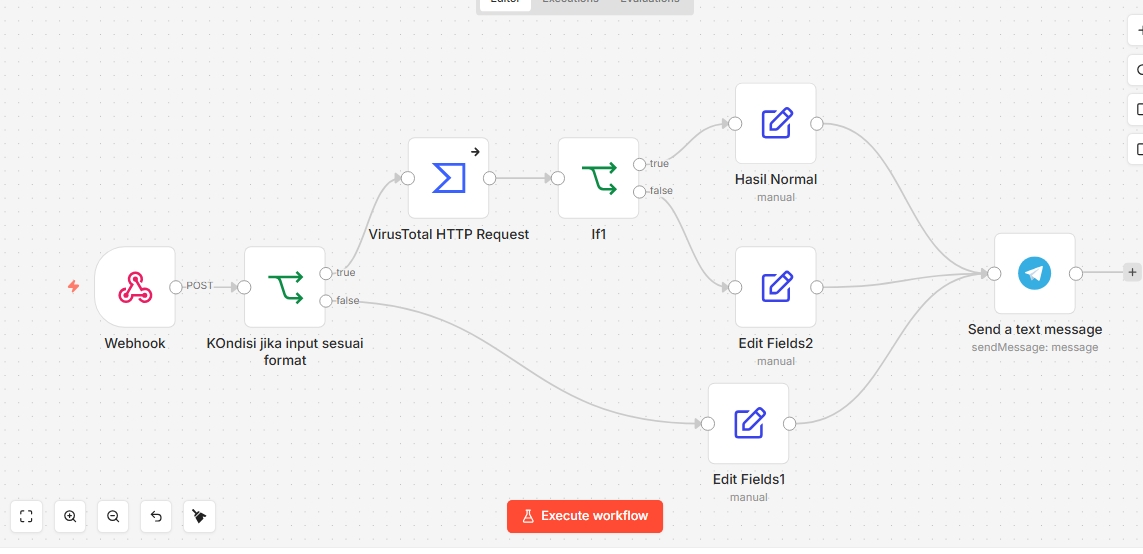
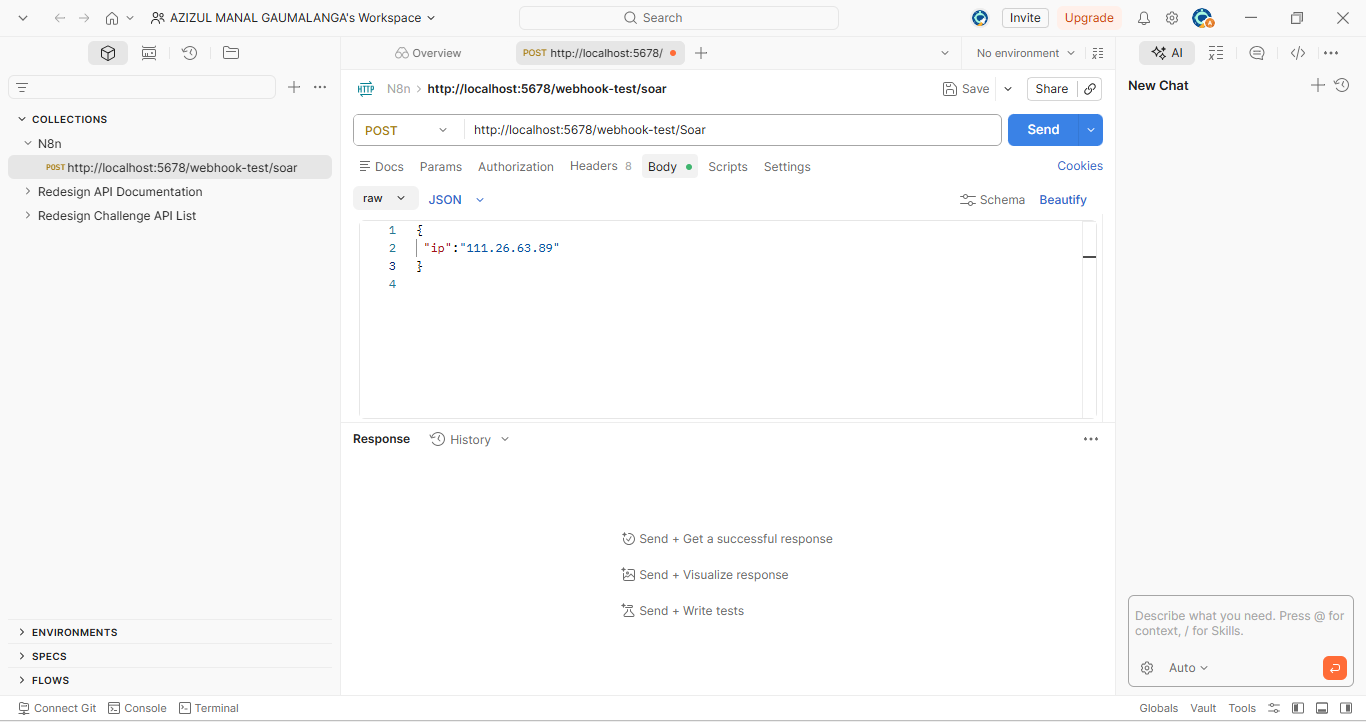
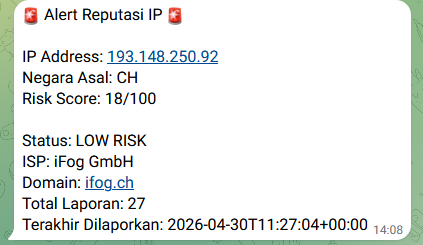
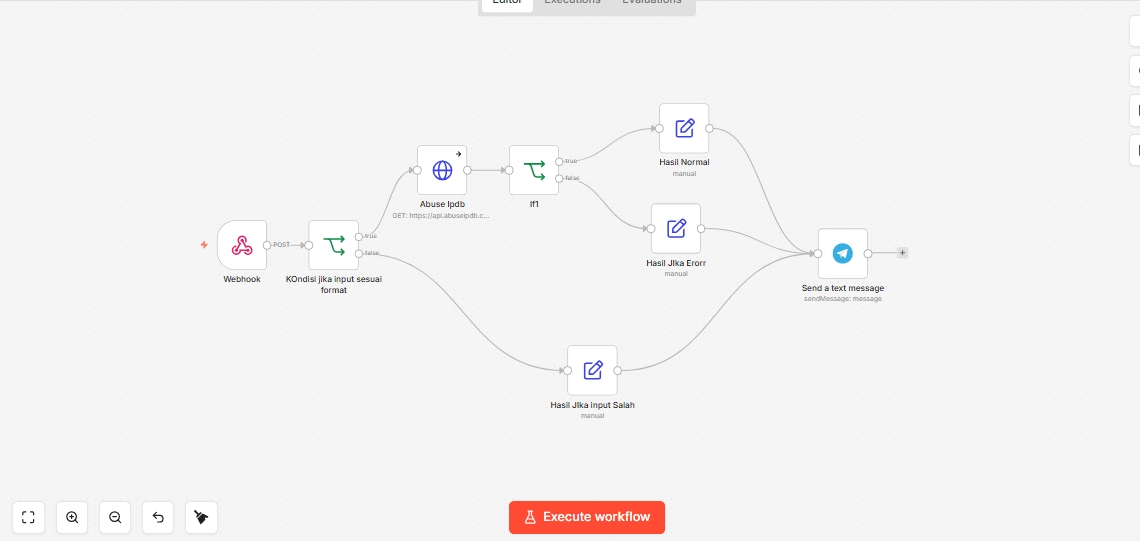
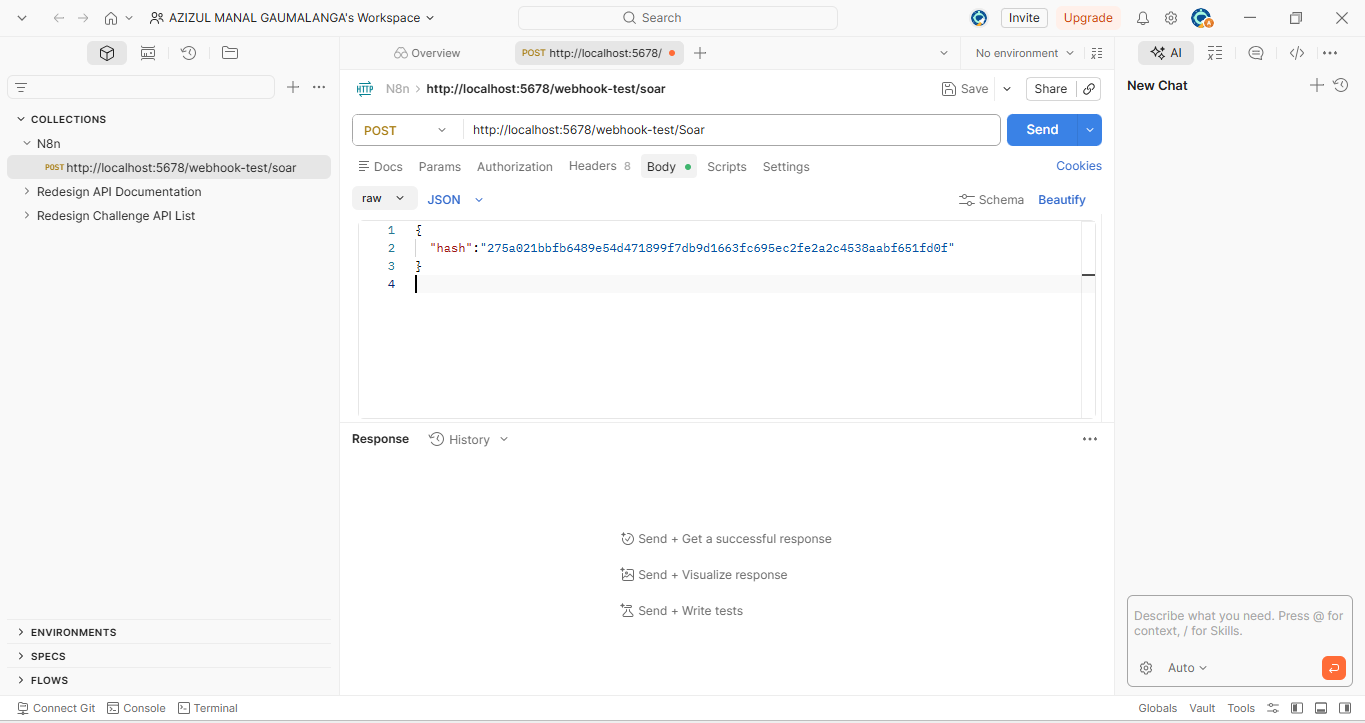
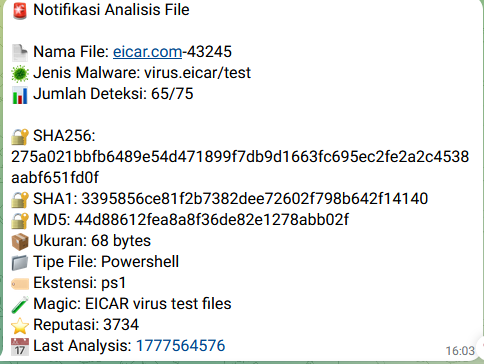
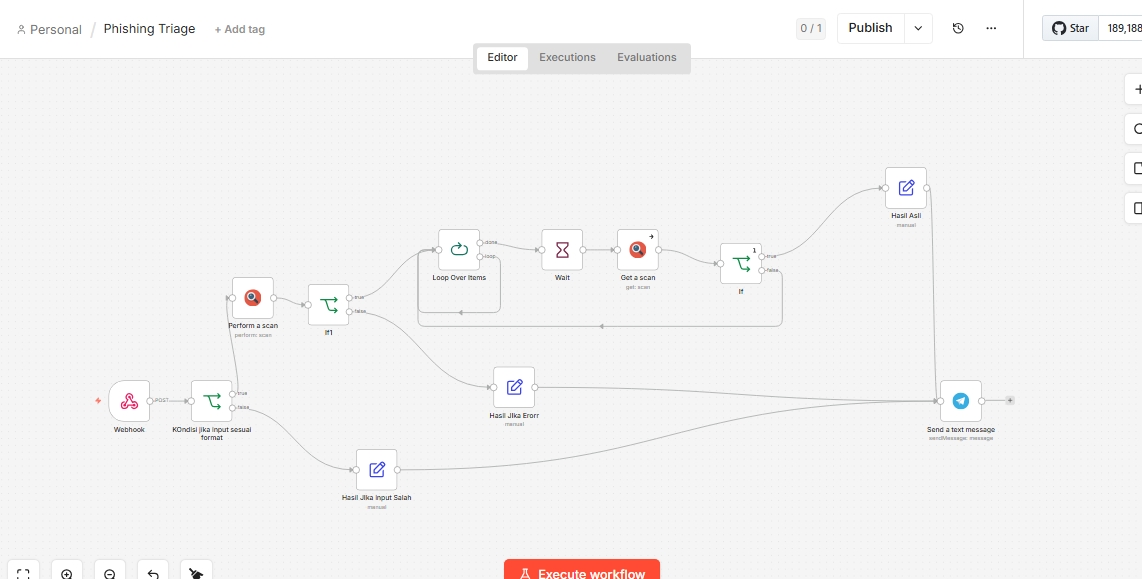
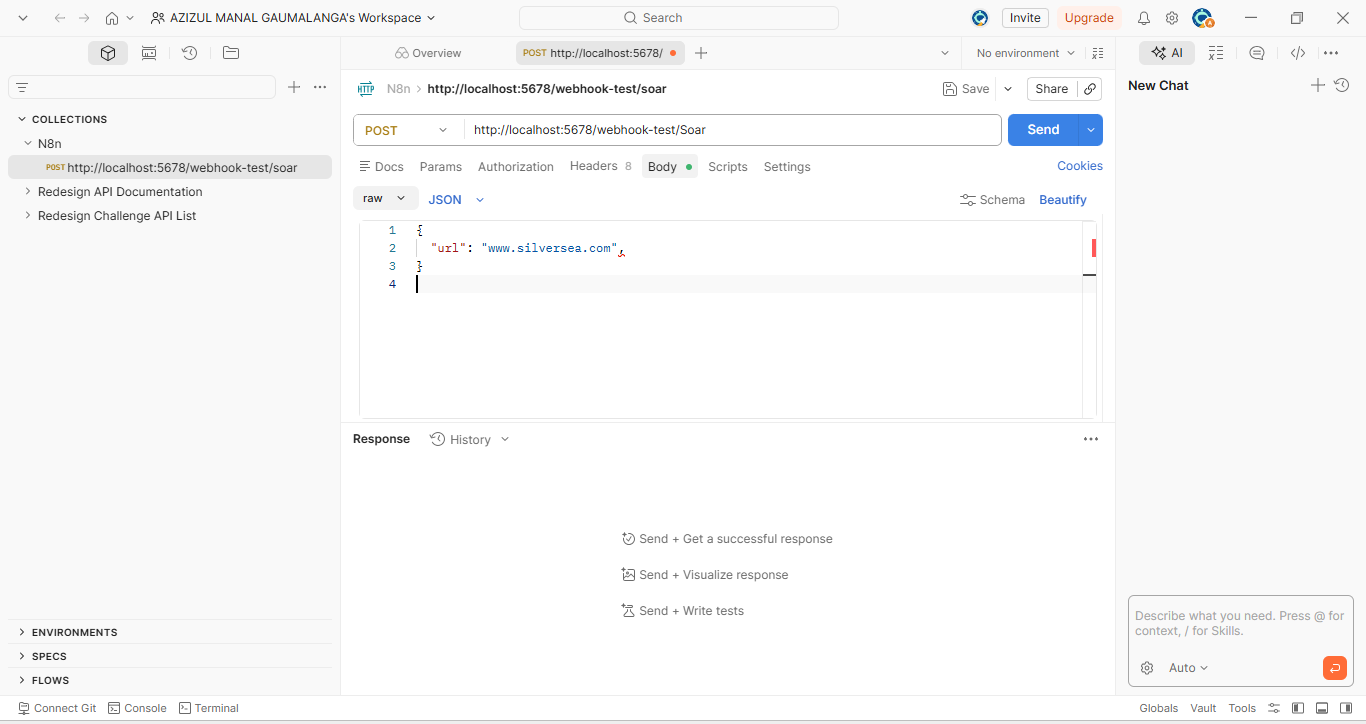
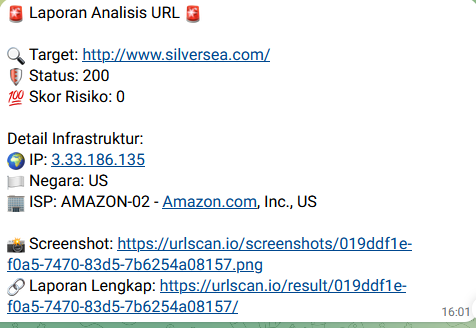
# SOAR Automation with n8n Project ini adalah automation sederhana untuk membantu SOC analyst melakukan pengecekan awal terhadap alert keamanan secara otomatis. Workflow ini dibuat menggunakan n8n untuk mengecek reputasi IP address, hash file, dan URL phishing. Hasil pengecekan akan dikirim otomatis ke Telegram agar analyst tidak perlu melakukan pengecekan manual satu per satu. ## Workflow Project ini memiliki 3 workflow utama: 1. **Network Investigation** Mengecek reputasi IP address menggunakan AbuseIPDB atau VirusTotal. 2. **File Forensics** Mengecek hash file untuk mengetahui apakah file terdeteksi sebagai malware menggunakan VirusTotal. 3. **Phishing Triage** Menganalisis URL yang dicurigai phishing menggunakan URLScan.io dan mengirim hasilnya ke Telegram. ## Tools Tools yang digunakan: - n8n - VirusTotal API - AbuseIPDB API - URLScan.io API - Telegram Bot - Postman ## Credentials API key dan token tidak disimpan di GitHub. Semua credential dimasukkan langsung melalui n8n Credentials atau pada HTTP Request node. Credential yang dibutuhkan: - VirusTotal API Key - AbuseIPDB API Key - URLScan.io API Key - Telegram Bot Token - Telegram Chat ID ## Network Investigation ### Tampilan Workflow ![Network Investigation Workflow](https://static.pigsec.cn/wp-content/uploads/repos/2026/05/6000fc3e26210946.jpg) ### Testing Workflow ![Network Investigation Test](https://static.pigsec.cn/wp-content/uploads/repos/2026/05/901e263689210947.png) ### Output Telegram ![Network Investigation Output](https://static.pigsec.cn/wp-content/uploads/repos/2026/05/09abf3b02c210947.png) ## File Forensics ### Tampilan Workflow ![File Forensics Workflow](https://static.pigsec.cn/wp-content/uploads/repos/2026/05/7caf0429f4210948.jpg) ### Testing Workflow ![File Forensics Test](https://static.pigsec.cn/wp-content/uploads/repos/2026/05/2ed4007f8b210949.png) ### Output Telegram ![File Forensics Output](https://static.pigsec.cn/wp-content/uploads/repos/2026/05/981a261e14210950.png) ## Phishing Triage ### Tampilan Workflow ![Phishing Triage Workflow](https://static.pigsec.cn/wp-content/uploads/repos/2026/05/82e745af77210950.jpg) ### Testing Workflow ![Phishing Triage Test](https://static.pigsec.cn/wp-content/uploads/repos/2026/05/c6c1f4d93f210951.png) ### Output Telegram ![Phishing Triage Output](https://static.pigsec.cn/wp-content/uploads/repos/2026/05/e2182b96d9210952.png) ## Cara Menjalankan 1. Buka n8n. 2. Import file workflow dari folder `workflows`. 3. Masukkan API key dan token pada credential n8n. 4. Aktifkan workflow. 5. Test webhook menggunakan Postman. 6. Cek hasil notifikasi di Telegram. ## Testing Testing dilakukan dengan mengirim request POST ke webhook n8n menggunakan Postman. Workflow dianggap berhasil jika: - Webhook menerima input. - API mengembalikan hasil enrichment. - Workflow berjalan tanpa error. - Telegram menerima notifikasi sesuai output yang diminta. ## Notes Project ini hanya berfokus pada automation triage dan enrichment dasar. Project ini belum melakukan response otomatis seperti block IP, isolate endpoint, atau integrasi dengan SIEM/EDR.