voltsparx/Sentinel-C
GitHub: voltsparx/Sentinel-C
Sentinel-C 是一个跨平台的主机完整性监控框架,通过建立 SHA-256 文件基线并检测偏差,生成多格式证据报告以支撑安全审计与取证。
Stars: 4 | Forks: 0
# Sentinel-C v4.5
作者:voltsparx
联系方式:voltsparx@gmail.com
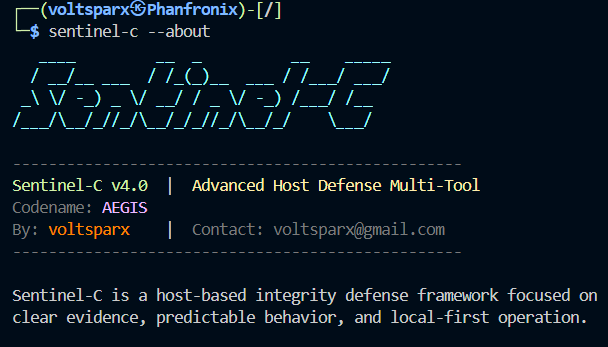
Sentinel-C 是一个用于防御操作的本地优先主机完整性监控框架。
它建立受信任的基线,检测偏差(新增/修改/删除的文件),并生成
一致的 CLI、HTML、JSON 和 CSV 证据,供人类和自动化程序使用。
/releases/bin/`
## 命令参考
### 主要命令
- `--init `:初始化基线(`--force`、`--json`)
- `--scan `:与基线比对并生成报告(`--json`)
- `--update `:扫描并刷新基线(`--json`)
- `--status `:面向 CI 的完整性状态(`--json`)
- `--verify `:严格验证(`--reports`、`--json`)
- `--watch `:间隔监控(`--interval N`、`--cycles N`、`--reports`、`--fail-fast`、`--json`)
- `--doctor`:环境和存储健康检查(`--fix`、`--json`)
- `--guard`:侧重安全的加固和基线完整性检查(`--fix`、`--json`)
- `--list-baseline`:列出追踪的基线条目(`--limit N`、`--json`)
- `--show-baseline `:检查单个基线条目(`--json`)
- `--purge-reports`:报告保留清理(`--days N`、`--all`、`--dry-run`)
### 实用工具命令
- `--export-baseline ` (`--overwrite`)
- `--import-baseline ` (`--force`)
- `--tail-log` (`--lines N`)
- `--report-index` (`--type all|cli|html|json|csv`、`--limit N`、`--json`)
- `--prompt-mode` (`--target`、`--interval`、`--cycles`、`--reports`、`--report-formats`、`--strict`、`--hash-only`、`--quiet`、`--no-advice`)
- `--set-destination `(持久化报告/日志/基线目标路径以供后续运行使用)
- `--show-destination` (`--json`、`--quiet`)
- `--version` (`--json`)
- `--about`
- `--explain`
- `--help`
- `--output-root `(对操作命令的单次运行覆盖)
仅限提示模式的关键词:
- `banner`(清屏,然后打印横幅)
- `clear`(清空控制台)
- `exit` 或 `Ctrl+C`(退出提示模式)
## 退出代码
- `0`:成功 / 干净状态
- `1`:用法或参数错误
- `2`:检测到完整性变更
- `3`:基线缺失
- `4`:基线目标不匹配
- `5`:操作失败
## 输出布局
Sentinel-C 默认写入二进制文件目录下的 `sentinel-c-logs/`。
您可以使用 `--output-root ` 对每个命令覆盖目标路径,使用
`--set-destination ` 持久化设置,或设置 `SENTINEL_ROOT`。
- `sentinel-c-logs/data/.sentinel-baseline`
- `sentinel-c-logs/data/.sentinel-baseline.seal`
- `sentinel-c-logs/logs/sentinel-c_activity_log_.log`
- `sentinel-c-logs/reports/cli/sentinel-c_integrity_cli_report_.txt`
- `sentinel-c-logs/reports/html/sentinel-c_integrity_html_report_.html`
- `sentinel-c-logs/reports/json/sentinel-c_integrity_json_report_.json`
- `sentinel-c-logs/reports/csv/sentinel-c_integrity_csv_report_.csv`
终端摘要打印绝对输出路径以便于导航。
## 操作说明(重要细节)
- 基线绑定到其初始化的目标根路径。
- 使用现有基线扫描不同路径会返回目标不匹配(`4`)。
- 替换现有基线需要 `--init --force`。
- 当检测到偏差时,`--status`、`--verify` 和 `--watch` 返回 `2`。
- 使用 `--json` 进行机器流水线处理;使用 CLI/HTML 供分析人员审查。
## 项目布局
```
Sentinel-C/
src/
commands/ # command parsing and handlers
core/ # config, logging, summary, filesystem helpers
scanner/ # snapshot, baseline, ignore, hash
reports/ # CLI/HTML/JSON writers + report advisor
building-scripts/
build-windows.ps1
build-linux.sh
build-macos.sh
termux-support/
build-termux.sh
Setup.txt
Usage.txt
docs/
Usage.txt
ARCHITECTURE.md
SETUP.md
CMakeLists.txt
```
## 文档
- `docs/Usage.txt`:纯文本使用指南
- `termux-support/Setup.txt`:纯文本 Termux 设置指南
- `termux-support/Usage.txt`:纯文本 Termux 使用指南
- `SETUP.md`:构建/安装说明
- `ARCHITECTURE.md`:模块边界、数据流、并发模型
- `building-scripts/`:带有错误处理的自动化平台构建脚本
## 许可证
MIT License
标签:AI红队测试, Bash脚本, C/C++, CI/CD 安全, CLI 工具, DNS 解析, Force Graph, LNA, SHA-256 校验, x64dbg, 主机完整性监控, 事务性I/O, 变更检测, 合规性审计, 基线管理, 多语言支持, 子域名变形, 安全取证, 安全测试框架, 对称加密, 数据投毒防御, 文件哈希, 文档结构分析, 渗透测试辅助, 自动化审计, 配置漂移检测, 防御性安全