affaan-m/ECC
GitHub: affaan-m/ECC
ECC是一个为多种AI编码助手提供统一性能优化、技能管理和安全扫描的操作系统层框架。
Stars: 216059 | Forks: 33204
**Language:** English | [Português (Brasil)](docs/pt-BR/README.md) | [简体中文](README.zh-CN.md) | [繁體中文](docs/zh-TW/README.md) | [日本語](docs/ja-JP/README.md) | [한국어](docs/ko-KR/README.md) | [Türkçe](docs/tr/README.md) | [Русский](docs/ru/README.md) | [Tiếng Việt](docs/vi-VN/README.md) | [ไทย](docs/th/README.md) | [Deutsch](docs/de-DE/README.md)
# ECC

[](https://github.com/affaan-m/ECC/stargazers)
[](https://github.com/affaan-m/ECC/network/members)
[](https://github.com/affaan-m/ECC/graphs/contributors)
[](https://www.npmjs.com/package/ecc-universal)
[](https://www.npmjs.com/package/ecc-agentshield)
[](https://github.com/marketplace/ecc-tools)
[](LICENSE)


## The Guides
This repo is the raw code only. The guides explain everything.
# Import instincts from others
/instinct-export # Export your instincts for sharing
/evolve # Cluster related instincts into skills
See `skills/continuous-learning-v2/` for full documentation.
Keep `continuous-learning/` only when you explicitly want the legacy v1 Stop-hook learned-skill flow.
## Requirements
### Claude Code CLI Version
**Minimum version: v2.1.0 or later**
This plugin requires Claude Code CLI v2.1.0+ due to changes in how the plugin system handles hooks.
Check your version:
claude --version
### Important: Hooks Auto-Loading Behavior
Duplicate hooks file detected: ./hooks/hooks.json resolves to already-loaded file
**History:** This has caused repeated fix/revert cycles in this repo ([#29](https://github.com/affaan-m/ECC/issues/29), [#52](https://github.com/affaan-m/ECC/issues/52), [#103](https://github.com/affaan-m/ECC/issues/103)). The behavior changed between Claude Code versions, leading to confusion. We now have a regression test to prevent this from being reintroduced.
## Installation
### Option 1: Install as Plugin (Recommended)
The easiest way to use this repo - install as a Claude Code plugin:
# Add this repo as a marketplace
/plugin marketplace add https://github.com/affaan-m/ECC
# Install the plugin
/plugin install ecc@ecc
Or add directly to your `~/.claude/settings.json`:
{
"extraKnownMarketplaces": {
"ecc": {
"source": {
"source": "github",
"repo": "affaan-m/ECC"
}
}
},
"enabledPlugins": {
"ecc@ecc": true
}
}
This gives you instant access to all commands, agents, skills, and hooks.
### Option 2: Manual Installation
If you prefer manual control over what's installed:
# Clone the repo
git clone https://github.com/affaan-m/ECC.git
cd ECC
# Copy agents to your Claude config
cp agents/*.md ~/.claude/agents/
# Copy rules directories (common + language-specific)
mkdir -p ~/.claude/rules/ecc
cp -r rules/common ~/.claude/rules/ecc/
cp -r rules/typescript ~/.claude/rules/ecc/ # pick your stack
cp -r rules/python ~/.claude/rules/ecc/
cp -r rules/golang ~/.claude/rules/ecc/
cp -r rules/php ~/.claude/rules/ecc/
cp -r rules/arkts ~/.claude/rules/ecc/
# Copy skills first (primary workflow surface)
# Recommended (new users): core/general skills only
mkdir -p ~/.claude/skills/ecc
cp -r .agents/skills/* ~/.claude/skills/ecc/
cp -r skills/search-first ~/.claude/skills/ecc/
# Optional: add niche/framework-specific skills only when needed
# for s in django-patterns django-tdd laravel-patterns springboot-patterns quarkus-patterns; do
# cp -r skills/$s ~/.claude/skills/ecc/
# done
# Optional: keep maintained slash-command compatibility during migration
mkdir -p ~/.claude/commands
cp commands/*.md ~/.claude/commands/
# Retired shims live in legacy-command-shims/commands/.
# Copy individual files from there only if you still need old names such as /tdd.
#### Install hooks
Do not copy the raw repo `hooks/hooks.json` into `~/.claude/settings.json` or `~/.claude/hooks/hooks.json`. That file is plugin/repo-oriented and is meant to be installed through the ECC installer or loaded as a plugin, so raw copying is not a supported manual install path.
Use the installer to install only the Claude hook runtime so command paths are rewritten correctly:
# macOS / Linux
bash ./install.sh --target claude --modules hooks-runtime
# Windows PowerShell
pwsh -File .\install.ps1 --target claude --modules hooks-runtime
That writes resolved hooks to `~/.claude/hooks/hooks.json` and leaves any existing `~/.claude/settings.json` untouched.
Windows note: the Claude config directory is `%USERPROFILE%\\.claude`, not `~/claude`.
#### Configure MCPs
Claude plugin installs intentionally do not auto-enable ECC's bundled MCP server definitions. This avoids overlong plugin MCP tool names on strict third-party gateways while keeping manual MCP setup available.
Use Claude Code's `/mcp` command or CLI-managed MCP setup for live Claude Code server changes. Use `/mcp` for Claude Code runtime disables; Claude Code persists those choices in `~/.claude.json`.
For repo-local MCP access, copy desired MCP server definitions from `mcp-configs/mcp-servers.json` into a project-scoped `.mcp.json`.
If you already run your own copies of ECC-bundled MCPs, set:
export ECC_DISABLED_MCPS="github,context7,exa,playwright,sequential-thinking,memory"
ECC-managed install and Codex sync flows will skip or remove those bundled servers instead of re-adding duplicates. `ECC_DISABLED_MCPS` is an ECC install/sync filter, not a live Claude Code toggle.
**Important:** Replace `YOUR_*_HERE` placeholders with your actual API keys.
## Key Concepts
### Agents
Subagents handle delegated tasks with limited scope. Example:
---
name: code-reviewer
description: Reviews code for quality, security, and maintainability
tools: ["Read", "Grep", "Glob", "Bash"]
model: opus
---
You are a senior code reviewer...
### Skills
Skills are the primary workflow surface. They can be invoked directly, suggested automatically, and reused by agents. ECC still ships maintained `commands/` during migration, while retired short-name shims live under `legacy-command-shims/` for explicit opt-in only. New workflow development should land in `skills/` first.
# TDD Workflow
1. Define interfaces first
2. Write failing tests (RED)
3. Implement minimal code (GREEN)
4. Refactor (IMPROVE)
5. Verify 80%+ coverage
### Hooks
Hooks fire on tool events. Example - warn about console.log:
{
"matcher": "tool == \"Edit\" && tool_input.file_path matches \"\\\\.(ts|tsx|js|jsx)$\"",
"hooks": [{
"type": "command",
"command": "#!/bin/bash\ngrep -n 'console\\.log' \"$file_path\" && echo '[Hook] Remove console.log' >&2"
}]
}
### Rules
rules/
common/ # Universal principles (always install)
typescript/ # TS/JS specific patterns and tools
python/ # Python specific patterns and tools
golang/ # Go specific patterns and tools
swift/ # Swift specific patterns and tools
php/ # PHP specific patterns and tools
arkts/ # HarmonyOS / ArkTS patterns and constraints
See [`rules/README.md`](rules/README.md) for installation and structure details.
## Which Agent Should I Use?
Not sure where to start? Use this quick reference. Skills are the canonical workflow surface; maintained slash entries stay available for command-first workflows.
| I want to... | Use this surface | Agent used |
|--------------|-----------------|------------|
| Plan a new feature | `/ecc:plan "Add auth"` | planner |
| Design system architecture | `/ecc:plan` + architect agent | architect |
| Write code with tests first | `tdd-workflow` skill | tdd-guide |
| Review code I just wrote | `/code-review` | code-reviewer |
| Fix a failing build | `/build-fix` | build-error-resolver |
| Run end-to-end tests | `e2e-testing` skill | e2e-runner |
| Find security vulnerabilities | `/security-scan` | security-reviewer |
| Remove dead code | `/refactor-clean` | refactor-cleaner |
| Update documentation | `/update-docs` | doc-updater |
| Review Go code | `/go-review` | go-reviewer |
| Review Python code | `/python-review` | python-reviewer |
| Review F# code | *(invoke `fsharp-reviewer` directly)* | fsharp-reviewer |
| Review TypeScript/JavaScript code | *(invoke `typescript-reviewer` directly)* | typescript-reviewer |
| Develop HarmonyOS apps | *(invoke `harmonyos-app-resolver` directly)* | harmonyos-app-resolver |
| Audit database queries | *(auto-delegated)* | database-reviewer |
| Review production ML changes | `mle-workflow` skill + `mle-reviewer` agent | mle-reviewer |
### Common Workflows
Slash forms below are shown where they remain part of the maintained command surface. Retired short-name shims such as `/tdd` and `/eval` live in `legacy-command-shims/` for explicit opt-in only.
**Starting a new feature:**
/ecc:plan "Add user authentication with OAuth"
→ planner creates implementation blueprint
tdd-workflow skill → tdd-guide enforces write-tests-first
/code-review → code-reviewer checks your work
**Fixing a bug:**
tdd-workflow skill → tdd-guide: write a failing test that reproduces it
→ implement the fix, verify test passes
/code-review → code-reviewer: catch regressions
**Preparing for production:**
/security-scan → security-reviewer: OWASP Top 10 audit
e2e-testing skill → e2e-runner: critical user flow tests
/test-coverage → verify 80%+ coverage
## FAQ
## Running Tests
The plugin includes a comprehensive test suite:
# Run all tests
node tests/run-all.js
# Run individual test files
node tests/lib/utils.test.js
node tests/lib/package-manager.test.js
node tests/hooks/hooks.test.js
### Ideas for Contributions
- Language-specific skills (Rust, C#, Kotlin, Java) — Go, Python, Perl, Swift, TypeScript, and HarmonyOS/ArkTS already included
- Framework-specific configs (Rails, FastAPI) — Django, NestJS, Spring Boot, and Laravel already included
- DevOps agents (Kubernetes, Terraform, AWS, Docker)
- Testing strategies (different frameworks, visual regression)
- Domain-specific knowledge (ML, data engineering, mobile)
### Quick Start (Cursor)
# macOS/Linux
./install.sh --target cursor typescript
./install.sh --target cursor python golang swift php
# Windows PowerShell
.\install.ps1 --target cursor typescript
.\install.ps1 --target cursor python golang swift php
### What's Included
| Component | Count | Details |
|-----------|-------|---------|
| Hook Events | 15 | sessionStart, beforeShellExecution, afterFileEdit, beforeMCPExecution, beforeSubmitPrompt, and 10 more |
| Hook Scripts | 16 | Thin Node.js scripts delegating to `scripts/hooks/` via shared adapter |
| Rules | 34 | 9 common (alwaysApply) + 25 language-specific (TypeScript, Python, Go, Swift, PHP) |
| Agents | 48 | `.cursor/agents/ecc-*.md` when installed; prefixed to avoid collisions with user or marketplace agents |
| Skills | Shared + Bundled | `.cursor/skills/` for translated additions |
| Commands | Shared | `.cursor/commands/` if installed |
| MCP Config | Shared | `.cursor/mcp.json` if installed |
### Cursor Loading Notes
ECC does not install root `AGENTS.md` into `.cursor/`. Cursor treats nested `AGENTS.md` files as directory context, so copying ECC's repo identity into a host project would pollute that project.
Cursor-native loading behavior can vary by Cursor build. ECC installs agents as `.cursor/agents/ecc-*.md`; if your Cursor build does not expose project agents, those files still work as explicit reference definitions instead of hidden global prompt context.
### Hook Architecture (DRY Adapter Pattern)
Cursor has **more hook events than Claude Code** (20 vs 8). The `.cursor/hooks/adapter.js` module transforms Cursor's stdin JSON to Claude Code's format, allowing existing `scripts/hooks/*.js` to be reused without duplication.
Cursor stdin JSON → adapter.js → transforms → scripts/hooks/*.js
(shared with Claude Code)
Key hooks:
- **beforeShellExecution** — Blocks dev servers outside tmux (exit 2), git push review
- **afterFileEdit** — Auto-format + TypeScript check + console.log warning
- **beforeSubmitPrompt** — Detects secrets (sk-, ghp_, AKIA patterns) in prompts
- **beforeTabFileRead** — Blocks Tab from reading .env, .key, .pem files (exit 2)
- **beforeMCPExecution / afterMCPExecution** — MCP audit logging
### Rules Format
Cursor rules use YAML frontmatter with `description`, `globs`, and `alwaysApply`:
---
description: "TypeScript coding style extending common rules"
globs: ["**/*.ts", "**/*.tsx", "**/*.js", "**/*.jsx"]
alwaysApply: false
---
### Quick Start (Codex App + CLI)
# Run Codex CLI in the repo — AGENTS.md and .codex/ are auto-detected
codex
# Automatic setup: sync ECC assets (AGENTS.md, skills, MCP servers) into ~/.codex
npm install && bash scripts/sync-ecc-to-codex.sh
# or: pnpm install && bash scripts/sync-ecc-to-codex.sh
# or: yarn install && bash scripts/sync-ecc-to-codex.sh
# or: bun install && bash scripts/sync-ecc-to-codex.sh
# Or manually: copy the reference config to your home directory
cp .codex/config.toml ~/.codex/config.toml
The sync script safely merges ECC MCP servers into your existing `~/.codex/config.toml` using an **add-only** strategy — it never removes or modifies your existing servers. Run with `--dry-run` to preview changes, or `--update-mcp` to force-refresh ECC servers to the latest recommended config.
For Context7, ECC uses the canonical Codex section name `[mcp_servers.context7]` while still launching the `@upstash/context7-mcp` package. If you already have a legacy `[mcp_servers.context7-mcp]` entry, `--update-mcp` migrates it to the canonical section name.
Codex macOS app:
- Open this repository as your workspace.
- The root `AGENTS.md` is auto-detected.
- `.codex/config.toml` and `.codex/agents/*.toml` work best when kept project-local.
- The reference `.codex/config.toml` intentionally does not pin `model` or `model_provider`, so Codex uses its own current default unless you override it.
- Optional: copy `.codex/config.toml` to `~/.codex/config.toml` for global defaults; keep the multi-agent role files project-local unless you also copy `.codex/agents/`.
### What's Included
| Component | Count | Details |
|-----------|-------|---------|
| Config | 1 | `.codex/config.toml` — top-level approvals/sandbox/web_search, MCP servers, notifications, profiles |
| AGENTS.md | 2 | Root (universal) + `.codex/AGENTS.md` (Codex-specific supplement) |
| Skills | 32 | `.agents/skills/` — SKILL.md + agents/openai.yaml per skill |
| MCP Servers | 6 | GitHub, Context7, Exa, Memory, Playwright, Sequential Thinking (7 with Supabase via `--update-mcp` sync) |
| Profiles | 2 | `strict` (read-only sandbox) and `yolo` (full auto-approve) |
| Agent Roles | 3 | `.codex/agents/` — explorer, reviewer, docs-researcher |
### Skills
Skills at `.agents/skills/` are auto-loaded by Codex:
Canonical Anthropic skills such as `claude-api`, `frontend-design`, and `skill-creator` are intentionally not re-bundled here. Install those from [`anthropics/skills`](https://github.com/anthropics/skills) when you want the official versions.
| Skill | Description |
|-------|-------------|
| agent-introspection-debugging | Debug agent behavior, routing, and prompt boundaries |
| agent-sort | Sort agent catalogs and assignment surfaces |
| api-design | REST API design patterns |
| article-writing | Long-form writing from notes and voice references |
| backend-patterns | API design, database, caching |
| brand-voice | Source-derived writing style profiles from real content |
| bun-runtime | Bun as runtime, package manager, bundler, and test runner |
| coding-standards | Universal coding standards |
| content-engine | Platform-native social content and repurposing |
| crosspost | Multi-platform content distribution across X, LinkedIn, Threads |
| deep-research | Multi-source research with synthesis and source attribution |
| dmux-workflows | Multi-agent orchestration using tmux pane manager |
| documentation-lookup | Up-to-date library and framework docs via Context7 MCP |
| e2e-testing | Playwright E2E tests |
| eval-harness | Eval-driven development |
| everything-claude-code | Development conventions and patterns for the project |
| exa-search | Neural search via Exa MCP for web, code, company research |
| fal-ai-media | Unified media generation for images, video, and audio |
| frontend-patterns | React/Next.js patterns |
| frontend-slides | HTML presentations, PPTX conversion, visual style exploration |
| investor-materials | Decks, memos, models, and one-pagers |
| investor-outreach | Personalized outreach, follow-ups, and intro blurbs |
| market-research | Source-attributed market and competitor research |
| mcp-server-patterns | Build MCP servers with Node/TypeScript SDK |
| nextjs-turbopack | Next.js 16+ and Turbopack incremental bundling |
| product-capability | Translate product goals into scoped capability maps |
| security-review | Comprehensive security checklist |
| strategic-compact | Context management |
| tdd-workflow | Test-driven development with 80%+ coverage |
| verification-loop | Build, test, lint, typecheck, security |
| video-editing | AI-assisted video editing workflows with FFmpeg and Remotion |
| x-api | X/Twitter API integration for posting and analytics |
### Key Limitation
Codex does **not yet provide Claude-style hook execution parity**. ECC enforcement there is instruction-based via `AGENTS.md`, optional `model_instructions_file` overrides, and sandbox/approval settings.
### Quick Start
# Install OpenCode
npm install -g opencode
# Run in the repository root
opencode
The configuration is automatically detected from `.opencode/opencode.json`.
### Feature Parity
| Feature | Claude Code | OpenCode | Status |
|---------|---------------------|----------|--------|
| Agents | PASS: 63 agents | PASS: 12 agents | **Claude Code leads** |
| Commands | PASS: 79 commands | PASS: 35 commands | **Claude Code leads** |
| Skills | PASS: 249 skills | PASS: 37 skills | **Claude Code leads** |
| Hooks | PASS: 8 event types | PASS: 11 events | **OpenCode has more!** |
| Rules | PASS: 29 rules | PASS: 13 instructions | **Claude Code leads** |
| MCP Servers | PASS: 14 servers | PASS: Full | **Full parity** |
| Custom Tools | PASS: Via hooks | PASS: 6 native tools | **OpenCode is better** |
### Maintained Slash Entries
| Command | Description |
|---------|-------------|
| `/plan` | Create implementation plan |
| `/code-review` | Review code changes |
| `/build-fix` | Fix build errors |
| `/refactor-clean` | Remove dead code |
| `/learn` | Extract patterns from session |
| `/checkpoint` | Save verification state |
| `/quality-gate` | Run the maintained verification gate |
| `/update-docs` | Update documentation |
| `/update-codemaps` | Update codemaps |
| `/test-coverage` | Analyze coverage |
| `/go-review` | Go code review |
| `/go-test` | Go TDD workflow |
| `/go-build` | Fix Go build errors |
| `/python-review` | Python code review (PEP 8, type hints, security) |
| `/multi-plan` | Multi-model collaborative planning |
| `/multi-execute` | Multi-model collaborative execution |
| `/multi-backend` | Backend-focused multi-model workflow |
| `/multi-frontend` | Frontend-focused multi-model workflow |
| `/multi-workflow` | Full multi-model development workflow |
| `/pm2` | Auto-generate PM2 service commands |
| `/sessions` | Manage session history |
| `/skill-create` | Generate skills from git |
| `/instinct-status` | View learned instincts |
| `/instinct-import` | Import instincts |
| `/instinct-export` | Export instincts |
| `/evolve` | Cluster instincts into skills |
| `/promote` | Promote project instincts to global scope |
| `/projects` | List known projects and instinct stats |
| `/prune` | Delete expired pending instincts (30d TTL) |
| `/learn-eval` | Extract and evaluate patterns before saving |
| `/setup-pm` | Configure package manager |
| `/harness-audit` | Audit harness reliability, eval readiness, and risk posture |
| `/loop-start` | Start controlled agentic loop execution pattern |
| `/loop-status` | Inspect active loop status and checkpoints |
| `/quality-gate` | Run quality gate checks for paths or entire repo |
| `/model-route` | Route tasks to models by complexity and budget |
### Plugin Installation
**Option 1: Use directly**
cd ECC
opencode
**Option 2: Install as npm package**
npm install ecc-universal
Then add to your `opencode.json`:
{
"plugin": ["ecc-universal"]
}
That npm plugin entry enables ECC's published OpenCode plugin module (hooks/events and plugin tools).
It does **not** automatically add ECC's full command/agent/instruction catalog to your project config.
For the full ECC OpenCode setup, either:
- run OpenCode inside this repository, or
- copy the bundled `.opencode/` config assets into your project and wire the `instructions`, `agent`, and `command` entries in `opencode.json`
### Documentation
- **Migration Guide**: `.opencode/MIGRATION.md`
- **OpenCode Plugin README**: `.opencode/README.md`
- **Consolidated Rules**: `.opencode/instructions/INSTRUCTIONS.md`
- **LLM Documentation**: `llms.txt` (complete OpenCode docs for LLMs)
### What's Included
| Component | File | Purpose |
|-----------|------|---------|
| Core instructions | `.github/copilot-instructions.md` | Always-loaded rules: coding style, security, testing, git workflow |
| VS Code settings | `.vscode/settings.json` | Per-task instruction files for code gen, test gen, review, and commit messages |
| Plan prompt | `.github/prompts/plan.prompt.md` | Phased implementation planning |
| TDD prompt | `.github/prompts/tdd.prompt.md` | Red-Green-Improve cycle |
| Code review prompt | `.github/prompts/code-review.prompt.md` | Quality and security review |
| Security review prompt | `.github/prompts/security-review.prompt.md` | Deep OWASP-aligned security analysis |
| Build fix prompt | `.github/prompts/build-fix.prompt.md` | Systematic build and CI error resolution |
| Refactor prompt | `.github/prompts/refactor.prompt.md` | Dead code cleanup and simplification |
### Quick Start (GitHub Copilot)
The files are already in place — open any repo that contains this project and GitHub Copilot Chat will automatically pick up `.github/copilot-instructions.md`.
The committed `.vscode/settings.json` enables `chat.promptFiles` so VS Code can load the reusable prompts from `.github/prompts/`.
To use the workflow prompts in Copilot Chat:
1. Open the Copilot Chat panel in VS Code.
2. Click the **paperclip / attach** icon and select **Prompt...**, or type `/` and choose a prompt.
3. Select the prompt (e.g. `plan`, `tdd`, `code-review`).
### How It Works
- **`.github/copilot-instructions.md`** — repository-level instructions, always injected into every Copilot Chat request. Contains ECC's core coding standards, security checklist, testing requirements, and git workflow.
- **`.github/prompts/*.prompt.md`** — reusable prompt files users invoke on demand. Each prompt walks Copilot through a specific ECC workflow (plan → TDD → review → ship).
The **`.vscode/settings.json`** adds per-task instruction overlays so Copilot receives the right context depending on whether you are generating code, writing tests, reviewing a selection, or drafting a commit message.
### Feature Coverage
| ECC Feature | Copilot equivalent |
|-------------|-------------------|
| Coding standards | Always-on via `copilot-instructions.md` |
| Security checklist | Always-on + `security-review` prompt |
| Testing / TDD | Always-on + `tdd` prompt |
| Implementation planning | `plan` prompt |
| Code review | `code-review` prompt |
| Build error resolution | `build-fix` prompt |
| Refactoring | `refactor` prompt |
| Commit message format | Per-task instruction in `settings.json` |
| Hooks / automation | Not supported (Copilot has no hook system) |
| Agents / delegation | Not supported (Copilot has no subagent API) |
### Limitations
GitHub Copilot does not have a hook system or a subagent API, so ECC's hook automations (auto-format, TypeScript check, session persistence, dev-server guard) and agent delegation are unavailable. The instruction and prompt layer still brings the full ECC coding philosophy — standards, security, TDD, and workflow — into every Copilot Chat session.
## Cross-Tool Feature Parity
ECC is the **first plugin to maximize every major AI coding tool**. Here's how each harness compares:
| Feature | Claude Code | Cursor IDE | Codex CLI | OpenCode | GitHub Copilot |
|---------|-----------------------|------------|-----------|----------|----------------|
| **Agents** | 63 | Shared (AGENTS.md) | Shared (AGENTS.md) | 12 | N/A |
| **Commands** | 79 | Shared | Instruction-based | 35 | 6 prompts |
| **Skills** | 249 | Shared | 10 (native format) | 37 | Via instructions |
| **Hook Events** | 8 types | 15 types | None yet | 11 types | None |
| **Hook Scripts** | 20+ scripts | 16 scripts (DRY adapter) | N/A | Plugin hooks | N/A |
| **Rules** | 34 (common + lang) | 34 (YAML frontmatter) | Instruction-based | 13 instructions | 1 always-on file |
| **Custom Tools** | Via hooks | Via hooks | N/A | 6 native tools | N/A |
| **MCP Servers** | 14 | Shared (mcp.json) | 7 (auto-merged via TOML parser) | Full | N/A |
| **Config Format** | settings.json | hooks.json + rules/ | config.toml | opencode.json | copilot-instructions.md + settings.json |
| **Context File** | CLAUDE.md + AGENTS.md | AGENTS.md | AGENTS.md | AGENTS.md | copilot-instructions.md |
| **Secret Detection** | Hook-based | beforeSubmitPrompt hook | Sandbox-based | Hook-based | Instruction-based |
| **Auto-Format** | PostToolUse hook | afterFileEdit hook | N/A | file.edited hook | N/A |
| **Version** | Plugin | Plugin | Reference config | 2.0.0-rc.1 | Instruction layer |
**Key architectural decisions:**
- **AGENTS.md** at root is the universal cross-tool file (read by Claude Code, Cursor, Codex, and OpenCode — GitHub Copilot uses `.github/copilot-instructions.md` instead)
- **DRY adapter pattern** lets Cursor reuse Claude Code's hook scripts without duplication
- **Skills format** (SKILL.md with YAML frontmatter) works across Claude Code, Codex, and OpenCode
- Codex's lack of hooks is compensated by `AGENTS.md`, optional `model_instructions_file` overrides, and sandbox permissions
## Background
I've been using Claude Code since the experimental rollout. Won the Anthropic x Forum Ventures hackathon in Sep 2025 with [@DRodriguezFX](https://x.com/DRodriguezFX) — built [zenith.chat](https://zenith.chat) entirely using Claude Code.
These configs are battle-tested across multiple production applications.
## Token Optimization
Claude Code usage can be expensive if you don't manage token consumption. These settings significantly reduce costs without sacrificing quality.
### Recommended Settings
Add to `~/.claude/settings.json`:
{
"model": "sonnet",
"env": {
"MAX_THINKING_TOKENS": "10000",
"CLAUDE_AUTOCOMPACT_PCT_OVERRIDE": "50"
}
}
| Setting | Default | Recommended | Impact |
|---------|---------|-------------|--------|
| `model` | opus | **sonnet** | ~60% cost reduction; handles 80%+ of coding tasks |
| `MAX_THINKING_TOKENS` | 31,999 | **10,000** | ~70% reduction in hidden thinking cost per request |
| `CLAUDE_AUTOCOMPACT_PCT_OVERRIDE` | 95 | **50** | Compacts earlier — better quality in long sessions |
| `ECC_CONTEXT_MONITOR_COST_WARNINGS` | on | **off for subscription users** | Suppresses agent-facing API-rate estimate warnings while keeping context/scope/loop warnings |
Switch to Opus only when you need deep architectural reasoning:
/model opus
### Daily Workflow Commands
| Command | When to Use |
|---------|-------------|
| `/model sonnet` | Default for most tasks |
| `/model opus` | Complex architecture, debugging, deep reasoning |
| `/clear` | Between unrelated tasks (free, instant reset) |
| `/compact` | At logical task breakpoints (research done, milestone complete) |
| `/cost` | Monitor token spending during session |
If you use a Claude subscription and the context monitor's API-rate estimates are not useful, set `ECC_CONTEXT_MONITOR_COST_WARNINGS=off`. This only suppresses the agent-facing cost warnings; it does not disable context exhaustion, scope, or loop warnings.
### Strategic Compaction
The `strategic-compact` skill (included in this plugin) suggests `/compact` at logical breakpoints instead of relying on auto-compaction at 95% context. See `skills/strategic-compact/SKILL.md` for the full decision guide.
**When to compact:**
- After research/exploration, before implementation
- After completing a milestone, before starting the next
- After debugging, before continuing feature work
- After a failed approach, before trying a new one
**When NOT to compact:**
- Mid-implementation (you'll lose variable names, file paths, partial state)
### Context Window Management
**Critical:** Don't enable all MCPs at once. Each MCP tool description consumes tokens from your 200k window, potentially reducing it to ~70k.
- Keep under 10 MCPs enabled per project
- Keep under 80 tools active
- Use `/mcp` to disable unused Claude Code MCP servers; those runtime choices persist in `~/.claude.json`
- Use `ECC_DISABLED_MCPS` only to filter ECC-generated MCP configs during install/sync flows
### Agent Teams Cost Warning
Agent Teams spawns multiple context windows. Each teammate consumes tokens independently. Only use for tasks where parallelism provides clear value (multi-module work, parallel reviews). For simple sequential tasks, subagents are more token-efficient.
## WARNING: Important Notes
### Token Optimization
Hitting daily limits? See the **[Token Optimization Guide](docs/token-optimization.md)** for recommended settings and workflow tips.
Quick wins:
// ~/.claude/settings.json
{
"model": "sonnet",
"env": {
"MAX_THINKING_TOKENS": "10000",
"CLAUDE_AUTOCOMPACT_PCT_OVERRIDE": "50",
"CLAUDE_CODE_SUBAGENT_MODEL": "haiku"
}
}
Use `/clear` between unrelated tasks, `/compact` at logical breakpoints, and `/cost` to monitor spending.
### Customization
These configs work for my workflow. You should:
1. Start with what resonates
2. Modify for your stack
3. Remove what you don't use
4. Add your own patterns
## Links
- **Shorthand Guide (Start Here):** [The Shorthand Guide to Everything Claude Code](https://x.com/affaanmustafa/status/2012378465664745795)
- **Longform Guide (Advanced):** [The Longform Guide to Everything Claude Code](https://x.com/affaanmustafa/status/2014040193557471352)
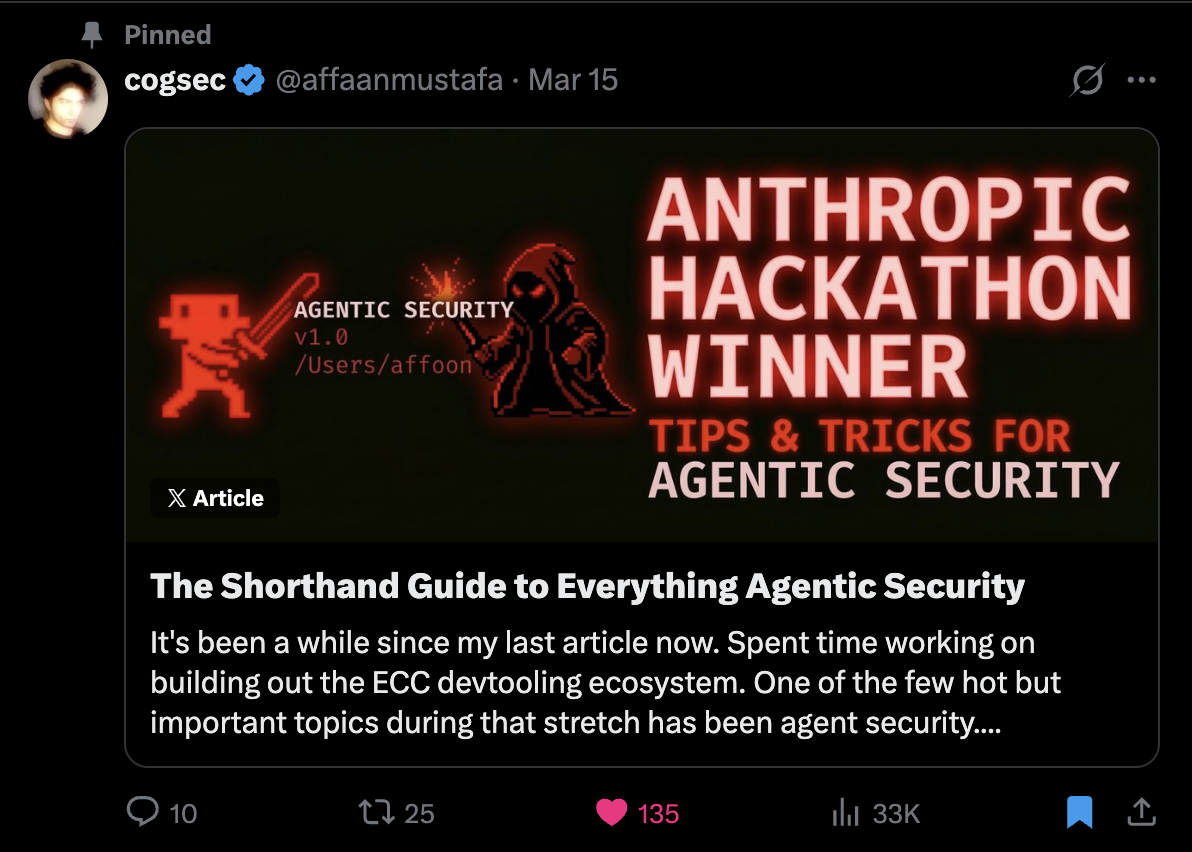
- **Security Guide:** [Security Guide](./the-security-guide.md) | [Thread](https://x.com/affaanmustafa/status/2033263813387223421)
- **Follow:** [@affaanmustafa](https://x.com/affaanmustafa)
## License
MIT - Use freely, modify as needed, contribute back if you can.
**Language / 语言 / 語言 / Dil / Язык / Ngôn ngữ**
[**English**](README.md) | [Português (Brasil)](docs/pt-BR/README.md) | [简体中文](README.zh-CN.md) | [繁體中文](docs/zh-TW/README.md) | [日本語](docs/ja-JP/README.md) | [한국어](docs/ko-KR/README.md)
| [Türkçe](docs/tr/README.md) | [Русский](docs/ru/README.md) | [Tiếng Việt](docs/vi-VN/README.md) | [ไทย](docs/th/README.md) | [Deutsch](docs/de-DE/README.md)
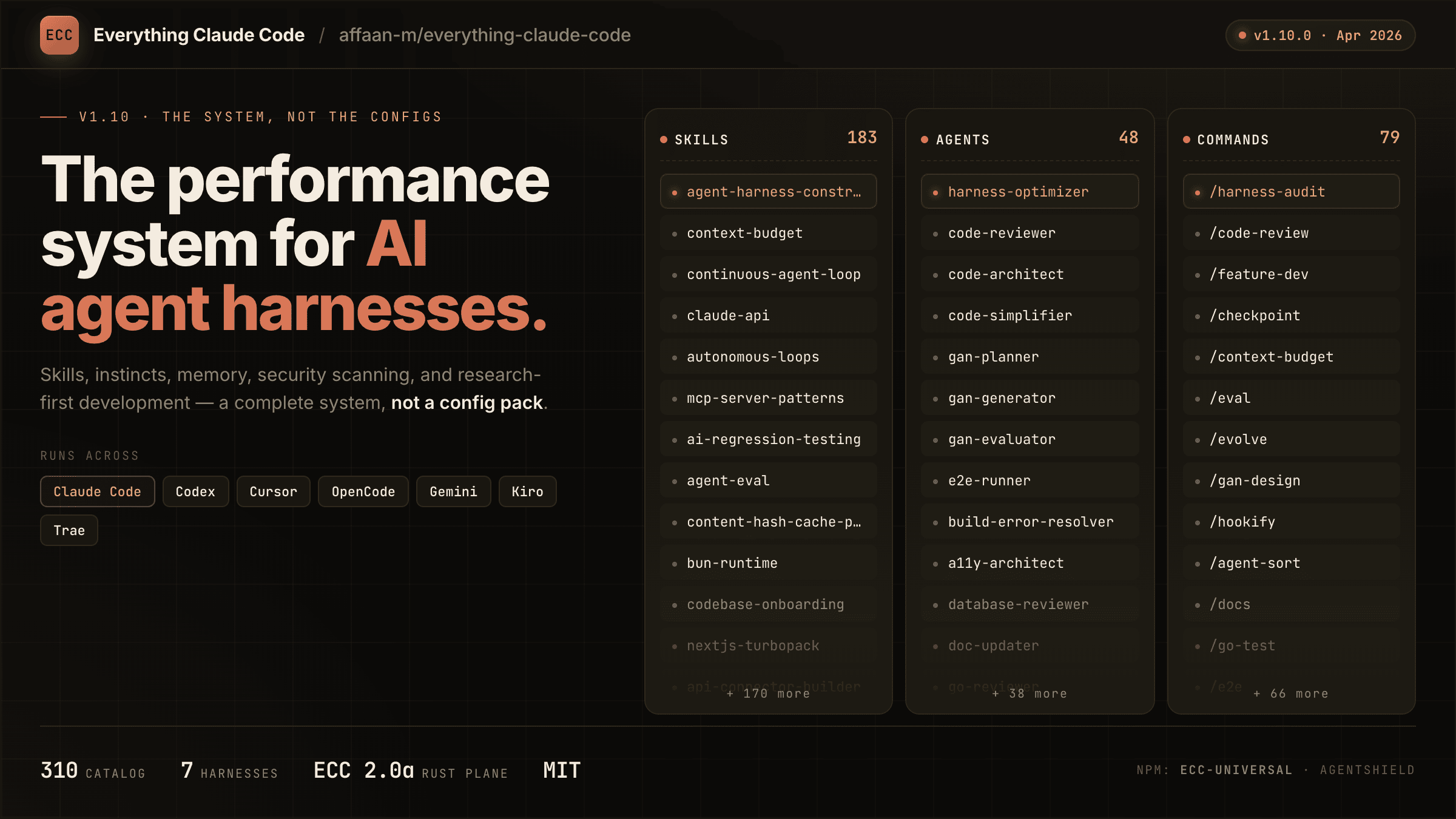
**The harness-native operator system for agentic work. Built from real-world multi-harness engineering workflows.**
Not just configs. A complete system: skills, instincts, memory optimization, continuous learning, security scanning, and research-first development. Production-ready agents, skills, hooks, rules, MCP configurations, and legacy command shims evolved over 10+ months of intensive daily use building real products.
Works across **Codex**, **Claude Code**, **Cursor**, **OpenCode**, **Gemini**, **Zed**, **GitHub Copilot**, and other AI agent harnesses.
ECC v2.0.0-rc.1 adds the public Hermes operator story on top of that reusable layer: start with the [Hermes setup guide](docs/HERMES-SETUP.md), then review the [rc.1 release notes](docs/releases/2.0.0-rc.1/release-notes.md) and [cross-harness architecture](docs/architecture/cross-harness.md).
|
ECC Pro Private repos · GitHub App · $19/seat/mo |
Sponsor Fund the OSS · From $5/mo |
Community
Discussions · Q&A · Show & Tell |
GitHub App Install · PR audits · Free tier |
How do I check which agents/commands are installed?
/plugin list ecc@ecc This shows all available agents, commands, and skills from the plugin.My hooks aren't working / I see "Duplicate hooks file" errors
Can I use ECC with Claude Code on a custom API endpoint or model gateway?
Yes. ECC does not hardcode Anthropic-hosted transport settings. It runs locally through Claude Code's normal CLI/plugin surface, so it works with: - Anthropic-hosted Claude Code - Official Claude Code gateway setups using `ANTHROPIC_BASE_URL` and `ANTHROPIC_AUTH_TOKEN` - Compatible custom endpoints that speak the Anthropic API Claude Code expects Minimal example: export ANTHROPIC_BASE_URL=https://your-gateway.example.com export ANTHROPIC_AUTH_TOKEN=your-token claude If your gateway remaps model names, configure that in Claude Code rather than in ECC. ECC's hooks, skills, commands, and rules are model-provider agnostic once the `claude` CLI is already working. Official references: - [Claude Code LLM gateway docs](https://docs.anthropic.com/en/docs/claude-code/llm-gateway) - [Claude Code model configuration docs](https://docs.anthropic.com/en/docs/claude-code/model-config)My context window is shrinking / Claude is running out of context
Too many MCP servers eat your context. Each MCP tool description consumes tokens from your 200k window, potentially reducing it to ~70k. SessionStart context is capped at 8000 characters by default; lower it with `ECC_SESSION_START_MAX_CHARS=4000` or disable it with `ECC_SESSION_START_CONTEXT=off` for local-model or low-context setups. **Fix:** Disable unused MCPs from Claude Code with `/mcp`. Claude Code writes those runtime choices to `~/.claude.json`; `.claude/settings.json` and `.claude/settings.local.json` are not reliable toggles for already-loaded MCP servers. Keep under 10 MCPs enabled and under 80 tools active.Can I use only some components (e.g., just agents)?
Yes. Use Option 2 (manual installation) and copy only what you need: # Just agents cp agents/*.md ~/.claude/agents/ # Just rules mkdir -p ~/.claude/rules/ecc/ cp -r rules/common ~/.claude/rules/ecc/ Each component is fully independent.Does this work with Cursor / OpenCode / Codex / Antigravity / GitHub Copilot?
Yes. ECC is cross-platform:How do I contribute a new skill or agent?
1. Fork the repo 2. Create your skill in `skills/your-skill-name/SKILL.md` (with YAML frontmatter) 3. Or create an agent in `agents/your-agent.md` 4. Submit a PR with a clear description of what it does and when to use it标签:AI代码助手, Cutter, GitHub应用, Go, JS文件枚举, Markdown, MITM代理, npm包, Perl, Python, Ruby工具, Shell, TypeScript, 人工智能代理, 代码生成, 可视化界面, 多语言支持, 安全插件, 安全测试框架, 安全防护, 工具集成, 开源, 性能优化, 技能管理, 无后门, 日志审计, 本能系统, 检测绕过, 渗透测试工具, 研究优先开发, 研究开发, 自定义脚本, 记忆优化, 逆向工具, 防御加固