Quackster/LibreShockwave
GitHub: Quackster/LibreShockwave
一个用于解析、反编译和播放 Adobe/Macromedia Shockwave 文件的 Java SDK,支持资产提取、Lingo 字节码反编译以及浏览器端 WebAssembly 播放器。
Stars: 62 | Forks: 4
# LibreShockwave SDK
一个用于解析 Macromedia/Adobe Director 和 Shockwave 文件(.dir、.dxr、.dcr、.cct、.cst)的 Java 库。
## 环境要求
- Java 21 或更高版本
## 构建
```
./gradlew build
```
## 支持的格式
- RIFX 容器(大端序和小端序)
- Afterburner 压缩文件(.dcr、.cct)
- Director 版本 4 至 12
## 功能特性
### 读取
- Cast 成员(位图、文本、脚本、声音、形状、调色板、字体)
- Lingo 字节码及符号解析
- Score/时间轴数据(帧、通道、标签、行为间隔)
- 文件元数据(舞台尺寸、节奏、版本)
### 资产提取
- 位图:1/2/4/8/16/32 位深度,调色板支持,PNG 导出
- 文本:通过 STXT 块处理 Field(类型 3)和 Text(类型 12)cast 成员
- 声音:PCM 转 WAV,MP3 提取,IMA ADPCM 解码
- 调色板:内置 Director 调色板和自定义 CLUT 块
- 字体:从 XMED 块中提取 PFR1(Portable Font Resource),导出为 TrueType(.ttf)
### 写入
- 保存为未压缩的 RIFX 格式
- 移除受保护文件的保护
- 反编译 Lingo 源码并将其嵌入 cast 成员
## Player 与 Lingo VM
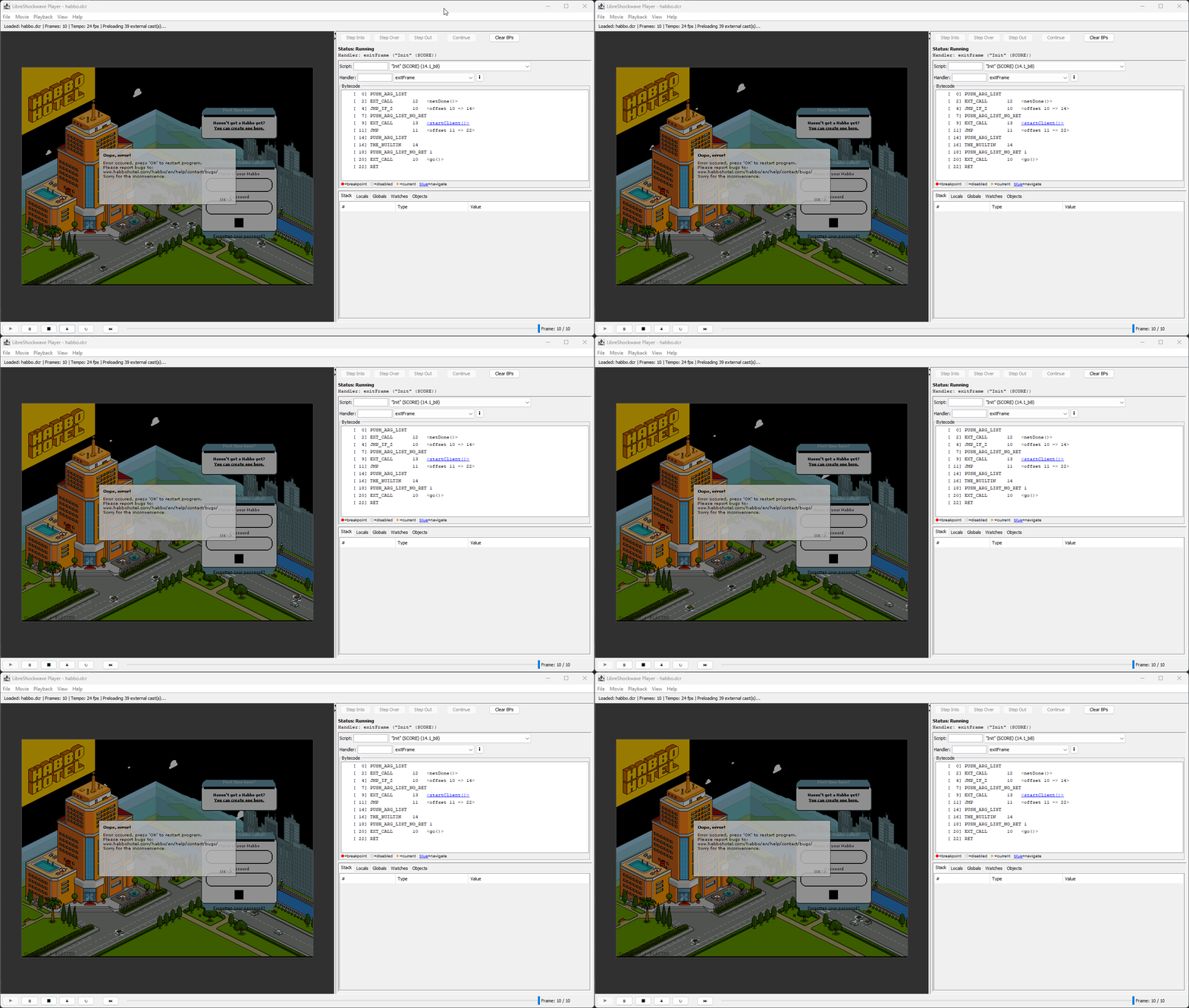
LibreShockwave 包含一个 Lingo 字节码虚拟机和播放器,可以加载并运行 Director 电影。该 VM 执行编译后的 Lingo 脚本,处理 score 播放、sprite 渲染以及外部 cast 加载——让 `.dcr` 和 `.dir` 文件重获新生。
**[试用在线演示 →](https://libre.oldskooler.org/)** — Web 播放器的每夜版构建已部署并可供使用。加载任意 `.dcr` 或 `.dir` 文件即可在浏览器中测试。
播放器提供两种形式:
- **桌面版**(`player-swing`)— 基于 Swing 的 UI,集成 Lingo 调试器
- **Web 版**(`player-wasm`)— 通过 TeaVM 编译为 WebAssembly,可在任何现代浏览器中运行
所有播放器功能通过 `player-core` 模块与 SDK 和 VM 解耦,该模块提供平台无关的播放逻辑(score 遍历、事件分发、sprite 管理、位图解码)。
## 作为库使用 player-core
`player-core` 模块提供与平台无关且无 UI 依赖的播放逻辑。使用它来构建自定义播放器(JavaFX、无头渲染器、服务器端处理器等)。
### 依赖
```
implementation project(':player-core') // transitively includes :vm and :sdk
```
### 最简示例
```
import com.libreshockwave.DirectorFile;
import com.libreshockwave.bitmap.Bitmap;
import com.libreshockwave.player.Player;
import com.libreshockwave.player.render.FrameSnapshot;
DirectorFile file = DirectorFile.load(Path.of("movie.dcr"));
Player player = new Player(file);
player.play();
// Game loop
while (player.tick()) {
FrameSnapshot snap = player.getFrameSnapshot();
Bitmap frame = snap.renderFrame(); // composites all sprites with ink effects
BufferedImage image = frame.toBufferedImage(); // ready to draw or save
}
player.shutdown();
```
每次调用 `tick()` 会推进一帧,并在电影仍在播放时返回 `true`。`renderFrame()` 使用纯软件渲染将所有 sprite(位图、文本、形状)连同墨水效果合成为一张图像——无需依赖 AWT。
stack = player.getLingoCallStack();
// Or as a formatted string
String formatted = player.formatLingoCallStack();
```
## 截图
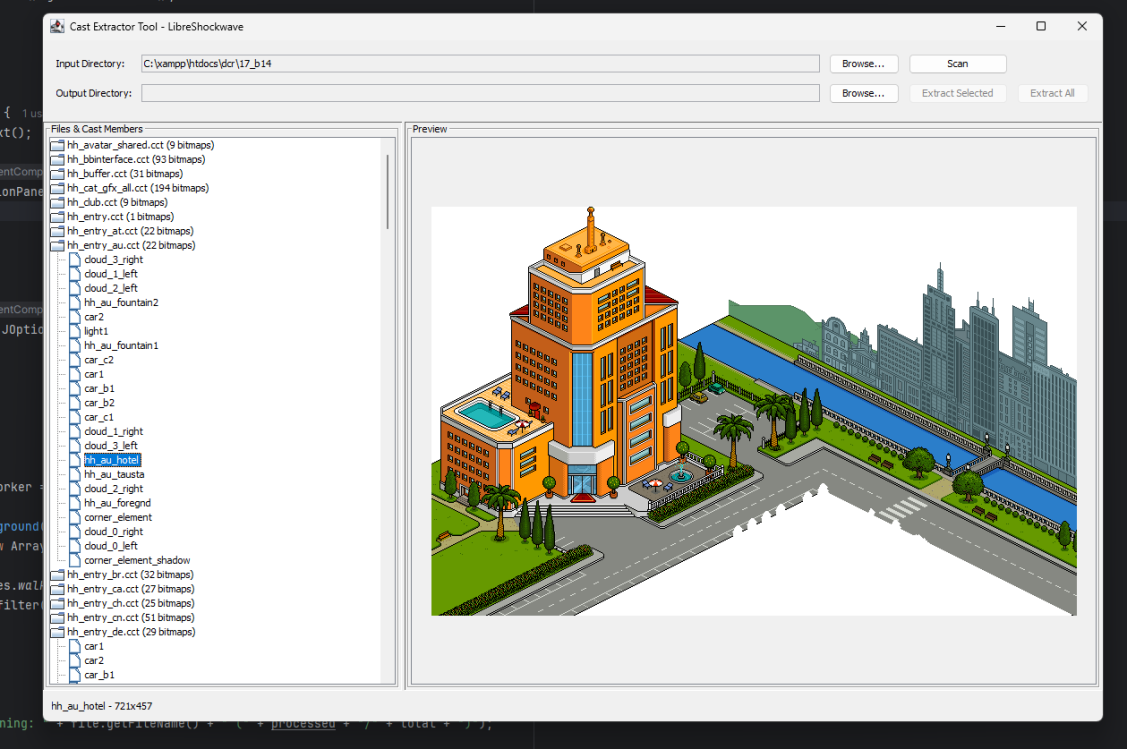
### Cast Extractor
一个用于浏览和提取 Director 文件中资产的 GUI 工具(可在 releases 页面获取)。
 ## 用法
### 加载文件
```
import com.libreshockwave.DirectorFile;
import java.nio.file.Path;
// From file path
DirectorFile file = DirectorFile.load(Path.of("movie.dcr"));
// From byte array
DirectorFile file = DirectorFile.load(bytes);
```
## 用法
### 加载文件
```
import com.libreshockwave.DirectorFile;
import java.nio.file.Path;
// From file path
DirectorFile file = DirectorFile.load(Path.of("movie.dcr"));
// From byte array
DirectorFile file = DirectorFile.load(bytes);
```
globals = script.getGlobalNames(names);
List properties = script.getPropertyNames(names);
for (ScriptChunk.Handler handler : script.handlers()) {
String handlerName = names.getName(handler.nameId());
int argCount = handler.argCount();
int localCount = handler.localCount();
// Argument and local variable names
for (int id : handler.argNameIds()) {
String argName = names.getName(id);
}
for (int id : handler.localNameIds()) {
String localName = names.getName(id);
}
// Bytecode instructions
for (ScriptChunk.Handler.Instruction instr : handler.instructions()) {
int offset = instr.offset();
Opcode opcode = instr.opcode();
int argument = instr.argument();
}
}
}
```
allGlobals = file.getAllGlobalNames();
// All unique properties across all scripts
Set allProperties = file.getAllPropertyNames();
// Detailed info per script
for (DirectorFile.ScriptInfo info : file.getScriptInfoList()) {
info.scriptId();
info.scriptName();
info.scriptType();
info.globals();
info.properties();
info.handlers();
}
```
## Web Player (player-wasm)
`player-wasm` 模块使用 [TeaVM](https://teavm.org/) v0.13 的标准 WebAssembly 后端将播放器编译为浏览器可用版本。它生成一个 `.wasm` 文件以及一个可在所有现代浏览器中运行的 JavaScript 库。
WASM 是一个纯计算引擎,**零 `@Import` 注解** —— JS 拥有网络(`fetch`)、Canvas 渲染和动画循环的控制权。所有 WASM 执行都在 **Web Worker** 中运行,因此缓慢的 Lingo 脚本永远不会阻塞主线程。
### 构建
```
./gradlew :player-wasm:generateWasm
```
这将把 Java 播放器编译为 WebAssembly,并将所有文件(WASM 二进制、JS 运行时、HTML、CSS)组合到 `player-wasm/build/dist/` 目录下。
### 本地运行
```
./gradlew :player-wasm:generateWasm
npx serve player-wasm/build/dist
# 打开 http://localhost:3000
```
### 部署
将 `player-wasm/build/dist/` 的内容复制到你的 Web 服务器。其中包含的 `index.html` 是一个现成的播放器页面,具有文件选择器、URL 输入框、播放控制栏和参数编辑器。
### 嵌入到任意网页
引入 `shockwave-lib.js` 并添加一个 `
自定义网络
对于没有 `java.net.http` 的环境(例如 WASM、Android),向构造函数传递一个 `NetProvider`: ``` Player player = new Player(file, new NetBuiltins.NetProvider() { public int preloadNetThing(String url) { /* start async fetch, return task ID */ } public int postNetText(String url, String postData) { /* POST, return task ID */ } public boolean netDone(Integer taskId) { /* true when complete */ } public String netTextResult(Integer taskId) { /* response body */ } public int netError(Integer taskId) { /* 0 = OK, negative = error */ } public String getStreamStatus(Integer taskId) { /* "Connecting", "Complete", etc. */ } }); ```外部参数
Shockwave 电影会从嵌入的 HTML 中读取 `` 标签。在调用 `play()` 之前传递这些参数: ``` player.setExternalParams(Map.of( "sw1", "external.variables.txt=http://example.com/vars.txt", "sw2", "connection.info.host=127.0.0.1" )); ```事件监听器
``` // Player events (enterFrame, mouseDown, etc.) player.setEventListener(event -> { System.out.println(event.event() + " at frame " + event.frame()); }); // Notified when an external cast finishes loading player.setCastLoadedListener(() -> { System.out.println("A cast finished loading"); }); ```错误处理
``` // Listen for Lingo script errors player.setErrorListener((message, exception) -> { System.err.println("Lingo error: " + message); // The exception carries the Lingo call stack at the point of the error String callStack = exception.formatLingoCallStack(); if (callStack != null) { System.err.println(callStack); } // Or inspect individual frames for (var frame : exception.getLingoCallStack()) { System.out.println(frame.handlerName() + " in " + frame.scriptName() + " [bytecode " + frame.bytecodeIndex() + "]"); } }); ``` 你也可以在执行期间的任何时刻(例如从 TraceListener 或断点处)获取调用堆栈: ``` // Get the live Lingo call stack (empty list when no handlers are executing) List调试播放
调试播放控制 `put` 输出、错误调用堆栈和诊断日志。默认**开启**。 ``` // Disable debug output (suppresses put/error logging to stderr) DebugConfig.setDebugPlaybackEnabled(false); // Re-enable DebugConfig.setDebugPlaybackEnabled(true); ``` 对于字节码级别的调试(断点、单步执行、监视表达式),请使用桌面播放器的内置调试器或附加一个 `DebugControllerApi`: ``` DebugController debugger = new DebugController(); player.setDebugController(debugger); // Add a breakpoint (scriptId, handlerName, bytecodeOffset) debugger.addBreakpoint(42, "enterFrame", 0); // Step controls (when paused at a breakpoint) debugger.stepInto(); debugger.stepOver(); debugger.stepOut(); debugger.continueExecution(); // Inspect state when paused DebugSnapshot snap = debugger.getCurrentSnapshot(); snap.locals(); // local variables snap.globals(); // global variables snap.stack(); // operand stack snap.callStack(); // call frames ```生命周期
| 方法 | 描述 | |--------|-------------| | `play()` | 准备电影并开始播放 | | `tick()` | 推进一帧;当电影停止时返回 `false` | | `pause()` | 暂停播放(保持状态) | | `resume()` | 暂停后恢复播放 | | `stop()` | 停止播放并重置到第 1 帧 | | `shutdown()` | 释放所有资源(线程池、缓存) |
## 用法
### 加载文件
```
import com.libreshockwave.DirectorFile;
import java.nio.file.Path;
// From file path
DirectorFile file = DirectorFile.load(Path.of("movie.dcr"));
// From byte array
DirectorFile file = DirectorFile.load(bytes);
```