NextPlaid 是一个本地优先的多向量数据库,ColGREP 是基于它构建的语义化代码搜索工具,支持正则与语义混合检索,完全本地运行且可与编码智能体无缝集成。
## ColGREP
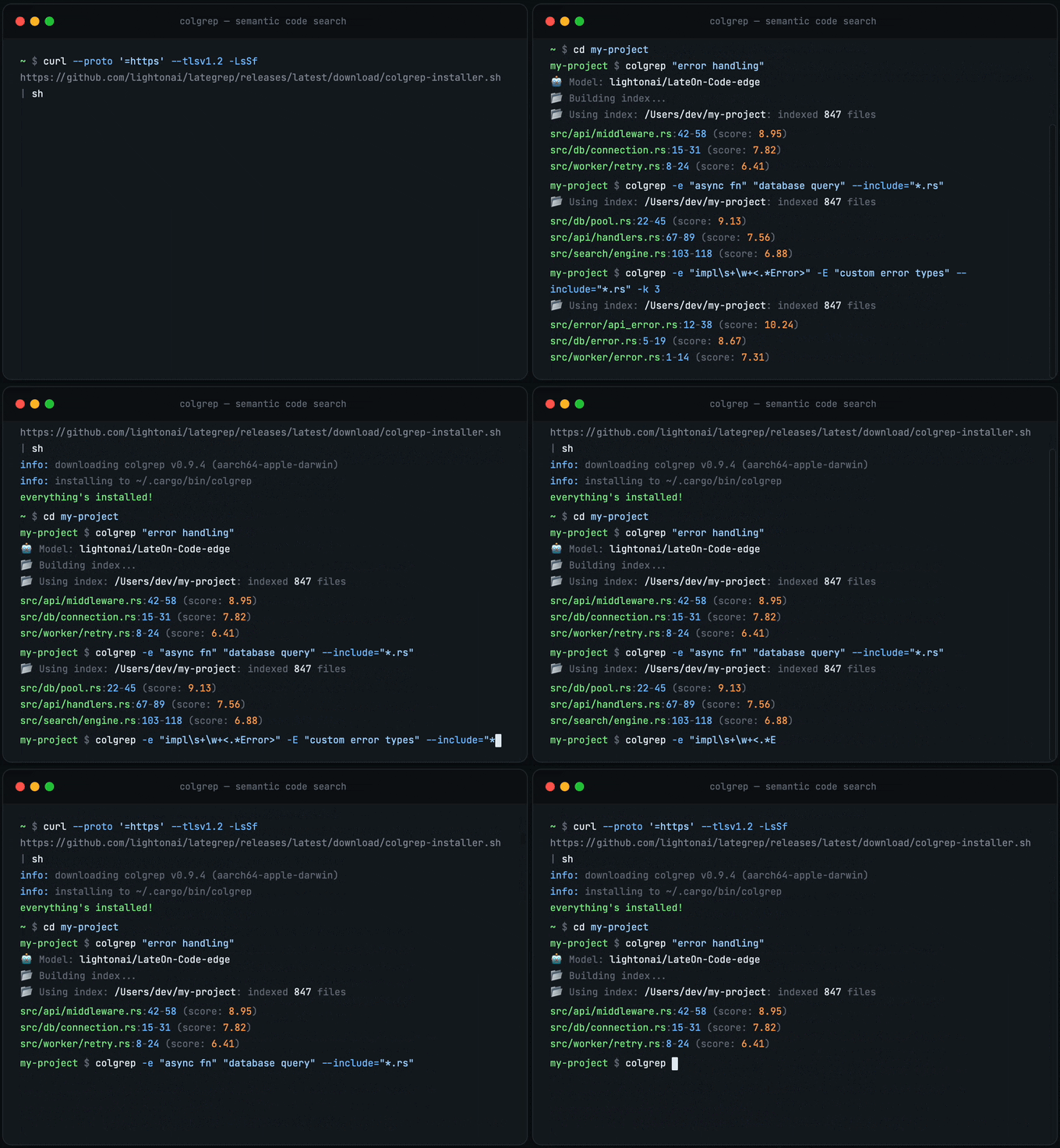
为您的终端和代码智能体(Agent)提供的语义化代码搜索。搜索结合了正则表达式(Regex)过滤与语义排序。完全本地化运行,您的代码永远不会离开您的设备。
### 快速开始
安装:
```
# Homebrew (macOS / Linux)
brew install lightonai/tap/colgrep
# Shell 安装程序
curl --proto '=https' --tlsv1.2 -LsSf https://github.com/lightonai/next-plaid/releases/latest/download/colgrep-installer.sh | sh
```
构建索引:
```
colgrep init /path/to/project # specific project
colgrep init # current directory
```
搜索:
```
colgrep "database connection pooling"
```
就是这么简单。无需服务器,无需 API,无依赖项。ColGREP 是一个集成了所有功能的独立 Rust 二进制文件。`colgrep init` 用于首次构建索引。此后,每次搜索都会检测文件变更,并在返回结果前自动更新索引。
正则表达式与语义结合:
```
colgrep -e "async.*await" "error handling"
```
### 智能体集成
| Tool | Install |
| ----------- | ------------------------------- |
| Claude Code | `colgrep --install-claude-code` |
| OpenCode | `colgrep --install-opencode` |
| Codex | `colgrep --install-codex` |
### 工作原理
```
flowchart TD
A["Your codebase"] --> B["Tree-sitter"]
B --> C["Structured representation"]
C --> D["LateOn-Code-edge · 17M"]
D --> E["NextPlaid"]
E --> F["Search"]
B -.- B1["Parse functions, methods, classes"]
C -.- C1["Signature, params, calls, docstring, code"]
D -.- D1["Multi-vector embedding per code unit · runs on CPU"]
E -.- E1["Rust index binary · quantized · memory-mapped · incremental"]
F -.- F1["grep-compatible flags · SQLite filtering · semantic ranking
100% local, your code never leaves your machine"]
style A fill:#4a90d9,stroke:#357abd,color:#fff
style B fill:#50b86c,stroke:#3d9956,color:#fff
style C fill:#50b86c,stroke:#3d9956,color:#fff
style D fill:#e8913a,stroke:#d07a2e,color:#fff
style E fill:#e8913a,stroke:#d07a2e,color:#fff
style F fill:#9b59b6,stroke:#8445a0,color:#fff
style B1 fill:none,stroke:#888,stroke-dasharray:5 5,color:#888
style C1 fill:none,stroke:#888,stroke-dasharray:5 5,color:#888
style D1 fill:none,stroke:#888,stroke-dasharray:5 5,color:#888
style E1 fill:none,stroke:#888,stroke-dasharray:5 5,color:#888
style F1 fill:none,stroke:#888,stroke-dasharray:5 5,color:#888
```
**模型所见内容。** 每个代码单元在嵌入前都会转换为结构化文本:
```
# 函数:fetch_with_retry
# 签名:def fetch_with_retry(url: str, max_retries: int = 3) -> Response
# 描述:通过重试逻辑从 URL 获取数据。
# 参数:url, max_retries
# 返回:Response
# 调用:range, client.get
# 变量:i, e
# 使用:client, RequestError
# 文件:src/utils/http_client.py
def fetch_with_retry(url: str, max_retries: int = 3) -> Response:
"""Fetches data from a URL with retry logic."""
for i in range(max_retries):
try:
return client.get(url)
except RequestError as e:
if i == max_retries - 1:
raise e
```
这种结构化输入比单纯的原始代码能为模型提供更丰富的信号。
**更多内容:** 安装变体、性能调优、所有标志和选项 → [colgrep/README.md](colgrep/README.md)
## 为什么选择多向量?
标准向量搜索将整个文档压缩为**一个**嵌入。这是一种有损摘要。对于短文本尚可,但对于代码则很糟糕,因为单个函数包含名称、参数、文档字符串、控制流和依赖关系。
多向量为每个文档保留约 300 个维度为 128 的嵌入,而不是一个。在查询时,每个查询 Token 会在所有文档 Token 中寻找最佳匹配(**MaxSim**)。这需要更多的前期存储。这正是 NextPlaid 通过量化和内存映射索引所解决的问题。
## NextPlaid
一个本地优先(local-first)、带有 REST API 的多向量数据库。它是 ColGREP 的底层引擎,同时也是一个可用于任何检索任务的通用引擎。
- **内置编码。** 传入文本,即可获得结果。内置用于 ColBERT 模型的 ONNX Runtime,无需外部推理服务器。
- **内存映射索引。** 低内存占用,索引驻留在磁盘上并按需分页加载。
- **乘积量化。** 2-bit 或 4-bit 压缩。百万级文档可轻松载入内存。
- **增量更新。** 无需重建索引即可添加和删除文档。
- **元数据预过滤。** 基于内置 SQLite 存储支持 SQL WHERE 子句。在搜索**之前**进行过滤,因此仅对匹配的文档进行评分。
- **CPU 优化。** 专为在 CPU 上快速运行而设计。需要时支持 CUDA。
**NextPlaid 与 [FastPlaid](https://github.com/lightonai/fast-plaid)。** FastPlaid 是一个为大规模、单次遍历(single-pass)任务构建的 GPU 批量索引器。NextPlaid 将相同的 FastPlaid 算法封装到一个生产级 API 中,可处理动态到达的文档:增量更新、并发读写、删除以及内置编码。FastPlaid 适用于批量离线索引和实验,NextPlaid 适用于服务 和流式摄取。
### 快速开始
**运行服务器 (Docker):**
```
# CPU
docker pull ghcr.io/lightonai/next-plaid:cpu-1.1.3
docker run -p 8080:8080 -v ~/.local/share/next-plaid:/data/indices \
ghcr.io/lightonai/next-plaid:cpu-1.1.3 \
--host 0.0.0.0 --port 8080 --index-dir /data/indices \
--model lightonai/answerai-colbert-small-v1-onnx --int8
```
```
# GPU
docker pull ghcr.io/lightonai/next-plaid:cuda-1.1.3
docker run --gpus all -p 8080:8080 -v ~/.local/share/next-plaid:/data/indices \
ghcr.io/lightonai/next-plaid:cuda-1.1.3 \
--host 0.0.0.0 --port 8080 --index-dir /data/indices \
--model lightonai/GTE-ModernColBERT-v1 --cuda
```
**通过 Python 查询:**
```
pip install next-plaid-client
```
```
from next_plaid_client import NextPlaidClient, IndexConfig
client = NextPlaidClient("http://localhost:8080")
# 创建索引
client.create_index("docs", IndexConfig(nbits=4))
# 添加文档,文本在服务器端编码
client.add(
"docs",
documents=[
"next-plaid is a multi-vector database",
"colgrep is a code search tool based on NextPlaid",
],
metadata=[{"id": "doc_1"}, {"id": "doc_2"}],
)
# 搜索
results = client.search("docs", ["coding agent tool"])
# 使用元数据过滤进行搜索
results = client.search(
"docs",
["vector-database"],
filter_condition="id = ?",
filter_parameters=["doc_1"],
)
# 按谓词删除
client.delete("docs", "id = ?", ["doc_1"])
```
服务器运行后访问:[Swagger UI](http://localhost:8080/swagger-ui) · [OpenAPI 规范](http://localhost:8080/api-docs/openapi.json)
**更多内容:** REST API 参考、Docker Compose、环境变量 → [next-plaid-api/README.md](next-plaid-api/README.md)
## API 基准测试
针对 NextPlaid API 在 [BEIR](https://github.com/beir-cellar/beir) 数据集上进行的端到端基准测试。文档以 64 个并行批量的方式作为原始文本上传。搜索查询以原始文本形式发送,一次一个,使用 16 个并发工作线程模拟真实用户流量。所有吞吐量数字(docs/s, QPS)均包含编码时间 —— 模型在 API 内部运行,因此每个文档和查询都在 API 内部即时完成嵌入。
**配置:** `lightonai/GTE-ModernColBERT-v1` 在 NVIDIA H100 80GB 上,`top_k=100`, `n_ivf_probe=8`, `n_full_scores=4096`。CPU 搜索在同一台机器上使用 INT8 量化的 ONNX 编码。
| Dataset | Documents | MAP | NDCG@10 | NDCG@100 | Recall@10 | Recall@100 | Indexing (docs/s) | GPU QPS | GPU P95 (ms) | CPU QPS | CPU P95 (ms) |
| -------- | --------: | -----: | ------: | -------: | --------: | ---------: | ----------------: | ------: | -----------: | ------: | -----------: |
| arguana | 8,674 | 0.2457 | 0.3499 | 0.3995 | 0.7126 | 0.9337 | 77.1 | 13.6 | 170.1 | 17.4 | 454.7 |
| fiqa | 57,638 | 0.3871 | 0.4506 | 0.5129 | 0.5184 | 0.7459 | 41.3 | 18.2 | 170.6 | 17.6 | 259.1 |
| nfcorpus | 3,633 | 0.1870 | 0.3828 | 0.3427 | 0.1828 | 0.3228 | 86.7 | 6.6 | 262.1 | 16.9 | 219.4 |
| quora | 522,931 | 0.8170 | 0.8519 | 0.8644 | 0.9309 | 0.9730 | 105.5 | 20.9 | 126.2 | 17.7 | 235.1 |
| scidocs | 25,657 | 0.1352 | 0.1914 | 0.2732 | 0.2020 | 0.4418 | 46.9 | 17.5 | 139.3 | 16.5 | 281.7 |
| scifact | 5,183 | 0.7186 | 0.7593 | 0.7775 | 0.8829 | 0.9633 | 53.1 | 7.9 | 169.5 | 16.9 | 305.4 |
## 模型
任何 HuggingFace ColBERT 风格的模型都可以导出为 ONNX。默认情况下,会同时创建 FP32 和 INT8 量化版本。INT8 量化可以减小体积(缩小约 4 倍)并提升速度,且质量损失极小。
```
pip install pylate-onnx-export
# 导出模型(创建 model.onnx 和 model_int8.onnx)
pylate-onnx-export lightonai/GTE-ModernColBERT-v1 -o ./my-models
# 导出 + 推送到 HuggingFace Hub
pylate-onnx-export lightonai/GTE-ModernColBERT-v1 -o ./my-models --push-to-hub myorg/my-onnx-model
```
### 开箱即用的模型
这些模型可以直接通过 NextPlaid 服务并通过 ColGREP 使用,无需导出:
| Model | Use case |
| ------------------------------------------ | --------------------------- |
| `lightonai/LateOn-Code-edge` | Code search, lightweight |
| `lightonai/LateOn-Code` | Code search, accurate |
| `lightonai/mxbai-edge-colbert-v0-32m-onnx` | Text retrieval, lightweight |
| `lightonai/answerai-colbert-small-v1-onnx` | Text retrieval, lightweight |
| `lightonai/GTE-ModernColBERT-v1` | Text retrieval, accurate |
任何来自 HuggingFace 的 [PyLate 兼容 ColBERT 模型](https://huggingface.co/models?other=PyLate) 在转换为 ONNX 后均可使用。
## 许可证
Apache-2.0
## 引用
```
@software{next-plaid,
title = {NextPlaid, ColGREP: Multi-vector search, from database to coding agents.},
url = {https://github.com/lightonai/next-plaid},
author = {Sourty, Rapha\"{e}l},
contributors = {Dinaburg, Artem and Carron, Igor and Hsu, Chao-Chun (Joe) and Weitekamp, Raymond and R\k{a}czka, Szymon and Motliuk, Mark},
year = {2026},
}
@misc{LateOn-Code,
title = {LateOn-Code: a Family of State-Of-The-Art Late Interaction Code Retrieval Models},
author = {Chaffin, Antoine},
url = {https://huggingface.co/collections/lightonai/lateon-code},
year = {2026}
}
```