ismaildakrory/immich-memories-notify
GitHub: ismaildakrory/immich-memories-notify
一个自托管的 Immich 照片回忆通知工具,解决每日推送回忆的问题。
Stars: 107 | Forks: 4
# Immich 回忆通知
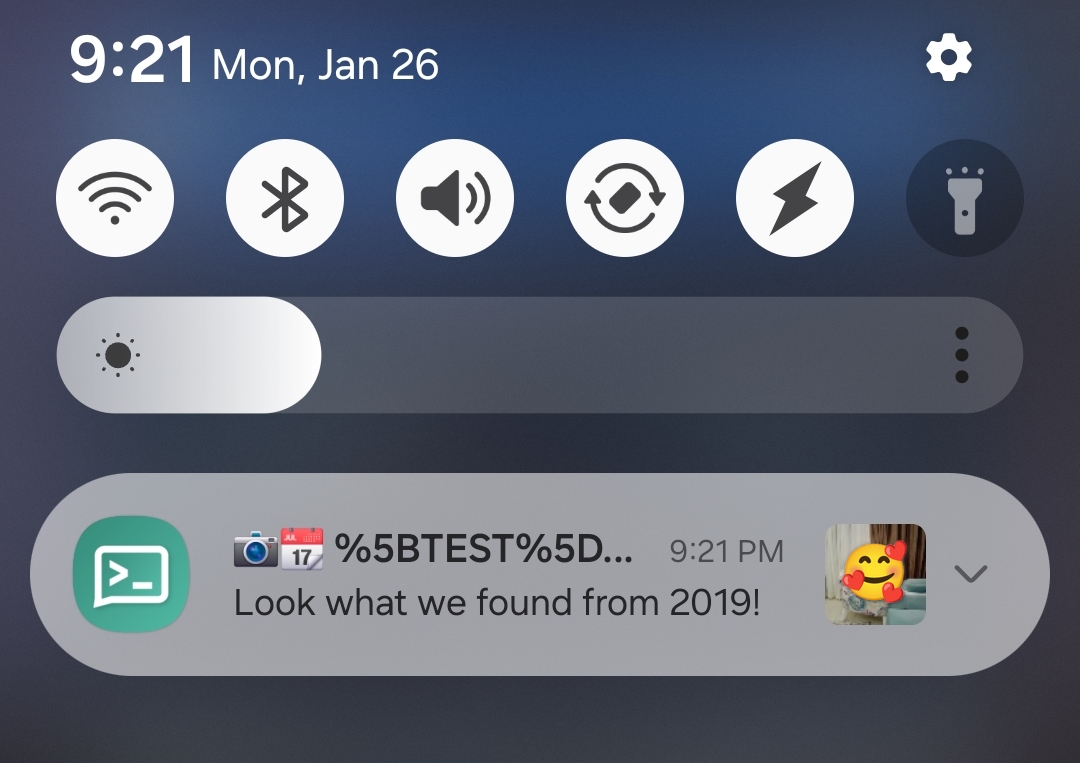
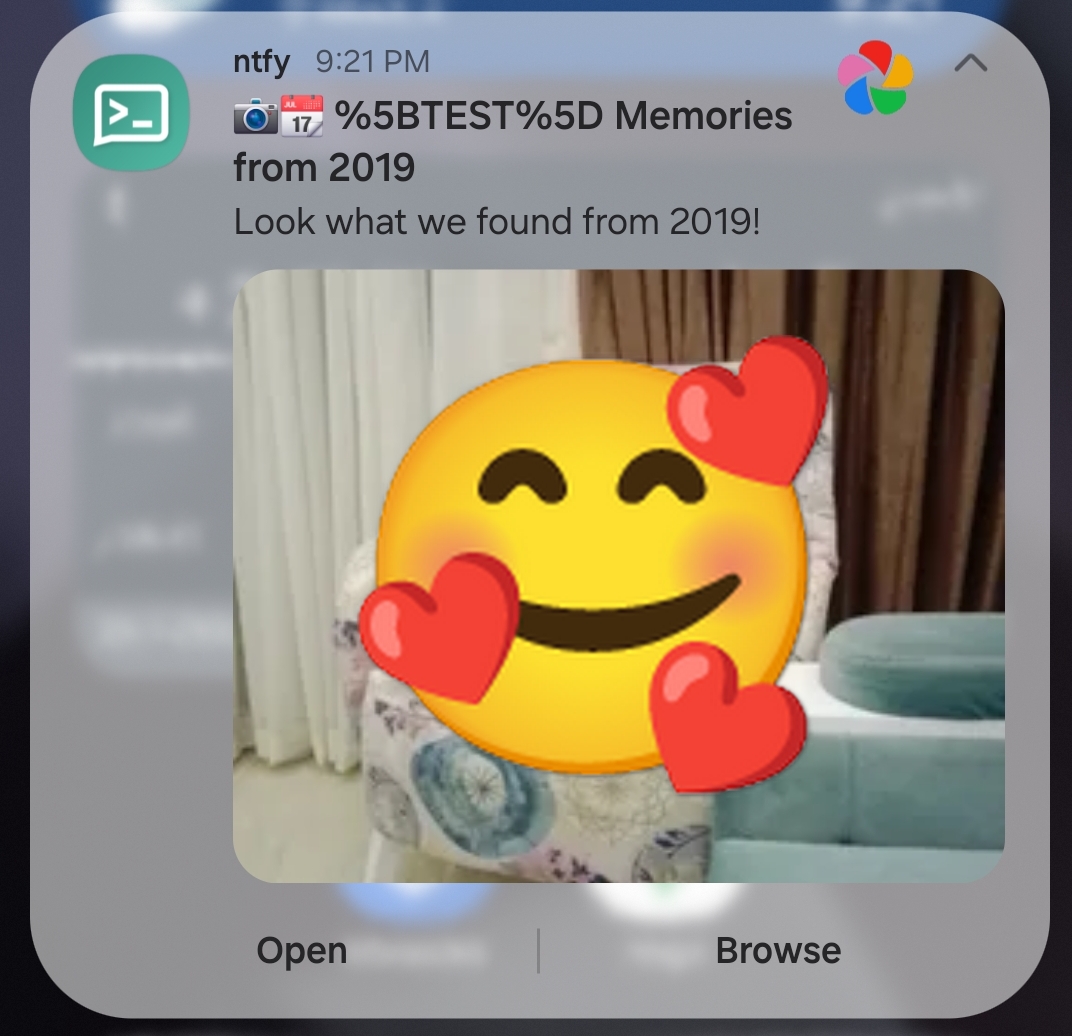
来自您的 [Immich](https://immich.app/) 服务器的每日"今日回顾"推送通知 — 类似 Google 相册的回忆功能,但由您自行托管。
## 目录
- [功能](#features)
- [快速开始](#quick-start)
- [截图](#screenshots)
- [常用命令](#common-commands)
- [配置](#configuration)
- [自托管 ntfy](#self-hosting-ntfy)
- [仪表盘认证](#dashboard-authentication)
- [故障排除](#troubleshooting)
- [系统要求](#requirements)
- [参与贡献](#contributing)
## 功能
- **每日回忆** — 展示往年今日的照片,优先显示人脸并结合拍摄地点信息
- **今昔对比** — 将同一个人跨越多年的照片并排比较
- **旅行精选** — 来自过去旅行(同一城市、同一月份)的照片拼贴,具有智能日期聚类功能
- **每周拼贴** — 提供12种模板组合(网格、马赛克、宝丽来、条带),并基于人脸进行智能裁剪
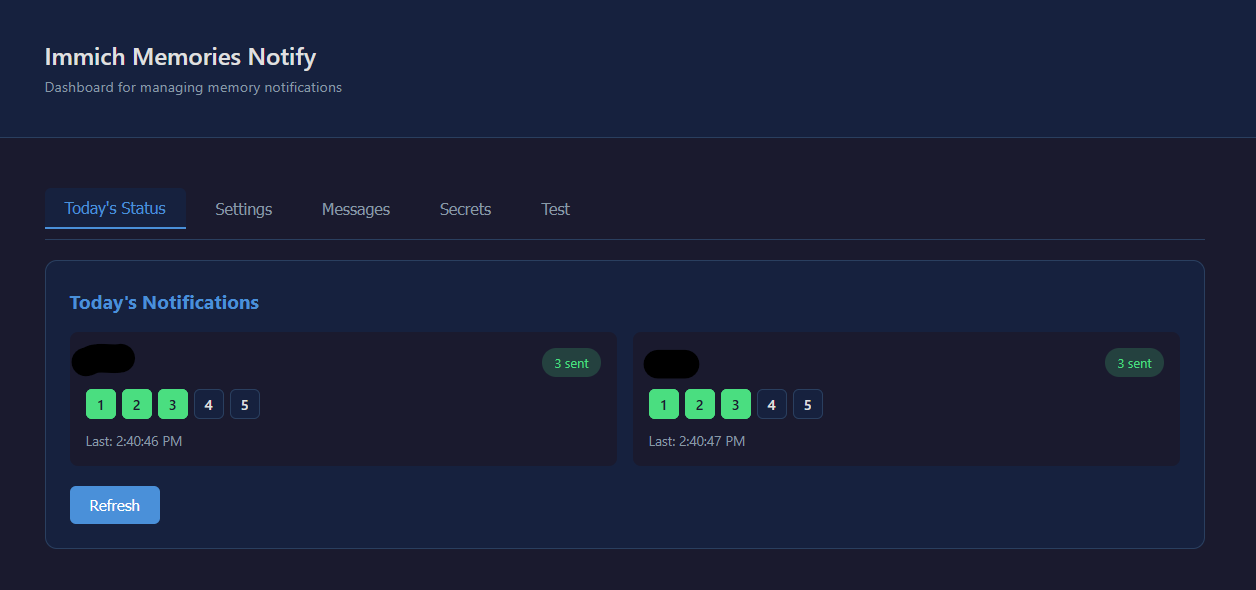
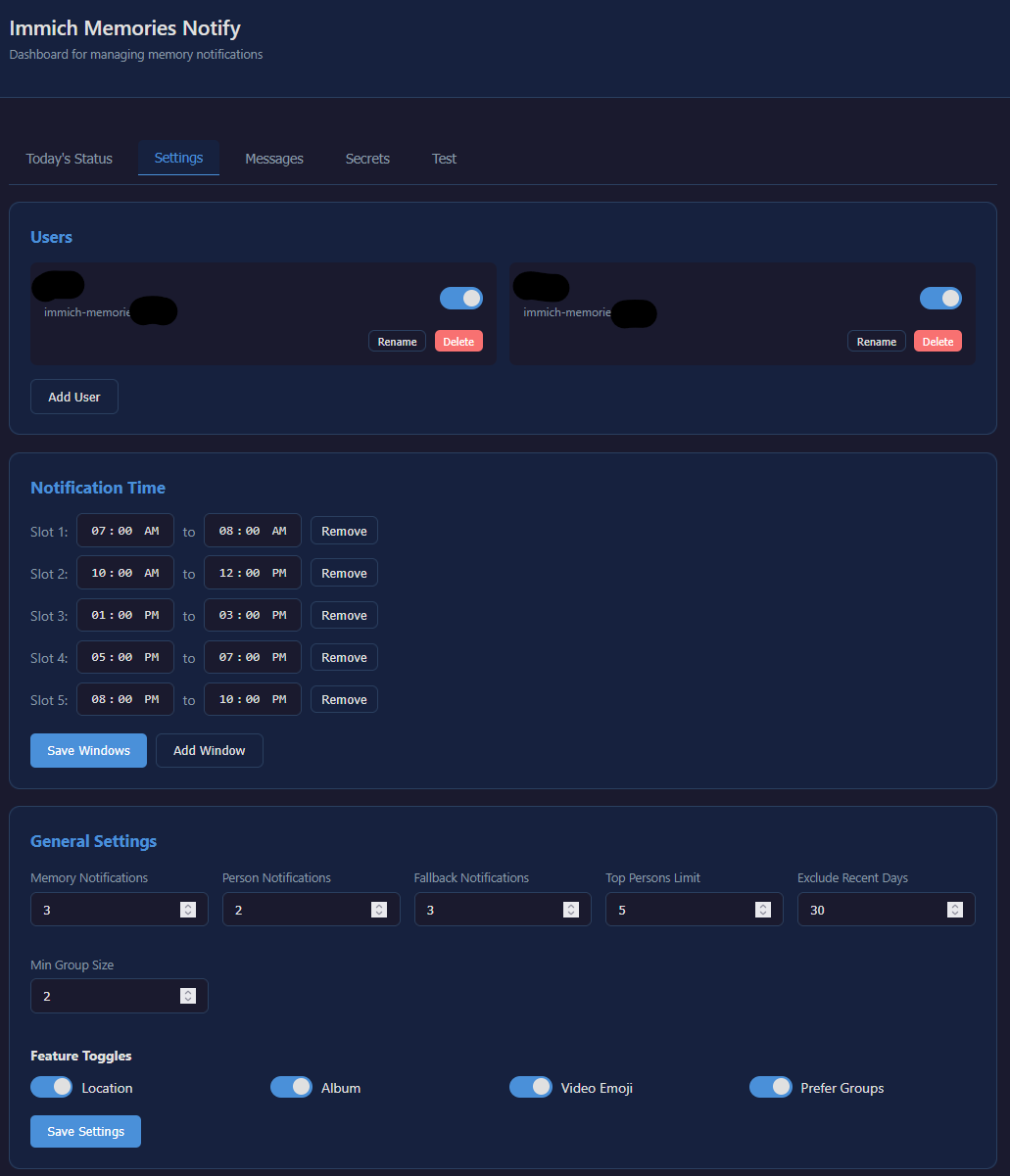
- **网页仪表盘** — 通过浏览器管理设置、用户、消息并触发测试
- **多用户支持** — 每个用户从自己的图库接收个性化通知
- **引导式设置** — `setup.sh` 脚本配合首次运行的仪表盘向导
- **内置 ntfy** — 可选择启动一个预先配置好的 ntfy 服务器
- **隐私优先** — 一切运行在您自己的网络内
## 快速开始
```
git clone https://github.com/ismaildakrory/immich-memories-notify.git
cd immich-memories-notify
bash setup.sh
```
设置脚本会生成您的配置文件,可选择启动一个内置的 ntfy 服务器,并启动仪表盘。向导将引导您连接 Immich、ntfy 并添加您的第一个用户。
然后启动调度器:
```
docker compose up -d scheduler
```
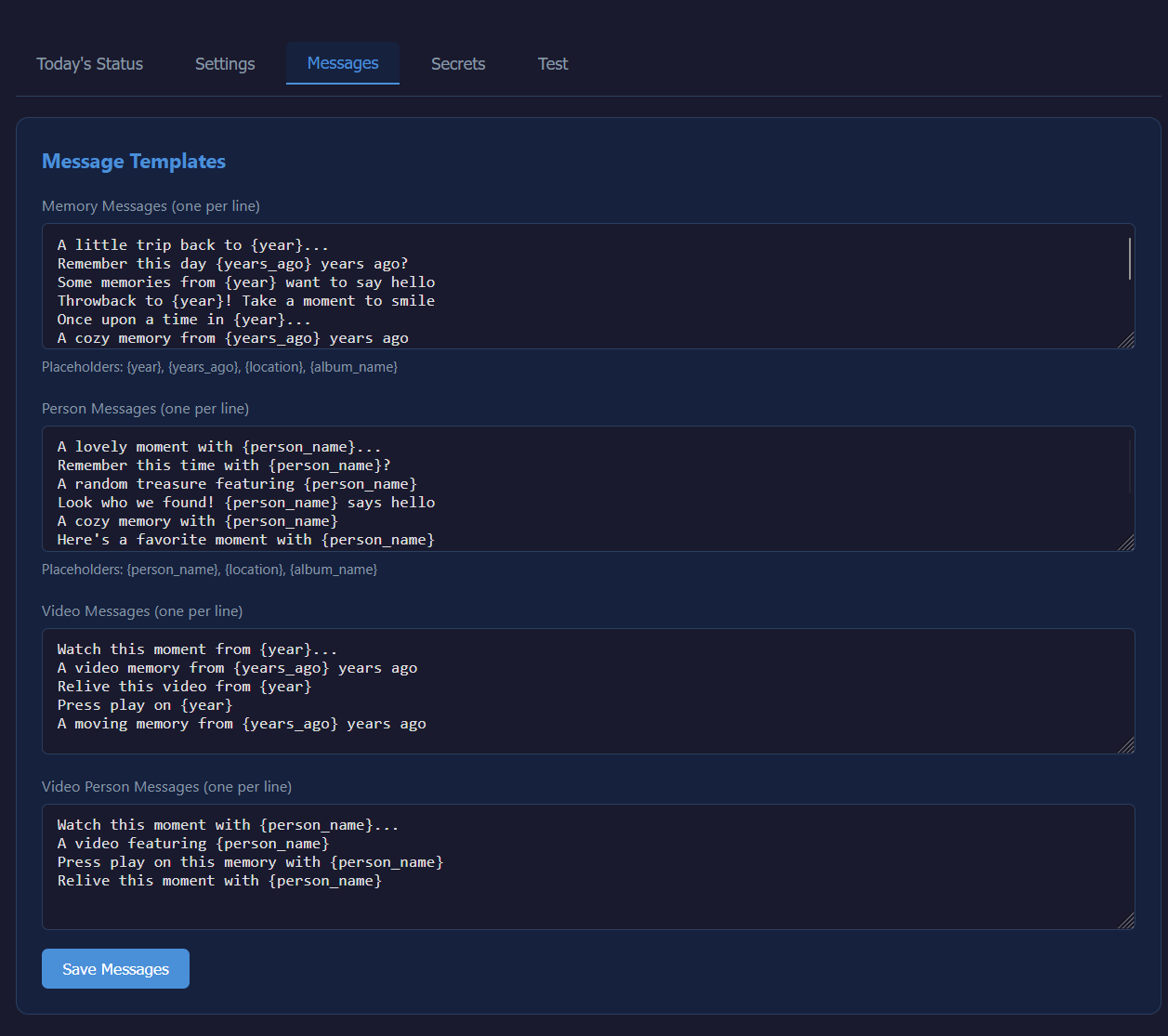
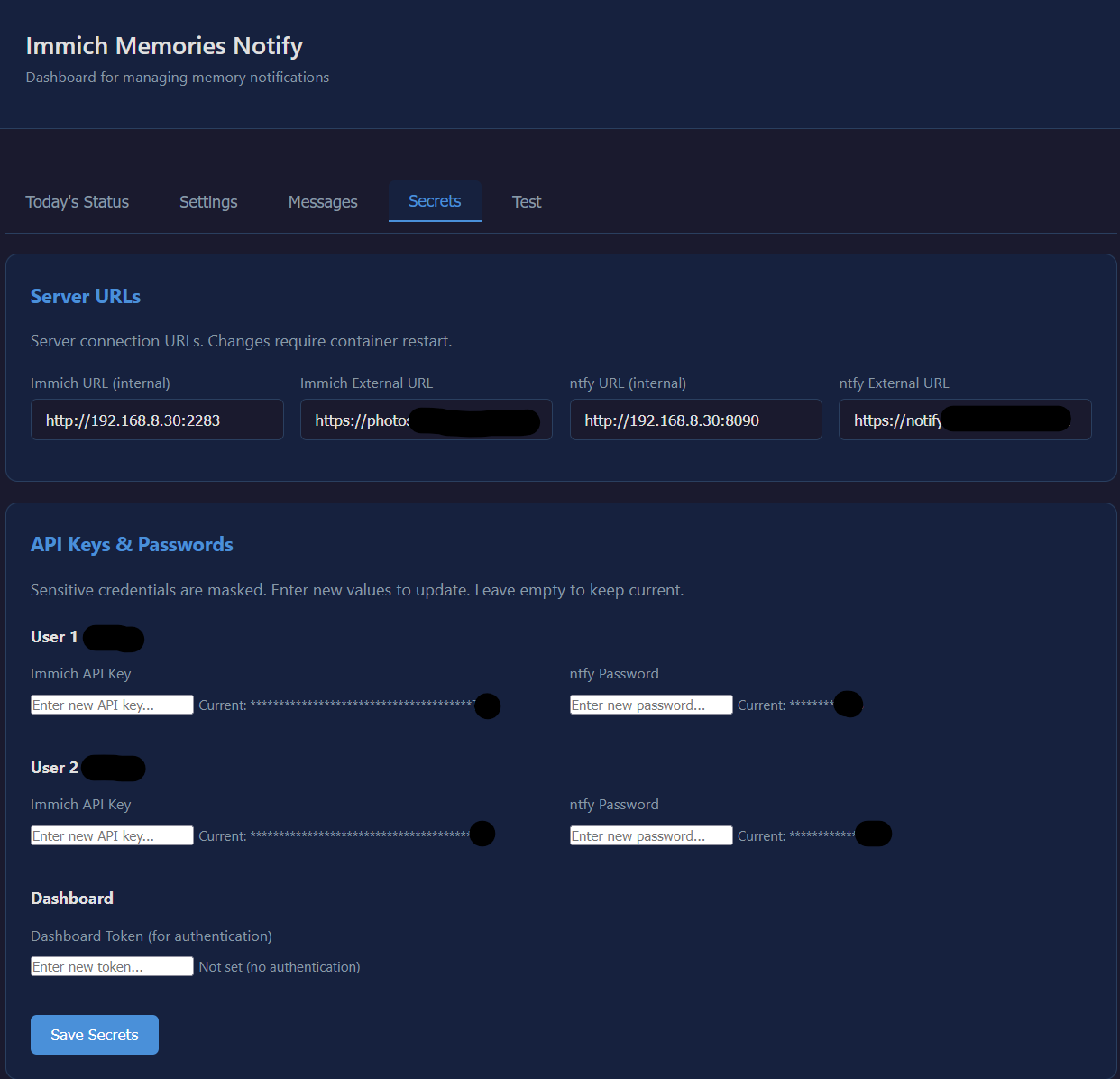
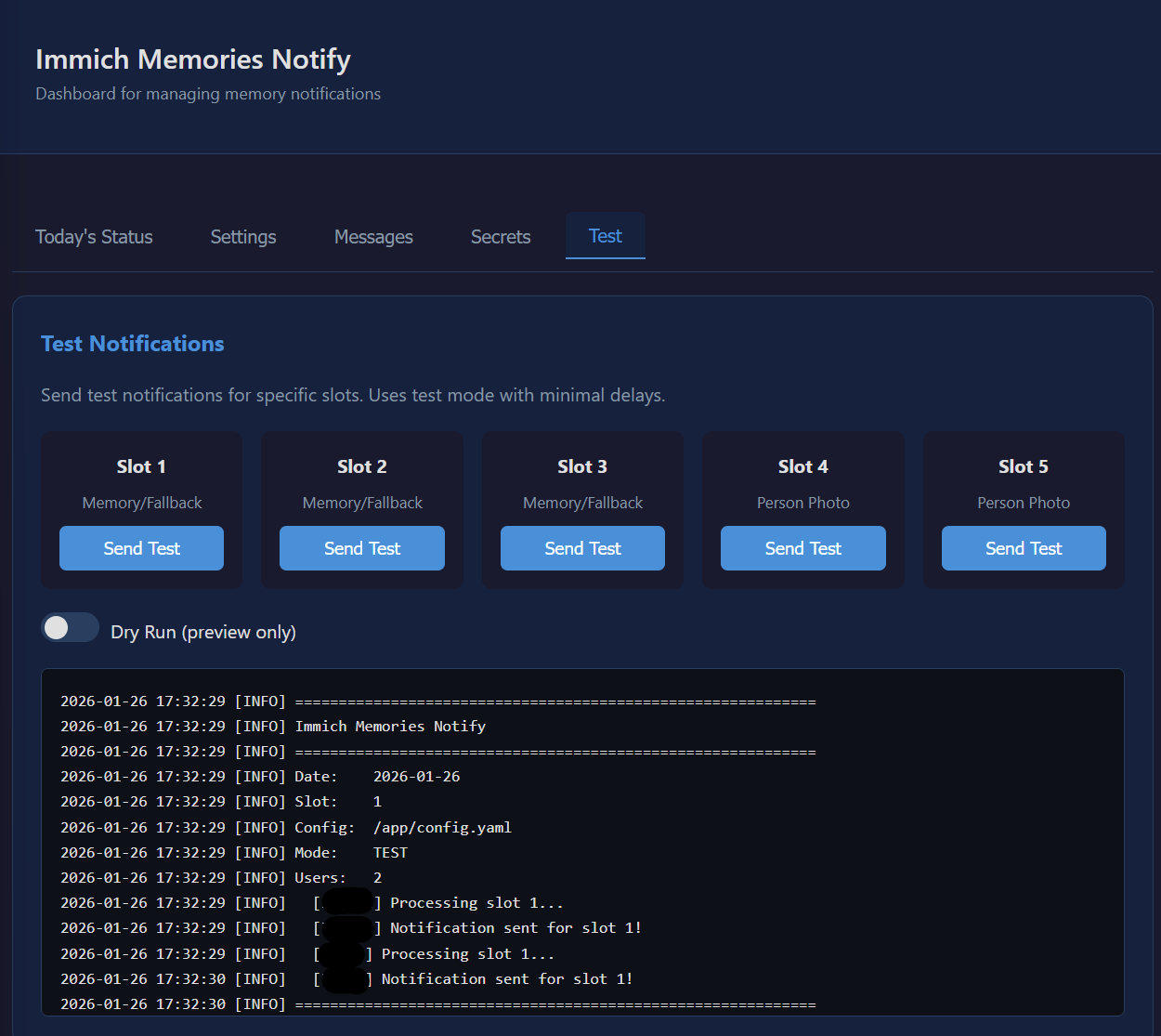
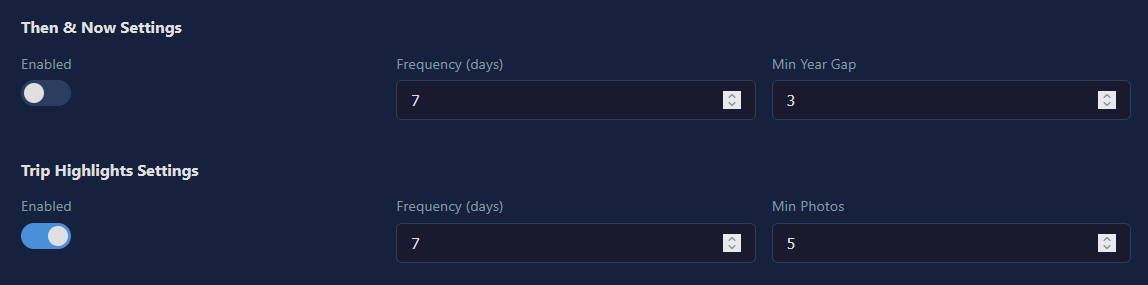
## 截图
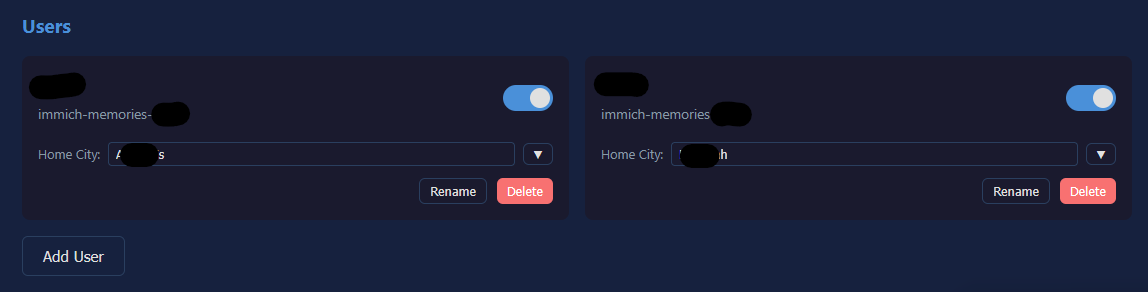
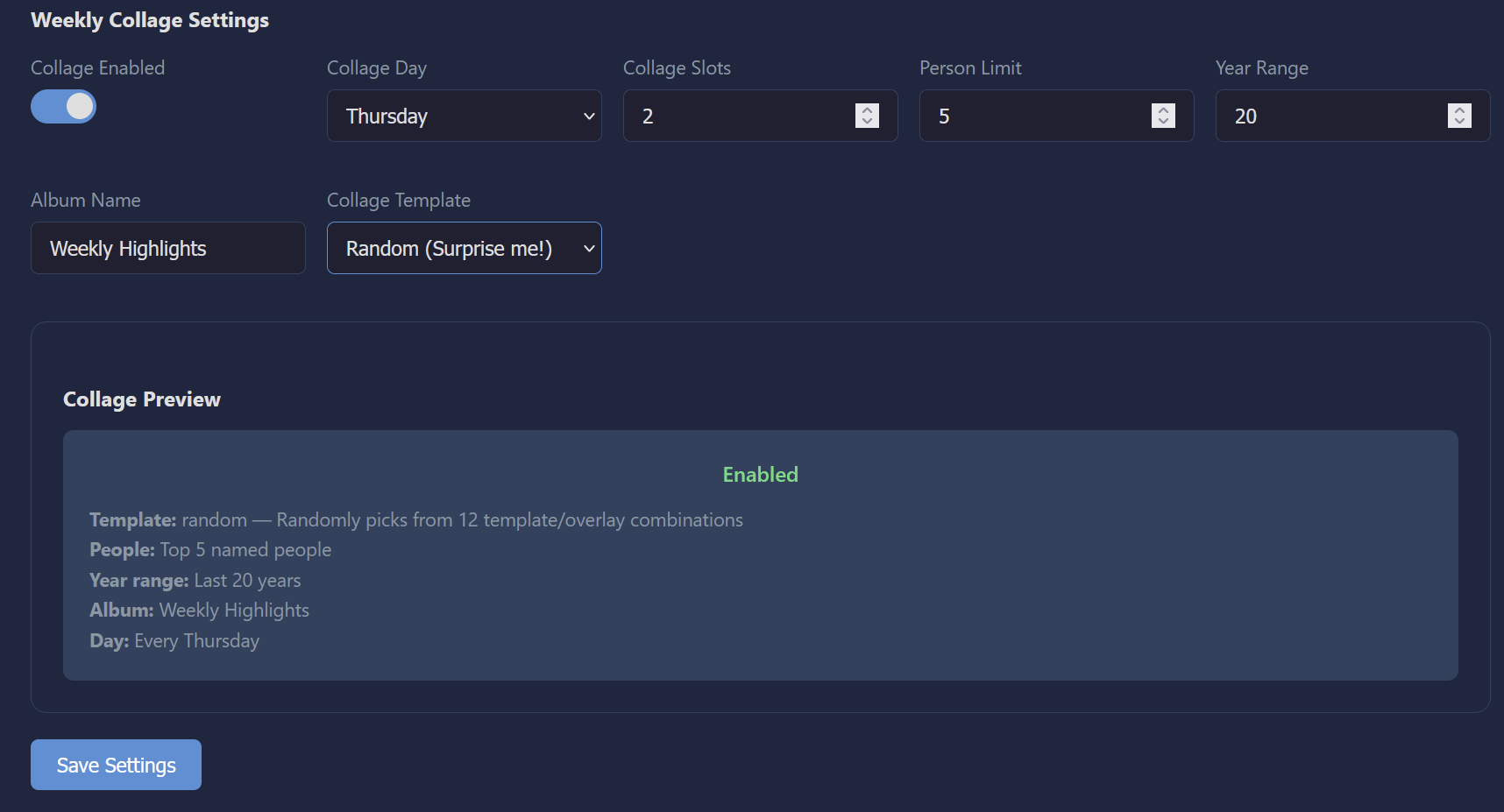 ## 常用命令
```
# 测试特定 slot
docker compose run --rm notify --slot 1 --test --no-delay
# Dry run(预览但不发送)
docker compose run --rm notify --slot 1 --dry-run --no-delay
# 强制重新发送
docker compose run --rm notify --slot 1 --force --no-delay
# 日志
docker compose logs -f scheduler
# 代码更改后重建 dashboard
docker compose down dashboard && docker compose up -d --build dashboard
```
## 配置
所有设置都可以通过**网页仪表盘**管理。如需手动编辑:
| 文件 | 用途 |
|------|---------|
| `.env` | 密钥信息 — API 密钥、密码、服务器 URL |
| `config.yaml` | 其他所有设置 — 用户、配置、消息 |
| `state/state.json` | 通知跟踪状态(自动生成) |
## 自托管 ntfy
**内置方式(最简单):** 在 `setup.sh` 提问时选择"是"。一切将自动配置。
```
base-url: "https://notify.yourdomain.com"
auth-file: /var/lib/ntfy/user.db
auth-default-access: deny-all
attachment-cache-dir: /var/lib/ntfy/attachments
attachment-total-size: 5G
attachment-file-size: 15M
attachment-expiry-duration: 3h
```
## 仪表盘认证
在 `.env` 中设置密码以保护仪表盘:
```
DASHBOARD_TOKEN=your-secret-token
```
如果未设置,仪表盘将开放访问(在局域网内使用没问题)。
## 故障排除
| 问题 | 解决方法 |
|---------|-----|
| 没有收到通知 | `docker compose run --rm notify --slot 1 --dry-run --no-delay` 检查是否有回忆 |
| 没有缩略图 | 使用 `--test --force` 运行,查看输出中的上传警告 |
| 没有人物照片 | 在 Immich 中为您的人物命名,确保存在超过30天的照片 |
| 今天已发送 | 使用 `--force` 标志,或删除 `state/state.json` 文件 |
| 仪表盘无法加载 | `docker compose logs dashboard` 检查错误信息 |
| `git pull` 因本地更改失败 | `git stash && git pull && git stash pop` — 您的 `.env` 和 `config.yaml` 文件会得到保留 |
## 系统要求
- [Immich](https://immich.app/)(自托管)
- [ntfy](https://ntfy.sh/)(自托管或内置)
- Docker & Docker Compose
- ntfy 移动应用 ([Android](https://play.google.com/store/apps/details?id=io.heckel.ntfy) / [iOS](https://apps.apple.com/app/ntfy/id1625396347))
- 在 Immich 中为人物命名以使用人脸功能
## 许可证
MIT — 详见 [LICENSE](LICENSE)。
## 常用命令
```
# 测试特定 slot
docker compose run --rm notify --slot 1 --test --no-delay
# Dry run(预览但不发送)
docker compose run --rm notify --slot 1 --dry-run --no-delay
# 强制重新发送
docker compose run --rm notify --slot 1 --force --no-delay
# 日志
docker compose logs -f scheduler
# 代码更改后重建 dashboard
docker compose down dashboard && docker compose up -d --build dashboard
```
## 配置
所有设置都可以通过**网页仪表盘**管理。如需手动编辑:
| 文件 | 用途 |
|------|---------|
| `.env` | 密钥信息 — API 密钥、密码、服务器 URL |
| `config.yaml` | 其他所有设置 — 用户、配置、消息 |
| `state/state.json` | 通知跟踪状态(自动生成) |
## 自托管 ntfy
**内置方式(最简单):** 在 `setup.sh` 提问时选择"是"。一切将自动配置。
```
base-url: "https://notify.yourdomain.com"
auth-file: /var/lib/ntfy/user.db
auth-default-access: deny-all
attachment-cache-dir: /var/lib/ntfy/attachments
attachment-total-size: 5G
attachment-file-size: 15M
attachment-expiry-duration: 3h
```
## 仪表盘认证
在 `.env` 中设置密码以保护仪表盘:
```
DASHBOARD_TOKEN=your-secret-token
```
如果未设置,仪表盘将开放访问(在局域网内使用没问题)。
## 故障排除
| 问题 | 解决方法 |
|---------|-----|
| 没有收到通知 | `docker compose run --rm notify --slot 1 --dry-run --no-delay` 检查是否有回忆 |
| 没有缩略图 | 使用 `--test --force` 运行,查看输出中的上传警告 |
| 没有人物照片 | 在 Immich 中为您的人物命名,确保存在超过30天的照片 |
| 今天已发送 | 使用 `--force` 标志,或删除 `state/state.json` 文件 |
| 仪表盘无法加载 | `docker compose logs dashboard` 检查错误信息 |
| `git pull` 因本地更改失败 | `git stash && git pull && git stash pop` — 您的 `.env` 和 `config.yaml` 文件会得到保留 |
## 系统要求
- [Immich](https://immich.app/)(自托管)
- [ntfy](https://ntfy.sh/)(自托管或内置)
- Docker & Docker Compose
- ntfy 移动应用 ([Android](https://play.google.com/store/apps/details?id=io.heckel.ntfy) / [iOS](https://apps.apple.com/app/ntfy/id1625396347))
- 在 Immich 中为人物命名以使用人脸功能
## 许可证
MIT — 详见 [LICENSE](LICENSE)。
## 常用命令
```
# 测试特定 slot
docker compose run --rm notify --slot 1 --test --no-delay
# Dry run(预览但不发送)
docker compose run --rm notify --slot 1 --dry-run --no-delay
# 强制重新发送
docker compose run --rm notify --slot 1 --force --no-delay
# 日志
docker compose logs -f scheduler
# 代码更改后重建 dashboard
docker compose down dashboard && docker compose up -d --build dashboard
```
## 配置
所有设置都可以通过**网页仪表盘**管理。如需手动编辑:
| 文件 | 用途 |
|------|---------|
| `.env` | 密钥信息 — API 密钥、密码、服务器 URL |
| `config.yaml` | 其他所有设置 — 用户、配置、消息 |
| `state/state.json` | 通知跟踪状态(自动生成) |
设置参考 (config.yaml)
``` settings: memory_notifications: 3 # Memory slots per day person_notifications: 1 # Person photo slots (when memories exist) fallback_notifications: 3 # Person photos when no memories today top_persons_limit: 5 # Top N named people to feature exclude_recent_days: 30 # Skip recent photos for person notifications year_range: 20 # How far back to look (collage, trip, TaN) include_location: true # Add city/country context include_album: true # Show album name video_emoji: true # Add film emoji for videos prefer_group_photos: true # Prioritize multi-person photos min_group_size: 2 # Min faces for "group photo" # Then & Now then_and_now_enabled: true then_and_now_cooldown_days: 7 then_and_now_min_gap: 3 # Min years between "then" and "now" # Trip Highlights trip_highlights_enabled: true trip_highlights_cooldown_days: 7 trip_highlights_min_photos: 5 # Weekly Collage weekly_collage_enabled: true weekly_collage_day: 6 # 0=Sun, 6=Sat weekly_collage_slots: 1 collage_template: random # or: grid_custom, mosaic_custom, polaroid_custom, strip_custom collage_album_name: Weekly Highlights # Notification windows (one per slot) notification_windows: - start: "08:00" end: "10:00" - start: "12:00" end: "14:00" ```消息模板
``` messages: - "A little trip back to {year}..." - "Remember this day {years_ago} years ago?" person_messages: - "A lovely moment with {person_name}..." video_messages: - "Watch this moment from {year}..." then_and_now_messages: - "Look how much {person_name} has changed! {then_year} vs {now_year}" trip_highlights_messages: - "Remember this trip to {city}? Back in {year}!" ``` 占位符:`{year}`, `{years_ago}`, `{person_name}`, `{city}`, `{country}`, `{gap}`, `{then_year}`, `{now_year}`标签:Docker, Immich 集成, ntfy, Web 仪表板, 多用户, 安全防御评估, 技术栈, 推送通知, 旅行亮点, 每日回忆, 照片回忆, 照片拼贴, 照片管理, 版权保护, 网络安全, 自托管, 请求拦截, 通知服务, 隐私保护