EhsanCreator/Malwoverview-UI
GitHub: EhsanCreator/Malwoverview-UI
一款基于 Streamlit 的 Malwoverview 威胁情报工具图形化界面,让安全分析师无需命令行即可一站式查询多源威胁情报数据。
Stars: 1 | Forks: 0
# Malwoverview-UI 🛡️
**一个由 Malwoverview 驱动的先进、模块化威胁狩猎界面。**
**Malwoverview-UI** 是一个现代化的基于 Web 的仪表板,旨在简化威胁情报收集工作。它作为 [Malwoverview](https://github.com/alexandreborges/malwoverview) 库的强大图形用户界面(GUI),为安全分析师添加了数据持久化、代理管理和用户友好的体验。
## 📸 仪表板预览
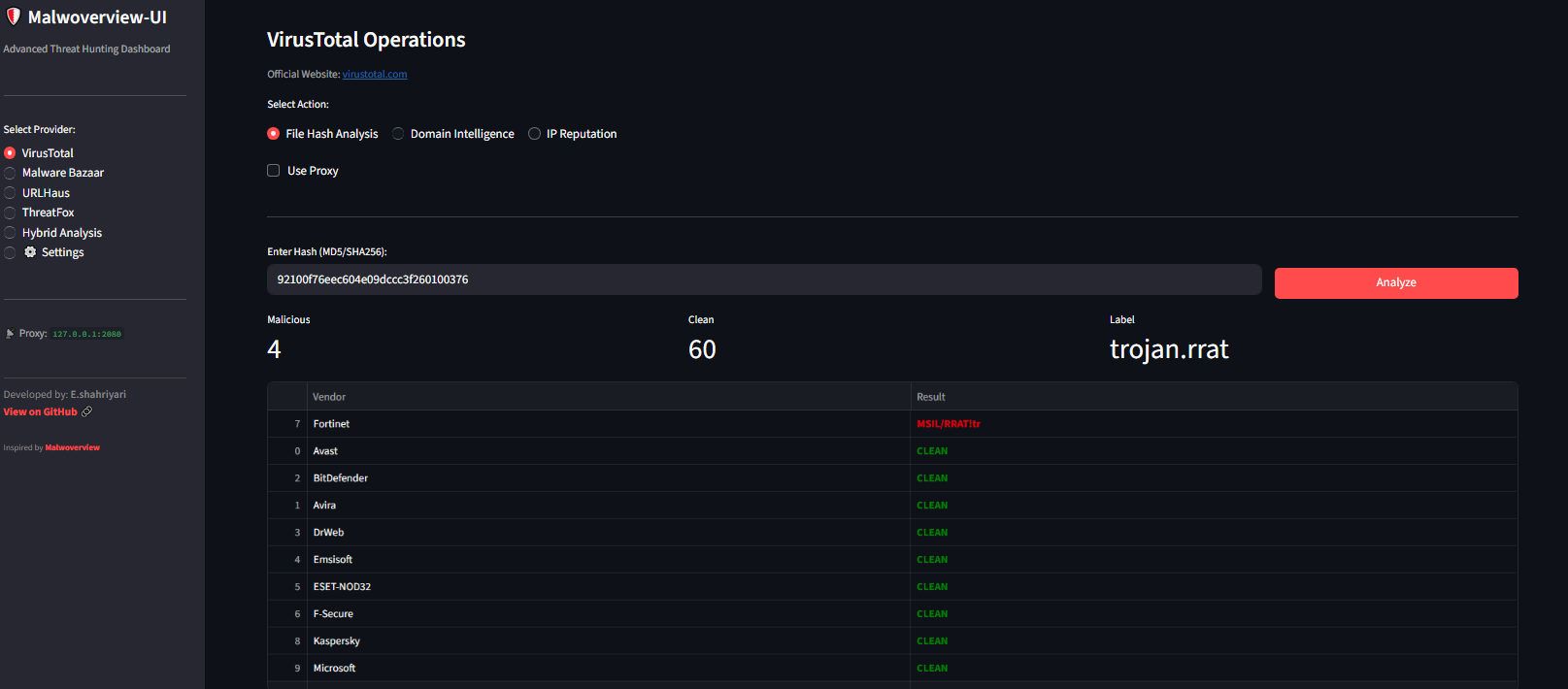
### 🦠 VirusTotal 操作
全面的文件哈希分析,包含供应商检测表和干净度量指标。
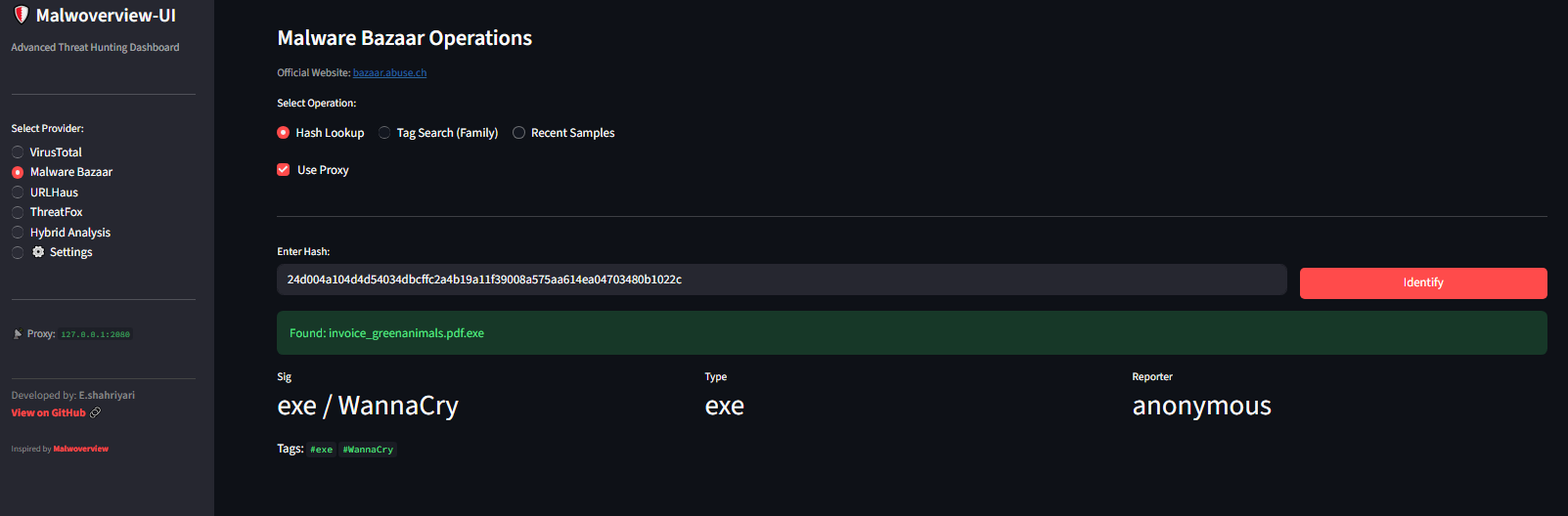
### 🧩 Malware Bazaar
轻松识别恶意软件样本并搜索家族/标签。
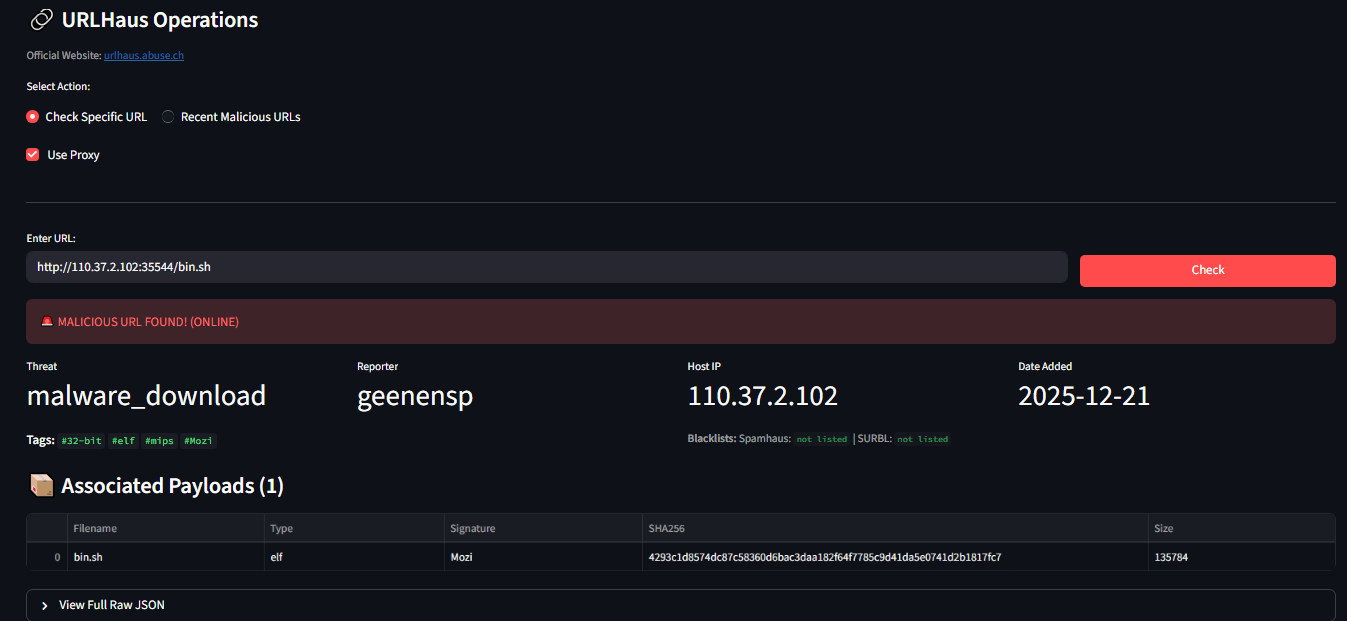
### 🔗 URLHaus 操作
**1. 检查特定 URL:** 检测恶意 URL 并查看相关的 payload。
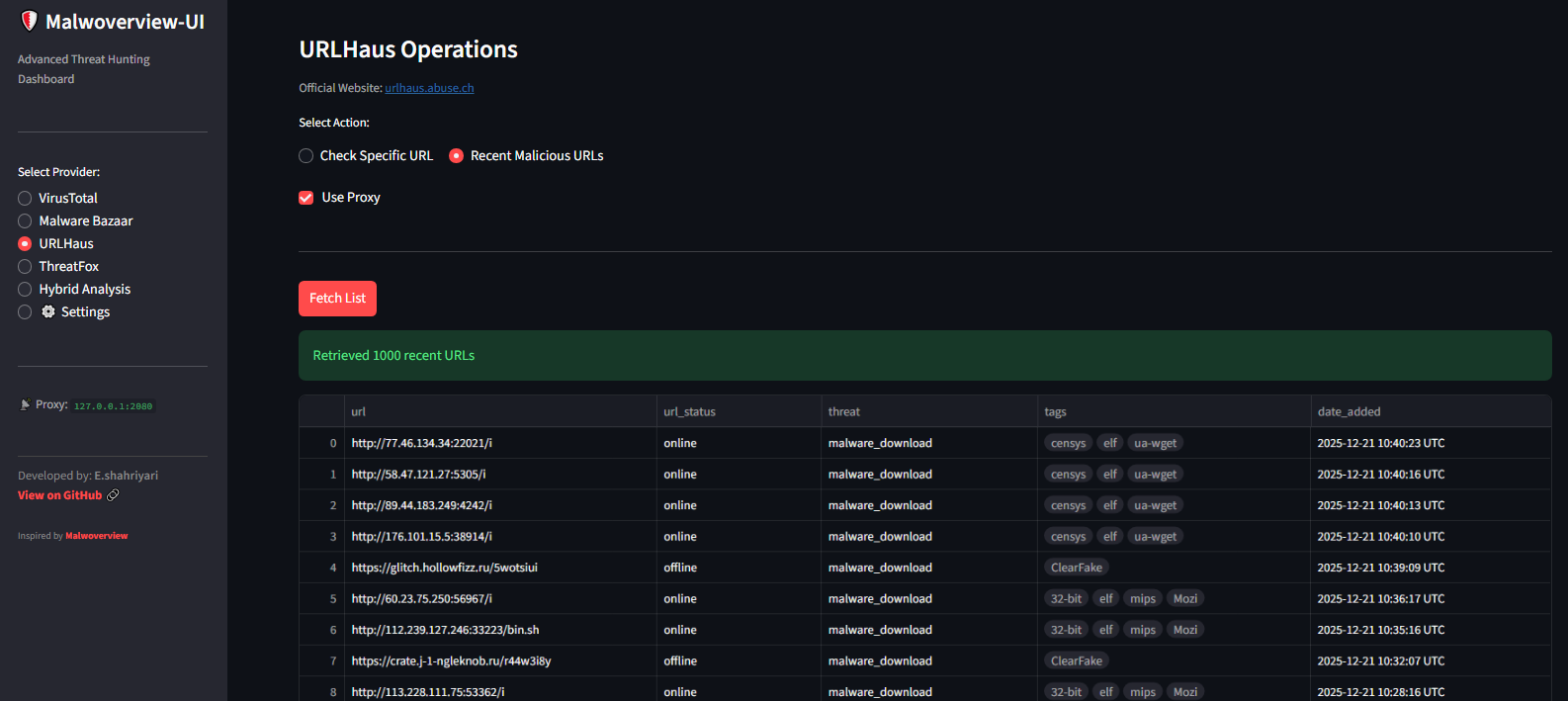
**2. 最近的恶意 URL:** 直接从 Abuse.ch 获取最新威胁。
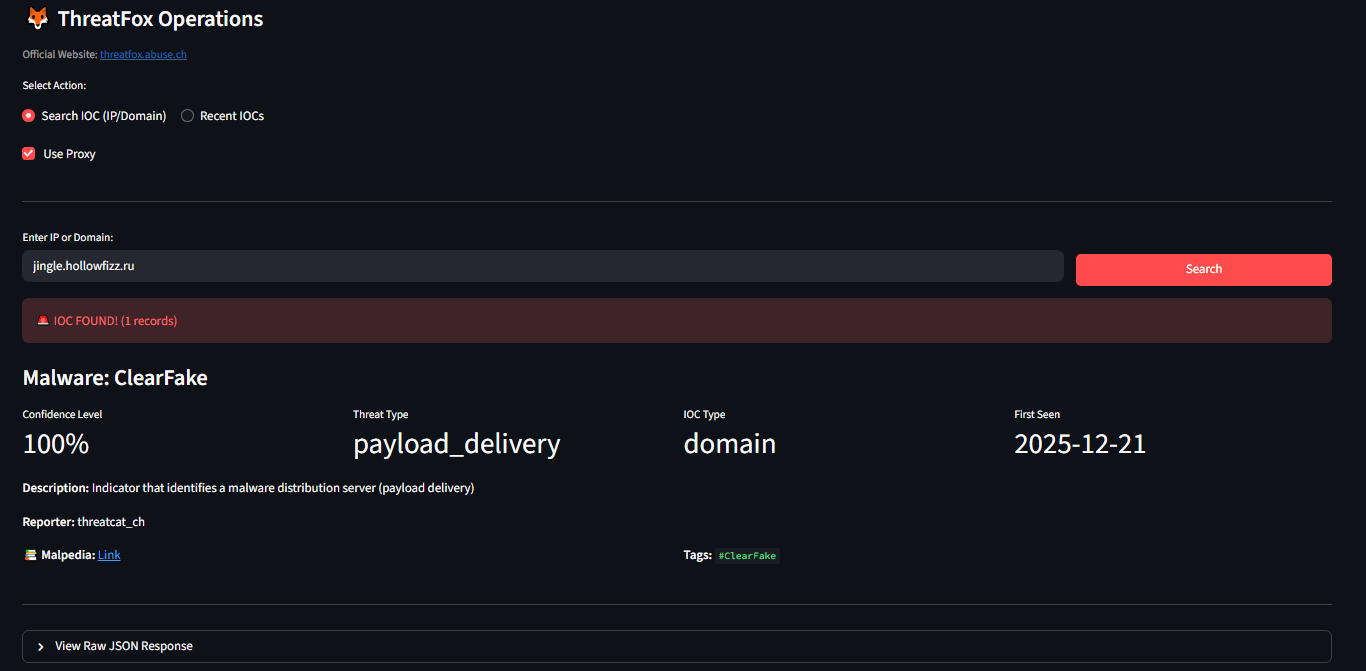
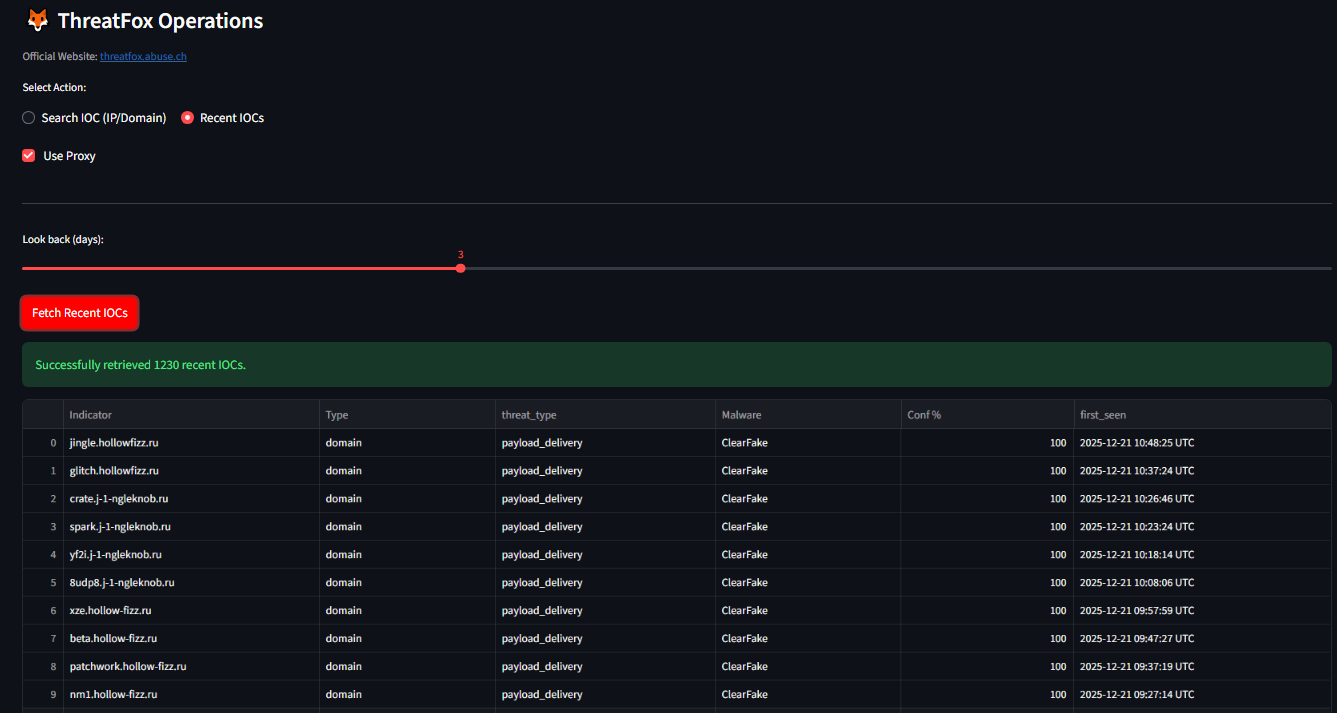
### 🦊 ThreatFox 操作
**1. 搜索 IOC:** 立即检查 IP 或域名是否存在入侵指标。
**2. 最近的 IOC:** 随时了解最新的 C2 服务器和僵尸网络 IP。
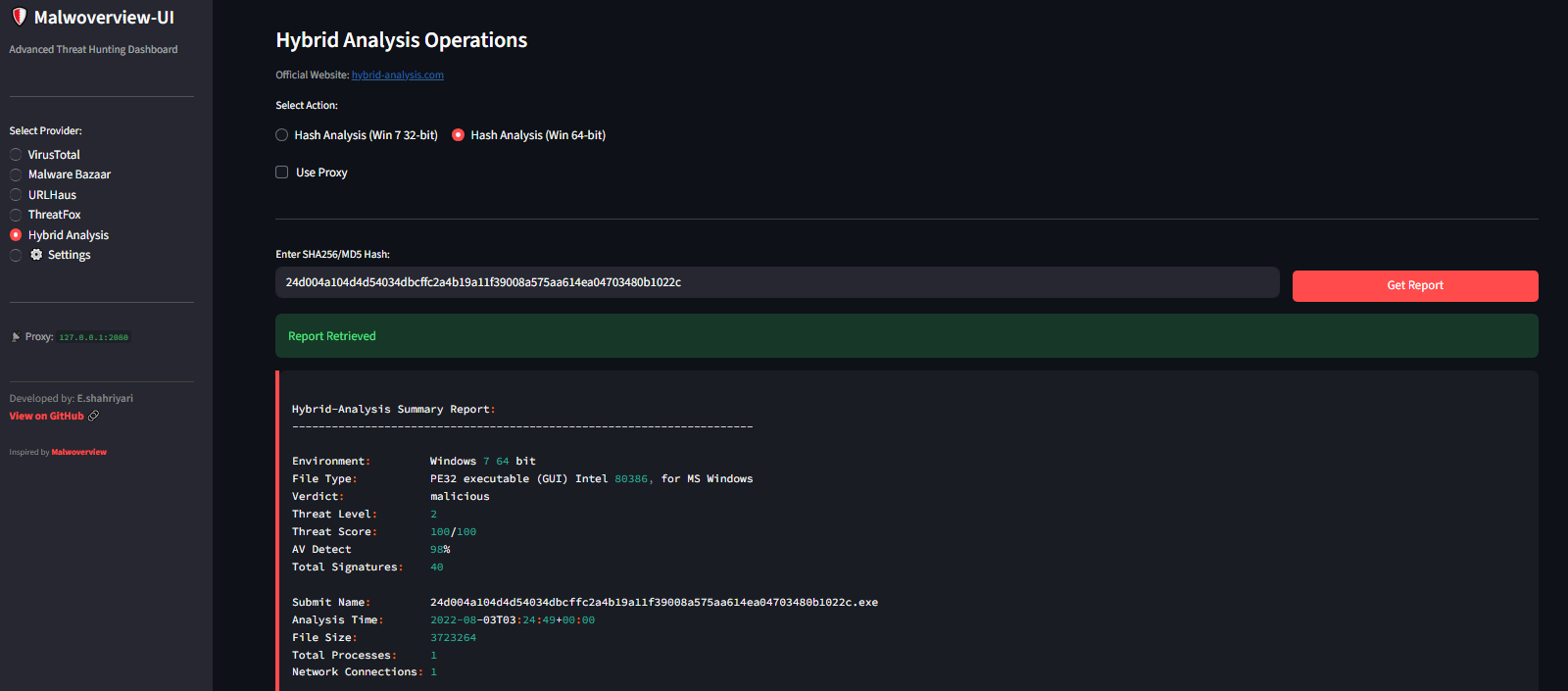
### 🧪 Hybrid Analysis
直接在仪表板中获取沙箱报告。
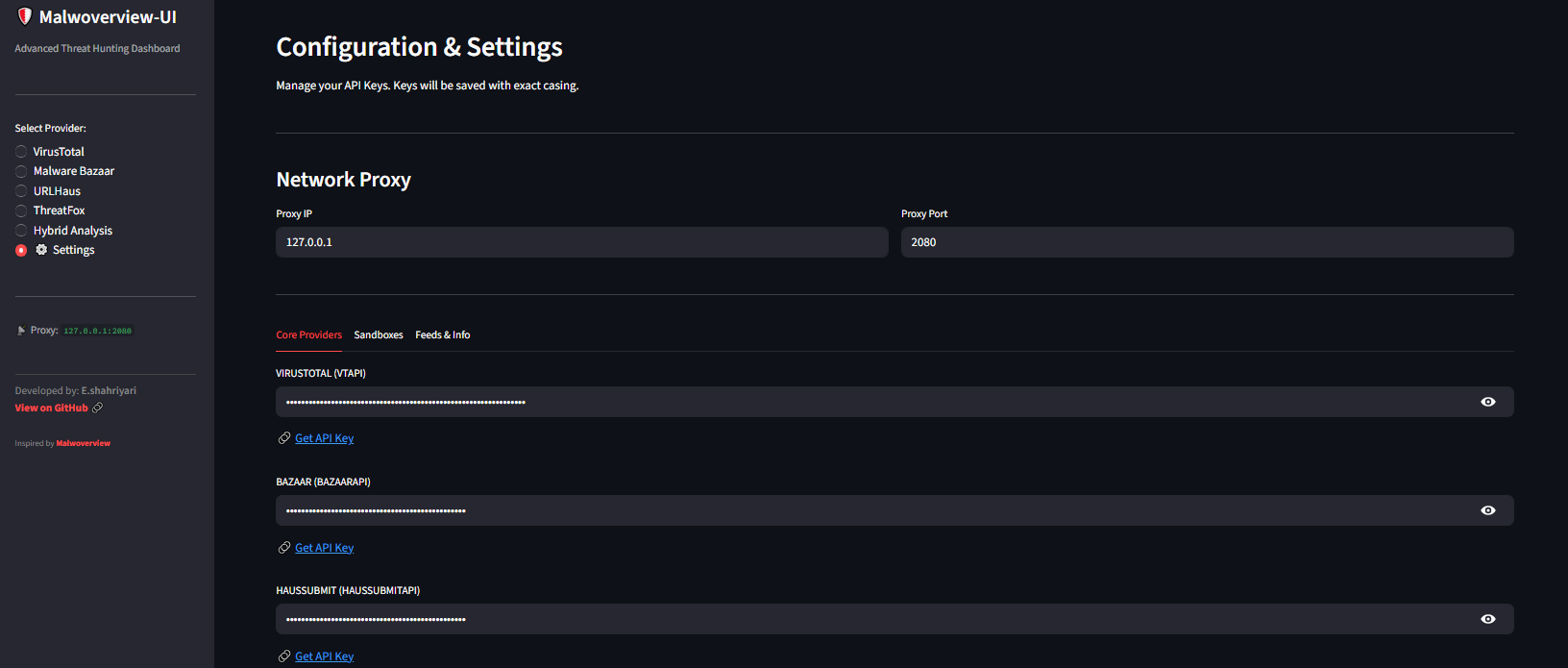
### ⚙️ 配置与代理管理
通过 UI 管理您的 API 密钥(保存在本地),并为受限环境切换代理设置。
## ✨ 功能
* **模块化架构:** 为 VirusTotal、Malware Bazaar、URLHaus、ThreatFox 和 Hybrid Analysis 提供独立模块。
* **代理支持:** 内置对 HTTP/HTTPS 代理(例如 V2Ray、NekoBox)的支持,以绕过网络限制。
* **基于 UI 的配置:** 无需手动编辑配置文件。直接在“设置”选项卡中设置 API 密钥和代理配置。
* **持久化:** 设置保存在本地的 `.malwapi.conf` 文件中,并在会话之间保持有效。
* **智能错误处理:** 针对网络问题或缺失数据提供友好的错误消息。
* **主题支持:** 完全支持浅色和深色模式。
## 🚀 支持的提供商
1. **VirusTotal:** 文件哈希、域名和 IP 信誉。
2. **Malware Bazaar:** 哈希查询、标签搜索、最新样本。
3. **URLHaus:** 检查特定 URL、最近的恶意 URL。
4. **ThreatFox:** 搜索 IOC(IP/域名)、最近的 IOC。
5. **Hybrid Analysis:** 沙箱报告检索(Windows 7/10)。
## 🛠️ 安装说明
1. **克隆代码库:**
git clone https://github.com/EhsanCreator/Malwoverview-UI.git
cd Malwoverview-UI
2. **安装依赖:**
pip install -r requirements.txt
3. **运行仪表板:**
streamlit run app.py
4. **首次运行:**
* 转到 **⚙️ 设置** 选项卡。
* 输入您的 API 密钥(应用内提供了相关链接)。
* (可选)设置您的代理 IP/端口(默认:`127.0.0.1:2080`)。
* 点击 **保存配置**。
## ⚙️ 配置
应用程序将您的密钥存储在名为 `.malwapi.conf` 的本地文件中。
**注意:** 此文件会自动添加到 `.gitignore` 中,以防止您的 API 密钥意外泄露。
## 🤝 致谢与鸣谢
* **开发者:** [E.shahriyari](https://github.com/EhsanCreator)
* **核心引擎:** 本项目深受 **[Malwoverview](https://github.com/alexandreborges/malwoverview)** 的启发,并使用了由 **Alexandre Borges** 创建的逻辑。
* **框架:** 基于 [Streamlit](https://streamlit.io/) 构建。
## 📄 许可证
本项目基于 MIT 许可证授权 - 有关详细信息,请参阅 [LICENSE](LICENSE) 文件。
标签:DAST, Kubernetes, Python, Streamlit, Web界面, 域名收集, 威胁情报, 开发者工具, 恶意软件分析, 无后门, 网络信息收集, 访问控制, 逆向工具