snes19xx/EverCal
GitHub: snes19xx/EverCal
一款用 Flutter 编写的 Linux 桌面日历应用,以简洁美观的 UI 填补了平铺式窗口管理器用户在日历工具上的空白。
Stars: 155 | Forks: 6
# EverCal
一款使用 Flutter 编写的简单日历应用。
我开发这款应用是因为我想要一款在 Linux 桌面上真正好看且实用的日历。它专门设计用于与 Hyprland 等平铺式窗口管理器无缝协作。
## 截图
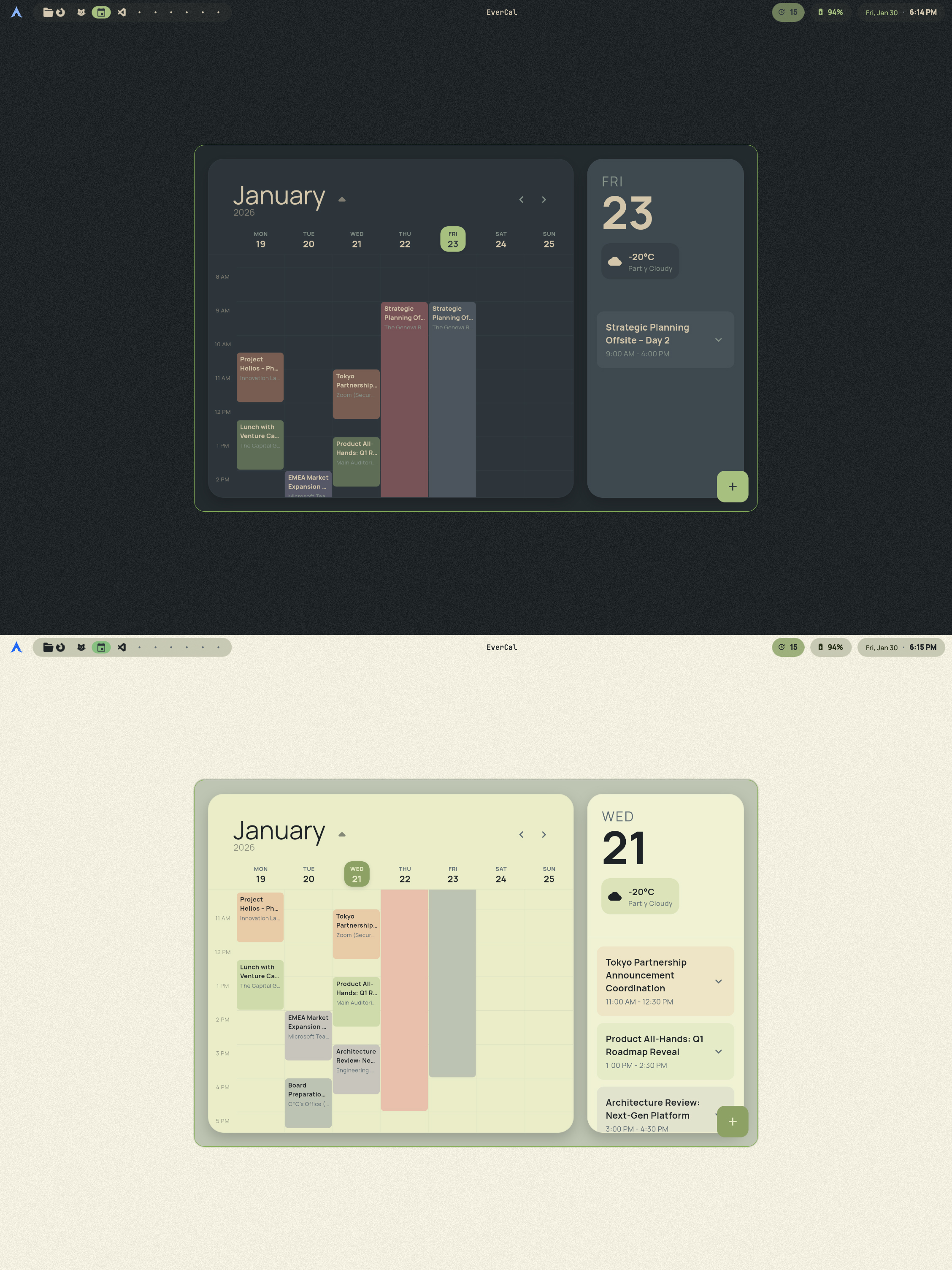
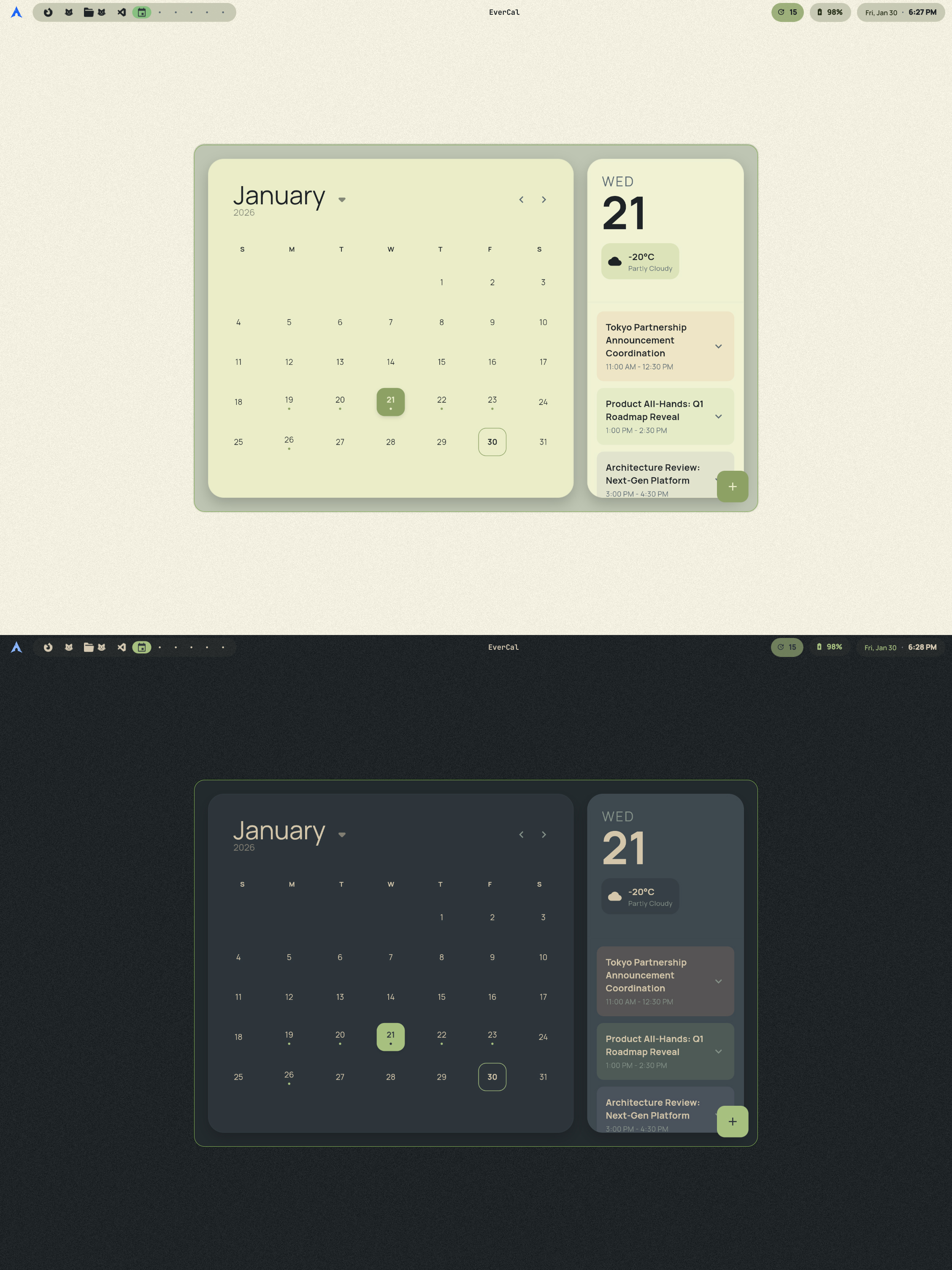 ## 功能
- **清爽的 UI:** 遵循 Material 3/Expressive UI 指南的极简设计
- **手动事件:** 直接在 EverCal 中创建事件。
- **ICS 导入:** 从 Google Calendar、Outlook 或其他任何地方导入 `.ics` 日历。
- **Khal / vdir 支持(可选):** 通过 `khal` 从你的本地 vdir 日历读取事件
- **主题支持:** 内置浅色和深色模式。还支持全局主题状态,并在你的系统/主题更改时立即更新。
- **WM + DE 友好:**
- **WM 模式:** 无标题栏/客户端装饰(边框由 compositor 处理)。
- **DE 模式:** 包含适用于 KDE/GNOME 等环境的正式标题栏。
## 安装
[](https://aur.archlinux.org/packages/evercal)
### Arch Linux (AUR)
EverCal 现在可以直接从 [AUR](https://aur.archlinux.org/packages/evercal) 安装:
```
yay -S evercal
```
### 手动安装
1. 从 [Releases](https://github.com/snes19xx/EverCal/releases) 页面下载 `installer.tar.gz`。
2. 解压归档文件
3. 根据你的需求运行脚本,如果你不需要标题栏(WM 模式)请运行 `install_wm.sh`,如果你需要标题栏(gnome/kde)请运行 `install_b.sh`
例如:
```
tar -xzvf installer.tar.gz
cd installer
sudo ./install_Wm.sh
```
## 功能
- **清爽的 UI:** 遵循 Material 3/Expressive UI 指南的极简设计
- **手动事件:** 直接在 EverCal 中创建事件。
- **ICS 导入:** 从 Google Calendar、Outlook 或其他任何地方导入 `.ics` 日历。
- **Khal / vdir 支持(可选):** 通过 `khal` 从你的本地 vdir 日历读取事件
- **主题支持:** 内置浅色和深色模式。还支持全局主题状态,并在你的系统/主题更改时立即更新。
- **WM + DE 友好:**
- **WM 模式:** 无标题栏/客户端装饰(边框由 compositor 处理)。
- **DE 模式:** 包含适用于 KDE/GNOME 等环境的正式标题栏。
## 安装
[](https://aur.archlinux.org/packages/evercal)
### Arch Linux (AUR)
EverCal 现在可以直接从 [AUR](https://aur.archlinux.org/packages/evercal) 安装:
```
yay -S evercal
```
### 手动安装
1. 从 [Releases](https://github.com/snes19xx/EverCal/releases) 页面下载 `installer.tar.gz`。
2. 解压归档文件
3. 根据你的需求运行脚本,如果你不需要标题栏(WM 模式)请运行 `install_wm.sh`,如果你需要标题栏(gnome/kde)请运行 `install_b.sh`
例如:
```
tar -xzvf installer.tar.gz
cd installer
sudo ./install_Wm.sh
```
标签:Flutter, ICS导入, Khal, 平铺窗口管理器, 日历应用, 桌面应用