velox-sh/ghlang
GitHub: velox-sh/ghlang
一个用于生成 GitHub 编程语言统计图表的 CLI 工具,支持本地分析与离线导出。
Stars: 3 | Forks: 0
## 关于项目 想知道你实际使用了哪些语言吗?**ghlang** 可以帮助你生成漂亮的图表: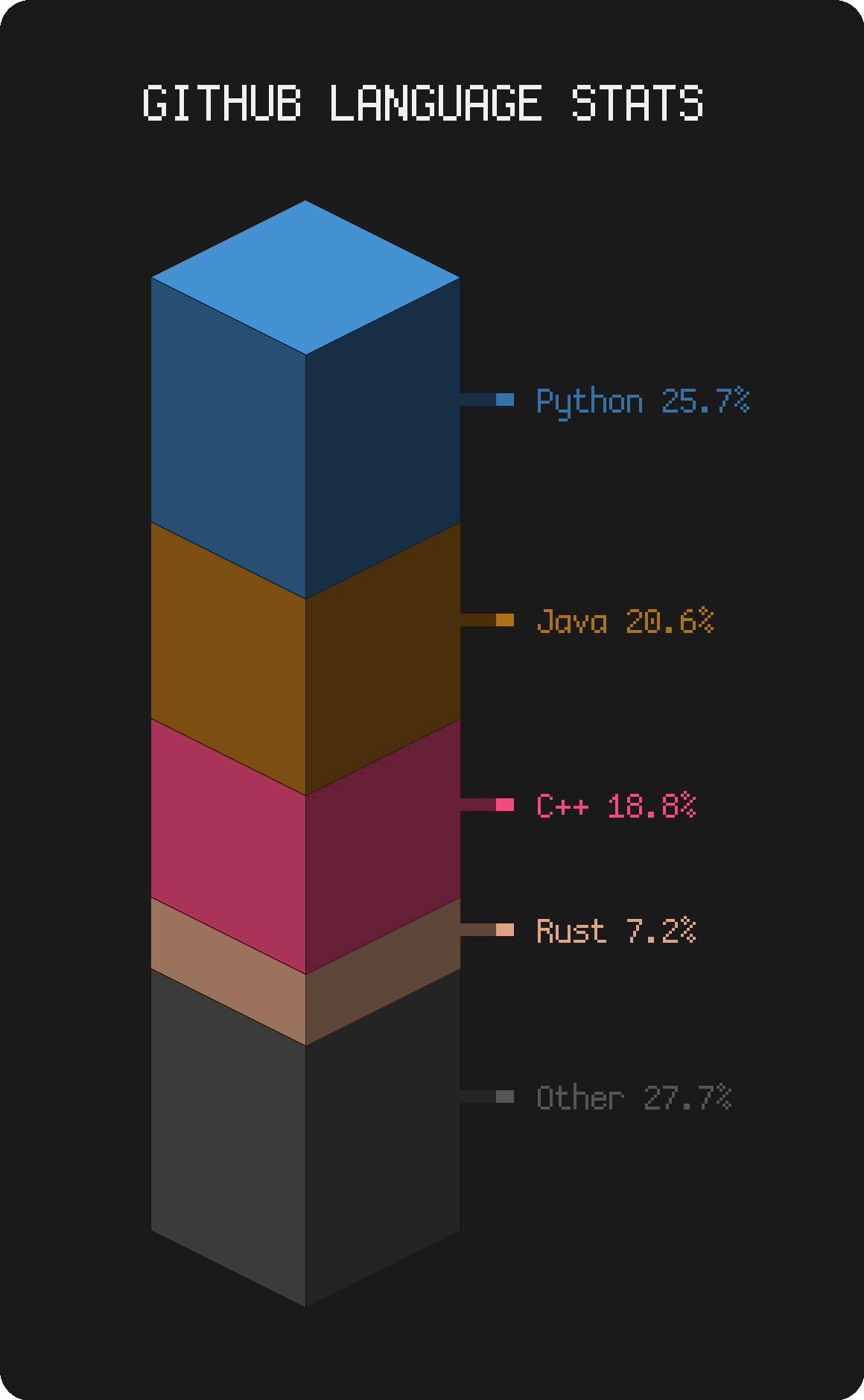
my actual language stats across all repos
(返回顶部)
### 技术栈 - [Python](https://www.python.org/) - [Typer](https://typer.tiangolo.com/) - [Matplotlib](https://matplotlib.org/) - [Pillow](https://python-pillow.org/) - [Rich](https://github.com/Textualize/rich) - [tokount](https://github.com/velox-sh/tokount)(用于本地分析)(返回顶部)
## 快速开始 运行起来非常简单。 ### 前提条件 - Python 3.10+ - 对于 GitHub 模式:需要一个 GitHub 令牌 - 对于本地模式:需要 [`tokount`](https://github.com/velox-sh/tokount) ### 安装 ``` # 使用 pipx(推荐) pipx install ghlang # 或使用 pip pip install ghlang # 或使用 yay(AUR) yay -S python-ghlang # 或使用 paru(AUR) paru -S python-ghlang # 从源代码安装 pip install git+https://github.com/velox-sh/ghlang.git ``` 对于本地模式,你还需要 [`tokount`](https://github.com/velox-sh/tokount): ``` # 使用 cargo cargo install tokount # 或使用 yay(AUR) yay -S tokount # 或使用 paru(AUR) paru -S tokount ``` ### 设置 GitHub 模式 1. 从 [GitHub 设置](https://github.com/settings/tokens) 获取一个令牌 - 为私有仓库选择 `repo`,或仅为公开仓库选择 `public_repo` 2. **运行一次** 以创建配置文件: ghlang github 配置文件位于 `~/.config/ghlang/config.toml`(Windows 上为 `%LOCALAPPDATA%\ghlang\config.toml`) 3. **添加你的令牌** 到配置文件中: [github] token = "ghp_your_token_here" 4. **再次运行**,即可开始使用: ghlang github(返回顶部)
## 用法 ### 所有选项 `github` 和 `local` 命令共享相同的选项: | 标志 | 缩写 | 功能 | |------|------|------| | `--config` | | 使用不同的配置文件 | | `--output-dir` | | 保存图表的目录 | | `--output` | `-o` | 自定义输出文件名(创建 `_