hugohe3/ppt-master
GitHub: hugohe3/ppt-master
一款AI驱动的原生PPT生成器,把任意文档转成可编辑的PPTX,解决现有工具仅输出图片而无法编辑的问题。
Stars: 39940 | Forks: 3311
# PPT Master — AI 从任何文档生成原生可编辑的 PPTX
[](https://github.com/hugohe3/ppt-master/releases)
[](https://opensource.org/licenses/MIT)
[](https://github.com/hugohe3/ppt-master/stargazers)
[](https://atomgit.com/hugohe3/ppt-master)
[](https://www.theagenticleaderboard.com/agent/?q=ppt-master)
### 2. 选择一个 Agent
PPT Master 可以在**任何具备 agent 能力的工具**中运行 —— 读写文件、执行命令并维持多轮对话。
| 类型 | 示例 | 备注 |
|---|---|---|
| **IDE 原生 agent** | • VS Code 架构([VS Code](https://code.visualstudio.com/) 本身,以及分支和衍生版本):[Cursor](https://cursor.sh/)、Trae、Codebuddy IDE、[Windsurf](https://codeium.com/windsurf)、Void 等。
• 其他架构:[Zed](https://zed.dev/) 等。 | 内置 agent 的编辑器 | | **IDE 插件 / 扩展** | [GitHub Copilot](https://github.com/features/copilot)、[Claude Code](https://claude.ai/code)(VS Code / JetBrains 扩展)、[Cline](https://cline.bot/)、[Continue](https://continue.dev/)、Roo Code 等。 | 安装在 VS Code 或 JetBrains 等宿主环境中 | | **CLI agent** | [Claude Code](https://claude.ai/code) CLI、[Codex CLI](https://github.com/openai/codex)、[Aider](https://aider.chat/)、Gemini CLI 等。 | 在终端中运行;适合脚本、远程或服务器使用 | **🔑 想使用 Claude / GPT / Gemini 但还没有访问权限?** 项目赞助商 **[PackyCode](https://www.packyapi.com/register?aff=ppt-master)**、**[APIKEY.FUN](https://apikey.fun/register?aff=PPT-MASTER)** 和 **[RunAPI](https://runapi.co/register?aff=WMLJ)** 提供 Claude、GPT、Gemini 等模型的按量计费访问 —— 无需订阅,并为我们的用户提供专属折扣(详情见本页顶部)。 **🔀 正在同时使用多个提供商?** 当您拥有不止一家的密钥时,[cc-switch](https://github.com/farion1231/cc-switch) —— 一款跨平台桌面应用 —— 可以让您一键切换 Claude Code、Codex、Gemini CLI 等的 API 提供商,无需手动编辑配置。 ### 3. 设置 **选项 A —— 下载 ZIP**(不需要 Git):在 [GitHub 页面](https://github.com/hugohe3/ppt-master)点击 **Code → Download ZIP**,然后解压。 **选项 B —— Git clone**(需要安装 [Git](https://git-scm.com/downloads)): ``` git clone https://github.com/hugohe3/ppt-master.git cd ppt-master ``` 然后安装依赖: ``` pip install -r requirements.txt ``` 以后如需更新(选项 A / B):`python3 skills/ppt-master/scripts/update_repo.py` ### 4. 创建 **提供源材料(推荐):** 将您的 PDF、DOCX、图片或其他文件放入 `projects/` 目录,然后告诉 AI 聊天面板要使用哪些文件。获取路径最快的方法是:在文件管理器或 IDE 侧边栏中右键单击该文件 → **复制路径**(或 **复制相对路径**),然后直接粘贴到聊天中。 ``` You: Please create a PPT from projects/q3-report/sources/report.pdf ``` **直接粘贴内容:** 您也可以将文本内容直接粘贴到聊天窗口中,AI 会根据它生成 PPT。 ``` You: Please turn the following into a PPT: [paste your content here...] ``` 无论哪种方式,AI 都会首先确认设计规范: ``` AI: Sure. Let's confirm the design spec: [Template] B) Free design [Format] PPT 16:9 [Pages] 8-10 pages ... ``` AI 会处理一切 —— 内容分析、视觉设计、SVG 生成以及 PPTX 导出。 ### 5. 获取图片(可选) 对于非用户提供的图片,有两种途径,可以在同一个演示文稿中按行混合使用: 对于基于 API 的功能,请将凭据放入 `.env` 中。Clone 安装可以使用 `cp .env.example .env`;技能市场安装应使用持久化的用户配置: ``` mkdir -p ~/.ppt-master cp /path/to/installed/ppt-master/.env.example ~/.ppt-master/.env ``` PPT Master 会首先读取当前进程环境,然后按以下顺序读取找到的第一个 `.env`:当前工作目录、技能目录(例如 `~/.agents/skills/ppt-master/.env`)、clone 的仓库根目录、`~/.ppt-master/.env`。 **A) AI 生成** —— `image_gen.py`。设置 `IMAGE_BACKEND` 以及提供商的 `*_API_KEY`(`OPENAI_API_KEY`、`GEMINI_API_KEY` 等),pipeline 会自动调用它。运行 `python3 skills/ppt-master/scripts/image_gen.py --list-backends` 获取完整的 backend 列表。`gpt-image-2` 目前是最佳默认选项。 **B) 网络图片搜索** —— `image_search.py`。**零配置即可使用**,但配置 `PEXELS_API_KEY` / `PIXABAY_API_KEY`(均为免费)可以获得更高质量的结果。在没有密钥的情况下,搜索仅使用 Openverse / Wikimedia Commons;这作为备用方案很有用,但由于许多搜索结果是普通用户上传的,图片质量参差不齐。配置密钥后,默认的提供商链还会增加 Pexels / Pixabay,这能显著改善现代图库摄影、人物、职场、生活方式和插图的覆盖范围。默认以质量优先:会综合考虑 CC0、Public Domain、Pexels / Pixabay 无需署名许可、CC BY 和 CC BY-SA,并且当所选图片需要署名时,Executor 会添加小型的内嵌出处说明。仅当幻灯片完全无法容忍任何署名行时,才使用 `--strict-no-attribution`。对于极具视觉冲击力的封面、产品图、人像和品牌场景,请优先采用此顺序:用户提供的高分辨率素材 / AI 生成 > 带有 Pexels / Pixabay 密钥的网络搜索 > 零配置网络搜索。 ## 文 | | 文档 | 描述 | |---|----------|-------------| | 📘 | [快速开始](./docs/getting-started.md) | 3步完成第一份演示文稿,以及如何使用模板、实时预览、动画、旁白、声音克隆(**新用户从这里开始**) | | 🆚 | [为什么选择 PPT Master](./docs/why-ppt-master.md) | 与 Gamma、Copilot 等 AI 工具的对比 | | 🪟 | [Windows 安装](./docs/windows-installation.md) | 专为 Windows 用户编写的分步设置指南 | | 📖 | [SKILL.md](./skills/ppt-master/SKILL.md) | 核心 workflow 和规则 | | 📐 | [画布格式](./skills/ppt-master/references/canvas-formats.md) | PPT 16:9、小红书、微信等 10 多种格式 | | 🛠️ | [脚本和工具](./skills/ppt-master/scripts/README.md) | 所有脚本和命令 | | 💼 | [示例](./examples/README.md) | 所有示例项目 | | 🏗️ | [技术设计](./docs/technical-design.md) | 架构、设计理念,为什么使用 SVG | | ❓ | [常见问题](./docs/faq.md) | 模型选择、成本、布局故障排查、自定义模板 | ## 许可证 [MIT](LICENSE) ## 相关工具 [cc-switch](https://github.com/farion1231/cc-switch) —— 一款跨平台桌面应用,用于管理并一键切换 Claude Code、Codex、Gemini CLI 等的 API 提供商。在上述任何 agent 中运行 PPT Master 时非常实用。 ## 赞助商与支持 PPT Master 目前主要由我构建和维护。每一个新模板、bug 修复和文档更新都需要持续的资源投入 —— 目前由以下赞助商和个人支持者共同分担。 **企业赞助商**


 **个人支持**
如果 PPT Master 对您有所帮助,任何金额的个人支持都有助于项目继续发展并保持免费。
**个人支持**
如果 PPT Master 对您有所帮助,任何金额的个人支持都有助于项目继续发展并保持免费。

 由 [Hugo He](https://www.hehugo.com/) 用 ❤️ 打造 —— 如果这个项目对您有帮助,请给它点个 ⭐,并考虑[赞助](#sponsors--support)。
官方发布渠道:GitHub(主要) · AtomGit(镜像)。其他平台上的转载均为非官方。采用 MIT 许可证 —— 需要署名。
[⬆ 返回顶部](#ppt-master--ai-generates-natively-editable-pptx-from-any-document)
由 [Hugo He](https://www.hehugo.com/) 用 ❤️ 打造 —— 如果这个项目对您有帮助,请给它点个 ⭐,并考虑[赞助](#sponsors--support)。
官方发布渠道:GitHub(主要) · AtomGit(镜像)。其他平台上的转载均为非官方。采用 MIT 许可证 —— 需要署名。
[⬆ 返回顶部](#ppt-master--ai-generates-natively-editable-pptx-from-any-document)
本项目在 PackyCode、APIKEY.FUN、RunAPI、优云智算 及其他赞助商的支持下保持免费和开源。
|
Thanks to PackyCode for sponsoring this project! PackyCode is a reliable and efficient API relay service provider, offering relay services for Claude Code, Codex, Gemini, and more. PackyCode provides special discounts for our project users: register using this link and enter the promo code ppt-master during recharge to get 10% off. |
|
Thanks to APIKEY.FUN for sponsoring this project! APIKEY.FUN is a professional enterprise-grade AI relay service committed to stable, efficient, and low-cost AI access for businesses and developers. The platform supports mainstream models including Claude, OpenAI, and Gemini, with prices as low as 7% of official rates. Register through our dedicated link for an exclusive perk: up to 5% off on top-ups, permanently. |
|
Thanks to RunAPI for sponsoring this project! RunAPI is an efficient and stable API platform — a single API Key gives you access to 150+ leading models, including OpenAI, Claude, Gemini, DeepSeek, and Grok, at prices as low as 10% of official rates, with exceptional stability and seamless compatibility with tools like Claude Code. RunAPI offers an exclusive perk for PPT Master users: register and contact an administrator via our dedicated link to claim ¥7 in free credit. |
|
Thanks to YouYun ZhiSuan for sponsoring this project! YouYun ZhiSuan is UCloud's AI cloud platform, providing one-stop API services for mainstream domestic and international models, all accessible with a single key. The platform features cost-effective CodingPlan packages for domestic models (including GLM5.2, Deepseek-v4, and more), along with official channels for stable access to overseas models, meeting diverse development needs. It's compatible with mainstream AI coding tools like Claude Code and Codex, as well as general API calls. The platform supports enterprise-level high concurrency, 24/7 technical support, and self-service invoicing. Register through this link to receive up to ¥10 in free credits. This project has been built into an Agent — PPT Master — ready to use without local deployment. |
在线演示 · 关于 Hugo He · 示例 · 常见问题 · 路线图 · 联系方式
下载全新的带旁白的 Attention Is All You Need 演示文稿 —— 在 PowerPoint 中播放它,每张幻灯片都会大声朗读自己。这只是 PPT Master 功能的冰山一角。
当然,您也可以下载以下六个示例演示文稿中的任何一个 —— 在 PowerPoint 中打开原始的 .pptx 是查看本项目真实能力上限的最快方法。
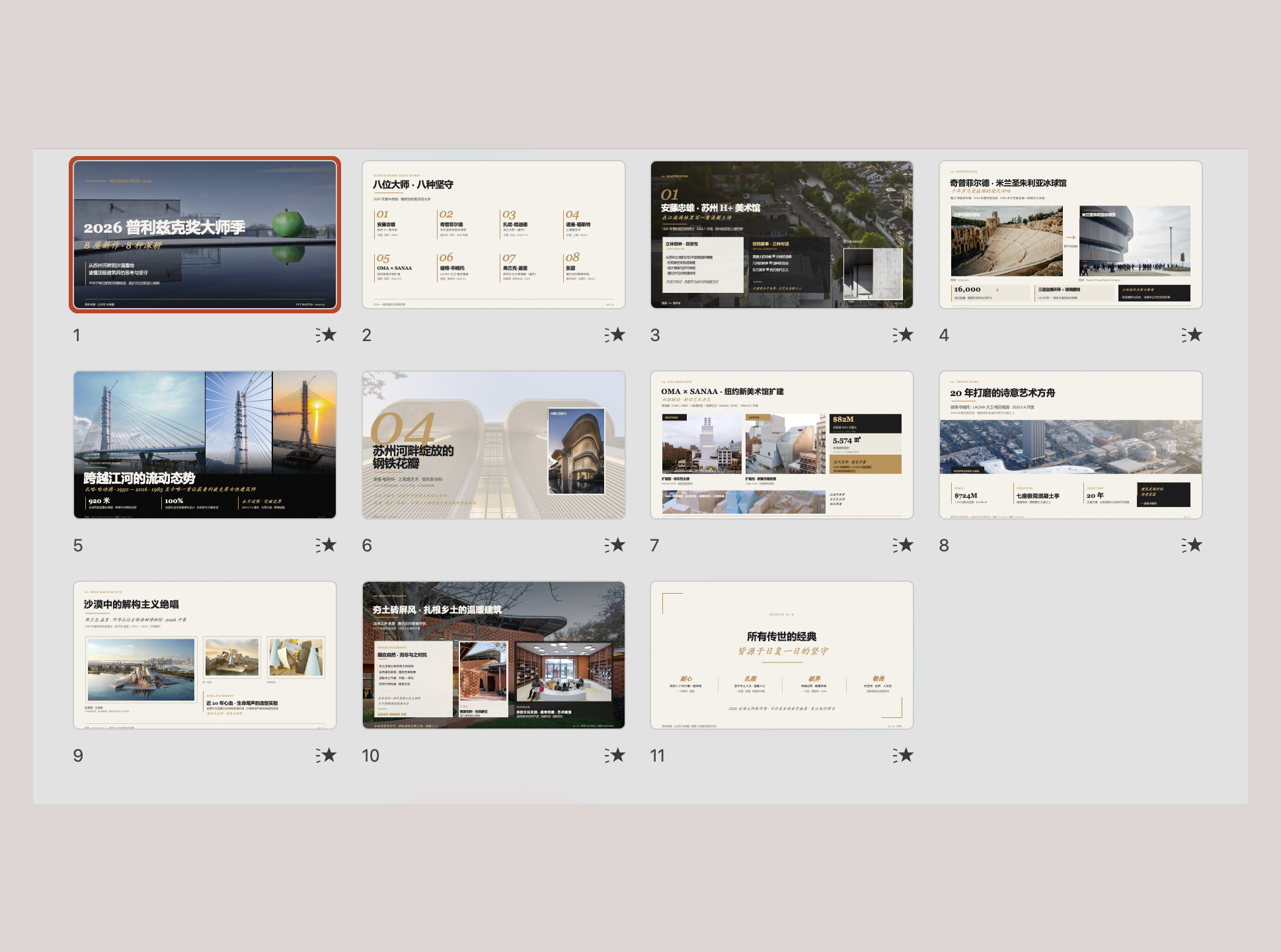 Editorial Magazine — architecture photography, calm typographic grid Flip online · Download .pptx |
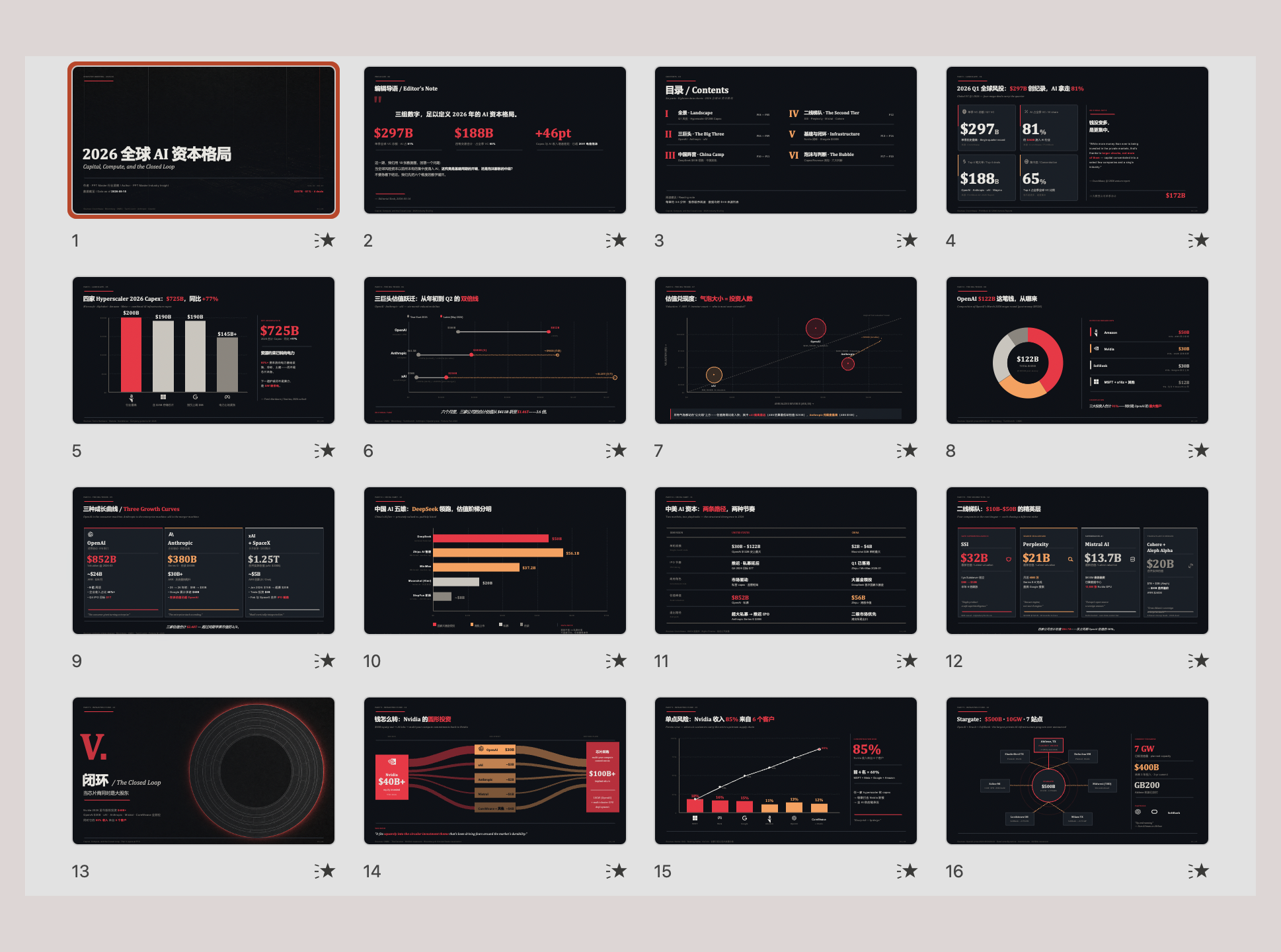 Data Journalism — Bloomberg-style dark dashboard, chart-driven Flip online · Download .pptx |
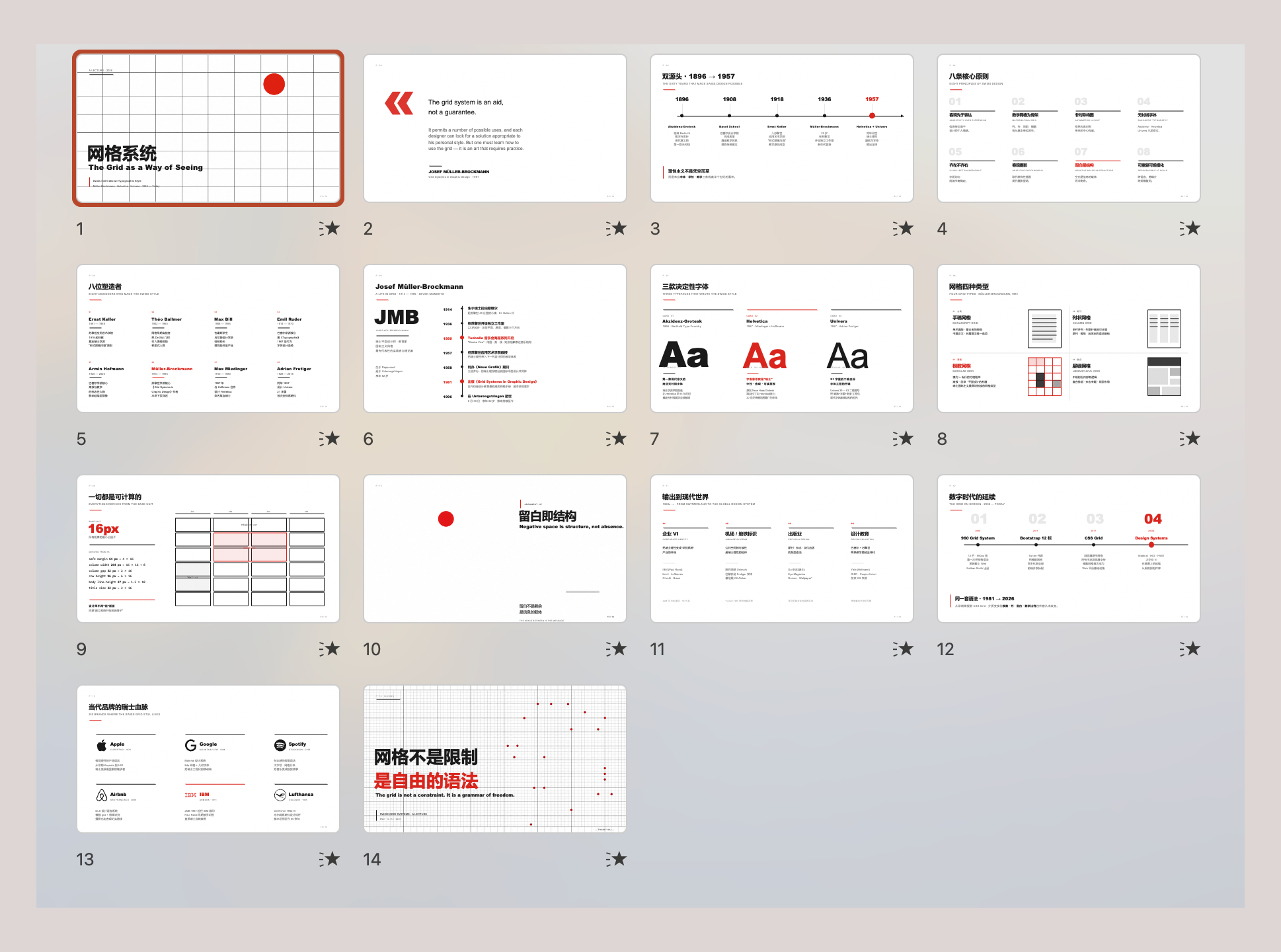 Swiss Grid — strict modular grid, restrained type, red-accent Flip online · Download .pptx |
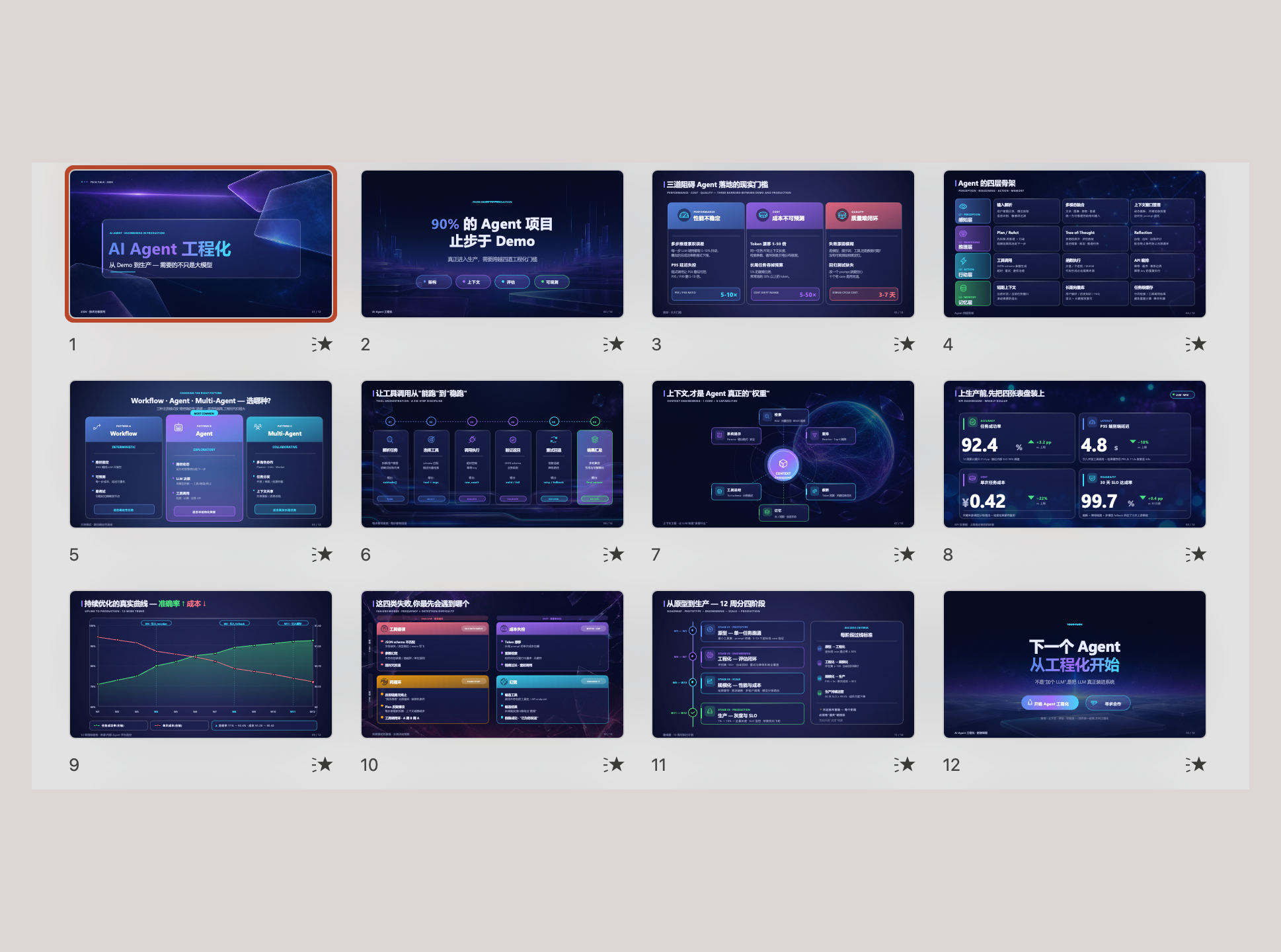 Glassmorphism SaaS — translucent layers, gradient depth, product UI Flip online · Download .pptx |
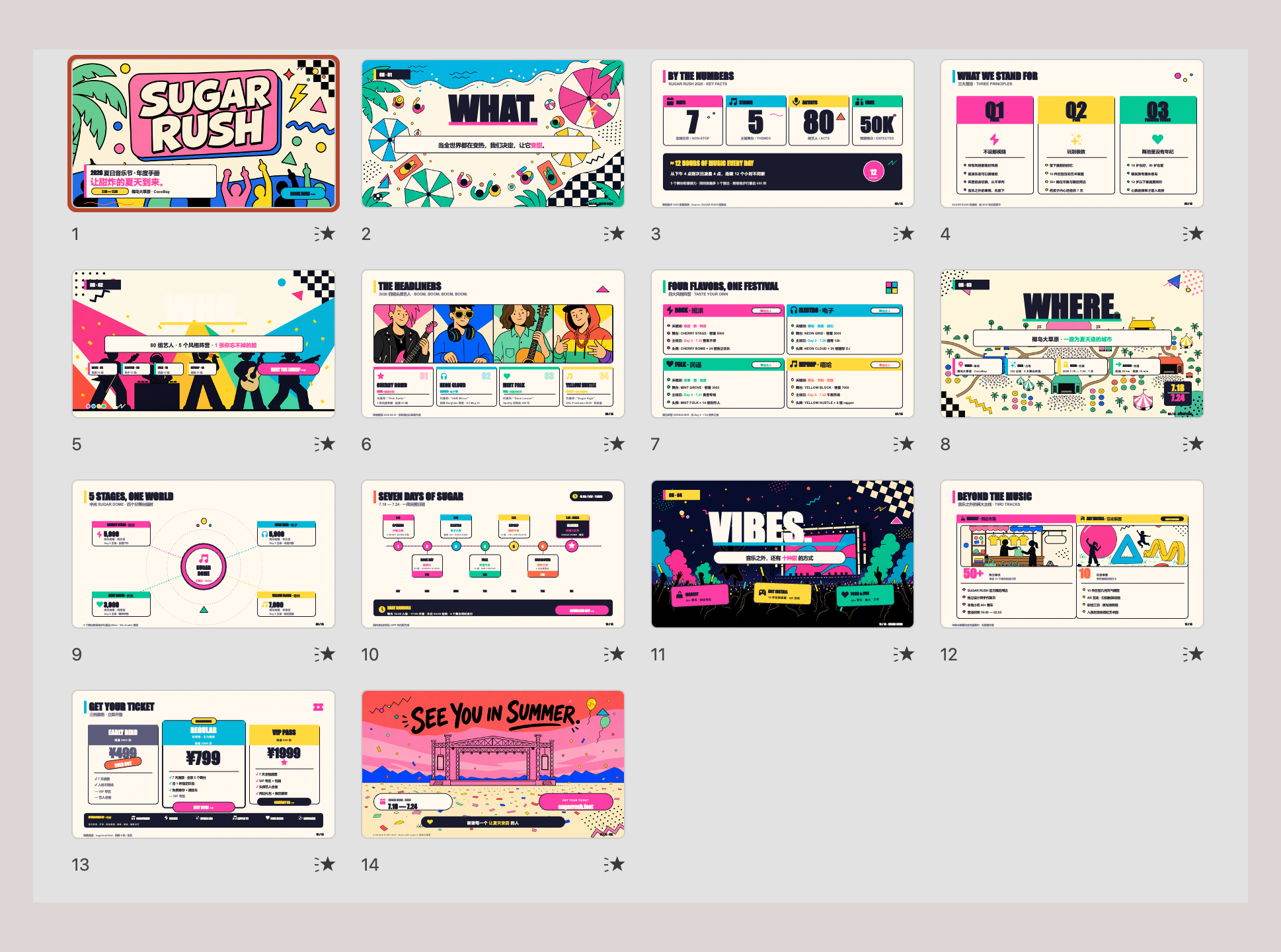 Memphis Pop — bold primaries, geometric patterns, playful energy Flip online · Download .pptx |
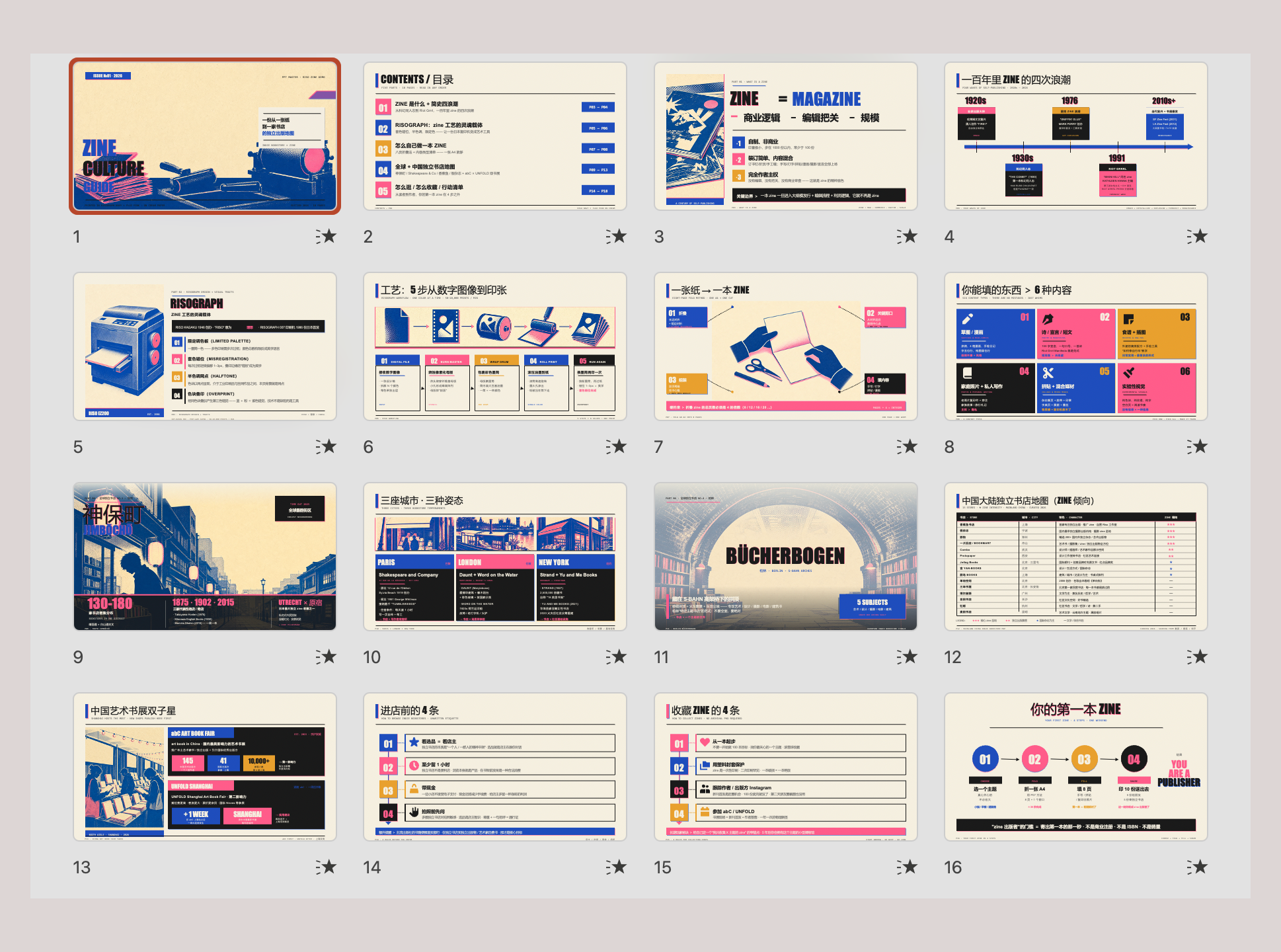 Risograph Zine — duotone print, hand-made bookstore-culture feel Flip online · Download .pptx |
由 Claude Opus 4.7 + gpt-image-2 生成。在线浏览所有示例 → · examples/ 目录 · 为什么选择 PPT Master?
Windows —— 请参阅详细的分步指南 ⚠️
Windows 需要一些额外的步骤(设置 PATH、执行策略等)。我们专门为 Windows 用户编写了一份**分步指南**: **📖 [Windows 安装指南](./docs/windows-installation.md)** —— 10 分钟内从零开始制作出可用的演示文稿。 快速版:从 [python.org](https://www.python.org/downloads/) 下载 Python → 安装时**勾选“Add to PATH”** → `pip install -r requirements.txt` → 完成。macOS / Linux —— 安装即用
``` # macOS brew install python pip install -r requirements.txt # Ubuntu / Debian sudo apt install python3 python3-pip pip install -r requirements.txt ```边缘情况备用方案 —— 99% 的用户不需要
**Pandoc** —— 仅在处理旧版文档格式时需要:`.doc`、`.odt`、`.rtf`、`.tex`、`.rst`、`.org` 或 `.typ`。`.docx`、`.html`、`.epub`、`.ipynb` 由 Python 原生处理 —— 不需要 pandoc。 ``` # macOS brew install pandoc # Ubuntu / Debian sudo apt install pandoc ```• 其他架构:[Zed](https://zed.dev/) 等。 | 内置 agent 的编辑器 | | **IDE 插件 / 扩展** | [GitHub Copilot](https://github.com/features/copilot)、[Claude Code](https://claude.ai/code)(VS Code / JetBrains 扩展)、[Cline](https://cline.bot/)、[Continue](https://continue.dev/)、Roo Code 等。 | 安装在 VS Code 或 JetBrains 等宿主环境中 | | **CLI agent** | [Claude Code](https://claude.ai/code) CLI、[Codex CLI](https://github.com/openai/codex)、[Aider](https://aider.chat/)、Gemini CLI 等。 | 在终端中运行;适合脚本、远程或服务器使用 | **🔑 想使用 Claude / GPT / Gemini 但还没有访问权限?** 项目赞助商 **[PackyCode](https://www.packyapi.com/register?aff=ppt-master)**、**[APIKEY.FUN](https://apikey.fun/register?aff=PPT-MASTER)** 和 **[RunAPI](https://runapi.co/register?aff=WMLJ)** 提供 Claude、GPT、Gemini 等模型的按量计费访问 —— 无需订阅,并为我们的用户提供专属折扣(详情见本页顶部)。 **🔀 正在同时使用多个提供商?** 当您拥有不止一家的密钥时,[cc-switch](https://github.com/farion1231/cc-switch) —— 一款跨平台桌面应用 —— 可以让您一键切换 Claude Code、Codex、Gemini CLI 等的 API 提供商,无需手动编辑配置。 ### 3. 设置 **选项 A —— 下载 ZIP**(不需要 Git):在 [GitHub 页面](https://github.com/hugohe3/ppt-master)点击 **Code → Download ZIP**,然后解压。 **选项 B —— Git clone**(需要安装 [Git](https://git-scm.com/downloads)): ``` git clone https://github.com/hugohe3/ppt-master.git cd ppt-master ``` 然后安装依赖: ``` pip install -r requirements.txt ``` 以后如需更新(选项 A / B):`python3 skills/ppt-master/scripts/update_repo.py` ### 4. 创建 **提供源材料(推荐):** 将您的 PDF、DOCX、图片或其他文件放入 `projects/` 目录,然后告诉 AI 聊天面板要使用哪些文件。获取路径最快的方法是:在文件管理器或 IDE 侧边栏中右键单击该文件 → **复制路径**(或 **复制相对路径**),然后直接粘贴到聊天中。 ``` You: Please create a PPT from projects/q3-report/sources/report.pdf ``` **直接粘贴内容:** 您也可以将文本内容直接粘贴到聊天窗口中,AI 会根据它生成 PPT。 ``` You: Please turn the following into a PPT: [paste your content here...] ``` 无论哪种方式,AI 都会首先确认设计规范: ``` AI: Sure. Let's confirm the design spec: [Template] B) Free design [Format] PPT 16:9 [Pages] 8-10 pages ... ``` AI 会处理一切 —— 内容分析、视觉设计、SVG 生成以及 PPTX 导出。 ### 5. 获取图片(可选) 对于非用户提供的图片,有两种途径,可以在同一个演示文稿中按行混合使用: 对于基于 API 的功能,请将凭据放入 `.env` 中。Clone 安装可以使用 `cp .env.example .env`;技能市场安装应使用持久化的用户配置: ``` mkdir -p ~/.ppt-master cp /path/to/installed/ppt-master/.env.example ~/.ppt-master/.env ``` PPT Master 会首先读取当前进程环境,然后按以下顺序读取找到的第一个 `.env`:当前工作目录、技能目录(例如 `~/.agents/skills/ppt-master/.env`)、clone 的仓库根目录、`~/.ppt-master/.env`。 **A) AI 生成** —— `image_gen.py`。设置 `IMAGE_BACKEND` 以及提供商的 `*_API_KEY`(`OPENAI_API_KEY`、`GEMINI_API_KEY` 等),pipeline 会自动调用它。运行 `python3 skills/ppt-master/scripts/image_gen.py --list-backends` 获取完整的 backend 列表。`gpt-image-2` 目前是最佳默认选项。 **B) 网络图片搜索** —— `image_search.py`。**零配置即可使用**,但配置 `PEXELS_API_KEY` / `PIXABAY_API_KEY`(均为免费)可以获得更高质量的结果。在没有密钥的情况下,搜索仅使用 Openverse / Wikimedia Commons;这作为备用方案很有用,但由于许多搜索结果是普通用户上传的,图片质量参差不齐。配置密钥后,默认的提供商链还会增加 Pexels / Pixabay,这能显著改善现代图库摄影、人物、职场、生活方式和插图的覆盖范围。默认以质量优先:会综合考虑 CC0、Public Domain、Pexels / Pixabay 无需署名许可、CC BY 和 CC BY-SA,并且当所选图片需要署名时,Executor 会添加小型的内嵌出处说明。仅当幻灯片完全无法容忍任何署名行时,才使用 `--strict-no-attribution`。对于极具视觉冲击力的封面、产品图、人像和品牌场景,请优先采用此顺序:用户提供的高分辨率素材 / AI 生成 > 带有 Pexels / Pixabay 密钥的网络搜索 > 零配置网络搜索。 ## 文 | | 文档 | 描述 | |---|----------|-------------| | 📘 | [快速开始](./docs/getting-started.md) | 3步完成第一份演示文稿,以及如何使用模板、实时预览、动画、旁白、声音克隆(**新用户从这里开始**) | | 🆚 | [为什么选择 PPT Master](./docs/why-ppt-master.md) | 与 Gamma、Copilot 等 AI 工具的对比 | | 🪟 | [Windows 安装](./docs/windows-installation.md) | 专为 Windows 用户编写的分步设置指南 | | 📖 | [SKILL.md](./skills/ppt-master/SKILL.md) | 核心 workflow 和规则 | | 📐 | [画布格式](./skills/ppt-master/references/canvas-formats.md) | PPT 16:9、小红书、微信等 10 多种格式 | | 🛠️ | [脚本和工具](./skills/ppt-master/scripts/README.md) | 所有脚本和命令 | | 💼 | [示例](./examples/README.md) | 所有示例项目 | | 🏗️ | [技术设计](./docs/technical-design.md) | 架构、设计理念,为什么使用 SVG | | ❓ | [常见问题](./docs/faq.md) | 模型选择、成本、布局故障排查、自定义模板 | ## 许可证 [MIT](LICENSE) ## 相关工具 [cc-switch](https://github.com/farion1231/cc-switch) —— 一款跨平台桌面应用,用于管理并一键切换 Claude Code、Codex、Gemini CLI 等的 API 提供商。在上述任何 agent 中运行 PPT Master 时非常实用。 ## 赞助商与支持 PPT Master 目前主要由我构建和维护。每一个新模板、bug 修复和文档更新都需要持续的资源投入 —— 目前由以下赞助商和个人支持者共同分担。 **企业赞助商**
**个人支持**
如果 PPT Master 对您有所帮助,任何金额的个人支持都有助于项目继续发展并保持免费。
由 [Hugo He](https://www.hehugo.com/) 用 ❤️ 打造 —— 如果这个项目对您有帮助,请给它点个 ⭐,并考虑[赞助](#sponsors--support)。
官方发布渠道:GitHub(主要) · AtomGit(镜像)。其他平台上的转载均为非官方。采用 MIT 许可证 —— 需要署名。
[⬆ 返回顶部](#ppt-master--ai-generates-natively-editable-pptx-from-any-document)标签:AI Agent, PPT生成, 人工智能, 办公效率, 文档处理, 用户模式Hook绕过, 自动化生成