asheshgoplani/agent-deck
GitHub: asheshgoplani/agent-deck
一款终端 AI 编程 agent 会话管理器,用单一 TUI 界面统一调度多种 AI 工具,解决多会话并行管理的混乱问题。
Stars: 18 | Forks: 6

# Agent Deck
**您的 AI agent 指挥中心**
[](https://github.com/asheshgoplani/agent-deck/stargazers)
[](https://github.com/asheshgoplani/agent-deck/releases)
[](https://go.dev)
[](LICENSE)
[](https://github.com/asheshgoplani/agent-deck)
[](https://github.com/asheshgoplani/agent-deck/releases)
[](https://discord.gg/e4xSs6NBN8)
[功能](#features) . [Conductor](#conductor) . [安装](#installation) . [快速开始](#quick-start) . [文档](#documentation) . [Discord](https://discord.gg/e4xSs6NBN8) . [常见问题](#faq)
向 AI 询问关于 Agent Deck 的问题
**选项 1:Claude Code Skill**(推荐 Claude Code 用户使用)
```
/plugin marketplace add asheshgoplani/agent-deck
/plugin install agent-deck@agent-deck-help
```
然后问:*"How do I set up MCP pooling?"*
**选项 2:OpenCode**(内置 Claude skill 兼容性)
```
# 创建技能目录
mkdir -p ~/.claude/skills/agent-deck/references
# 下载技能和参考
curl -sL https://raw.githubusercontent.com/asheshgoplani/agent-deck/main/skills/agent-deck/SKILL.md \
> ~/.claude/skills/agent-deck/SKILL.md
for f in cli-reference config-reference tui-reference troubleshooting; do
curl -sL "https://raw.githubusercontent.com/asheshgoplani/agent-deck/main/skills/agent-deck/references/${f}.md" \
> ~/.claude/skills/agent-deck/references/${f}.md
done
```
OpenCode 将自动从 `~/.claude/skills/` 发现 skill。
**选项 3:任意 LLM**(ChatGPT、Claude、Gemini 等)
```
Read https://raw.githubusercontent.com/asheshgoplani/agent-deck/main/llms-full.txt
and answer: How do I fork a session?
```
https://github.com/user-attachments/assets/e4f55917-435c-45ba-92cc-89737d0d1401
## 问题所在
在 10 个项目上运行 Claude Code?在另外 5 个上运行 OpenCode?还有另一个 agent 在后台某处运行?
**管理多个 AI 会话很快就会变得一团糟。** 终端标签页太多。很难跟踪什么在运行、什么在等待、什么已完成。在项目之间切换意味着要在窗口间搜寻。
## 解决方案
**Agent Deck 是您 AI 编码 agent 的任务控制中心。**
一个终端。所有 agent。完全可见。
- **一目了然** —— 即时查看每个 agent 的运行、等待或空闲状态
- **毫秒级切换** —— 单次按键即可在任何会话之间跳转
- **保持条理** —— 分组、搜索、通知和 git worktree 让一切井井有条
## 功能
### Fork 会话
尝试不同的方法而不丢失上下文。即时 fork 任何 Claude 对话。每个 fork 都继承完整的对话历史。
- 按 `f` 快速 fork,按 `F` 自定义名称/分组
- Fork 您的 fork,探索您需要的任意多个分支
### MCP 管理器
无需触碰配置文件即可附加 MCP server。需要网页搜索?浏览器自动化?按项目或全局切换它们。Agent Deck 自动处理重启。
- 按 `m` 打开,`Space` 切换,`Tab` 切换范围(LOCAL/GLOBAL),输入以跳转
- 在 `~/.agent-deck/config.toml` 中定义一次您的 MCP,然后按会话切换 —— 请参阅 [配置参考](skills/agent-deck/references/config-reference.md)
### Skills 管理器
通过托管池工作流按项目附加/分离 Claude skills。
- 按 `s` 为 Claude 会话打开 Skills 管理器
- 可用列表仅限池内(`~/.agent-deck/skills/pool`),以保持附加/分离的确定性
- Apply 将项目状态写入 `.agent-deck/skills.toml` 并具体化到 `.claude/skills`
- 对话框支持输入跳转(与 MCP 管理器模式相同)
### MCP Socket Pool
运行许多会话?Socket 池通过 Unix sockets 在所有会话间共享 MCP 进程,将 MCP 内存使用量减少 85-90%。通过重连代理,连接可在约 3 秒内从 MCP 崩溃中自动恢复。在 [config.toml](skills/agent-deck/references/config-reference.md) 中设置 `pool_all = true` 以启用。
### 搜索
按 `/` 在所有会话中进行模糊搜索。使用 `!`(运行中)、`@`(等待中)、`#`(空闲)、`$`(错误)按状态过滤。按 `G` 在所有 Claude 对话中进行全局搜索。
### 状态检测
智能轮询检测每个 agent 当前正在做什么:
| 状态 | 符号 | 含义 |
|--------|--------|---------------|
| **运行中** | `●` 绿色 | Agent 正在工作中 |
| **等待中** | `◐` 黄色 | 需要您的输入 |
| **空闲** | `○` 灰色 | 准备接收命令 |
| **错误** | `✕` 红色 | 出了点问题 |
### 通知栏
等待中的会话直接显示在您的 tmux 状态栏中。按 `Ctrl+b`,松开,然后按 `1`–`6` 直接跳转到它们。
```
⚡ [1] frontend [2] api [3] backend
```
### Git Worktrees
多个 agent 可以在同一个 repo 上工作而不会冲突。每个 worktree 都是一个独立的工作目录,拥有自己的分支。
- `agent-deck add . -c claude --worktree feature/a --new-branch` 在新的 worktree 中创建会话
- `agent-deck add . --worktree feature/b -b --location subdirectory` 将 worktree 放置在 repo 内的 `.worktrees/` 下
- `agent-deck worktree finish "My Session"` 合并分支、移除 worktree 并删除会话
- `agent-deck worktree cleanup` 查找并移除孤立的 worktree
在 `~/.agent-deck/config.toml` 中配置默认 worktree 位置:
```
[worktree]
default_location = "subdirectory" # "sibling" (default), "subdirectory", or a custom path
```
`sibling` 在 repo 旁边创建 worktree(`repo-branch`)。`subdirectory` 在 repo 内部创建它们(`repo/.worktrees/branch`)。自定义路径如 `~/worktrees` 或 `/tmp/worktrees` 会在 `
//` 创建 repo 命名空间的 worktree。`--location` 标志可按会话覆盖配置。
### Docker 沙箱
在隔离的 Docker 容器内运行会话。项目目录以读写方式绑定挂载,因此 agent 可以处理您的代码,而系统的其余部分保持受保护。
- 创建会话时勾选 "Run in Docker sandbox",或在配置中设置 `default_enabled = true`
- 在沙箱会话上按 `T` 打开容器 shell
- `agent-deck try "task description"` 运行一次性沙箱会话
主机工具认证(Claude、Gemini、Codex 等)通过共享沙箱目录自动共享到容器中 —— 无需重新认证。在 macOS 上,Keychain 凭据也会被提取。
```
[docker]
default_enabled = true
mount_ssh = true
```
请参阅 [Docker 沙箱指南](skills/agent-deck/references/sandbox.md) 获取完整参考,包括 overlay 详情、自定义镜像和故障排除。
### Conductor
Conductor 是持久的 Claude Code 会话,负责监控和编排您所有其他会话。它们监视需要帮助的会话,在确信时自动响应,并在无法处理时升级给您。可选连接 **Telegram** 和/或 **Slack** 进行远程控制。
每个 profile 按需创建任意数量的 conductor:
```
# 首次设置(询问 Telegram/Slack,然后创建 conductor)
agent-deck -p work conductor setup ops --description "Ops monitor"
# 向同一 profile 添加更多 conductor(无提示)
agent-deck -p work conductor setup infra --description "Infra watcher"
agent-deck conductor setup personal --description "Personal project monitor"
```
每个 conductor 都有自己的目录、身份和设置:
```
~/.agent-deck/conductor/
├── CLAUDE.md # Shared knowledge (CLI ref, protocols, rules)
├── bridge.py # Bridge daemon (Telegram/Slack, if configured)
├── ops/
│ ├── CLAUDE.md # Identity: "You are ops, a conductor for the work profile"
│ ├── meta.json # Config: name, profile, description
│ ├── state.json # Runtime state
│ └── task-log.md # Action log
└── infra/
├── CLAUDE.md
└── meta.json
```
**CLI 命令:**
```
agent-deck conductor list # List all conductors
agent-deck conductor list --profile work # Filter by profile
agent-deck conductor status # Health check (all)
agent-deck conductor status ops # Health check (specific)
agent-deck conductor teardown ops # Stop a conductor
agent-deck conductor teardown --all --remove # Remove everything
```
**Telegram 桥接**(可选):连接 Telegram bot 进行移动监控。桥接使用 `name: message` 前缀将消息路由到特定的 conductor:
```
ops: check the frontend session → routes to conductor-ops
infra: restart all error sessions → routes to conductor-infra
/status → aggregated status across all profiles
```
**Slack 桥接**(可选):通过 Socket Mode 连接 Slack bot 进行基于频道的监控。Bot 在专用频道中监听并在线程中回复以保持频道整洁。使用相同的 `name: message` 路由,以及斜杠命令:
```
ops: check the frontend session → routes to conductor-ops (reply in thread)
/ad-status → aggregated status across all profiles
/ad-sessions → list all sessions
/ad-restart [name] → restart a conductor
/ad-help → list available commands
```
Slack 设置
1. 在 [api.slack.com/apps](https://api.slack.com/apps) 创建一个 Slack app
2. 启用 **Socket Mode** → 生成一个 app-level token(`xapp-...`)
3. 在 **OAuth & Permissions** 下,添加 bot scopes:`chat:write`、`channels:history`、`channels:read`、`app_mentions:read`
4. 在 **Event Subscriptions** 下,订阅 bot events:`message.channels`、`app_mention`
5. 如果使用斜杠命令,创建:`/ad-status`、`/ad-sessions`、`/ad-restart`、`/ad-help`
6. 将 app 安装到您的 workspace
7. 邀请 bot 到您的频道(`/invite @botname`)
8. 运行 `agent-deck conductor setup ` 并输入您的 bot token(`xoxb-...`)、app token(`xapp-...`)和 channel ID(`C01234...`)
Telegram 和 Slack 可以同时运行 —— 桥接守护进程并发处理两者,并按需中继响应,以及向配置的平台发送定期心跳警报。
**内置状态驱动通知**:conductor 设置还会安装一个转换通知守护进程(`agent-deck notify-daemon`),它监视状态转换并在子会话从 `running` 变为 `waiting|error|idle` 时发送父级提醒。
**心跳驱动监控**:心跳仍按配置的间隔(默认 15 分钟)运行,作为辅助安全网。如果 conductor 响应包含 `NEED:`,桥接会将该警报转发到 Telegram 和/或 Slack。
**自动化期间的权限提示**:如果 conductor 经常在权限请求上暂停,请在 `~/.agent-deck/config.toml` 中设置 `[claude].allow_dangerous_mode = true`(或 `dangerous_mode = true`),然后运行 `agent-deck session restart conductor-`。请参阅 [故障排除](skills/agent-deck/references/troubleshooting.md#conductor-keeps-asking-for-permissions)。
**旧版外部监视脚本**:仅作可选。`~/.agent-deck/events/` 不是通知路由所必需的。
**从 conductor 内部启动会话**:
```
# 继承当前 conductor 作为父级(当 AGENT_DECK_SESSION_ID 设置时默认)
agent-deck -p work launch . -t "child-task" -c claude -m "Do task"
# 保留父级通知并强制使用自定义组
agent-deck -p work launch . -t "review-phantom" -g ard -c claude -m "Review dataset"
# 支持直接使用带额外参数的 Tool 命令
agent-deck -p work launch . -c "codex --dangerously-bypass-approvals-and-sandbox"
```
当 `--cmd` 包含额外参数时,agent-deck 会自动包装工具命令,以便可靠地保留参数。
仅当您明确希望禁用父级路由/通知时才使用 `--no-parent`。
### 多工具支持
Agent Deck 适用于任何基于终端的 AI 工具:
| 工具 | 集成级别 |
|------|-------------------|
| **Claude Code** | 完整(状态、MCP、fork、resume) |
| **Gemini CLI** | 完整(状态、MCP、resume) |
| **OpenCode** | 状态检测、组织 |
| **Codex** | 状态检测、组织 |
| **Cursor**(终端) | 状态检测、组织 |
| **自定义工具** | 可通过 config.toml 中的 `[tools.*]` 配置 |
## 安装
**适用于:** macOS、Linux、Windows (WSL)
```
curl -fsSL https://raw.githubusercontent.com/asheshgoplani/agent-deck/main/install.sh | bash
```
然后运行:`agent-deck`
其他安装方式
**Homebrew**
```
brew install asheshgoplani/tap/agent-deck
```
**Go**
```
go install github.com/asheshgoplani/agent-deck/cmd/agent-deck@latest
```
**从源码**
```
git clone https://github.com/asheshgoplani/agent-deck.git && cd agent-deck && make install
```
### Claude Code Skill
安装 agent-deck skill 以进行 AI 辅助的会话管理:
```
/plugin marketplace add asheshgoplani/agent-deck
/plugin install agent-deck@agent-deck
```
卸载
```
agent-deck uninstall # Interactive uninstall
agent-deck uninstall --keep-data # Remove binary only, keep sessions
```
有关完整详情,请参阅 [故障排除](skills/agent-deck/references/troubleshooting.md#uninstalling)。
## 快速开始
```
agent-deck # Launch TUI
agent-deck add . -c claude # Add current dir with Claude
agent-deck session fork my-proj # Fork a Claude session
agent-deck mcp attach my-proj exa # Attach MCP to session
agent-deck skill attach my-proj docs --source pool --restart # Attach skill + restart
agent-deck web # Start web UI on http://127.0.0.1:8420
```
### Web 模式
打开左侧菜单 + 浏览器终端 UI:
```
agent-deck web
```
只读浏览器模式(仅输出):
```
agent-deck web --read-only
```
更改监听地址(默认:`127.0.0.1:8420`):
```
agent-deck web --listen 127.0.0.1:9000
```
使用 bearer token 保护 API + WebSocket 访问:
```
agent-deck web --token my-secret
# 然后打开:http://127.0.0.1:8420/?token=my-secret
```
### 按键快捷键
| 按键 | 操作 |
|-----|--------|
| `Enter` | 附加到会话 |
| `n` | 新建会话 |
| `f` / `F` | Fork(快速 / 对话框) |
| `m` | MCP 管理器 |
| `s` | Skills 管理器(Claude) |
| `M` | 移动会话到分组 |
| `S` | 设置 |
| `/` / `G` | 搜索 / 全局搜索 |
| `r` | 重启会话 |
| `d` | 删除 |
| `S` | 设置 |
| `T` | 容器 shell(沙箱会话) |
| `?` | 完整帮助 |
有关所有快捷键,请参阅 [TUI 参考](skills/agent-deck/references/tui-reference.md);有关所有命令,请参阅 [CLI 参考](skills/agent-deck/references/cli-reference.md)。
## 文档
| 指南 | 内容 |
|-------|---------------|
| [CLI 参考](skills/agent-deck/references/cli-reference.md) | 命令、标志、示例 |
| [配置](skills/agent-deck/references/config-reference.md) | config.toml、MCP 设置、自定义工具、socket 池、skills 注册表路径、docker |
| [Docker 沙箱](skills/agent-deck/references/sandbox.md) | 容器、overlay、自定义镜像、故障排除 |
| [TUI 参考](skills/agent-deck/references/tui-reference.md) | 键盘快捷键、状态指示器、导航 |
| [故障排除](skills/agent-deck/references/troubleshooting.md) | 常见问题、调试、恢复、卸载 |
其他资源:
- [CONTRIBUTING.md](CONTRIBUTING.md) — 如何贡献
- [CHANGELOG.md](CHANGELOG.md) — 发布历史
- [llms-full.txt](llms-full.txt) — LLM 的完整上下文
### 更新
Agent Deck 自动检查更新。
- 独立/手动安装:运行 `agent-deck update` 进行安装。
- Homebrew 安装:运行 `brew upgrade asheshgoplani/tap/agent-deck`。
- 可选:在 [config.toml](skills/agent-deck/references/config-reference.md) 中设置 `auto_update = true` 以获取自动更新提示。
## 常见问题
这与直接使用 tmux 有什么不同?
Agent Deck 在 tmux 之上添加了 AI 特有的智能:智能状态检测(知道 Claude 何时在思考 vs. 等待)、带有上下文继承的会话 fork、MCP 管理、跨对话的全局搜索以及有组织的分组。可以把它看作是 tmux 加上 AI 感知能力。
我可以在 Windows 上使用它吗?
可以,通过 WSL(Windows Subsystem for Linux)。[安装 WSL](https://learn.microsoft.com/en-us/windows/wsl/install),然后在 WSL 内运行安装程序。推荐使用 WSL2 以获得完整的功能支持,包括 MCP socket 池。
我可以在每个 profile 中使用不同的 Claude 账户/配置吗?
可以。设置一个全局 Claude 配置目录,然后在 `~/.agent-deck/config.toml` 中添加可选的按 profile 覆盖:
```
[claude]
config_dir = "~/.claude" # Global default
[profiles.work.claude]
config_dir = "~/.claude-work" # Work account
```
使用目标 profile 运行:
```
agent-deck -p work
```
您可以使用以下命令验证哪个 Claude 配置路径处于活动状态:
```
agent-deck hooks status
agent-deck hooks status -p work
```
有关完整详情,请参阅 [配置参考](skills/agent-deck/references/config-reference.md#claude-section)。
它会干扰我现有的 tmux 设置吗?
不会。Agent Deck 使用前缀 `agentdeck_*` 创建自己的 tmux 会话。您现有的会话不会被触动。安装程序会在添加可选配置之前备份您的 `~/.tmux.conf`,您可以使用 `--skip-tmux-config` 跳过它。
## 开发
```
make build # Build
make test # Test
make lint # Lint
```
详情请参阅 [CONTRIBUTING.md](CONTRIBUTING.md)。
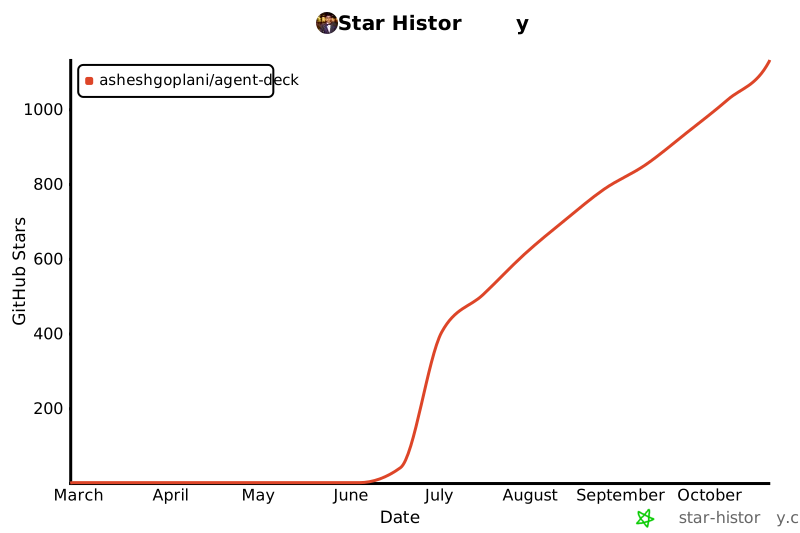
## Star History
如果 Agent Deck 为您节省了时间,请给我们一个 star!这有助于其他人发现该项目。
[](https://star-history.com/#asheshgoplani/agent-deck&Date)
## 许可证
MIT 许可证 —— 请参阅 [LICENSE](LICENSE)
使用 [Bubble Tea](https://github.com/charmbracelet/bubbletea) 和 [tmux](https://github.com/tmux/tmux) 构建
**[文档](skills/agent-deck/references/) . [Discord](https://discord.gg/e4xSs6NBN8) . [问题](https://github.com/asheshgoplani/agent-deck/issues) . [讨论](https://github.com/asheshgoplani/agent-deck/discussions)**
标签:AI 编程代理, AI 编程助手, Claude, Codex, CVE检测, DNS解析, EVTX分析, EVTX分析, Gemini, Golang, OpenCode, Shell 工具, TUI, 命令中心, 多路复用器, 威胁情报, 安全编程, 开发者工具, 开源项目, 效率工具, 日志审计, 终端会话管理, 请求拦截