Henrique-Gomesz/joeyscan4me
GitHub: Henrique-Gomesz/joeyscan4me
一个基于 Go 的集成侦察工具包,组合 Subfinder、HTTPX、Katana 与 Gowitness,实现子域名枚举、HTTP 探测、爬取与截图的一站式自动化。
Stars: 0 | Forks: 0
# JoeyScan4Me
一个易于使用的侦察工具包,用于子域名枚举、HTTP 探测、网页爬取和截图捕获。
 ## 功能
- **子域名枚举**:使用 [Subfinder](https://github.com/projectdiscovery/subfinder) 发现子域名
- **HTTP 探测**:使用 [HTTPX](https://github.com/projectdiscovery/httpx) 识别活跃的 Web 服务
- **网页爬取**:使用 [Katana](https://github.com/projectdiscovery/katana) 爬取发现的网站,结果按子域名分别存储在独立的 `crawling/` 文件夹中
- **截图捕获与仪表板**:使用 [Gowitness](https://github.com/sensepost/gowitness) 捕获截图并存储到数据库,提供用于浏览的 Web 仪表板
- **断点续传**:使用 `-r` 重新运行扫描时,会跳过已完成阶段的输出,直接从上次中断处继续
## 安装
你需要 Go 1.21 或更高版本。
## 从源码安装
```
go install github.com/henrique-gomesz/joeyscan4me/cmd/joeyscan4me@main
```
## 最新稳定版(v1.2.0)
```
go install github.com/henrique-gomesz/joeyscan4me/cmd/joeyscan4me@latest
```
## 手动编译
```
git clone https://github.com/henrique-gomesz/joeyscan4me.git
cd JoeyScan4Me
go build -o joeyscan4me cmd/joeyscan4me/main.go
```
## 使用方法
```
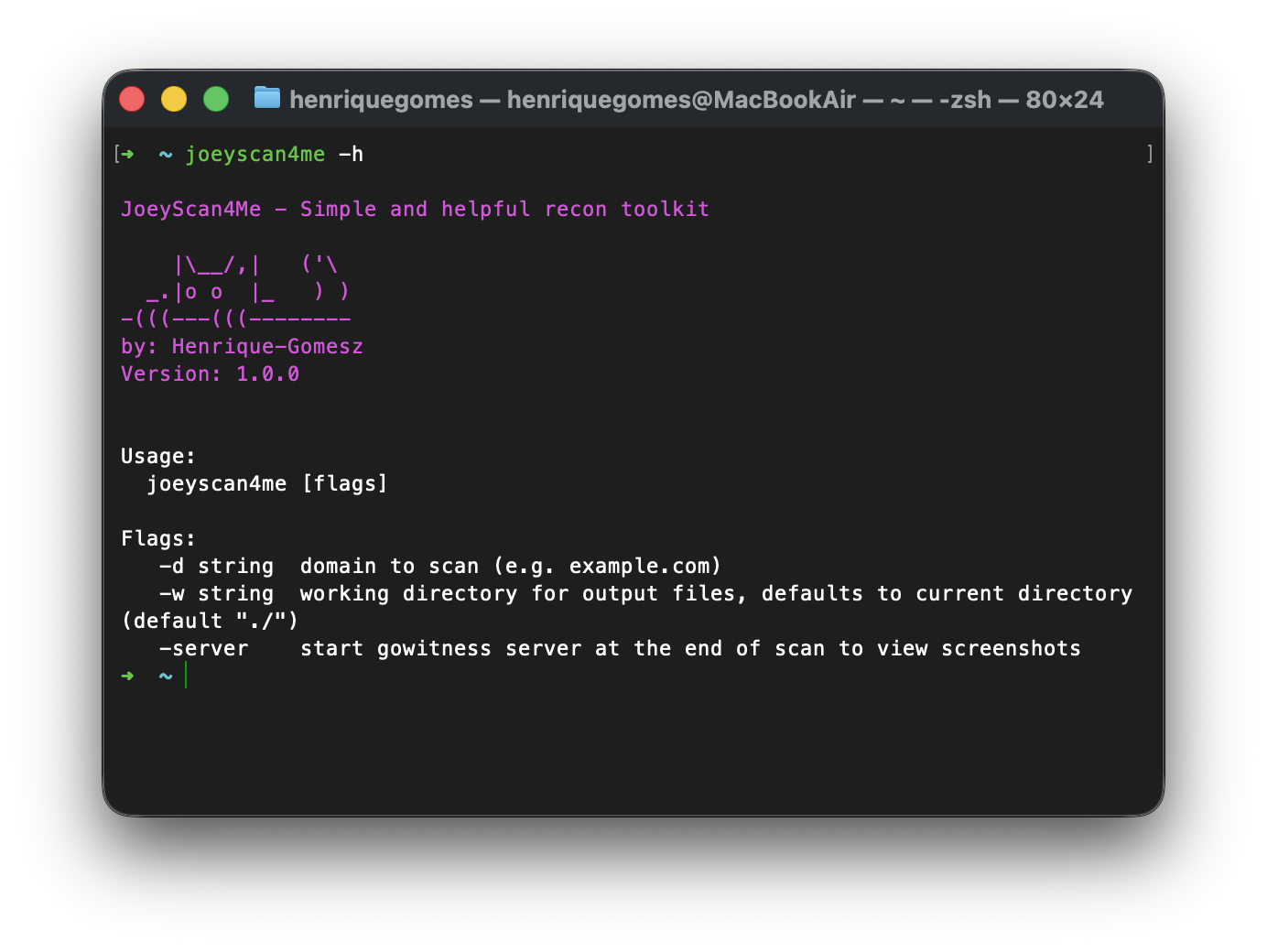
$ joeyscan4me -h
JoeyScan4Me - Simple and helpful recon toolkit
|\__/,| ('\
_.|o o |_ ) )
-(((---(((--------
by: Henrique-Gomesz
Usage:
joeyscan4me [flags]
Flags:
-d string domain to scan (e.g. example.com)
-w string working directory for output files, defaults to current directory (default "./")
-r resume an existing scan, skipping stages whose output already exists
-server start gowitness server at the end of scan to view screenshots
-profile string scan profile: balanced, stealth, aggressive, bugbounty (default "balanced")
-summary-json write scan summary as JSON file (default true)
-summary-file string scan summary JSON output filename (default "scan_summary.json")
# Subfinder tuning
-subfinder-threads int number of subfinder threads (default 10)
-subfinder-timeout int subfinder timeout in seconds (default 30)
-subfinder-max-time int subfinder max enumeration time in minutes (default 10)
# HTTPX tuning
-httpx-threads int number of httpx threads (default 50)
-httpx-rate-limit int httpx requests per second (default 150)
-httpx-timeout int httpx timeout in seconds (default 10)
-httpx-ports string custom ports list (nmap-style), e.g. "80,443,8080" or "http:80,https:8443"
# Katana tuning
-katana-depth int maximum katana crawl depth (default 3)
-katana-timeout int katana timeout in seconds (default 10)
-katana-concurrency int katana concurrent crawling goroutines (default 100)
-katana-parallelism int katana URL processing goroutines (default 100)
-katana-rate-limit int katana requests per second (default 150)
```
## 示例
对 example.com 执行扫描并在最后启动 gowitness 服务:
```
joeyscan4me -d example.com -w /path/to/output -server
```
激进侦察配置(自定义 HTTP 端口):
```
joeyscan4me \
-d example.com \
-w /path/to/output \
-httpx-threads 500 \
-httpx-rate-limit 500 \
-httpx-ports "66,80,81,82,83,84,85,86,87,88,89,90,443,444,445,3000,3001,3002,8080,8081,8082,8443,8888,9000,9443,10000,20000,30000,50000,65535" \
-katana-depth 4 \
-katana-concurrency 150 \
-katana-parallelism 150
```
漏洞赏金配置(预配置为广泛的 Web 端口和高吞吐量):
```
joeyscan4me -d example.com -profile bugbounty
```
带自定义覆盖的漏洞赏金配置(按你自己的节奏):
```
joeyscan4me \
-d example.com \
-profile bugbounty \
-httpx-rate-limit 300 \
-katana-rate-limit 180
```
低调配置(降低噪音):
```
joeyscan4me -d example.com -profile stealth
```
禁用 JSON 摘要文件:
```
joeyscan4me -d example.com -summary-json=false
```
恢复中断的扫描(跳过已完成阶段):
```
joeyscan4me -d example.com -r
```
## 输出文件
输出文件将存储在指定的工作目录(默认为当前目录)中,结构如下:
```
/output
├── example.com/
│ ├── subdomains.txt # List of discovered subdomains
│ ├── up_subdomains.txt # List of live HTTP services
│ ├── up_subdomains_with_tech.txt # Live services with technology detection
│ ├── scan_summary.json # Consolidated scan summary and counts
│ ├── crawling/ # Web crawling results, one file per subdomain
│ │ ├── api.example.com.txt
│ │ ├── admin.example.com.txt
│ │ └── ... # One .txt per crawled subdomain
│ └── screenshots/
│ ├── gowitness.sqlite3 # Screenshot database
│ └── ... # Screenshot images
```
## 功能
- **子域名枚举**:使用 [Subfinder](https://github.com/projectdiscovery/subfinder) 发现子域名
- **HTTP 探测**:使用 [HTTPX](https://github.com/projectdiscovery/httpx) 识别活跃的 Web 服务
- **网页爬取**:使用 [Katana](https://github.com/projectdiscovery/katana) 爬取发现的网站,结果按子域名分别存储在独立的 `crawling/` 文件夹中
- **截图捕获与仪表板**:使用 [Gowitness](https://github.com/sensepost/gowitness) 捕获截图并存储到数据库,提供用于浏览的 Web 仪表板
- **断点续传**:使用 `-r` 重新运行扫描时,会跳过已完成阶段的输出,直接从上次中断处继续
## 安装
你需要 Go 1.21 或更高版本。
## 从源码安装
```
go install github.com/henrique-gomesz/joeyscan4me/cmd/joeyscan4me@main
```
## 最新稳定版(v1.2.0)
```
go install github.com/henrique-gomesz/joeyscan4me/cmd/joeyscan4me@latest
```
## 手动编译
```
git clone https://github.com/henrique-gomesz/joeyscan4me.git
cd JoeyScan4Me
go build -o joeyscan4me cmd/joeyscan4me/main.go
```
## 使用方法
```
$ joeyscan4me -h
JoeyScan4Me - Simple and helpful recon toolkit
|\__/,| ('\
_.|o o |_ ) )
-(((---(((--------
by: Henrique-Gomesz
Usage:
joeyscan4me [flags]
Flags:
-d string domain to scan (e.g. example.com)
-w string working directory for output files, defaults to current directory (default "./")
-r resume an existing scan, skipping stages whose output already exists
-server start gowitness server at the end of scan to view screenshots
-profile string scan profile: balanced, stealth, aggressive, bugbounty (default "balanced")
-summary-json write scan summary as JSON file (default true)
-summary-file string scan summary JSON output filename (default "scan_summary.json")
# Subfinder tuning
-subfinder-threads int number of subfinder threads (default 10)
-subfinder-timeout int subfinder timeout in seconds (default 30)
-subfinder-max-time int subfinder max enumeration time in minutes (default 10)
# HTTPX tuning
-httpx-threads int number of httpx threads (default 50)
-httpx-rate-limit int httpx requests per second (default 150)
-httpx-timeout int httpx timeout in seconds (default 10)
-httpx-ports string custom ports list (nmap-style), e.g. "80,443,8080" or "http:80,https:8443"
# Katana tuning
-katana-depth int maximum katana crawl depth (default 3)
-katana-timeout int katana timeout in seconds (default 10)
-katana-concurrency int katana concurrent crawling goroutines (default 100)
-katana-parallelism int katana URL processing goroutines (default 100)
-katana-rate-limit int katana requests per second (default 150)
```
## 示例
对 example.com 执行扫描并在最后启动 gowitness 服务:
```
joeyscan4me -d example.com -w /path/to/output -server
```
激进侦察配置(自定义 HTTP 端口):
```
joeyscan4me \
-d example.com \
-w /path/to/output \
-httpx-threads 500 \
-httpx-rate-limit 500 \
-httpx-ports "66,80,81,82,83,84,85,86,87,88,89,90,443,444,445,3000,3001,3002,8080,8081,8082,8443,8888,9000,9443,10000,20000,30000,50000,65535" \
-katana-depth 4 \
-katana-concurrency 150 \
-katana-parallelism 150
```
漏洞赏金配置(预配置为广泛的 Web 端口和高吞吐量):
```
joeyscan4me -d example.com -profile bugbounty
```
带自定义覆盖的漏洞赏金配置(按你自己的节奏):
```
joeyscan4me \
-d example.com \
-profile bugbounty \
-httpx-rate-limit 300 \
-katana-rate-limit 180
```
低调配置(降低噪音):
```
joeyscan4me -d example.com -profile stealth
```
禁用 JSON 摘要文件:
```
joeyscan4me -d example.com -summary-json=false
```
恢复中断的扫描(跳过已完成阶段):
```
joeyscan4me -d example.com -r
```
## 输出文件
输出文件将存储在指定的工作目录(默认为当前目录)中,结构如下:
```
/output
├── example.com/
│ ├── subdomains.txt # List of discovered subdomains
│ ├── up_subdomains.txt # List of live HTTP services
│ ├── up_subdomains_with_tech.txt # Live services with technology detection
│ ├── scan_summary.json # Consolidated scan summary and counts
│ ├── crawling/ # Web crawling results, one file per subdomain
│ │ ├── api.example.com.txt
│ │ ├── admin.example.com.txt
│ │ └── ... # One .txt per crawled subdomain
│ └── screenshots/
│ ├── gowitness.sqlite3 # Screenshot database
│ └── ... # Screenshot images
```
## 功能
- **子域名枚举**:使用 [Subfinder](https://github.com/projectdiscovery/subfinder) 发现子域名
- **HTTP 探测**:使用 [HTTPX](https://github.com/projectdiscovery/httpx) 识别活跃的 Web 服务
- **网页爬取**:使用 [Katana](https://github.com/projectdiscovery/katana) 爬取发现的网站,结果按子域名分别存储在独立的 `crawling/` 文件夹中
- **截图捕获与仪表板**:使用 [Gowitness](https://github.com/sensepost/gowitness) 捕获截图并存储到数据库,提供用于浏览的 Web 仪表板
- **断点续传**:使用 `-r` 重新运行扫描时,会跳过已完成阶段的输出,直接从上次中断处继续
## 安装
你需要 Go 1.21 或更高版本。
## 从源码安装
```
go install github.com/henrique-gomesz/joeyscan4me/cmd/joeyscan4me@main
```
## 最新稳定版(v1.2.0)
```
go install github.com/henrique-gomesz/joeyscan4me/cmd/joeyscan4me@latest
```
## 手动编译
```
git clone https://github.com/henrique-gomesz/joeyscan4me.git
cd JoeyScan4Me
go build -o joeyscan4me cmd/joeyscan4me/main.go
```
## 使用方法
```
$ joeyscan4me -h
JoeyScan4Me - Simple and helpful recon toolkit
|\__/,| ('\
_.|o o |_ ) )
-(((---(((--------
by: Henrique-Gomesz
Usage:
joeyscan4me [flags]
Flags:
-d string domain to scan (e.g. example.com)
-w string working directory for output files, defaults to current directory (default "./")
-r resume an existing scan, skipping stages whose output already exists
-server start gowitness server at the end of scan to view screenshots
-profile string scan profile: balanced, stealth, aggressive, bugbounty (default "balanced")
-summary-json write scan summary as JSON file (default true)
-summary-file string scan summary JSON output filename (default "scan_summary.json")
# Subfinder tuning
-subfinder-threads int number of subfinder threads (default 10)
-subfinder-timeout int subfinder timeout in seconds (default 30)
-subfinder-max-time int subfinder max enumeration time in minutes (default 10)
# HTTPX tuning
-httpx-threads int number of httpx threads (default 50)
-httpx-rate-limit int httpx requests per second (default 150)
-httpx-timeout int httpx timeout in seconds (default 10)
-httpx-ports string custom ports list (nmap-style), e.g. "80,443,8080" or "http:80,https:8443"
# Katana tuning
-katana-depth int maximum katana crawl depth (default 3)
-katana-timeout int katana timeout in seconds (default 10)
-katana-concurrency int katana concurrent crawling goroutines (default 100)
-katana-parallelism int katana URL processing goroutines (default 100)
-katana-rate-limit int katana requests per second (default 150)
```
## 示例
对 example.com 执行扫描并在最后启动 gowitness 服务:
```
joeyscan4me -d example.com -w /path/to/output -server
```
激进侦察配置(自定义 HTTP 端口):
```
joeyscan4me \
-d example.com \
-w /path/to/output \
-httpx-threads 500 \
-httpx-rate-limit 500 \
-httpx-ports "66,80,81,82,83,84,85,86,87,88,89,90,443,444,445,3000,3001,3002,8080,8081,8082,8443,8888,9000,9443,10000,20000,30000,50000,65535" \
-katana-depth 4 \
-katana-concurrency 150 \
-katana-parallelism 150
```
漏洞赏金配置(预配置为广泛的 Web 端口和高吞吐量):
```
joeyscan4me -d example.com -profile bugbounty
```
带自定义覆盖的漏洞赏金配置(按你自己的节奏):
```
joeyscan4me \
-d example.com \
-profile bugbounty \
-httpx-rate-limit 300 \
-katana-rate-limit 180
```
低调配置(降低噪音):
```
joeyscan4me -d example.com -profile stealth
```
禁用 JSON 摘要文件:
```
joeyscan4me -d example.com -summary-json=false
```
恢复中断的扫描(跳过已完成阶段):
```
joeyscan4me -d example.com -r
```
## 输出文件
输出文件将存储在指定的工作目录(默认为当前目录)中,结构如下:
```
/output
├── example.com/
│ ├── subdomains.txt # List of discovered subdomains
│ ├── up_subdomains.txt # List of live HTTP services
│ ├── up_subdomains_with_tech.txt # Live services with technology detection
│ ├── scan_summary.json # Consolidated scan summary and counts
│ ├── crawling/ # Web crawling results, one file per subdomain
│ │ ├── api.example.com.txt
│ │ ├── admin.example.com.txt
│ │ └── ... # One .txt per crawled subdomain
│ └── screenshots/
│ ├── gowitness.sqlite3 # Screenshot database
│ └── ... # Screenshot images
```
标签:EVTX分析, Gowitness, Go语言, HTTP探测, resume支持, SEO检索词, Web爬虫, XML 请求, 子域名枚举, 安全侦察, 安全开发, 屏幕截图, 开源安全工具, 技术栈Go, 日志审计, 程序破解, 系统安全, 逆向工程平台