sensepost/gowitness
GitHub: sensepost/gowitness
本项目提供基于 Go 的命令行工具,用于批量抓取网页截图并生成可视化报告。
Stars: 4332 | Forks: 431
gowitness
A golang, web screenshot utility using Chrome Headless.


## 介绍 `gowitness` 是一个用 Golang 编写的网站截图工具,使用 Chrome Headless 通过命令行生成网页界面的截图,并提供了便利的报告查看器来处理结果。支持 Linux 和 macOS,Windows 支持基本可用。 ## 功能 `gowitness` 的主要目标是拍摄网站截图(**并且做得好!**),同时可选地保存捕获过程中的任何信息。以下是功能简短列表: - 拍摄网站截图,显而易见……但快速且精准! - 扫描 URL 列表、CIDR、Nmap 结果、Nessus 结果等。 - 能够抓取并保存数据(例如请求日志、控制台日志、头信息、Cookie 等)。 - 将数据写入多种格式(sqlite 数据库、jsonlines、csv 等)。 - 强大的基于网页的结果查看器(如果将数据保存到 SQLite)并提供完整的 API! - 以及更多更多功能! ## 快速开始 有几种方式获取 gowitness,最简单的(假设你的 `$GOBIN` 路径已在 shell `$PATH` 中)是使用 `go install`: ``` go install github.com/sensepost/gowitness@latest ``` 否则,获取特定平台的发布二进制文件或从源码编译。然后,扫描你的第一个目标,将结果写入 SQLite 数据库并将截图保存至 `./screenshots`: ``` gowitness scan single --url "https://sensepost.com" --write-db ``` `gowitness` 中有许多 *大量* 标志和扫描类型。只需在任何位置添加 `-h` 即可阅读全部说明! ## 文档 有关高级安装信息和其他文档,请参阅 wiki [here](https://github.com/sensepost/gowitness/wiki)。 ## 截图 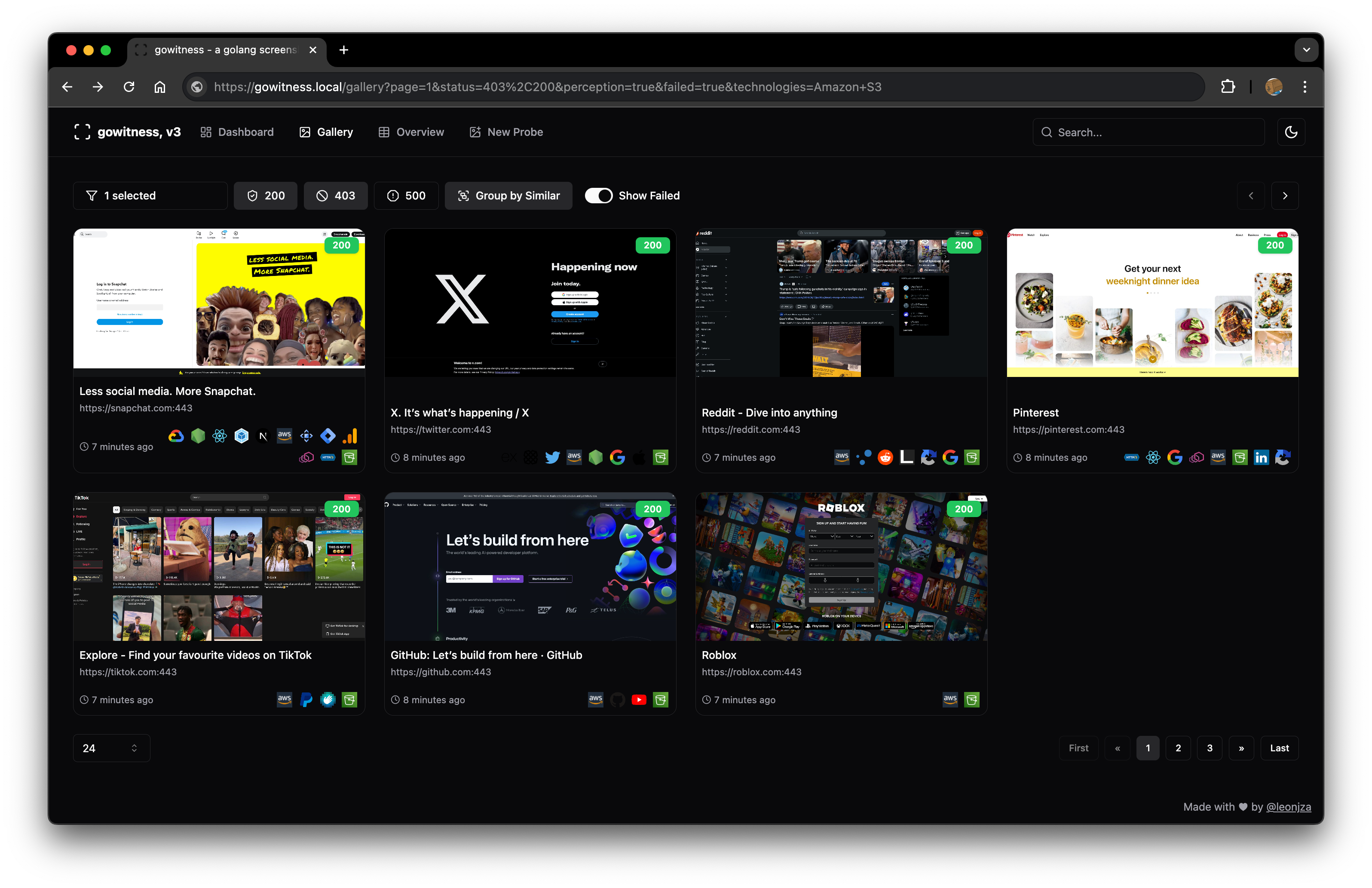 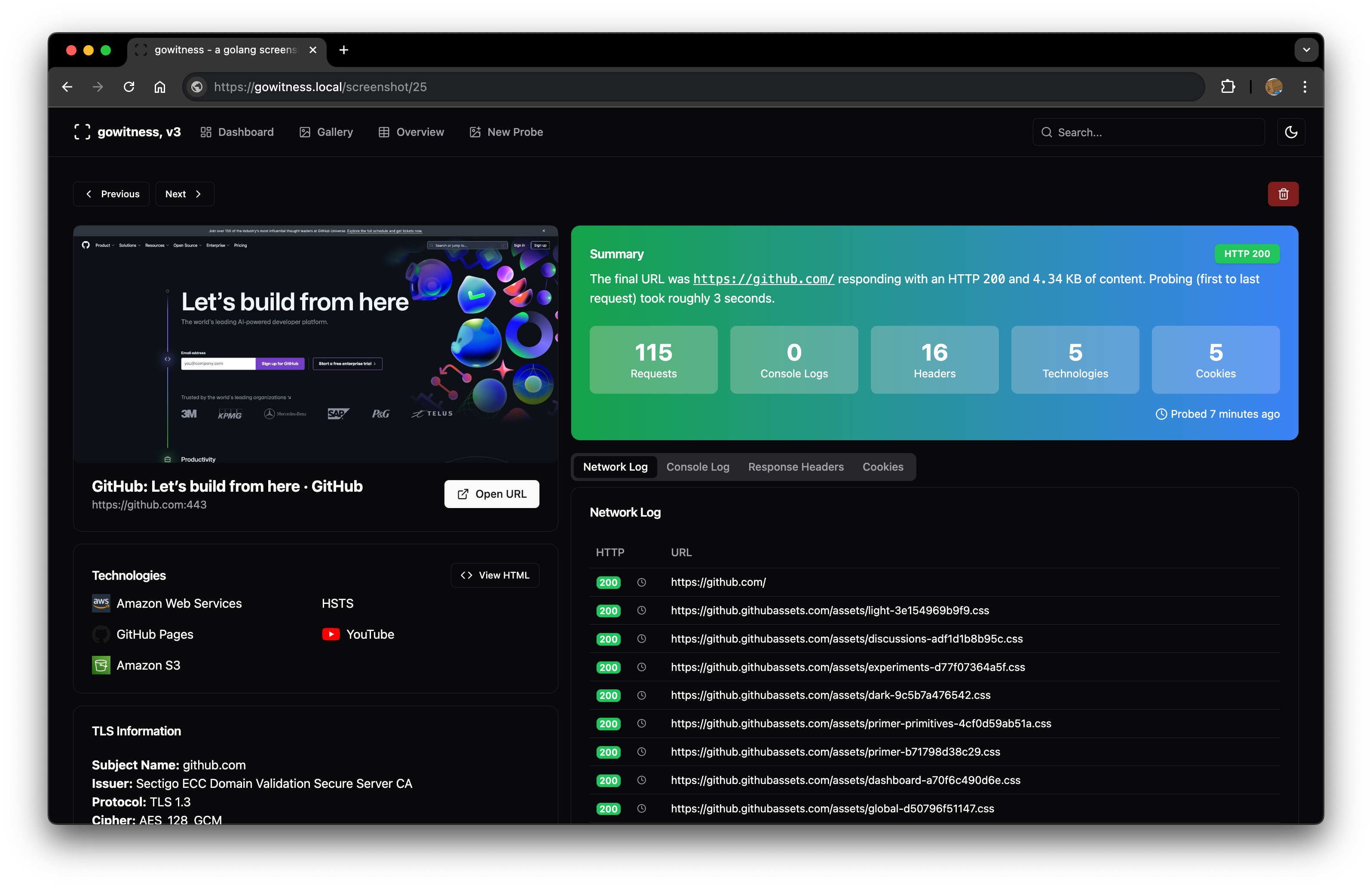 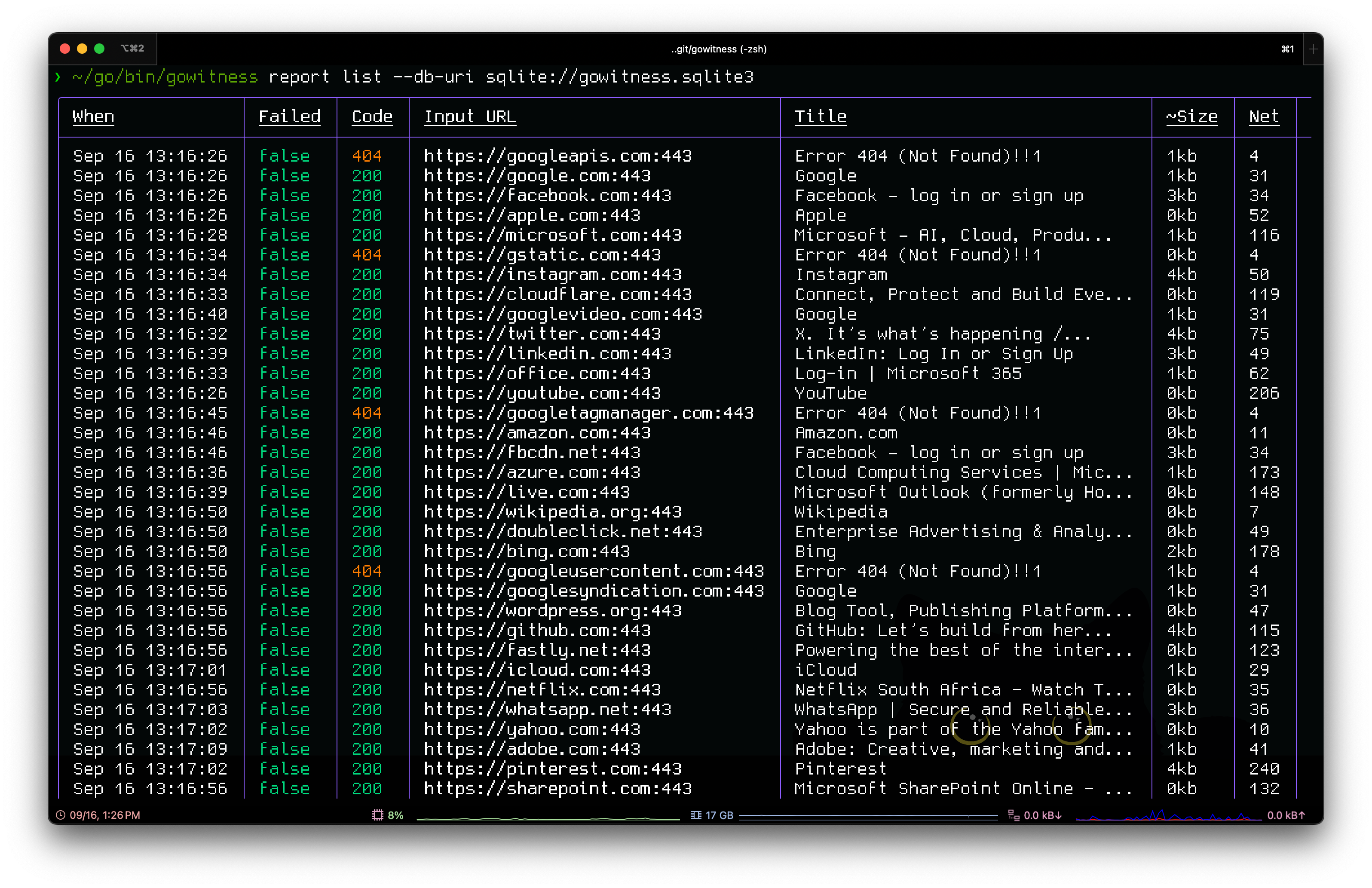 ## 致谢 `gowitness` 的实现离不开以下项目 [these amazing projects](./go.mod):[chi](https://github.com/go-chi/chi)、[chromedp](https://github.com/chromedp/chromedp)、[go-rod](https://github.com/go-rod/rod)、[cobra](https://github.com/spf13/cobra)、[gorm](https://github.com/go-gorm/gorm)、[glamour](https://github.com/charmbracelet/glamour)、[go-nmap](https://github.com/lair-framework/go-nmap)、[wappalyzergo](https://github.com/projectdiscovery/wappalyzergo)、[goimagehash](https://github.com/corona10/goimagehash)。 ## 许可证 `gowitness` 在 [GNU General Public v3 License](https://www.gnu.org/licenses/gpl-3.0.en.html) 下获得许可。超出本许可证范围的权限可在
标签:Aqua Security, Chrome Headless, CIDR扫描, DNS解析, EVTX分析, EVTX分析, Go语言, JSONLines, Kubernetes安全, Nessus结果分析, Nmap结果分析, SQLite数据库, Tracee, Web截图, 云存储安全, 代码生成, 内核监控, 容器安全, 开源项目, 恶意行为检测, 数字取证, 日志审计, 渗透测试工具, 程序破解, 网络安全, 网络扫描, 自动化脚本, 隐私保护, 零信任