oriolrius/pki-manager-web
GitHub: oriolrius/pki-manager-web
一个基于 Web 的自托管 PKI 管理系统,提供 X.509 证书和 SSH 证书的完整生命周期管理及安全密钥存储。
Stars: 16 | Forks: 3
# PKI Manager
[](LICENSE)
[](https://nodejs.org/)
[](https://pnpm.io/)
## 概述
PKI Manager 提供对您私有密钥基础设施的完全控制,无需依赖外部证书颁发机构。非常适合需要对其安全基础设施进行完全控制的企业、家庭实验室和开发环境。
### 核心亮点
- **自托管 PKI**:创建并管理您自己的根证书颁发机构
- **多类型证书**:服务器 (TLS/SSL)、客户端认证、S/MIME 邮件、代码签名
- **安全的密钥管理**:与 Cosmian KMS 集成以实现安全的密钥存储
- **批量操作**:基于 CSV 的批量证书创建和批处理操作
- **OIDC 身份验证**:支持 Keycloak、Auth0、Okta、Azure AD 的与提供商无关的身份验证
- **现代化 UI**:React 19,支持浅色/深色主题和响应式设计
- **类型安全**:结合 tRPC 实现端到端的 TypeScript API 类型安全
## 截图
### 仪表板
通过实时统计和过期跟踪,一目了然地监控您的 PKI。
### 证书颁发机构管理
创建并管理具有灵活配置选项的自签名根 CA。
### 证书管理
签发、管理和吊销证书,提供全面的控制。
### 批量操作
高效的批量证书创建和管理。
## 功能
### 证书颁发机构管理
- ✅ 创建自签名根证书颁发机构
- ✅ 可配置的主题字段 (CN, O, OU, C, ST, L)
- ✅ 密钥算法选择 (RSA-2048, RSA-4096)
- ✅ 灵活的有效期(1-30 年)
- ✅ 带有原因跟踪的 CA 吊销
- ✅ 多种格式导出 (PEM, CRT, DER, CER)
### 证书签发与管理
- ✅ **服务器证书** - 用于 Web 服务器和 API 的 HTTPS/TLS
- ✅ **客户端证书** - 客户端身份验证和 mTLS
- ✅ **邮件 (S/MIME)** - 邮件加密和签名
- ✅ **代码签名** - 软件和代码签名
- ✅ 主题备用名称 (DNS, IP 地址, 邮箱)
- ✅ 高级密钥算法 (RSA-2048/4096, ECDSA-P256/P384)
- ✅ 使用相同参数进行证书续期
- ✅ 带有标准原因的吊销(密钥泄露、被替代等)
- ✅ 全面的证书详情视图
### 导出与下载
- ✅ 多种格式:PEM, CRT, DER, CER
- ✅ 证书链 (PEM Chain)
- ✅ PKCS#7 (P7B)
- ✅ 带有私钥的 PKCS#12 (PFX, P12) - 密码保护
- ✅ Java KeyStore (JKS)
- ✅ 批量下载(所有格式打包为 ZIP)
- ✅ 私钥导出的安全警告
### 批量操作
- ✅ 基于 CSV 的批量证书创建
- ✅ 带有可选参数的灵活字段映射
- ✅ SAN 自动检测(邮件、IP、DNS)
- ✅ 批量下载多个证书
- ✅ 针对即将过期的证书进行批量续期
- ✅ 带有原因的批量吊销
- ✅ 多选删除
### 监控与警报
- ✅ 带有 PKI 统计信息的实时仪表板
- ✅ 带有可视化指示器的过期跟踪
- ✅ “即将过期”小部件(可配置阈值)
- ✅ 颜色编码的状态徽章(活跃、已吊销、已过期)
- ✅ 基于有效期的自动状态更新
### 搜索与过滤
- ✅ 按通用名称或 SAN 搜索
- ✅ 按签发 CA 过滤(带持久化)
- ✅ 按状态过滤(活跃/已吊销/已过期)
- ✅ 按证书类型过滤
- ✅ 可排序的表格,即时显示结果
### 安全
- ✅ 集成 Cosmian KMS 以实现安全的密钥存储
- ✅ 私钥绝不在本地以未加密形式存储
- ✅ 受密码保护的私钥导出
- ✅ 所有操作的审计日志
- ✅ 带有详细原因的吊销跟踪
- ✅ 安全的密钥对生成 (RSA, ECDSA)
### 身份验证
- ✅ OpenID Connect (OIDC) 身份验证
- ✅ 与提供商无关 (Keycloak, Auth0, Okta, Azure AD)
- ✅ 使用 PKCE 的授权码流程
- ✅ 基于角色的访问控制(管理员/用户角色)
- ✅ 通过 JWKS 进行 JWT 验证
- ✅ 静默 token 续期
### 用户体验
- ✅ 现代化、响应式的 UI,采用卡片式布局
- ✅ 浅色/深色主题,带有系统检测功能
- ✅ 用于快速测试的示例数据生成器
- ✅ 带有有用错误信息的表单验证
- ✅ 上下文操作按钮
- ✅ 实时状态更新
### SSH 证书管理器
一个独立的 OpenSSH 证书颁发机构位于 **`/ssh`** 下:双
(用户 + 主机)CA、主机注册、带有 principals 的用户证书签发以及 KRL
吊销 —— 全程支持复制粘贴,提供每主机部署包和引导清单。
**初次使用?从这里开始:**
- [工作原理(概念)](docs/ssh/concept.md) — 双重 CA,两个信任
方向,principal 位于两处的规则,两级吊销。
- [操作员快速入门](docs/ssh/operator-quickstart.md) — 从零到首次登录。
- [主机和客户端设置](docs/ssh/setup.md) — 设置 SSH 服务器和客户端。
- [自动化 API 合同](docs/ssh-api-contract.md) · [Ansible 角色](ansible/README.md)
## 架构
这是一个包含两个主要包的 **monorepo** 项目:
```
pki-manager/
├── backend/ # Node.js/Fastify API server
├── frontend/ # React 19 SPA
├── assets/ # Screenshots and images
└── tests/ # E2E screenshot tests
```
## 技术栈
### 后端
- **框架**:Fastify 5.2(高性能 HTTP 服务器)
- **API 层**:tRPC v11(端到端类型安全)
- **数据库**:结合 better-sqlite3 的 SQLite(嵌入式,便携)
-**ORM**:Drizzle ORM 0.36(类型安全的 SQL)
- **验证**:Zod 3.24(schema 验证)
- **KMS**:Cosmian KMS(安全的密钥管理)
- **测试**:Vitest 2.1
- **运行时**:Node.js 20+
### 前端
- **框架**:React 19.2
- **路由**:TanStack Router 1.133(基于文件,类型安全)
- **状态管理**:TanStack Query 5.90(服务器状态)
- **API 客户端**:tRPC 11.0(类型安全的 RPC)
- **样式**:Tailwind CSS 4.1(实用优先)
- **UI 组件**:shadcn/ui (Radix UI 原语)
- **图标**:Lucide React, FontAwesome
- **构建工具**:Vite 7.1
### 测试
- **端到端 (E2E)**:Playwright 1.56(截图自动化)
## 快速开始
```
# 1. 启动 Cosmian KMS
cd kms && docker compose up -d
# 2. 启动 Keycloak(用于身份验证)
cd keycloak && docker compose up -d
# 3. 安装依赖项
pnpm install
# 4. 配置并运行
cp backend/.env.example backend/.env
cp frontend/.env.example frontend/.env
cd backend && pnpm db:migrate
pnpm dev # from root
```
- **前端**:http://localhost:5173
- **后端 API**:http://localhost:3000
- **Cosmian KMS**:http://localhost:42998
- **Keycloak**:http://localhost:42997 (admin/admin)
**测试用户**:使用 `admin`/`admin` 或 `user`/`user` 登录
有关详细的设置,请参阅 [DEVELOPMENT.md](DEVELOPMENT.md) 和 [身份验证指南](backlog/docs/doc-004%20-%20OIDC-Authentication-Setup-Guide.md)。
## 常见用例
### 企业
- 用于企业网络的内部 CA 层次结构
- 用于 VPN/Wi-Fi 的员工证书
- S/MIME 邮件加密
- 用于软件分发的代码签名
### 开发
- 用于开发的本地 HTTPS 证书
- API 身份验证测试
- 微服务 mTLS
- 容器证书管理
### 家庭实验室
- 保护内部服务 (Proxmox, TrueNAS)
- 家庭自动化 HTTPS
- 私有 VPN 服务器证书
- IoT 设备身份验证
## API 文档
应用程序使用 tRPC 进行类型安全的 API 通信。关键 endpoint:
### 仪表板
- `dashboard.stats` - 获取 PKI 统计信息
- `dashboard.expiringSoon` - 获取即将过期的 CA/证书
### 证书颁发机构
- `ca.list` - 列出所有 CA
- `ca.getById` - 获取 CA 详情
- `ca.create` - 创建新 CA
- `ca.revoke` - 吊销 CA
- `ca.delete` - 删除 CA
- `ca.download` - 下载 CA 证书
### 证书
- `certificate.list` - 列出证书(带过滤器)
- `certificate.getById` - 获取证书详情
- `certificate.issue` - 签发新证书
- `certificate.bulkIssue` - 批量创建证书
- `certificate.renew` - 续期证书
- `certificate.revoke` - 吊销证书
- `certificate.delete` - 删除证书
- `certificate.download` - 下载证书
所有 endpoint 均具有完全的类型安全,并支持自动 TypeScript 推断。
## 安全注意事项
- 私钥安全地存储在 Cosmian KMS 中
- 对所有私钥导出进行密码保护
- 定期监控证书过期情况
- 使用强密钥算法(针对敏感用例使用 RSA-4096 或 ECDSA-P384)
- 立即吊销受损的证书
- 定期备份您的数据库
- 确保对 KMS endpoint 的访问安全
- 在生产环境中使用 HTTPS
## 许可证
本项目基于 Apache License 2.0 授权 - 有关详细信息,请参阅 [LICENSE](LICENSE) 文件。
## 相关项目
| 项目 | 描述 |
|---------|-------------|
| [pki-manager-cli](https://github.com/oriolrius/pki-manager-cli) | 用于 PKI Manager 的 Python CLI 工具 - 从命令行管理证书 |
| [pki-manager-skill](https://github.com/oriolrius/pki-manager-skill) | 用于 AI 辅助证书管理的 Claude Code 技能 |
| [pki-manager-ansible](https://github.com/oriolrius/pki-manager-ansible) | 用于证书管理的 Ansible Collection ([Galaxy](https://galaxy.ansible.com/ui/repo/published/oriolrius/pki_manager/)) |
## 附加资源
- [开发指南](DEVELOPMENT.md) - 设置、脚本和开发工作流
- [身份验证指南](backlog/docs/doc-004%20-%20OIDC-Authentication-Setup-Guide.md) - OIDC 设置和提供商配置
- [Keycloak 设置](keycloak/README.md) - 本地 Keycloak 开发环境
- [功能文档](FEATURES.md) - 详细的功能文档
- [Cosmian KMS 文档](https://docs.cosmian.com/)
- [X.509 证书标准 (RFC 5280)](https://datatracker.ietf.org/doc/html/rfc5280)
- [PKCS 标准](https://en.wikipedia.org/wiki/PKCS)
**使用 ❤️ 和现代 Web 技术构建**
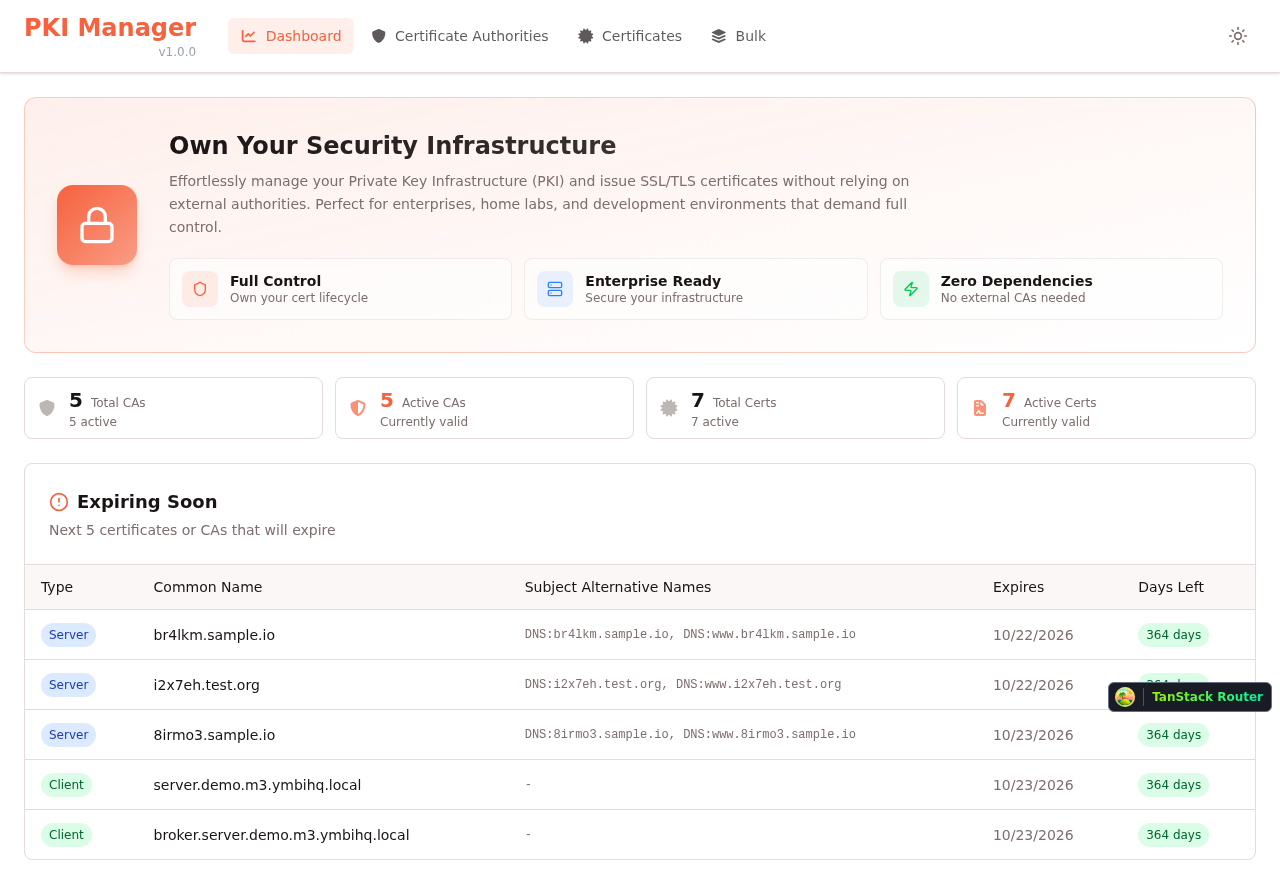
Dashboard - Light Mode |
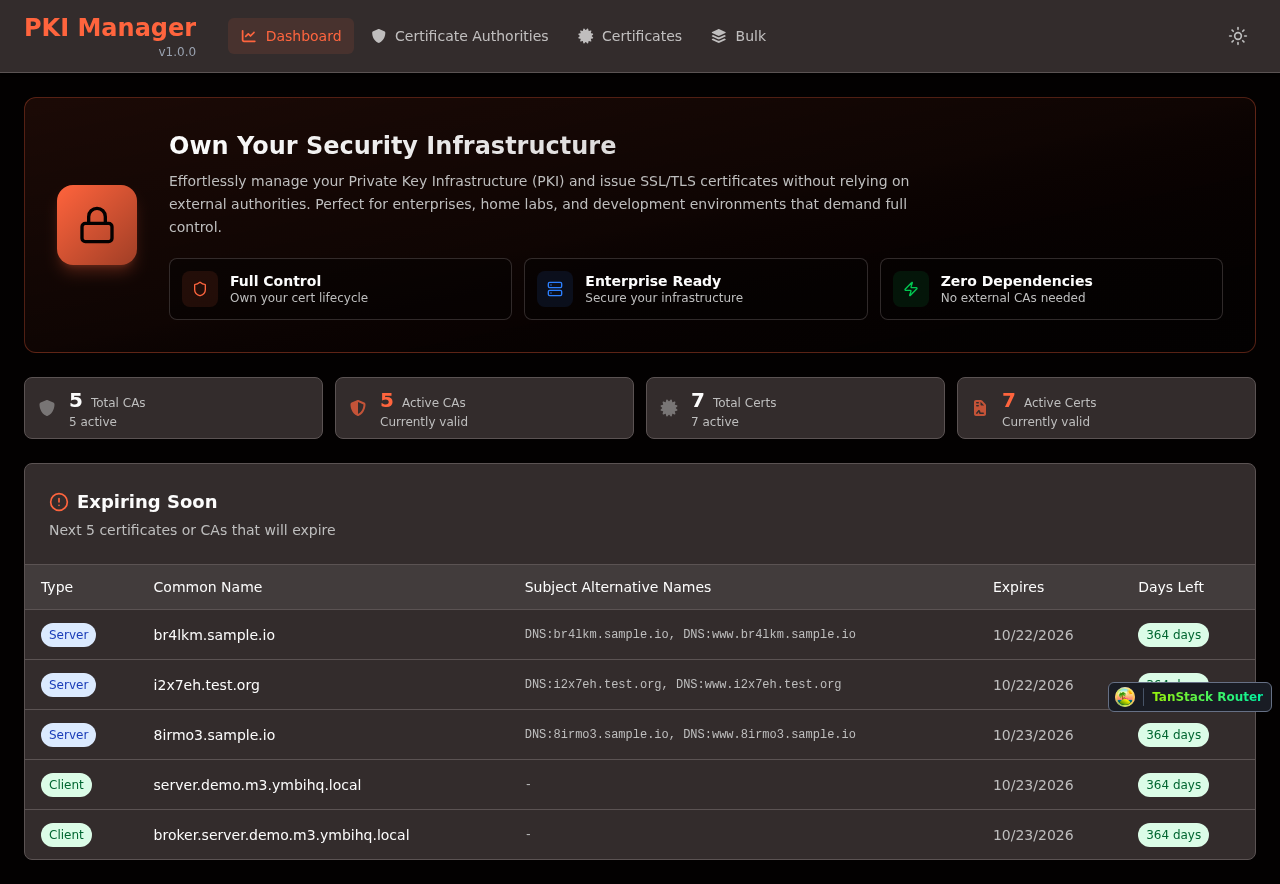
Dashboard - Dark Mode |
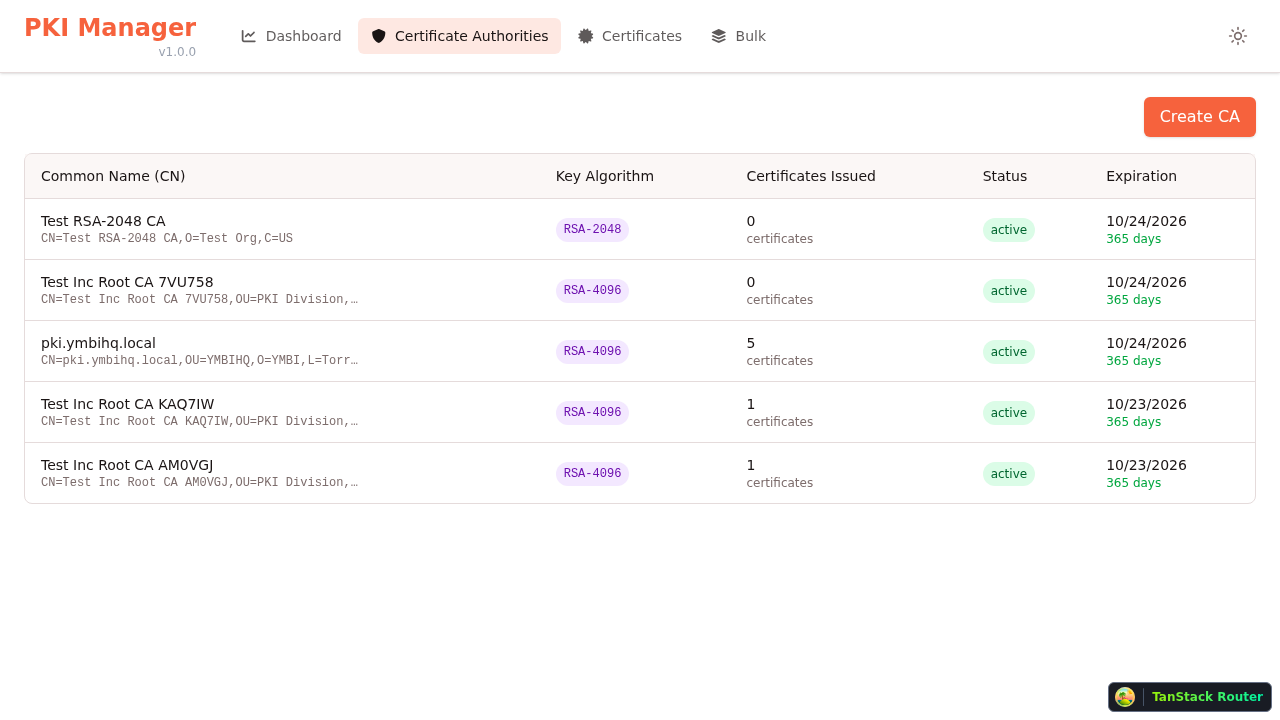
Certificate Authorities List |
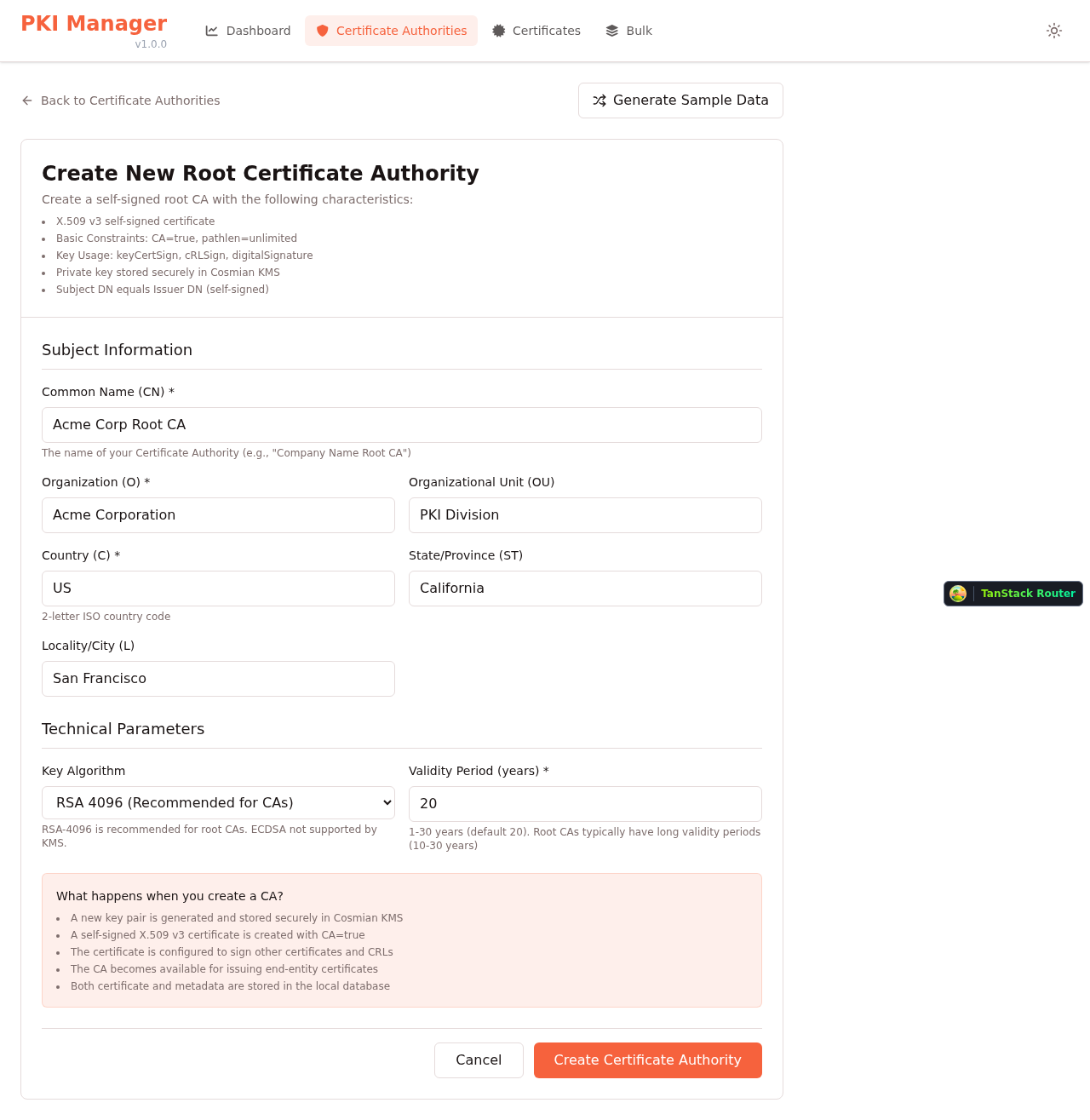
Create New CA |
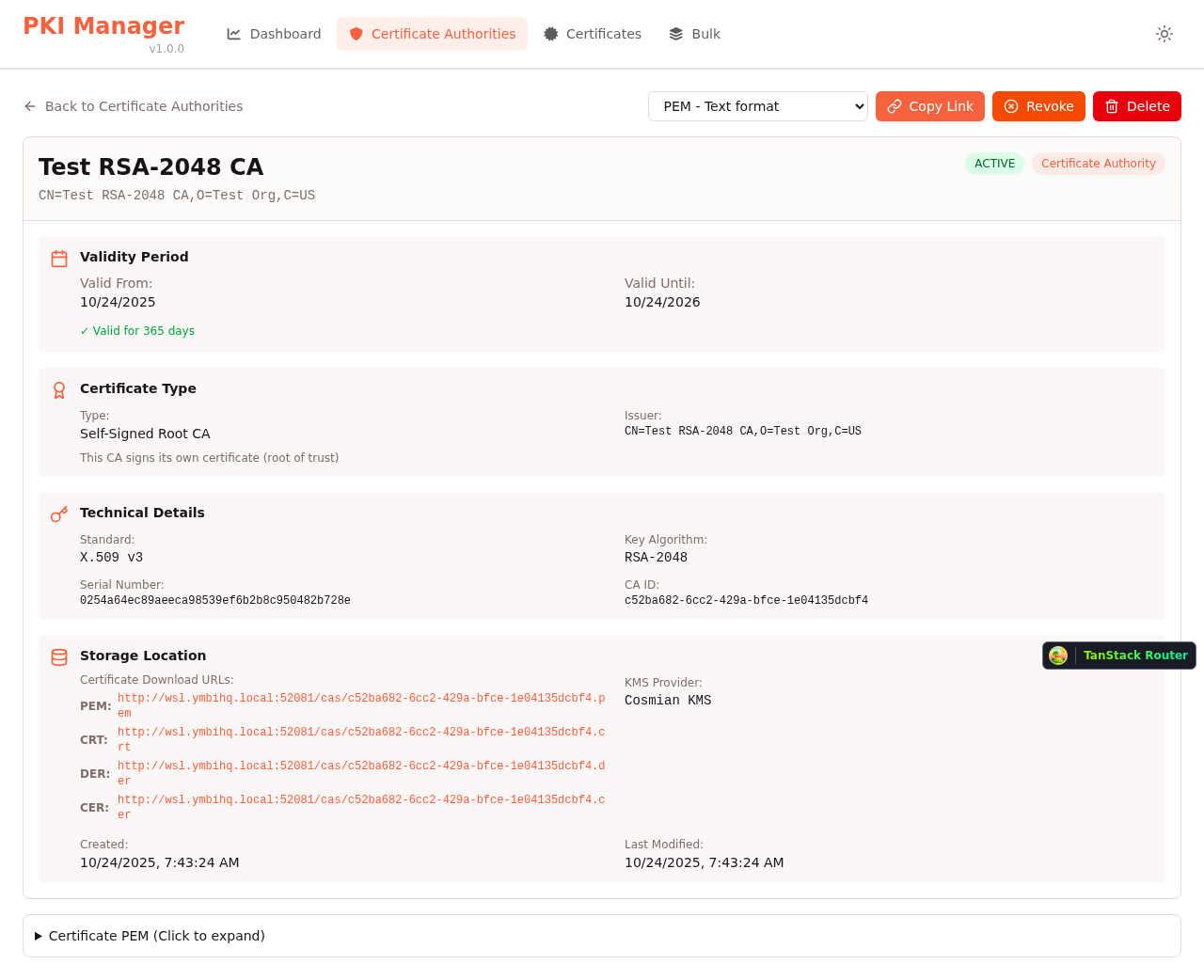
CA Details View |
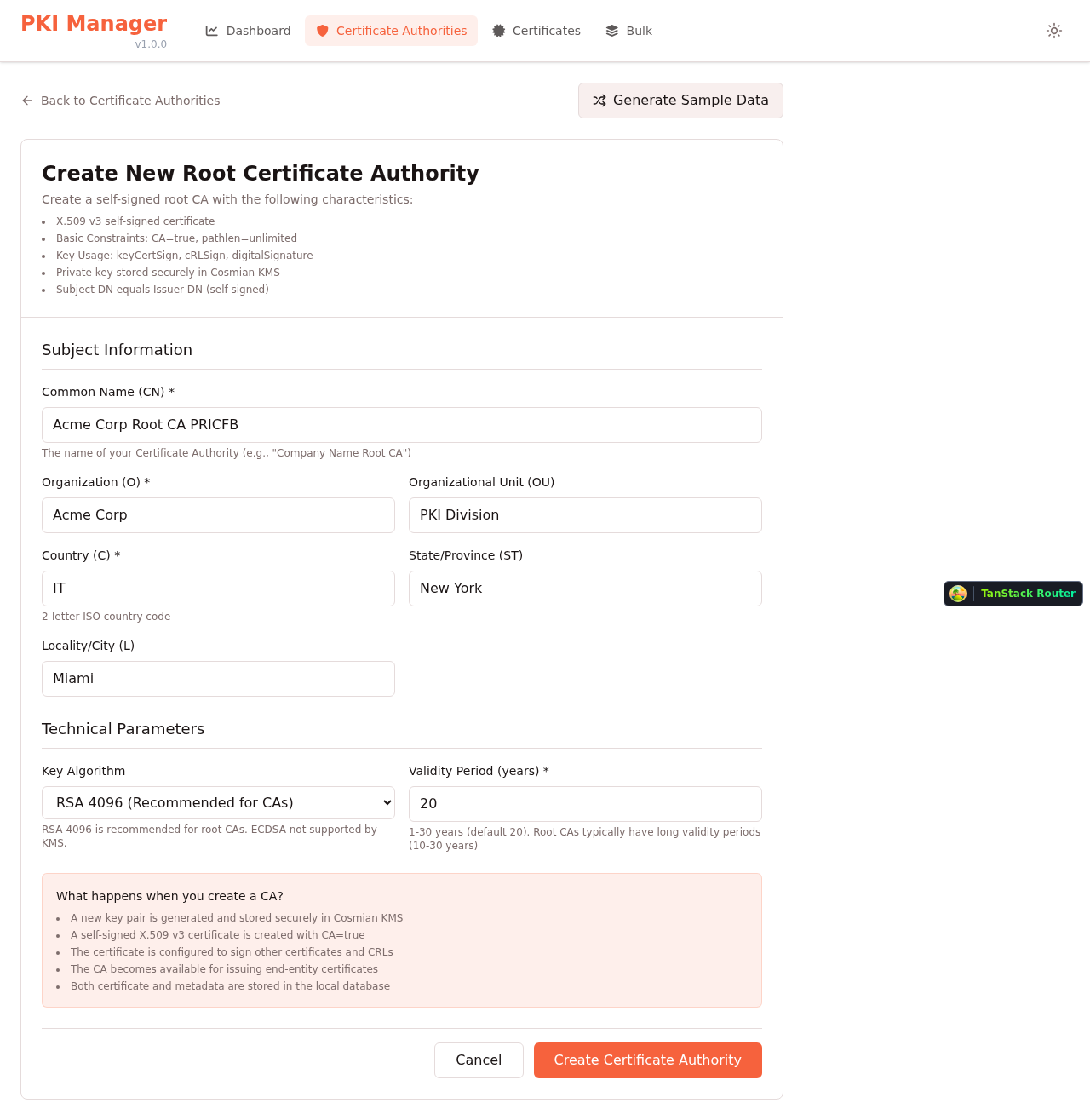
Sample Data Generation |
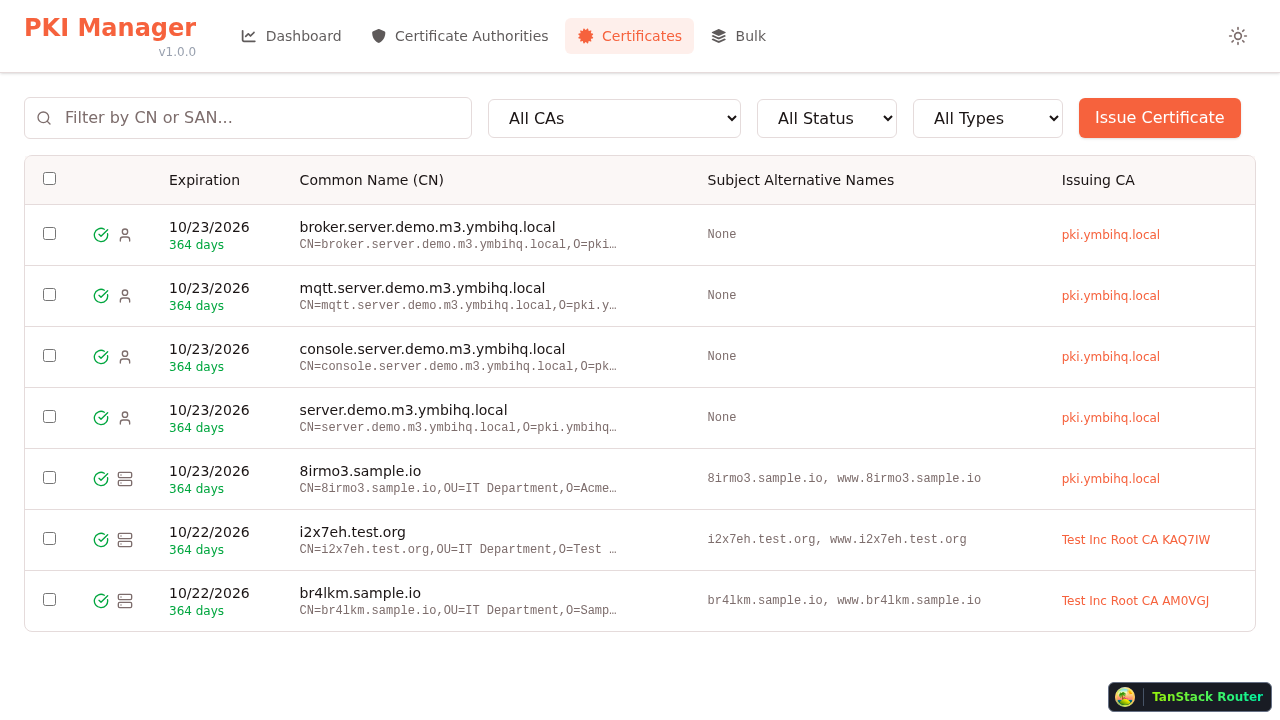
Certificates List with Filters |
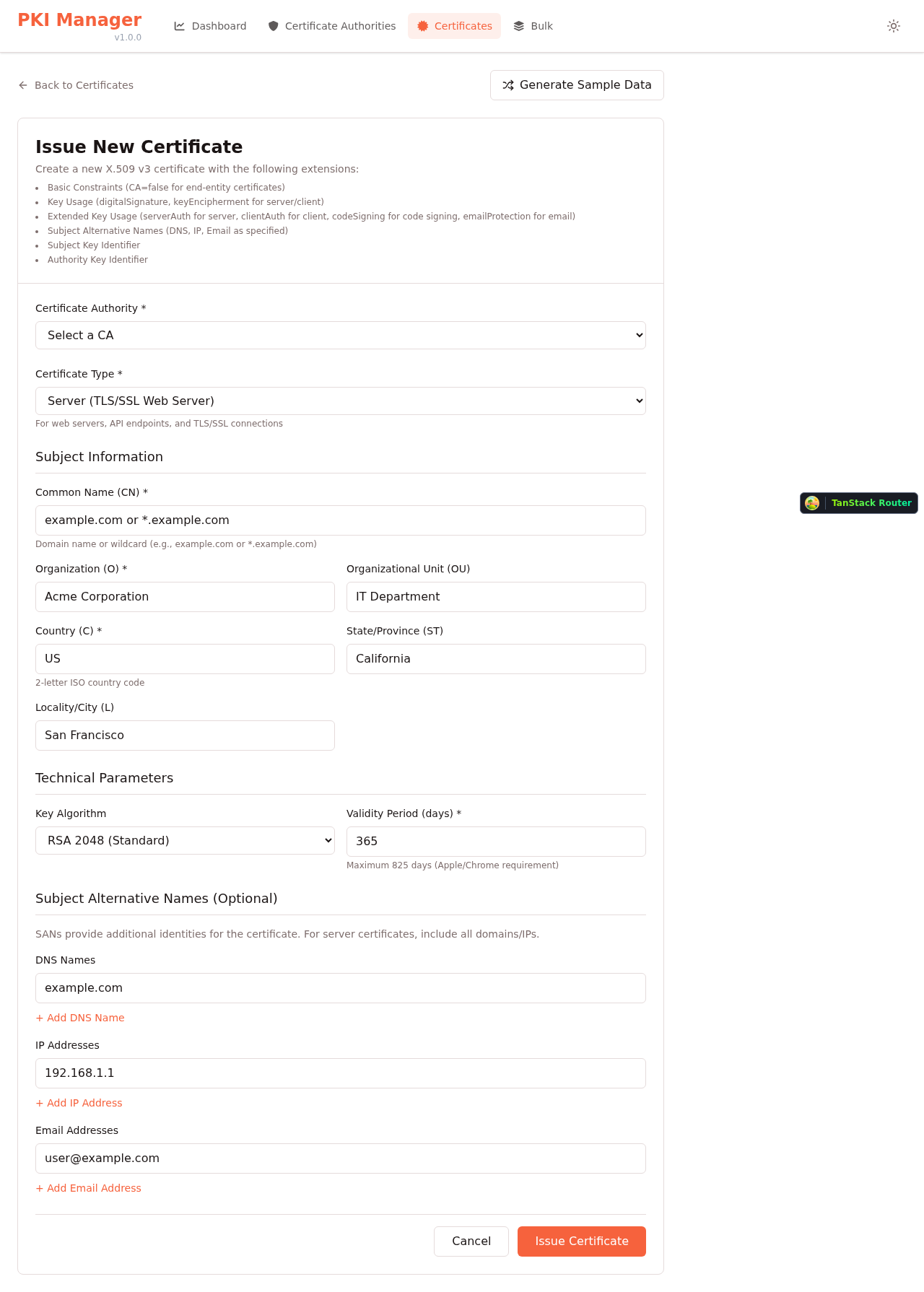
Issue New Certificate |
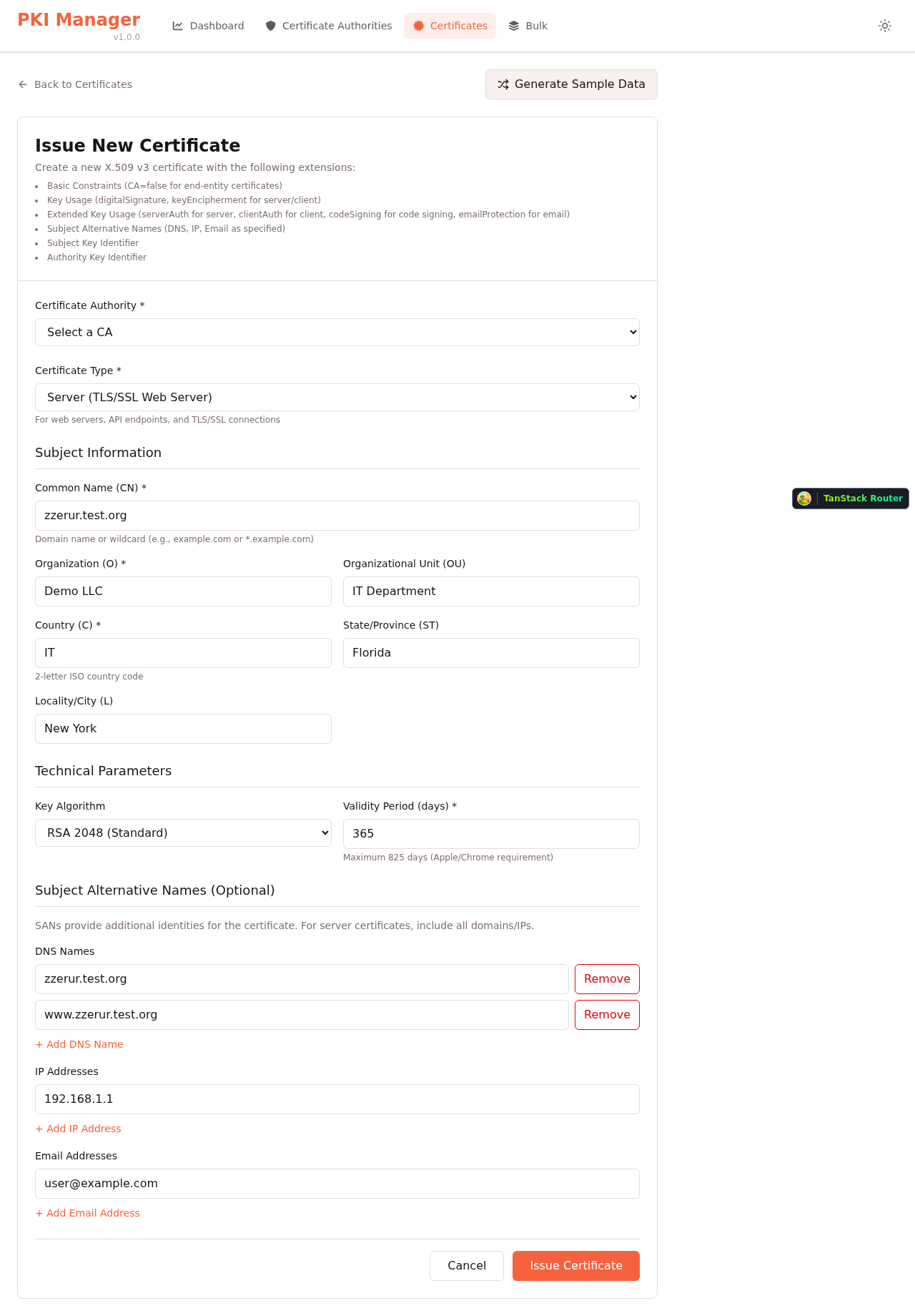
Subject Alternative Names (SANs) |
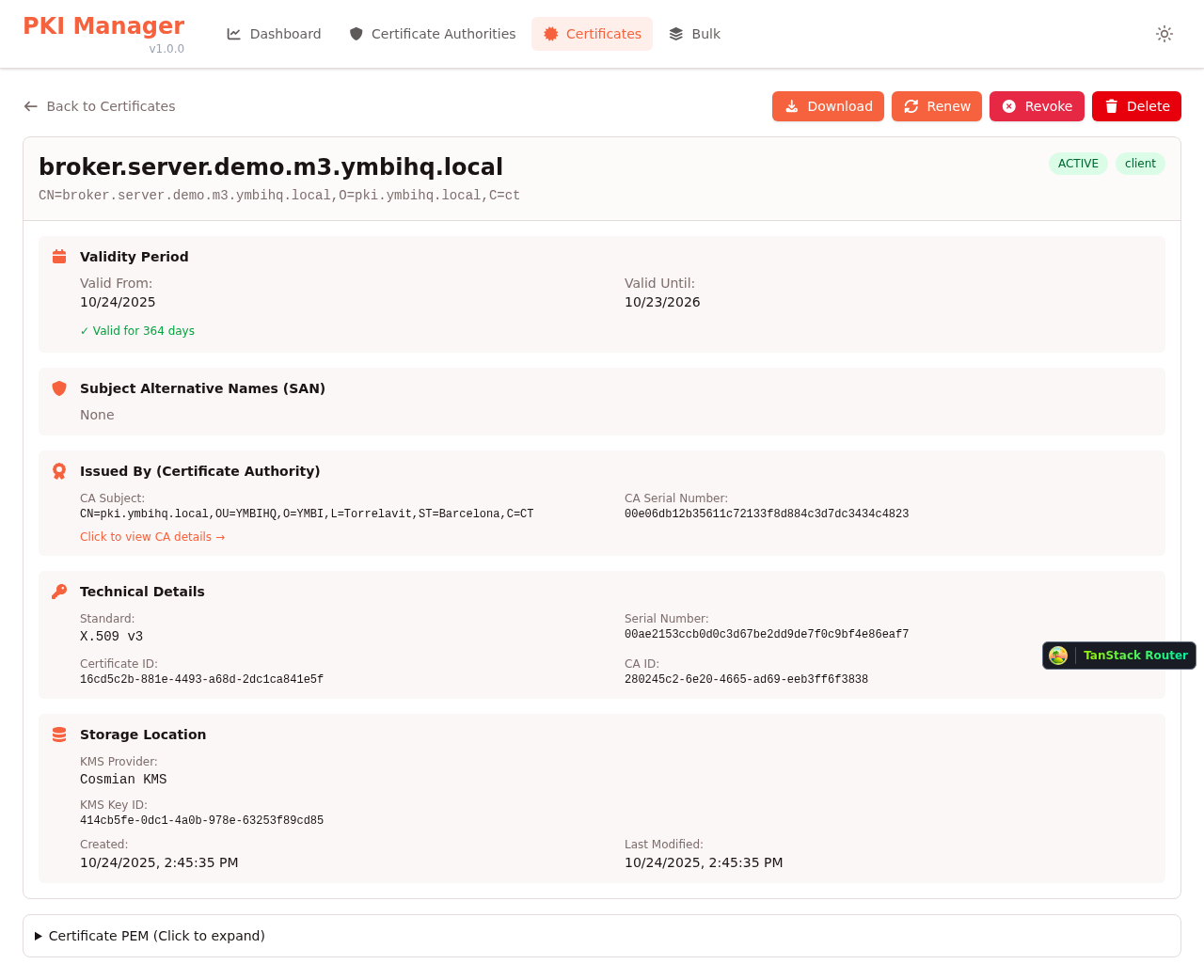
Certificate Details & Export |
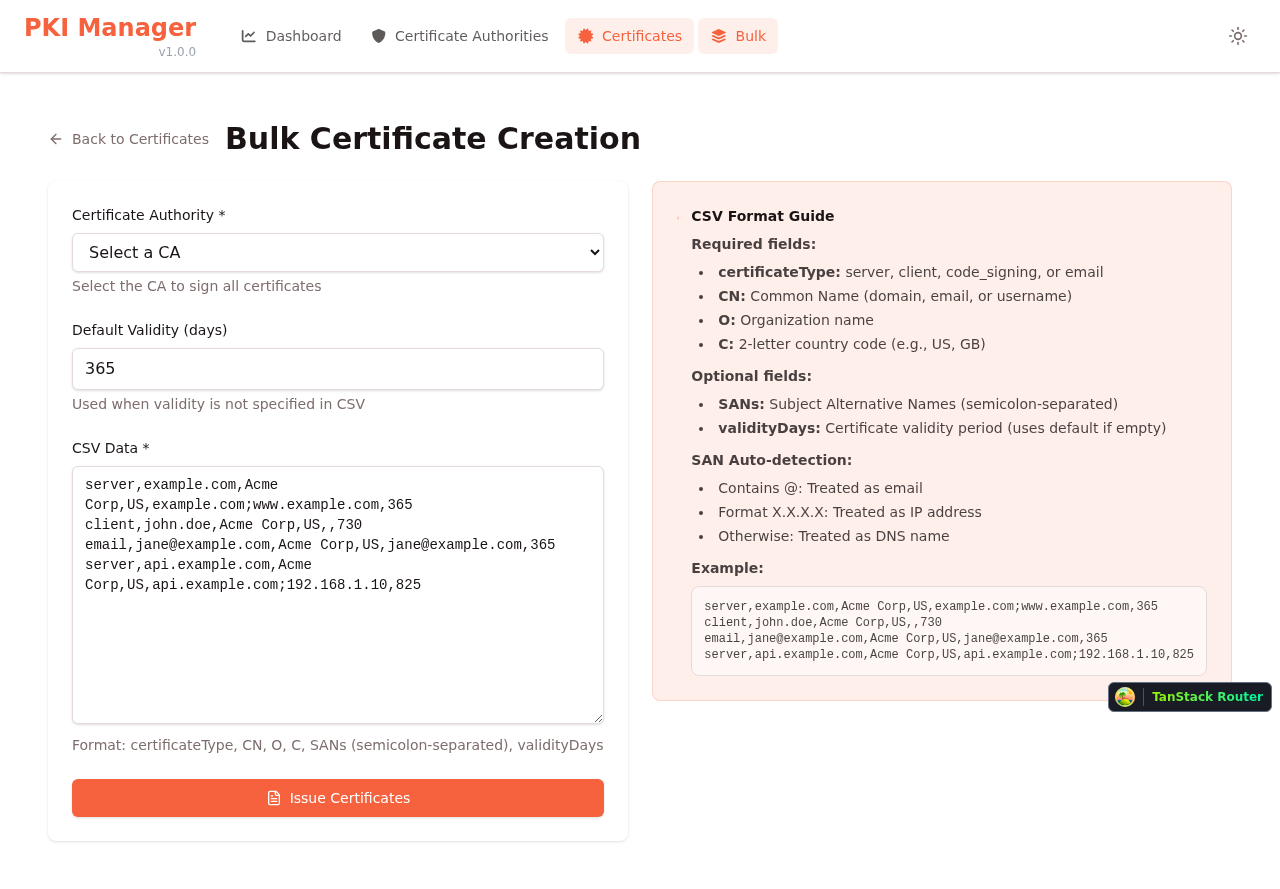
Bulk Certificate Creation (CSV) |
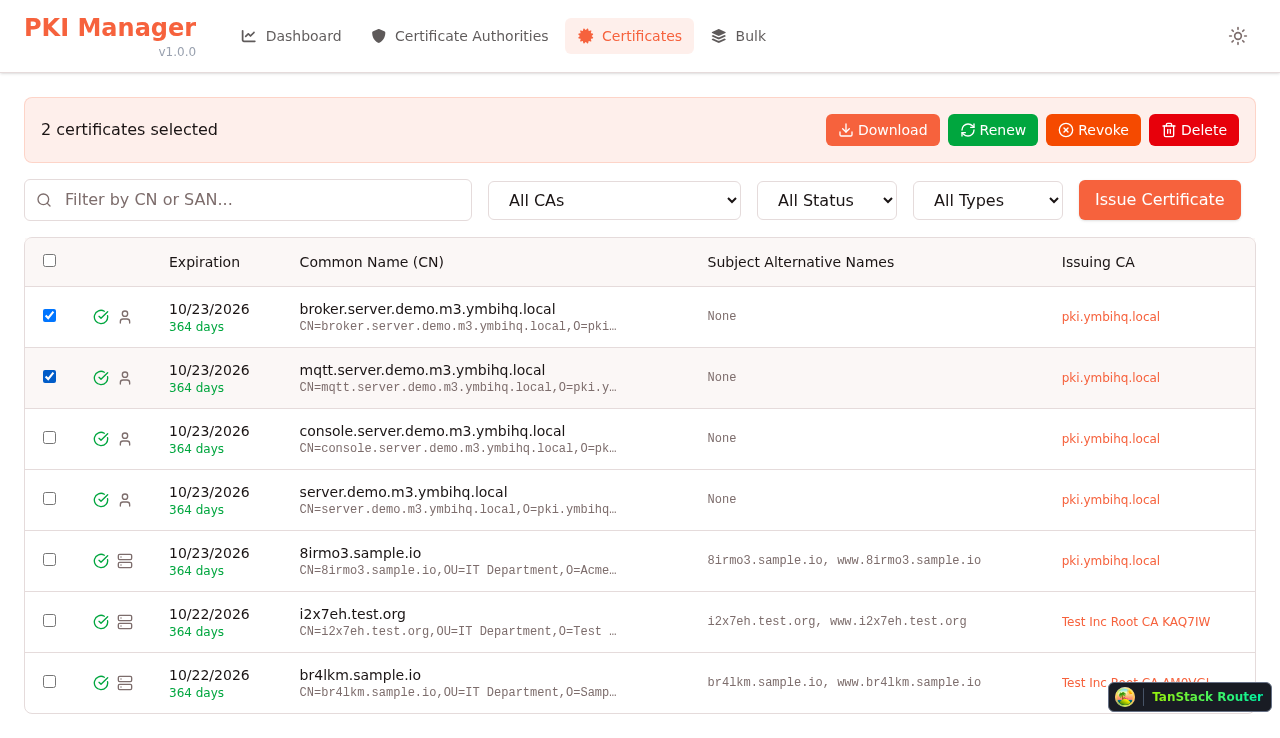
Bulk Operations (Download, Renew, Revoke) |
标签:GNU通用公共许可证, MITM代理, Node.js, PKI管理, React, Syscalls, X.509证书, 特征检测, 自动化攻击, 请求拦截