Ashfaaq98/ocsf-console-ir
GitHub: Ashfaaq98/ocsf-console-ir
基于 OCSF 标准的终端优先事件响应管理器,为安全分析师提供键盘驱动的案例管理和 AI 辅助调查能力。
Stars: 4 | Forks: 1
# OCSF Console IR
[](https://github.com/Ashfaaq98/ocsf-console-ir/releases)
[](https://github.com/Ashfaaq98/ocsf-console-ir/pkgs/container/console-ir)
## **概述**
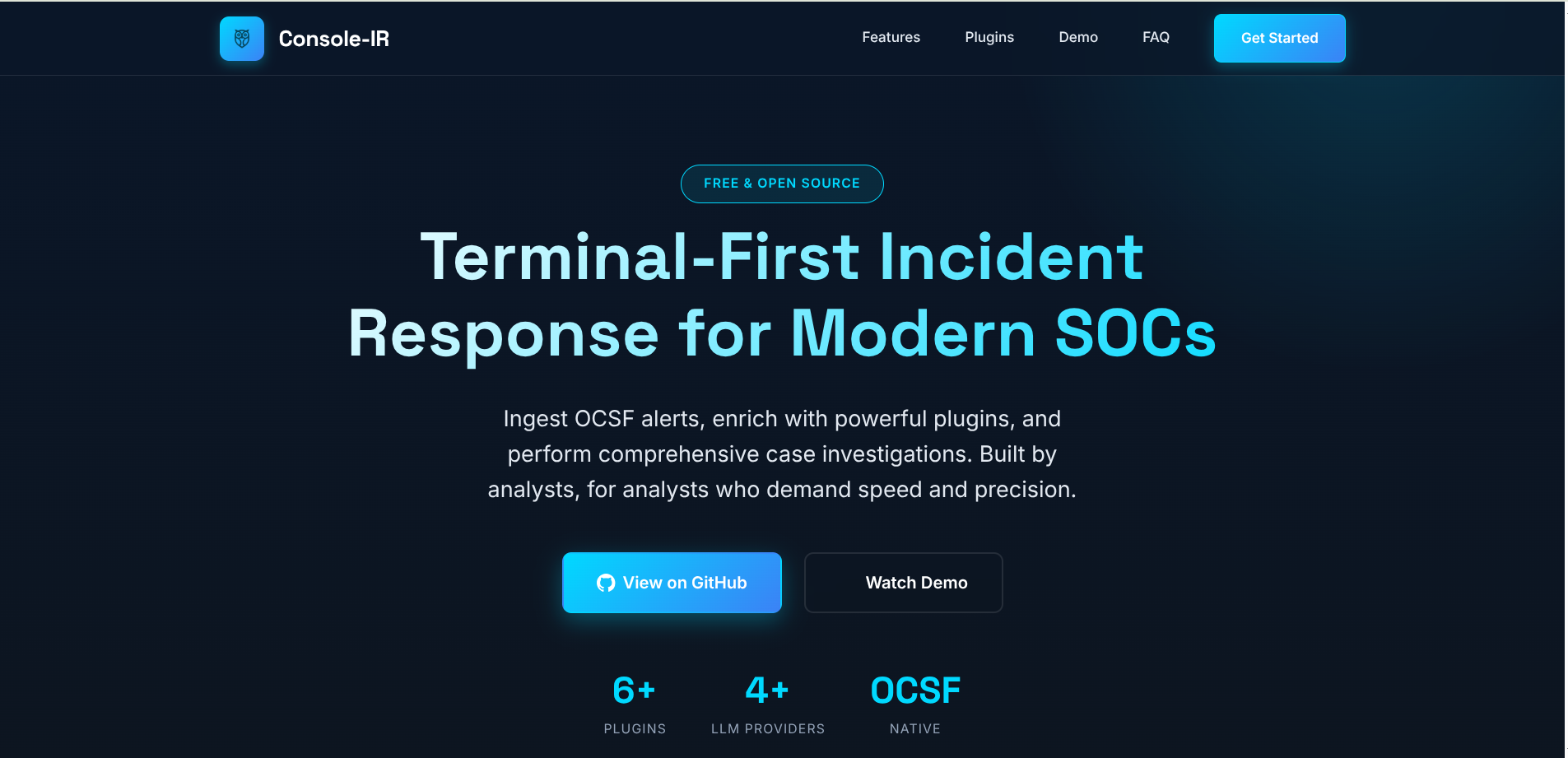
OCSF Console IR 是一款专为安全分析师设计的、以终端优先的事件响应管理器。它利用 OCSF (Open Cybersecurity Schema Framework) 标准,为事件摄取、案例管理和 AI 辅助分析提供了一个统一的平台。
## **功能特性**
- 原生 OCSF 事件摄取
- 键盘优先的 TUI,用于管理案例和事件
- AI 辅助的案例管理
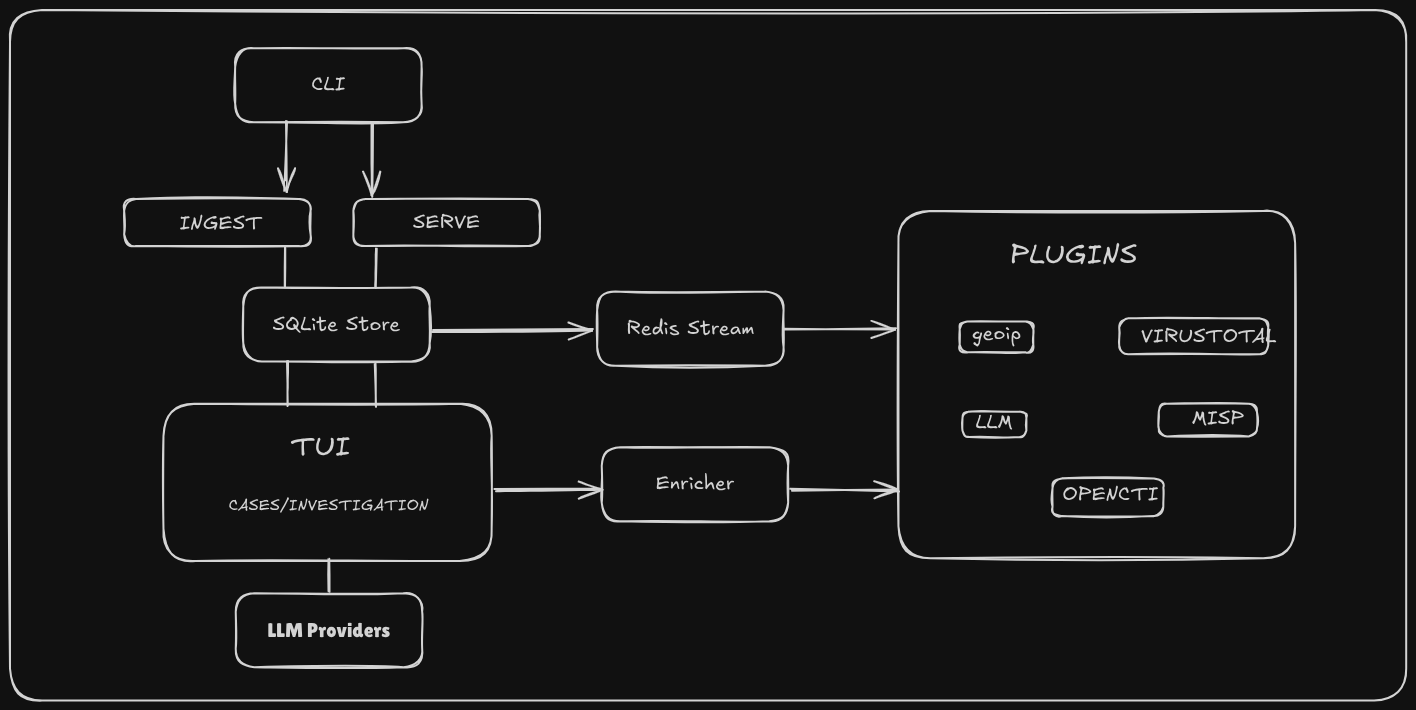
- 通过 Redis Streams 实现基于插件的富化
- SQLite 存储并支持 FTS
- 可插拔的 LLM 提供程序,用于摘要和智能助手
## **安装**
### Homebrew (macOS / Linux)
```
brew install Ashfaaq98/tap/console-ir
```
### curl 安装程序 (Linux / macOS)
```
curl -sSfL https://raw.githubusercontent.com/Ashfaaq98/ocsf-console-ir/main/scripts/install.sh | bash
```
### Docker
```
docker run --rm -it ghcr.io/ashfaaq98/console-ir:latest --help
```
```
# 在 8080 端口使用 HTTP ingest 启动 headless runtime 并保留持久数据
docker run --rm -it -p 8080:8080 -v $(pwd)/data:/data ghcr.io/ashfaaq98/console-ir:latest
```
### 从源码构建
```
git clone https://github.com/Ashfaaq98/ocsf-console-ir.git
cd ocsf-console-ir
make build
./bin/console-ir serve
```
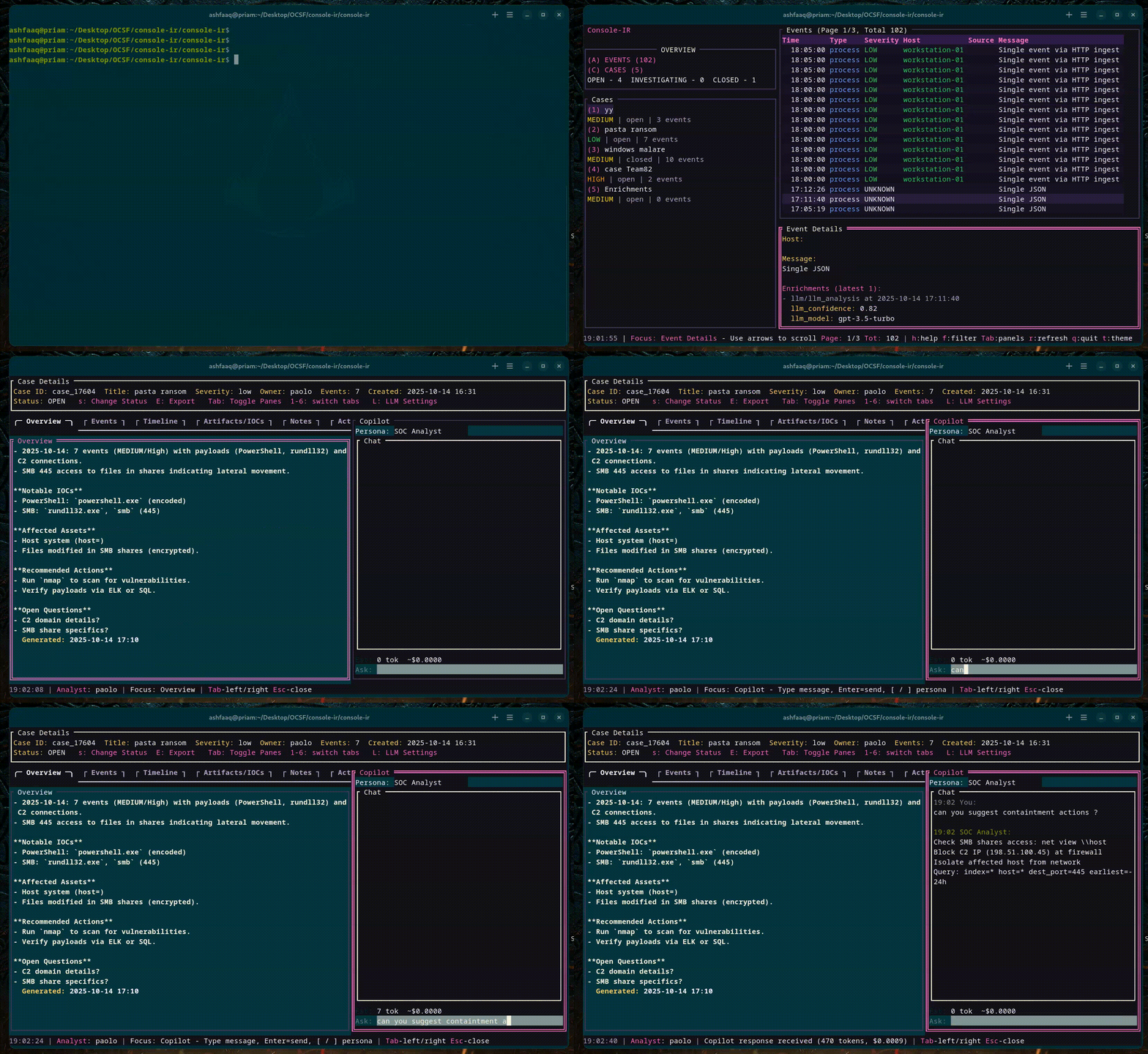
### 演示 - 简短教程
TUI 的快速导览。
[](assets/demo.mp4)
## **快速开始**
### **前置条件**
- Go ≥ 1.23
- Docker(可选,用于 Redis)
- Git
### **克隆**
```
git clone https://github.com/Ashfaaq98/ocsf-console-ir.git
cd ocsf-console-ir
```
### **构建**
```
make build
```
### **运行 TUI**
```
./bin/console-ir serve
```
或者以无头 (headless) 模式运行:
```
./bin/console-ir serve --no-tui
```
## 摄取事件
#### 1. CLI 文件摄取
直接运行 JSONL 文件:`./bin/console-ir ingest ` — 参见 [cmd/ingest.go](cmd/ingest.go)。
#### 2. 文件夹投入
将文件放入 `data/incoming`;文件夹监视器会自动摄取新文件(参见 [internal/ingest/folder.go](internal/ingest/folder.go))。
#### 3. HTTP 摄取
启用可选的 HTTP 端点以将事件 POST 到处理管道(参见 [internal/ingest/http_ingest.go](internal/ingest/http_ingest.go))。
#### 4. 实时 / 流摄取
实时 OCSF 输入和适配器将数据发布到 Redis Streams 进行处理(参见 [internal/ingest/live.go](internal/ingest/live.go) 和 [internal/ingest/ocsf.go](internal/ingest/ocsf.go))。
## **插件**
外部插件作为独立进程运行,通过 Redis Streams 进行消费/发布。参见 [`docs/plugins.md`](docs/plugins.md)。
默认情况下,外部插件处于禁用状态;可以通过在可执行文件旁边创建启用标记(例如,`plugins/llm/llm.enabled`)来显式启用,或者手动启动插件。
## **开发容器与调试**
开发通过 [`.devcontainer/devcontainer.json`](.devcontainer/devcontainer.json) 支持,调试设置参见 [`.vscode/launch.json`](.vscode/launch.json)。
## **架构**
## **故障排除**
- 确保可以在配置的 URL 访问到 Redis。
- 如果 TUI 失败,请使用 --no-tui 运行或使用本地终端。
- 构建问题:运行 `go mod download` 和 `make build`。
- Docker 镜像默认以无头模式运行应用,并在 `0.0.0.0:8080` 上启用 HTTP 摄取。
## **贡献**
- 请参阅 [CONTRIBUTING.md](CONTRIBUTING.md) 中的完整贡献指南,了解工作流、编码规范和本地检查。
- 快速步骤:派生仓库,创建分支,添加测试,运行 `make check`,发起 PR。
## **安全**
切勿提交 API 密钥或机密信息。请使用 TUI 或编辑 [`config/llm_settings.sample.json`](config/llm_settings.sample.json),并确保 [`config/llm_settings.json`](config/llm_settings.json) 处于被忽略状态。有关披露指南,请参见 [`SECURITY.md`](SECURITY.md)。
## **许可证**
AGPLv3 - 参见 [`LICENSE`](LICENSE)
## **支持**
- Issues: https://github.com/Ashfaaq98/ocsf-console-ir/issues
- Discussions: https://github.com/Ashfaaq98/ocsf-console-ir/discussions
标签:AI辅助分析, C2, DLL 劫持, Docker, EVTX分析, Go语言, OCSF, Redis Streams, SQLite, TUI, 全文检索, 大语言模型, 威胁分析, 安全事件调查, 安全分析师, 安全分流, 安全运营, 安全防御评估, 幻觉缓解, 库, 应急响应, 开发工具包, 开源, 扫描框架, 搜索引擎查询, 日志审计, 日志摄取, 程序破解, 终端用户界面, 网络安全, 自动化侦查工具, 请求拦截, 隐私保护