seqra/opentaint
GitHub: seqra/opentaint
面向 AI 时代的开源污点分析引擎,通过过程间数据流追踪精准检测 Java/Kotlin 应用中的安全漏洞。
Stars: 92 | Forks: 6

面向 AI 时代的开源污点分析引擎
企业级数据流分析,采用代码原生规则 —— 无付费墙,无模式匹配妥协。




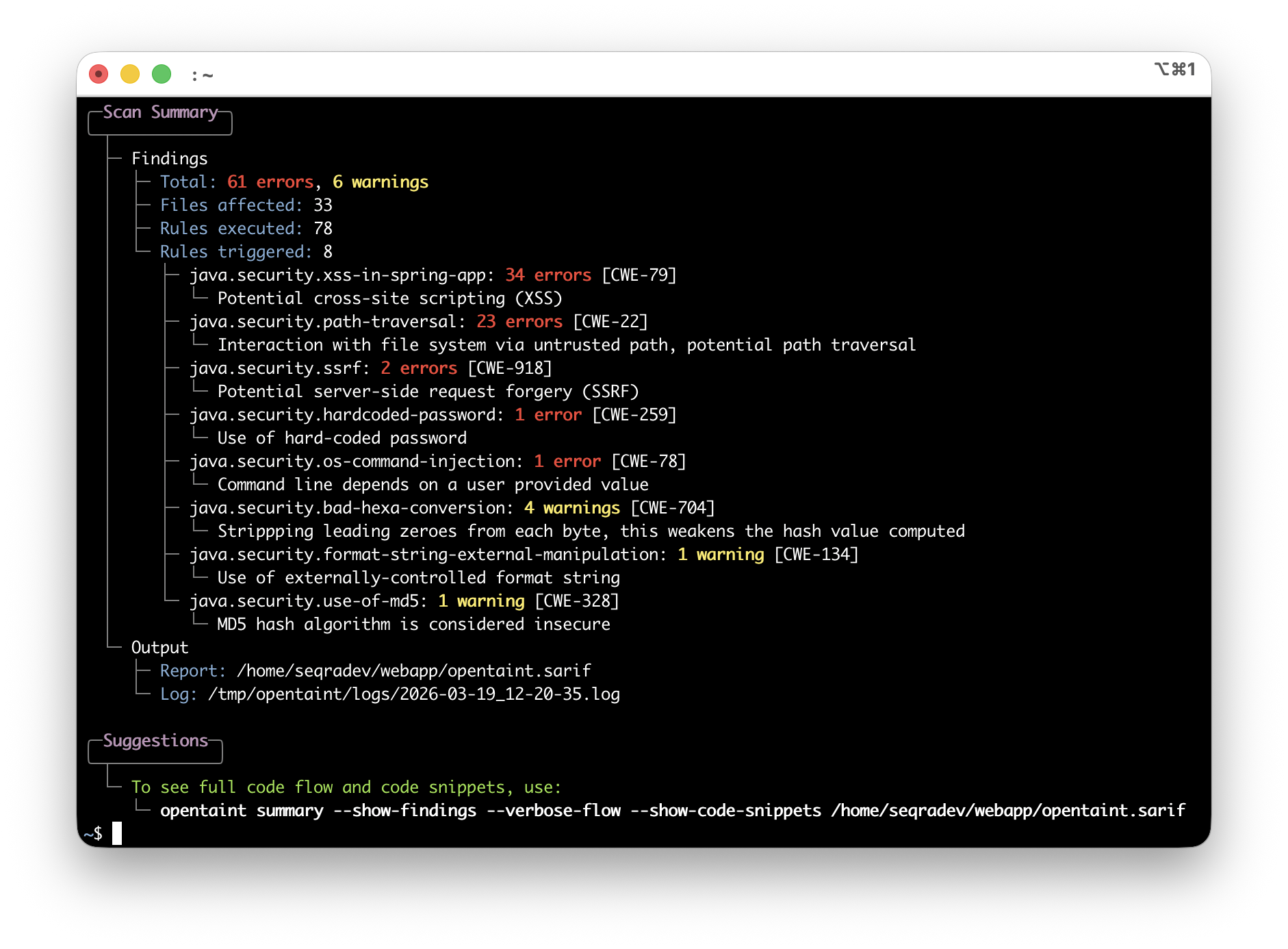
Supported technologies and integrations





Roadmap




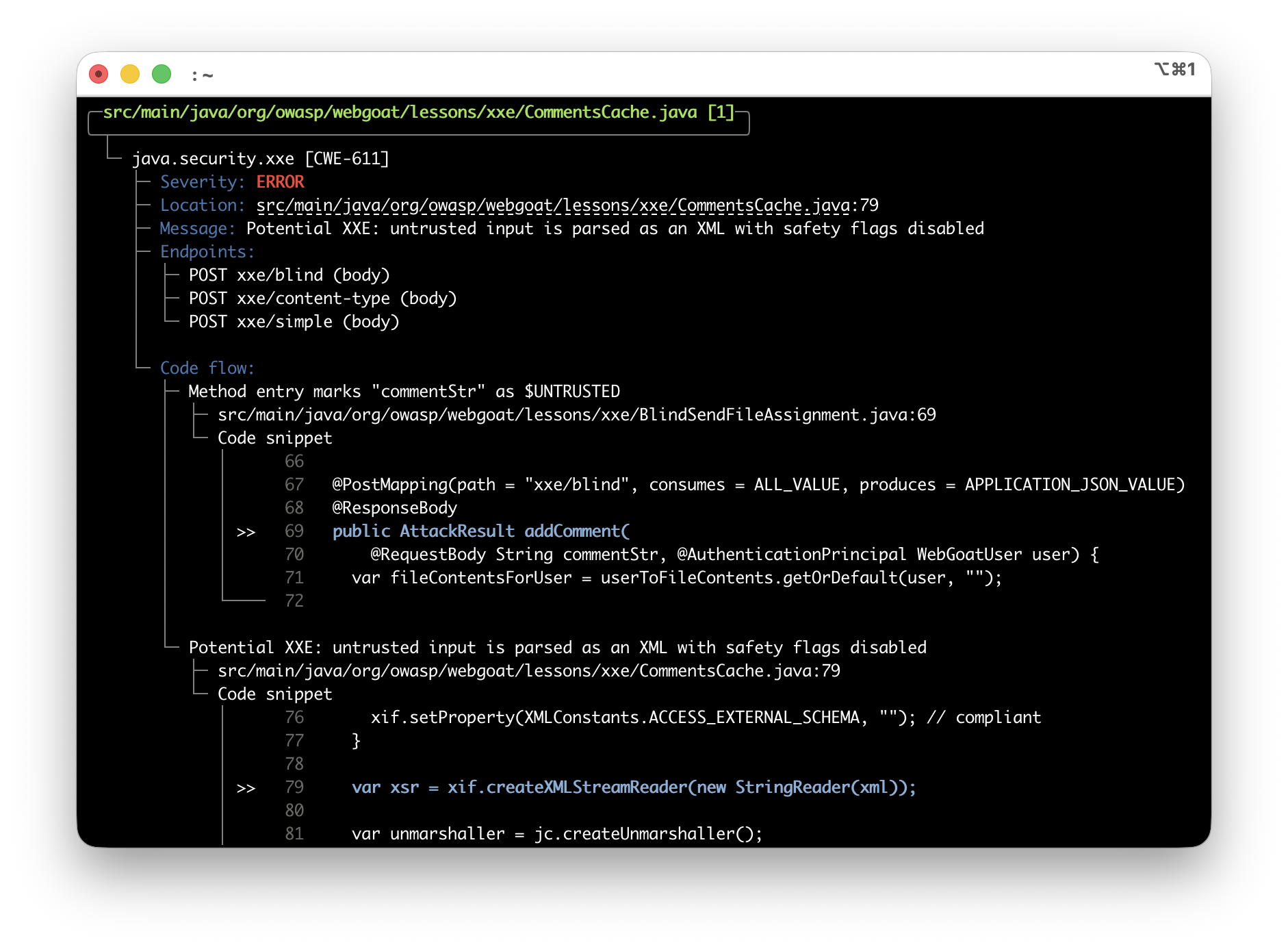
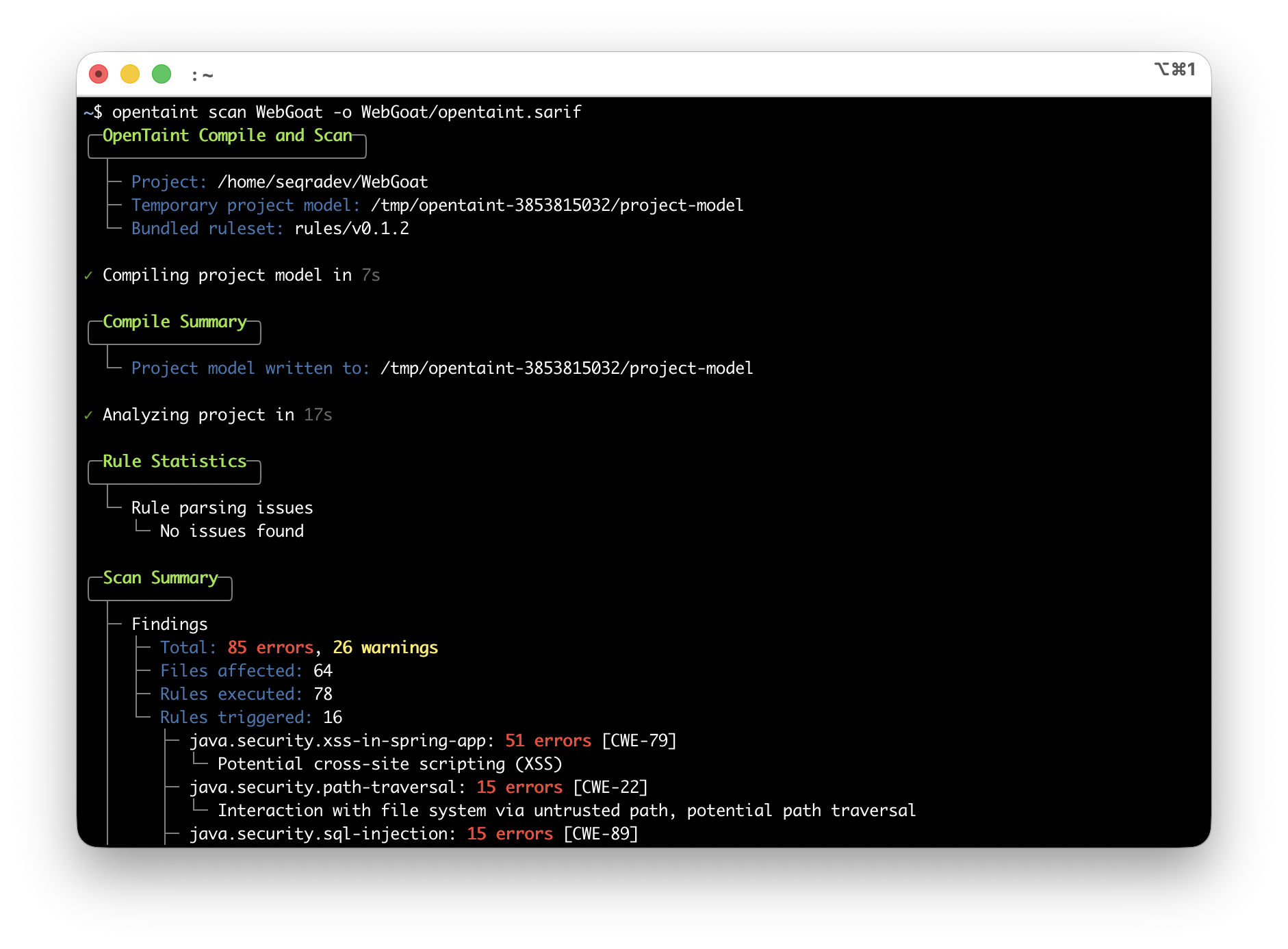
More screenshots
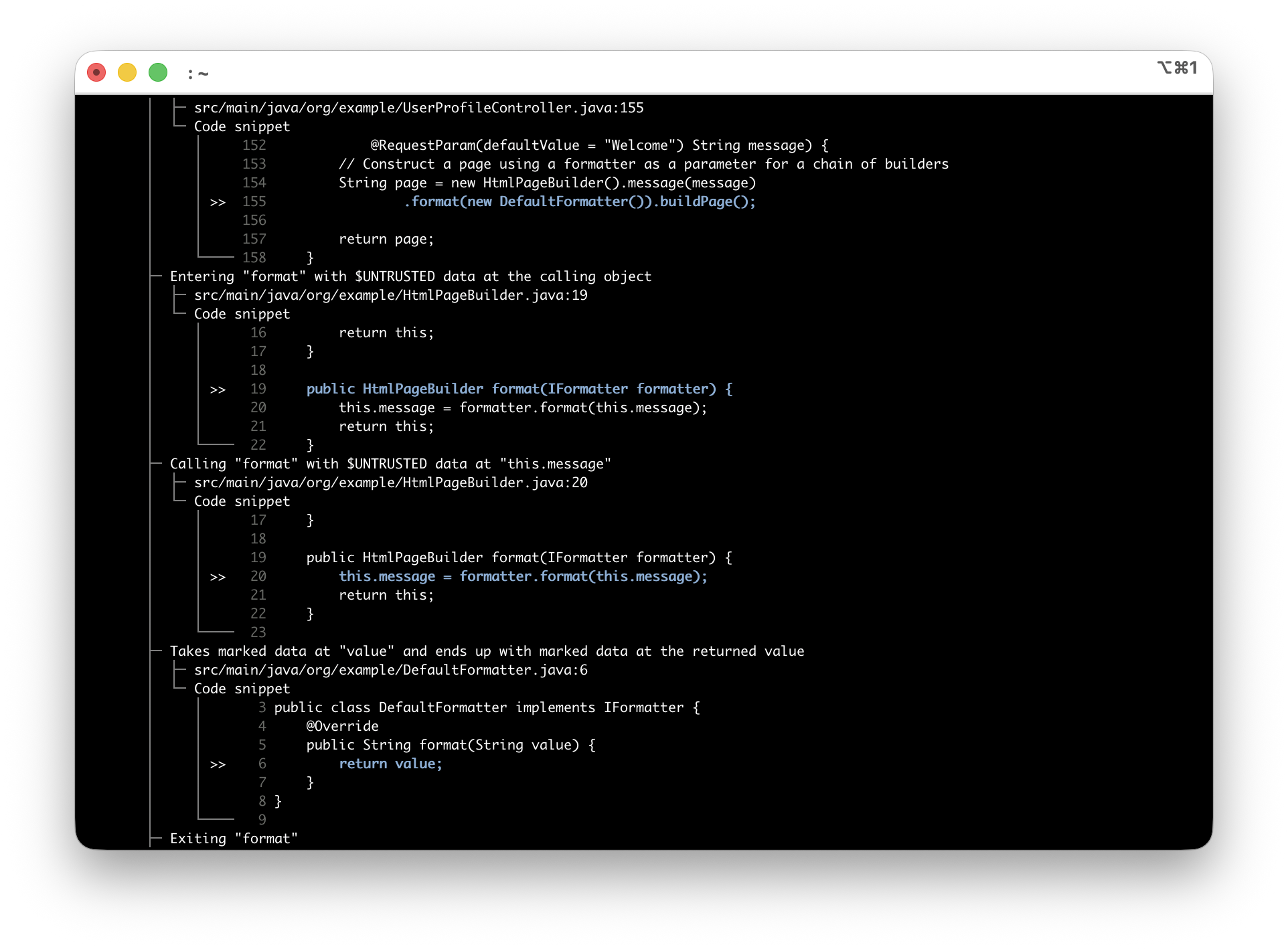
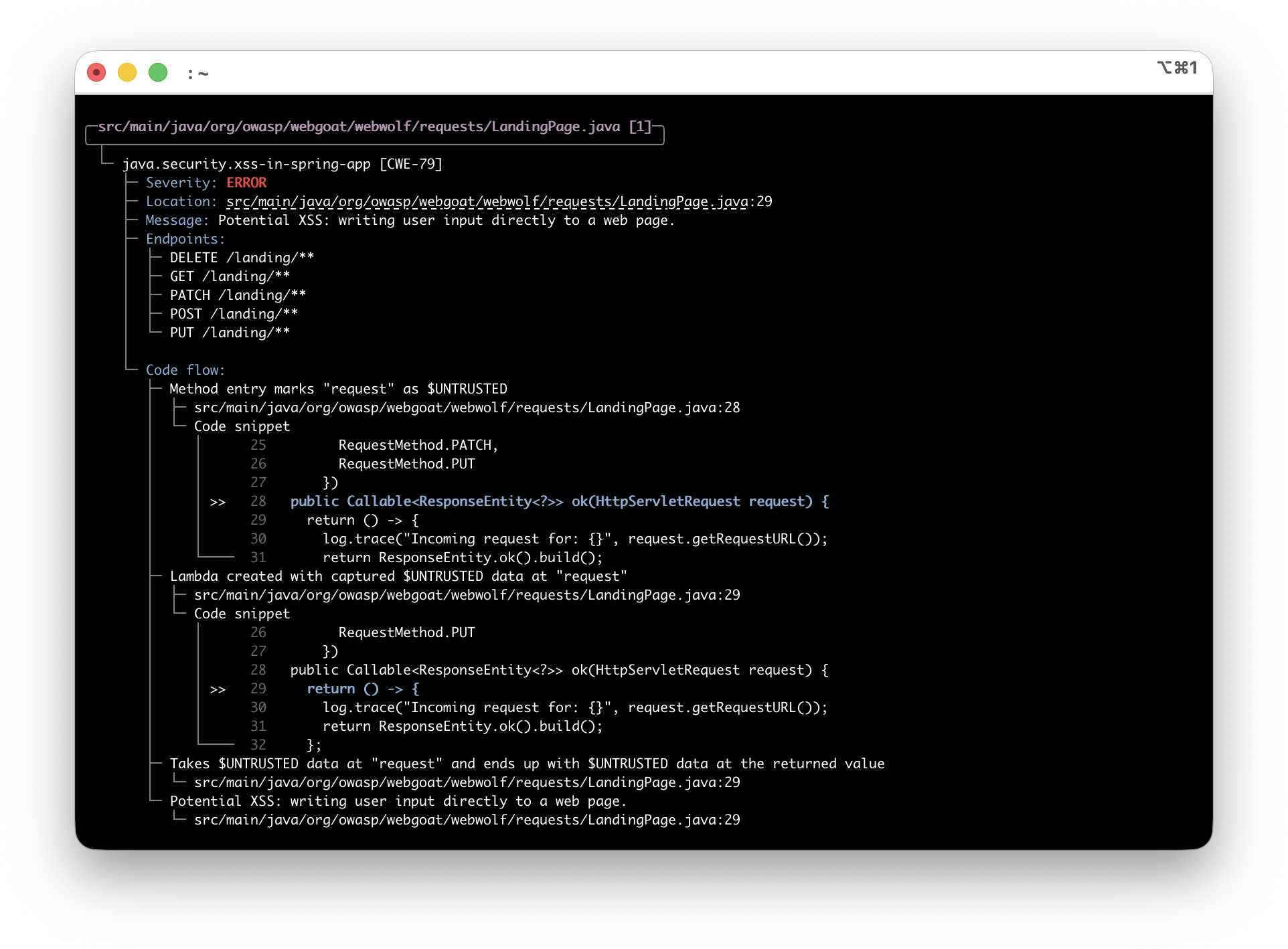
Hello, " + name + "!
"; } ``` OpenTaint 报告:`GET /greet` 处的 `xss-in-spring-app` —— 用户输入在未经 HTML 转义的情况下返回。 **通过 RestTemplate 的 SSRF** ``` @GetMapping("/fetch") public String fetchUrl(@RequestParam String url) { return restTemplate.getForObject(url, String.class); } ``` OpenTaint 报告:`GET /fetch` 处的 `ssrf-in-spring-app` —— 用户控制的 URL 传递给 HTTP 客户端。 每个发现都包含 HTTP 端点,便于理解应用程序的攻击面。 ## 安装 | 方法 | 命令 | |--------|---------| | **Homebrew** (Linux/macOS) | `brew install --cask seqra/tap/opentaint` | | **安装脚本** (Linux/macOS) | `curl -fsSL https://raw.githubusercontent.com/seqra/opentaint/main/scripts/install/install.sh \| bash` | | **安装脚本** | `irm https://raw.githubusercontent.com/seqra/opentaint/main/scripts/install/install.ps1 \| iex` | | **安装脚本** (Windows CMD) | `curl -fsSL https://raw.githubusercontent.com/seqra/opentaint/main/scripts/install/install.cmd -o install.cmd && install.cmd && del install.cmd` | | **Docker** | 参见 [快速开始](#quick-start) 或 [Docker 文档](docs/docker.md) | | **Binary** | [从 releases 下载](https://github.com/seqra/opentaint/releases/latest) | 发布包有三种变体:**`opentaint-full`** (binary + JARs + rules + JRE)、**`opentaint`** (binary + JARs + rules) 和 **`opentaint-cli`** (仅 binary)。Homebrew 和安装脚本默认使用 `full`。 详细说明请参阅 [安装指南](docs/installation.md)。 ## 使用 ``` opentaint scan --output results.sarif /path/to/project # Scan project opentaint summary --show-findings results.sarif # View results opentaint summary --show-findings --verbose-flow --show-code-snippets results.sarif # Full detail ``` | 命令 | 描述 | |---------|-------------| | `opentaint scan` | 分析项目 (自动检测 Maven/Gradle) | | `opentaint compile` | 单独构建项目模型 | | `opentaint project` | 从预编译的 JAR 创建模型 | | `opentaint summary` | 查看 SARIF 结果 | | `opentaint pull` | 下载依赖 | | `opentaint update` | 更新到最新版本 | | `opentaint prune` | 删除过时的下载构件 | **选项:** `--max-memory 16G`, `--timeout 5m`, `--severity error`, `--config config.yaml` 详细用法请参阅 [使用指南](docs/usage.md)。 ## 配置 ``` scan: timeout: 15m max_memory: 16G log: verbosity: info # info, debug color: auto # auto, always, never ``` 或使用环境变量:`OPENTAINT_SCAN_TIMEOUT=30m`, `OPENTAINT_SCAN_MAX_MEMORY=16G` 详细配置请参阅 [配置指南](docs/configuration.md)。 ## CI/CD 集成 - **GitHub Actions:** [seqra/opentaint/github](https://github.com/seqra/opentaint/tree/main/github) - **GitLab CI:** [seqra/opentaint/gitlab](https://github.com/seqra/opentaint/tree/main/gitlab) ## 故障排除 | 问题 | 解决方案 | |-------|----------| | 构建失败 | 确保 `mvn compile` 或 `gradle build` 正常工作;设置 `JAVA_HOME` | | 内存不足 | 使用 `--max-memory 16G` | | 超时 | 使用 `--timeout 20m` | | 重新下载依赖 | `opentaint prune --yes && opentaint pull` | | 调试 | 使用 `--verbosity debug` | 详细故障排除请参阅 [故障排除指南](docs/troubleshooting.md)。 ## 文档 有关所有功能的综合指南,请参阅完整 [文档](docs/README.md)。 ## 支持 - **问题:** [GitHub Issues](https://github.com/seqra/opentaint/issues) - **社区:** [Discord](https://discord.gg/6BXDfbP4p9) - **邮箱:** [seqradev@gmail.com](mailto:seqradev@gmail.com) - **FAQ:** [FAQ](docs/faq.md) ## 许可证 [核心分析引擎](core/) 根据 [Apache 2.0 License](LICENSE.md) 发布。[CLI](cli/)、[GitHub Action](github/)、[GitLab CI 模板](gitlab/) 和 [规则](rules/) 根据 [MIT License](cli/LICENSE) 发布。标签:CISA项目, DevSecOps, DNS 反向解析, DOE合作, Go, JS文件枚举, Kotlin, Ruby工具, SAST, Spring Boot, 上游代理, 云计算, 人工智能, 企业级安全, 图数据库, 开源安全工具, 日志审计, 用户模式Hook绕过, 盲注攻击, 网络安全, 规则引擎, 请求拦截, 逆向工程平台, 错误基检测, 隐私保护, 静态代码分析