0xhroot/AIAS
GitHub: 0xhroot/AIAS
基于 Isolation Forest 的自学习网络防火墙,通过行为建模实现异常流量检测与自动拦截。
Stars: 2 | Forks: 0
```
█████╗ ██╗ █████╗ ███████╗
██╔══██╗██║██╔══██╗██╔════╝
███████║██║███████║███████╗
██╔══██║██║██╔══██║╚════██║
██║ ██║██║██║ ██║███████║
╚═╝ ╚═╝╚═╝╚═╝ ╚═╝╚══════╝
AI Adaptive Security — ML-Powered Network Firewall
```
**一款不仅能拦截,更能理解流量的自学习防火墙。**
[](https://python.org)
[](https://flask.palletsprojects.com)
[](https://scikit-learn.org)
[](LICENSE)
[](https://linux.org)
[](https://github.com/0xhroot/AIAS/stargazers)
[**工作原理**](#-how-it-works) · [**系统架构**](#-system-architecture) · [**安装说明**](#-installation) · [**仪表盘**](#-web-dashboard) · [**路线图**](#-roadmap)
## ⚡ 什么是 AIAS?
**AIAS (AI Adaptive Security)** 是一款基于机器学习的网络防火墙,它超越了静态规则和签名的限制。虽然 pfSense、iptables、Snort 和 Suricata 等工具依赖预定义的规则集,但 AIAS 能够**随着时间推移学习流量行为**,并自主调整其过滤逻辑。
它不仅仅是一个发出警报的 IDS(入侵检测系统)。AIAS 是一个**主动 AI 过滤器** —— 它实时检测、评分、记录并对网络流量执行决策,并通过实时 Web 可视化仪表盘展示所有信息。
| 传统防火墙 | AIAS |
|---|---|
| 基于规则/签名进行拦截 | 学习正常行为,标记偏差 |
| 需要手动更新规则 | 随时间自动适应 |
| 二元允许/拦截 | 带有置信度的异常评分 |
| 仅检测 (IDS) | 主动执行 |
| 对新型攻击视而不见 | 通过 ML 捕获零日模式 |
## 🧠 工作原理
AIAS 通过三个阶段在连续的 pipeline 中运行:
### 1. 捕获 (Capture)
原始网络数据包从实时接口捕获或从 `.pcap` 文件加载。每个数据包都被解析并归一化为代表连接特征的特征向量。
### 2. 检测 (Detect)
**Isolation Forest** 模型 —— 一种经过验证的无监督异常检测算法 —— 对每个流量事件进行评分。它学习“正常”流量的特征,并为任何偏离正常模式的事件分配异常值分数。不需要标记的攻击数据。
### 3. 执行 (Enforce)
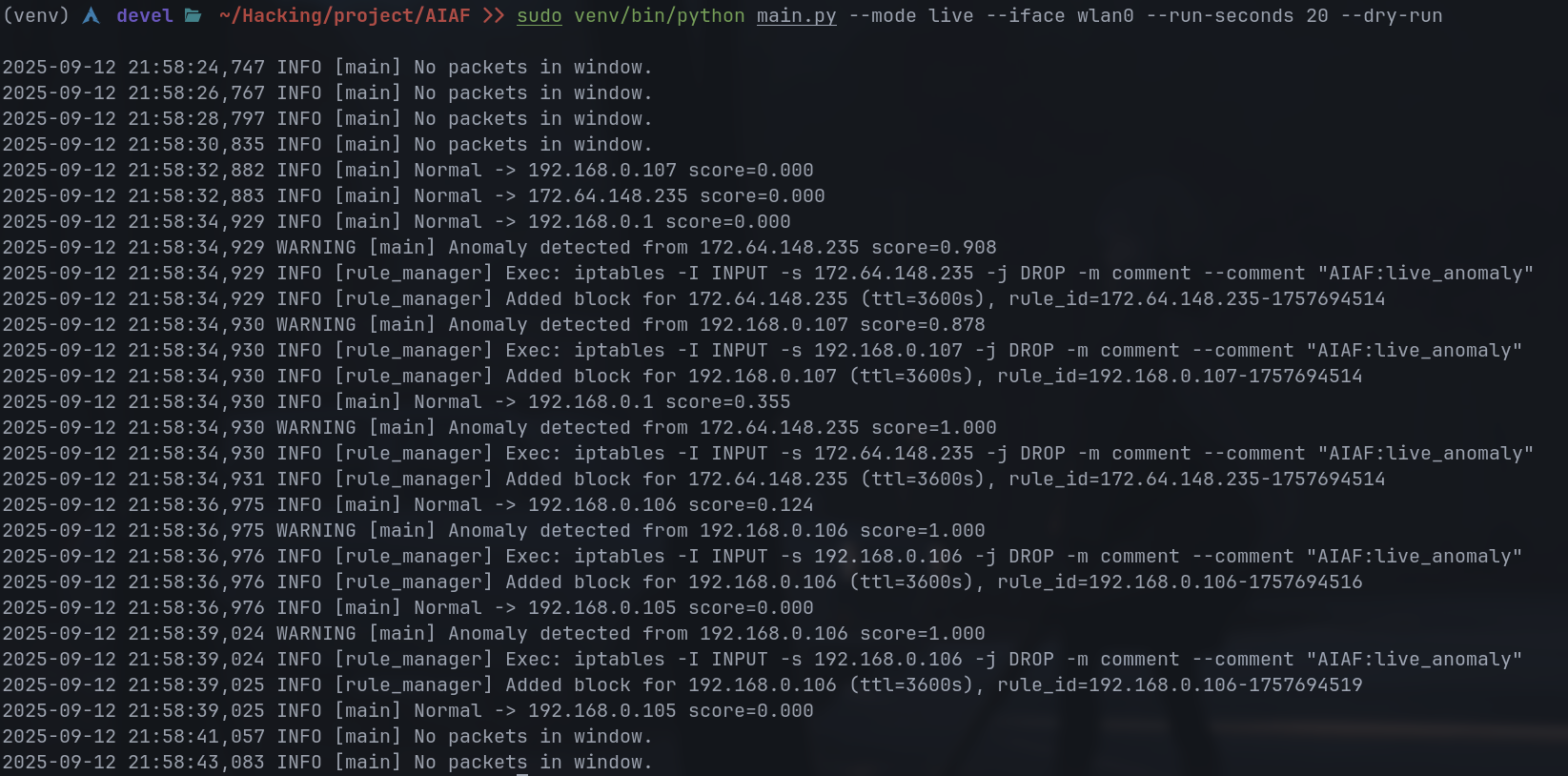
超过异常阈值的事件将被标记。其 IP 被添加到由 **Rule Manager** 管理的拦截列表中,该管理器可以挂钩 `iptables`/`ufw` 以进行真实的防火墙强制执行。每个决策都会同时以三种格式记录。
## 🏗️ 系统架构
```
┌─────────────────────────────────────────────────────────────────┐
│ AIAS PIPELINE │
│ │
│ ┌─────────────┐ ┌──────────────┐ ┌─────────────────┐ │
│ │ CAPTURE │────►│ FEATURES │────►│ DETECTION │ │
│ │ │ │ │ │ │ │
│ │ capture/ │ │ features/ │ │ detection/ │ │
│ │ ─ pcap load │ │ ─ extract │ │ ─ IsolationForest│ │
│ │ ─ live iface│ │ ─ normalize │ │ ─ anomaly score │ │
│ │ ─ simulator │ │ ─ vectorize │ │ ─ threshold │ │
│ └─────────────┘ └──────────────┘ └────────┬────────┘ │
│ │ │
│ ┌─────────────────────────────────────┘ │
│ ▼ │
│ ┌─────────────────┐ ┌──────────────┐ │
│ │ ENFORCEMENT │ │ LOGGING │ │
│ │ │ │ │ │
│ │ enforcement/ │ │ utils/ │ │
│ │ ─ rule manager │ │ ─ events.csv │ │
│ │ ─ blocked IPs │ │ ─ events.json│ │
│ │ ─ iptables hook │ │ ─ aiaf.log │ │
│ └────────┬────────┘ └──────┬───────┘ │
│ │ │ │
│ └──────────┬─────────┘ │
│ ▼ │
│ ┌───────────────────────┐ │
│ │ WEB DASHBOARD │ │
│ │ │ │
│ │ dashboard/ │ │
│ │ ─ Flask server │ │
│ │ ─ Chart.js live graph │ │
│ │ ─ Blocked IPs table │ │
│ │ ─ Event stream │ │
│ │ ─ Auto-refresh (4s) │ │
│ └───────────────────────┘ │
└─────────────────────────────────────────────────────────────────┘
┌──────────────────────────────┐
│ MODELS LAYER │
│ models/ │
│ ─ trained IsolationForest │
│ ─ feature scaler │
│ ─ model persistence (.pkl) │
└──────────────────────────────┘
┌──────────────────────────────┐
│ HONEYPOT (Optional) │
│ honeypot/ │
│ ─ decoy service listener │
│ ─ trap malicious probes │
└──────────────────────────────┘
```
## 📁 项目结构
```
AIAS/
│
├── main.py # Entry point — train / pcap / live modes
├── traffic_simulator.py # Fake event generator for demo/testing
├── requirements.txt # Python dependencies
│
├── capture/ # Packet capture subsystem
│ └── ... # pcap parsing, live interface capture
│
├── features/ # Feature engineering
│ └── ... # Packet → ML feature vector pipeline
│
├── detection/ # ML anomaly detection
│ └── ... # Isolation Forest model wrapper
│
├── enforcement/ # Rule enforcement engine
│ └── ... # Blocked IP management, iptables bridge
│
├── models/ # Persisted ML model artifacts
│ └── ... # .pkl model files, scalers
│
├── dashboard/ # Flask web dashboard
│ └── ... # Routes, templates, Chart.js frontend
│
├── honeypot/ # Decoy service (optional trap layer)
│ └── ...
│
├── utils/ # Shared utilities
│ └── logger.py # Triple-format event logger
│
├── data/
│ └── raw/
│ └── sample.pcap # Sample capture file for testing
│
├── logs/ # Runtime output (auto-generated)
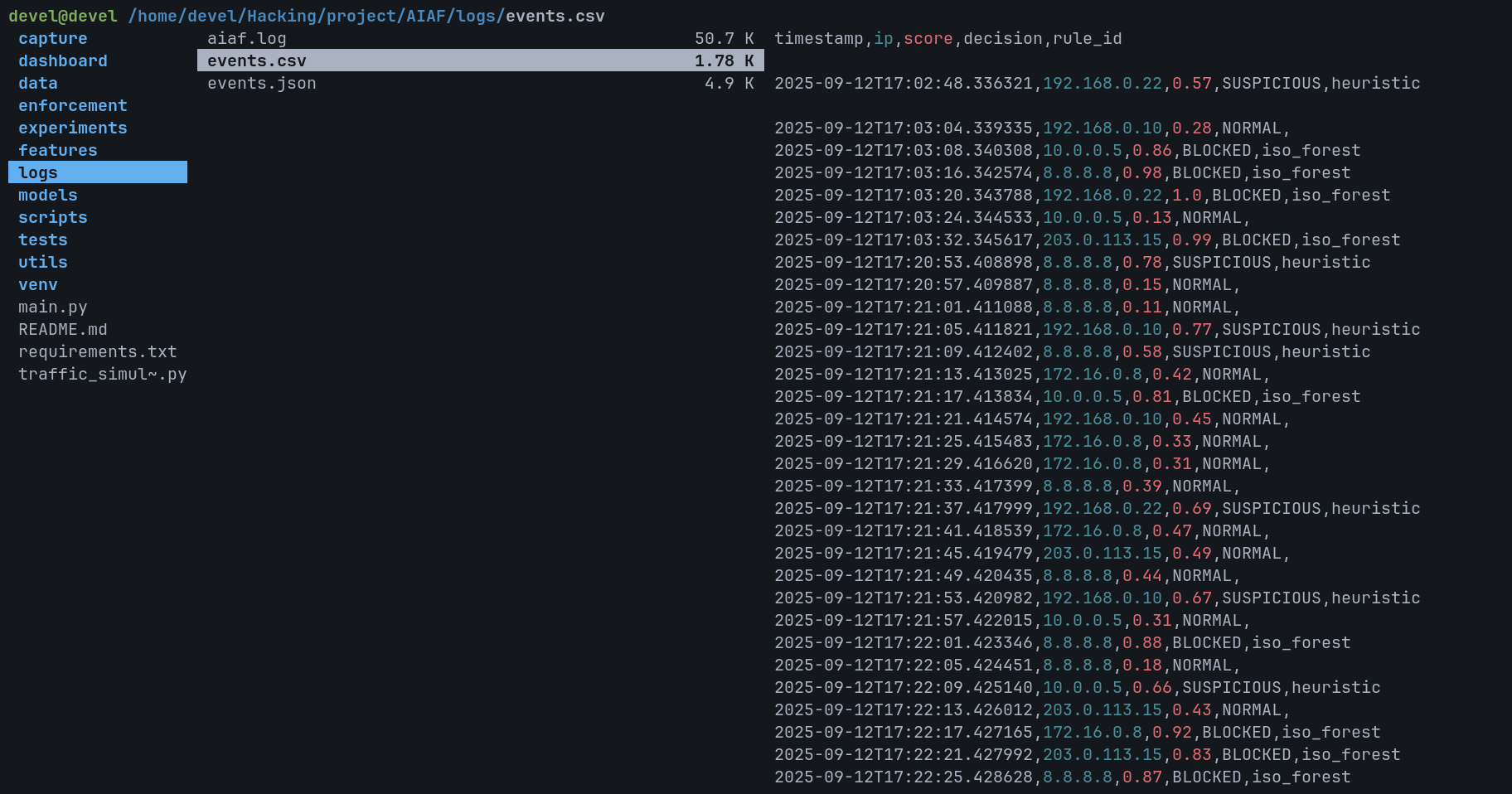
│ ├── events.csv # Structured event table
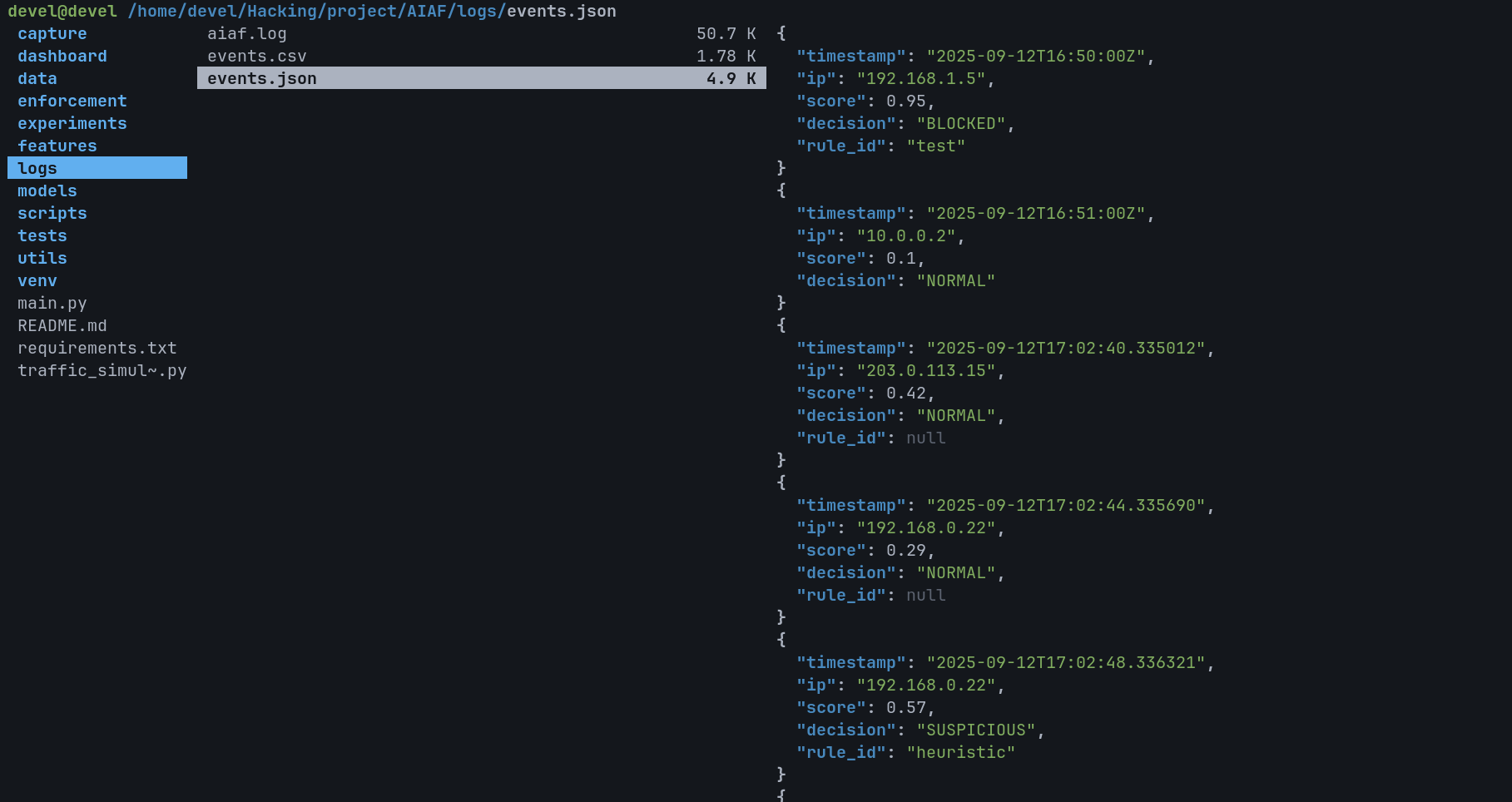
│ ├── events.json # Line-by-line JSON log
│ └── aiaf.log # Human-readable log file
│
└── scripts/ # Helper/setup scripts
```
## 🤖 AI 模型 — Isolation Forest
AIAS 使用 **Isolation Forest**(来自 scikit-learn 的无监督异常检测算法)作为其核心检测引擎。
### 为什么选择 Isolation Forest?
- **无需标记数据** —— 仅从正常流量模式中学习
- **在高维数据上高效** —— 网络流量具有许多特征
- **快速推理** —— 在 runtime 中以微秒级对事件进行评分
- **有效隔离罕见事件** —— 异常点更容易通过随机分区进行隔离
### 如何对流量进行评分
```
Normal Traffic → Score close to 0 → ALLOW
Suspicious Traffic → Score approaching -1 → FLAG / BLOCK
Threshold: configurable contamination factor (default ~5% outliers)
```
### 训练模式
```
# 在合成基线数据上训练
python main.py --mode train
# 对来自 pcap 文件的事件进行评分 (dry run,无强制执行)
python main.py --mode pcap --pcap data/raw/sample.pcap --dry-run
# 从网络接口进行实时捕获
sudo python main.py --mode live --iface eth0 --run-seconds 60 --dry-run
```
## 📊 事件日志
每个流量决策都通过 `utils/logger.py` 同时写入 **三种格式**:
| 文件 | 格式 | 用途 |
|---|---|---|
| `logs/events.csv` | 结构化 CSV | 数据分析,电子表格导入 |
| `logs/events.json` | 逐行 JSON | 日志聚合器 (ELK, Splunk 等) |
| `logs/aiaf.log` | 人类可读 | 终端监控, tail -f |
### 日志 Schema
```
┌────────────┬──────────────┬───────────┬──────────┬───────────────────┐
│ timestamp │ source_ip │ score │ decision │ rule_id │
├────────────┼──────────────┼───────────┼──────────┼───────────────────┤
│ 1726172400 │ 192.168.1.45 │ -0.823 │ BLOCK │ anomaly_threshold │
│ 1726172401 │ 10.0.0.12 │ 0.021 │ ALLOW │ normal_traffic │
│ 1726172402 │ 172.16.5.99 │ -0.991 │ BLOCK │ anomaly_threshold │
└────────────┴──────────────┴───────────┴──────────┴───────────────────┘
```
## 🌐 Web 仪表盘
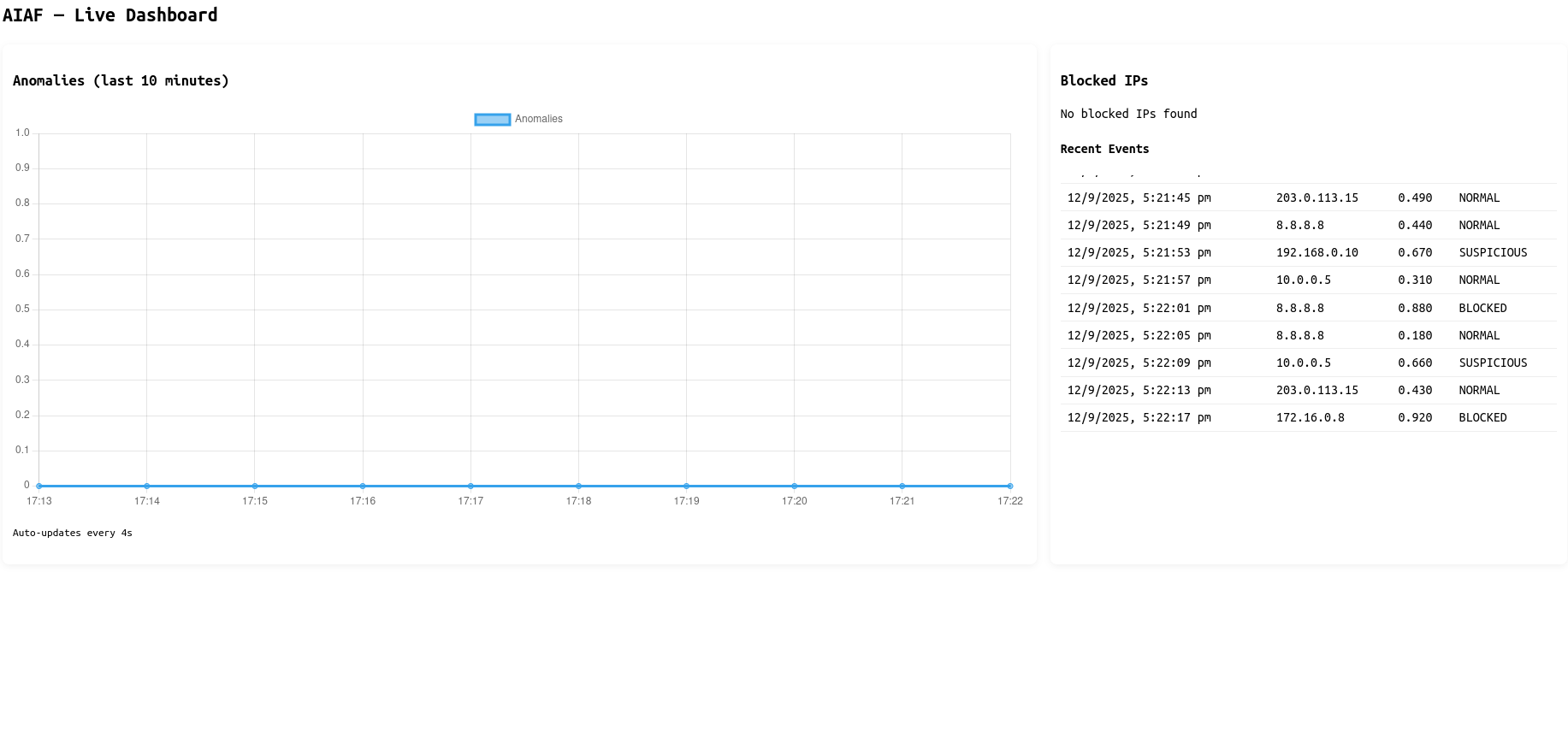
由 Flask 驱动的仪表盘提供 AIAS 检测到的所有内容的实时视图。
**功能:**
- 📈 **实时异常分数图表** —— 通过 Chart.js 展示滚动 10 分钟窗口
- 🚫 **已拦截 IP 表** —— 所有执行决策集中展示
- 📝 **最近事件流** —— 最近 N 个事件及其分数和决策
- 🔄 **每 4 秒自动刷新** —— 无需手动重载
**启动仪表盘:**
```
# Dashboard 随 main.py 自动启动
# 或者独立运行:
python dashboard/app.py
```
然后打开:`http://localhost:5000`
## 🎯 流量模拟器
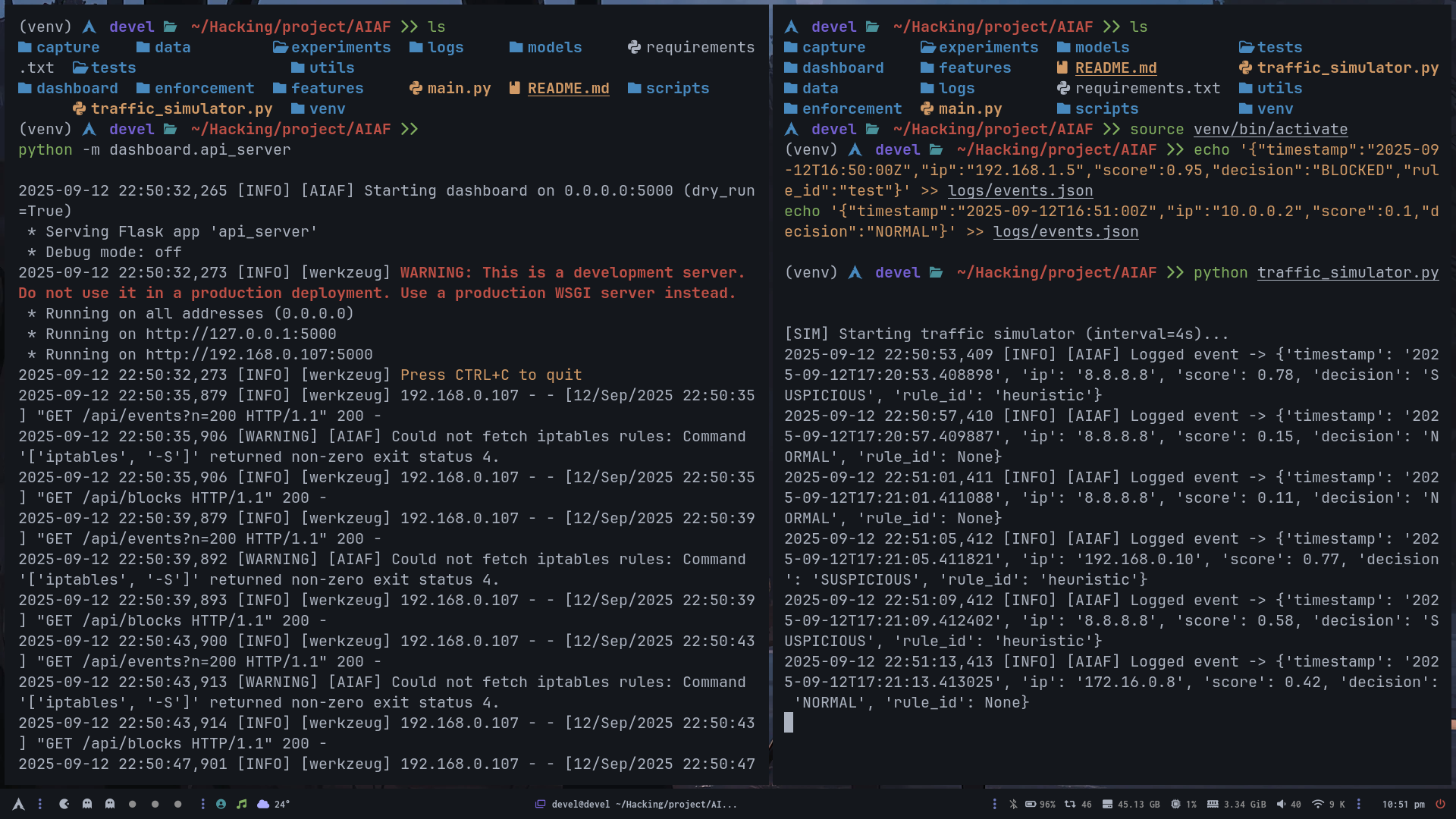
`traffic_simulator.py` 生成随机虚假流量事件,用于演示和测试目的 —— 无需真实的网络接口或 pcap。
```
python traffic_simulator.py
```
这使得仪表盘在演示期间保持活跃和有数据,模拟正常和异常事件的混合,并带有随机 IP 和分数。
## 🛠️ 安装说明
### 前置条件
| 需求 | 备注 |
|---|---|
| Python 3.10+ | 在 3.10, 3.11 上测试 |
| Arch Linux / Debian / Ubuntu | 任何现代 Linux 发行版 |
| Root 权限 | 仅实时捕获需要 |
| pip | 包管理器 |
### 步骤 1 — 克隆
```
git clone https://github.com/0xhroot/AIAS.git
cd AIAS
```
### 步骤 2 — 虚拟环境
```
python -m venv venv
source venv/bin/activate
```
### 步骤 3 — 安装依赖
```
pip install -r requirements.txt
```
### 步骤 4 — 训练模型
```
python main.py --mode train
```
这将在合成基线数据上训练 Isolation Forest 并将模型保存到 `models/`。
## ▶️ 运行 AIAS
### 模式 1 — PCAP 分析(最安全,无需 root)
```
python main.py --mode pcap --pcap data/raw/sample.pcap --dry-run
```
### 模式 2 — 实时捕获空运行(需要 Root,不执行拦截)
```
sudo python main.py --mode live --iface eth0 --run-seconds 30 --dry-run
```
### 模式 3 — 实时捕获并执行拦截(需要 Root)
```
# ⚠️ 这将应用真实的 iptables 规则。请仅在实验室 VM 中使用。
sudo python main.py --mode live --iface eth0 --run-seconds 60
```
### 模式 4 — 使用模拟器演示
```
# 终端 1:运行模拟器
python traffic_simulator.py
# 终端 2:查看 Dashboard
python dashboard/app.py
# 打开 http://localhost:5000
```
[**工作原理**](#-how-it-works) · [**系统架构**](#-system-architecture) · [**安装说明**](#-installation) · [**仪表盘**](#-web-dashboard) · [**路线图**](#-roadmap)
 ## ⚙️ 技术栈
| 层级 | 技术 | 用途 |
|---|---|---|
| 语言 | Python 3.10+ | 核心 runtime |
| ML 引擎 | scikit-learn (Isolation Forest) | 异常检测 |
| 数据包捕获 | Scapy / pcap | 网络流量摄入 |
| 特征工程 | NumPy, Pandas | 数据包 → 向量 pipeline |
| Web 仪表盘 | Flask | 后端 API + HTML 服务 |
| 前端图表 | Chart.js | 实时异常可视化 |
| 日志记录 | 自定义 logger | CSV + JSON + 明文 |
| 执行层 | iptables / ufw bridge | 主动拦截 |
| 持久化 | Pickle (.pkl) | 模型保存/加载 |
| Shell | Bash scripts | 设置自动化 |
## 🔐 安全注意事项
- **默认为空运行 (Dry-run)** —— `--dry-run` 标志防止任何真实的 iptables 修改
- **蜜罐层** —— `honeypot/` 中可选的诱饵服务,用于诱捕主动探测者
- **无网络外发** —— AIAS 不会回传数据或向外发送数据
- **建议使用实验室 VM** —— 在生产环境使用之前,务必在隔离环境中测试实时执行功能
- **仅在必要时使用 Root** —— 只有实时捕获模式需要提升权限
## 🆚 AIAS 对比传统工具
| 功能 | Snort/Suricata | pfSense | iptables | **AIAS** |
|---|---|---|---|---|
| 基于签名 | ✅ | ✅ | ✅ | ❌ 不需要 |
| ML 异常检测 | ❌ | ❌ | ❌ | ✅ |
| 零日潜力 | ❌ | ❌ | ❌ | ✅ |
| 自动适应规则 | ❌ | ❌ | ❌ | ✅ |
| 实时仪表盘 | ⚠️ 部分 | ✅ | ❌ | ✅ |
| 无需规则数据库 | ❌ | ❌ | ❌ | ✅ |
| 轻量级 Python | ❌ | ❌ | ✅ | ✅ |
## 🗺️ 路线图
- [ ] **深度包检测** —— Payload 级别的特征提取,以提供更丰富的 ML 输入
- [ ] **多模型集成** —— 结合 Isolation Forest + One-Class SVM + Autoencoder
- [ ] **在线学习** —— 无需重启即可在传入流量上持续重训练模型
- [ ] **警报 Webhooks** —— 在高危事件发生时 POST 到 Slack, Discord, 或 PagerDuty
- [ ] **GeoIP 标记** —— 使用国家/ASN 数据注释事件
- [ ] **Docker 容器** —— 打包所有依赖项的一键部署
- [ ] **Prometheus 指标** —— 将异常分数导出为 Grafana 的时间序列
- [ ] **IPv6 支持** —— 将捕获和执行扩展到 IPv6 流量
- [ ] **CLI TUI** —— 使用 Rich 或 Textual 作为仪表盘替代方案的终端仪表盘
- [ ] **pcap 导出** —— 将标记的会话保存为 pcap 以供取证审查
## 🚀 版本发布
### v1.0.0 — AIAF 完整版
首次公开发布。包括完整的 ML pipeline、实时仪表盘、流量模拟器和执行层。
[⬇️ 下载 ZIP](../../releases/tag/ZIP)
## ⚠️ 免责声明
AIAS 是一个**研究和教育项目**。它旨在在隔离的实验室环境中使用。作者对在生产环境中运行此工具导致的滥用、意外拦截或网络中断不承担任何责任。请始终先使用 `--dry-run` 进行测试。
## 📄 许可证
```
MIT License — Copyright (c) 2025 0xhroot
Permission is hereby granted, free of charge, to any person obtaining a copy
of this software to use, copy, modify, merge, publish, distribute, sublicense,
and/or sell copies, subject to the MIT license conditions.
```
## ⚙️ 技术栈
| 层级 | 技术 | 用途 |
|---|---|---|
| 语言 | Python 3.10+ | 核心 runtime |
| ML 引擎 | scikit-learn (Isolation Forest) | 异常检测 |
| 数据包捕获 | Scapy / pcap | 网络流量摄入 |
| 特征工程 | NumPy, Pandas | 数据包 → 向量 pipeline |
| Web 仪表盘 | Flask | 后端 API + HTML 服务 |
| 前端图表 | Chart.js | 实时异常可视化 |
| 日志记录 | 自定义 logger | CSV + JSON + 明文 |
| 执行层 | iptables / ufw bridge | 主动拦截 |
| 持久化 | Pickle (.pkl) | 模型保存/加载 |
| Shell | Bash scripts | 设置自动化 |
## 🔐 安全注意事项
- **默认为空运行 (Dry-run)** —— `--dry-run` 标志防止任何真实的 iptables 修改
- **蜜罐层** —— `honeypot/` 中可选的诱饵服务,用于诱捕主动探测者
- **无网络外发** —— AIAS 不会回传数据或向外发送数据
- **建议使用实验室 VM** —— 在生产环境使用之前,务必在隔离环境中测试实时执行功能
- **仅在必要时使用 Root** —— 只有实时捕获模式需要提升权限
## 🆚 AIAS 对比传统工具
| 功能 | Snort/Suricata | pfSense | iptables | **AIAS** |
|---|---|---|---|---|
| 基于签名 | ✅ | ✅ | ✅ | ❌ 不需要 |
| ML 异常检测 | ❌ | ❌ | ❌ | ✅ |
| 零日潜力 | ❌ | ❌ | ❌ | ✅ |
| 自动适应规则 | ❌ | ❌ | ❌ | ✅ |
| 实时仪表盘 | ⚠️ 部分 | ✅ | ❌ | ✅ |
| 无需规则数据库 | ❌ | ❌ | ❌ | ✅ |
| 轻量级 Python | ❌ | ❌ | ✅ | ✅ |
## 🗺️ 路线图
- [ ] **深度包检测** —— Payload 级别的特征提取,以提供更丰富的 ML 输入
- [ ] **多模型集成** —— 结合 Isolation Forest + One-Class SVM + Autoencoder
- [ ] **在线学习** —— 无需重启即可在传入流量上持续重训练模型
- [ ] **警报 Webhooks** —— 在高危事件发生时 POST 到 Slack, Discord, 或 PagerDuty
- [ ] **GeoIP 标记** —— 使用国家/ASN 数据注释事件
- [ ] **Docker 容器** —— 打包所有依赖项的一键部署
- [ ] **Prometheus 指标** —— 将异常分数导出为 Grafana 的时间序列
- [ ] **IPv6 支持** —— 将捕获和执行扩展到 IPv6 流量
- [ ] **CLI TUI** —— 使用 Rich 或 Textual 作为仪表盘替代方案的终端仪表盘
- [ ] **pcap 导出** —— 将标记的会话保存为 pcap 以供取证审查
## 🚀 版本发布
### v1.0.0 — AIAF 完整版
首次公开发布。包括完整的 ML pipeline、实时仪表盘、流量模拟器和执行层。
[⬇️ 下载 ZIP](../../releases/tag/ZIP)
## ⚠️ 免责声明
AIAS 是一个**研究和教育项目**。它旨在在隔离的实验室环境中使用。作者对在生产环境中运行此工具导致的滥用、意外拦截或网络中断不承担任何责任。请始终先使用 `--dry-run` 进行测试。
## 📄 许可证
```
MIT License — Copyright (c) 2025 0xhroot
Permission is hereby granted, free of charge, to any person obtaining a copy
of this software to use, copy, modify, merge, publish, distribute, sublicense,
and/or sell copies, subject to the MIT license conditions.
```
**由 [0xhroot](https://github.com/0xhroot) 构建**
*规则是给防火墙用的。学习才是 AIAS 的精髓。*
[](https://github.com/0xhroot)
标签:AI安全, Apex, Beacon Object File, Chat Copilot, Flask, iptables, IP 地址批量处理, pfSense, Python, Scikit-learn, Suricata, 人工智能, 入侵检测系统, 入侵防御系统, 威胁猎捕, 安全数据湖, 异常检测, 无后门, 机器学习, 流量分类, 深度包检测, 现代安全运营, 用户模式Hook绕过, 网络安全, 网络安全分析, 自动化防御, 自适应安全, 逆向工具, 配置错误, 防火墙, 隐私保护, 零日漏洞防护