connormcgarr/Vtl1Mon
GitHub: connormcgarr/Vtl1Mon
基于 ETW 的 Windows VTL 1 安全调用追踪工具,可捕获并符号化显示 NT 内核与 Secure Kernel 之间的交互调用栈。
Stars: 103 | Forks: 12
# Vtl1Mon
Vtl1Mon 是一个利用 ETW(以及一些未公开的 ETW 值/事件数据)来追踪 Windows 上所有“安全调用”(例如,调用 `nt!VslpEnterIumSecureMode`,允许 NT 请求 Secure Kernel 的服务)的工具。这些事件经过了调用堆栈和符号增强,提供了有关所执行的安全调用类型的详细信息以及带有符号的相关调用堆栈(如果可能)。然后,这些数据会被写入到用户指定的 CSV 文件路径中。
请参阅用法和注意事项以获取更多信息。
## 输出
|TIMESTAMP |SECURE CALL NUMBER |PROCESS ID|THREAD ID|CALL STACK |
|-------------|-----------------------------------------|----------|---------|-----------------------------------------------------------------------------------------------------------------------------------------------------------------------------------------------------------------------------------------------------------------------------------------------------------------------------------------------------------------------------------------------------------------------------------------------------------------------------------------------------------------------------------------------------------------------------------------------------------------------------------------------------------------------------------------------------------------------------------------------------------------------------------------------------------------------------------------------------------------------------------------------------------------------------------------------------------------------------------------------------------------------------------------------------------------------------------------------------------------------------------------------------------------------------------------------------------------------------------------------------------------------------------------------------------------------------------------------------------------------------------------------------------------------------------------------------------------------------------------------------------------------------------------|
|2273647777875|SECURESERVICE_FAST_FLUSH_RANGE_LIST (241)|1452 |8932 |\SystemRoot\system32\ntoskrnl.exe!KeExpandKernelStackAndCalloutInternal + 51|\SystemRoot\system32\ntoskrnl.exe!EtwpTraceStackWalk + 436|\SystemRoot\system32\ntoskrnl.exe!EtwpLogKernelEvent + 1819|\SystemRoot\system32\ntoskrnl.exe!EtwTraceKernelEvent + 151|\SystemRoot\system32\ntoskrnl.exe!VslpEnterIumSecureMode + 513|\SystemRoot\system32\ntoskrnl.exe!VslFastFlushSecureRangeList + 216|\SystemRoot\system32\ntoskrnl.exe!HvlFlushRangeListTb + 961|\SystemRoot\system32\ntoskrnl.exe!MiFlushTbList + 2466|\SystemRoot\system32\ntoskrnl.exe!MiSetReadOnlyOnSectionView + 503|\SystemRoot\system32\ntoskrnl.exe!MmSecureVirtualMemoryAgainstWrites + 334|\SystemRoot\system32\ntoskrnl.exe!AlpcpExposeViewAttributeInSenderContext + 169|\SystemRoot\system32\ntoskrnl.exe!AlpcpDispatchReplyToWaitingThread + 737|\SystemRoot\system32\ntoskrnl.exe!AlpcpSendMessage + 2195|\SystemRoot\system32\ntoskrnl.exe!NtAlpcSendWaitReceivePort + 590|\SystemRoot\system32\ntoskrnl.exe!KiSystemServiceCopyEnd + 37| |
|2273647778868|SECURESERVICE_FAST_FLUSH_RANGE_LIST (241)|4568 |27808 |\SystemRoot\system32\ntoskrnl.exe!KeExpandKernelStackAndCalloutInternal + 51|\SystemRoot\system32\ntoskrnl.exe!EtwpTraceStackWalk + 436|\SystemRoot\system32\ntoskrnl.exe!EtwpLogKernelEvent + 1819|\SystemRoot\system32\ntoskrnl.exe!EtwTraceKernelEvent + 151|\SystemRoot\system32\ntoskrnl.exe!VslpEnterIumSecureMode + 513|\SystemRoot\system32\ntoskrnl.exe!VslFastFlushSecureRangeList + 216|\SystemRoot\system32\ntoskrnl.exe!HvlFlushRangeListTb + 961|\SystemRoot\system32\ntoskrnl.exe!MiFlushTbList + 2466|\SystemRoot\system32\ntoskrnl.exe!MiDecommitPagesTail + 83|\SystemRoot\system32\ntoskrnl.exe!MiDeleteVaDirect + 1477|\SystemRoot\system32\ntoskrnl.exe!MiDeletePagablePteRange + 438|\SystemRoot\system32\ntoskrnl.exe!MiDeleteVirtualAddresses + 75|\SystemRoot\system32\ntoskrnl.exe!MiDeleteVad + 383|\SystemRoot\system32\ntoskrnl.exe!MiUnmapVad + 73|\SystemRoot\system32\ntoskrnl.exe!MiUnmapViewOfSection + 311|\SystemRoot\system32\ntoskrnl.exe!AlpcViewDestroyProcedure + 388|\SystemRoot\system32\ntoskrnl.exe!AlpcpDereferenceBlobEx + 248|\SystemRoot\system32\ntoskrnl.exe!AlpcViewDestroyProcedure + 423|\SystemRoot\system32\ntoskrnl.exe!AlpcpDereferenceBlobEx + 248|\SystemRoot\system32\ntoskrnl.exe!AlpcpCaptureViewAttribute + 190|\SystemRoot\system32\ntoskrnl.exe!AlpcpCaptureAttributes + 953|\SystemRoot\system32\ntoskrnl.exe!AlpcpSendMessage + 1709|\SystemRoot\system32\ntoskrnl.exe!NtAlpcSendWaitReceivePort + 590|\SystemRoot\system32\ntoskrnl.exe!KiSystemServiceCopyEnd + 37||
|2273647781562|SECURESERVICE_FAST_FLUSH_RANGE_LIST (241)|1452 |8932 |\SystemRoot\system32\ntoskrnl.exe!KeExpandKernelStackAndCalloutInternal + 51|\SystemRoot\system32\ntoskrnl.exe!EtwpTraceStackWalk + 436|\SystemRoot\system32\ntoskrnl.exe!EtwpLogKernelEvent + 1819|\SystemRoot\system32\ntoskrnl.exe!EtwTraceKernelEvent + 151|\SystemRoot\system32\ntoskrnl.exe!VslpEnterIumSecureMode + 513|\SystemRoot\system32\ntoskrnl.exe!VslFastFlushSecureRangeList + 216|\SystemRoot\system32\ntoskrnl.exe!HvlFlushRangeListTb + 961|\SystemRoot\system32\ntoskrnl.exe!MiFlushTbList + 2466|\SystemRoot\system32\ntoskrnl.exe!MiSetReadOnlyOnSectionView + 503|\SystemRoot\system32\ntoskrnl.exe!MmSecureVirtualMemoryAgainstWrites + 334|\SystemRoot\system32\ntoskrnl.exe!AlpcpExposeViewAttributeInSenderContext + 169|\SystemRoot\system32\ntoskrnl.exe!AlpcpDispatchReplyToWaitingThread + 737|\SystemRoot\system32\ntoskrnl.exe!AlpcpSendMessage + 2195|\SystemRoot\system32\ntoskrnl.exe!NtAlpcSendWaitReceivePort + 590|\SystemRoot\system32\ntoskrnl.exe!KiSystemServiceCopyEnd + 37| |
`(输出已截断).....................(输出已截断)`
## 用法
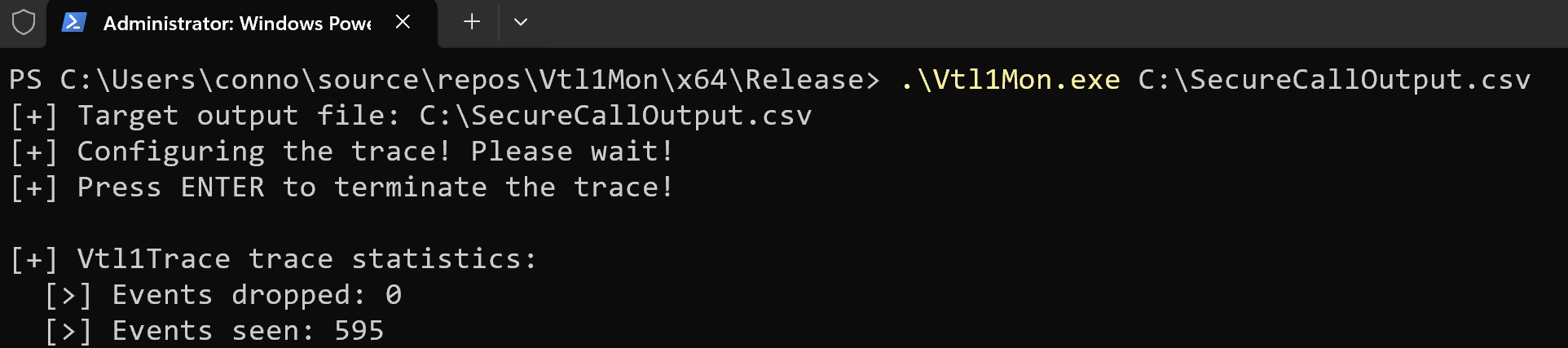
**以管理员身份**运行,你可以使用以下命令:
`.\Vtl1Mon.exe C:\Path\To\Output\File.csv`
## 注意事项
首先,你必须启用 Virtualization-Based Security (VBS) 才能看到 VTL 1 进入/退出事件。
Vtl1Mon 将符号路径硬编码为:`srv*C:\\Symbols*http://msdl.microsoft.com/download/symbols`。因此,你可以预期符号下载会存放在 `C:\Symbols` 中。如果你想更改符号路径,它虽然不是可配置变量,但你可以编辑 `Vtl1Mon/Source Files/Symbols.cpp` 中的这一行:
```
if (SymSetSearchPathW_I(GetCurrentProcess(),
L"srv*C:\\Symbols*http://msdl.microsoft.com/download/symbols") == FALSE)
{
wprintf(L"[-] Error! SymSetSearchPathW failed in InitializeSymbols. (GLE: %d)\n", GetLastError());
goto Exit;
}
```
此工具不会发布编译好的版本(你必须从源代码编译)。此外,Windows 内置的调试 DLL(`dbghelp.dll` 等)已知存在问题。因此,我已在 `Vtl1Mon/SymbolDlls` 目录中附带了 Windows SDK 中的“正确” DLL。如果你不放心使用我提供的二进制文件,只需将它们替换为 SDK 中的 `dbghelp.dll` 和 `symsrv.dll`(64 位版本)即可。
Vtl1Mon 的编译产物在内部依赖于_相对_路径,因此编译后请不要将编译好的二进制文件移出构建目录来运行。只需从相应的输出路径运行该工具即可。例如,从 `Vtl1Mon\x64\Release\Vtl1Mon.exe` 运行该工具。
你可能会发现 Vtl1Mon 有时不会立即开始追踪,可能需要大约 10-30 秒。原因可以在 `Vtl1Mon/Source Files/Callback.cpp` 中看到:
```
if ((opcode != IMAGE_LOADED_RUNDOWN_OPCODE) &&
(opcode != IMAGE_LOADED_OPCODE))
{
//
// We do not get a rundown "end" event with image loads.
// So we use a "hack" here. The first image unload event
// we get indicates that the rundown must be over.
//
if (opcode == IMAGE_LOADED_UNLOAD)
{
//
// One-time init
//
if (!k_ImageRunDownComplete)
{
k_ImageRunDownComplete = true;
//
// Set the event
//
SetEvent(g_EnableVtl1EnterExitEvent);
}
}
goto Exit;
}
```
为了进行符号增强,我们会“预填充”追踪开始时已加载镜像的列表。这被称为 _rundown_。然而,似乎(至少在主要测试的 Windows 版本上)没有关联的“镜像加载 rundown 已完成” ETW 事件。因此,我们使用了一点“技巧”,等待第一次镜像_卸载_(unload)发生——因为镜像加载 rundown 事件应该在任何“常规”加载镜像事件之前到达。正因如此,直到 rundown 完成后我们才开始处理 VTL 1 进入/退出事件。总而言之,Vtl1Mon 启动后可能需要片刻才能结束 rundown,从而产生“挂起”的现象。别担心,最终会发生镜像卸载,你的事件就会开始到达!Vtl1Mon 的控制台输出将提供更多更新信息。
标签:AMSI绕过, CSROOTKIT, ETW, RFI远程文件包含, VBS, VTL 1, Windows 安全, 云资产清单, 内核调试, 威胁检测, 安全内核, 安全调用, 底层安全, 符号解析, 调用追踪, 逆向工程