rix4uni/emailextractor
GitHub: rix4uni/emailextractor
emailextractor是一款高效的电子邮件抓取工具,用于收集网站上的电子邮件地址。
Stars: 34 | Forks: 8
## 邮件提取器
🔍 高速 Go 语言电子邮件抓取器,可同时爬取网站和内部链接以收集用于侦察、研究或销售情报的电子邮件地址。
### 功能
- ⚡ **快速并发爬取** - 同时处理多个页面
- 🔄 **ChromeDP 备用** - 当 HTML 提取未找到电子邮件时,自动使用无头 Chrome 渲染 JavaScript 内容
- 🌐 **智能 URL 规范化** - 自动尝试 `https://`,如果没有找到电子邮件,则尝试 `http://`
- 📊 **JSON 输出** - 可选的 JSON 格式,便于解析和集成
- 🎯 **全面提取** - 在 HTML 源代码、mailto 链接和动态加载的内容中查找电子邮件
## 安装
```
go install github.com/rix4uni/emailextractor@latest
```
## 下载预构建的二进制文件
```
wget https://github.com/rix4uni/emailextractor/releases/download/v0.0.4/emailextractor-linux-amd64-0.0.4.tgz
tar -xvzf emailextractor-linux-amd64-0.0.4.tgz
rm -rf emailextractor-linux-amd64-0.0.4.tgz
mv emailextractor ~/go/bin/emailextractor
```
或下载适用于您平台的 [二进制发布版](https://github.com/rix4uni/emailextractor/releases).
## 从源码编译
```
git clone --depth 1 https://github.com/rix4uni/emailextractor.git
cd emailextractor; go install
```
## 使用方法
```
Usage of emailextractor:
-c int
Number of concurrent requests (default 30)
-chromedp-concurrent int
Number of concurrent ChromeDP browser instances (default 5)
-chromedp-timeout int
ChromeDP page rendering timeout in seconds (default 30)
-json
Output results in JSON format
-no-chromedp
Disable ChromeDP fallback
-silent
Silent mode.
-t int
Request timeout in seconds (default 15)
-verbose
Enable verbose output
-version
Print the version of the tool and exit.
```
### 关键功能说明
**ChromeDP 备用**:当 HTML 提取未找到电子邮件时,该工具会自动使用无头 Chrome 渲染 JavaScript 重量级页面。这对于现代 SPAs(单页应用程序)和 React/Vue/Angular 网站特别有用。
**URL 规范化**:如果您提供的域名没有 `http://` 或 `https://`,则该工具将:
1. 首先尝试 `https://`(安全连接)
2. 如果没有找到电子邮件,则自动尝试 `http://`(备用)
**JSON 输出**:使用 `-json` 标志以结构化 JSON 格式输出,非常适合脚本、API 集成或数据处理管道。
## 使用示例
**单个域名(带自动协议检测):**
```
echo "krazeplanet.com" | emailextractor
```
**单个域名带显式 URL:**
```
echo "https://www.shopify.com" | emailextractor
```
**JSON 输出:**
```
echo "krazeplanet.com" | emailextractor -json
```
**JSON 输出(静默模式):**
```
echo "krazeplanet.com" | emailextractor -silent -json
```
**多个域名:**
```
cat domains.txt | emailextractor
```
**domains.txt 示例:**
```
krazeplanet.com
https://www.shopify.com
http://testphp.vulnweb.com
```
**多个域名带自定义并发性和超时:**
```
cat domains.txt | emailextractor -c 50 -t 30 --verbose
```
**禁用 ChromeDP 备用:**
```
echo "example.com" | emailextractor -no-chromedp
```
**自定义 ChromeDP 设置:**
```
echo "example.com" | emailextractor -chromedp-concurrent 3 -chromedp-timeout 60
```
### JSON 输出示例
```
{
"domain": "krazeplanet.com",
"url": "https://krazeplanet.com",
"emails_found": 1,
"emails": [
{
"email": "contact@krazeplanet.com",
"sources": [
"https://krazeplanet.com",
"https://krazeplanet.com/about",
"https://krazeplanet.com/contact"
]
}
]
}
```
## 演示输出
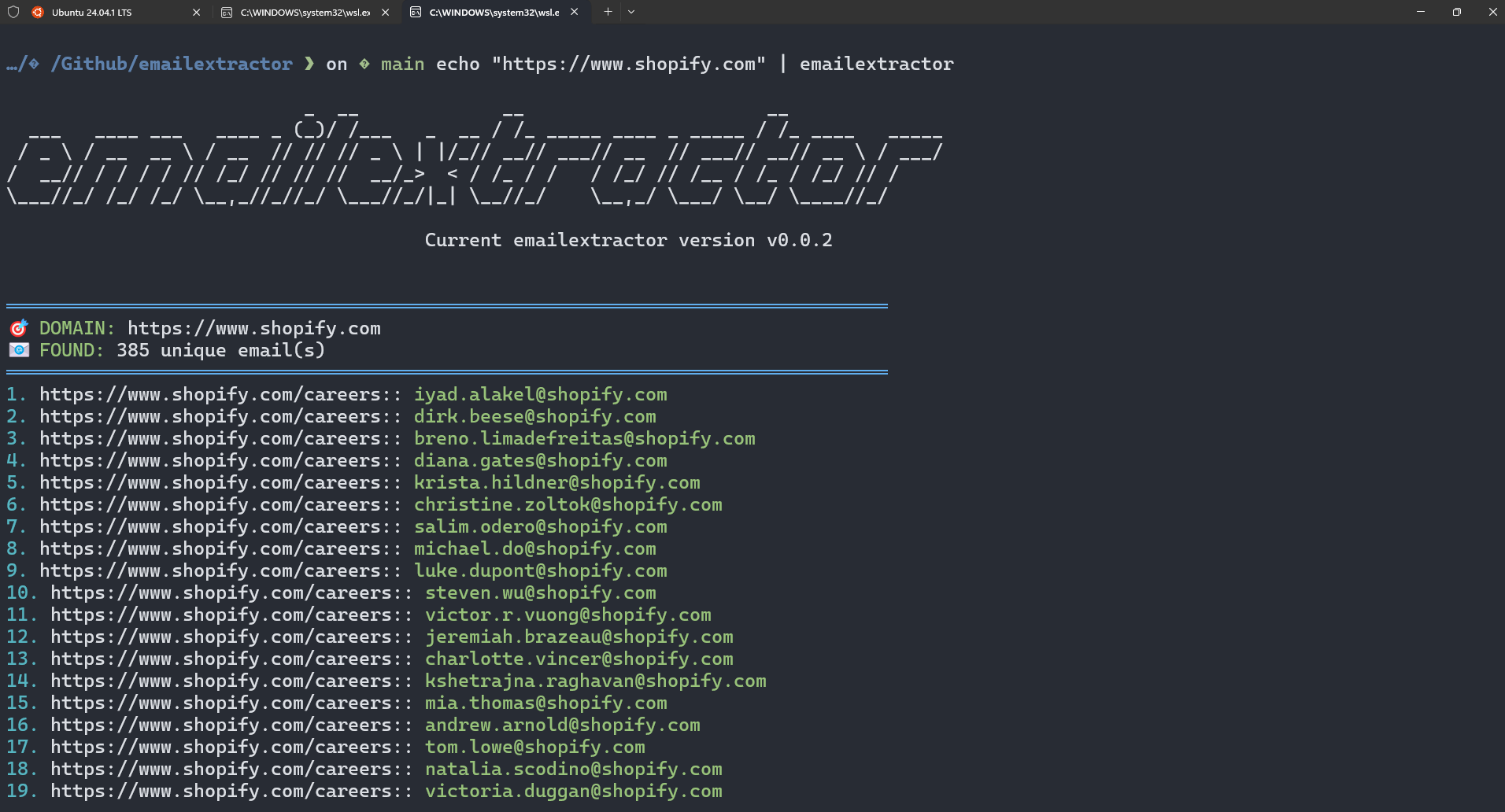
标签:ChromeDP, EVTX分析, Go 语言, HTML 内容解析, JavaScript 渲染, JSON 输出, SEO 优化, 信息搜集, 性能优化, 数据提取, 日志审计, 智能URL归一化, 检测绕过, 源码编译, 电子邮件抓取, 研究, 系统安装, 网络安全, 销售, 销售情报, 隐私保护