opt-nc/geol
GitHub: opt-nc/geol
geol 是一个基于 Go 的命令行工具,通过 endoflife.date API 帮助用户在终端和 CI 中高效查看与监控软件产品的生命周期终止日期。
Stars: 12 | Forks: 3
# `geol`





[](https://github.com/goreleaser)
[](https://conventionalcommits.org)
[](https://goreportcard.com/report/github.com/opt-nc/geol)
[](https://pkg.go.dev/github.com/opt-nc/geol)
[](https://github.com/opt-nc/geol/actions/workflows/golangci-lint.yml)
[](https://www.bestpractices.dev/projects/11239)
[](https://ossinsight.io/analyze/opt-nc/geol#overview)
## ❔ 关于
`geol` 是基于 Go 的替代方案,用于替代著名的基于 Python 的 [`hugovk/norwegianblue`](https://github.com/hugovk/norwegianblue) `cli`。
它的目标是:
1. 提供至少与 `hugovk/norwegianblue` 也就是现在的 `geol` 一样优秀的用户体验
2. 一流的基于终端的用户体验
3. 让交付更简单、更安全
4. 通过备受期待的新自定义功能进行增强
5. 为所有人创造更安全、创新的 EOL 管理方式
## 📑 资源
- [endoflife API](https://endoflife.date/docs/api/v1/)
- [⌛ 使用 endoflife.date 像高手一样管理 EoL 🛑](https://dev.to/adriens/manage-eols-like-a-boss-with-endoflifedate-2ikf)
- [🍃 你的手机将被制造商支持多久 📅](https://dev.to/adriens/how-long-your-phone-will-be-supported-by-the-manufacturer-3elf)
- [♾️ 在 GitHub 上使用 eol 高效管理技术栈 🧑🤝🧑](https://dev.to/optnc/efficient-stack-management-with-eol-on-github-24g8)
- [🔬 使用 endoflife.date、grype、(x)eol 分析 Gitlab 15.8 🐋](https://dev.to/optnc/gitlab-158-analysis-w-endoflifedate-grype-xeol-24b0)
- [endoflife.date 系列文章](https://dev.to/adriens/series/21232)
- [⏳ 使用 `geol` 管理 EOL:不可能的 `1'` Mux 演示](https://dev.to/adriens/managing-eols-w-geol-the-impossible-1-mux-demo-cnl)
## 🚀 快速开始
安装方式:
- **手动安装**:前往 [releases](https://github.com/opt-nc/geol/releases) 页面并下载与您操作系统对应的版本
- **自动安装**:通过 `brew` 安装,请参阅 [homebrew-tap](https://github.com/opt-nc/homebrew-tap)
1. 安装 `geol`
使用 `brew`:
```
brew install curl
brew install --cask opt-nc/homebrew-tap/geol
```
或者直接使用 `go`:
```
go install github.com/opt-nc/geol/v2@latest
```
或者使用 shell 脚本:
```
curl -fsSL https://raw.githubusercontent.com/opt-nc/geol/main/install.sh | bash
```
2. 更新:
```
brew update && brew upgrade --cask
geol version
```
## 自动补全
如果自动补全尚未生效,您需要更新您的 fpath。
对于 `zsh`,您需要在 `.zshrc` 文件中添加以下行:
```
# === Homebrew completions ===
# 将 Homebrew completions 添加到 fpath
fpath=(/home/linuxbrew/.linuxbrew/share/zsh/site-functions $fpath)
# 激活 Homebrew completions
autoload -Uz compinit
compinit
# (可选)禁用重复 completions 的警告
zstyle ':completion:*' verbose yes
```
然后重启终端或重新加载您的 `.zshrc` 文件:
```
source ~/.zshrc
```
## 🧑💻 文档
您可以使用 `help` 子命令或通过 man page 来查看帮助。
```
geol help
man geol
```
## 🤓 自行构建
要自行构建:
```
go build -o geol ./cmd/geol
```
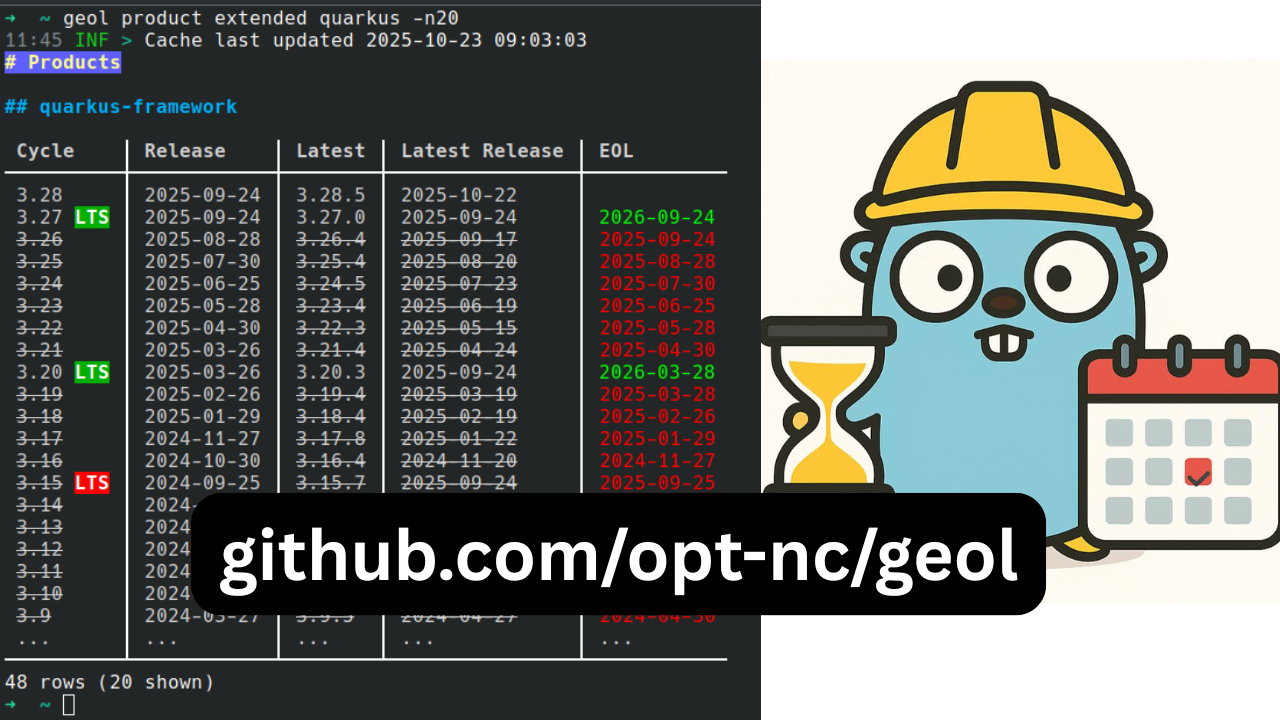
## 🍿 观看演示
 ## 💡 更多关于 `endoflife.date` 生态系统的内容
`endoflife` 是一个不断增长的生态系统,以下是一些帮助您了解它的资源:
- 官方 [`endoflife.date` 已知用户](https://github.com/endoflife-date/endoflife.date/wiki/Known-Users)
- [`hugovk/norwegianblue`](https://github.com/hugovk/norwegianblue)
- [`xeol`](https://github.com/xeol-io/xeol) _“一款用于扫描容器镜像、文件系统和 SBOM 中生命周期终止 (EOL) 的软件及其依赖项的工具”_
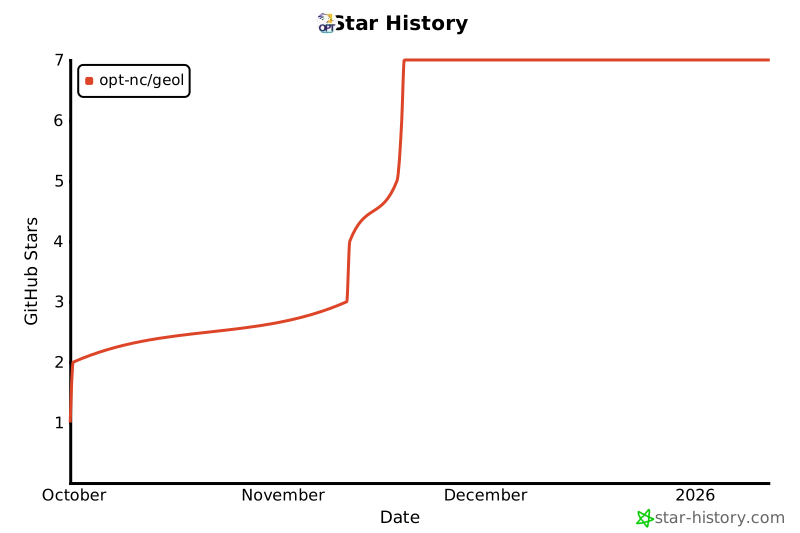
## 📈 Star History
[](https://www.star-history.com/#opt-nc/geol&type=date&legend=top-left)
## 💡 更多关于 `endoflife.date` 生态系统的内容
`endoflife` 是一个不断增长的生态系统,以下是一些帮助您了解它的资源:
- 官方 [`endoflife.date` 已知用户](https://github.com/endoflife-date/endoflife.date/wiki/Known-Users)
- [`hugovk/norwegianblue`](https://github.com/hugovk/norwegianblue)
- [`xeol`](https://github.com/xeol-io/xeol) _“一款用于扫描容器镜像、文件系统和 SBOM 中生命周期终止 (EOL) 的软件及其依赖项的工具”_
## 📈 Star History
[](https://www.star-history.com/#opt-nc/geol&type=date&legend=top-left)
## 💡 更多关于 `endoflife.date` 生态系统的内容
`endoflife` 是一个不断增长的生态系统,以下是一些帮助您了解它的资源:
- 官方 [`endoflife.date` 已知用户](https://github.com/endoflife-date/endoflife.date/wiki/Known-Users)
- [`hugovk/norwegianblue`](https://github.com/hugovk/norwegianblue)
- [`xeol`](https://github.com/xeol-io/xeol) _“一款用于扫描容器镜像、文件系统和 SBOM 中生命周期终止 (EOL) 的软件及其依赖项的工具”_
## 📈 Star History
[](https://www.star-history.com/#opt-nc/geol&type=date&legend=top-left)标签:Go, Ruby工具, 后端开发, 日志审计, 生命周期管理, 运维监控