bahattinkoc/ipaverse
GitHub: bahattinkoc/ipaverse
ipaverse 是一款原生 macOS 应用,让用户无需 Xcode 或终端即可下载、重签名并将 iOS IPA 安装到设备上。
Stars: 471 | Forks: 26

ipaverse
Download, re-sign, and sideload iOS apps — without Xcode or Terminal.
[](https://developer.apple.com/macos/)
[](https://developer.apple.com/xcode/swiftui/)
## 功能
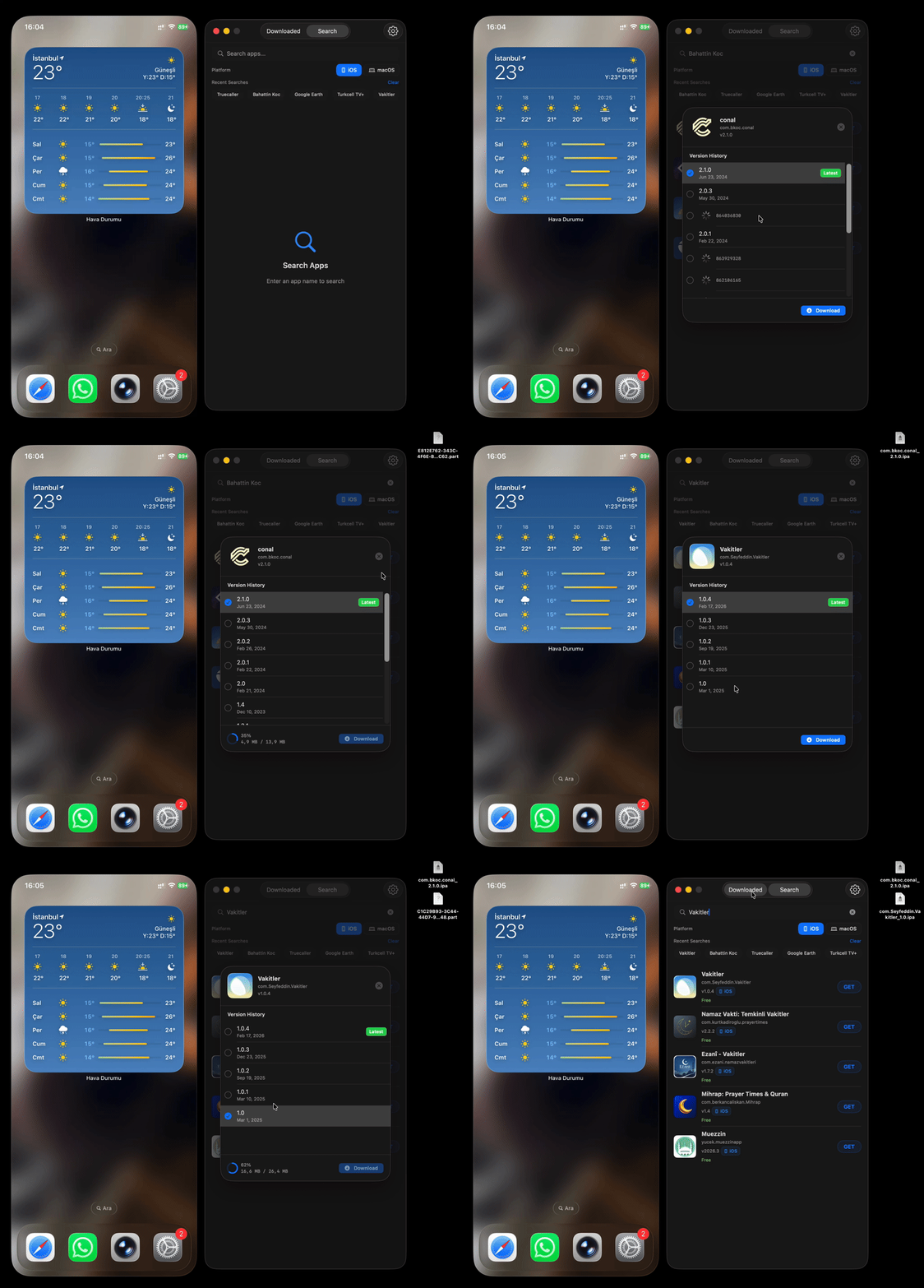
- 无需终端即可下载 App Store IPA
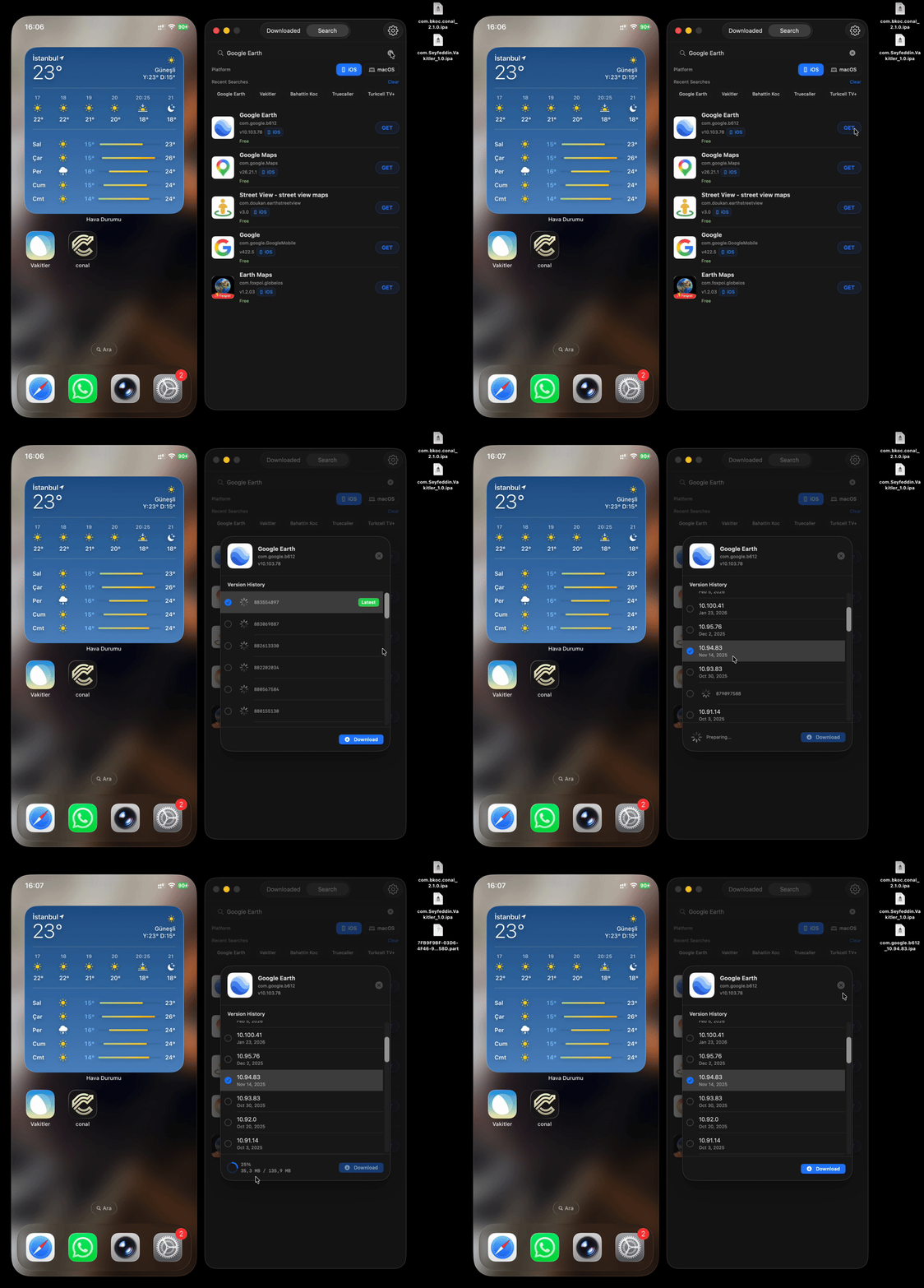
- 浏览并存档历史应用版本
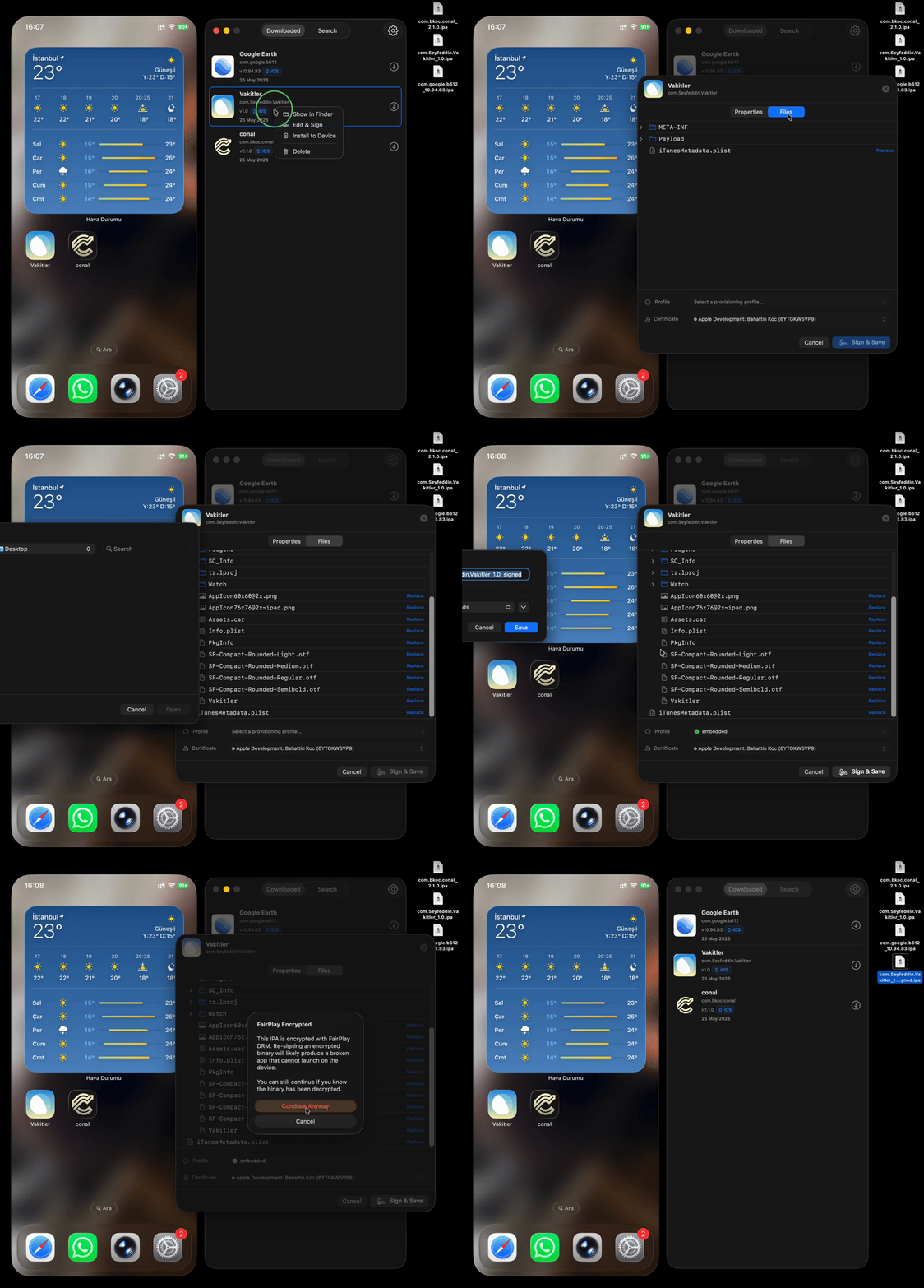
- 使用您自己的证书对无 DRM 的 IPA 重新签名
- 直接安装到已连接的 iPhone/iPad
- 通过 Keychain 安全管理多个 Apple ID
- 按地区切换 App Store 商店
- 完全使用 SwiftUI 为 macOS 打造
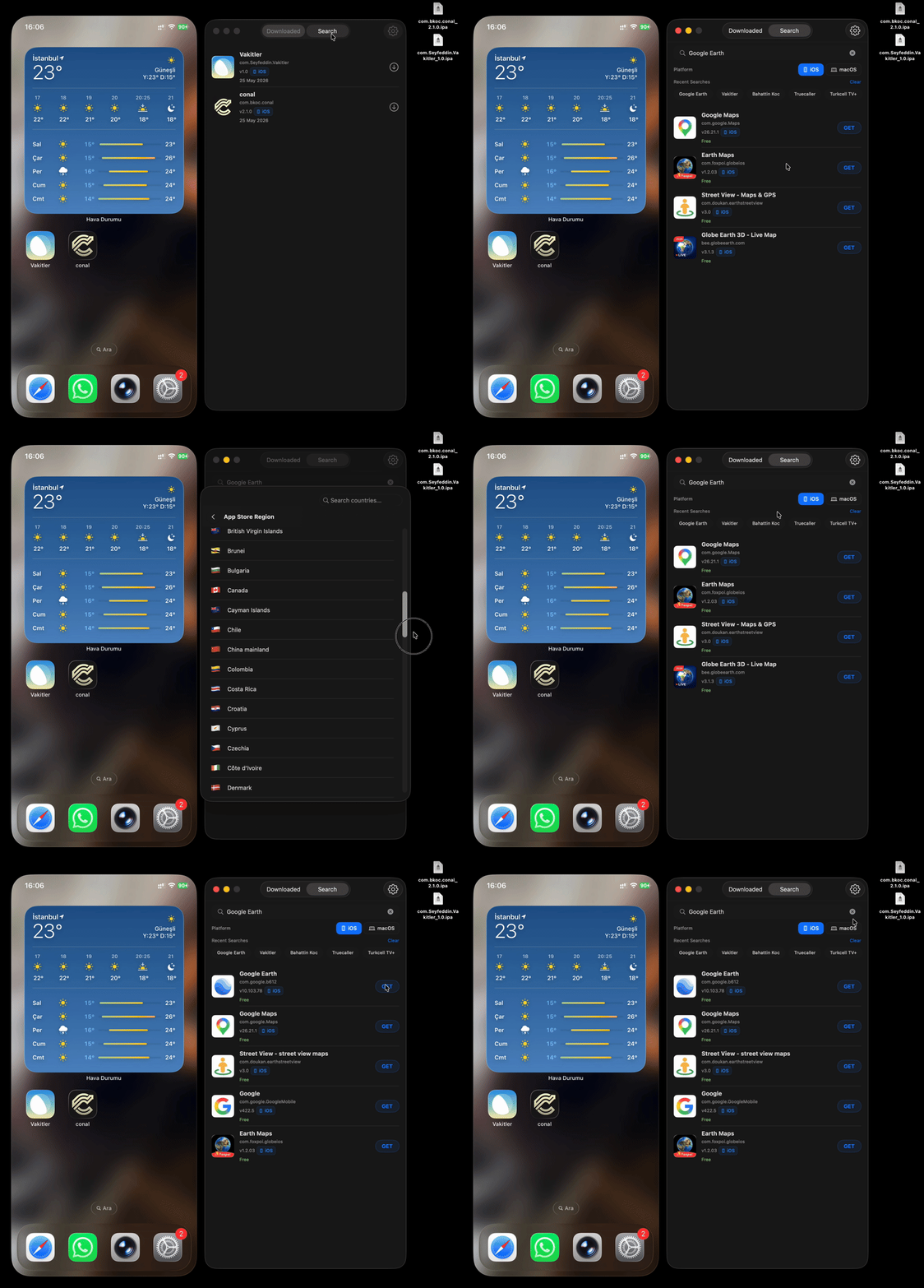
## 演示
### 下载
### 重新签名 IPA
### 安装到设备
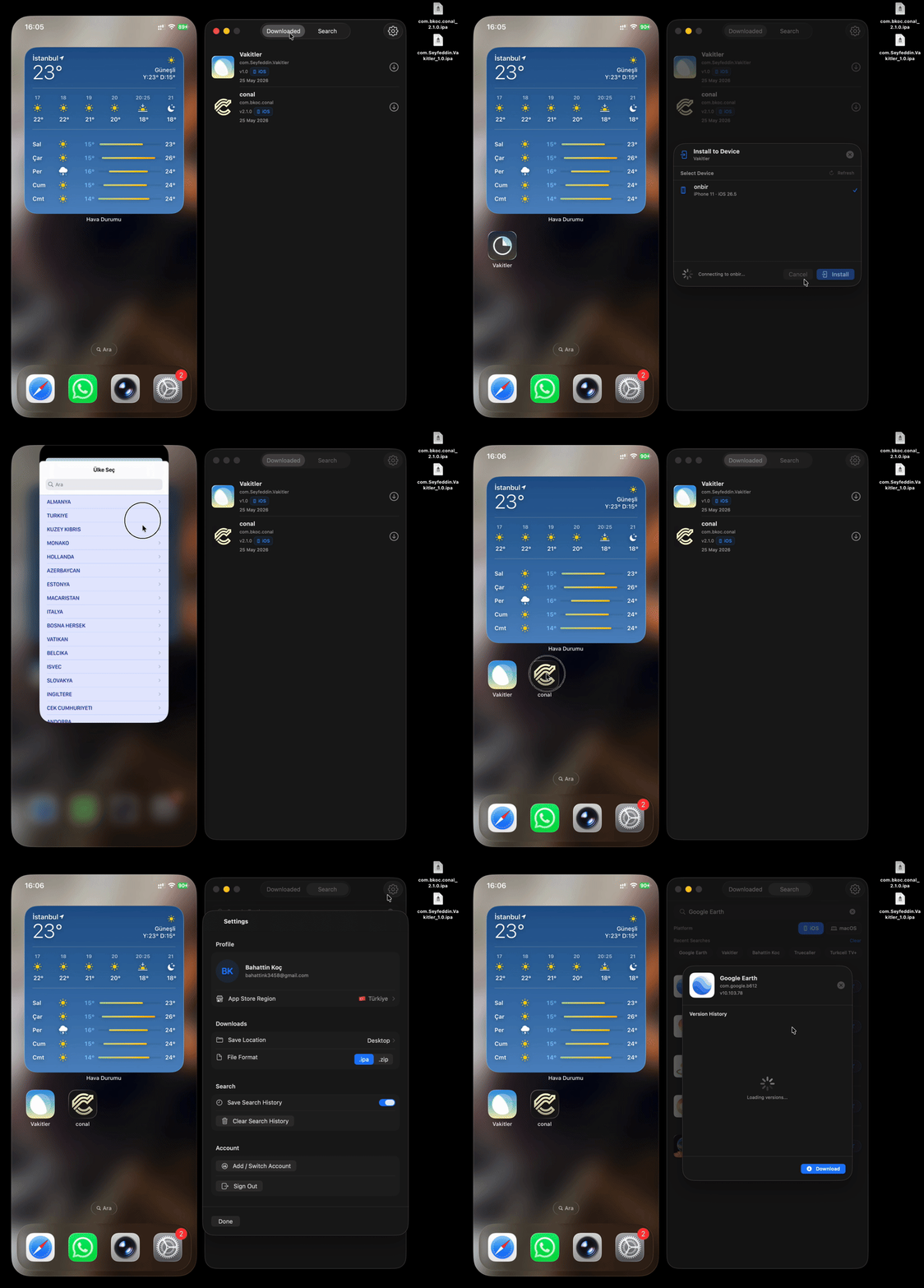
### 切换账户
### 更改商店
## 安装说明
```
brew install --cask ipaverse
```
或者从源码构建:
```
git clone https://github.com/bahattinkoc/ipaverse.git
cd ipaverse
open ipaverse.xcodeproj
```
## 支持的功能 / 不支持的功能
| 支持 | 不支持 |
|---|---|
| 无 DRM 的应用 | FairPlay 加密的付费应用 |
| App Store 搜索 | 盗版 / 破解的 IPA |
| 历史版本 | 绕过 DRM |
| 为自己的应用重新签名 | 规避 App Store 政策 |
## 安全与隐私
ipaverse 在您的 Mac 上本地运行。
- Apple ID 凭据存储在 macOS Keychain 中。
- 身份验证使用 Apple 的 GrandSlam 流程。
- 密码不会直接传输;使用 SRP-6a 挑战/响应机制。
- Anisette headers 使用 Apple 框架在本地生成。
- 不需要外部 anisette 服务器。
- ipaverse 不会将您的 Apple ID、密码、证书、provisioning profile 或 IPA 文件上传到任何第三方服务器。
**用 ❤️ 制作**
标签:iOS应用管理, IPA下载, macOS客户端, SwiftUI, 代码签名, 逆向辅助