Heramb1221/floodalert-india
GitHub: Heramb1221/floodalert-india
一个基于 Java Servlets 和 MySQL 的多角色洪水预警与应急响应 Web 应用原型,主要用于探索无框架后端架构并透明展示安全审计过程。
Stars: 0 | Forks: 0
# FloodAlert India






# 关于本项目
印度每年都会经历反复发生的洪水灾害,影响数百万民众。有效的预警发布、紧急情况上报以及与相关部门的协调,对于减少人员伤亡和基础设施损失至关重要。
FloodAlert India 是一个全栈 Web 应用程序原型,模拟了洪水预警管理系统的核心工作流程。
该平台提供:
- 市民事件上报
- 部门发布的洪水预警
- 管理员级别的管理仪表盘
- 基于角色的路由与访问隔离
- 紧急资源信息
本项目作为一次实践探索,涵盖了以下内容:
- Java Servlet 生命周期
- JDBC 数据库访问
- 基于 JSP 的服务端渲染
- 关系型 schema 设计
- 多角色应用架构
# 项目类型
面向学习的全栈 Web 应用程序 — 使用 Java EE (Servlets + JSP)、原生 HTML/CSS/JavaScript 以及 MySQL 构建,旨在通过实践探索 Java 中的 Servlet 生命周期管理、JDBC、服务端渲染、基于角色的路由以及基础后端架构概念。
# 项目状态
**学习原型 / 架构探索**
作为一个涵盖所有主要用户流程的功能性工程原型,本项目已开发完成。
该代码库特意保持其原始状态,作为作品集和学习成果展示,其中包括在开发后审查中发现并记录的安全漏洞和架构局限性。
已知的漏洞和改进方案已在下方透明地记录。
# 开发初衷
印度的洪水灾害经常暴露出沟通和协调方面的失败。
构建此项目是为了探索:
- 多角色应用架构
- HTTP 请求-响应生命周期
- 基于角色的路由
- 数据库建模
- 没有框架抽象的 Servlet 机制
- 安全审查方法
最有价值的工程经验来自于发现看似功能正常的代码为何仍可能存在严重的安全隐患。
# 功能
## 核心功能
- 市民注册和登录
- 洪水事件上报
- 基于严重程度的洪水预警
- 紧急报告工作流程
- 管理员用户管理
- 紧急联系资源
- 安全指导页面
- 基于角色的仪表盘
## 工程特性
- 每个操作对应一个 Servlet 的架构
- PreparedStatement 查询执行
- 关系型数据库 schema
- JSP 服务端渲染
- 密码强度验证
- 响应式 CSS 设计系统
# 技术栈
## 前端
| 技术 | 用途 |
|---|---|
| HTML5 / CSS3 | 页面结构和响应式样式 |
| 原生 JavaScript | 客户端交互 |
| CSS 自定义属性 | 设计 token 系统 |
| Font Awesome 6 | 图标 |
| Google Fonts (Poppins) | 字体排版 |
## 后端
| 技术 | 用途 |
|---|---|
| Java 8 | 后端语言 |
| Java Servlets | HTTP 请求处理 |
| JSP | 服务端渲染 |
| Apache Tomcat 7 | Servlet 容器 |
## 数据库
| 技术 | 用途 |
|---|---|
| MySQL | 关系型数据存储 |
| JDBC | Java 与 MySQL 通信 |
| PreparedStatement | 参数化 SQL 执行 |
# 架构
## 系统概述
```
Browser (Client)
│
▼
Apache Tomcat 7.0
(Servlet Container)
│
├── Login Servlet
├── Register Servlet
├── AddAlert Servlet
├── ReportIncident Servlet
├── ResolveEmergency Servlet
│
▼
ConnectDb (JDBC)
│
▼
MySQL Database
```
## 请求生命周期
```
1. User submits form
2. Tomcat routes request to servlet
3. Servlet extracts request parameters
4. JDBC query executes
5. ResultSet processed
6. Redirect to JSP dashboard
7. JSP renders HTML
8. Response returned to browser
```
## 角色路由
```
Login POST
├── citizen → citizen-dashboard.jsp
├── authority → authority-dashboard.jsp
└── admin → admin-dashboard.jsp
```
# 目录结构
```
FloodAlert/
├── src/
│ └── com/floodalert/
│ ├── dbcon/
│ │ └── ConnectDb.java
│ │
│ └── services/
│ ├── Login.java
│ ├── Register.java
│ ├── AddAlert.java
│ ├── AddAuthority.java
│ ├── ReportIncident.java
│ ├── ResolveEmergency.java
│ ├── ChangePassword.java
│ └── CChangePassword.java
│
├── WebContent/
│ ├── index.html
│ ├── login.html
│ ├── register.html
│ ├── admin-dashboard.jsp
│ ├── authority-dashboard.jsp
│ ├── citizen-dashboard.jsp
│ ├── css/
│ ├── js/
│ └── assets/
│
├── .classpath
├── .project
└── .gitignore
```
# 安装说明
## 前置条件
- JDK 1.8+
- Apache Tomcat 7.0
- MySQL 8.0+
- 带有 WTP 的 Eclipse IDE
## 数据库设置
```
CREATE DATABASE flood_db;
USE flood_db;
```
创建以下数据表:
- citizen
- authority
- admin
- alerts
- reports
插入默认管理员:
```
INSERT INTO admin (email, password)
VALUES ('admin@floodalert.in', 'admin123');
```
## 配置数据库连接
更新以下文件中的凭证:
```
src/com/floodalert/dbcon/ConnectDb.java
```
```
DriverManager.getConnection(
"jdbc:mysql://localhost:3306/flood_db",
"username",
"password"
);
```
# 使用说明
## 市民流程
- 注册账户
- 以市民身份登录
- 查看预警
- 提交报告
- 跟踪报告状态
## 部门流程
- 以部门身份登录
- 发布洪水预警
- 审查报告
- 更新报告状态
## 管理员流程
- 以管理员身份登录
- 管理各部门
- 管理市民
- 查看系统统计数据
# API 参考
| Endpoint | Method | 用途 |
|---|---|---|
| `/Login` | POST | 用户身份验证 |
| `/Register` | POST | 市民注册 |
| `/AddAlert` | POST | 创建洪水预警 |
| `/AddAuthority` | POST | 添加部门 |
| `/ReportIncident` | POST | 提交事件报告 |
| `/ResolveEmergency` | POST | 更新报告状态 |
| `/ChangePassword` | POST | 修改部门密码 |
| `/CChangePassword` | POST | 修改市民密码 |
# 截图
| 页面 | 截图 |
|---|---|
| 首页 | 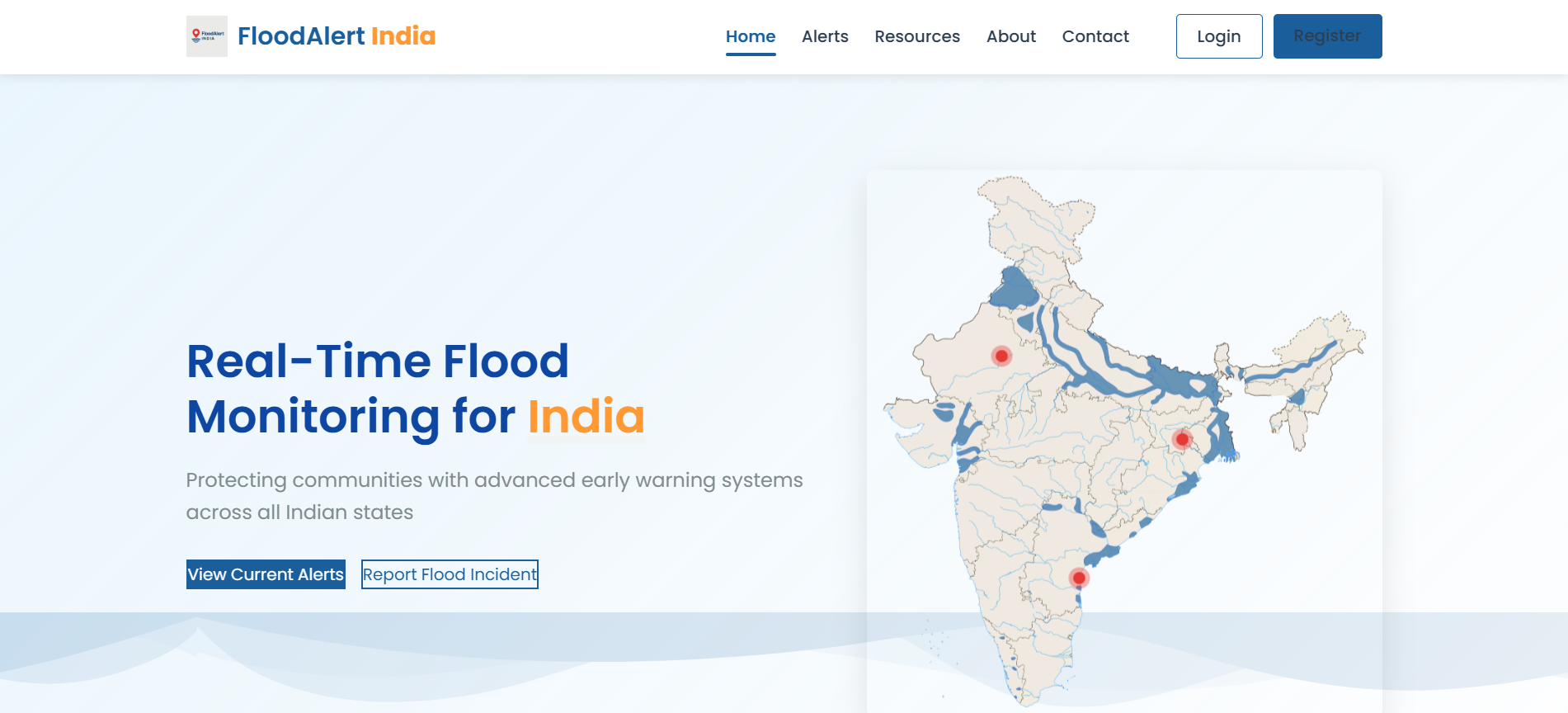 |
| 登录页 |
|
| 登录页 | 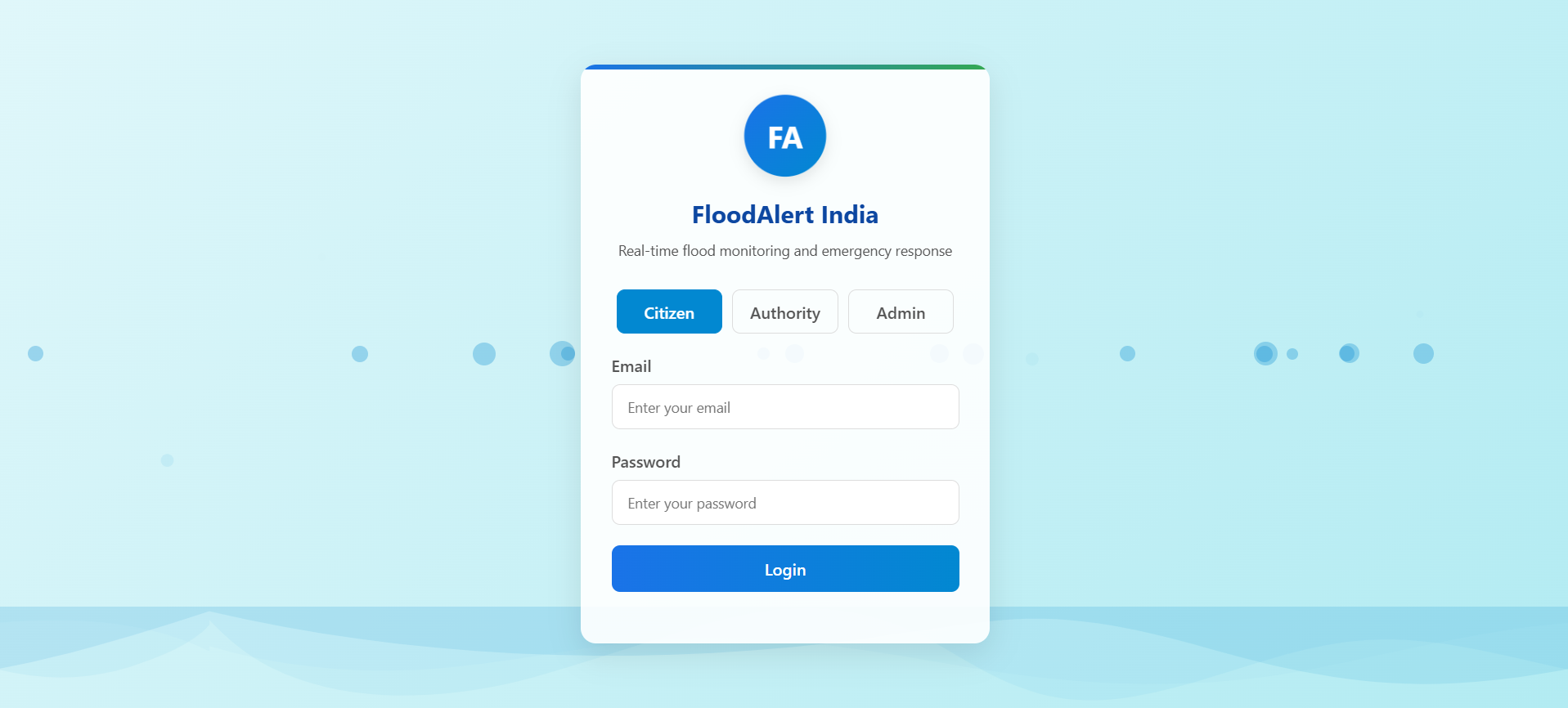 |
| 市民仪表盘 |
|
| 市民仪表盘 | 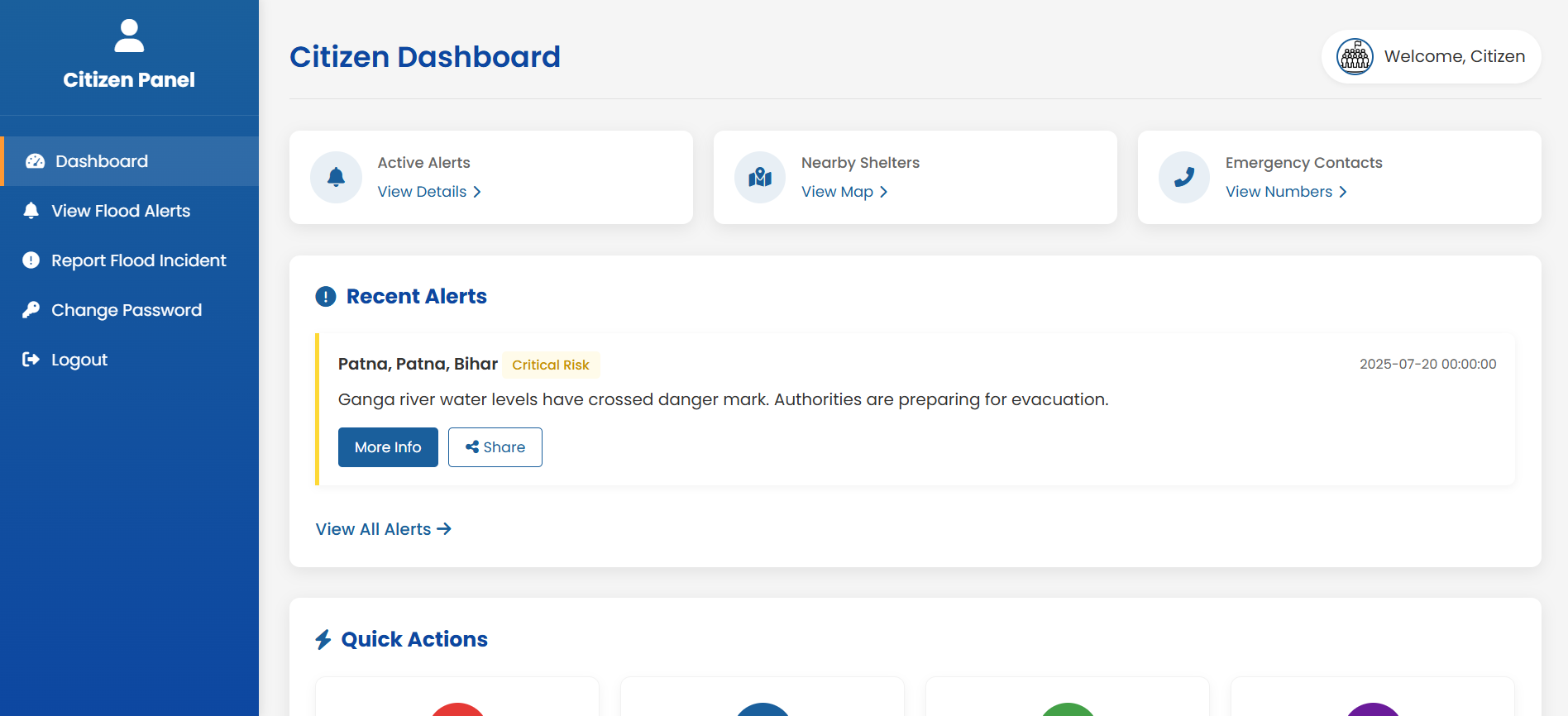 |
| 部门仪表盘 |
|
| 部门仪表盘 | 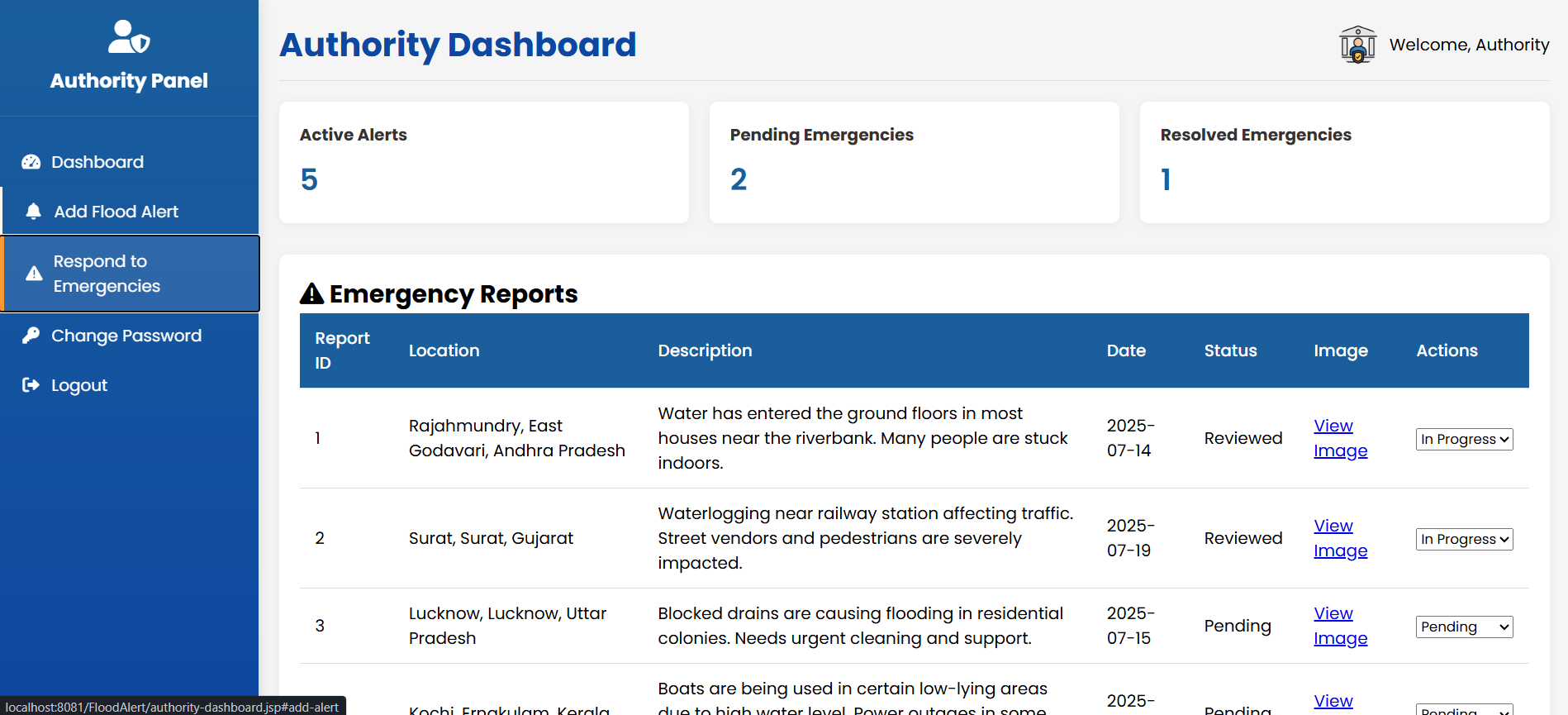 |
| 管理员仪表盘 |
|
| 管理员仪表盘 |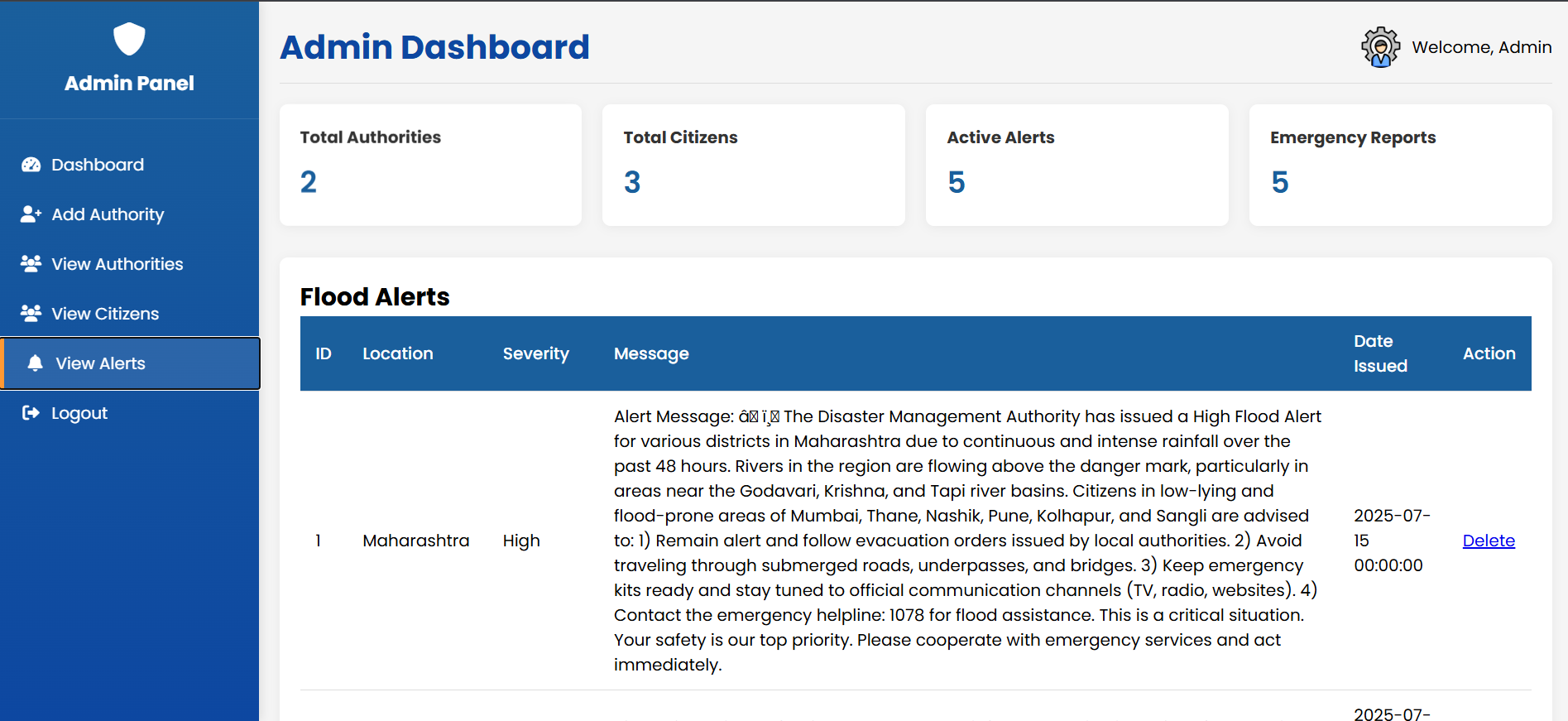 |
# 权衡与局限性
| 决策 | 权衡 |
|---|---|
| 原生 JDBC | 控制力更强,可维护性较差 |
| JSP 渲染 | 迭代更快,分离度较差 |
| 每个操作对应一个 Servlet | 更好地理解生命周期,样板代码更多 |
| 硬编码数据库凭证 | 设置更快,存在严重的安全风险 |
| 无连接池 | 设置更简单,可扩展性差 |
# 已知问题
- 仪表盘 URL 绕过身份验证
- `doGet()` 在 `doPost()` 内部被调用
- 天气小组件使用静态数据
- 未定义 `shareAlert()` 函数
- DELETE 操作使用 GET 请求
- 密码更改未与 session 绑定
# 面临的挑战
## Servlet 生命周期
理解为什么不应该在 `doPost()` 内部重用 `doGet()`。
## JDBC 连接管理
理解线程安全和连接生命周期问题。
## 基于角色的路由
在没有框架的情况下实现多角色路由。
# 学到了什么
- 原生 Servlet 生命周期机制
- PreparedStatement 的局限性
- 多线程服务器行为
- 身份验证与会话管理的对比
- JSP 架构权衡
- 安全审计方法
# 许可证
基于 MIT 许可证分发。
详情请参阅 `LICENSE`。
# 联系方式
**Heramb Chaudhari**
[](https://github.com/Heramb1221)
[](https://www.linkedin.com/in/heramb-chaudhari)
[](mailto:hchaudhari1221@gmail.com)
基于 Java EE 基础知识构建。通过严谨的工程审查得到改进。
|
# 权衡与局限性
| 决策 | 权衡 |
|---|---|
| 原生 JDBC | 控制力更强,可维护性较差 |
| JSP 渲染 | 迭代更快,分离度较差 |
| 每个操作对应一个 Servlet | 更好地理解生命周期,样板代码更多 |
| 硬编码数据库凭证 | 设置更快,存在严重的安全风险 |
| 无连接池 | 设置更简单,可扩展性差 |
# 已知问题
- 仪表盘 URL 绕过身份验证
- `doGet()` 在 `doPost()` 内部被调用
- 天气小组件使用静态数据
- 未定义 `shareAlert()` 函数
- DELETE 操作使用 GET 请求
- 密码更改未与 session 绑定
# 面临的挑战
## Servlet 生命周期
理解为什么不应该在 `doPost()` 内部重用 `doGet()`。
## JDBC 连接管理
理解线程安全和连接生命周期问题。
## 基于角色的路由
在没有框架的情况下实现多角色路由。
# 学到了什么
- 原生 Servlet 生命周期机制
- PreparedStatement 的局限性
- 多线程服务器行为
- 身份验证与会话管理的对比
- JSP 架构权衡
- 安全审计方法
# 许可证
基于 MIT 许可证分发。
详情请参阅 `LICENSE`。
# 联系方式
**Heramb Chaudhari**
[](https://github.com/Heramb1221)
[](https://www.linkedin.com/in/heramb-chaudhari)
[](mailto:hchaudhari1221@gmail.com)
基于 Java EE 基础知识构建。通过严谨的工程审查得到改进。
|
| 登录页 | |
| 市民仪表盘 | |
| 部门仪表盘 | |
| 管理员仪表盘 | |
# 权衡与局限性
| 决策 | 权衡 |
|---|---|
| 原生 JDBC | 控制力更强,可维护性较差 |
| JSP 渲染 | 迭代更快,分离度较差 |
| 每个操作对应一个 Servlet | 更好地理解生命周期,样板代码更多 |
| 硬编码数据库凭证 | 设置更快,存在严重的安全风险 |
| 无连接池 | 设置更简单,可扩展性差 |
# 已知问题
- 仪表盘 URL 绕过身份验证
- `doGet()` 在 `doPost()` 内部被调用
- 天气小组件使用静态数据
- 未定义 `shareAlert()` 函数
- DELETE 操作使用 GET 请求
- 密码更改未与 session 绑定
# 面临的挑战
## Servlet 生命周期
理解为什么不应该在 `doPost()` 内部重用 `doGet()`。
## JDBC 连接管理
理解线程安全和连接生命周期问题。
## 基于角色的路由
在没有框架的情况下实现多角色路由。
# 学到了什么
- 原生 Servlet 生命周期机制
- PreparedStatement 的局限性
- 多线程服务器行为
- 身份验证与会话管理的对比
- JSP 架构权衡
- 安全审计方法
# 许可证
基于 MIT 许可证分发。
详情请参阅 `LICENSE`。
# 联系方式
**Heramb Chaudhari**
[](https://github.com/Heramb1221)
[](https://www.linkedin.com/in/heramb-chaudhari)
[](mailto:hchaudhari1221@gmail.com)
基于 Java EE 基础知识构建。通过严谨的工程审查得到改进。标签:Java Servlet, JSP, Syscall, Web开发, 全栈项目, 域名枚举, 应急管理, 数据可视化, 灾害预警系统