## 快速开始
```
# 从 PyPI 安装
pip install sandroid
# 初始化配置
sandroid-config init
# 以交互模式运行分析
sandroid
```
有关所有安装选项,请参阅 [SETUP.md](SETUP.md)。
## 用法
```
Usage: sandroid [OPTIONS]
Sandroid: Extract forensic and malware artifacts from Android Virtual Devices.
Core Options:
-c, --config PATH Configuration file path
-e, --environment TEXT Environment name (development, testing, production)
-f, --file PATH Save output to the specified file
-ll, --loglevel [DEBUG|INFO|WARNING|ERROR|CRITICAL]
Set the log level
--view [forensic|malware|security]
Set the initial view mode
-i, --interactive Start in legacy Rich interactive mode
--fresh Start as if running for the first time
--version Show the version and exit
Analysis Options:
-n, --number INTEGER Run action n times (minimum 2)
--avoid-strong-noise-filter Disable dry run and intra-file noise detection
--network Capture traffic and show connections
-d, --show-deleted Reveal deleted files via full filesystem checks
--no-processes Do not monitor active processes
--sockets Monitor listening sockets
--screenshot INTERVAL Take a screenshot each INTERVAL seconds
--trigdroid PACKAGE_NAME Execute malware triggers for PACKAGE_NAME
--trigdroid-ccf [I|D] TrigDroid CCF utility (I=interactive, D=default)
--hash Create MD5 hashes of changed and new files
--apk List all APKs and their hashes
--degrade-network Simulate UMTS/3G network conditions
--whitelist FILE Exclude paths from outputs
Headless Mode:
--headless Run without interactive UI
--batch CONFIG_FILE Batch processing config (JSON)
--mode [forensic|malware|security|network]
Analysis mode for headless operation (default: malware)
Dexray & Advanced Tools:
--dexray PACKAGE Start Dexray-Intercept monitoring for PACKAGE
--dexray-hooks HOOKS Comma-separated hook groups (aes,web,socket,filesystem,database,dex,java_dex)
--dexray-fritap Enable FriTap during dexray monitoring
--fritap PACKAGE Start FriTap SSL/TLS key extraction for PACKAGE
--fridump PACKAGE Dump memory of PACKAGE using Fridump
--duration SECONDS Network capture duration (headless, default: 60)
--with-fritap PACKAGE Combine network capture with FriTap keylog
Device Management:
--proxy IP:PORT Set HTTP proxy on device
--proxy-clear Clear HTTP proxy settings
--install-apk PATH Install APK on device
--import-action PATH Import action recording file
--device-settings FILE Apply device settings from JSON file
--preset CODE Apply country preset (e.g., de, us, ru, cn)
Output & Debugging:
--ai Enable AI-powered analysis and summarization
--report Generate PDF report
--debug Enable debug/verbose mode
--log Show log messages in terminal
```
凭借其模块化架构,Sandroid 集成了多个配套工具,涵盖广泛的分析能力——从加密密钥提取到 TLS 拦截和网络流量解密。
### Sandroid 沙箱内的相关项目
Sandroid 集成并构建了多个扩展其功能的配套项目。
这些工具在同一沙箱生态系统下开发,旨在协同工作以实现全面的 Android 分析:
| 项目 | 描述 | 状态 |
|--------|------------|--------|
| [**TrigDroid**](https://github.com/fkie-cad/Sandroid_TrigDroid) | 针对 Android 应用的动态追踪和基于 Frida 的拦截,支持增强的运行时分析。 | ✅ 已集成 |
| [**Dexray Insight**](https://github.com/fkie-cad/Sandroid_Dexray-Insight) | 专注于 DEX 文件的静态分析工具,帮助揭示加密使用情况、API 模式和潜在漏洞。 | ✅ 已集成 |
| [**Dexray Intercept**](https://github.com/fkie-cad/Sandroid_Dexray-Intercept) | 用于拦截 Android 应用中的敏感数据流、网络流量和运行时行为的动态 Hook 框架。 | ✅ 已集成 |
| [**friTap**](https://github.com/fkie-cad/friTap) | 针对 Android 的 TLS 密钥提取和解密流量拦截,支持沙箱环境中的高级网络分析。 | ✅ 已集成 |
# Ground Truth APK
该框架还包含一个用于测试和校准的自定义 Android 应用。
该应用旨在根据用户命令**精确地创建特定的取证工件**,同时保持最小化以避免产生意外的工件。
要使用它,只需使用 Sandroid 内置的 APK 安装程序将其安装在模拟器上并打开该应用。
## 支持的工件
在当前版本中,ground truth 应用支持九种不同的工件
- 创建新文件
- 向数据库添加条目
- 从数据库删除条目
- 更新数据库中的条目
- 向特定 URL 发送特定数量的字节
- 启动特定进程
- 向 XML 文件添加条目
- 从 XML 文件删除条目
- 更新 XML 文件中的条目
只需按下相应的按钮即可生成工件
## 注意事项
- 添加到 XML 文件和数据库的值将是模拟器上的当前 Unix 时间。它可能与实际时间有偏差,但会在输出中自动高亮显示。
- 安装后首次启动应用程序时,XML 文件和数据库将被初始化,Android 将为应用程序创建配置文件,因此**建议您先打开应用程序,然后再开始任何分析。**
- XML 和数据库文件分别名为 `GroundTruth.xml` 和 `GroundTruth.db`,存储在应用程序目录中。
## 文档
- **[SETUP.md](SETUP.md)** - 新安装方法的完整设置指南
- **[CHANGELOG.md](CHANGELOG.md)** - 详细的发布说明和版本历史
## 安装选项
### 选项 1:PyPI 安装(推荐)
```
pip install sandroid
sandroid-config init
sandroid --help
sandroid # starting sandroid in interactive mode (default)
```
### 选项 2:传统安装(仍受支持)
```
git clone
./install-requirements.sh
./sandroid.legacy
```
## 配置管理
现代安装包含一个强大的配置系统:
```
# 初始化配置
sandroid-config init
# 查看配置
sandroid-config show
# 修改设置
sandroid-config set analysis.monitor_network true
sandroid-config set emulator.device_name "Pixel_8_Pro_API_34"
# 验证配置
sandroid-config validate
```
配置文件会在标准位置自动发现:
- `~/.config/sandroid/sandroid.toml` (用户配置)
- `./sandroid.toml` (项目特定配置)
- 带有 `SANDROID_` 前缀的环境变量
支持的格式:TOML, YAML, JSON(推荐 TOML)
### sandroid-config 子命令
```
# AVD 管理
sandroid-config avd list # List available AVDs
sandroid-config avd start # Start an AVD (interactive or direct)
sandroid-config avd stop # Stop running AVDs
sandroid-config avd rename # Rename an AVD
sandroid-config avd create # Create a new AVD
# TUI 主题
sandroid-config theme list # List available themes
sandroid-config theme set # Set TUI theme
sandroid-config theme show # Show current theme
# IOC 管理(用于 MVT 取证扫描)
sandroid-config ioc show # Show IOC configuration
sandroid-config ioc set-path
# Set IOC file/directory path
sandroid-config ioc set-url # Set IOC download URL
sandroid-config ioc download # Download IOC files
sandroid-config ioc validate # Validate IOC files
# 设备管理
sandroid-config devices # List connected devices
```
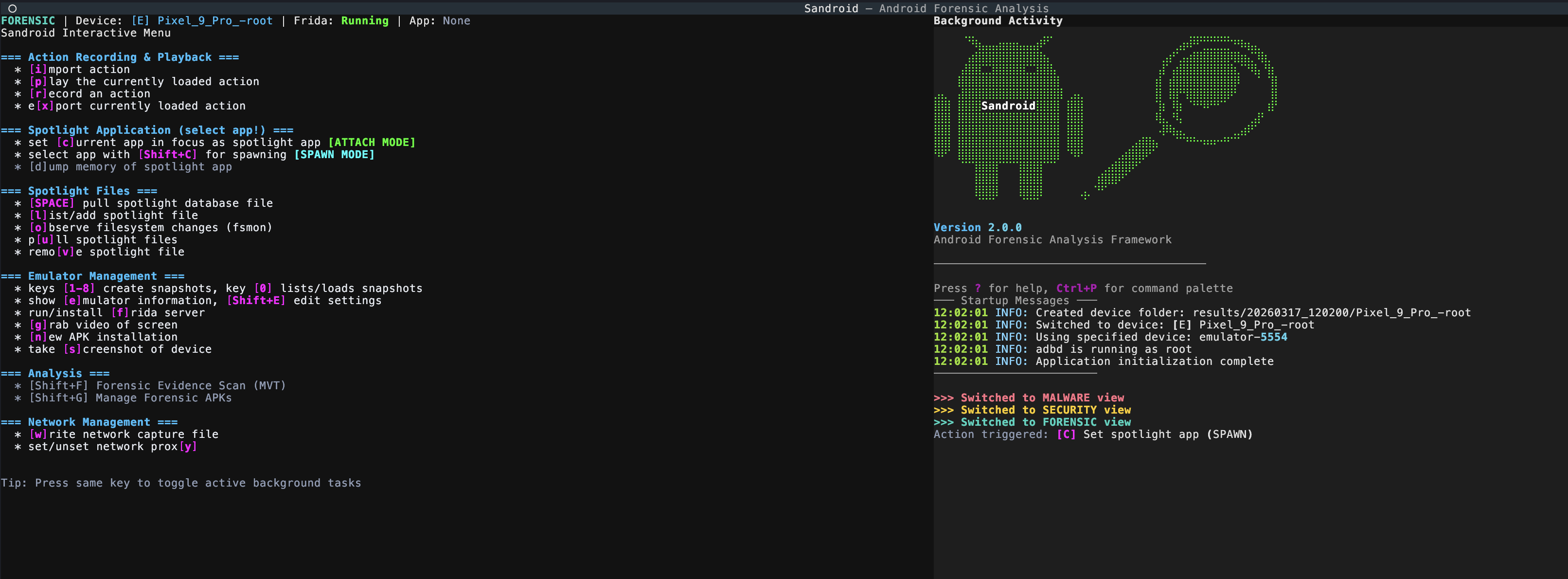
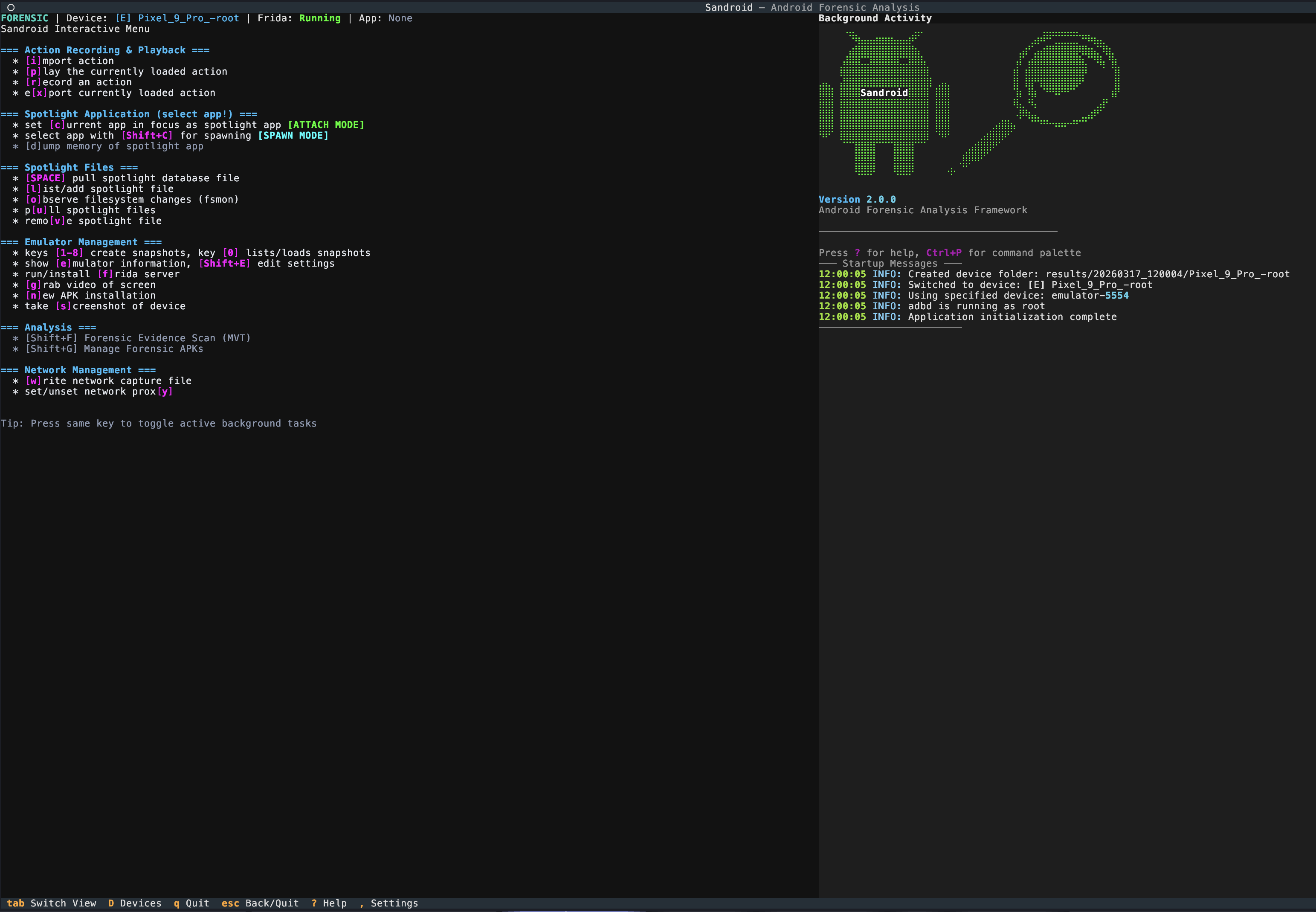
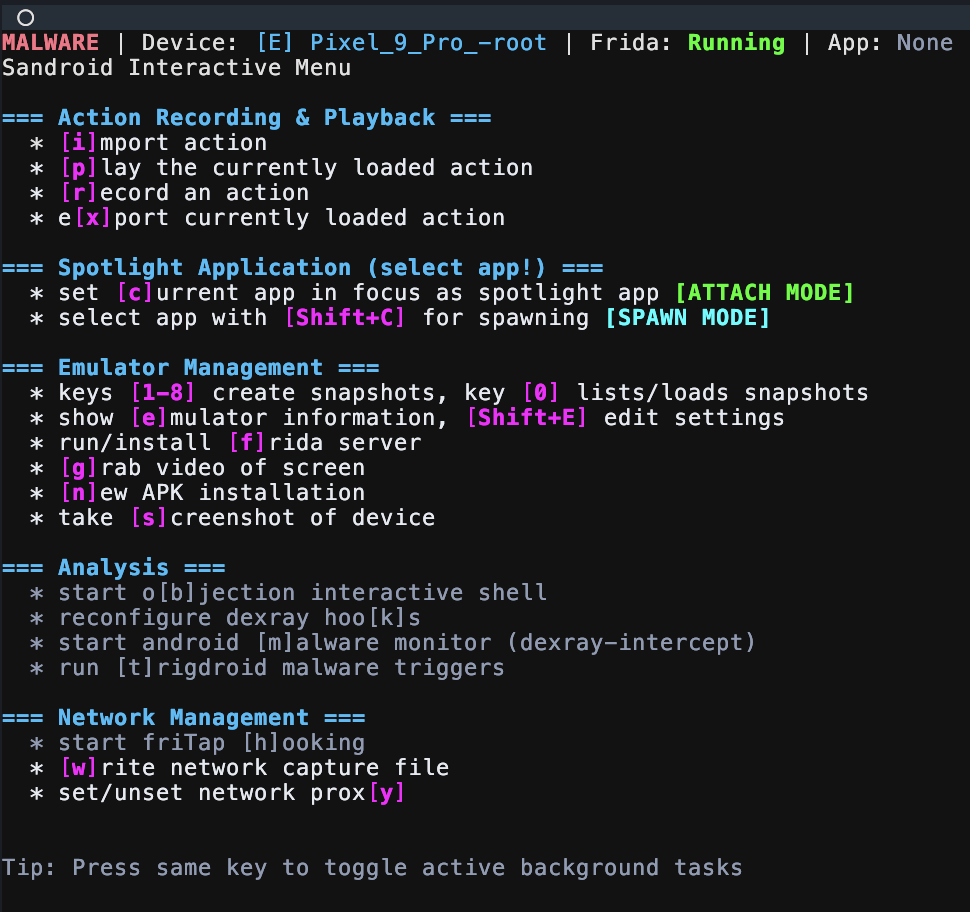
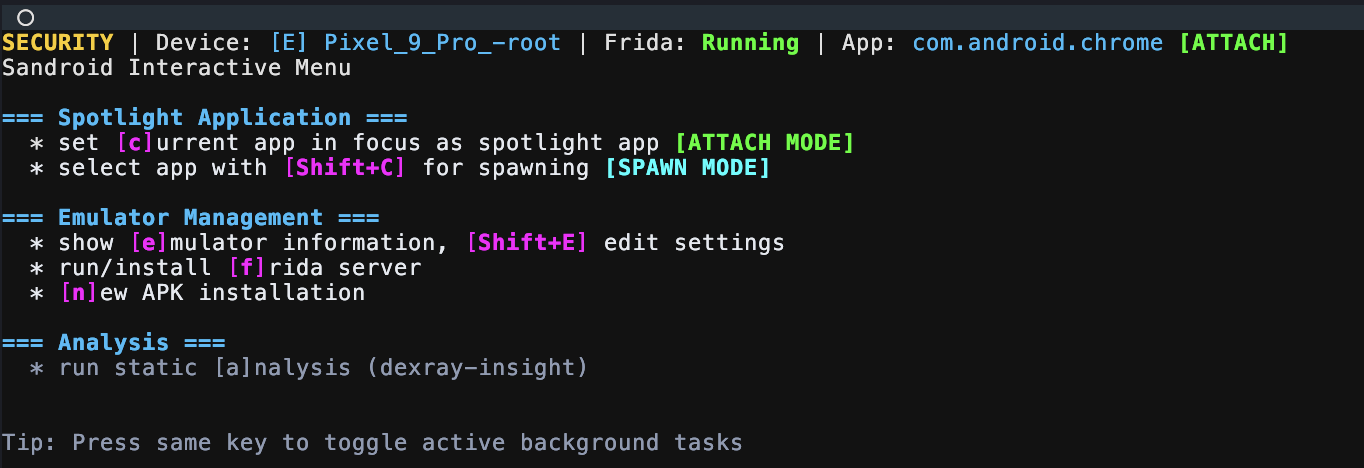
## 截图
Forensic Analysis View
Malware Analysis View
Security View (Early Stage)
## 贡献
我们欢迎对 Sandroid 进行贡献!在贡献之前:
1. **查看编码规范**:请阅读我们详尽的 [CODING_GUIDELINES.md](CODING_GUIDELINES.md),其中涵盖:
- Python 代码风格标准(符合 PEP 8)
- Sandroid 特定的架构模式
- 测试要求和最佳实践
- 取证工具的安全注意事项
- 文档标准
2. **开发设置**:
git clone git@github.com:fkie-cad/Sandroid_core.git
cd Sandroid_core
pip install -e .[dev]
#pytest # Run tests - right now we don't have any tests
3. **提交更改**:Fork 仓库,创建功能分支,确保测试通过,然后提交 Pull Request。
有关详细的贡献说明,请参阅 [docs/development/contributing.rst](docs/development/contributing.rst)。
## 联系方式
由 Fraunhofer FKIE 开发和维护。
如需咨询或合作,请联系:
- daniel.baier@fkie.fraunhofer.de.
- jan-niclas.hilgert@fkie.fraunhofer.de
 Android Sandbox for Automated Forensic, Malware, and Security Analysis