memodb-io/Acontext
GitHub: memodb-io/Acontext
面向 AI Agent 的技能记忆层,将运行经验自动蒸馏为可读、可编辑、可跨框架复用的 Markdown 技能文件,让 Agent 从经验中学习而非依赖不透明的向量检索。
Stars: 3642 | Forks: 331
## 什么是 Acontext?
Acontext 是一个面向 AI agent 的开源技能记忆层。它**自动**从 agent 运行中捕获经验,并将其存储为 **agent 技能文件**——你可以跨 agent、LLM 和框架来读取、编辑和分享这些文件。
如果你希望你构建的 agent 能够**从错误中学习**并**复用有效的经验**——同时避免不透明的记忆污染你的上下文——不妨试试 Acontext。
## 技能即所需
Agent 的记忆正变得越来越复杂🤢——难以理解、难以调试,用户也难以检查或纠正。Acontext 采用了不同的方法:如果 agent 的技能可以将 agent 所需的每一点知识都表示为简单的文件,那么记忆同样可以做到。
- **Acontext 以 agent 技能格式构建记忆**,因此每个人都能看到并理解记忆实际包含的内容。
- **技能即记忆,记忆即技能**。无论技能是你从 Clawhub 下载的,还是你自己创建的,Acontext 都能遵循它并随时间不断演进。
## Acontext 的理念
- **纯文件,任意框架** —— 技能记忆是 Markdown 文件。将它们与 LangGraph、Claude、AI SDK 或任何能读取文件的工具一起使用。没有 embedding,没有 API 锁定。支持 Git、grep 以及挂载到 sandbox。
- **由你设计结构** —— 附加更多技能来定义记忆的 schema、命名和文件布局。例如:通过上传一个工作上下文技能,实现每个联系人一个文件,每个项目一个文件。
- **渐进式披露,而非搜索** —— Agent 可以使用 `get_skill` 和 `get_skill_file` 获取所需内容。检索是通过工具调用和推理进行的,而不是语义 top-k。
- **下载为 ZIP,随处复用** —— 将技能文件导出为 ZIP。在本地、另一个 agent 中或与另一个 LLM 一起运行。没有供应商锁定;无需重新进行 embedding 或迁移步骤。
## 工作原理
### 存储 —— 技能是如何被记忆的?
```
flowchart LR
A[Session messages] --> C[Task complete/failed]
C --> D[Distillation]
D --> E[Skill Agent]
E --> F[Update Skills]
```
- **会话消息** —— 对话(以及可选的工具调用、产物)是原始输入。任务会自动从消息流中提取(或从明确的结果报告中推断)。
- **任务完成或失败** —— 当任务被标记为完成或失败时(例如通过 agent 报告或自动检测),该结果将触发学习。
- **蒸馏** —— LLM 过程会从对话和执行轨迹中推断出哪些有效、哪些失败以及用户偏好。
- **技能 Agent** —— 决定存储位置(现有技能或新技能),并根据你的 `SKILL.md` schema 进行写入。
- **更新技能** —— 技能被更新。你在 `SKILL.md` 中定义结构;系统负责提取、路由和写入。
### 回忆 —— Agent 在下一次运行中如何使用技能
```
flowchart LR
E[Any Agent] --> F[list_skills/get_skill]
F --> G[Appear in context]
```
为你的 agent 提供**技能内容工具**(`get_skill`、`get_skill_file`)。Agent 会决定需要什么,调用工具并获取技能内容。没有 embedding 搜索——**渐进式披露,Agent 在环**。
# 🪜 利用它改进你的 Agent
Claude Code:
```
Read https://acontext.io/SKILL.md and follow the instructions to install and configure Acontext for Claude Code
```
OpenClaw:
```
Read https://acontext.io/SKILL.md and follow the instructions to install and configure Acontext for OpenClaw
```
# 🚀 分步快速入门
### 连接到 Acontext
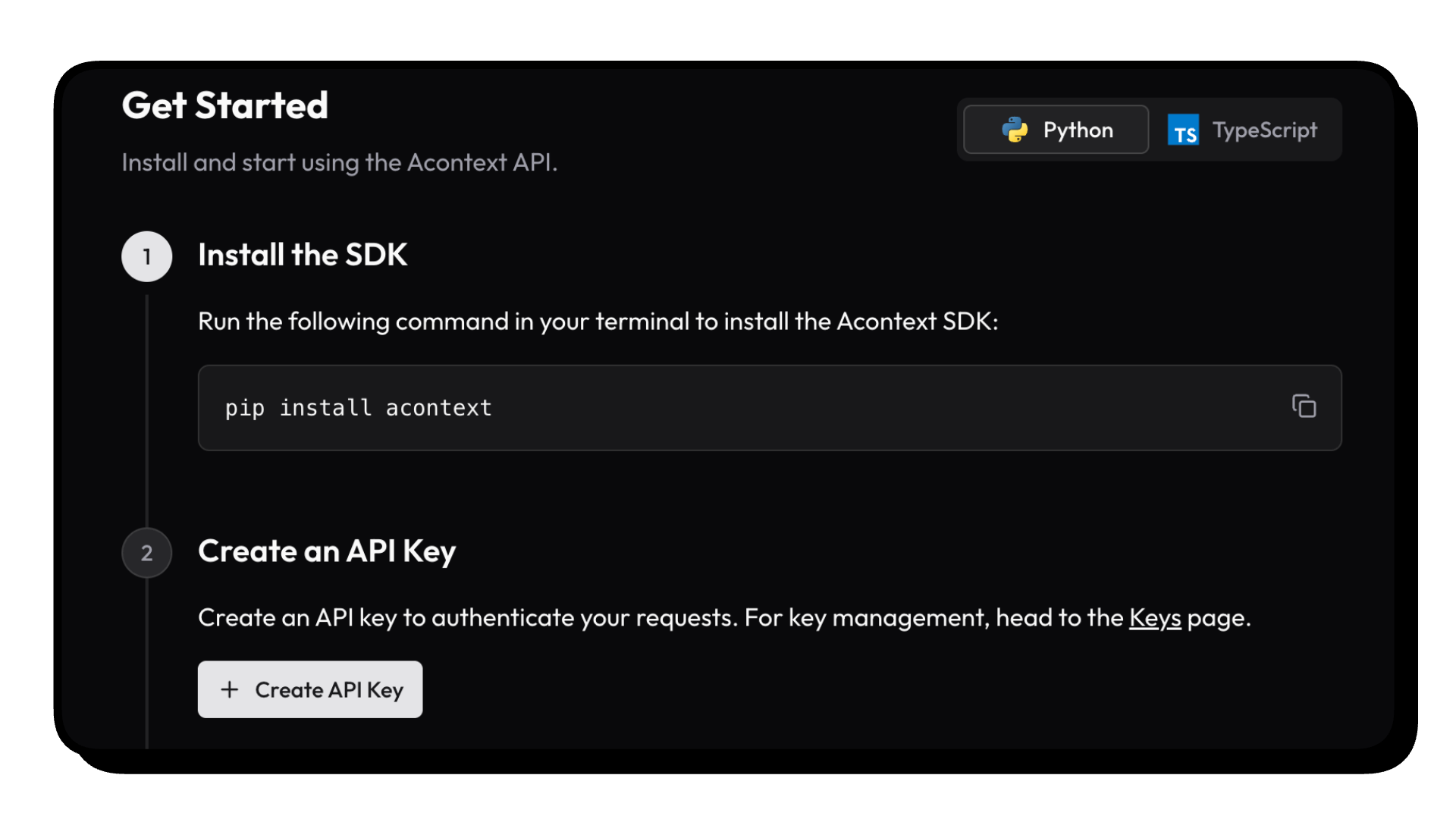
1. 访问 [Acontext.io](https://acontext.io),领取你的免费额度。
2. 完成一键入门操作以获取你的 API Key(以 `sk-ac` 开头)
### 安装 SDK
我们正在维护 Python [](https://pypi.org/project/acontext/) 和 Typescript [](https://www.npmjs.com/package/@acontext/acontext) SDK。下面的代码片段使用的是 Python。
```
pip install acontext
```
### 初始化 Client
```
import os
from acontext import AcontextClient
# For cloud:
client = AcontextClient(
api_key=os.getenv("ACONTEXT_API_KEY"),
)
# For self-hosted:
client = AcontextClient(
base_url="http://localhost:8029/api/v1",
api_key="sk-ac-your-root-api-bearer-token",
)
```
### 技能记忆实战
创建一个学习空间,附加一个会话,让 agent 学习——技能会自动以 Markdown 文件的形式写入。
```
from acontext import AcontextClient
client = AcontextClient(api_key="sk-ac-...")
# 创建学习空间并附加 session
space = client.learning_spaces.create()
session = client.sessions.create()
client.learning_spaces.learn(space.id, session_id=session.id)
# 运行你的 agent,存储消息 —— 当任务完成时,学习会自动运行
client.sessions.store_message(session.id, blob={"role": "user", "content": "My name is Gus"})
client.sessions.store_message(session.id, blob={"role": "assistant", "content": "Hi Gus! How can I help you today?"})
# ... agent 运行 ...
# 列出已学习的技能(Markdown 文件)
client.learning_spaces.wait_for_learning(space.id, session_id=session.id)
skills = client.learning_spaces.list_skills(space.id)
# 将所有技能文件下载到本地目录
for skill in skills:
client.skills.download(skill_id=skill.id, path=f"./skills/{skill.name}")
```
### 更多功能
- **[上下文工程](https://docs.acontext.io/engineering/editing)** —— 通过摘要和编辑策略压缩上下文
- **[Disk](https://docs.acontext.io/store/disk)** —— 面向 agent 的虚拟持久化文件系统
- **[Sandbox](https://docs.acontext.io/store/sandbox)** —— 使用 bash、Python 和[可挂载技能](https://docs.acontext.io/tool/bash_tools#mounting-skills-in-sandbox)进行隔离的代码执行
- **[Agent 工具](https://docs.acontext.io/tool/whatis)** —— 用于 LLM 函数调用的磁盘工具、沙箱工具和技能工具
# 🧐 使用 Acontext 构建 Agent
使用 `acontext` 下载端到端脚本:
**Python**
```
acontext create my-proj --template-path "python/openai-basic"
```
更多 Python 示例:
- `python/openai-agent-basic`:openai agent sdk 模板
- `python/openai-agent-artifacts`:agent 可以编辑和下载产物
- `python/claude-agent-sdk`:带有 `ClaudeAgentStorage` 的 claude agent sdk
- `python/agno-basic`:agno 框架模板
- `python/smolagents-basic`:smolagents (huggingface) 模板
- `python/interactive-agent-skill`:带有可挂载 agent 技能的交互式沙箱
**Typescript**
```
acontext create my-proj --template-path "typescript/openai-basic"
```
更多 Typescript 示例:
- `typescript/vercel-ai-basic`:@vercel/ai-sdk 中的 agent
- `typescript/claude-agent-sdk`:带有 `ClaudeAgentStorage` 的 claude agent sdk
- `typescript/interactive-agent-skill`:带有可挂载 agent 技能的交互式沙箱
# 🔍 文档
要了解更多关于技能记忆以及 Acontext 的功能,请访问[我们的文档](https://docs.acontext.io/)或从[什么是技能记忆?](https://docs.acontext.io/learn/quick)开始阅读。
# 🏗️ 架构
localhost:8029"] CORE["Core"] API -->|FastAPI & MQ| CORE end subgraph " " Infrastructure["Infrastructures"] PG["PostgreSQL"] S3["S3"] REDIS["Redis"] MQ["RabbitMQ"] end end subgraph "Dashboard" UI["Web Dashboard
localhost:3000"] end PY -->|RESTFUL API| API TS -->|RESTFUL API| API UI -->|RESTFUL API| API API --> Infrastructure CORE --> Infrastructure Infrastructure --> PG Infrastructure --> S3 Infrastructure --> REDIS Infrastructure --> MQ style PY fill:#3776ab,stroke:#fff,stroke-width:2px,color:#fff style TS fill:#3178c6,stroke:#fff,stroke-width:2px,color:#fff style API fill:#00add8,stroke:#fff,stroke-width:2px,color:#fff style CORE fill:#ffd43b,stroke:#333,stroke-width:2px,color:#333 style UI fill:#000,stroke:#fff,stroke-width:2px,color:#fff style PG fill:#336791,stroke:#fff,stroke-width:2px,color:#fff style S3 fill:#ff9900,stroke:#fff,stroke-width:2px,color:#fff style REDIS fill:#dc382d,stroke:#fff,stroke-width:2px,color:#fff style MQ fill:#ff6600,stroke:#fff,stroke-width:2px,color:#fff ```
# 🥇 徽章
 
```
[](https://acontext.io)
[](https://acontext.io)
```
# 📑 许可证
本项目当前使用 [Apache License 2.0](LICENSE) 授权。








💻 自托管 Acontext
我们提供了一个 `acontext-cli` 来帮助你快速进行概念验证。首先在你的终端中下载它: ``` curl -fsSL https://install.acontext.io | sh ``` 你应该安装了 [docker](https://www.docker.com/get-started/) 并拥有一个 OpenAI API Key,以便在你的计算机上启动 Acontext 后端: ``` mkdir acontext_server && cd acontext_server acontext server up ``` `acontext server up` 将为 Acontext 创建/使用 `.env` 和 `config.yaml`,并创建一个 `db` 文件夹来持久化数据。 完成后,你可以访问以下 endpoint: - Acontext API Base URL:http://localhost:8029/api/v1 - Acontext Dashboard:http://localhost:3000/点击展开
``` graph TB subgraph "Client Layer" PY["pip install acontext"] TS["npm i @acontext/acontext"] end subgraph "Acontext Backend" subgraph " " API["APIlocalhost:8029"] CORE["Core"] API -->|FastAPI & MQ| CORE end subgraph " " Infrastructure["Infrastructures"] PG["PostgreSQL"] S3["S3"] REDIS["Redis"] MQ["RabbitMQ"] end end subgraph "Dashboard" UI["Web Dashboard
localhost:3000"] end PY -->|RESTFUL API| API TS -->|RESTFUL API| API UI -->|RESTFUL API| API API --> Infrastructure CORE --> Infrastructure Infrastructure --> PG Infrastructure --> S3 Infrastructure --> REDIS Infrastructure --> MQ style PY fill:#3776ab,stroke:#fff,stroke-width:2px,color:#fff style TS fill:#3178c6,stroke:#fff,stroke-width:2px,color:#fff style API fill:#00add8,stroke:#fff,stroke-width:2px,color:#fff style CORE fill:#ffd43b,stroke:#333,stroke-width:2px,color:#333 style UI fill:#000,stroke:#fff,stroke-width:2px,color:#fff style PG fill:#336791,stroke:#fff,stroke-width:2px,color:#fff style S3 fill:#ff9900,stroke:#fff,stroke-width:2px,color:#fff style REDIS fill:#dc382d,stroke:#fff,stroke-width:2px,color:#fff style MQ fill:#ff6600,stroke:#fff,stroke-width:2px,color:#fff ```
标签:AI智能体, LLM框架, 上下文管理, 人工智能, 搜索引擎查询, 测试用例, 漏洞探索, 用户模式Hook绕过, 自定义脚本, 记忆层, 请求拦截, 逆向工具