geo-tp/ESP32-Bit-Pirate
GitHub: geo-tp/ESP32-Bit-Pirate
一款基于 ESP32-S3 的开源多协议硬件黑客工具,通过 Web 网页或串口界面实现从底层总线到各类无线电信号的全面交互与安全测试。
Stars: 4611 | Forks: 375
# ESP32 Bit Pirate
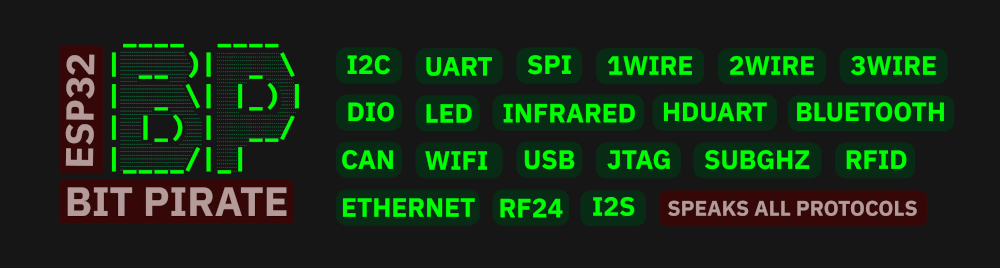
**ESP32 Bit Pirate** 是一款开源固件,受[传奇的 Bus Pirate](https://buspirate.com/) 启发,可将你的设备变成多协议黑客工具。
它支持通过串口终端或基于 Web 的 CLI 进行嗅探、发送、脚本编写,以及与各种数字协议(I2C、UART、1-Wire、SPI 等)进行交互。它还支持与蓝牙、Wi-Fi、Sub-GHz 和 RFID 等无线电协议通信。
使用 [ESP32 Bit Pirate Web 烧录器](https://geo-tp.github.io/ESP32-Bit-Pirate/webflasher/) 一键安装固件。有关每种模式和命令的分步指南,请参阅 [Wiki](https://github.com/geo-tp/ESP32-Bus-Pirate/wiki)。查看 [ESP32 Bit Pirate 脚本](https://github.com/geo-tp/ESP32-Bus-Pirate-Scripts) 获取脚本集合。
有关硬件扩展,请参阅 [ESP32 Bus Expander](https://github.com/geo-tp/ESP32-Bus-Expander) 以获取额外的无线电接口,以及 [ESP32 Bit Pirate Dock](https://github.com/AndreiVladescu/ESP32-Bus-Pirate-Dock) 以使用原版 [Bus Pirate](https://buspirate.com/) 适配器和配件。
## 功能特性
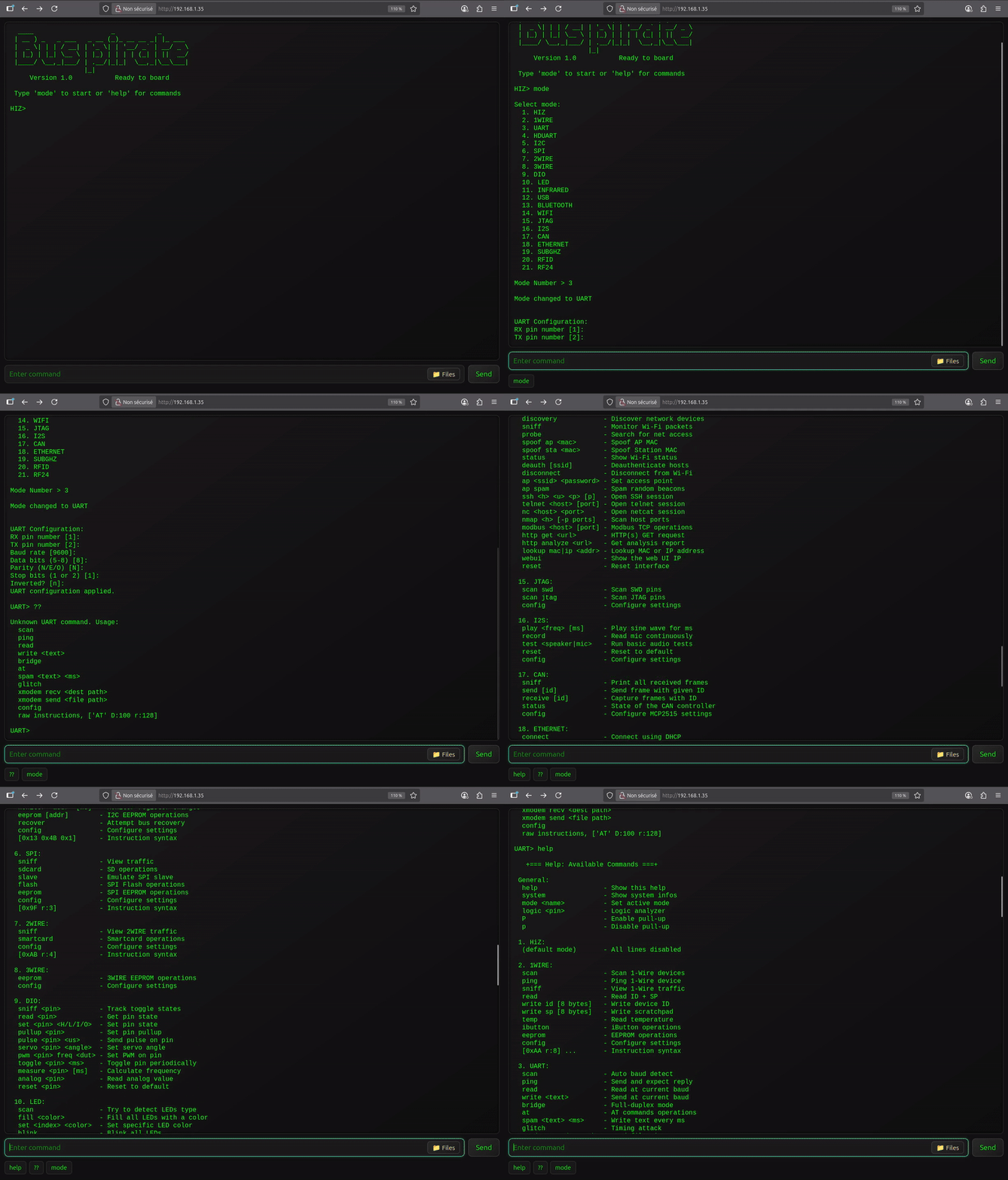
- 通过 **USB 串口或 WiFi Web** 提供交互式命令行界面 (CLI)。
- **支持以下模式:**
- [HiZ](https://github.com/geo-tp/ESP32-Bus-Pirate/wiki/01-HiZ)(默认)
- [I2C](https://github.com/geo-tp/ESP32-Bus-Pirate/wiki/05-I2C)(扫描、干扰、从机模式、导出、eeprom)
- [SPI](https://github.com/geo-tp/ESP32-Bus-Pirate/wiki/06-SPI)(eeprom、flash、sdcard、从机模式)
- [UART](https://github.com/geo-tp/ESP32-Bus-Pirate/wiki/03-UART) / [半双工 UART](https://github.com/geo-tp/ESP32-Bus-Pirate/wiki/04-HDUART)(桥接、读取、写入)
- [1WIRE](https://github.com/geo-tp/ESP32-Bus-Pirate/wiki/02-1WIRE)(ibutton、eeprom)
- [2WIRE](https://github.com/geo-tp/ESP32-Bus-Pirate/wiki/07-2WIRE)(嗅探、智能卡) / [3WIRE](https://github.com/geo-tp/ESP32-Bus-Pirate/wiki/08-3WIRE)(eeprom)
- [DIO](https://github.com/geo-tp/ESP32-Bus-Pirate/wiki/09-DIO)(数字 I/O、读取、上拉、设置、pwm)
- [红外](https://github.com/geo-tp/ESP32-Bus-Pirate/wiki/11-INFRARED)(发送、录制、万能遥控器)
- [USB](https://github.com/geo-tp/ESP32-Bus-Pirate/wiki/12-USB)(HID、鼠标、键盘、游戏手柄、存储)
- [蓝牙](https://github.com/geo-tp/ESP32-Bus-Pirate/wiki/13-BLUETOOTH)(BLE HID、扫描、欺骗、嗅探)
- [Wi-Fi](https://github.com/geo-tp/ESP32-Bus-Pirate/wiki/14-WIFI) / [以太网](https://github.com/geo-tp/ESP32-Bus-Pirate/wiki/18-ETHERNET)(嗅探、反认证、nmap、netcat)
- [JTAG](https://github.com/geo-tp/ESP32-Bus-Pirate/wiki/15-JTAG)(扫描引脚排列、SWD)
- [LED](https://github.com/geo-tp/ESP32-Bus-Pirate/wiki/10-LED)(动画、设置 LED)
- [I2S](https://github.com/geo-tp/ESP32-Bus-Pirate/wiki/16-I2S)(测试扬声器、麦克风、播放声音)
- [CAN](https://github.com/geo-tp/ESP32-Bus-Pirate/wiki/17-CAN)(嗅探、发送和接收帧)
- [SUBGHZ](https://github.com/geo-tp/ESP32-Bus-Pirate/wiki/19-SUBGHZ)(分析、录制、重放)
- [RFID](https://github.com/geo-tp/ESP32-Bus-Pirate/wiki/20-RFID)(读取、写入、克隆)
- [RF24](https://github.com/geo-tp/ESP32-Bus-Pirate/wiki/21-RF24)(扫描、发送、接收)
- [FM](https://github.com/geo-tp/ESP32-Bus-Pirate/wiki/22-FM)(分析、广播)
- [CELL](https://github.com/geo-tp/ESP32-Bus-Pirate/wiki/23-CELL)(导出 sim 卡、短信、通话)
- 用于 I2C、SPI、1Wire、2wire、CAN、Wi-Fi、蓝牙、SubGhz 的**协议嗅探器**。
- 波特率**自动检测**、AT 命令以及各种 UART 工具。
- 寄存器操作、**EEPROM 导出工具**、I2C 设备识别。
- 读取各类 **EEPROM、Flash** 以及其他各种 SPI 工具。
- 使用 **Bus Pirate 风格的字节码**指令或 **Python** 进行脚本编写。
- Device-B-Gone 命令支持超过 **80 种红外协议**。
- 直接 I/O 管理,**PWM、舵机**、脉冲。
- 分析**所有频段**的无线电信号和频率。
- 支持近 **50 种可寻址 LED 协议**。
- 支持 **以太网和 WiFi** 以访问网络。
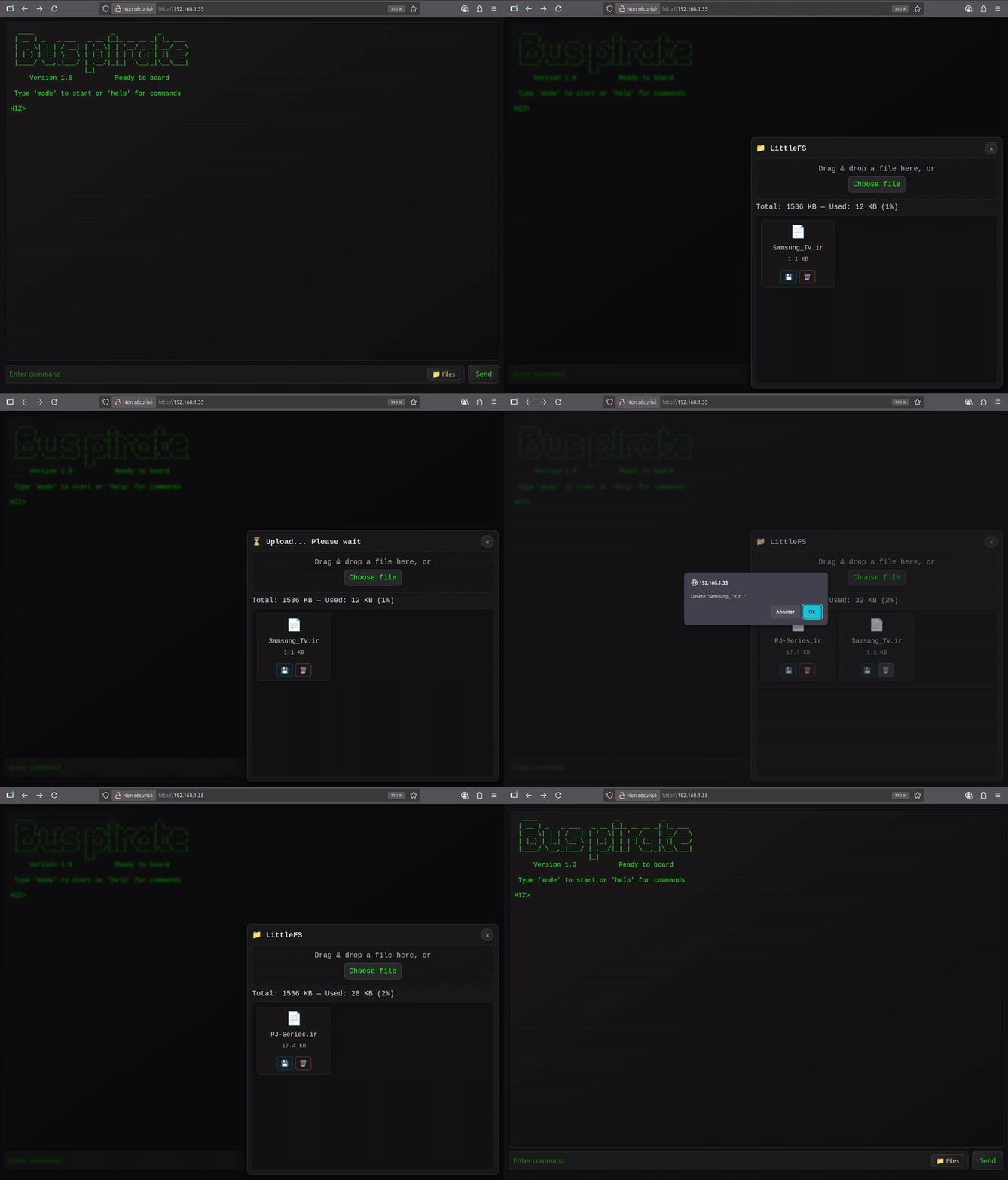
- 通过 **HTTP 上的 LittleFS** 导入和导出数据。
## 支持的设备
| 设备 | | 描述 |
|-----------------------|------------------------------------------|---------------------------------------------------|
| **ESP32 S3 Dev Kit** |  | 超过 20 个可用 GPIO,1 个按钮 |
| **M5 Cardputer** |  | 2 个 GPIO (Grove),屏幕,键盘,麦克风,扬声器,红外发射,SD 卡,电池,[独立模式](#standalone-mode-for-the-cardputer) |
| **M5 Cardputer ADV** |  | 12 个 GPIO (Grove, Header),屏幕,键盘,麦克风,扬声器,红外发射,SD 卡,IMU,电池,[独立模式](#standalone-mode-for-the-cardputer) |
| **M5 Stick S3** |  | 13 个 GPIO (Grove, Header),屏幕,麦克风,扬声器,红外发射,红外接收,IMU,3 个按钮,电池 |
| **M5 StampS3** |  | 9 个 GPIO (外露引脚),1 个按钮 |
| **M5 AtomS3 Lite** |  | 8 个 GPIO (Grove, Header),红外发射,1 个按钮 |
| **LILYGO T-Display** |  | 13 个 GPIO (1 个 Qwicc),屏幕,2 个按钮 |
| **LILYGO T-Embed** |  | 9 个 GPIO (Grove, Header),屏幕,编码器,扬声器,麦克风,SD 卡 |
| **LILYGO T-Embed CC1101** |  | 4 个 GPIO (2x Qwiic),屏幕,编码器,扬声器,麦克风,SD 卡,CC1101,PN532,红外发射,红外接收,电池 |
| **LILYGO T-Embed CC1101 Plus** |  | 4 个 GPIO (2x Qwiic),屏幕,编码器,扬声器,麦克风,SD 卡,CC1101,NRF24,PN532,红外发射,红外接收,电池 |
| **Seeed Studio Xiao S3** |  | 9 个 GPIO (外露引脚),1 个按钮
- **其他基于 ESP32-S3 的开发板**
- 所有基于 **ESP32-S3 的开发板都可以被支持**,前提是它们至少拥有 **8 MB 的闪存。**
- 你可以**将 s3 dev-kit 固件烧录到任何 ESP32-S3 开发板上。**
- 请记住,**固件中的默认引脚映射可能与**你特定的开发板不匹配。
## 入门指南
[](https://geo-tp.github.io/ESP32-Bit-Pirate/webflasher/)
1. 🔧 烧录固件
- 使用 [ESP32 Bit Pirate Web 烧录器](https://geo-tp.github.io/ESP32-Bit-Pirate/webflasher/) 直接从网络浏览器烧录固件。
- 你也可以在 [M5Burner](https://docs.m5stack.com/en/download) 上进行烧录,在 M5stick、AtomS3、M5StampS3 或 Cardputer 分类中。
2. 🔌 通过串口或网络连接
- 串口:任何终端应用(见[通过串口连接](https://github.com/geo-tp/ESP32-Bus-Pirate/wiki/99-Serial))
- 网络:配置 Wi-Fi 并通过浏览器访问 CLI(见[Wi-Fi 连接](https://github.com/geo-tp/ESP32-Bus-Pirate/wiki/00-Terminal))
3. 🧪 使用如下命令:
mode
help
scan
sniff
...
## Wiki
[](https://github.com/geo-tp/ESP32-Bus-Pirate/wiki/)
📚 **[访问 Wiki](https://github.com/geo-tp/ESP32-Bus-Pirate/wiki)** 获取有关每种模式和命令的详细文档。
包含:
- [终端模式](https://github.com/geo-tp/ESP32-Bus-Pirate/wiki/00-Terminal) - 关于串口和网络终端。
- [模式概览](https://github.com/geo-tp/ESP32-Bus-Pirate/wiki) - 浏览支持的模式。
- [指令语法](https://github.com/geo-tp/ESP32-Bus-Pirate/wiki/99-Instructions) - 掌握各项指令。
- [串口设置](https://github.com/geo-tp/ESP32-Bus-Pirate/wiki/99-Serial) - 通过 USB 进行串口访问。
Wiki 是了解一切运作原理的最佳场所。
## 脚本编写
[](https://github.com/geo-tp/ESP32-Bus-Pirate-Scripts/)
🛠️ [**使用串口上的 Python 脚本自动化与 ESP32 Bit Pirate 的交互**](https://github.com/geo-tp/ESP32-Bus-Pirate/wiki/99-Python)
代码库中提供了**示例和现成的脚本**:[ESP32 Bit Pirate 脚本](https://github.com/geo-tp/ESP32-Bus-Pirate-Scripts)。
**包括:** 将数据记录到文件中、eeprom 和 flash 导出、与 GPIO 交互、LED 动画...
## 扩展板
[](https://github.com/geo-tp/ESP32-Bus-Expander)
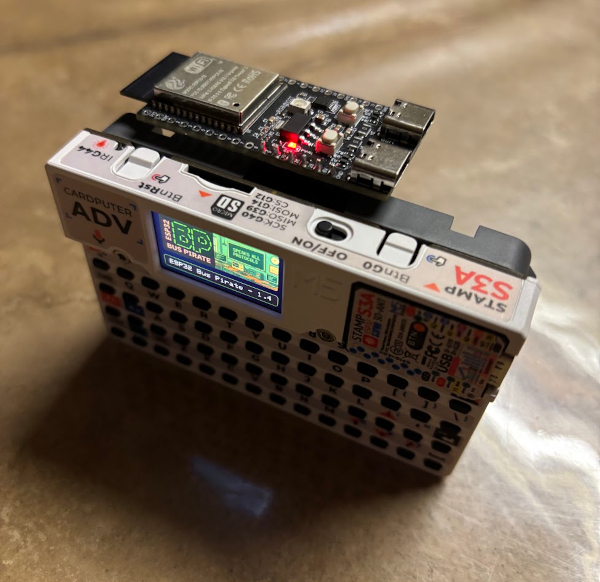
🔌 **[通过额外的硬件模块扩展 ESP32 Bit Pirate 的功能](https://github.com/geo-tp/ESP32-Bus-Expander)**
扩展板增加了对 **WiFi 5 GHz** 或其他无线电协议的支持。
## 扩展坞
[](https://github.com/AndreiVladescu/ESP32-Bus-Pirate-Dock)
🔧 **[专为 ESP32 S3 DevKit 设计的扩展坞,旨在与原版 Bus Pirate 适配器配合使用。**
它允许你插入并使用原版 [Bus Pirate](https://buspirate.com/) 生态系统的适配器和配件。
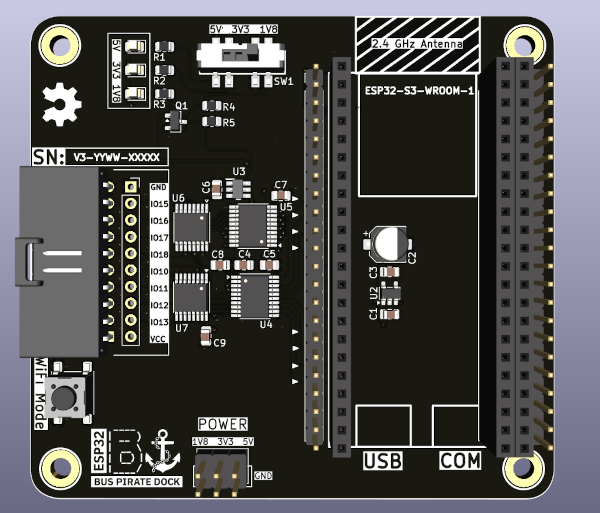
(即将推出)
## 命令行界面
ESP32 Bit Pirate 固件提供三种命令行界面 (CLI) 模式:
| 界面 | 优势 | 适用场景... |
|------------------|-----------------------------------------------------------------------------|----------------------------------------|
| **网络界面** | - 可通过任何浏览器访问
- PC、平板、手机
- 通过 Wi-Fi 工作
- 无需线缆 | 快速测试、演示、无头设置 | | **串口界面** | - 更快的性能
- 即时响应
- 顺畅处理大量数据 | 密集会话、频繁交互 | | **独立模式** | - 仅适用于 Cardputer
- 设备自带键盘
- 设备自带屏幕 | 便携式会话、快速测试 | 所有界面共享相同的命令结构,可以交替使用([更多详情](https://github.com/geo-tp/ESP32-Bus-Pirate/wiki/00-Terminal))。 ## 通过 WiFi 的移动 Web 界面 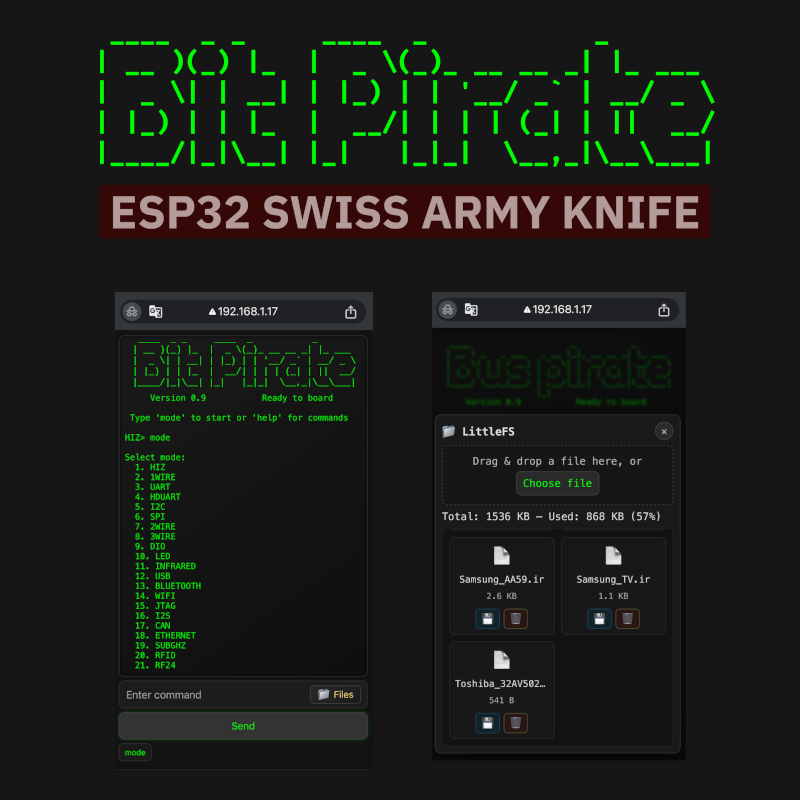 ## Cardputer 的独立模式 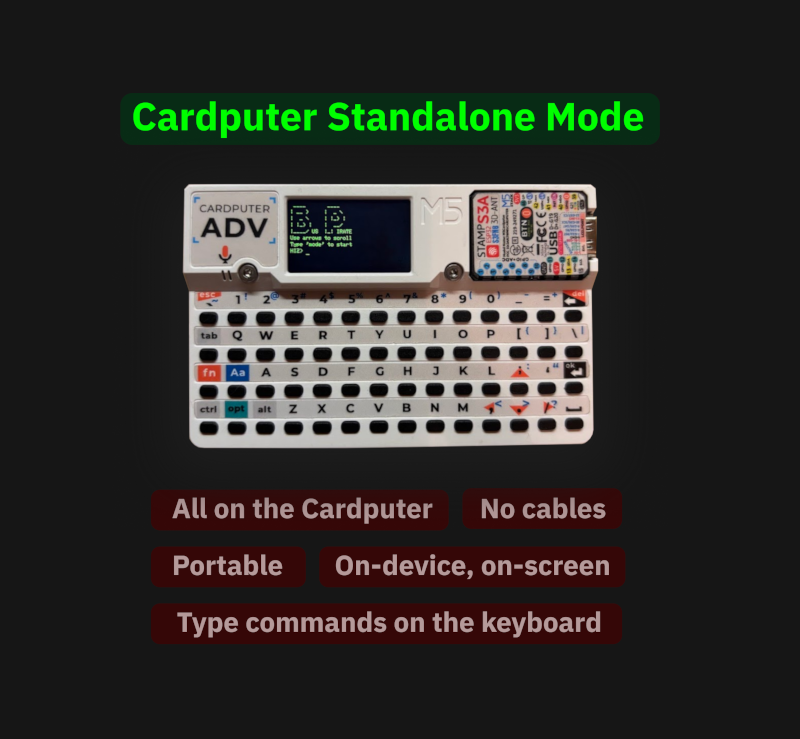 ## 使用 ESP32 Bit Pirate 通过 WiFi 进行 UART 通信 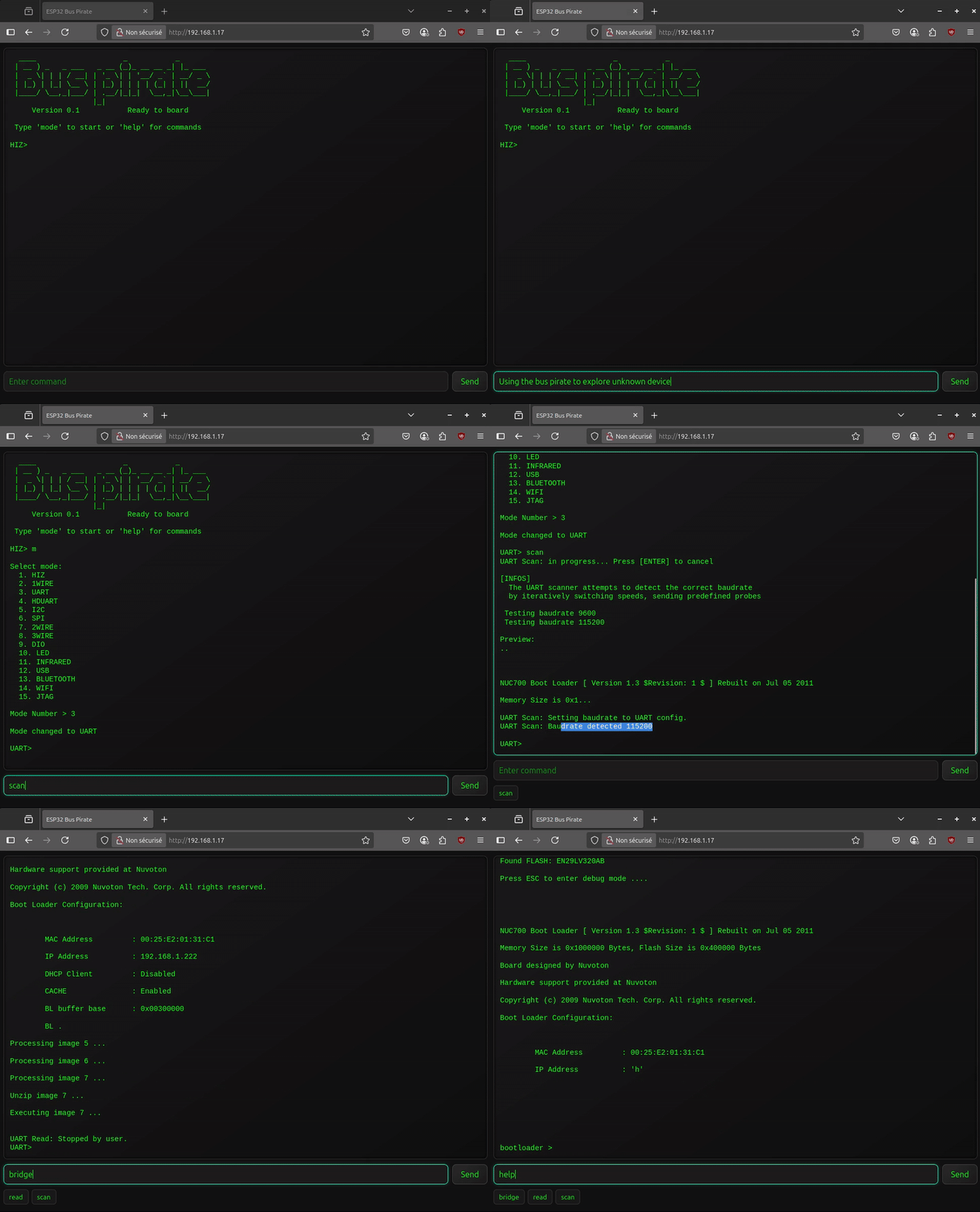 ## 贡献 请参阅[如何贡献](https://github.com/geo-tp/ESP32-Bus-Pirate/wiki/99-Contribute)部分,其中概述了向任何模式**添加新命令的简单方法**。 ## 视觉素材 #### [](https://github.com/geo-tp/ESP32-Bus-Pirate/wiki/99-Visual-Assets) 请参阅[图像、Logo、演示文稿、照片、视频、插图](https://github.com/geo-tp/ESP32-Bus-Pirate/wiki/99-Visual-Assets)。这些视觉素材可以**在博客文章、文档、视频或文章中自由使用**,以帮助解释和推广该固件。 ## 警告
- PC、平板、手机
- 通过 Wi-Fi 工作
- 无需线缆 | 快速测试、演示、无头设置 | | **串口界面** | - 更快的性能
- 即时响应
- 顺畅处理大量数据 | 密集会话、频繁交互 | | **独立模式** | - 仅适用于 Cardputer
- 设备自带键盘
- 设备自带屏幕 | 便携式会话、快速测试 | 所有界面共享相同的命令结构,可以交替使用([更多详情](https://github.com/geo-tp/ESP32-Bus-Pirate/wiki/00-Terminal))。 ## 通过 WiFi 的移动 Web 界面  ## Cardputer 的独立模式  ## 使用 ESP32 Bit Pirate 通过 WiFi 进行 UART 通信  ## 贡献 请参阅[如何贡献](https://github.com/geo-tp/ESP32-Bus-Pirate/wiki/99-Contribute)部分,其中概述了向任何模式**添加新命令的简单方法**。 ## 视觉素材 #### [](https://github.com/geo-tp/ESP32-Bus-Pirate/wiki/99-Visual-Assets) 请参阅[图像、Logo、演示文稿、照片、视频、插图](https://github.com/geo-tp/ESP32-Bus-Pirate/wiki/99-Visual-Assets)。这些视觉素材可以**在博客文章、文档、视频或文章中自由使用**,以帮助解释和推广该固件。 ## 警告
标签:1-Wire, Bus Pirate, ESP32, GauPlus, I2C, IoT, RFID, SPI, Sub-GHz, UART, UML, Web CLI, Wi-Fi, 串口通信, 信号欺骗, 协议分析, 命令行界面, 嗅探, 固件, 固件分析, 多协议, 开源硬件, 无线电安全, 权限提升, 物联网安全, 硬件安全, 硬件黑客, 蓝牙, 逆向工具