跨平台社区网页指纹识别工具ObserverWard
作者:Sec-Labs | 发布时间:
ObserverWard
| 类别 | 说明 |
|---|---|
| 作者 | 三米前有蕉皮 |
| 团队 | 0x727 未来一段时间将陆续开源工具 |
| 定位 | 社区化指纹库识别工具。 |
| 语言 | Rust |
| 功能 | 命令行Web指纹识别工具 |
1. 源码手动安装
git clone https://github.com/0x727/ObserverWard
cd ObserverWard
cargo build --target x86_64-unknown-linux-musl --release --all-features- 更多安装细节请查看当前项目的Actions自动化编译构建流程文件。
2. 下载二进制安装
- 因为前期更新比较频繁,没有使用tags发布版本,每次更新代码都会自动重新编译发布到
default版本,所以default永远是最新的版本。 - 看到是前几天发布的不要犹豫,下载就是最新的。
- 发行版本下载页面。
使用方法
➜  ~ ./observer_ward -h
ObserverWard 0.0.1
author: Kali-Team

USAGE:
    observer_ward [FLAGS] [OPTIONS]

FLAGS:
    -c, --csv                   Export to the csv file or Import form the csv file
    -f, --file                  Read the target from the file
    -h, --help                  Prints help information
    -j, --json                  Export to the json file or Import form the json file
        --service               Using nmap fingerprint identification service (slow)
        --stdin                 Read url(s) from STDIN
    -t, --target                The target URL(s) (required, unless --stdin used)
    -u, --update_fingerprint    Update web fingerprint
        --update_plugins        Update nuclei plugins
        --update_self           Update self
    -V, --version               Prints version information

OPTIONS:
        --plugins <plugins>    Calling plugins to detect vulnerabilities
        --proxy <proxy>        Proxy to use for requests (ex: [http(s)|socks5(h)]://host:port)
        --thread <thread>      Number of concurrent threads. [default: 100]
        --timeout <timeout>    Set request timeout. [default: 10]
        --verify <verify>      Validate the specified yaml file
        --webhook <webhook>    Send results to webhook server (ex: https://host:port/webhook)
更新指纹
- 使用
-u参数从指纹库中更新指纹,也可以自己从指纹库项目下载到当前目录。
➜  ~ ./observer_ward_amd64 -u
Complete web_fingerprint_v3.json update: web_fingerprint_v3.json file size => 949222
验证指纹是否有效
--verify指定要验证的指纹yaml文件路径,-t指定要识别的目标。
➜  ~ ./observer_ward --verify verification.yaml -t https://httpbin.org
[ https://httpbin.org |["swagger"] | 9593 | 200 | httpbin.org ]
Important technology:

+---------------------+---------+--------+-------------+-------------+----------+
| url                 | name    | length | status_code | title       | priority |
+=====================+=========+========+=============+=============+==========+
| https://httpbin.org | swagger | 9593   | 200         | httpbin.org | 5        |
+---------------------+---------+--------+-------------+-------------+----------+
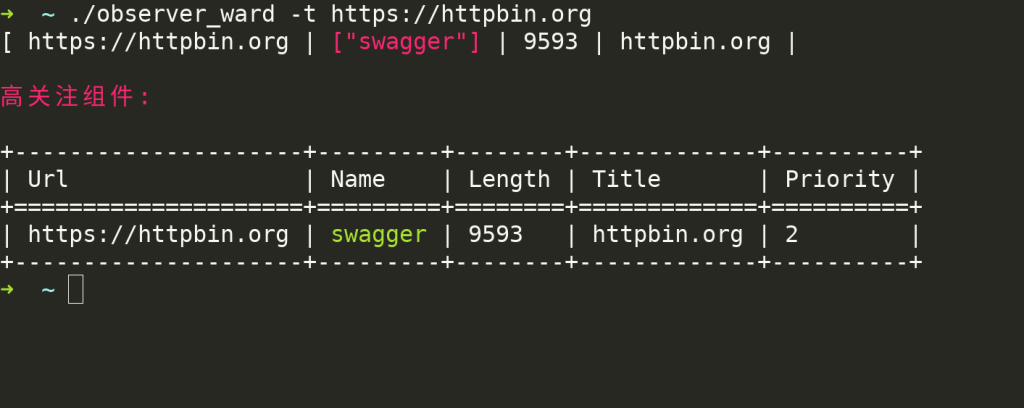
单个目标识别
➜  ~ ./observer_ward -t https://httpbin.org
[ https://httpbin.org |["swagger"] | 9593 | 200 | httpbin.org ]
Important technology:

+---------------------+---------+--------+-------------+-------------+----------+
| url                 | name    | length | status_code | title       | priority |
+=====================+=========+========+=============+=============+==========+
| https://httpbin.org | swagger | 9593   | 200         | httpbin.org | 5        |
+---------------------+---------+--------+-------------+-------------+----------+
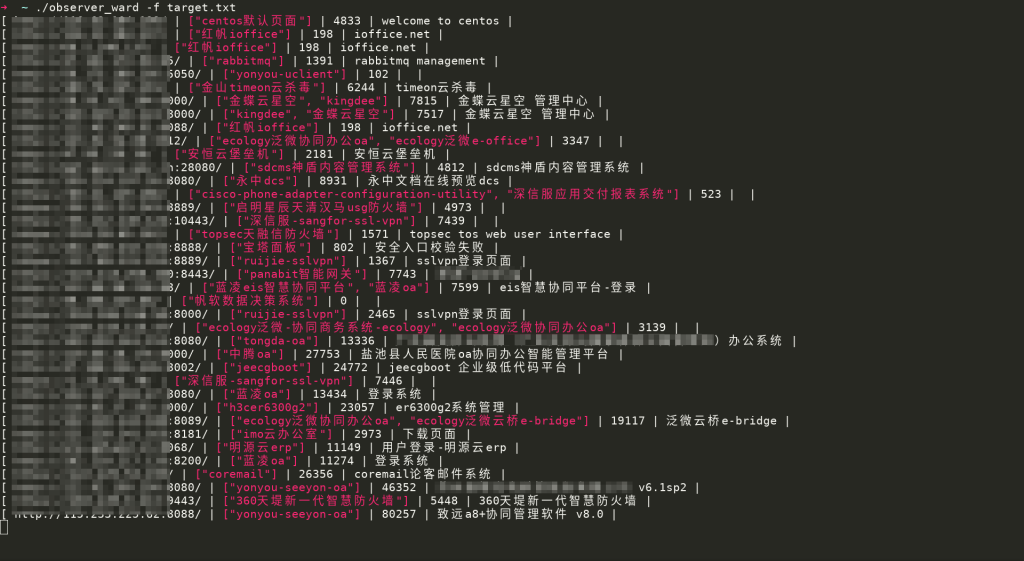
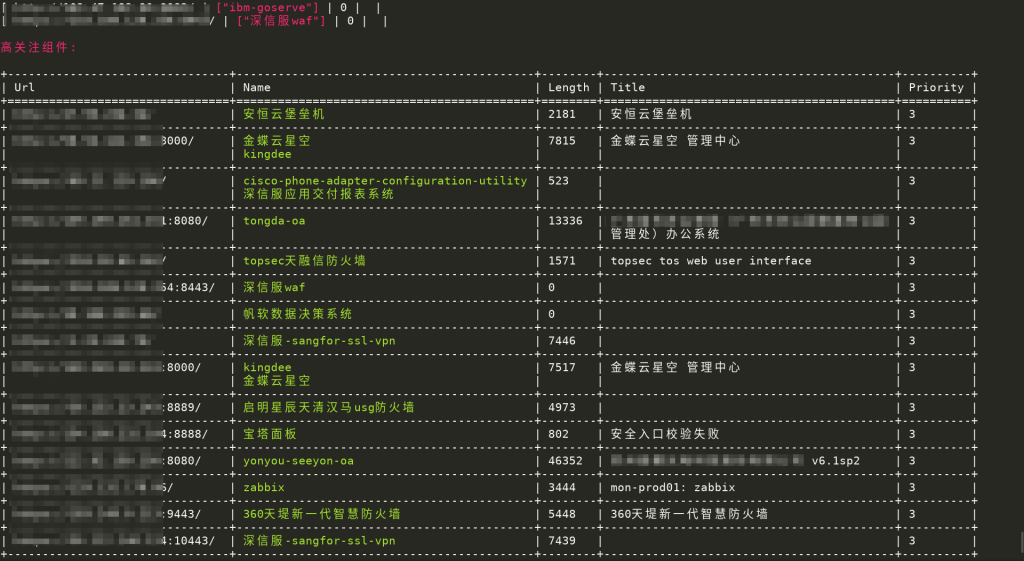
从文件获取要识别的目标
➜ ~ ./observer_ward -f target.txt
从标准输出获取识别目标
➜ ~ cat target.txt| ./observer_ward --stdin- 结果和从文件获取的效果一样,这里不再截图展示。
导出结果到JSON文件
➜  ~ ./observer_ward -t https://httpbin.org -j result.json
[ https://httpbin.org |["swagger"] | 9593 | 200 | httpbin.org ]
Important technology:

+---------------------+---------+--------+-------------+-------------+----------+
| url                 | name    | length | status_code | title       | priority |
+=====================+=========+========+=============+=============+==========+
| https://httpbin.org | swagger | 9593   | 200         | httpbin.org | 5        |
+---------------------+---------+--------+-------------+-------------+----------+
➜  ~ cat result.json
[{"url":"https://httpbin.org","name":["swagger"],"priority":5,"length":9593,"title":"httpbin.org","status_code":200,"is_web":true,"plugins":[]}]
导出结果到CSV文件
➜  ~ ./observer_ward -t https://httpbin.org -c result.csv
[ https://httpbin.org |["swagger"] | 9593 | 200 | httpbin.org ]
Important technology:

+---------------------+---------+--------+-------------+-------------+----------+
| url                 | name    | length | status_code | title       | priority |
+=====================+=========+========+=============+=============+==========+
| https://httpbin.org | swagger | 9593   | 200         | httpbin.org | 5        |
+---------------------+---------+--------+-------------+-------------+----------+
➜  ~ cat result.csv
url,name,length,status_code,title,priority
https://httpbin.org,swagger,9593,200,httpbin.org,5
项目地址
https://github.com/0x727/ObserverWard
调用Nuclei检测漏洞
- 如果需要使用
Nuclei检测漏洞,需要首先安装Nuclei到当前目录,或者是加入环境变量里面,让observe_ward可以正常调用。 - 再下载指纹库中的插件到当前目录下,或者使用
--update_plugins插件。 - 如图:
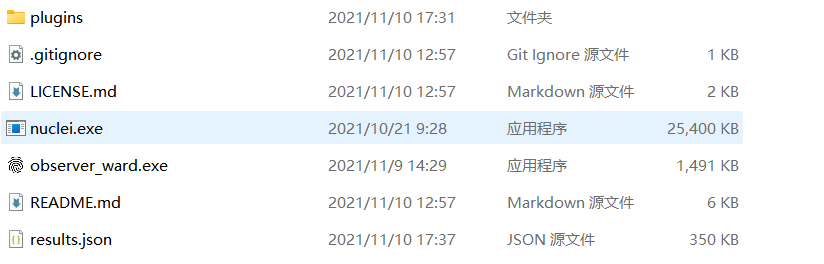
- 在指纹库中已经对部分组件的插件进行了分类,如果识别到的组件在
plugins目录下存在和组件同名的文件夹,会对目标调用Nuclei使用匹配到的插件进行检测,存在漏洞会输出到屏幕。 - 因为经过测试在指纹识别过程中同时调用nuclei检测漏洞会影响Web指纹识别的效果,也会拉长识别的时间,所以选择识别完Web指纹后将结果保存到文件,再解析文件调用nuclei检测。
- 目前支持将Web指纹识别的结果保存为
json和csv格式,所以只能解析这两种格式。
➜  ~ ./observer_ward_amd64 -t https://httpbin.org --csv result.csv --plugins 0x727/FingerprintHub/plugins
 __     __     ______     ______     _____
/\ \  _ \ \   /\  __ \   /\  == \   /\  __-.
\ \ \/ ".\ \  \ \  __ \  \ \  __<   \ \ \/\ \
 \ \__/".~\_\  \ \_\ \_\  \ \_\ \_\  \ \____-
  \/_/   \/_/   \/_/\/_/   \/_/ /_/   \/____/
Community based web fingerprint analysis tool.
_______________________________________________
: https://github.com/0x727/FingerprintHub     :
: https://github.com/0x727/ObserverWard       :
 ----------------------------------------------
[ https://httpbin.org |["swagger"] | 9593 | 200 | httpbin.org ]
Important technology:

+---------------------+---------+--------+-------------+-------------+----------+
| url                 | name    | length | status_code | title       | priority |
+=====================+=========+========+=============+=============+==========+
| https://httpbin.org | swagger | 9593   | 200         | httpbin.org | 5        |
+---------------------+---------+--------+-------------+-------------+----------+
Important technology:

+---------------------+---------+--------+-------------+-------------+----------+------------+
| url                 | name    | length | status_code | title       | priority | plugins    |
+=====================+=========+========+=============+=============+==========+============+
| https://httpbin.org | swagger | 9593   | 200         | httpbin.org | 5        | swagger-api|
+---------------------+---------+--------+-------------+-------------+----------+------------+
- 同理
json格式也可以。
➜ ~ ./observer_ward_amd64 -f target.txt --json result.json --plugins 0x727/FingerprintHub/pluginsWebHook
from flask import Flask, request

app = Flask(__name__)


@app.route("/webhook", methods=['POST'])
def xray_webhook():
    print(request.json)
    return 'ok'


if __name__ == '__main__':
app.run()- 开启webhook后,添加
--webhook参数,将识别的结果发送到webhook服务器。
➜ ~ ./observer_ward_amd64 -f target.txt --webhook http://127.0.0.1:5000/webhook提交指纹
- ObserverWard_0x727使用到的指纹规则全部来自FingerprintHub项目,如果需要获取指纹库和提交指纹规则,请查看FingerprintHub项目。
标签:工具分享