【视频讲解】PicoCTF 2022 HTML, CSS & JavaScript
作者:FancyPig | 发布时间: | 更新时间:
相关阅读
在网络安全入门的探讨中,推荐了Pico ctf
data-postsbox="{"id":13208,"title":"2022年网络安全学习路线——如何入门、就业","author":"FancyPig","author_id":1,"cover_image":"","cover_video":"","views":9748,"comment_count":26,"category":"cybersecurity","is_forum_post":false}">{"id":13208,"title":"2022年网络安全学习路线——如何入门、就业","author":"FancyPig","author_id":1,"cover_image":"","cover_video":"","views":9748,"comment_count":26,"category":"cybersecurity","is_forum_post":false}
在上期视频中,我们带大家来玩转GDB调试器
data-postsbox="{"id":20520,"title":"【视频讲解】PicoCTF 2022 玩转GDB调试器","author":"FancyPig","author_id":1,"cover_image":"","cover_video":"","views":2261,"comment_count":1,"category":"cybersecurity","is_forum_post":false}">{"id":20520,"title":"【视频讲解】PicoCTF 2022 玩转GDB调试器","author":"FancyPig","author_id":1,"cover_image":"","cover_video":"","views":2261,"comment_count":1,"category":"cybersecurity","is_forum_post":false}
今天我们将进入web领域,简单了解HTML、CSS、JavaScript概念,然后从中寻找flag
题目
你能拿到flag吗?
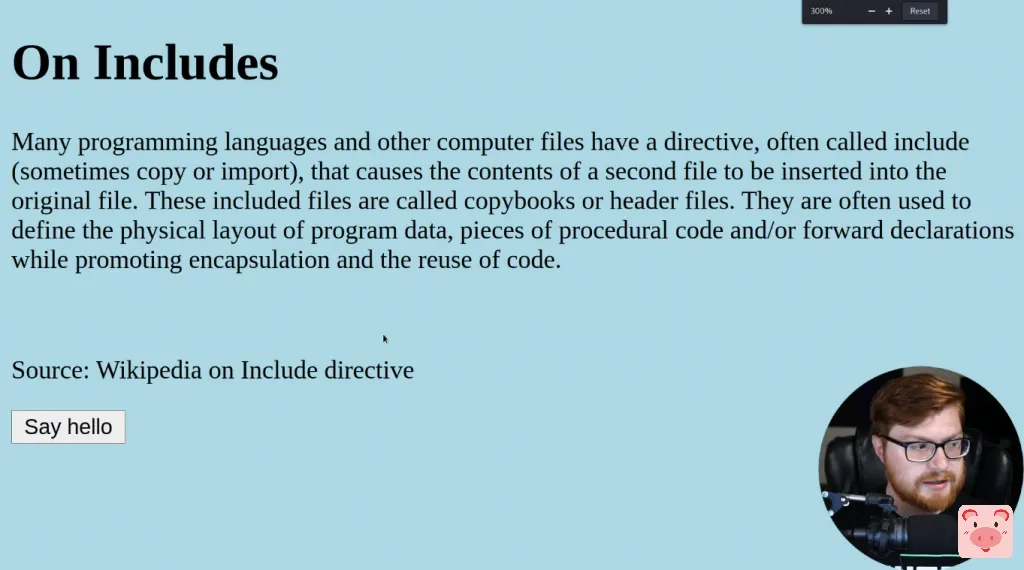
进入下面的页面寻找flag
视频讲解
今天我们将大家来了解HTML、CSS、JavaScript前端相关的基础知识,并在页面中寻找flag
图文讲解
data-postsbox="{"id":1791,"title":"【零基础学渗透】前端基础学习(1)html基础","author":"Sec-Labs","author_id":10015,"cover_image":"","cover_video":"","views":4213,"comment_count":217,"category":"cybersecurity","is_forum_post":false}">{"id":1791,"title":"【零基础学渗透】前端基础学习(1)html基础","author":"Sec-Labs","author_id":10015,"cover_image":"","cover_video":"","views":4213,"comment_count":217,"category":"cybersecurity","is_forum_post":false}
data-postsbox="{"id":1878,"title":"【零基础学渗透】前端基础学习(2)CSS学习","author":"Sec-Labs","author_id":10015,"cover_image":"","cover_video":"","views":4216,"comment_count":44,"category":"cybersecurity","is_forum_post":false}">{"id":1878,"title":"【零基础学渗透】前端基础学习(2)CSS学习","author":"Sec-Labs","author_id":10015,"cover_image":"","cover_video":"","views":4216,"comment_count":44,"category":"cybersecurity","is_forum_post":false}
这里解题的思路非常简单,我们可以先右键查看网页源代码

我们看到页面上有引用的CSS、JS文件,分别打开
- style.css
- script.js

在打开style.css时,可以发现有pico ctf的flag前半部分

在打开script.js,可以发现pico ctf的flag后半部分

组合在一起就是最后的flag了
picoCTF{1nclu51v17y_1of2_f7w_2of2_b8f4b022}在这里可以顺便学习一下css和js的注释方式,虽然在我们使用的vscode代码编辑器中,我们通常可以使用ctrl+/进行快速注释,但是我们还是要记一下css、js的注释方式,玩一哪天需要你手撸代码呢?
- css的注释
/* 注释内容 */ - js的注释
// 注释内容
标签:css, javascript