如何通过WIFI的BSSID/SSID溯源定位
作者:FancyPig | 发布时间: | 更新时间:
相关阅读
data-postsbox="{"id":2618,"title":"如何隐藏自己的真实IP地址 防止被溯源/恶意钓鱼","author":"FancyPig","author_id":1,"cover_image":"","cover_video":"","views":26340,"comment_count":1170,"category":"cybersecurity","is_forum_post":false}">{"id":2618,"title":"如何隐藏自己的真实IP地址 防止被溯源/恶意钓鱼","author":"FancyPig","author_id":1,"cover_image":"","cover_video":"","views":26340,"comment_count":1170,"category":"cybersecurity","is_forum_post":false}
data-postsbox="{"id":17246,"title":"如何通过手机号溯源到实名","author":"FancyPig","author_id":1,"cover_image":"https://static.pigsec.cn/wp-content/uploads/2022/06/20220604035607503.png","cover_video":"","views":22104,"comment_count":32,"category":"sg","is_forum_post":false}">{"id":17246,"title":"如何通过手机号溯源到实名","author":"FancyPig","author_id":1,"cover_image":"https://static.pigsec.cn/wp-content/uploads/2022/06/20220604035607503.png","cover_video":"","views":22104,"comment_count":32,"category":"sg","is_forum_post":false}
data-postsbox="{"id":17378,"title":"如何通过恶意攻击IP溯源","author":"FancyPig","author_id":1,"cover_image":"","cover_video":"","views":10438,"comment_count":1067,"category":"cybersecurity","is_forum_post":false}">{"id":17378,"title":"如何通过恶意攻击IP溯源","author":"FancyPig","author_id":1,"cover_image":"","cover_video":"","views":10438,"comment_count":1067,"category":"cybersecurity","is_forum_post":false}
准备工作
需要先给自己的Linux系统安装git命令
CentOS
如果你是CentOS环境,您可以输入下面的命令
sudo yum install gitDebian/Ubuntu
sudo apt install git下载git仓库
git clone https://github.com/GONZOsint/geowifi.git 
安装依赖
我们输入下面的命令进入geowifi目录
cd geowifi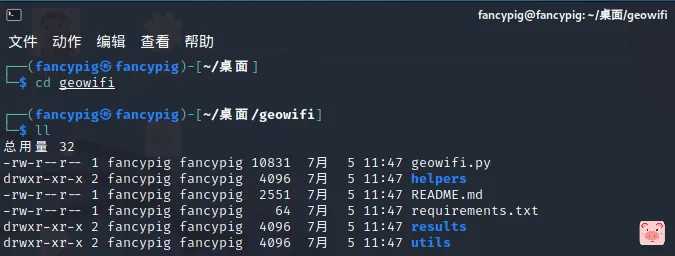
安装依赖
python3 -m pip install -r requirements.txt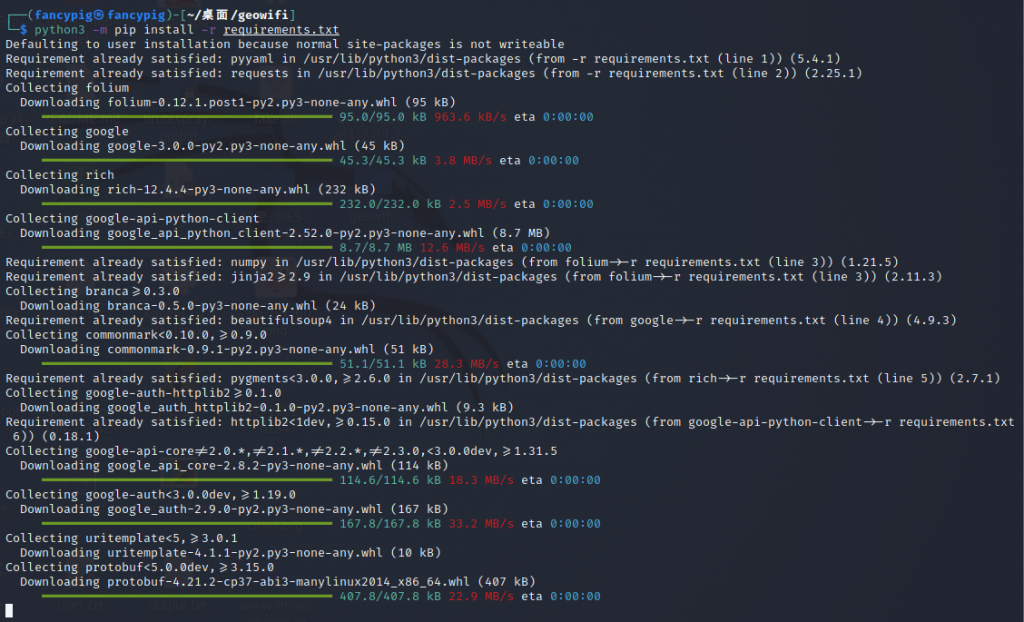
工具的使用
通常我们可以在流量里查看到BSSID、SSID相关数据
我们这里可以对自己的Wifi进行验证,打开CMD,输入下面的命令
netsh wlan show networks mode=bssid
然后我们复制BSSID,然后使用刚才我们的工具
python3 geowifi.py -b xx:xx:xx:xx:xx:xx -m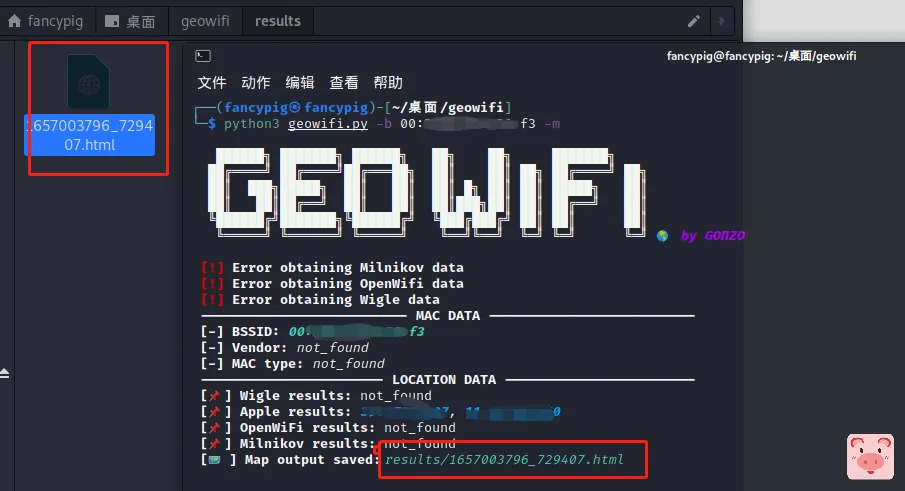
-m的意思是会生成一个html的页面,自动调用Google地球进行渲染
然后我们打开html的页面就可以查看定位了!有的时候会有多个位置,大概样子就是下面的。
放大是可以看到定位名称的!

当然,你可以直接将GEO的坐标记录下来,然后用其他的在线工具进行读取,都可以的
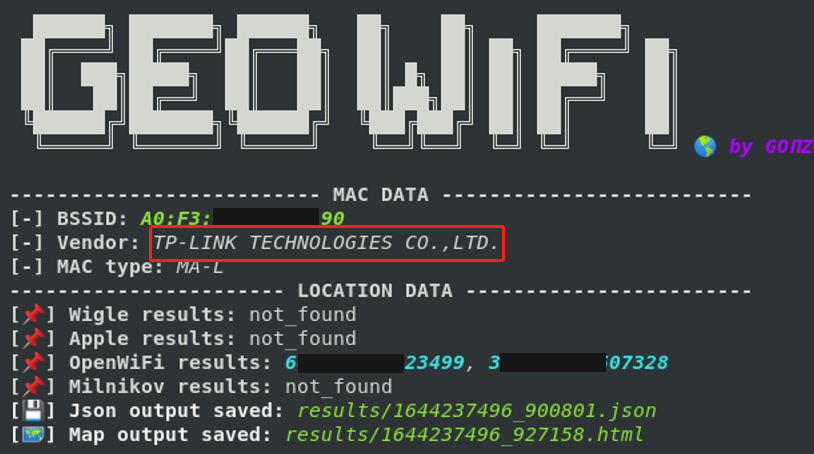
值得补充的是,部分BSSID还可以获取到一些设备的信息,比方说路由器是TP-Link的
报错处理
如果出现了
Traceback (most recent call last):
  File "/home/fancypig/桌面/geowifi/geowifi.py", line 8, in <module>
    from utils import searcher, mapper, vendorcheck
  File "/home/fancypig/桌面/geowifi/utils/searcher.py", line 8, in <module>
    from helpers import BSSIDApple_pb2
  File "/home/fancypig/桌面/geowifi/helpers/BSSIDApple_pb2.py", line 31, in <module>
    _descriptor.FieldDescriptor(
  File "/home/fancypig/.local/lib/python3.10/site-packages/google/protobuf/descriptor.py", line 560, in __new__
    _message.Message._CheckCalledFromGeneratedFile()
TypeError: Descriptors cannot not be created directly.
If this call came from a _pb2.py file, your generated code is out of date and must be regenerated with protoc >= 3.19.0.
If you cannot immediately regenerate your protos, some other possible workarounds are:
 1. Downgrade the protobuf package to 3.20.x or lower.
 2. Set PROTOCOL_BUFFERS_PYTHON_IMPLEMENTATION=python (but this will use pure-Python parsing and will be much slower).
如下图所示

我们可以通过手动降低 protobuf 为 3.x
下面的命令来解决此问题
pip install protobuf==3.20.1